Makten wrote:
Yes, but if you increase exposure to the point where highlights are just not clipping, you have gained DR compared to exposing with the highlights a bit lower (which the camera metering in many cases will do unless you force it not to).
For this very reason, lifting an image shot at ISO 100 +1 stop in PP, is effectively the same as having shot it at ISO 200. A lot of people don't know this, unfortunately.
No matter the settings, you want to expose the sensor to as much light as possible (without clipping) if you want to maximize DR. ...Show more →
Yes, except that there may be a difference in the noise between boosting the brightness in post processing and exposing it more in the camera. And exposing the image in camera so that you leave headroom unused at the highlight end may leave the very darkest shadow areas at the point where there is insufficient exposure to record an image. Something to watch if the subject brightness range is extreme.
gyoung143 wrote:
If you increase exposure to the point highlights are burnt out any further exposure will reduce tge dynamic range recorded as shadows increase closer to the maximum that can be recorded.
Gerry
This is understood that by increasing exposure, that by definition is the amount of light per unit area reaching the surface of a camera sensor, we shall eventually saturate the sensor.
Maximum exposure on a sensor is limited by the FWC of the sensor. Similarly, the dynamic range is limited, with the largest usable DR expected at the base ISO.
Edit: I am not sure "any further exposure will reduce the dynamic range recorded as shadows increase closer to the maximum that can be recorded" is correct, assuming that the ISO isn't changed. I also interpret your "shadows" as dominated by the read noise that I expect to remain unchanged at constant gain when you deliver increasingly more light on the sensor. When both the light recorded by the sensor at FWC and the read noise are unchanged, so is the DR, or so it seems to me.
ruthenium wrote:
Dan, "exposure" and "dynamic range" are well-defined parameters. I am using these as defined.
Regarding "Increasing exposure does not increase the potential recorded dynamic range", this is incorrect.
There is a difference between increasing the range of “dynamics” (luminosity values) in your photograph via correct exposure and the capacity of the camera to record a wide range of values. Your reply refers to the former, while the issue with these settings is the latter.
If you are underexposing your images you are decreasing available dynamic range in your photograph — though the dynamic range of the sensor is not changed. In is plainly obvious that when it comes to exposure, in order to maximize image dynamic range you need to spread luminosity levels across the widest possible range for the sensor.
But the answer this different issue is to expose correctly, which typically means “hot” enough to keep highlights appropriately just beneath (or in a few cases just above) the point at which they blow out.
Regardless, that is irrelevant to the question of what the 200% and 400% settings are supposed to accomplish. Underexpose or overexpose, those settings still do what they do.
Let’s say we properly expose to protect those highlights and find that we still lack enough DR from the camera to get a good image in the darkest areas. Supposedly the 200% setting at that exposure would still protect the highlights while giving us an extra stop of usable image in the darkest areas. The 400% setting would do the same but double the extension to give two additional stops at the dark end of the scale.
There is every indication that this is done by taking the raw image from the sensor (which will apparently be the same regardless of which setting you choose — the sensor records what the sensor records) and somehow applying a curve to the image afterwards. It makes sense that this would work with jpg output, since jpgs typically have less dynamic range than the original raw sensor files — so there is room to do shadow recovery as the camera generates the jpg.
gdanmitchell wrote:
There is a difference between increasing the range of “dynamics” (luminosity values) in your photograph via correct exposure and the capacity of the camera to record a wide range of values. Your reply refers to the former, while the issue with these settings is the latter.
If you are underexposing your images you are decreasing available dynamic range in your photograph — though the dynamic range of the sensor is not changed. In is plainly obvious that when it comes to exposure, in order to maximize image dynamic range you need to spread luminosity levels across the widest possible range for the sensor.
But the answer this different issue is to expose correctly, which typically means “hot” enough to keep highlights appropriately just beneath (or in a few cases just above) the point at which they blow out.
Regardless, that is irrelevant to the question of what the 200% and 400% settings are supposed to accomplish. Underexpose or overexpose, those settings still do what they do.
Let’s say we properly expose to protect those highlights and find that we still lack enough DR from the camera to get a good image in the darkest areas. Supposedly the 200% setting at that exposure would still protect the highlights while giving us an extra stop of usable image in the darkest areas. The 400% setting would do the same but double the extension to give two additional stops at the dark end of the scale.
There is every indication that this is done by taking the raw image from the sensor (which will apparently be the same regardless of which setting you choose — the sensor records what the sensor records) and somehow applying a curve to the image afterwards. It makes sense that this would work with jpg output, since jpgs typically have less dynamic range than the original raw sensor files — so there is room to do shadow recovery as the camera generates the jpg....Show more →
Dan, you have your own understanding of the dynamic range which is apparently different from the definition of the ingeneering or photographic dynamic range that I am using. Basically, we are talking about different things. In your understanding, the dynamic range is a number that don't change with exposure (thus, you state "If you are underexposing your images ... the dynamic range of the sensor is not changed"). In the conventional technical definition, that I am using, the dynamic range of a digital sensor linearly, or nearly linearly, scales with the exposure. For details, see Bill Claff's photographic dynamic range data on https://www.photonstophotos.net/Charts/PDR.htm
From the past exchanges on FM where you have been involved and expressed your views and opinions, I have learned that you NEVER agree with an opponent when different views and opinions are expressed. I don't expect anything different this time. For example, I don't expect you to adopt the well-defined technical definition of the dynamic range, while I expect you to stick to your understanding of what dynamic range means to you.
RoamingScott wrote:
As usual, this is a overly-wrought mental gymnastics exercise with 0 real world examples provided. All hang wringing and no pudding.
Go out in the world and shoot a challenge scene at DR100, 200, and 400 and come back here and post your findings, as you so often ask others to do, Dmitri.
Oh and provide the RAW files while you're at it.
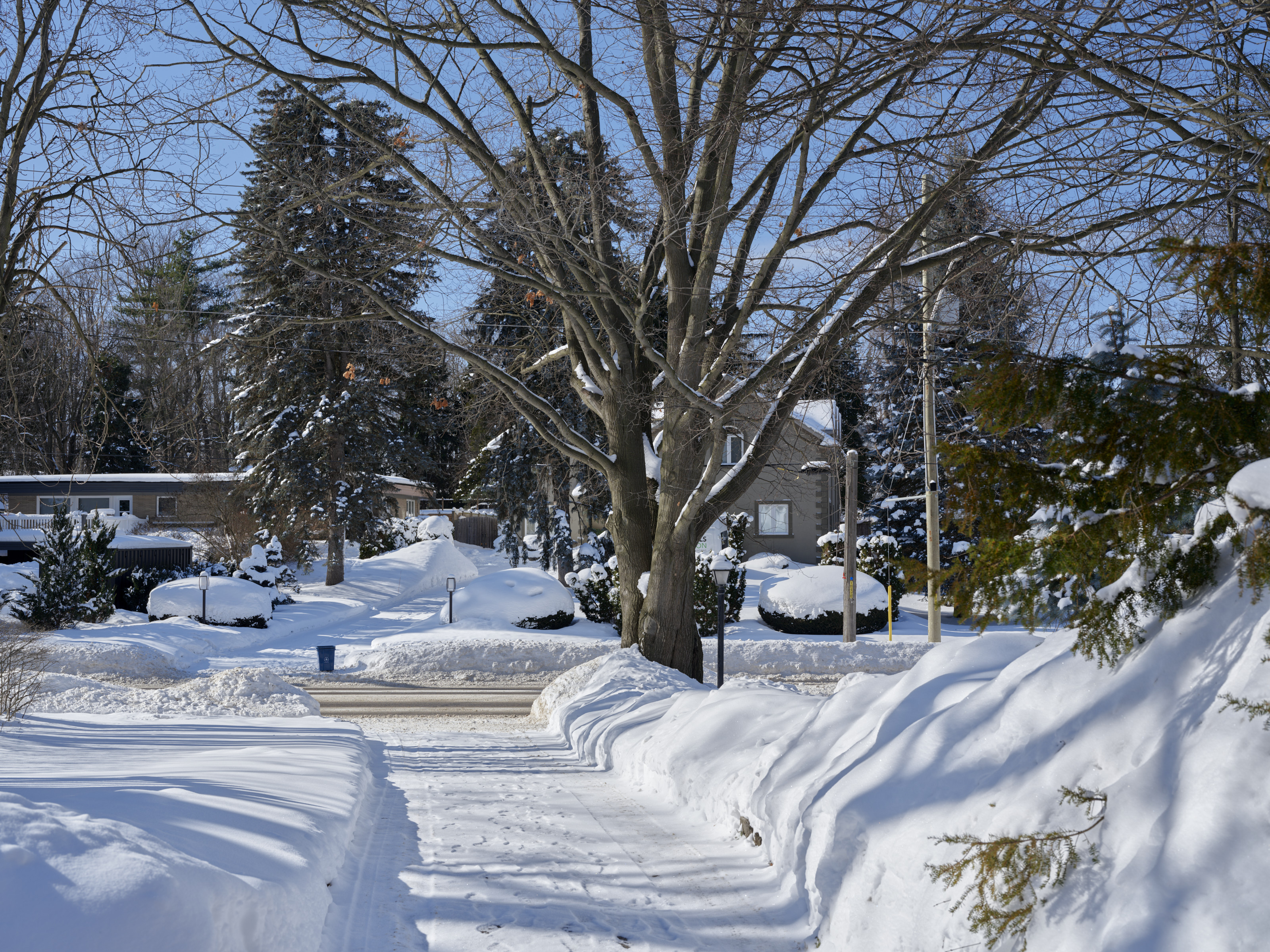
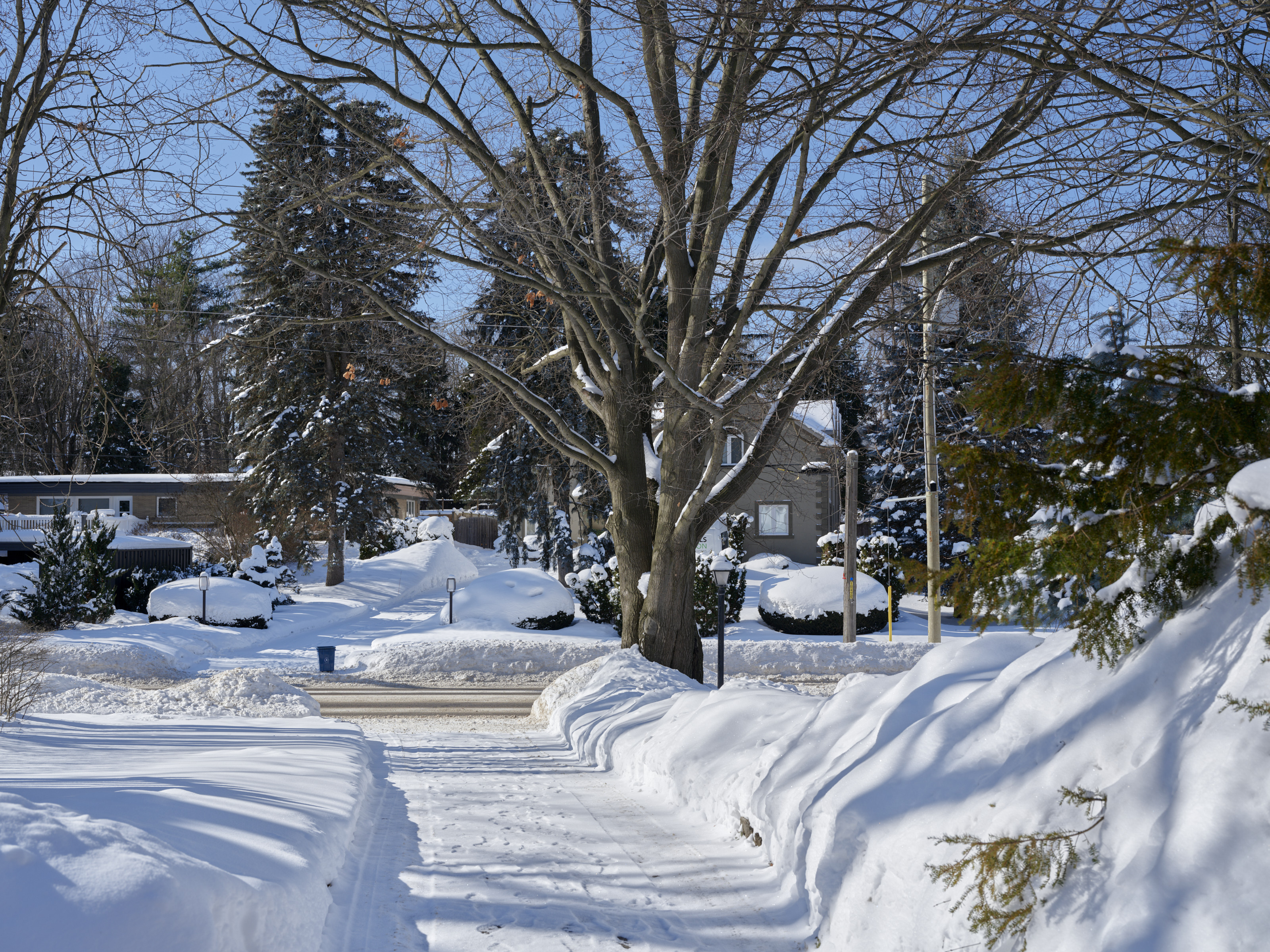
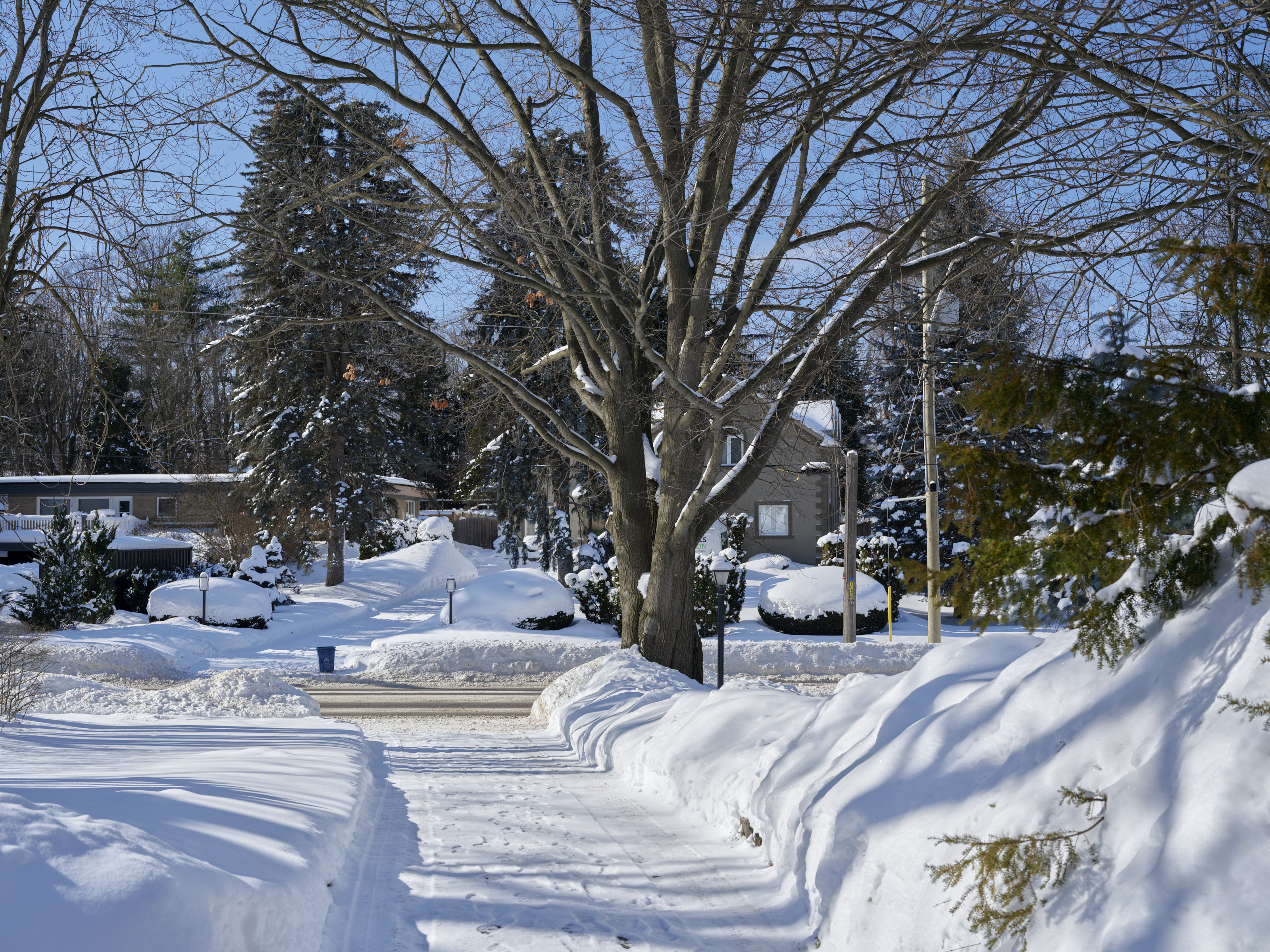
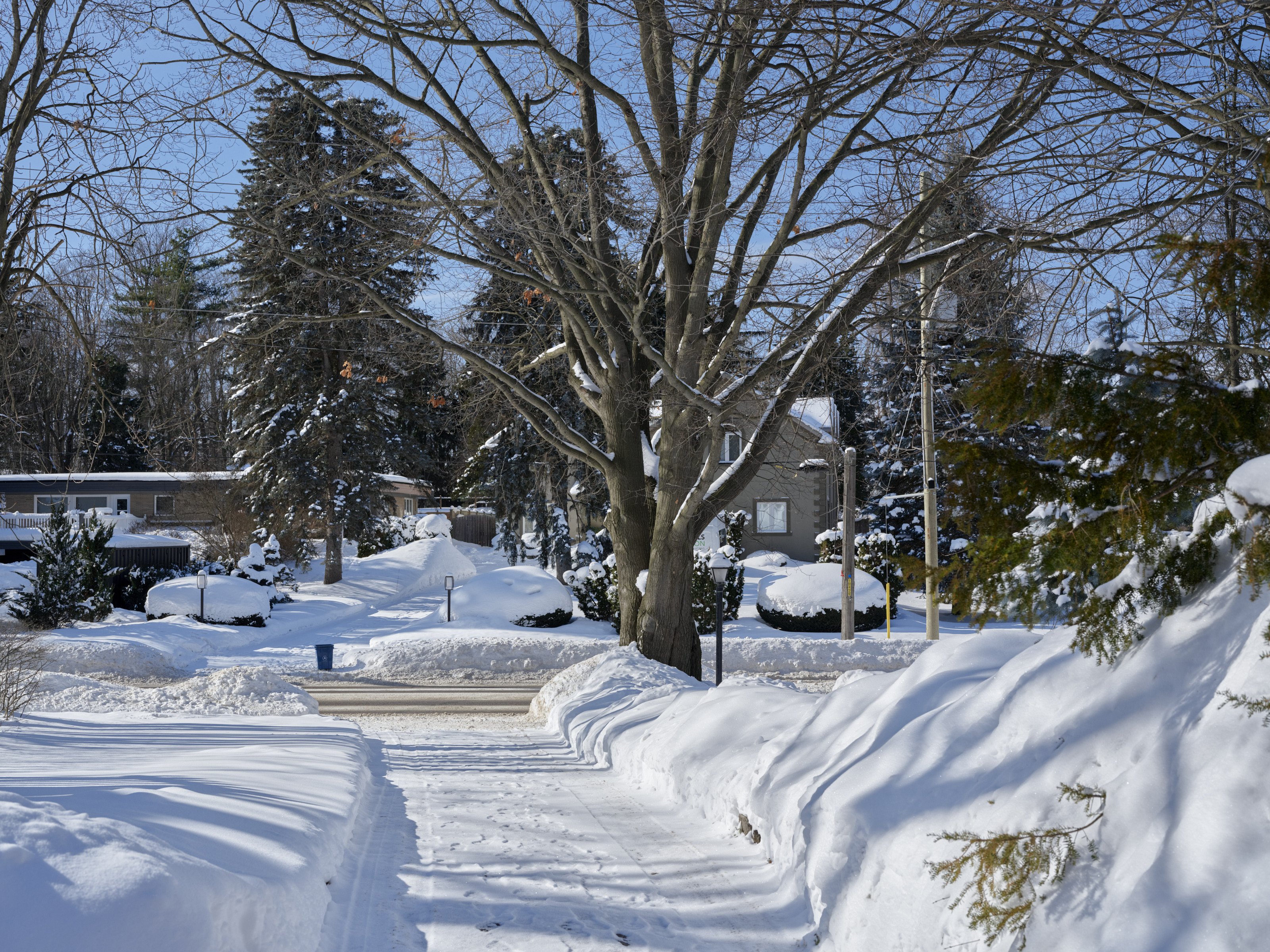
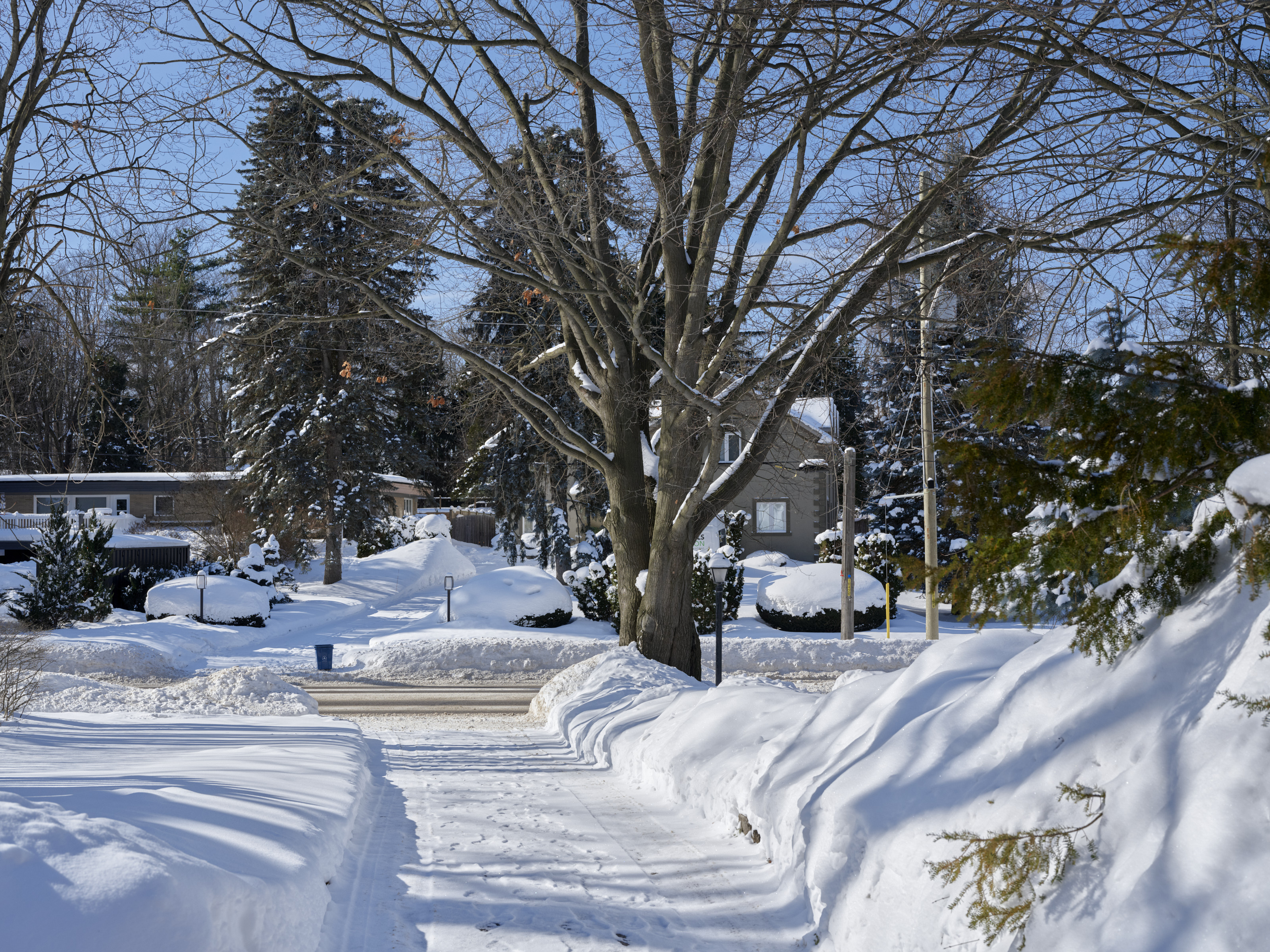
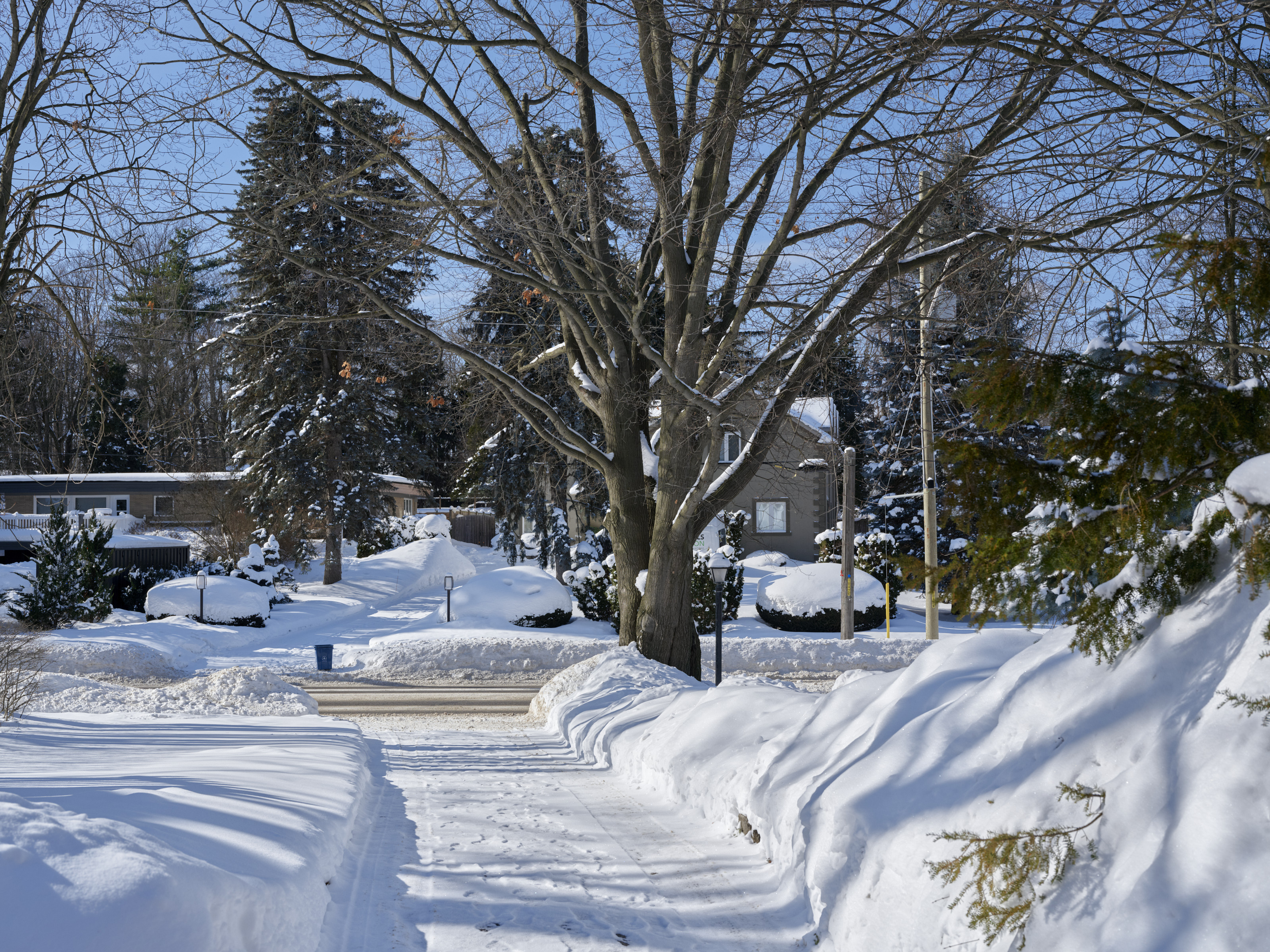
Scott, I went out in the world (though, admittedly, only a few steps from my house, as it is too cold in the world this morning!) and have taken two series of shots of a high-contrast scene:
1) at ISO80 (DR100) - ISO160 (DR200) - ISO320 (DR400)
2) at ISO500 with DR100, 200, and 400
I processed these raw files in Capture One while using exactly the same(!) adjustments, then exported 3200x2400 jpegs at 85% quality. These jpegs can be seen in the following uploads.
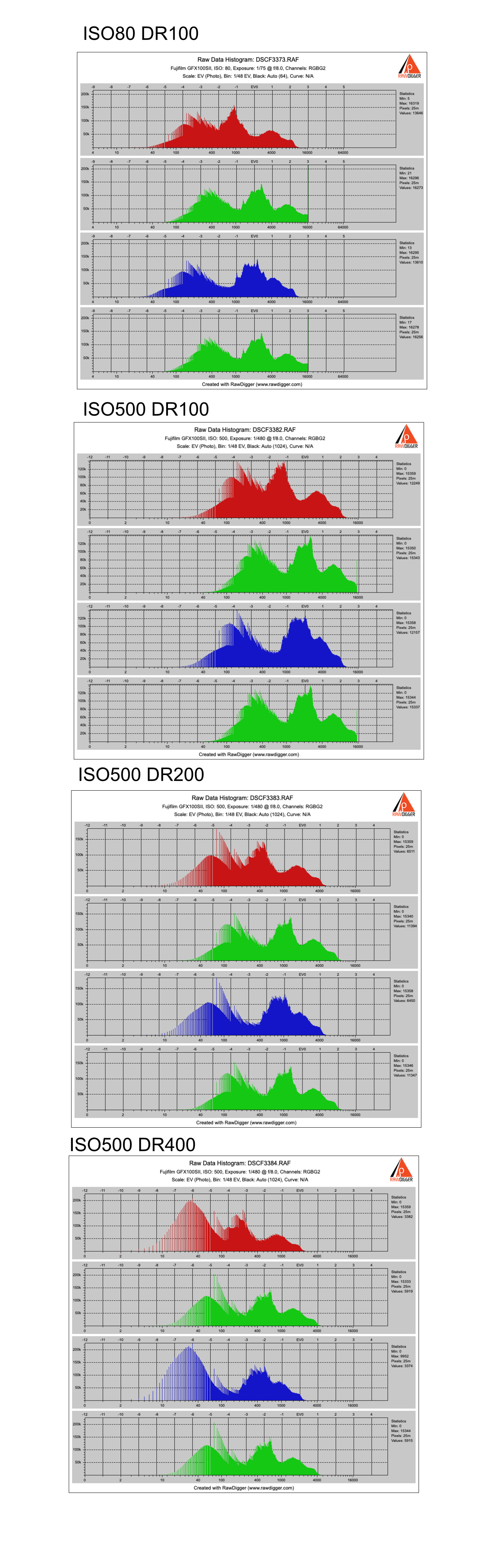
The last upload shows the raw histograms for ISO80 DR100, ISO500 DR100, ISO500 DR200, ISO500 DR400.
There is clipping in the green channels at ISO80 DR100 and ISO500 DR400.
Feel free to examine the raw files and comment on any relevant observations.
ISO80 DR100
GFX100S IIFujifilm Fujinon GF55mm F1.7 R WR lens55mmf/8.01/75s80 ISO0.0 EV
ISO160 DR200
GFX100S IIFujifilm Fujinon GF55mm F1.7 R WR lens55mmf/8.01/150s160 ISO0.0 EV
ISO320 DR400
GFX100S IIFujifilm Fujinon GF55mm F1.7 R WR lens55mmf/8.01/300s320 ISO0.0 EV
ISO500 DR100
GFX100S IIFujifilm Fujinon GF55mm F1.7 R WR lens55mmf/8.01/480s500 ISO0.0 EV
ISO500 DR200
GFX100S IIFujifilm Fujinon GF55mm F1.7 R WR lens55mmf/8.01/480s500 ISO0.0 EV
ISO500 DR400
GFX100S IIFujifilm Fujinon GF55mm F1.7 R WR lens55mmf/8.01/480s500 ISO0.0 EV
ruthenium wrote:
Dan, you have your own understanding of the dynamic range which is apparently different from the definition of the ingeneering or photographic dynamic range that I am using. Basically, we are talking about different things. In your understanding, the dynamic range is a number that don't change with exposure (thus, you state "If you are underexposing your images ... the dynamic range of the sensor is not changed"). In the conventional technical definition, that I am using, the dynamic range of a digital sensor linearly, or nearly linearly, scales with the exposure. For details, see Bill Claff's photographic dynamic range data on https://www.photonstophotos.net/Charts/PDR.htm
From the past exchanges on FM where you have been involved and expressed your views and opinions, I have learned that you NEVER agree with an opponent when different views and opinions are expressed. I don't expect anything different this time. For example, I don't expect you to adopt the well-defined technical definition of the dynamic range, while I expect you to stick to your understanding of what dynamic range means to you. ...Show more →
Oh, come on.
I don't have a "different definition of dynamic range" from the actual definition. I think you are missing the fact that there is more than one context for using the term.
One refers to the "distance" between the highest recordable luminosity level (registering 255 on the 0-255 luminosity scale) and the lowest level with a defined "acceptable" level of noise. This context — the one you are harping on — is relevant for speaking of things like the dynamic range capabilities of sensors.
Another use of the term is to speak of the range of values in a photograph. A photograph of a gray cat with its eyes shut on a gray couch in flat lighting contains very little dynamic range. A photograph of a black cat in the shade with sunlit snow in the background embodies a much larger dynamic range.
In the case of our camera discussion here, the dynamic range capabilities of the sensor do not appear to be affected by the 100%, 200%, or 400% settings. E.g. the image captured on the sensor has no more dynamic range if you change this setting. The sensor captures the same data regardless.
What does appear to be happening is that the image captured by the fixed dynamic range of the sensor as it records raw data is then post-processed by in-camera software to better reveal details in the darker tones that were already there anyway since they fell within the dynamic range of the sensor.
Essentially this automates a simplified version of what skillful photographers do in the post-processing phase in order to obtain the greatest usable IMAGE dynamic range from what was recorded by the sensor in order to provide a wider IMAGE dynamic range in jpgs. (It appears that it does not do this in the raw file but in stead does it post-raw.)
Once again, this can make this a use full feature for photographers who prefer to shoot jpg files and minimize or eliminate the more advanced post-processing that can be done with raw files. In certain cases it is no doubt good enough, though a photographer doing this by working the raw file output in post will have greater flexibility and control.
It is hard to find definitive information (especially directly from Fujifilm) on how these settings work or what they do, but here is one example of someone who tested the effect on both jpg and raw file images. His conclusions match mine — e.g. the effect accomplishes something with jpg files but raw files are identical regardless of whether DR400%, DR 200% or DR100% is used. (Some software may recognize a Fujifilm image tag that says which DR setting was enabled on the camera and automatically apply that edit to the raw file when converting... but that does not change what is recorded in the raw file.)
Dan,
Re "the effect accomplishes something with jpg files but raw files are identical regardless of whether DR400%, DR 200% or DR100% is used"
This is plainly incorrect. Just look at the raw histograms above your post.
Re "What does appear to be happening is that the image captured by the fixed dynamic range of the sensor as it records raw data is then post-processed by in-camera software to better reveal details in the darker tones"
This is again incorrect, if you refer to the effect of DR200 and DR400 vs DR100.
These settings are implemented to prevent clipping of the highlights, when there is a risk of this happening with the default metering and the default gain. The details in the darker tones are not revealed any better than with DR100, when processing from raw.
Re: "I think you are missing the fact that there is more than one context for using the term" - no I don't, for the simple reason that from the start to this very point everything I posted was about the dynamic range of the sensor. Your detour "to speak of the range of values in a photograph" is irrelevant here and is an evasive maneuver. This is typical of you - you never admit to be wrong, and become evasive when there is no way around. I expect to see another post of this kind in this thread.
gdanmitchell wrote:
There is every indication that this is done by taking the raw image from the sensor (which will apparently be the same regardless of which setting you choose — the sensor records what the sensor records) and somehow applying a curve to the image afterwards. It makes sense that this would work with jpg output, since jpgs typically have less dynamic range than the original raw sensor files — so there is room to do shadow recovery as the camera generates the jpg.
It does the same with raw. If you are not gonna lift shadows in PP, it makes no sense to use the DR modes. But if you are, and you don't like the "HDR look" (obvious local differences in curve shape), the DR modes make sense also for raw files.
I find that if you have the sun in the frame, the DR modes might look a bit washed out in the highlights, lacking local contrast (more like how film behaves). But if you for example are shooting an indoor scene with some stuff showing through a window outdoors, the DR modes work very well (in raw). You'll just have to try instead of applying theory without knowing exactly what the camera does.
Edit: BTW, I'm shooting the old 50 mpix sensor. Maybe the 100 behaves totally differently in this case.
I fed Ruthenium's histogram results into ChatGPT to see what kind of analysis it would do.
The AI found that changing ISO from 80 to 500 at DR100 illustrated typical analog gain -- highlights clip sooner, more noise in shadows, reduced dynamic range in all channels.
But for the histograms at each DR setting, it found real (i.e. quantitative) differences in both highlights and shadows..
For each increase of DR mode, highlights are protected by approx. 1 stop -- not that surprising.
But it also found something more interesting -- slightly noisier shadows, slightly more compressed highlights at DR200 compared to DR100.
DR400 compared to DR100 found even more compressed highlights, noisier shadows, and less balance between RGB channels.
So, at least in one type of RAW conversion tool (Capture 1) the DR modes reduce the actual recoverable luminosity range of the RAW file. (It goes without saying that the sensor's actual dynamic range is unchanged.)
So, if one uses a RAW conversion tool where the DR mode is "baked in" to the RAW file (e.g. Capture 1), then one should not use the DR modes if the goal is absolute tonal range.
mdude85 wrote:
I fed Ruthenium's histogram results into ChatGPT to see what kind of analysis it would do.
The AI found that changing ISO from 80 to 500 at DR100 illustrated typical analog gain -- highlights clip sooner, more noise in shadows, reduced dynamic range in all channels.
But for the histograms at each DR setting, it found real (i.e. quantitative) differences in both highlights and shadows..
For each increase in DR, highlights are protected by approx. 1 stop -- not that surprising.
But it also found something more interesting -- slightly noisier shadows, slightly more compressed highlights at DR200 compared to DR100.
DR400 compared to DR100 found even more compressed highlights, noisier shadows, and less balance between RGB channels.
So, at least in one type of RAW conversion tool (not sure what software Ruthenium is using to process those RAW files -- maybe Capture 1?) the DR mode is changing the actual luminosity range of the RAW file. It goes without saying that the sensor's actual dynamic range is unchanged.
This implies that if one is using a RAW conversion tool where the DR mode is "baked in" to the RAW file, then one should not use the DR modes if the goal is absolute luminosity range coverage. ...Show more →
Some raw conversion tools — including, Capture One, the one he used — recognize the raw file flag that denotes the use of the DR% settings and apply them to the underlying raw image as it is converted in order to simulate what the. camera would have done to a jpg. The actual data in the raw file are no different than any other raw file, but the conversion software applies settings by default that mimick the effect that hte camera would apply to jpg files. (See my earlier link to an article by someone who tested this stuff.)
The concept is similar to what happens with film sims on Fujifilm cameras when you use them in raw mode. The sims (like, I believe, the DR% settings) do not alter the underlying raw image. However, conversion software recognizes that a sim was selected when the photograph was made and can automatically apply its version of that sim. This is also what happens when you choose something like a monochrome mode when shooting in raw – the camera captures a full-color raw file (no different than any other raw file) but the file contains a flag indicating that monochrome was selected in-camera, and some raw converters will default to a monochrome display of the file initially.
To quote from the article I linked to previously:
3. T”his is not universally true in the sense that some image editing programs apply the DR flag of the JPEG to the RAW during processing. Adobe Lightroom does not apply it. Capture One does.”
E.g. — The raw file itself is unaffected. But an application, including Capture One, sees that flag and can choose to apply in post changes that mimi the effect of the setting to the underlying unaltered raw file data.
gdanmitchell wrote:
Some raw conversion tools — including, I believe, the one he used — “respect” the camera flag that denotes the use of the DR% settings and apply them to the underlying raw image as it is converted. The actual data in the raw file are no different than any other raw file, but the conversion software applies settings by default that mimick the effect that hte camera would apply to jpg files. (See my earlier link to an article by someone who tested this stuff.)
The concept is similar to what happens with film sims on Fujifilm cameras when you use them in raw mode. The sims (like, I believe, the DR% settings) do not alter the underlying raw image. ...Show more →
Although there is no direct evidence yet to support a "flag" (similar to a film sim that "mimics" what the camera would apply to JPGs), it does seem that C1 and Lightroom process RAW files differently depending on the DR mode -- and so the existence of a "flag" is plausible.
But assuming that theory is correct, C1 doesn't give the option to toggle it on or off (in contrast to a film simulation). So, if you use C1 exclusively, for all intents and purposes that data is permanently baked in to the RAW file. Once you use the DR mode in-camera, there's no recovering that lost data in C1. The software cannot "choose" (or permit the user to choose) to process the RAW file in a different way.
mdude85 wrote:
Although there is no direct evidence yet to support a "flag" (similar to a film sim that "mimics" what the camera would apply to JPGs), it does seem that C1 and Lightroom process RAW files differently depending on the DR mode -- and so the existence of a "flag" is plausible.
But assuming that theory is correct, C1 doesn't give the option to toggle it on or off (in contrast to a film simulation). So, if you use C1 exclusively, for all intents and purposes that data is permanently baked in to the RAW file. Once you use the DR mode, there's no recovering that lost data in C1. The software cannot "choose" (or permit the user to choose) to process the RAW file in a different way. ...Show more →
There is some “evidence” in the article I linked to earlier in this thread. Please take a look at it.
Also, regardless of what C1 does or does not allow you to do, my original point in all of this was that the DR% settings are not altering raw files and only alter the camera’s method of generating a jpg from the sensor raw data.
It appears that I am correct that using the DR% settings does not affect the “capturable” dynamic range by 200% or 400% in a raw file by manipulating highlights or deep shadow tones. It simply — again, as I’ve been saying for several pages — just applies a curve of some sort to the raw file data as it is converted to jpg in-camera, analogous to what we normally would do to a raw file in post, and sets a data flag indicating that the specific DR% settings was enabled at the time of exposure.
If you use C1 and you would rather not apply your own image-specific conversion settings to optimize the image in post, then you can make the application of Fujifilm’s canned raw conversion settings automatic by choosing the DR% settings and it will make changes to the raw file automatically.
gdanmitchell wrote:
There is some “evidence” in the article I linked to earlier in this thread. Please take a look at it.
Also, regardless of what C1 does or does not allow you to do, my original point in all of this was that the DR% settings are not altering raw files and only alter the camera’s method of generating a jpg from the sensor raw data.
I did look at it (just because people disagree with you does not necessarily mean they are uninformed) -- which is why I said there was no direct evidence to support a "flag". There is evidence to support a difference in how the RAW files are processed. How C1 applies those settings vs. Lightroom, we just don't know. Like I said, a "flag" is plausible, though not as conclusive as you describe.
DR% settings are not altering raw files and only alter the camera’s method of generating a jpg from the sensor raw data.
If you use C1, then the RAW file is, in fact, altered.
mdude85 wrote:
I did look at it (just because people disagree with you does not necessarily mean they are uninformed) -- which is why I said there was no direct evidence to support a "flag". There is evidence to support a difference in how the RAW files are processed. How C1 applies those settings vs. Lightroom, we just don't know. Like I said, a "flag" is plausible, though not as conclusive as you describe.
If you use C1, then the RAW file is, in fact, altered.
I suspect that som don’t quite understand how raw file conversion works. The actualraw file itself is never altered. It is not the case hat you start with one verson of the raw file and end up with a different version of a raw file. The conversion program lets you alter how those underlying raw file data are interpreted as you convert the file from raw, but the raw data remains intact.
Perhaps an analogy will help. Imagine a white object set in middle of a stage. Under balanced lighting the object appears to be white. However, we can shine a blue light on the white object so that it appears to viewers as blue… while the underlying object has not changed its color and remains white.j
(To take this analogy one step further, if we apply it to what in-camera jpg conversion does, it is equivalent to sending a stagehand out to repaint the object blue.)
That’s basically how applications that work with raw files operate. The underlying raw file data itself is unchanged. All of the settings we apply — color balance, luminosity curves, saturation, adjustment masks, brightness, contrast, spot removal, noise reduction, etc. — are applied in a similar manner. That’s a big part of the power of raw file based editing — the underlying file is never changed, only interpreted non-destructively. (That’s also one reason that many of us prefer to do as much editing as possible in a pure raw converter environment before moving the converted file to a sometimes-destructive editing environment like Photoshop… and to import files into Photoshop as smart objects that retain their direct connection to the original raw file. It is also a big part of what was revolutionary about Lightroom…)
gdanmitchell wrote:
There is some “evidence” in the article I linked to earlier in this thread. Please take a look at it.
Also, regardless of what C1 does or does not allow you to do, my original point in all of this was that the DR% settings are not altering raw files and only alter the camera’s method of generating a jpg from the sensor raw data.
It appears that I am correct that using the DR% settings does not affect the “capturable” dynamic range by 200% or 400% in a raw file by manipulating highlights or deep shadow tones. It simply — again, as I’ve been saying for several pages — just applies a curve of some sort to the raw file data as it is converted to jpg in-camera, analogous to what we normally would do to a raw file in post, and sets a data flag indicating that the specific DR% settings was enabled at the time of exposure.
If you use C1 and you would rather not apply your own image-specific conversion settings to optimize the image in post, then you can make the application of Fujifilm’s canned raw conversion settings automatic by choosing the DR% settings and it will make changes to the raw file automatically. ...Show more →
Except. I use C1. I have my own set of base adjustments and do not toggle the “manufacturer adjustments” on for conversion. In that DR 400 applies the exact same highlight trim to my raw as it does the JPEG. This trim is visible and measurable. I can back it out with a level adjustment to the right side and corresponding tweak on the mid slider. I have not bothered to determine if the final raws, with vs without DR 400, have the same total DR after that tweak; and frankly don’t care because DR 400 is virtually useless if you shoot raw and know how to process a raw.
Again, DR 200/400 MAY have some benefit to your final if you shoot JPEG only. If I shot JPEG, I would experiment with DR auto since you’re already trusting the camera to do your processing for you.
gdanmitchell wrote:
That’s a big part of the power of raw file based editing — the underlying file is never changed, only interpreted non-destructively.
So, just correcting a few minor -- maybe semantic-- issues. Both RAW and JPG files are interpreted nondestructively (i.e., they are not altered when they are processed by software such as Lightroom, Capture One, Photoshop, etc).
JPG and RAW files can both be edited nondestructively -- for instance, Lightroom does not edit any imported files, it saves sidecar files alongside the original unedited files and then permits the user to apply those edits into an exported file (usually a JPG).
The difference in the latitude of editing RAW files over JPG files just comes down to the fact that JPG files discards anywhere from 30-50% of the luminosity data from the sensor, and that cannot be recovered.
I think the issue with the DR mode, which others have already pointed out, is that it causes certain types of software to process the RAW file in a way that might not be reversible. Like in Capture One, you can't "back out" of those DR settings like you can back out of a white balance or saturation change.
If you want to maximize the sensor's dynamic range then you probably do not want to use DR at all because it forces you to use a higher ISO. Not that it matters since we’re all pretty much doing some amount of baseline noise reduction in the first place.
gdanmitchelll said:
"Perhaps an analogy will help. Imagine a white object set in middle of a stage. Under balanced lighting the object appears to be white. However, we can shine a blue light on the white object so that it appears to viewers as blue… while the underlying object has not changed its color and remains white.j
(To take this analogy one step further, if we apply it to what in-camera jpg conversion does, it is equivalent to sending a stagehand out to repaint the object blue.)"
that is a great analogy, Dan.... thanks for sharing....
mdude85 wrote:
So, just correcting a few minor -- maybe semantic-- issues. Both RAW and JPG files are interpreted nondestructively (i.e., they are not altered when they are processed by software such as Lightroom, Capture One, Photoshop, etc).
JPG and RAW files can both be edited nondestructively -- for instance, Lightroom does not edit any imported files, it saves sidecar files alongside the original unedited files and then permits the user to apply those edits into an exported file (usually a JPG).
The difference in the latitude of editing RAW files over JPG files just comes down to the fact that JPG files discards anywhere from 30-50% of the luminosity data from the sensor, and that cannot be recovered.
I think the issue with the DR mode, which others have already pointed out, is that it causes certain types of software to process the RAW file in a way that might not be reversible. Like in Capture One, you can't "back out" of those DR settings like you can back out of a white balance or saturation change.
If you want to maximize the sensor's dynamic range then you probably do not want to use DR at all because it forces you to use a higher ISO. Not that it matters since we’re all pretty much doing some amount of baseline noise reduction in the first place....Show more →
Just a small point, I don't think Photoshop can do non destructive editing. Ok while your original is open, you can undo any edits you had made, but as soon as you close it it saves the changes. Likewise if your original is a tiff, you 'save as' a jpeg rather than 'export'.
In those far off days before Lightroom etc I used to 'save as' with a numerical suffix so that the original file could stay unaltered.
I still use an old version that has a TWAIN interface to drive mt scanners direct. Not sure what happens if you 'open' a raw file, haven't tried it for a while, but I think it uses an external programme to demosaic (Bridge?) and the you save as in the file format of choice, including their own .psd format.
Gerry
PS I might be a bit out of date, the latest version that will run on my PC is v21!
gyoung143 wrote:
Just a small point, I don't think Photoshop can do non destructive editing. Ok while your original is open, you can undo any edits you had made, but as soon as you close it it saves the changes. Likewise if your original is a tiff, you 'save as' a jpeg rather than 'export'.
In those far off days before Lightroom etc I used to 'save as' with a numerical suffix so that the original file could stay unaltered.
I still use an old version that has a TWAIN interface to drive mt scanners direct. Not sure what happens if you 'open' a raw file, haven't tried it for a while, but I think it uses an external programme to demosaic (Bridge?) and the you save as in the file format of choice, including their own .psd format.
Gerry
PS I might be a bit out of date, the latest version that will run on my PC is v21!
You may indeed be a bit more that a little out of date. ;-)
There are some things that PS does that must involve destructive editing — e.g. they cannot be undone or later changed in the application. But there are a whole lot of things that very much can be done non-destructively.
Adjustment layers, for example, can be turned off and on, have their opacity changed, and change their settings even after saving, closing, and reopening the file. One easy example: if you create a curves adjustment layer you can go back to it at any point and adjust the curve. If you do a black and white adjustment layer you can return and select a different “filter” effect at any time. Same with brightness and contrast and the new clarity and dehaze adjustment layers, and so forth.
If you make your base layer a smart layer (e.g. import the converted raw that way) you can change various smart filters — things like sharpening for example are not fixed — they are non destructive and can be changed later.
And, of course, you can edit, delete, or otherwise modify masks at any time.
The best one of all, in my view, is the smart import feature from ACR. EVERY EDIT that you make in ACR can be redone at any time if you use this technique. Let’s say you do your raw conversion and later you are working on the file in PS and you discover a dust spot. Just double click the image layer, it reopens in ACR, use its excellent spot removal features, hit OK, and you are right back in PS with your newly edited converted raw file.
My entire workflow (with only a few occasional oddball exceptions) in ACR and PS is COMPLETELY non-destructive. I can alter or redo any edits that i make.