ruthenium
Online
• • • •
Upload & Sell: On
|
Makten wrote:
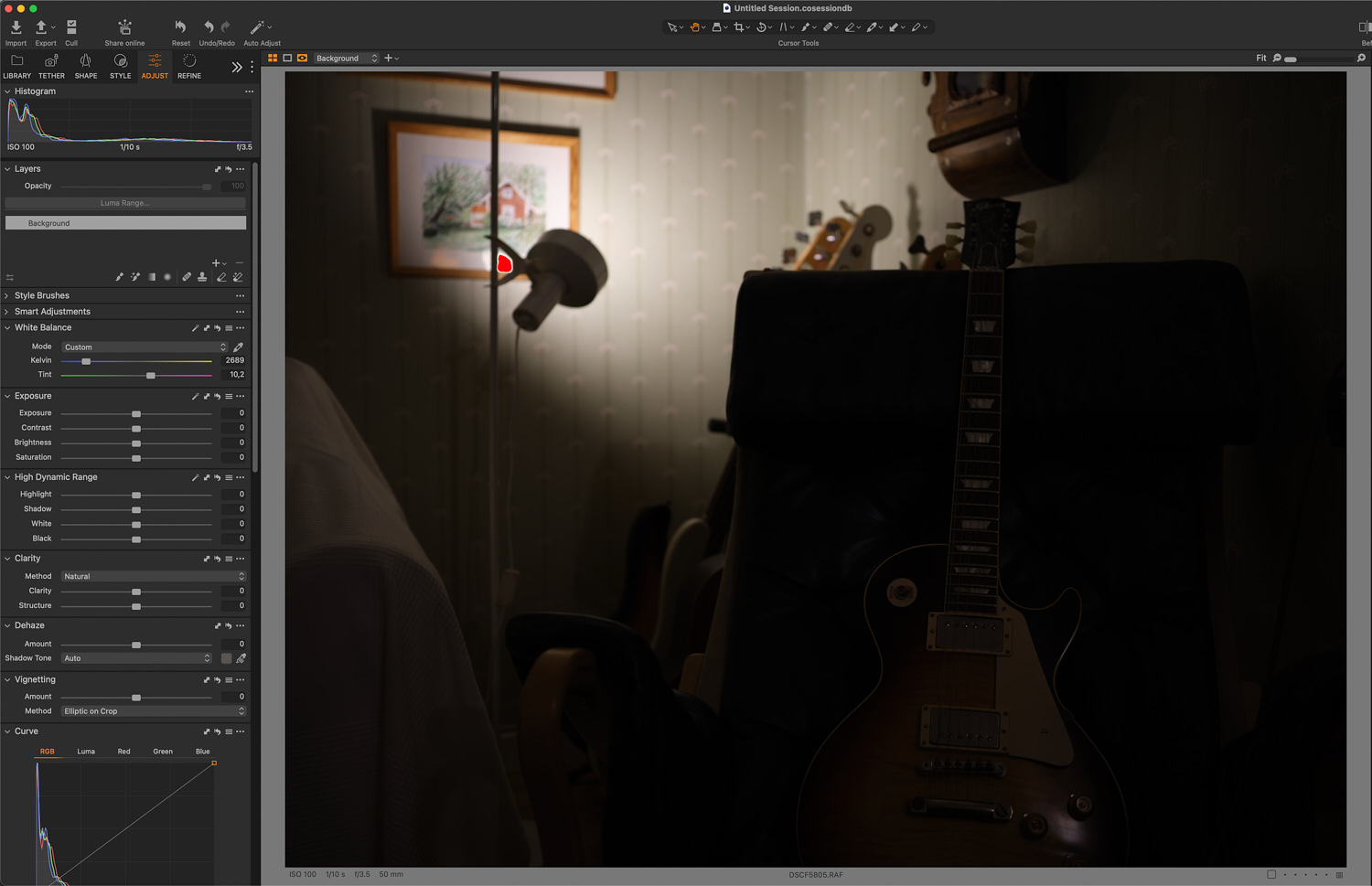
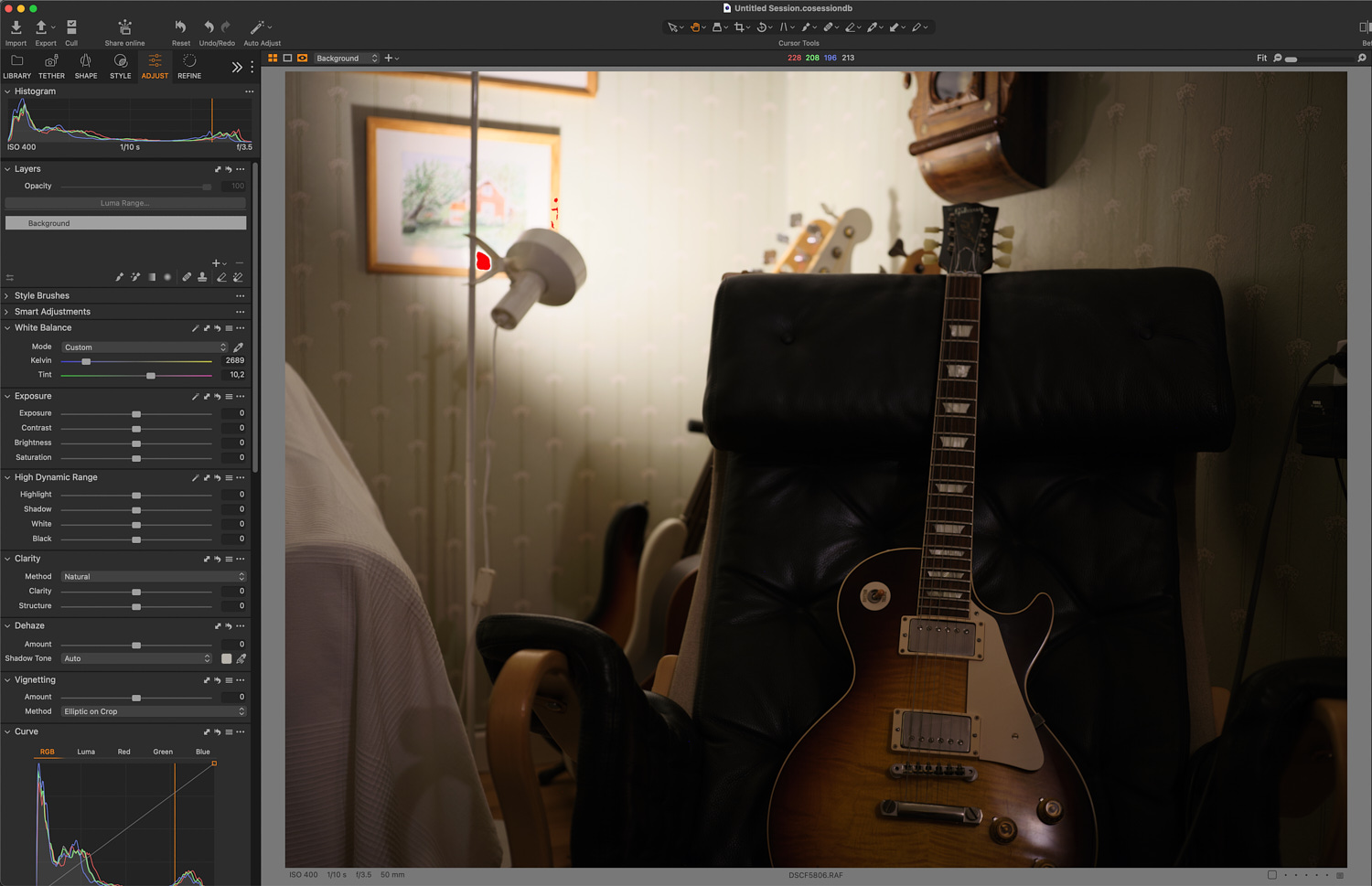
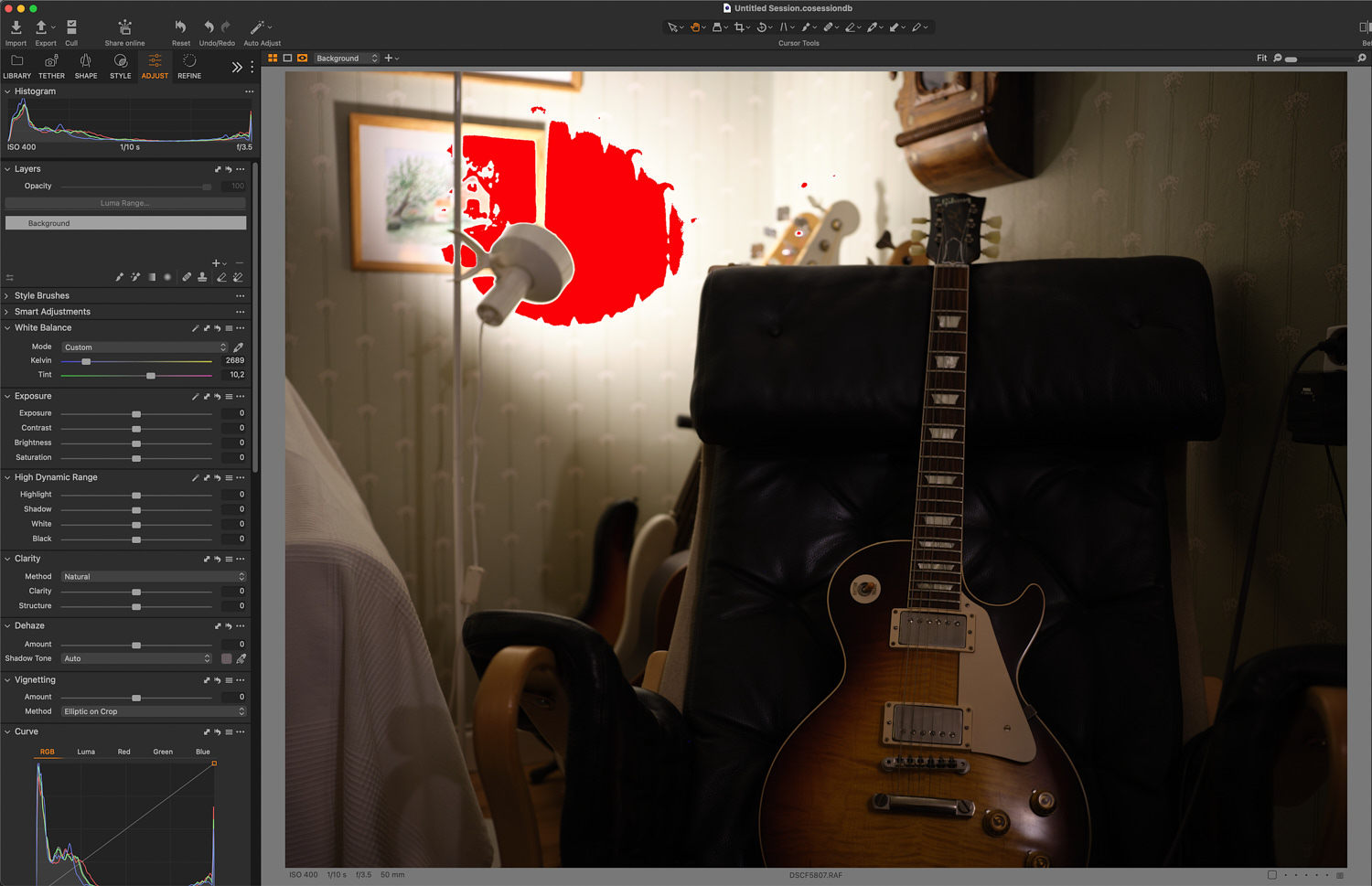
Ok, so here are three images shot with the same aperture and shutter speed.
#1: ISO 100, DR100 – The brightest highlights are just barely touching the upper limit.
#2: ISO 400, DR400 – The brightest highlights are more or less the same as in #1, but the rest of the image is two stops brighter.
#3: ISO 400, DR100 – The highlights are blown but the rest of the image is identical to #2.
These are just "as shot", no nothing applied except for the same white balance because I forgot the camera was in auto WB.
Edit: My conclusion is that the camera applies equivalent to ISO 400 gain except for the highlights, when shooting at DR400. This applies both to JPG and RAW. Effectively, it's like lifting the image two stops and pull back the highlights to where they were before the lift. So, you get an ISO 400 image with ISO 100 highlights.  If you want to do that in PP instead, you will have to compose the image with very dark shadows at ISO 100 (or whatever base ISO your camera has) and then do the lifting yourself. Same thing, sort of. If you want to do that in PP instead, you will have to compose the image with very dark shadows at ISO 100 (or whatever base ISO your camera has) and then do the lifting yourself. Same thing, sort of.
...Show more →
Now, I know what you mean - thank you! Interesting...
Would you be willing to share the three raw files with me?
If yes, please, upload to the shared folder in my Dropbox:
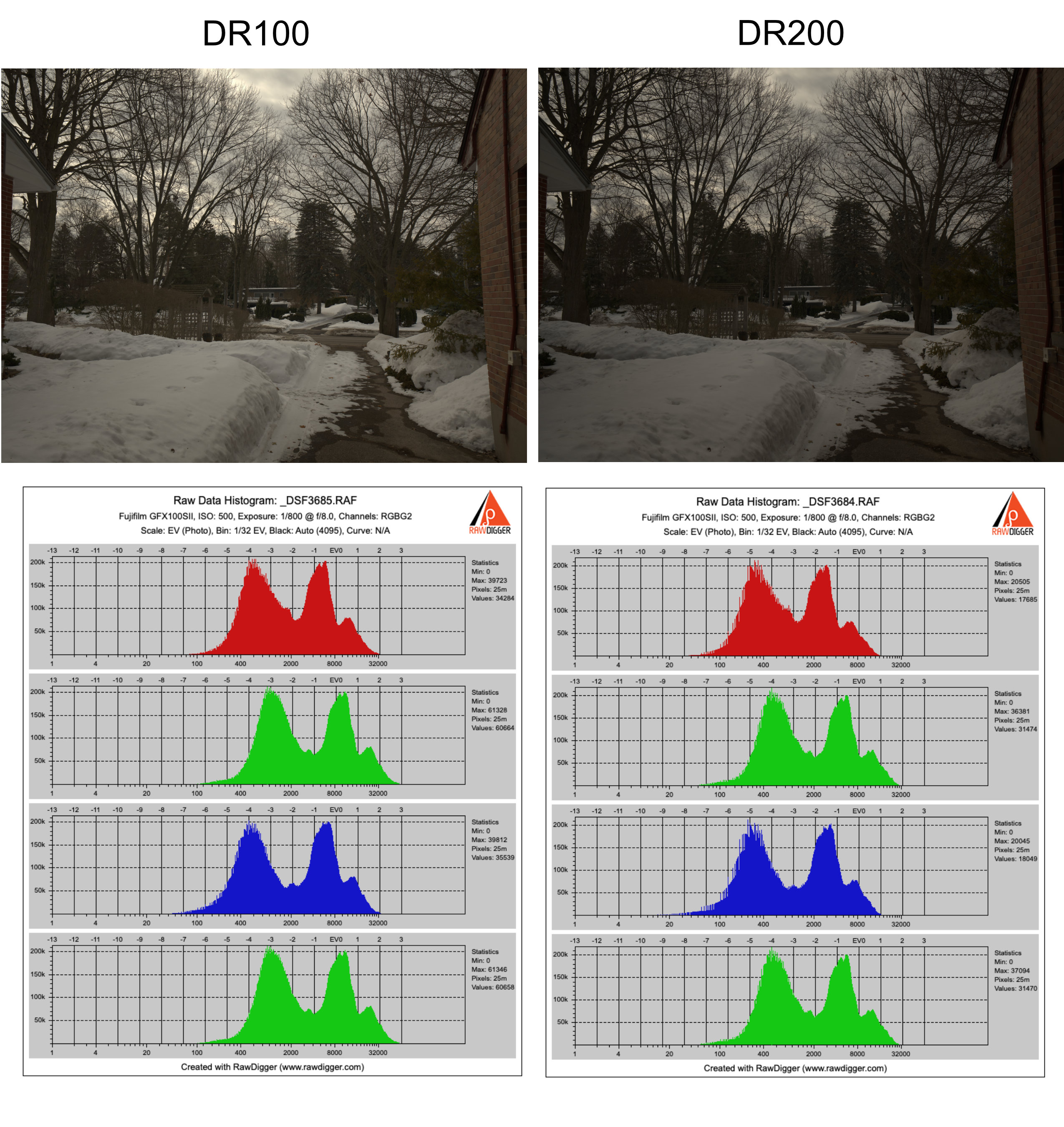
I would like to see and compare the raw histograms in RawDigger, as well as to find the values for Raw Exposure Bias in the EXIF. This Bias is negative (e.g. -0.7 stops in the GFX100S II at ISO above the base 80); thus, being negative it offsets the ISO gain. Mathematically, the raw data is multiplied by 2 to the -0.7 power, that is by 0.616
When using DR200, the bias changes to -1.7, that is the raw data is multiplied by 2 to the -1.7 power = 0.308
This happens prior to ADC.
The Raw Exposure Bias is in the EXIF, and the raw converters (e.g., Capture One) read the number, and use it.
Therefore, the image brightness that you see in Capture One is almost certainly not indicative of the brightness of the raw file. Furthermore, the raw conversion in Capture One involves applying a curve, and the question is whether the curve that you have been referring to in your earlier posts is particular to Capture One. In other words the question is whether the brighter shadows that you see in Capture One are (or aren't) the result of Capture One being smart enough to know how to treat DR200 and DR400 raw files from Fuji, by applying an appropriate curve.
The principal question is whether something else is done to the raw data with, for example, DR200, except the data being uniformly multiplied by 2 to the power of the number in Raw Exposure Bias (as I explained above). My current thinking is that the raw data are linearly scaled (shifted to the left in the histogram, to give more headroom for the highlights at ISO from 2xbase ISO and higher).
Edited on Mar 07, 2026 at 11:51 AM · View previous versions
|


 DR shouldn't really change unless you change "real" exposure (which ISO doesn't).

 !
!