p.11 #1 · Deal alert -- OWC CFe-A 4.0 cards on sale
James Burden wrote:
I too got the email from B&H but alas, the software from OWC that updates the firmware is not compatible with the current Mac OS.... 😎
The cards work flawlessly so far and I'm using the OWC type B reader with their included type A adapter......
That sucks! I too got an email from B&H regarding FW update. But when I called OWC and gave them my card serial numbers, I was told my cards don't require the firmware update. Regardless, I went ahead and just bought the OWC reader because it also seems to support other features for the OWC cards (sanitize, etc.). I haven't received the reader yet, but it sucks if their SW does not work on my MacBook Hopefully they will release an update soon...
p.11 #3 · Deal alert -- OWC CFe-A 4.0 cards on sale
James Burden wrote:
They are reporting it's something Apple needs to fix not OWC.....
Haha... I have heard that before from Topaz No, it is not like Apple would really care much about a specific low-volume software running on their platforms! This tells me it won't be fixed
p.11 #5 · Deal alert -- OWC CFe-A 4.0 cards on sale
philodelphi wrote:
Just a heads up on OWC cards.
I purchased one from BHPhoto and shortly after purchase, received an email from them informing me that the card requires a firmware update. OWC told me that there's a chance that the card may freeze without this update. In order to apply the update, you must have an OWC card reader (which does not come with the card). OWC offered me a 50% discount on one of their more expensive card readers that only reads CFe-A cards, it does not read SD cards. When I asked for the discount on a reader that reads both (and is less expensive) they refused. BHPhoto would not take the card back because I did not have the manufacturer's packaging. So now, I'm not sure how I will proceed... ...Show more →
I don’t believe OWC sells one that reads just CFE-A. The one that some have been getting 50% off on is much faster than the dial CF/SD card reader, but I probably should have gotten the dual reader myself, I’m not usually in a huge hurry for the DL’s.
My cards don’t need the update so no discount for me. They did give a smaller discount because I got bad info from a sales person, etc…
For those with the Type A to B adapters, what brand did you get? They said they should have them in stock soon as they were on back order. I checked back to look and I see they’re selling a Neweer branded one, but not one of their own branded as of yet.
p.11 #6 · Deal alert -- OWC CFe-A 4.0 cards on sale
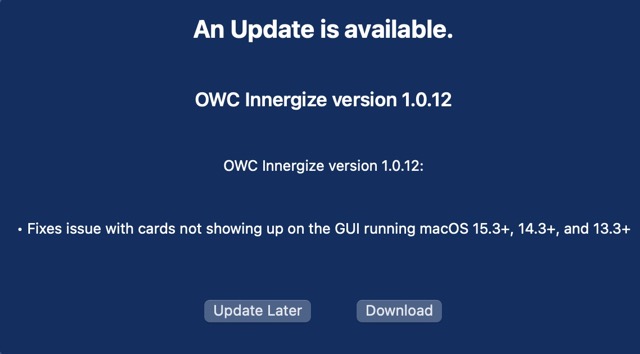
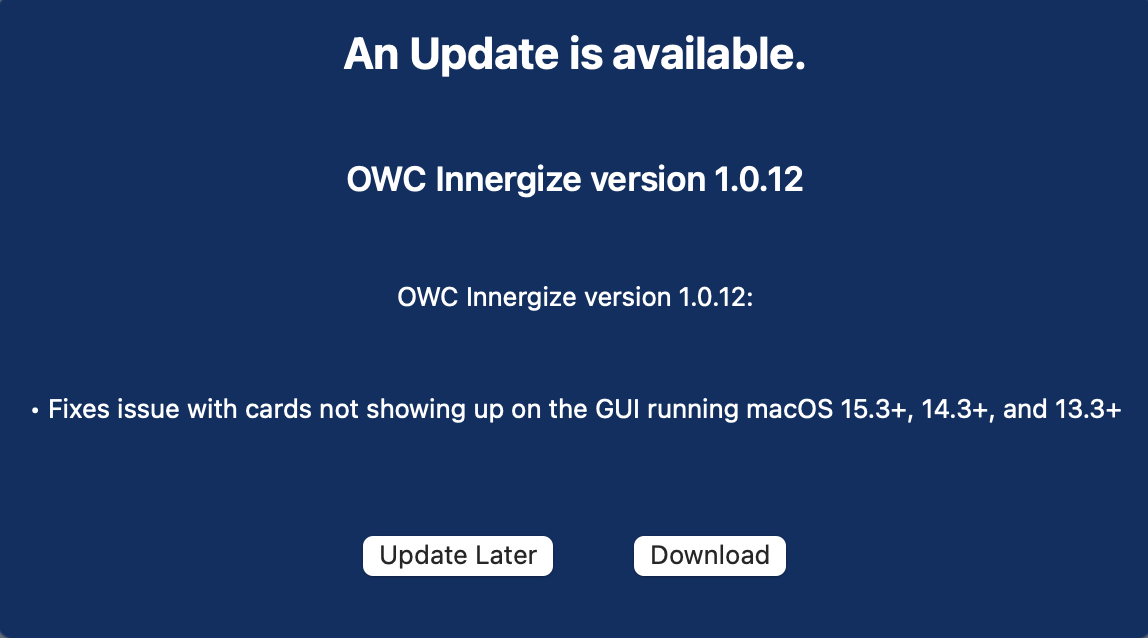
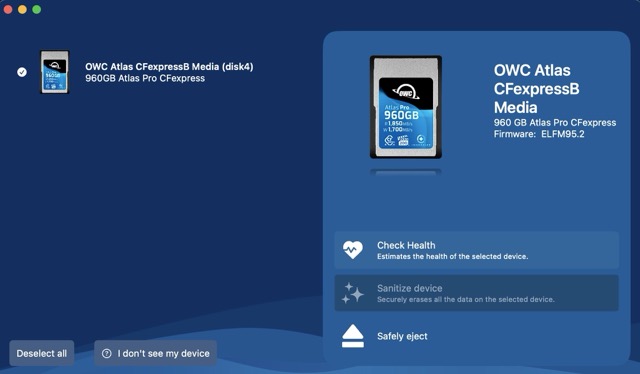
In case anyone else is interested OWC fixed their Innergize app's compatibility with macOS 15. Please download update the Innergize app to v1.0.12 for compatibility with latest macOS. EDIT: I'm on 15.4.
On a side note, and as I mentioned earlier in this thread OWC is a very good hardware company, but in my experience their ability to maintain proprietary OWC software both paid and free, continues to be a weakness.
But again the good news is after far too long a wait IMO, the app is now compatible with the latest versions of macOS again.
p.11 #7 · Deal alert -- OWC CFe-A 4.0 cards on sale
I'm running Mac OS 15.4 (15.5 must be beta?) and updated Innergize to the .12 version, but it still doesn't work for me. Curious if others are having success?
p.11 #8 · Deal alert -- OWC CFe-A 4.0 cards on sale
pluturi wrote:
I'm running Mac OS 15.4 (15.5 must be beta?) and updated Innergize to the .12 version, but it still doesn't work for me. Curious if others are having success?
I corrected the typo in my comment. I am indeed running 15.4
Have you been able to use the Innergize app on macOS previously? If not, there is a specific somewhat awkward sequence to set it up:
“To use the Innergize app with an OWC card reader, you need to ensure your reader is set to Innergize mode, connect it to your computer, and then insert the card.
First, flip the switch on the back of the reader to the Innergize symbol. Then, connect the reader to your computer without a card [or andapter] inserted. Once connected, insert the [adapter and] card and click on the Innergize icon in your applications folder to open the app.”
Also new with this latest version is now I have to enter in the system password via pop up message to Install Helper every time I first engage the Innergize app.
p.11 #10 · Deal alert -- OWC CFe-A 4.0 cards on sale
pluturi wrote:
Thanks for the follow up. I did exactly as suggested, but still no joy.
And no, I only got the cards recently so I've never used Innergize before.
If you haven't already, try shutting down the app and then rebooting your computer. Also make sure the Innergize app has 'Full Disk Access" enabled: Systems Settings=>Privacy & Security=>Full Disk Access=>Innergize "On"
*Just in case, this app will only work with an OWC Innergize enabled Reader. I'm using the OWC USB4 Type B Reader w/ OWC A-B Adapter.
p.11 #12 · Deal alert -- OWC CFe-A 4.0 cards on sale
OWC should simply be replacing the defective cards rather than expecting users to jump through hoops.
After that initial fiasco of the 480GB model I decided to buy another brand of CFe Type A cards for now and am very satisfied. Life is too short for such OWC nonsense.
p.11 #13 · Deal alert -- OWC CFe-A 4.0 cards on sale
pluturi wrote:
All sound like good ideas, but same result...still doesn't see my device.
I'm using the reader you mention, also brand new.
So, did you reboot at all after installing Innergize? It also should have popped up and said it needs to install a Helper application and you have enter your password and give that permission, did you do that?
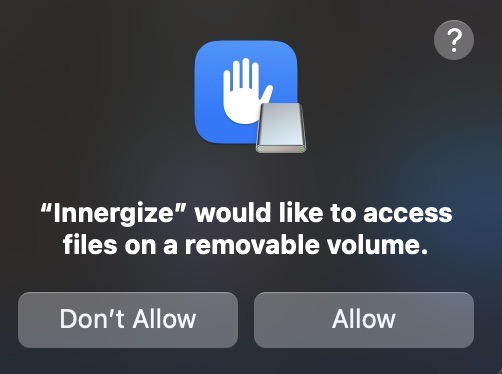
I found I had to reboot after doing that the first time, and then it was fine. I also had to give Innergize permission to access the removable storage--I got another pop up asking to do that.
It takes it a little bit to find the drive and do that--even on my Windows PC it took maybe 15-20s of waiting.
p.11 #14 · Deal alert -- OWC CFe-A 4.0 cards on sale
Yes, I've rebooted multiple times. I even deleted the app and reinstalled it and rebooted on both sides of that operation, still no recognition of attached device.
I approved the request for the helper application, but I've never been asked for permission to access the removable storage, so if that's a requirement that's my problem. Not sure how to force that to happen.
I appreciate the help.
p.11 #15 · Deal alert -- OWC CFe-A 4.0 cards on sale
The plot thickens. I "chatted" with OWC Tech Support this morning and they indicated that the update to fix the issue with Mac OS 15.3+ hasn't yet been released, but was coming shortly. They didn't have an explanation as to how it was now working for a couple of you after updating to the .12 version.
Not sure if the tech support person wasn't completely informed or if there is another update coming, but I guess I'll wait and see.
p.11 #16 · Deal alert -- OWC CFe-A 4.0 cards on sale
pluturi wrote:
The plot thickens. I "chatted" with OWC Tech Support this morning and they indicated that the update to fix the issue with Mac OS 15.3+ hasn't yet been released, but was coming shortly. They didn't have an explanation as to how it was now working for a couple of you after updating to the .12 version.
Not sure if the tech support person wasn't completely informed or if there is another update coming, but I guess I'll wait and see.
They were not informed. The update clearly states it is to provide compatibility with MacOS 15.3+. See attached screenshot from my update this morning on my work Mac.
p.11 #18 · Deal alert -- OWC CFe-A 4.0 cards on sale
Fboss wrote:
I have installed the 1.0.12 update and it's still not working with Mac OS 15.4.1
I just checked again since I also recently installed the latest security update to macOS 15.4.1. The Innergize app continues to work both on my Mac Studio and MBP.
*******A few of us noted we had to reboot the computer after installing the latest version of the Innergize app. So if you installed the app successfully and can't get it to read the CFexpress card, try rebooting the computer********
I'll post these required procedures again which have to be followed in a specific order and I think it's easy to miss and/or forget:
“To use the Innergize app with an OWC card reader, you need to ensure your reader is set to Innergize mode, connect it to your computer, and then insert the card.
1. First, flip the switch on the back of the reader to the Innergize symbol
2. Then, connect the reader to your computer without a card [or andapter] inserted
3. Once connected, insert the [adapter and] card and click on the Innergize icon in your applications folder to open the app"
*You may receive a macOS system pop-up asking to allow access to files on a removable volume: "Allow"
p.11 #19 · Deal alert -- OWC CFe-A 4.0 cards on sale
LBJ2 wrote:
I just checked again since I also recently installed the latest security update to macOS 15.4.1. The Innergize app continues to work both on my Mac Studio and MBP.
*******A few of us noted we had to reboot the computer after installing the latest version of the Innergize app. So if you installed the app successfully and can't get it to read the CFexpress card, try rebooting the computer********
I'll post these required procedures again which have to be followed in a specific order and I think it's easy to miss and/or forget:
“To use the Innergize app with an OWC card reader, you need to ensure your reader is set to Innergize mode, connect it to your computer, and then insert the card.
1. First, flip the switch on the back of the reader to the Innergize symbol
2. Then, connect the reader to your computer without a card [or andapter] inserted
3. Once connected, insert the [adapter and] card and click on the Innergize icon in your applications folder to open the app"
*You may receive a macOS system pop-up asking to allow access to files on a removable volume: "Allow"
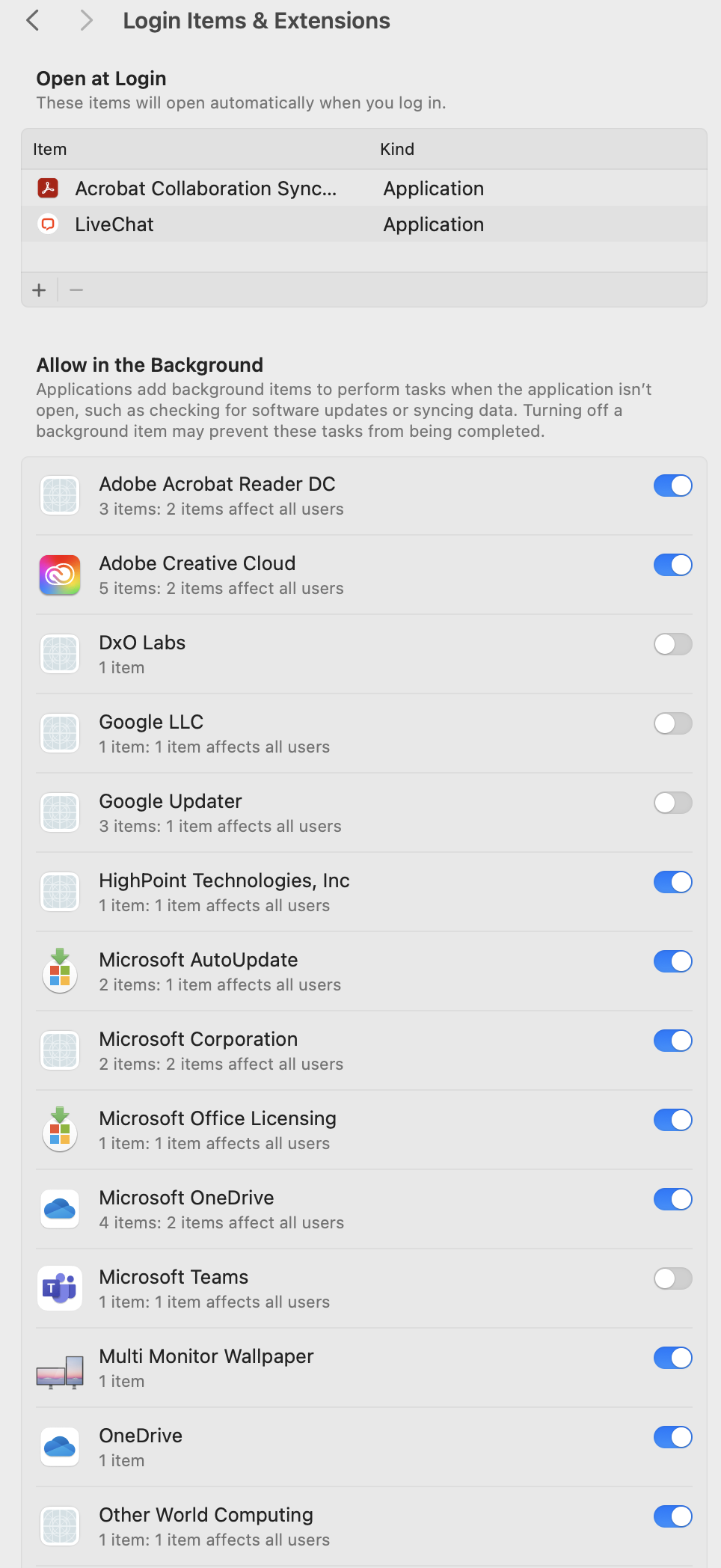
Yeah I think people that find its not working have failed to do a few things. First, you HAVE to allow it to access removable media. I think if you hit "don't allow" it won't work going forward. You'll have to go into System Settings and enable access to removable media. Second, there's also a point during the Innergize install that asks you to install a helper application. If you didn't say yes to that it also won't work. You should see something in System Settings --> General --> Login Items & Extensions --> Allow in Background that says "Other World Computing" and is enabled. See my first attachment.
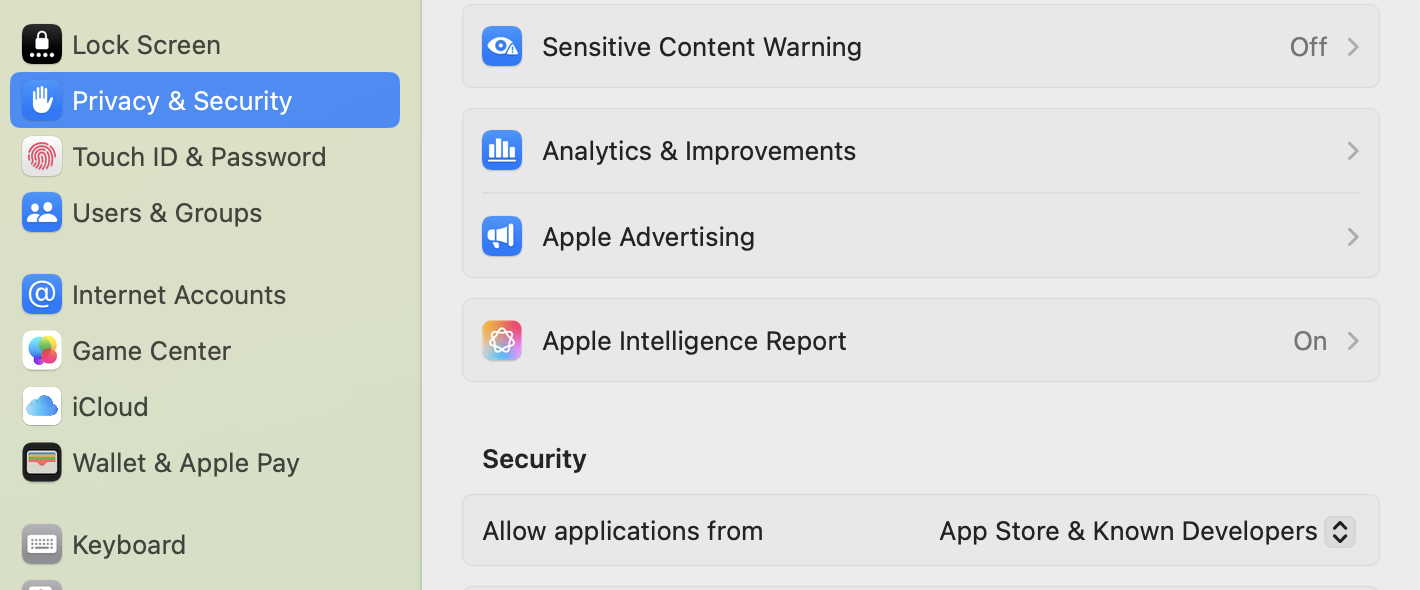
Finally, under System Settings --> Privacy & Security --> Security "Allow applications from" should be set to "App Store & Known Developers". See second attachment.
If those settings are not like I am listing, change them and then reboot and try again following LBJ2's process instructions.
p.11 #20 · Deal alert -- OWC CFe-A 4.0 cards on sale
I fixed it and here's how if this is helpful to anyone else. Thanks to the users above for the tips.
First, I turned on Allow in the Background. Not sure where in the installation process I was supposed to allow this as I said yes to the Install Helper request every time, but whatever.
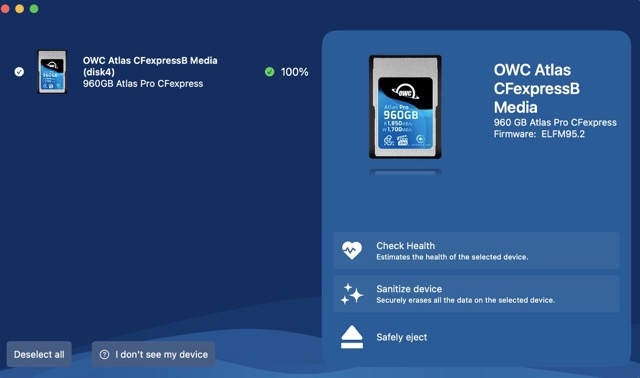
As I noted above, I think the fundamental problem was that it wasn't asking for permission to use the removable drive. I noted under Privacy -> Files & Folders that the option to allow this was grayed out because I had Full Disk Access turned on as previously suggested. By switching that off, rebooting to capture these changes, and then following LBJ2's startup instructions it did ask me for permission to access the removable drive. After allowing it, it started working after a few seconds delay.
As an aside, to add insult to injury the only reason I started down this path with this reader was because OWC customer service told me my new cards needed the firmware update. Now that Innergize is working I see that they don't.


 Hopefully they will release an update soon...
 No, it is not like Apple would really care much about a specific low-volume software running on their platforms! This tells me it won't be fixed