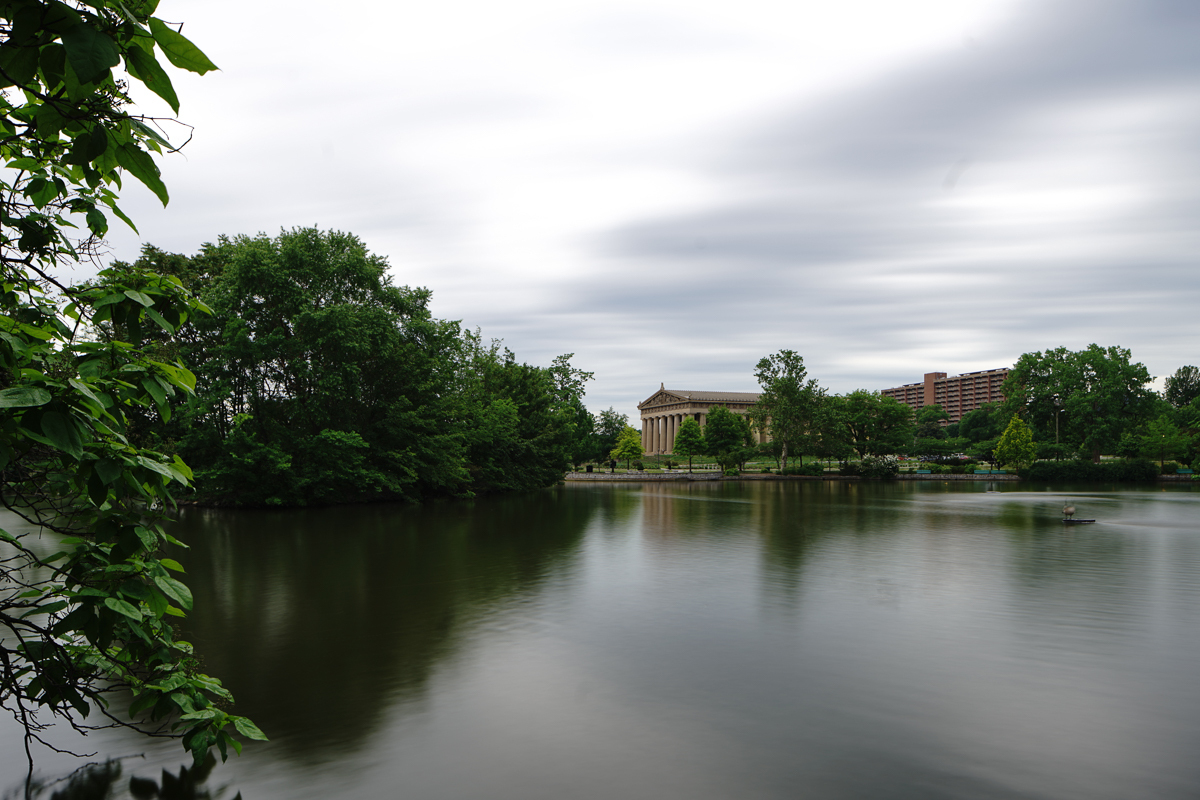
Took the smooth reflections app out for a spin last night. So useful as the Canon 14mm has not got a (cheap) way of adding filters. Second Severn Crossing, Bristol.
I understand the use of the smooth reflect app during day time to emulate the ND filter effect. Is there any rationale to use the app when it's dark and the single exposure is pretty long already?
kdrk888 wrote:
I understand the use of the smooth reflect app during day time to emulate the ND filter effect. Is there any rationale to use the app when it's dark and the single exposure is pretty long already?
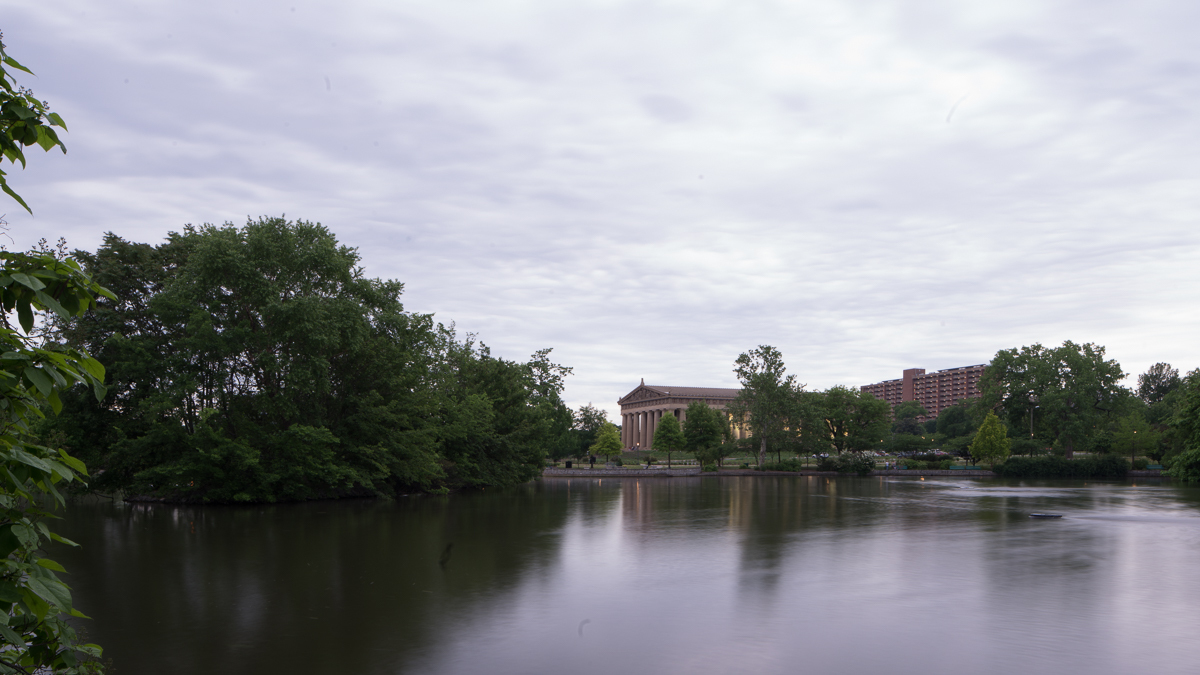
Here are two shots of basically the same scene late in the day using the A7rII and Canon 24 TS II. First is with the Smooth Reflection app at ISO 100 f 8.0 @ 1/6 of a second with multiple exposures.
Second is Long exposure at ISO 50 8 Sec @ F22
No Post processing on either one just converted to JPG and posted.
Sony A7rII Canon 24 TS II ISO 100 f8 1/6 multiple exposures Smooth Reflection App
Does it keep you in 14-bit territory when combining multiple exposures? I was wondering if that would work to lengthen the exposure without dropping to 12-bit files, in addition to the noise reduction.
mjm6 wrote:
Does it keep you in 14-bit territory when combining multiple exposures? I was wondering if that would work to lengthen the exposure without dropping to 12-bit files, in addition to the noise reduction.
MedicineMan404 wrote:
Breath taking imagery.
and just so you know the Sky-HDr and Smooth Reflection apps are going to Iceland in 27 days for some fun and experimentation.
The only filter ---best that I can surmise--- that I cannot app'up is a reverse grad so I'm packing two of them for just in case.
Polarizer...
If you don't use one, then you won't miss it, but it's hard to achieve certain things without using one at times.
But otherwise, the smooth reflection app would do just about everything I need too. I manually do HDR blending from brackets. I don't want to commit to it in the field. Too fidgety.
mjm6 wrote:
Does it keep you in 14-bit territory when combining multiple exposures? I was wondering if that would work to lengthen the exposure without dropping to 12-bit files, in addition to the noise reduction.
It won't. Sony apps do not support shooting 14-bit raw, only 12-bit. Some app supports uncompressed raw, some doesn't.
Fred Miranda wrote:
Yes, that is the perfect exposure for the SR App.
Lower the exposure until there is no zebra pattern in the entire image. (Set to 100+)
Fred you may want to write an article which explains your new method of exposure using A7x camera. This and your new ETTR method looks really useful to have together.
Thanks on the 14-bit info... That's really unfortunate they don't do that.
It makes me think that it would be better to do this in PS rather than in the app.
As Fred has stated, the highlights are slightly compromised by the app, and so is the 14-bit data, and I presume uncompressed RAW for those cameras that can do that.
It is a nice shortcut feature, but may not produce the best results. The differences are probably irrelevant for most shooting, so it may be a great solution for a lot of people.
Since I do a lot of B&W shooting, I am interested in maintaining as much information in the files because with B&W you have much more latitude for contrast adjustments than in color, and those fringe areas of the file can become more relevant. I'll be doing some tests on this when I can to see how it compares to processing in PS.
mjm6 wrote:
Thanks on the 14-bit info... That's really unfortunate they don't do that.
It makes me think that it would be better to do this in PS rather than in the app.
As Fred has stated, the highlights are slightly compromised by the app, and so is the 14-bit data, and I presume uncompressed RAW for those cameras that can do that.
It is a nice shortcut feature, but may not produce the best results. The differences are probably irrelevant for most shooting, so it may be a great solution for a lot of people.
Since I do a lot of B&W shooting, I am interested in maintaining as much information in the files because with B&W you have much more latitude for contrast adjustments than in color, and those fringe areas of the file can become more relevant. I'll be doing some tests on this when I can to see how it compares to processing in PS.
Most recent apps support uncompressed RAW right now. Unfortunately the SR app didn't get that feature.
I believe uncompressed files would not be feasible when processing so many images in camera.
I am not sure what has changed (or what I accidentally changed) but all of the sudden SR app on one of my A7 cameras stopped working in all SR preset modes; all I get is a single shot! Oddly, the SR works only in ‘custom’ mode.
I quickly tried few thing; battery out – fully charged battery in, removed and reinstalled the application, different shooting modes, even different lenses, formatted SD card. No go! Compared all SR settings to the other camera – both are the same.
JaKo wrote:
I am not sure what has changed (or what I accidentally changed) but all of the sudden SR app on one of my A7 cameras stopped working in all SR preset modes; all I get is a single shot! Oddly, the SR works only in ‘custom’ mode.
I quickly tried few thing; battery out – fully charged battery in, removed and reinstalled the application, different shooting modes, even different lenses, formatted SD card. No go! Compared all SR settings to the other camera – both are the same.
Any suggestions?
Wow... I think you have tried everything! Maybe try a factory reset of the camera?
I tried the sky HD app in my A7RII, it didn't save the files in raw, it saved both files in JPG in sequential order, like DSC0143JPG, DSC0144JPG. But the app worked fine on the A7II, it saved one file in raw and one in JPG, like DSC0143ARW, DSC0143JPG, I tried both Av and M mode, same result. The A7RII was set to raw+JPG.
kdrk888 wrote:
I tried the sky HD app in my A7RII, it didn't save the files in raw, it saved both files in JPG in sequential order, like DSC0143JPG, DSC0144JPG. But the app worked fine on the A7II, it saved one file in raw and one in JPG, like DSC0143ARW, DSC0143JPG, I tried both Av and M mode, same result. The A7RII was set to raw+JPG.
What am I doing wrong? TIA.
Douglas
did you set the camera to RAW+JPG after launch the app?
Downloaded the app to my camera and it runs I think
I launch the app and have the settings RAW + JPG
When I take a picture and enter the settings so nothing happens .. I can not see the picture on the memory after the shot .. and it does not seem like it's working at all .. I can see that the app is running when I will take the picture
What am I doing wrong ?