This topic is in the 2015 archive. You can read it and like its posts here. It is read only.
Archive 2015Zeiss Loxia Images Thread
p.9 #1Zeiss Loxia Images Thread
genji wrote:
First import all the images as layers (one way is lightroom allows you to export multiple images as one set of layers in a single PS document, another way way is via file > scrips > load files into stack)
The just select auto blend! (being sure to choose stack rather than panorama in the options that come up)
To manually do it, select instead align, and wait for PS to align the stack. Then create and manually edit layer masks to blend. But if you aren't a regular user of layer masks it's probably not worth acquiring skills to do this alone. Although, it is helpful as a way of editing the focus stack by selectively blending in some of the layers after an overall stack has been created.
PS works at least as often as Helicon or Zerene; so if you have PS there may be no need to pay extra. If you are comfortable with layer masks PS is great, maybe best, for touching up the stack too. But if you aren' really, then Zerene has a really great interface for touching up the stack by effectively painting back in component images to the bits of the stack you aren't happy with.
Enjoy! I do a lot of this for macro, and it's great. But it does mean more time at the computer and less actually photographing...Thank you so much for this detailed explanation. I'm comfortable using adjustment layers in PS so now might be a good time to learn how to use layer masks properly. Are online tutorials and/or YouTube videos a good place to start? Or is there a really good book on the subject?
I'm sure the answer is "yes" but I don't know one to recommend; it's been so long since I was learning it! I'm sure others will be able to help on the books and tutorials front. But getting started with layer masks is simple, just think of it as digital dodging and burning, where you create a mask, and paint in black to block out the layer that is masked (or alternatively start with a black mask and erase bits to reveal the layer that is masked). Of course that's no different in principle from brushing stuff in in Lightroom. It gets trickier when you start making "hard" masks (i.e. ones that aren't feathered) to cut out backgrounds etc....
DavidBM wrote
The focus stacking is pretty straightforward (although a bit hidden in the interface!)First import all the images as layers (one way is lightroom allows you to export multiple images as one set of layers in a single PS document, another way way is via file > scrips > load files into stack)
The just select auto blend! (being sure to choose stack rather than panorama in the options that come up)
To manually do it, select instead align, and wait for PS to align the stack. Then create and manually edit layer masks to blend. But if you aren't a regular user of layer masks it's probably not worth acquiring skills to do this alone. Although, it is helpful as a way of editing the focus stack by selectively blending in some of the layers after an overall stack has been created.
PS works at least as often as Helicon or Zerene; so if you have PS there may be no need to pay extra. If you are comfortable with layer masks PS is great, maybe best, for touching up the stack too. But if you aren' really, then Zerene has a really great interface for touching up the stack by effectively painting back in component images to the bits of the stack you aren't happy with.
Enjoy! I do a lot of this for macro, and it's great. But it does mean more time at the computer and less actually photographing...
I'm sure the answer is "yes" but I don't know one to recommend; it's been so long since I was learning it! I'm sure others will be able to help on the books and tutorials front. But getting started with layer masks is simple, just think of it as digital dodging and burning, where you create a mask, and paint in black to block out the layer that is masked (or alternatively start with a black mask and erase bits to reveal the layer that is masked). Of course that's no different in principle from brushing stuff in in Lightroom. It gets trickier when you start making "hard" masks (i.e. ones that aren't feathered) to cut out backgrounds etc....
Jan 29, 2017 at 11:19 PM
p.9 #2Zeiss Loxia Images Thread
Aztatlan wrote:
My personal experience with PS focus stacking is that it doesn't do a very good job, and my stacks are usually fairly simple (focus stacked landscapes to bypass DOF limitations on the foreground.) I find its output requires a lot of manual cleanup to get it right.
For basic stacks I've started just hand blending it in PS as it's usually pretty easy to do this for landscape scenes. (Eg I take a frame with optimal centre focus, extreme edge focus, and foreground focus and blend.)
I've had some success with Zerene Stacker in the past too. This scene was...Show more →
Again, very useful information, thank you! My main use is for close range, though non-macro, scenes; roughly from 50cm to 2.5m. I'm going to have to try the different softwares and see what works best for me.
Jan 30, 2017 at 03:30 AM


p.9 #4Zeiss Loxia Images Thread
@sebbe Those are some inspirational pics. Didn't knew Zony 55/1.8 could do that. 
Feb 03, 2017 at 04:09 AM
p.9 #5Zeiss Loxia Images Thread
Loxia 85
 Corner_1 by petergthomas, on Flickr
Feb 08, 2017 at 03:09 PM

p.9 #6Zeiss Loxia Images Thread
Has anyone compared the Loxia to the traditional Zeiss lenses, or to the Milvia's?
Feb 08, 2017 at 10:32 PM
p.9 #7Zeiss Loxia Images Thread
sebbe wrote:
Some of my last holidays in New Zealand. Beside the Loxia 21/2.8, I took the Zony 55/1.8 and also the Voigt Heliar 12/5.6 with me. Surprise surprise, my favorite pics coming from the Loxia.
Arthur's Pass
https://c1.staticflickr.com/1/380/31828362524_3316be6595_k.jpg
Pancake Rocks
https://c1.staticflickr.com/1/759/31822252014_68fcbb1dac_k.jpg
Tongariro Crossing
https://c1.staticflickr.com/1/466/31444051994_d43e318809_k.jpg
Bowentown
https://c1.staticflickr.com/1/724/31853701420_6c0c51218f_k.jpg
Really sharp and detailed photos!
Feb 08, 2017 at 10:54 PM
p.9 #8Zeiss Loxia Images Thread
some more with the Loxia 21/2.8 from NZ and one from Zurich:

on the way to Mt John

Sheeps

a good day for pictures

Horsetrack

Swiss Mill Tower
on the way to Mt John
Sheeps
a good day for pictures
Horsetrack
Swiss Mill Tower
Feb 15, 2017 at 01:34 AM
p.9 #9Zeiss Loxia Images Thread
I don't think I shared any photos here yet. My only Loxia, the 21mm.
 DSC01662.jpg by Nuno Ramos, on Flickr
 DSC03771-HDR.jpg by Nuno Ramos, on Flickr
 DSC02649-Pano.jpg by Nuno Ramos, on Flickr
 DSC01666.jpg by Nuno Ramos, on Flickr
Edited on Feb 19, 2017 at 11:50 AM · View previous versions
DSC01662.jpg by Nuno Ramos, on FlickrDSC03771-HDR.jpg by Nuno Ramos, on FlickrDSC02649-Pano.jpg by Nuno Ramos, on FlickrDSC01666.jpg by Nuno Ramos, on FlickrEdited on Feb 19, 2017 at 11:50 AM · View previous versions
Feb 16, 2017 at 02:15 AM
p.9 #10Zeiss Loxia Images Thread
Now that I picked up a used Lox 21/2.8 I can finally join this most excellent thread.
Hopefully I can get it out soon.
- J
Hopefully I can get it out soon.
- J
Feb 19, 2017 at 11:48 AM
p.9 #11Zeiss Loxia Images Thread
jhinkey wrote:
Now that I picked up a used Lox 21/2.8 I can finally join this most excellent thread.
Hopefully I can get it out soon.
- J
Congrats John
it's a great lens
Now that I picked up a used Lox 21/2.8 I can finally join this most excellent thread.
Hopefully I can get it out soon.
- J
Congrats John
it's a great lens
Feb 19, 2017 at 02:02 PM
p.9 #12Zeiss Loxia Images Thread
A few from today cross posted from FE images thread:
Loxia 50:

Same in color:

Loxia 85:

Loxia 21:

Loxia 50:

Loxia 50:
Same in color:
Loxia 85:
Loxia 21:
Loxia 50:
Feb 19, 2017 at 09:13 PM
p.9 #13Zeiss Loxia Images Thread

Edited on Mar 21, 2017 at 08:07 AM · View previous versions
Feb 20, 2017 at 05:34 AM
p.9 #14Zeiss Loxia Images Thread
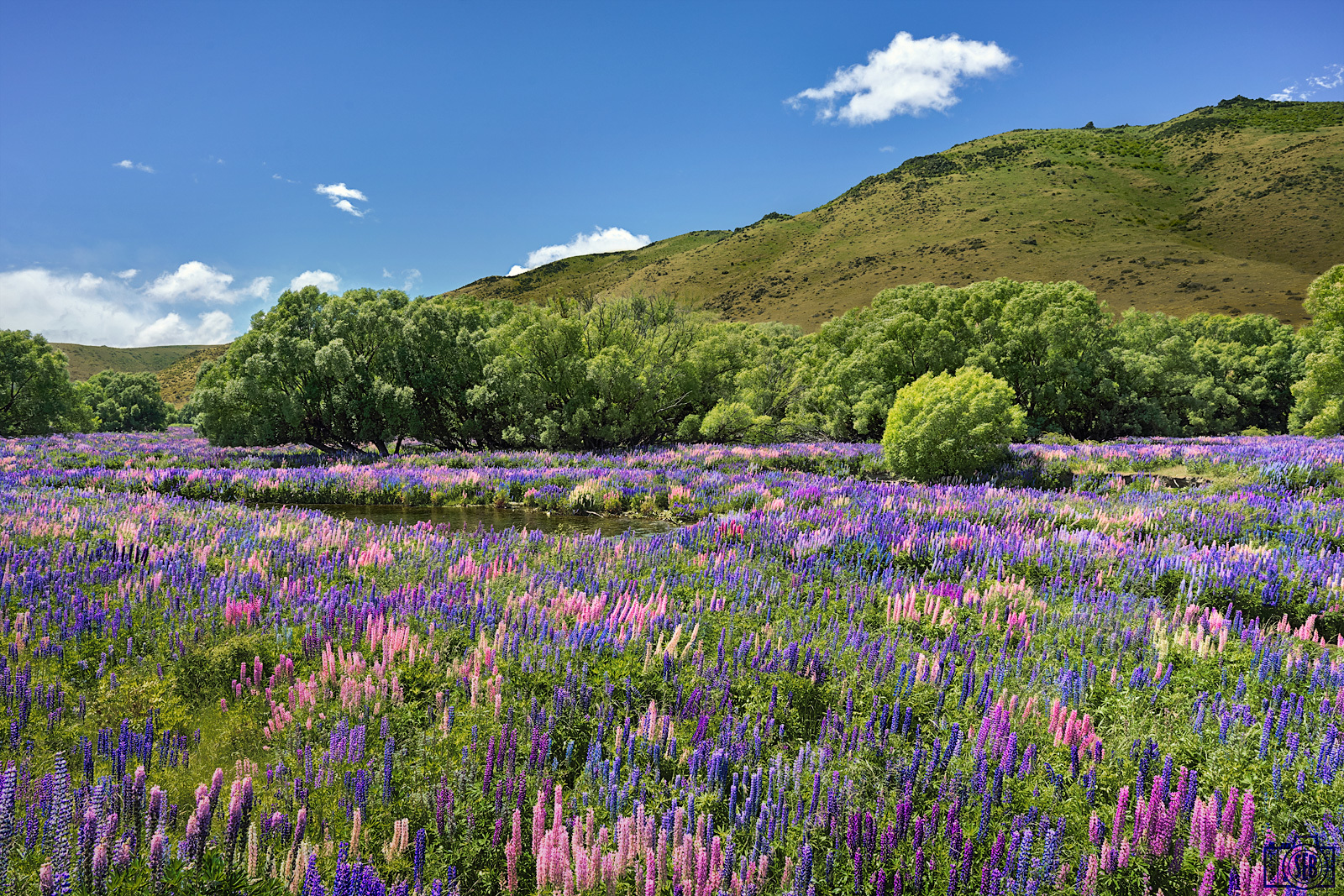
and some colors! 
(a7RII + loxia 21/2.8)
Lupines (Lindis Pass, New Zealand)
(a7RII + loxia 21/2.8)
 |
||
 |
||
 |
Lupines (Lindis Pass, New Zealand)
Feb 20, 2017 at 08:01 AM
p.9 #15Zeiss Loxia Images Thread
Posted also to the general FE images thread:
The sun came out for a tiny moment during the storm above the churchyard of the almost abandoned town of Jericho, Midlands Tasmania.
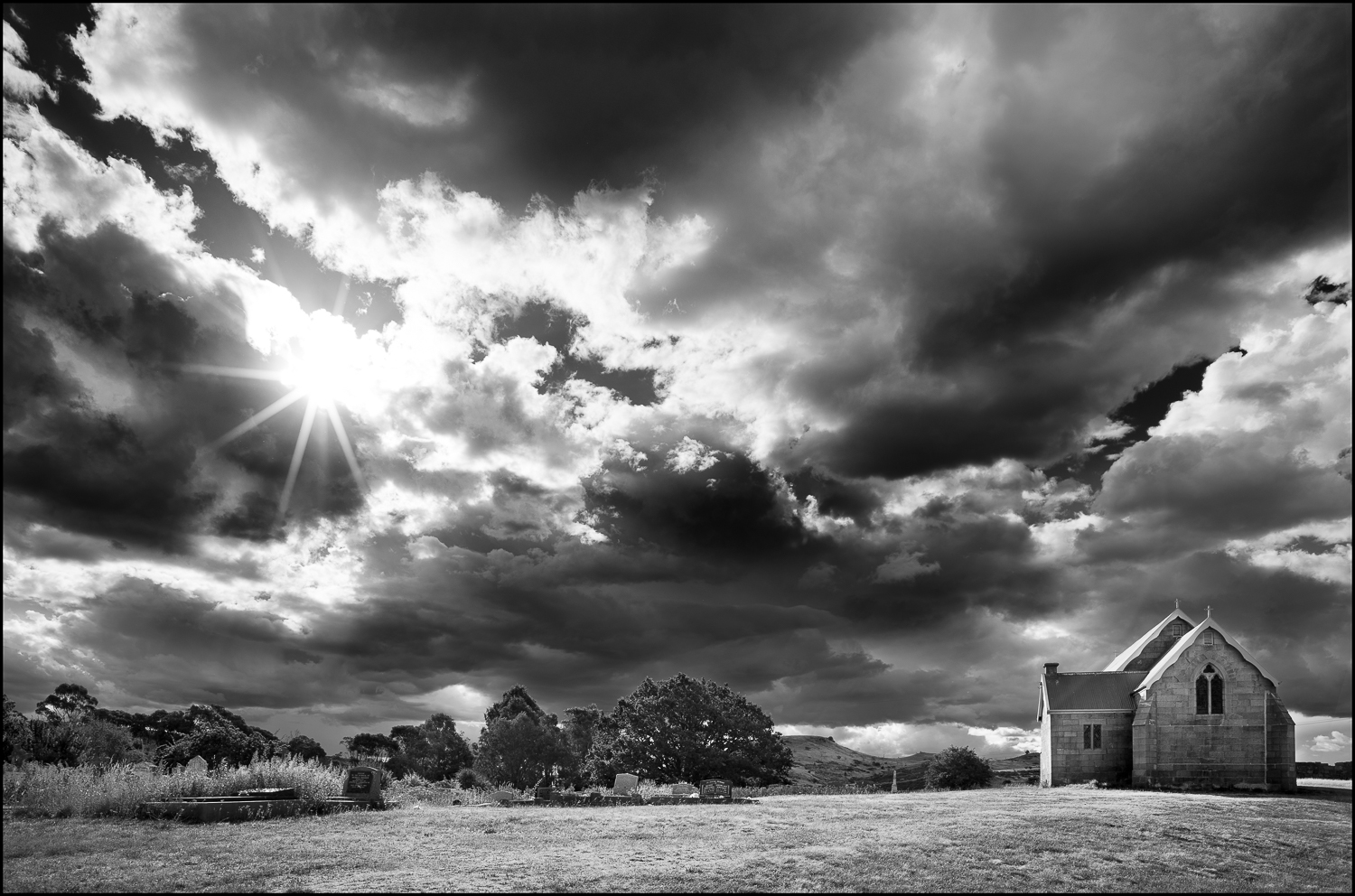
The sun came out for a tiny moment during the storm above the churchyard of the almost abandoned town of Jericho, Midlands Tasmania.
Mar 02, 2017 at 07:36 PM
p.9 #16Zeiss Loxia Images Thread
I might have shown the still image version here already,
but as I was approached by Plotagraph to test their animation software
I went through my archives to find out what works best and I am actually quite happy with this one:
Click HERE for the animated version over at flickr.

Frankfurt Skyline by Bastian.K
Shot on Sony A7rII + Loxia 35mm 2.0
but as I was approached by Plotagraph to test their animation software
I went through my archives to find out what works best and I am actually quite happy with this one:
Click HERE for the animated version over at flickr.
Frankfurt Skyline by Bastian.K
Shot on Sony A7rII + Loxia 35mm 2.0
Mar 03, 2017 at 12:02 PM
p.9 #17Zeiss Loxia Images Thread
Cool effect on the animated version Bastian
Double post from the big thread - A7RII & Loxia 21 + SR App 16 Shots. f/5.6 ISO 1600 30 seconds
 Millarochy Bay [EXPLORED] by xpfloyd, on Flickr
Double post from the big thread - A7RII & Loxia 21 + SR App 16 Shots. f/5.6 ISO 1600 30 seconds
Millarochy Bay [EXPLORED] by xpfloyd, on FlickrMar 03, 2017 at 12:34 PM
p.9 #18Zeiss Loxia Images Thread
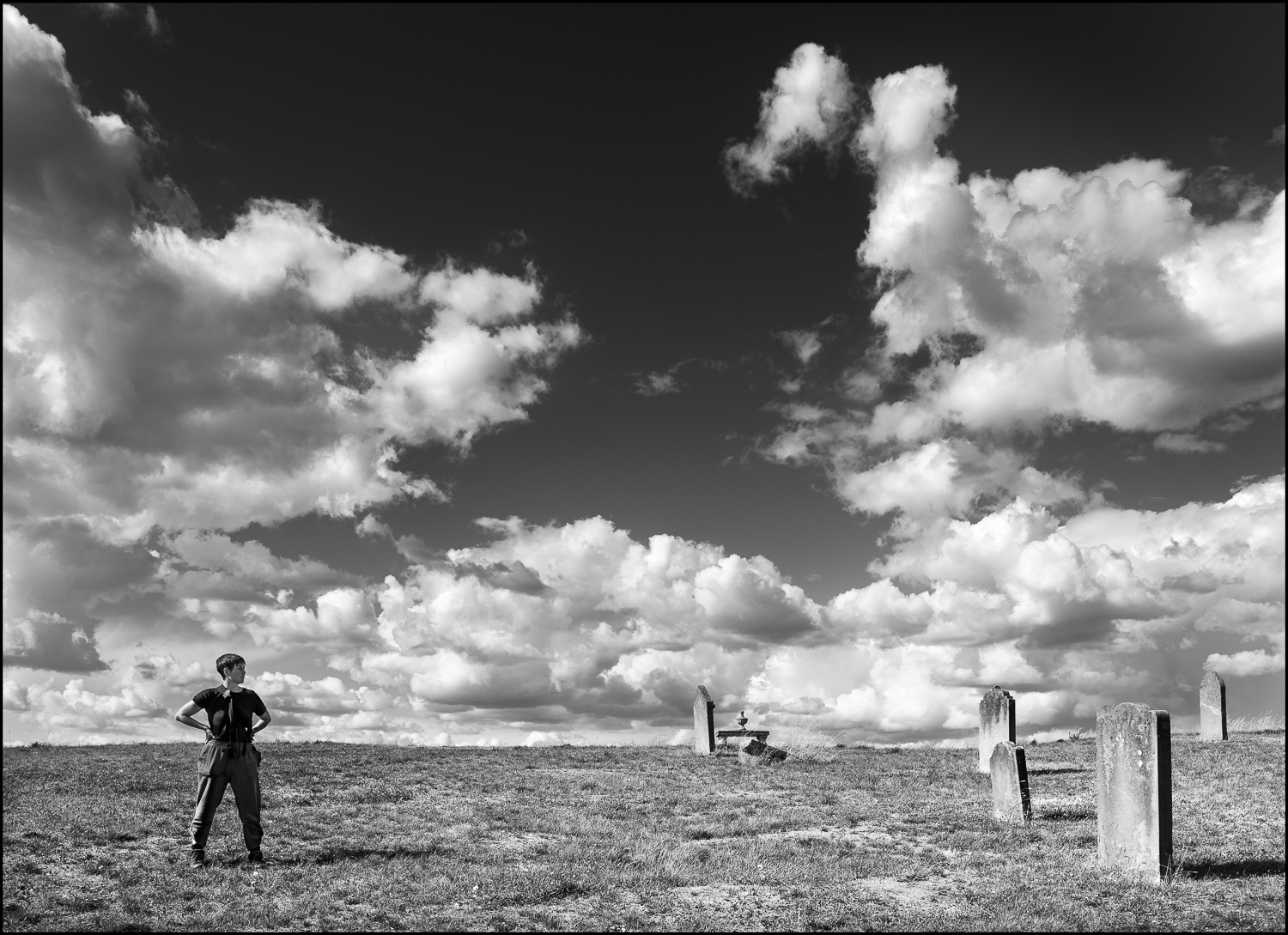
Kristie, in an abandoned graveyard on a hill in the Goergian town of Ross in the Tasmanian midlands.
Mar 04, 2017 at 04:13 AM

Mar 04, 2017 at 12:57 PM
p.9 #20Zeiss Loxia Images Thread
bpark42 wrote:
Loxia 50 hiking in the Grand Canyon
https://c1.staticflickr.com/1/610/32316109924_2b4b652a94_h.jpg
Untitled by Brandon, on Flickr
What a spectacular view you witnessed there!
I have one more to share taken with the Loxia 35mm 2.0:

Munich by Bastian.K
Loxia 50 hiking in the Grand Canyon
https://c1.staticflickr.com/1/610/32316109924_2b4b652a94_h.jpg
Untitled by Brandon, on Flickr
What a spectacular view you witnessed there!
I have one more to share taken with the Loxia 35mm 2.0:
Munich by Bastian.K
Mar 05, 2017 at 10:02 AM