Post your recent film shots!
p.702 #1Post your recent film shots!
A few more from the roll above, this time with the 28/2.8 celtic.


May 09, 2018 at 07:18 AM

p.702 #3Post your recent film shots!
Apologies if this is the wrong thread for this question, I did do a search and got zero results and this seemed a likely place.
I’ve recently returned to film with a Hasselblad 500c/m. I’ve put a couple of rolls through it, a Velvia 100 and an Ilford BW. Now I need to find a good processing lab. I’m in Pennsylvania but I’ll post them anywhere in the US. There’s nothing like a personal experience recommendation. Any suggestions?
I’m certainly not going to develop them myself, easy as it might be.
Thanks
I’ve recently returned to film with a Hasselblad 500c/m. I’ve put a couple of rolls through it, a Velvia 100 and an Ilford BW. Now I need to find a good processing lab. I’m in Pennsylvania but I’ll post them anywhere in the US. There’s nothing like a personal experience recommendation. Any suggestions?
I’m certainly not going to develop them myself, easy as it might be.
Thanks
May 10, 2018 at 06:26 AM
p.702 #4Post your recent film shots!
In Los Angeles I use Schulman Photo Lab for black and white and The Icon for E-6. I'm sure there are labs much closer to you, say, in NYC that can do a great job.
May 10, 2018 at 09:01 AM
p.702 #5Post your recent film shots!
northcoastphoto or thefindlab. Ive been happy with both
May 10, 2018 at 02:05 PM
p.702 #6Post your recent film shots!
Not in any way comparable in quality to the work of Peter Figen, I nevertheless share two shots for comparison and buyer-satisfaction!
I finally received a Nikon Coolscan V ED scanner from Glazer's Camera in Seattle. Bought on 26 April, eBay's Global Shipping Program in its gross inefficiency ensured that I didn't receive the item until 11 May here in Australia.
These two images are copies of a 1978 original using some generic relatively cheap 100ASA slide-film (I was a UK student doing some training in France, but also being paid the mandated 'minimum inter-professional training' wage (SMIC), so I was relatively penniless)!
Image #1. Pentax K-1 using an old Ohnar slide duplicator, with LED light source at 5600K and that WB dialled in n the camera.
#2. A scan made by the Nikon Coolscan V ED. I am very pleased at the scanner's performance.
The camera used was 90% likely to be my old Zenit SLR with Helios 50mm lens. there's evidence of light leaks in many of my slides from that summer. The camera later fell off the back of the same motorbike when I was back in England. A canvas haversack secured by bungy cords to my metal rear rack wasn't sufficient to detain the Eastern Bloc hardware!!
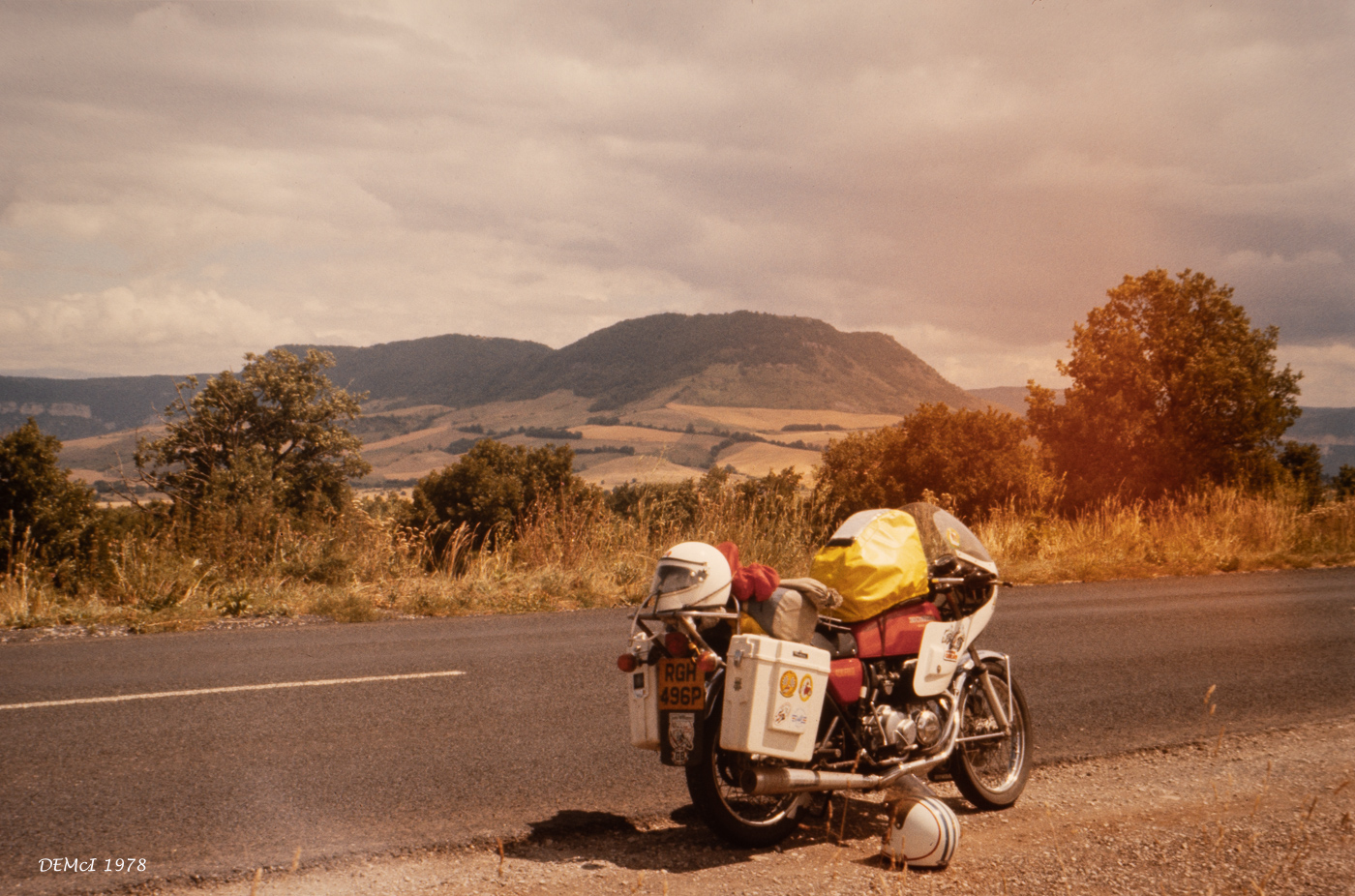
Colour balance too warm
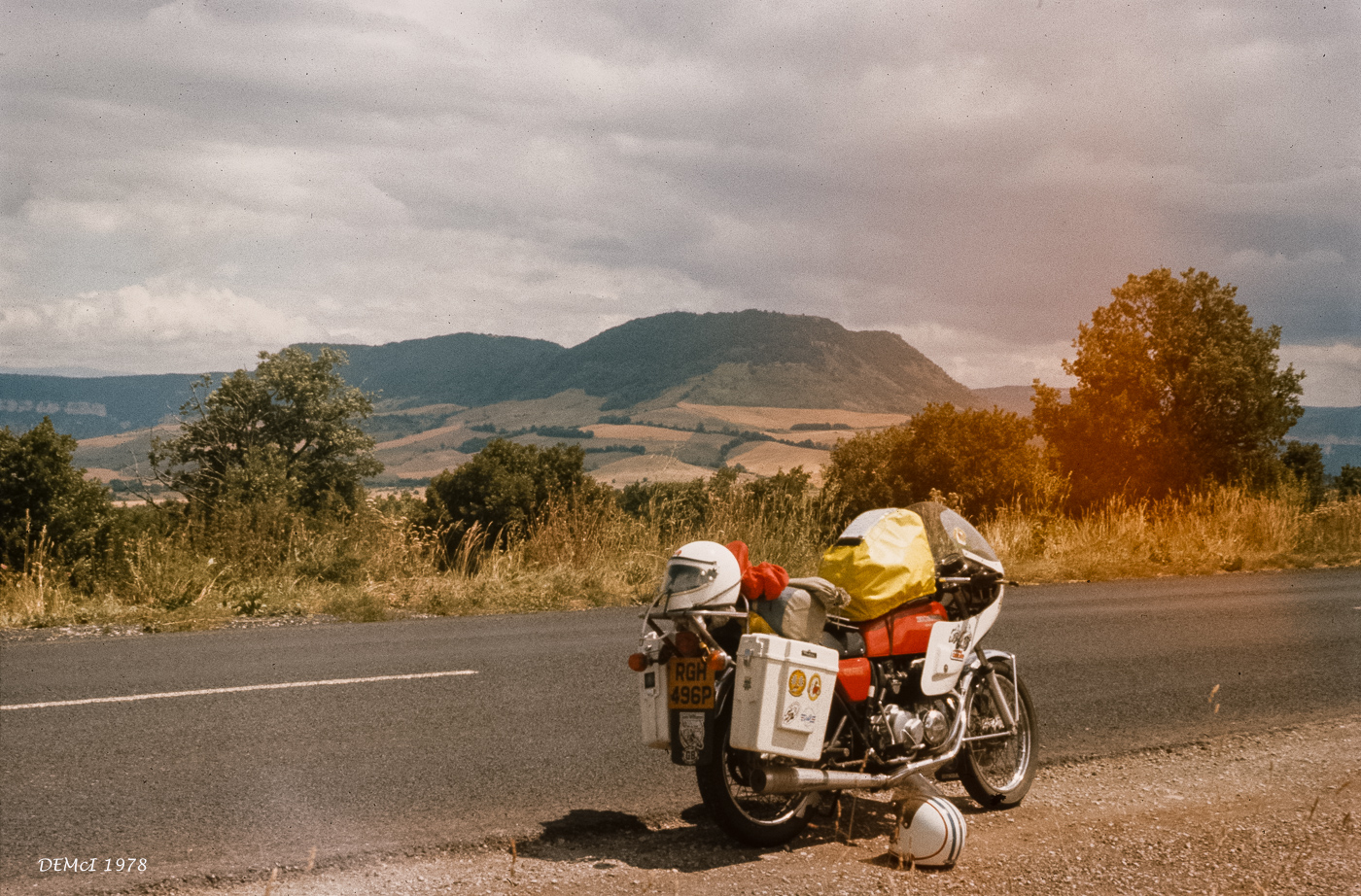
Nikon Coolscan V ED scan. 300 dpi. Not fully spotted yet!
Edited on May 10, 2018 at 08:39 PM · View previous versions
I finally received a Nikon Coolscan V ED scanner from Glazer's Camera in Seattle. Bought on 26 April, eBay's Global Shipping Program in its gross inefficiency ensured that I didn't receive the item until 11 May here in Australia.
These two images are copies of a 1978 original using some generic relatively cheap 100ASA slide-film (I was a UK student doing some training in France, but also being paid the mandated 'minimum inter-professional training' wage (SMIC), so I was relatively penniless)!
Image #1. Pentax K-1 using an old Ohnar slide duplicator, with LED light source at 5600K and that WB dialled in n the camera.
#2. A scan made by the Nikon Coolscan V ED. I am very pleased at the scanner's performance.
The camera used was 90% likely to be my old Zenit SLR with Helios 50mm lens. there's evidence of light leaks in many of my slides from that summer. The camera later fell off the back of the same motorbike when I was back in England. A canvas haversack secured by bungy cords to my metal rear rack wasn't sufficient to detain the Eastern Bloc hardware!!
Colour balance too warm
Nikon Coolscan V ED scan. 300 dpi. Not fully spotted yet!
Edited on May 10, 2018 at 08:39 PM · View previous versions
May 10, 2018 at 08:34 PM
p.702 #7Post your recent film shots!
lenticular11 wrote:
Not in any way comparable in quality to the work of Peter Figen, I nevertheless share two shots for comparison and buyer-satisfaction!
I finally received a Nikon Coolscan V ED scanner from Glazer's Camera in Seattle. Bought on 26 April, eBay's Global Shipping Program in its gross inefficiency ensured that I didn't receive the item until 11 May here in Australia.
These two images are copies of a 1978 original using some generic relatively cheap 100ASA slide-film (I was a UK student doing some training in France, but also being paid the mandated 'minimum inter-professional training' wage (SMIC), so I was relatively...Show more →
I do believe you forgot to attach the photos.
May 10, 2018 at 08:35 PM
p.702 #8Post your recent film shots!
kwoodard wrote:
#2. is a scan made by the Nikon Coolscan V ED. I am very pleased at the scanner's performance.I do believe you forgot to attach the photos.
No, you simply got to it in between my initial text and adding the photos!

lenticular11 wrote
...Image #1. Pentax K-1 using an old Ohnar slide duplicator, with LED light source at 5600K and that WB dialled in n the camera.#2. is a scan made by the Nikon Coolscan V ED. I am very pleased at the scanner's performance.
No, you simply got to it in between my initial text and adding the photos!
May 10, 2018 at 08:37 PM
p.702 #9Post your recent film shots!
Two more shots for comparison, this time between scanners.
No spotting really done yet. I hope to see if I can run Silverfast under OSX to see if I can automate cleaning during scan, something that Vuescan (on its IR clean 'light' setting isn't doing well. I need to check out the various degrees of Vuescan cleaning to see if one gives acceptable results without too much loss of detail).
The WB and other settings are identical between scanners. I was relatively happy with the Minolta, but comments from Edward and other references led me to seek out a Coolscan.
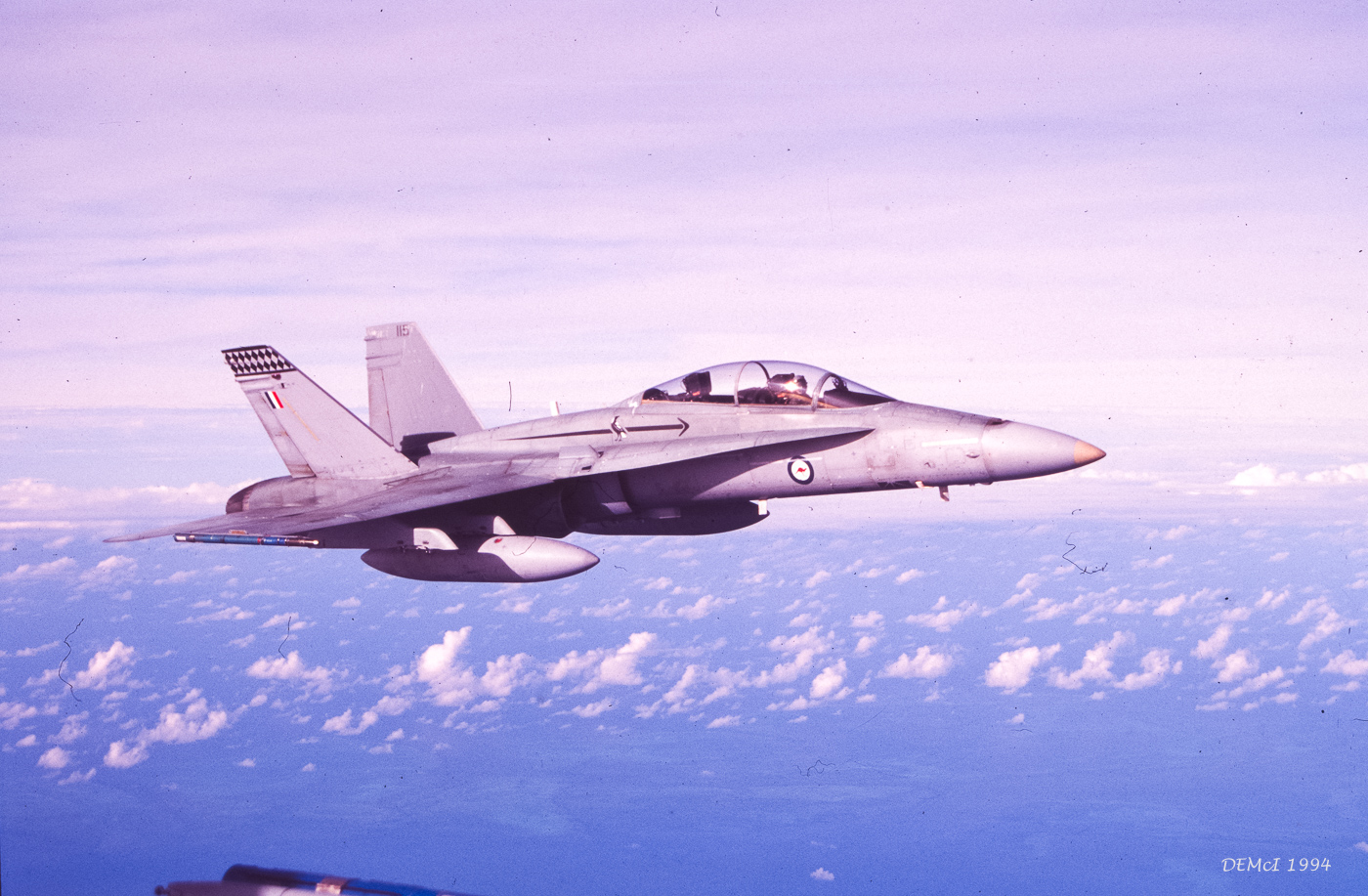
Minolta Dimage Scan Dual IV scanner
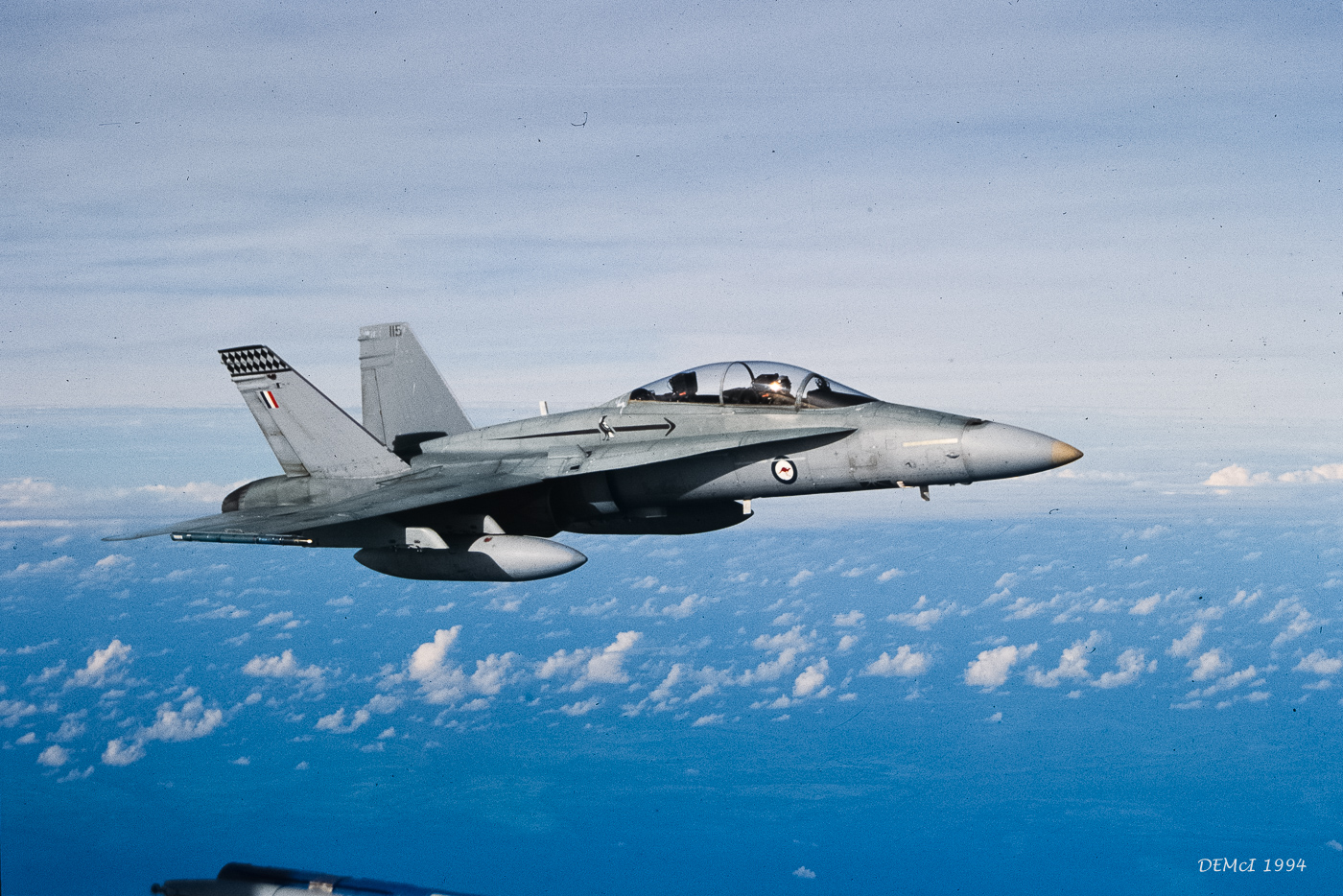
Nikon Coolscan V ED scanner.
No spotting really done yet. I hope to see if I can run Silverfast under OSX to see if I can automate cleaning during scan, something that Vuescan (on its IR clean 'light' setting isn't doing well. I need to check out the various degrees of Vuescan cleaning to see if one gives acceptable results without too much loss of detail).
The WB and other settings are identical between scanners. I was relatively happy with the Minolta, but comments from Edward and other references led me to seek out a Coolscan.
Minolta Dimage Scan Dual IV scanner
Nikon Coolscan V ED scanner.
May 10, 2018 at 08:51 PM
p.702 #10Post your recent film shots!
lenticular11 wrote:
Two more shots for comparison, this time between scanners.
No spotting really done yet. I hope to see if I can run Silverfast under OSX to see if I can automate cleaning during scan, something that Vuescan (on its IR clean 'light' setting isn't doing well. I need to check out the various degrees of Vuescan cleaning to see if one gives acceptable results without too much loss of detail).
The WB and other settings are identical between scanners. I was relatively happy with the Minolta, but comments from Edward and other references led me to seek out a Coolscan.
Congratulations on the new scanner, David.
If you can somehow make Nikon Scan 4.0 work on your computer, you would be surprised of the quality of the scans.
May 10, 2018 at 09:34 PM
|
p.702 #11Post your recent film shots!
Hi Edward, thanks!
I didn't receive the Nikon Scan software with the scanner (it was bought at a great price). I'll have to investigate if I can get it.
My preference is to run on a Mac desktop running OSX 10.13.4 High Sierra, however I also have a fairly mundane laptop running Windows 10.
I note that the Nikon Scan sw will not run on Mac OSX after 10.1 and not on Windows 10. I have a purchased copy of Windows XP Prof that I can try and run under emulation on my Mac...we'll see!
thanks again, David
I didn't receive the Nikon Scan software with the scanner (it was bought at a great price). I'll have to investigate if I can get it.
My preference is to run on a Mac desktop running OSX 10.13.4 High Sierra, however I also have a fairly mundane laptop running Windows 10.
I note that the Nikon Scan sw will not run on Mac OSX after 10.1 and not on Windows 10. I have a purchased copy of Windows XP Prof that I can try and run under emulation on my Mac...we'll see!
thanks again, David
May 10, 2018 at 09:48 PM
p.702 #12Post your recent film shots!
lenticular11 wrote:
Hi Edward, thanks!
I didn't receive the Nikon Scan software with the scanner (it was bought at a great price). I'll have to investigate if I can get it.
My preference is to run on a Mac desktop running OSX 10.13.4 High Sierra, however I also have a fairly mundane laptop running Windows 10.
I note that the Nikon Scan sw will not run on Mac OSX after 10.1 and not on Windows 10. I have a purchased copy of Windows XP Prof that I can try and run under emulation on my Mac...we'll see!
thanks again, David
You can easily download it from any Nikon website. The trick is to have Vuescan pre-installed on your computer and while installing Nikon Scan you should opt not to install the drivers. Thus your scanner will use Vuescan driver instead. It might actually work on most versions of windows 10 but most certainly not on the Mac.
May 10, 2018 at 10:19 PM
p.702 #13Post your recent film shots!
lenticular11 wrote:
Hi Edward, thanks!
I didn't receive the Nikon Scan software with the scanner (it was bought at a great price). I'll have to investigate if I can get it.
My preference is to run on a Mac desktop running OSX 10.13.4 High Sierra, however I also have a fairly mundane laptop running Windows 10.
I note that the Nikon Scan sw will not run on Mac OSX after 10.1 and not on Windows 10. I have a purchased copy of Windows XP Prof that I can try and run under emulation on my Mac...we'll see!
thanks again, David
I will have to dig it up, but someone online got the last set of windows drivers signed for windows 8...works great on windows 10. I use the Nikon software on Windows 10 and get stellar results with the Coolscan 5000.
Btw, anyway need one? I have two.
May 10, 2018 at 10:35 PM
p.702 #14Post your recent film shots!
kwoodard wrote:
I didn't receive the Nikon Scan software with the scanner (it was bought at a great price). I'll have to investigate if I can get it.
My preference is to run on a Mac desktop running OSX 10.13.4 High Sierra, however I also have a fairly mundane laptop running Windows 10.
I note that the Nikon Scan sw will not run on Mac OSX after 10.1 and not on Windows 10. I have a purchased copy of Windows XP Prof that I can try and run under emulation on my Mac...we'll see!
thanks again, DavidI will have to dig it up, but someone online got the last set of windows drivers signed for windows 8...works great on windows 10. I use the Nikon software on Windows 10 and get stellar results with the Coolscan 5000.
Btw, anyway need one? I have two.
Two of what kwoodard - a Coolscan 5000?
lenticular11 wrote
Hi Edward, thanks!I didn't receive the Nikon Scan software with the scanner (it was bought at a great price). I'll have to investigate if I can get it.
My preference is to run on a Mac desktop running OSX 10.13.4 High Sierra, however I also have a fairly mundane laptop running Windows 10.
I note that the Nikon Scan sw will not run on Mac OSX after 10.1 and not on Windows 10. I have a purchased copy of Windows XP Prof that I can try and run under emulation on my Mac...we'll see!
thanks again, David
Btw, anyway need one? I have two.
Two of what kwoodard - a Coolscan 5000?
May 11, 2018 at 02:20 AM
p.702 #15Post your recent film shots!
Jon Buffington wrote:
A few more from the roll above, this time with the 28/2.8 celtic.
Especially the last three ones have sort of a beautiful IR look to them - is Delta film sensitive in part of the shorter wavelength IR spectrum?
A few more from the roll above, this time with the 28/2.8 celtic.
Especially the last three ones have sort of a beautiful IR look to them - is Delta film sensitive in part of the shorter wavelength IR spectrum?
May 11, 2018 at 06:13 AM
p.702 #16Post your recent film shots!
lenticular11 wrote:
kwoodard wrote
lenticular11 wrote
Hi Edward, thanks!I didn't receive the Nikon Scan software with the scanner (it was bought at a great price). I'll have to investigate if I can get it.
My preference is to run on a Mac desktop running OSX 10.13.4 High Sierra, however I also have a fairly mundane laptop running Windows 10.
I note that the Nikon Scan sw will not run on Mac OSX after 10.1 and not on Windows 10. I have a purchased copy of Windows XP Prof that I can try and run under emulation on my Mac...we'll see!
thanks again, David
Btw, anyway need one? I have two.
Yup. I have two of them. Used to do bulk scanning at the college I work at. They have a huge permanent art collection. When that job was done, scanners sat in favor of the flatbeds. Then when there were no official drivers for them, they were going to be trashed. Asked if I could have them...
Here is the link to the windows driver I was talking about.
http://axelriet.blogspot.com/2009/10/nikon-ls-40-ls-50-ls-5000-scanners-on.html
May 11, 2018 at 09:48 AM


p.702 #18Post your recent film shots!
kwoodard wrote:
 I am partial to d76 but trying to like rodinal. This batch came out fairly well. I really like rodinal though with tmax100. This was 1:50 with gentle agitation every minute after initial 30 sec gentle agitation. Patterson Tank.You get great results with D76, whereas I don’t. I have only had one roll souped in D76 come out well, and I had to keep it at 65 degrees to do it.
You have to re-examine your process. D76 is one of the most common developers in the world. There are millions of examples of this developer producing excellent images. This developer is virtually bullet proof. You certainly do not need to use 65 degrees to produce good results.
Jon Buffington wrote
Well thank you I am partial to d76 but trying to like rodinal. This batch came out fairly well. I really like rodinal though with tmax100. This was 1:50 with gentle agitation every minute after initial 30 sec gentle agitation. Patterson Tank.You have to re-examine your process. D76 is one of the most common developers in the world. There are millions of examples of this developer producing excellent images. This developer is virtually bullet proof. You certainly do not need to use 65 degrees to produce good results.
May 11, 2018 at 05:42 PM
p.702 #19Post your recent film shots!
rattymouse wrote:
I am partial to d76 but trying to like rodinal. This batch came out fairly well. I really like rodinal though with tmax100. This was 1:50 with gentle agitation every minute after initial 30 sec gentle agitation. Patterson Tank.You get great results with D76, whereas I don’t. I have only had one roll souped in D76 come out well, and I had to keep it at 65 degrees to do it.You have to re-examine your process. D76 is one of the most common developers in the world. There are millions of examples of this developer producing excellent images. This developer is virtually bullet proof. You certainly do not need to use 65 degrees to produce good results.
Yeah that's weird. D76 was the mainstay developer we used in school , the one everyone learned with, and never had any issues with it.
kwoodard wrote
Jon Buffington wrote
Well thank you I am partial to d76 but trying to like rodinal. This batch came out fairly well. I really like rodinal though with tmax100. This was 1:50 with gentle agitation every minute after initial 30 sec gentle agitation. Patterson Tank.Yeah that's weird. D76 was the mainstay developer we used in school , the one everyone learned with, and never had any issues with it.
May 11, 2018 at 06:44 PM
p.702 #20Post your recent film shots!
rattymouse wrote:
kwoodard wrote
Jon Buffington wrote
Well thank you I am partial to d76 but trying to like rodinal. This batch came out fairly well. I really like rodinal though with tmax100. This was 1:50 with gentle agitation every minute after initial 30 sec gentle agitation. Patterson Tank.I have been wondering if the crap water is causing the issues. Very high mineral content.
May 11, 2018 at 10:25 PM