This topic is in the 2024 archive. You can read it and like its posts here. It is read only.
Archive 2024Canon R5 Mark II Image Thread
p.21 #1Canon R5 Mark II Image Thread
I see your owls and raise you
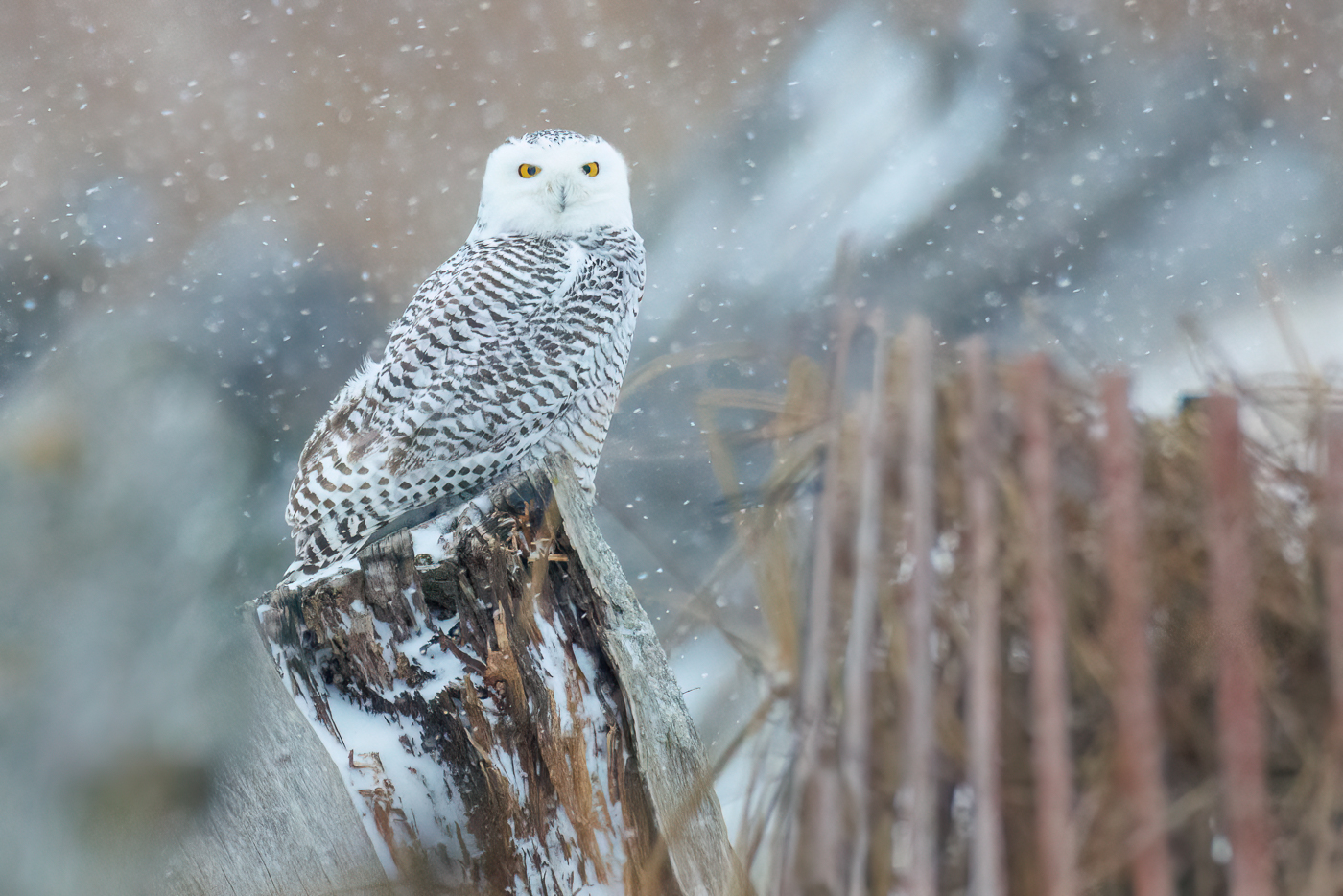
Canon EOS R5m2 RF400mm F2.8 L IS USM + EXTENDER RF2x lens 800mm f/5.6 1/800s 10000 ISO 0.0 EV
Dec 24, 2024 at 08:16 PM
p.21 #4Canon R5 Mark II Image Thread
ronno wrote:
This looks great!
Lenses? Video settings? Stabilization?
Thx!
Thank You!! R5 MKII RF200-800 with RF 1.4X. 2k H265 4:2:2,119.96 fps slow motion helped with smoothness. Additional stabilization in post in DaVinci Resolve. Some cropping.Shot with tripod.
Edited on Dec 26, 2024 at 09:54 PM · View previous versions
Dec 26, 2024 at 07:52 PM
p.21 #7Canon R5 Mark II Image Thread
ronno wrote:
So not log?
ronno,
I was just checking, and I actually videoed the owls in 2k.
Before shooting I had tried putting camera in crop mode for video, but it changes it to 2k for that.
I "thought" I had changed it back to 4k when I removed crop mode, but I had not.
I will edit my answer above.
Dave
So not log?
ronno,
I was just checking, and I actually videoed the owls in 2k.
Before shooting I had tried putting camera in crop mode for video, but it changes it to 2k for that.
I "thought" I had changed it back to 4k when I removed crop mode, but I had not.
I will edit my answer above.
Dave
Dec 26, 2024 at 09:54 PM
p.21 #8Canon R5 Mark II Image Thread
Today's model:
And a beachy short and quick cut with that and a couple other things (sorry, no sound on this one):
All on R5 Mark II + either RF 24-70 F2.8 L or RF 70-200 F2.8 L. 4K DCI Fine, Intra High, C-Log 2, some quick grading in Resolve.
And a beachy short and quick cut with that and a couple other things (sorry, no sound on this one):
All on R5 Mark II + either RF 24-70 F2.8 L or RF 70-200 F2.8 L. 4K DCI Fine, Intra High, C-Log 2, some quick grading in Resolve.
Dec 27, 2024 at 10:54 PM
p.21 #9Canon R5 Mark II Image Thread
n8rv wrote:
Today's model:
And a beachy short and quick cut with that and a couple other things (sorry, no sound on this one):
All on R5 Mark II + either RF 24-70 F2.8 L or RF 70-200 F2.8 L. 4K DCI Fine, Intra High, C-Log 2, some quick grading in Resolve.
When you say quick grading, is that some sort of film Lut you slapped on there? Or did you create that look manually? I like the film look for sure.
Dec 27, 2024 at 11:01 PM
p.21 #10Canon R5 Mark II Image Thread
artsupreme wrote:
When you say quick grading, is that some sort of film Lut you slapped on there? Or did you create that look manually? I like the film look for sure.
Thanks. Fast manual tweaks to a preset I had previously created in Resolve.
Which in itself is a pretty simple node graph consisting of some exposure adjustments, the film look creator node introduced in v19, and the appropriate color space transform nodes to convert from c-log 2 into working and output color spaces.
The film look creator node is doing most of the heavy lifting. It’s pretty slick.
Dec 27, 2024 at 11:31 PM
p.21 #11Canon R5 Mark II Image Thread
n8rv wrote:
Thanks. Fast manual tweaks to a preset I had previously created in Resolve.
Which in itself is a pretty simple node graph consisting of some exposure adjustments, the film look creator node introduced in v19, and the appropriate color space transform nodes to convert from c-log 2 into working and output color spaces.
The film look creator node is doing most of the heavy lifting. It’s pretty slick.
For the R5II are you still exposing between +1 and +2 like the R5 or is the R5II closer to 0 now for proper exposure in c-log2?
artsupreme wrote
When you say quick grading, is that some sort of film Lut you slapped on there? Or did you create that look manually? I like the film look for sure.Which in itself is a pretty simple node graph consisting of some exposure adjustments, the film look creator node introduced in v19, and the appropriate color space transform nodes to convert from c-log 2 into working and output color spaces.
The film look creator node is doing most of the heavy lifting. It’s pretty slick.
For the R5II are you still exposing between +1 and +2 like the R5 or is the R5II closer to 0 now for proper exposure in c-log2?
Dec 27, 2024 at 11:36 PM
p.21 #12Canon R5 Mark II Image Thread
n8rv wrote:
All on R5 Mark II + either RF 24-70 F2.8 L or RF 70-200 F2.8 L. 4K DCI Fine, Intra High, C-Log 2, some quick grading in Resolve.
I don't have my camera in front of me but I thought when you choose 4K-D fine it only allows you to choose LGOP?
All on R5 Mark II + either RF 24-70 F2.8 L or RF 70-200 F2.8 L. 4K DCI Fine, Intra High, C-Log 2, some quick grading in Resolve.
I don't have my camera in front of me but I thought when you choose 4K-D fine it only allows you to choose LGOP?
Dec 28, 2024 at 12:06 AM
p.21 #13Canon R5 Mark II Image Thread
artsupreme wrote:
Thanks. Fast manual tweaks to a preset I had previously created in Resolve.
Which in itself is a pretty simple node graph consisting of some exposure adjustments, the film look creator node introduced in v19, and the appropriate color space transform nodes to convert from c-log 2 into working and output color spaces.
The film look creator node is doing most of the heavy lifting. It’s pretty slick.For the R5II are you still exposing between +1 and +2 like the R5 or is the R5II closer to 0 now for proper exposure in c-log2?
I wasn’t really looking at exposure comp while shooting yesterday. Was looking more at waveforms and false color to setup the shots. But yes, I mostly skewed towards overexposing a bit. I think those shots worked better than the few I underexposed.
You can sort of see it in the last two shots of the cut. I accidentally moved the variable ND slider and somehow didn't realize that until I had the clips in Resolve. Had to try and bring those back in post and that resulted in more noise.
---------------------------------------------
artsupreme wrote:
I don't have my camera in front of me but I thought when you choose 4K-D fine it only allows you to choose LGOP?
I also don’t have the camera in front of me right now but 4K-D Fine does allow you to choose Intra. At least in 24fps which is what I’m shooting at. It’s possible that it forces you to to use LGOP at other frame rates. I can check later.
n8rv wrote
artsupreme wrote
When you say quick grading, is that some sort of film Lut you slapped on there? Or did you create that look manually? I like the film look for sure.Which in itself is a pretty simple node graph consisting of some exposure adjustments, the film look creator node introduced in v19, and the appropriate color space transform nodes to convert from c-log 2 into working and output color spaces.
The film look creator node is doing most of the heavy lifting. It’s pretty slick.
I wasn’t really looking at exposure comp while shooting yesterday. Was looking more at waveforms and false color to setup the shots. But yes, I mostly skewed towards overexposing a bit. I think those shots worked better than the few I underexposed.
You can sort of see it in the last two shots of the cut. I accidentally moved the variable ND slider and somehow didn't realize that until I had the clips in Resolve. Had to try and bring those back in post and that resulted in more noise.
---------------------------------------------
artsupreme wrote:
n8rv wrote
All on R5 Mark II + either RF 24-70 F2.8 L or RF 70-200 F2.8 L. 4K DCI Fine, Intra High, C-Log 2, some quick grading in Resolve.I also don’t have the camera in front of me right now but 4K-D Fine does allow you to choose Intra. At least in 24fps which is what I’m shooting at. It’s possible that it forces you to to use LGOP at other frame rates. I can check later.
Dec 28, 2024 at 08:07 AM
p.21 #14Canon R5 Mark II Image Thread
n8rv wrote:
Thanks. Fast manual tweaks to a preset I had previously created in Resolve.
Which in itself is a pretty simple node graph consisting of some exposure adjustments, the film look creator node introduced in v19, and the appropriate color space transform nodes to convert from c-log 2 into working and output color spaces.
The film look creator node is doing most of the heavy lifting. It’s pretty slick.For the R5II are you still exposing between +1 and +2 like the R5 or is the R5II closer to 0 now for proper exposure in c-log2?I wasn’t really looking at exposure comp while shooting yesterday. Was looking more at waveforms and false color to setup the shots. But yes, I mostly skewed towards overexposing a bit. I think those shots worked better than the few I underexposed.
You can sort of see it in the last two shots of the cut. I accidentally moved the variable ND slider and somehow didn't realize that until I had the clips in Resolve. Had to try and bring those back in post and that resulted in more noise.
---------------------------------------------
I don't have my camera in front of me but I thought when you choose 4K-D fine it only allows you to choose LGOP?I also don’t have the camera in front of...Show more →
On mine, in front of me, if I am in XF AVC S YCC 4:2;2 I can select Intra. If I am in XF HEVC S YCC 4:2:2 I can not select Intra.
Hope this helps
Dave
artsupreme wrote
n8rv wrote
artsupreme wrote
When you say quick grading, is that some sort of film Lut you slapped on there? Or did you create that look manually? I like the film look for sure.Which in itself is a pretty simple node graph consisting of some exposure adjustments, the film look creator node introduced in v19, and the appropriate color space transform nodes to convert from c-log 2 into working and output color spaces.
The film look creator node is doing most of the heavy lifting. It’s pretty slick.
You can sort of see it in the last two shots of the cut. I accidentally moved the variable ND slider and somehow didn't realize that until I had the clips in Resolve. Had to try and bring those back in post and that resulted in more noise.
---------------------------------------------
artsupreme wrote
n8rv wrote
All on R5 Mark II + either RF 24-70 F2.8 L or RF 70-200 F2.8 L. 4K DCI Fine, Intra High, C-Log 2, some quick grading in Resolve.On mine, in front of me, if I am in XF AVC S YCC 4:2;2 I can select Intra. If I am in XF HEVC S YCC 4:2:2 I can not select Intra.
Hope this helps
Dave
Dec 28, 2024 at 09:14 AM
p.21 #15Canon R5 Mark II Image Thread
dj63401 wrote:
Thanks. Fast manual tweaks to a preset I had previously created in Resolve.
Which in itself is a pretty simple node graph consisting of some exposure adjustments, the film look creator node introduced in v19, and the appropriate color space transform nodes to convert from c-log 2 into working and output color spaces.
The film look creator node is doing most of the heavy lifting. It’s pretty slick.For the R5II are you still exposing between +1 and +2 like the R5 or is the R5II closer to 0 now for proper exposure in c-log2?I wasn’t really looking at exposure comp while shooting yesterday. Was looking more at waveforms and false color to setup the shots. But yes, I mostly skewed towards overexposing a bit. I think those shots worked better than the few I underexposed.
You can sort of see it in the last two shots of the cut. I accidentally moved the variable ND slider and somehow didn't realize that until I had the clips in Resolve. Had to try and bring those back in post and that resulted in more noise.
---------------------------------------------
I don't have my camera in front of me but I thought when you choose 4K-D fine it only allows you to choose LGOP?I also don’t have the camera in front of me right now but 4K-D Fine does allow you to choose Intra. At least in 24fps which is what I’m shooting at. It’s possible that it forces you to to use LGOP at other frame rates. I can check later.On mine, in front of me, if I am in XF AVC S YCC 4:2;2 I can select Intra. If I am in XF HEVC S YCC 4:2:2 I can not select Intra.
Hope this helps
Dave
Yes, just looked at mine and I'm in XF HEVC S YCC422 and this is why my only option is LGOP at 24fps. So is AVC better than HEVC? According to google HEVC is a bit better? I don't care to be an expert on these settings, but I just want to make sure I'm shooting in the best possible quality format as storage is not an issue for me.
This is why I wish there was a video forum here. I guess I'll start a "video" thread to see if there's enough interested people to keep it going.
n8rv wrote
artsupreme wrote
n8rv wrote
artsupreme wrote
When you say quick grading, is that some sort of film Lut you slapped on there? Or did you create that look manually? I like the film look for sure.Which in itself is a pretty simple node graph consisting of some exposure adjustments, the film look creator node introduced in v19, and the appropriate color space transform nodes to convert from c-log 2 into working and output color spaces.
The film look creator node is doing most of the heavy lifting. It’s pretty slick.
You can sort of see it in the last two shots of the cut. I accidentally moved the variable ND slider and somehow didn't realize that until I had the clips in Resolve. Had to try and bring those back in post and that resulted in more noise.
---------------------------------------------
artsupreme wrote
n8rv wrote
All on R5 Mark II + either RF 24-70 F2.8 L or RF 70-200 F2.8 L. 4K DCI Fine, Intra High, C-Log 2, some quick grading in Resolve.Hope this helps
Dave
Yes, just looked at mine and I'm in XF HEVC S YCC422 and this is why my only option is LGOP at 24fps. So is AVC better than HEVC? According to google HEVC is a bit better? I don't care to be an expert on these settings, but I just want to make sure I'm shooting in the best possible quality format as storage is not an issue for me.
This is why I wish there was a video forum here. I guess I'll start a "video" thread to see if there's enough interested people to keep it going.
Dec 28, 2024 at 10:32 AM
p.21 #16Canon R5 Mark II Image Thread
dj63401 wrote:
On mine, in front of me, if I am in XF AVC S YCC 4:2;2 I can select Intra. If I am in XF HEVC S YCC 4:2:2 I can not select Intra.
Hope this helps
Dave
Ah yes, there it is. Correct, I forgot to mention I am in XF AVC S YCC 4:2:2.
I’m also no expert but HEVC is a higher efficiency codec while AVC carries more data and allows for larger bitrates (also larger files). AVC is also allegedly more “usable” in post as there is less of a computational load going into decompressing / decoding it. Probably minor though.
Don’t quote me on any of this. Just my takeaway from a bunch of different, not super clear, sometimes conflicting reads.
If anyone else can clarify please go ahead.
Also agree it would be nice to have a video section here.
Dec 28, 2024 at 10:34 AM
p.21 #17Canon R5 Mark II Image Thread
n8rv wrote:
Hope this helps
DaveAh yes, there it is. Correct, I forgot to mention I am in XF AVC S YCC 4:2:2.
I’m also no expert but HEVC is a higher efficiency codec while AVC carries more data and allows for larger bitrates (also larger files). AVC is also allegedly more “usable” in post as there is less of a computational load going into decompressing / decoding it. Probably minor though.
Don’t quote me on any of this. Just my takeaway from a bunch of different, not super clear, sometimes conflicting reads.
If anyone else can clarify please go ahead.
Also agree it would be...Show more →
That makes 3 of us who are not experts, ! I also would love a video section here. If anyone is interested, Steve Perry has a website, Backcountry Gallery, that has a forum. He started a video section maybe a year ago and it has a few active members, at least 2 0r 3 with Canon R5 or R5 II's. Free to join, but I think have to join to comment. Might check it out. I am on there as Dave63401. It leans hard to wildlife, but seems to welcome everyone.
Dave
dj63401 wrote
On mine, in front of me, if I am in XF AVC S YCC 4:2;2 I can select Intra. If I am in XF HEVC S YCC 4:2:2 I can not select Intra.Hope this helps
Dave
I’m also no expert but HEVC is a higher efficiency codec while AVC carries more data and allows for larger bitrates (also larger files). AVC is also allegedly more “usable” in post as there is less of a computational load going into decompressing / decoding it. Probably minor though.
Don’t quote me on any of this. Just my takeaway from a bunch of different, not super clear, sometimes conflicting reads.
If anyone else can clarify please go ahead.
Also agree it would be...Show more →
That makes 3 of us who are not experts,
! I also would love a video section here. If anyone is interested, Steve Perry has a website, Backcountry Gallery, that has a forum. He started a video section maybe a year ago and it has a few active members, at least 2 0r 3 with Canon R5 or R5 II's. Free to join, but I think have to join to comment. Might check it out. I am on there as Dave63401. It leans hard to wildlife, but seems to welcome everyone.Dave
Dec 28, 2024 at 10:57 AM
p.21 #18Canon R5 Mark II Image Thread
n8rv wrote:
Hope this helps
DaveAh yes, there it is. Correct, I forgot to mention I am in XF AVC S YCC 4:2:2.
I’m also no expert but HEVC is a higher efficiency codec while AVC carries more data and allows for larger bitrates (also larger files). AVC is also allegedly more “usable” in post as there is less of a computational load going into decompressing / decoding it. Probably minor though.
Don’t quote me on any of this. Just my takeaway from a bunch of different, not super clear, sometimes conflicting reads.
If anyone else can clarify please go ahead.
Also agree it would be...Show more →
If you don't mind, please post your videos here and get it started off:
https://www.fredmiranda.com/forum/topic/1885499/
dj63401 wrote
On mine, in front of me, if I am in XF AVC S YCC 4:2;2 I can select Intra. If I am in XF HEVC S YCC 4:2:2 I can not select Intra.Hope this helps
Dave
I’m also no expert but HEVC is a higher efficiency codec while AVC carries more data and allows for larger bitrates (also larger files). AVC is also allegedly more “usable” in post as there is less of a computational load going into decompressing / decoding it. Probably minor though.
Don’t quote me on any of this. Just my takeaway from a bunch of different, not super clear, sometimes conflicting reads.
If anyone else can clarify please go ahead.
Also agree it would be...Show more →
If you don't mind, please post your videos here and get it started off:
https://www.fredmiranda.com/forum/topic/1885499/
Dec 28, 2024 at 10:59 AM
p.21 #19Canon R5 Mark II Image Thread
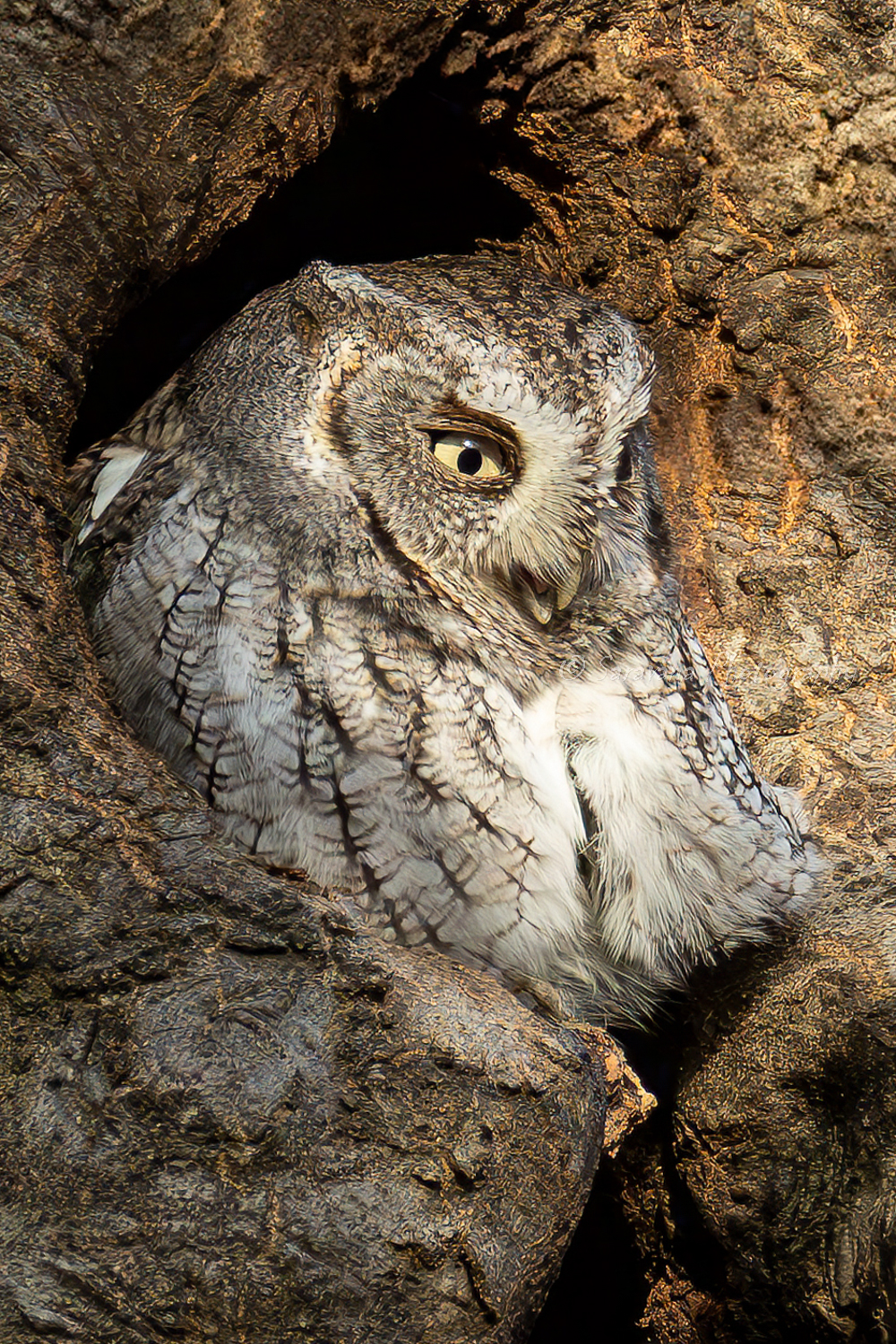
Eastern Screech Owl. R5 mark II with EF 400 f2.8 II + 2.0x III extender. This one I stopped down to F8.
Dec 29, 2024 at 08:42 AM
p.21 #20Canon R5 Mark II Image Thread
-
 |
||
 |
||
|
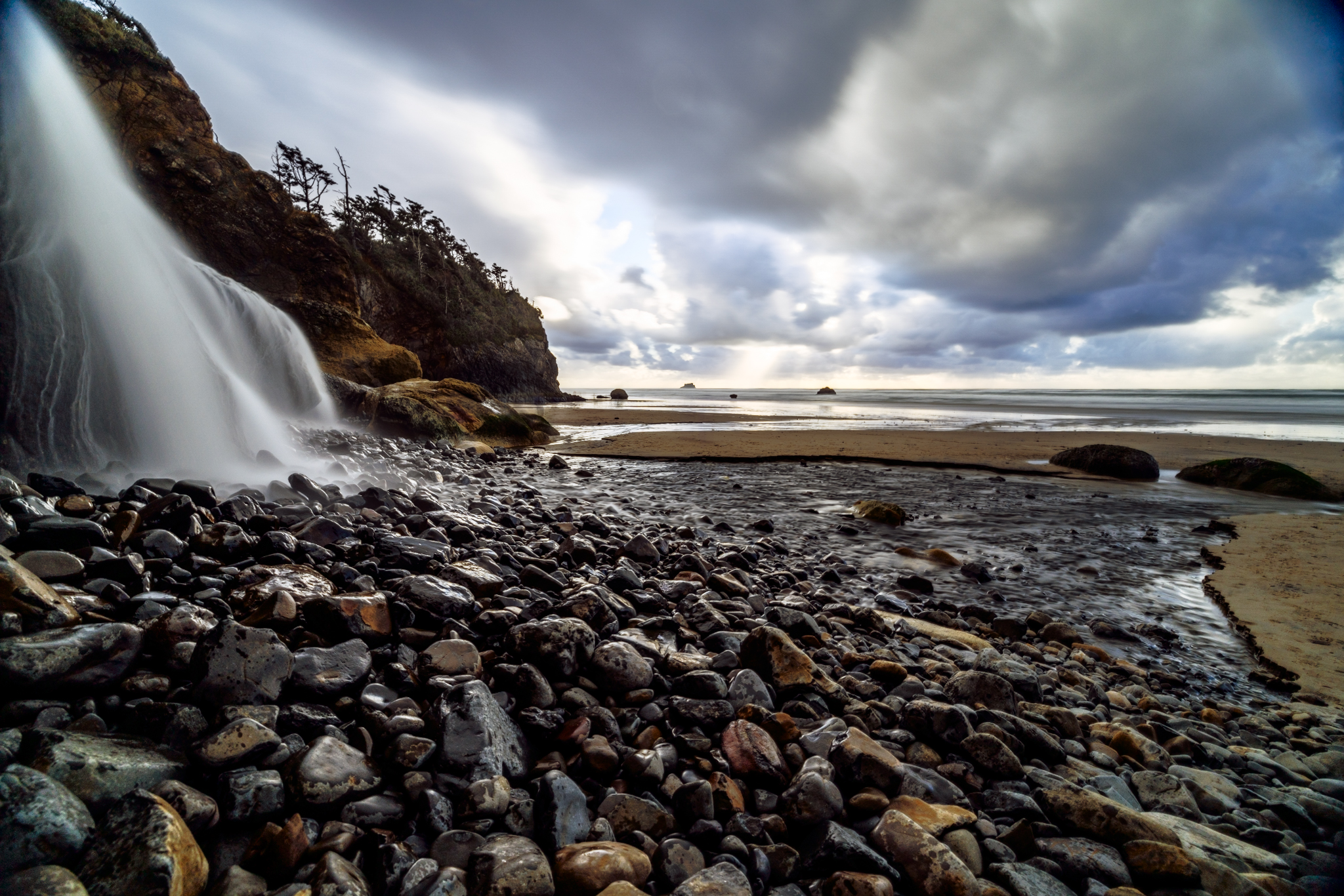
Canon EOS R5m2 RF15-35mm F2.8 L IS USM lens 15mm f/8.0 13s 100 ISO 0.0 EV
|
||
 |
||
|
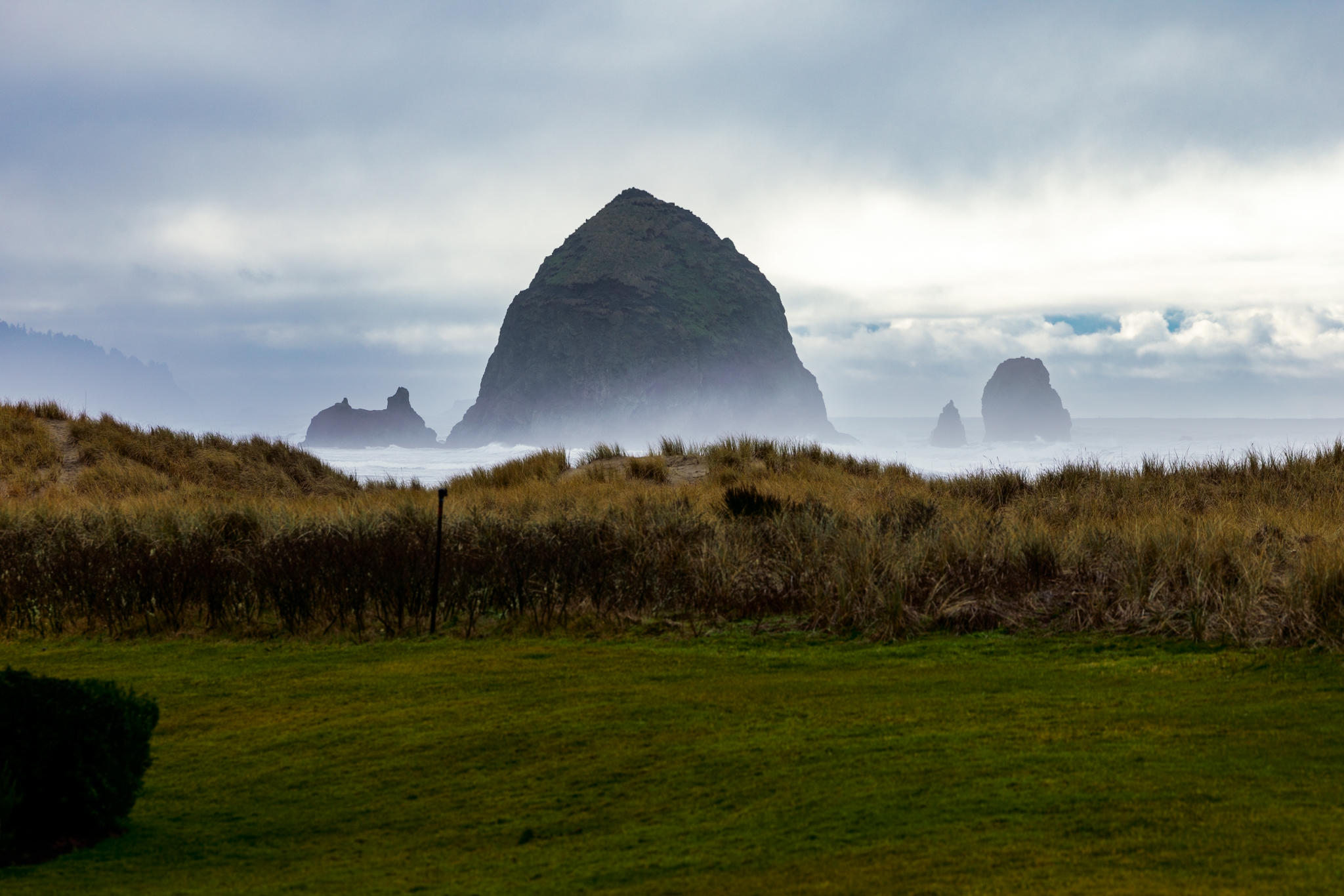
Canon EOS R5m2 RF70-200mm F2.8 L IS USM lens 200mm f/8.0 1/250s 100 ISO -0.7 EV
|
||
 |
||
|
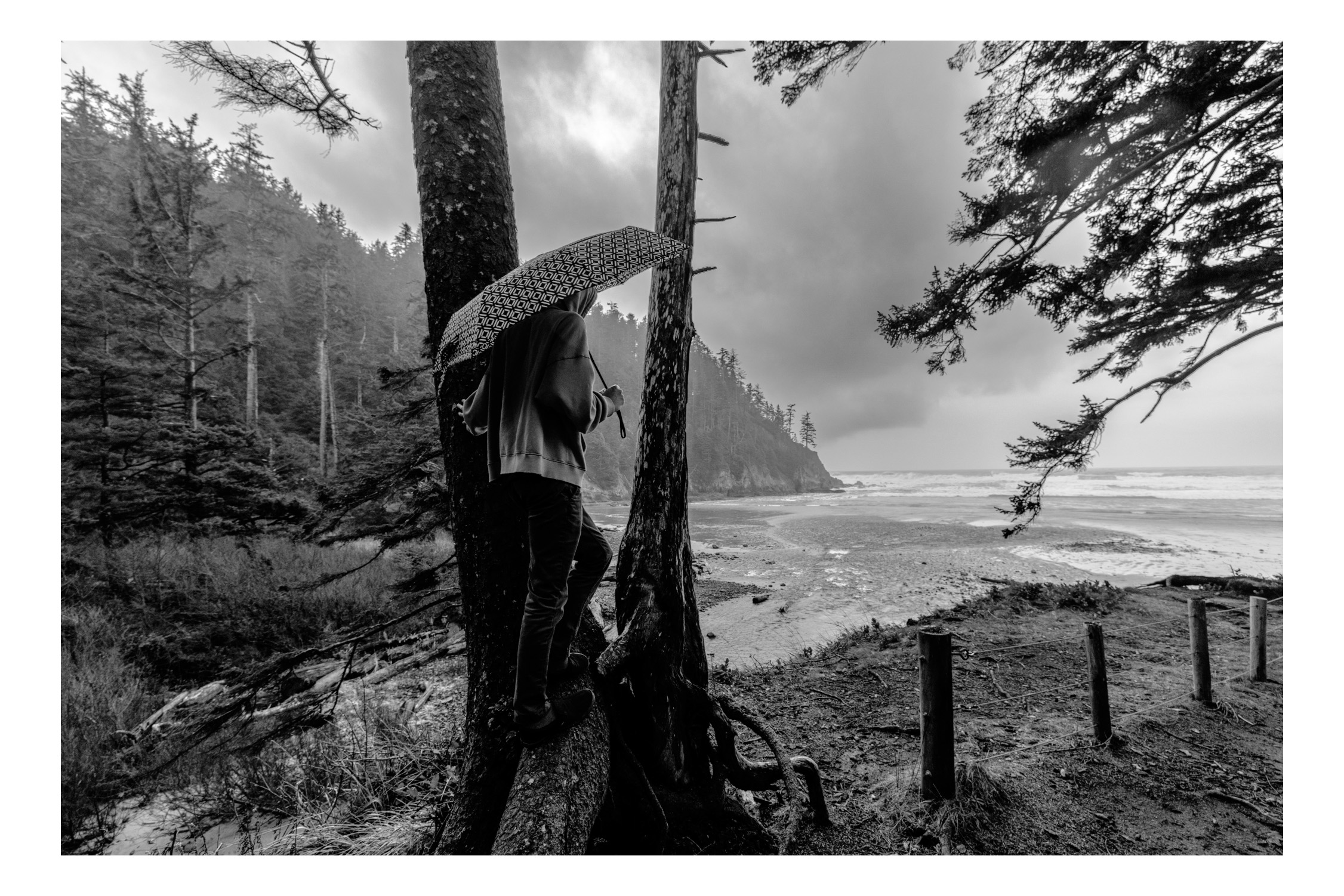
Canon EOS R5m2 RF15-35mm F2.8 L IS USM lens 15mm f/5.0 1/160s 640 ISO 0.0 EV
Dec 30, 2024 at 12:10 AM