This topic is in the 2023 archive. You can read it and like its posts here. It is read only.
Archive 2023*Edited* Denoise software is amazing. Image.
p.5 #1*Edited* Denoise software is amazing. Image.
Jpegs are only 8-bit. How does it match a 14-bit RAW in dynamic range?
What subjects are you shooting?
What subjects are you shooting?
Feb 05, 2023 at 05:19 PM
p.5 #2*Edited* Denoise software is amazing. Image.
NOTE:
I edited my original post and added a comparison with DxO Photolab 6 with DeepPrime XD.
I edited my original post and added a comparison with DxO Photolab 6 with DeepPrime XD.
Feb 05, 2023 at 06:08 PM
p.5 #3*Edited* Denoise software is amazing. Image.
mudlake wrote:
NOTE:
I edited my original post and added a comparison with DxO Photolab 6 with DeepPrime XD.
To me, the DxO crop is much better. Look around the eye. Do you have a preference?
NOTE:
I edited my original post and added a comparison with DxO Photolab 6 with DeepPrime XD.
To me, the DxO crop is much better. Look around the eye. Do you have a preference?
Feb 05, 2023 at 06:20 PM
p.5 #4*Edited* Denoise software is amazing. Image.
Jonathan wrote:
mudlake wrote
NOTE:I edited my original post and added a comparison with DxO Photolab 6 with DeepPrime XD.
I do. For this image I think the DxO output is better. A little sharper and I like the color better.
Feb 05, 2023 at 06:29 PM
p.5 #5*Edited* Denoise software is amazing. Image.
Was all set to try out DxO PureRAW until I saw it cannot process compressed RAW files. Is this really the case? I always shoot lossless compressed RAW with my A1 and I ain't about to change, so I guess I'll stick with my usual Topaz (which can open those files directly)
Feb 05, 2023 at 06:33 PM
p.5 #6*Edited* Denoise software is amazing. Image.
wordfool wrote:
Was all set to try out DxO PureRAW until I saw it cannot process compressed RAW files. Is this really the case? I always shoot lossless compressed RAW with my A1 and I ain't about to change, so I guess I'll stick with my usual Topaz (which can open those files directly)
That's correct about PureRaw2. I think it processes compressed raws, just not lossless compressed (M or S) raws.
However, DxO Photolab 6 processes both. I just did a test on a lossless compressed (M) file (I was shooting in crop mode on the A7r5 so it defaults to lossless compressed M) and all the noise features including DeepPrime XD worked perfectly.
Feb 05, 2023 at 06:47 PM
p.5 #7*Edited* Denoise software is amazing. Image.
wordfool wrote:
Was all set to try out DxO PureRAW until I saw it cannot process compressed RAW files. Is this really the case? I always shoot lossless compressed RAW with my A1 and I ain't about to change, so I guess I'll stick with my usual Topaz (which can open those files directly)
PureRAW does process the Sony A1 lossless compressed files. DxO added that compatibility over a year ago.
Feb 05, 2023 at 06:59 PM
p.5 #8*Edited* Denoise software is amazing. Image.
molson wrote:
PureRAW does process the Sony A1 lossless compressed files. DxO added that compatibility over a year ago.
And it can do Lossless Compressed Large on the A7RV with the update released in January 2023
wordfool wrote
Was all set to try out DxO PureRAW until I saw it cannot process compressed RAW files. Is this really the case? I always shoot lossless compressed RAW with my A1 and I ain't about to change, so I guess I'll stick with my usual Topaz (which can open those files directly)And it can do Lossless Compressed Large on the A7RV with the update released in January 2023
Feb 05, 2023 at 07:15 PM
p.5 #9*Edited* Denoise software is amazing. Image.
swldstn wrote:
Jpegs are only 8-bit. How does it match a 14-bit RAW in dynamic range?
What subjects are you shooting?
I'm primarily landscapes and portraits. Both are not demanding in most cases and certainly don't pose issues with the use of the electronic shutter on the A7R5. I don't prejudice my eyes talking to my brain saying it's so many bits or dynamic range etc. It simply looks outstanding.
Feb 05, 2023 at 07:18 PM
p.5 #10*Edited* Denoise software is amazing. Image.
One more comparison at EXTREME iso. This was taken tonight at iso 32000.
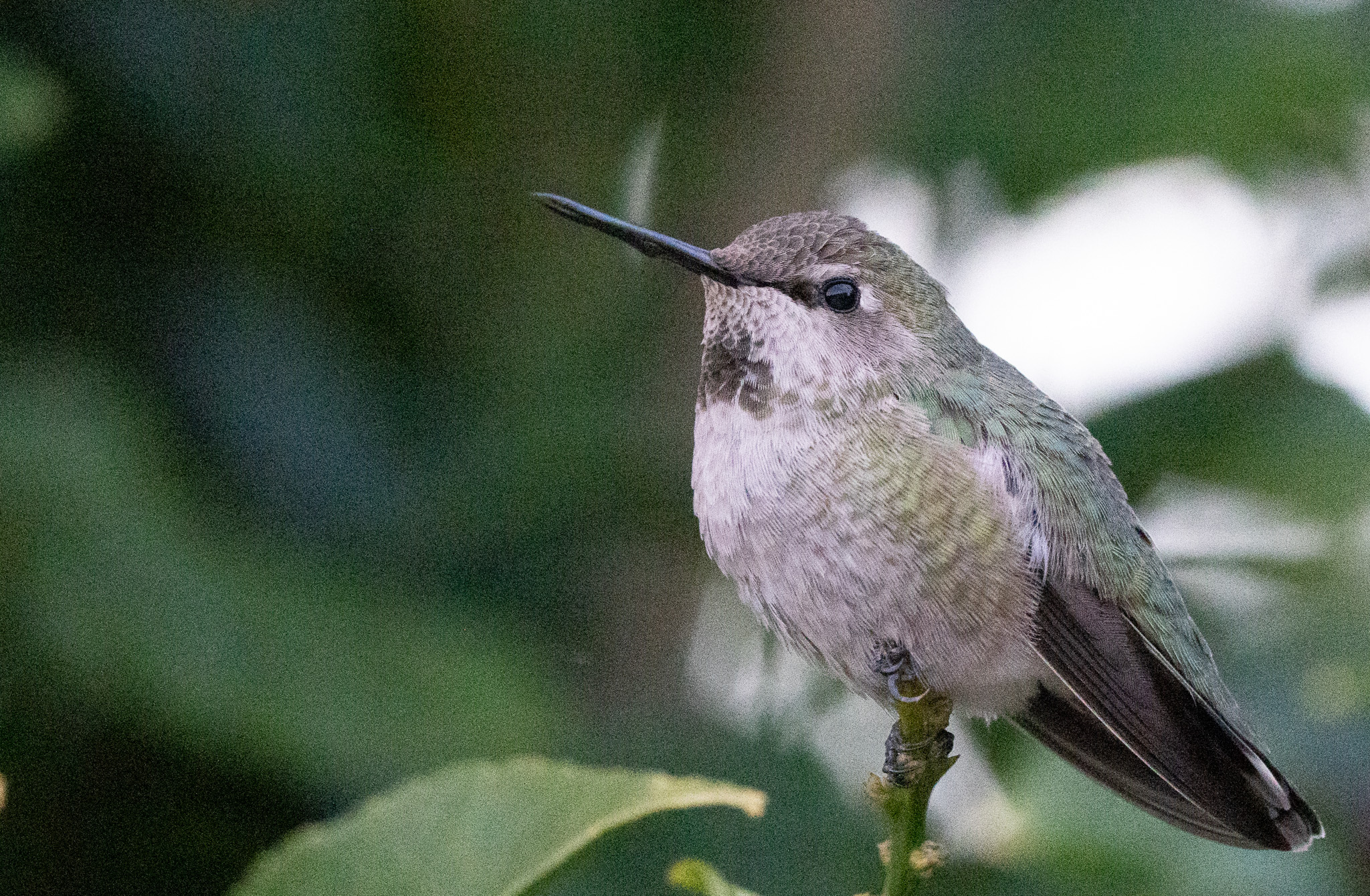
ORIGINAL FILE
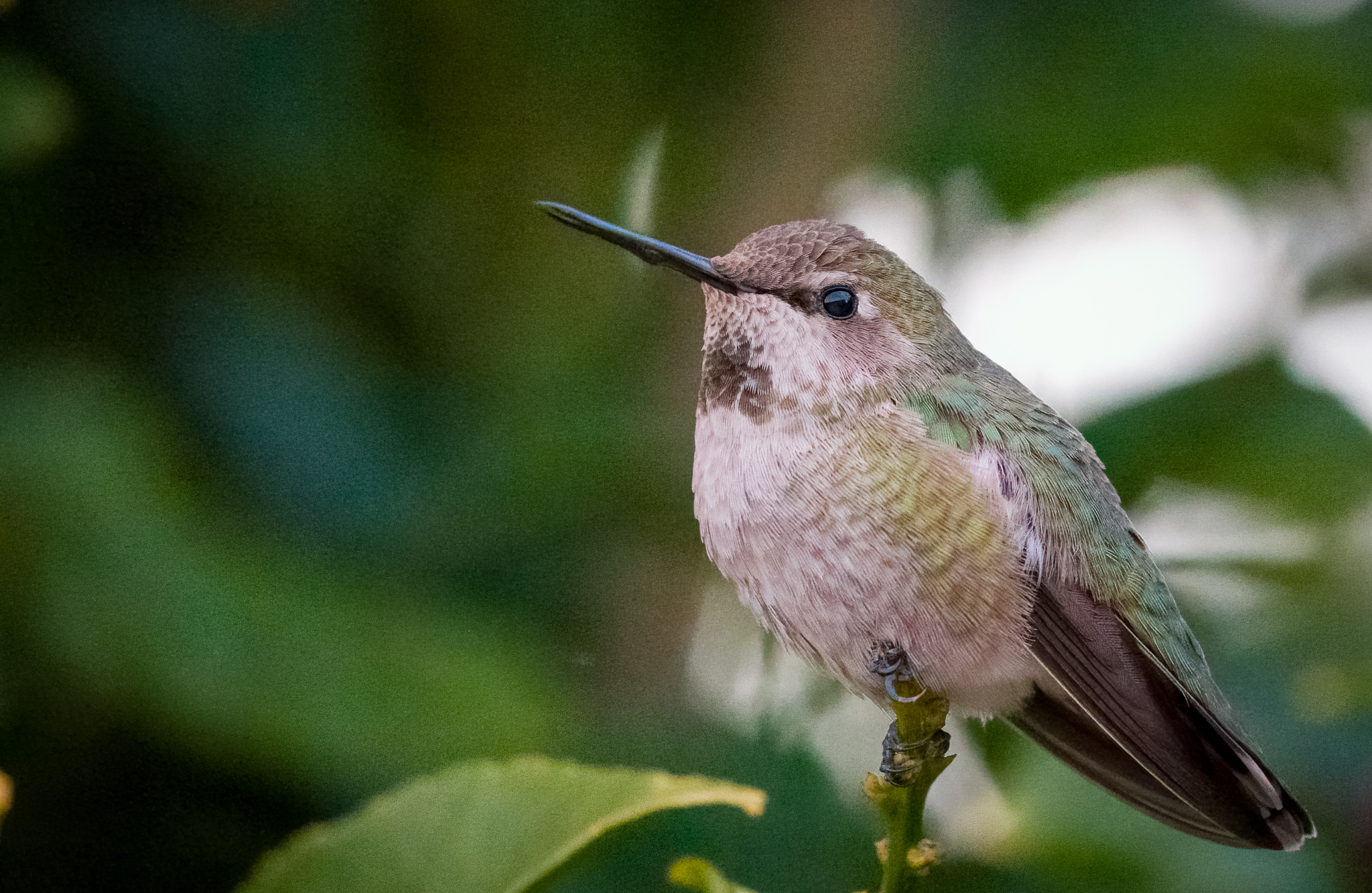
TOPAZ
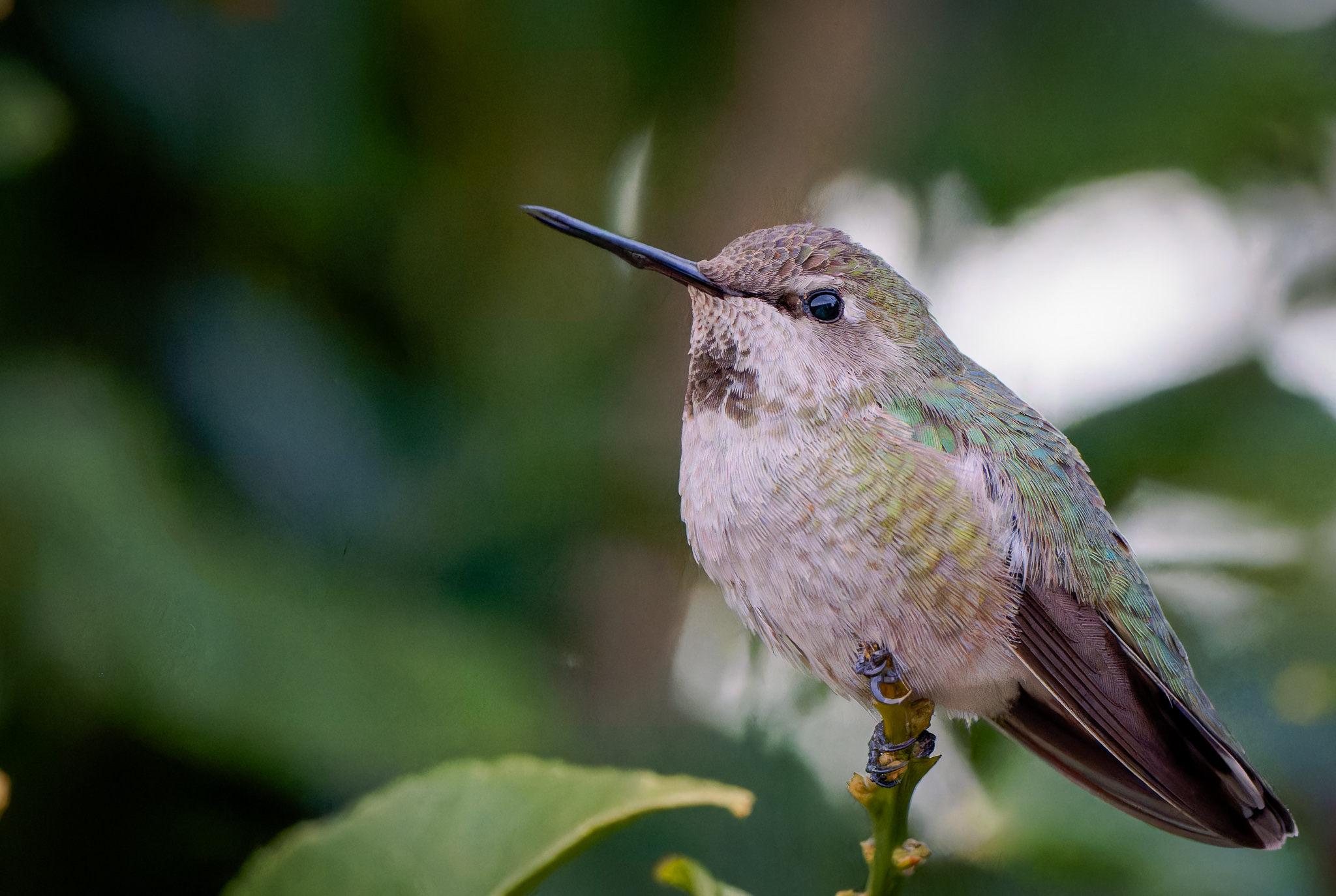
DXO DEEP PRIME XD
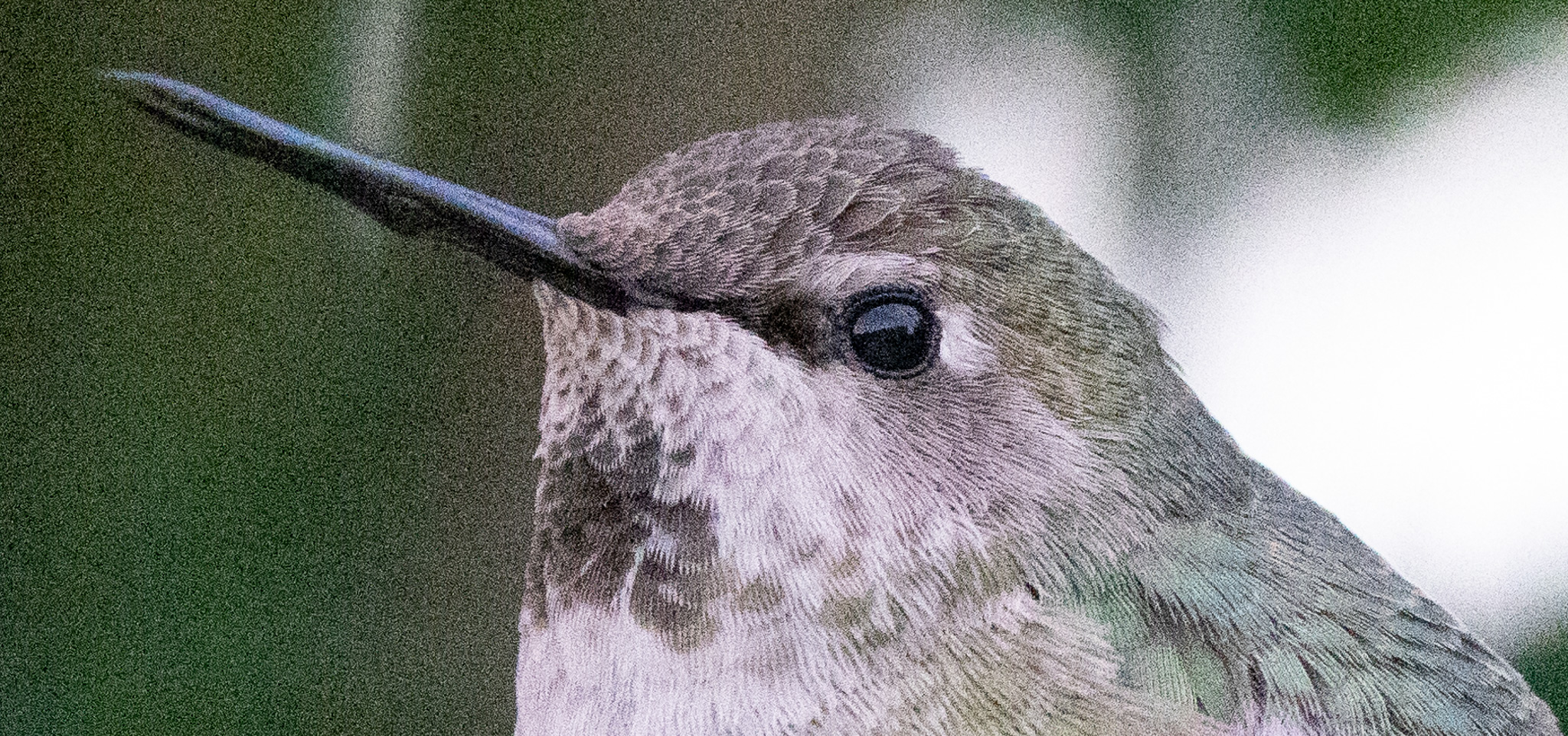
ORIGINAL CROPPED
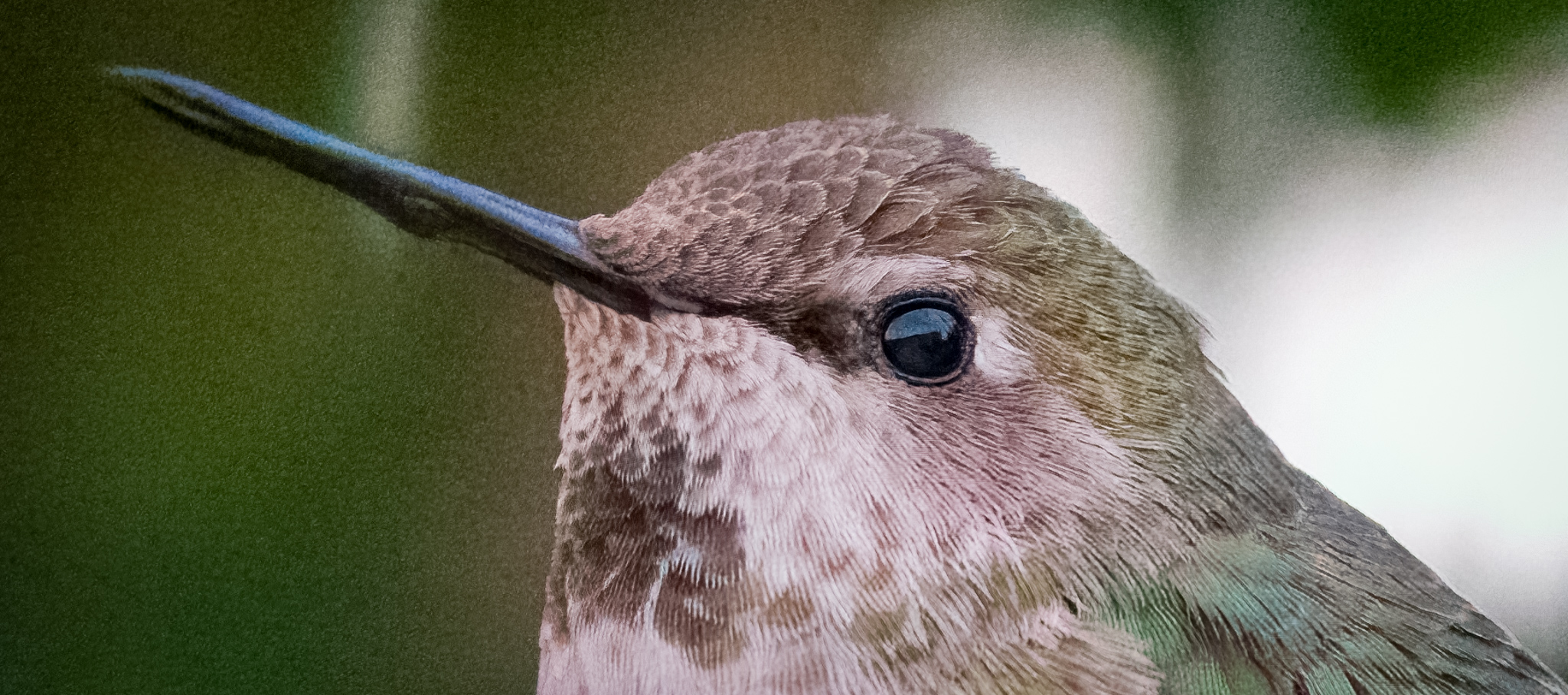
TOPAZ CROPPED
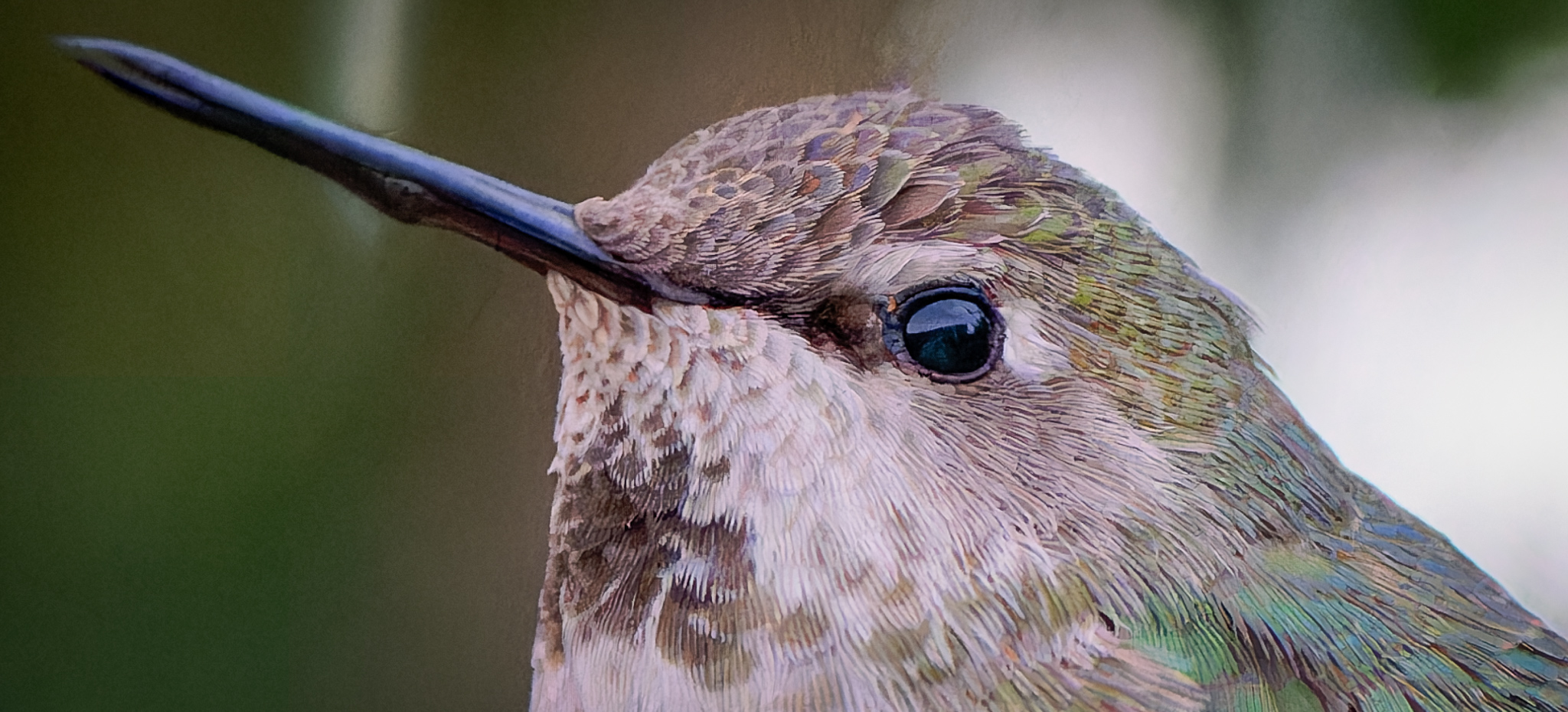
DXO DEEP PRIME XD CROPPED
ORIGINAL FILE
ILCE-7RM5 FE 200-600mm F5.6-6.3 G OSS lens 600mm f/6.3 1/1000s 32000 ISO 0.0 EV
TOPAZ
FE 200-600mm F5.6-6.3 G OSS lens 600mm f/6.3 1/1000s 32000 ISO 0.0 EV
DXO DEEP PRIME XD
ILCE-7RM5 FE 200-600mm F5.6-6.3 G OSS lens 600mm f/6.3 1/1000s 32000 ISO 0.0 EV
ORIGINAL CROPPED
ILCE-7RM5 FE 200-600mm F5.6-6.3 G OSS lens 600mm f/6.3 1/1000s 32000 ISO 0.0 EV
TOPAZ CROPPED
FE 200-600mm F5.6-6.3 G OSS lens 600mm f/6.3 1/1000s 32000 ISO 0.0 EV
DXO DEEP PRIME XD CROPPED
ILCE-7RM5 FE 200-600mm F5.6-6.3 G OSS lens 600mm f/6.3 1/1000s 32000 ISO 0.0 EV
Feb 05, 2023 at 09:02 PM
RoamingScott
Offline
Activity
[X]
Details
p.5 #11*Edited* Denoise software is amazing. Image.
mudlake wrote:
One more comparison at EXTREME iso. This was taken tonight at iso 32000.
I would expect Topaz to do better than that. Neither one are really acceptable honestly, and DXO is worse because of all the weird artifacts in the blobby bokeh.
I'd be curious to run the raw through my topaz just for curiosity sake if you have it.
Feb 05, 2023 at 09:18 PM
p.5 #12*Edited* Denoise software is amazing. Image.
RoamingScott wrote:
I would expect Topaz to do better than that. Neither one are really acceptable honestly, and DXO is worse because of all the weird artifacts in the blobby bokeh.
I'd be curious to run the raw through my topaz just for curiosity sake if you have it.
Hey Scott. The file is too big to email. I ran it through Topaz using the Raw workflow (drag raw file into topaz, process, and then save as dng back to Lightroom and then edit to taste).
I didn't do anything to clean up the files in Lightroom after processing. But for iso 32000, both programs give a "decent" file that could be used on the web if needed. I mean, iso 32,000! That's insane compared to when I started photography in 1979 and iso 400 was super fast and iso 800 was only used for extreme conditions since it was so grainy. Good days are here.
mudlake wrote
One more comparison at EXTREME iso. This was taken tonight at iso 32000.I'd be curious to run the raw through my topaz just for curiosity sake if you have it.
Hey Scott. The file is too big to email. I ran it through Topaz using the Raw workflow (drag raw file into topaz, process, and then save as dng back to Lightroom and then edit to taste).
I didn't do anything to clean up the files in Lightroom after processing. But for iso 32000, both programs give a "decent" file that could be used on the web if needed. I mean, iso 32,000! That's insane compared to when I started photography in 1979 and iso 400 was super fast and iso 800 was only used for extreme conditions since it was so grainy. Good days are here.
Feb 05, 2023 at 09:48 PM
p.5 #13*Edited* Denoise software is amazing. Image.
Hope you don't mind Mudlake but I would prefer this result from Topaz
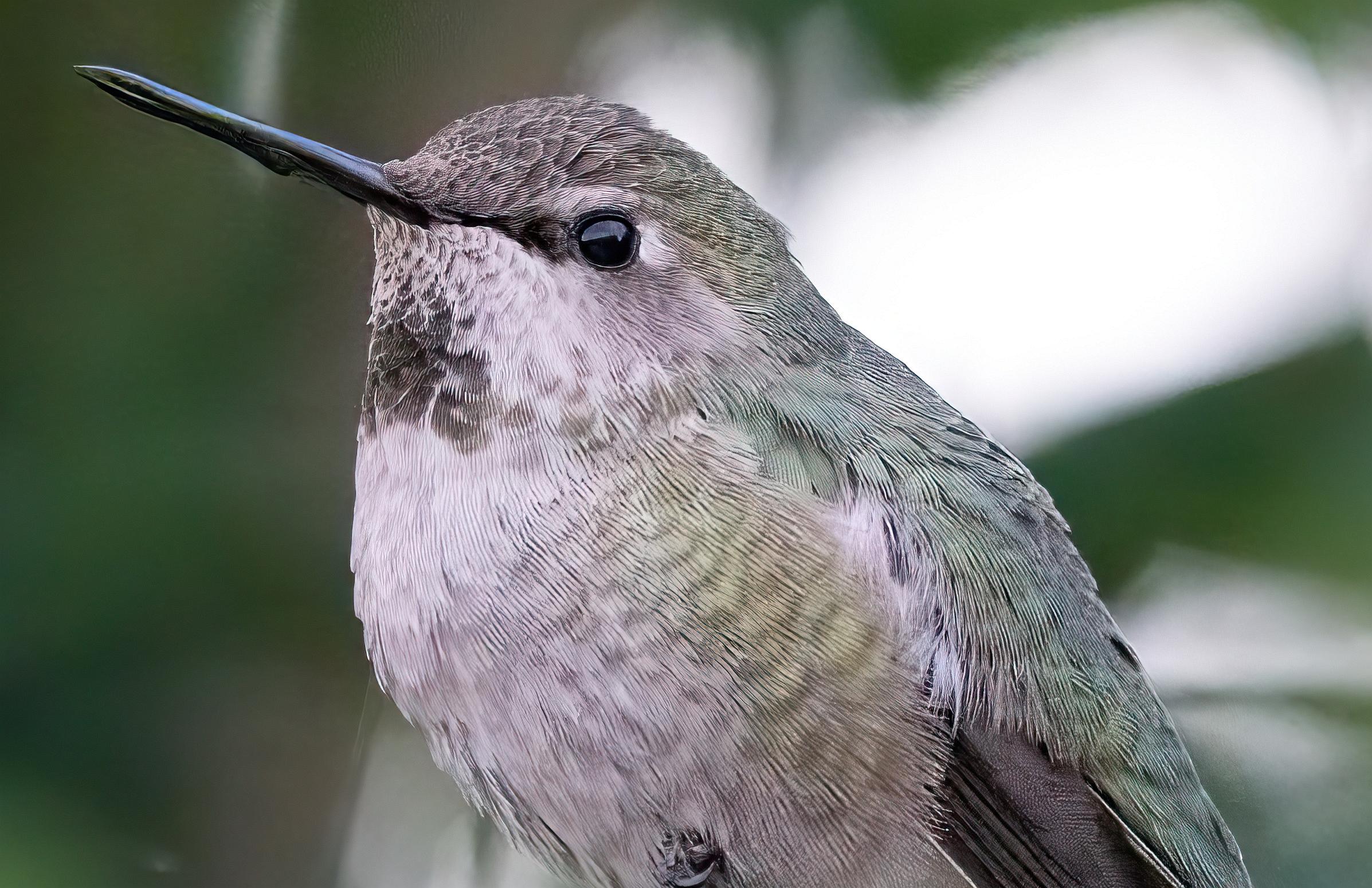
Feb 05, 2023 at 09:53 PM
RoamingScott
Offline
Activity
[X]
Details
p.5 #14*Edited* Denoise software is amazing. Image.
FWIW I do the opposite workflow, edit in LR to taste them out to Topaz to finish. I know they recommend topaz first but I’ve had consistently better results doing the opposite.
mudlake wrote:
I would expect Topaz to do better than that. Neither one are really acceptable honestly, and DXO is worse because of all the weird artifacts in the blobby bokeh.
I'd be curious to run the raw through my topaz just for curiosity sake if you have it.Hey Scott. The file is too big to email. I ran it through Topaz using the Raw workflow (drag raw file into topaz, process, and then save as dng back to Lightroom and then edit to taste).
I didn't do anything to clean up the files in Lightroom after processing. But for iso 32000, both programs give a "decent" file that could be used on the web if needed. I mean, iso 32,000! That's insane compared to when I started photography in 1979 and iso 400 was super fast and iso 800 was only used for extreme conditions since it...Show more →
mudlake wrote:
RoamingScott wrote
mudlake wrote
One more comparison at EXTREME iso. This was taken tonight at iso 32000.I'd be curious to run the raw through my topaz just for curiosity sake if you have it.
I didn't do anything to clean up the files in Lightroom after processing. But for iso 32000, both programs give a "decent" file that could be used on the web if needed. I mean, iso 32,000! That's insane compared to when I started photography in 1979 and iso 400 was super fast and iso 800 was only used for extreme conditions since it...Show more →
Feb 05, 2023 at 10:06 PM
p.5 #15*Edited* Denoise software is amazing. Image.
dcisive wrote:
Hope you don't mind Mudlake but I would prefer this result from Topaz
No problem whatsoever! I’m a newb at this denoise stuff. Looks good. Which profile did you use?
Feb 05, 2023 at 10:20 PM
p.5 #16*Edited* Denoise software is amazing. Image.
molson wrote:
PureRAW does process the Sony A1 lossless compressed files. DxO added that compatibility over a year ago.
Good to know. I must have stumbled across an old Q&A on their site. Will give it a try.
wordfool wrote
Was all set to try out DxO PureRAW until I saw it cannot process compressed RAW files. Is this really the case? I always shoot lossless compressed RAW with my A1 and I ain't about to change, so I guess I'll stick with my usual Topaz (which can open those files directly)Good to know. I must have stumbled across an old Q&A on their site. Will give it a try.
Feb 05, 2023 at 10:24 PM
p.5 #17*Edited* Denoise software is amazing. Image.
Topaz denoise is really amazing also for landscape shots on 61 mp sensors. Does an amazing job with the sky where you tend to see more noise. I can't imagine taking bird shots without denoise. What a difference! 😱
The auto mode does a pretty good job. I've tried low light for night shots as well and it's damn impressive.
The auto mode does a pretty good job. I've tried low light for night shots as well and it's damn impressive.
Feb 06, 2023 at 12:14 AM
p.5 #18*Edited* Denoise software is amazing. Image.
What RoamingScott said. This has been my experience as well. From the time that Topaz first introduced the RAW option, I've tried it occasionally, and it has never been as good as my usual workflow, which is more or less the same as what RoamingScott describes.
My larger concern is the reports that Topaz intends to abandon their stand-alone apps, Denoise AI & Sharpen AI, in favor of Photo AI. I have yet to see results from Photo AI that match the stand alone apps, and even when they get there, I wouldn't prefer the one integrated app that may be less specialized, particularly if it goes away from the granular controls the other apps provide.
Although I've generally liked the trial results I've gotten from DXO Deep Prime 2, I'm not in love with the lack of adjustability. I've also seen it said that DXO can be slow to add new lenses, which is a concern.
From a sales and marketing perspective, I understand that Topaz may feel that a one-step, integrated solution would be an easier sale, and may ultimately produce larger sales numbers, but they would also be giving up differentiation from DXO.
Clearly it's an evolving situation, all around.
Brian
Feb 06, 2023 at 06:28 AM
p.5 #19*Edited* Denoise software is amazing. Image.
swldstn wrote:
Jpegs are only 8-bit. How does it match a 14-bit RAW in dynamic range?
What subjects are you shooting?
JPEGs are okay if exposed properly and you do no/little processing IMHO. The camera used does not change the limitation regarding the amount of data in JPEG vs RAW though ...
Jpegs are only 8-bit. How does it match a 14-bit RAW in dynamic range?
What subjects are you shooting?
JPEGs are okay if exposed properly and you do no/little processing IMHO. The camera used does not change the limitation regarding the amount of data in JPEG vs RAW though
...Feb 06, 2023 at 09:04 AM
p.5 #20*Edited* Denoise software is amazing. Image.
Blueshound wrote:
What RoamingScott said. This has been my experience as well. From the time that Topaz first introduced the RAW option, I've tried it occasionally, and it has never been as good as my usual workflow, which is more or less the same as what RoamingScott describes.
My larger concern is the reports that Topaz intends to abandon their stand-alone apps, Denoise AI & Sharpen AI, in favor of Photo AI. I have yet to see results from Photo AI that match the stand alone apps, and even when they get there, I wouldn't prefer the one integrated app that may be...Show more →
I also use Topaz as a finisher, but I think for extremely noisy images, as shown by Ruthenium, the RAW option indeed offers better noise reduction...
Feb 06, 2023 at 09:06 AM