This topic is in the 2023 archive. You can read it and like its posts here. It is read only.
Archive 2023*Edited* Denoise software is amazing. Image.
p.1 #1*Edited* Denoise software is amazing. Image.
**EDIT - I downloaded the free trial of Dxo Photolab 6 with DeepPrime XD and added a comparison photo below with my original post using Topaz.
Also - see page 5 of this thread for an example at iso 32000.**
I'm new to the denoise software. I ended up purchasing Topaz Denoise. I'm frankly astounded at how good it is, especially with raw files.
Tonight I took this image of a hummingbird just after sunset in very dim light at ISO 12,800. I'm astounded. I thought I'd share for those who haven't tried one of the software programs available.
Original file first followed by my adjusted one after running it through Topaz.
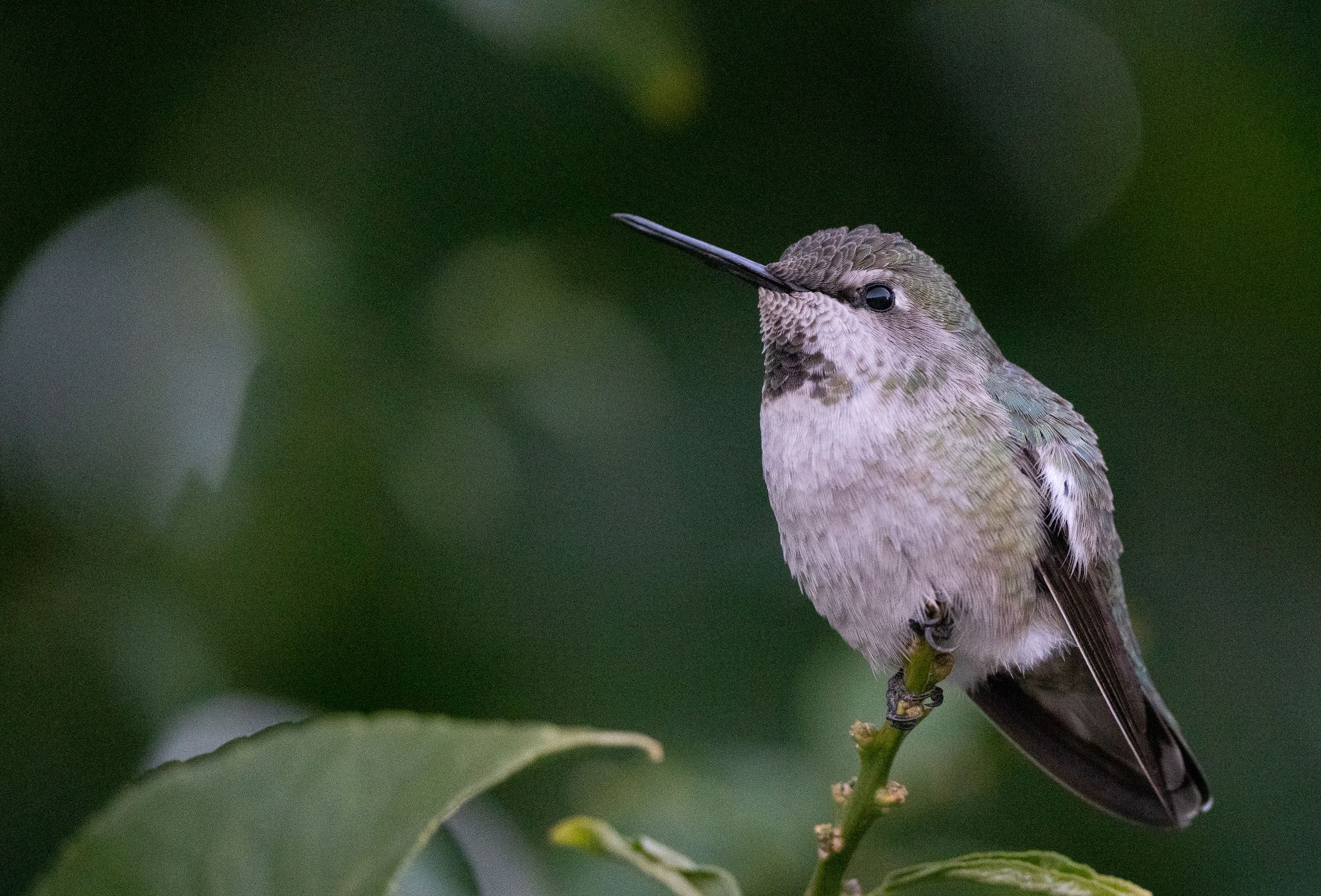
ORIGINAL FILE
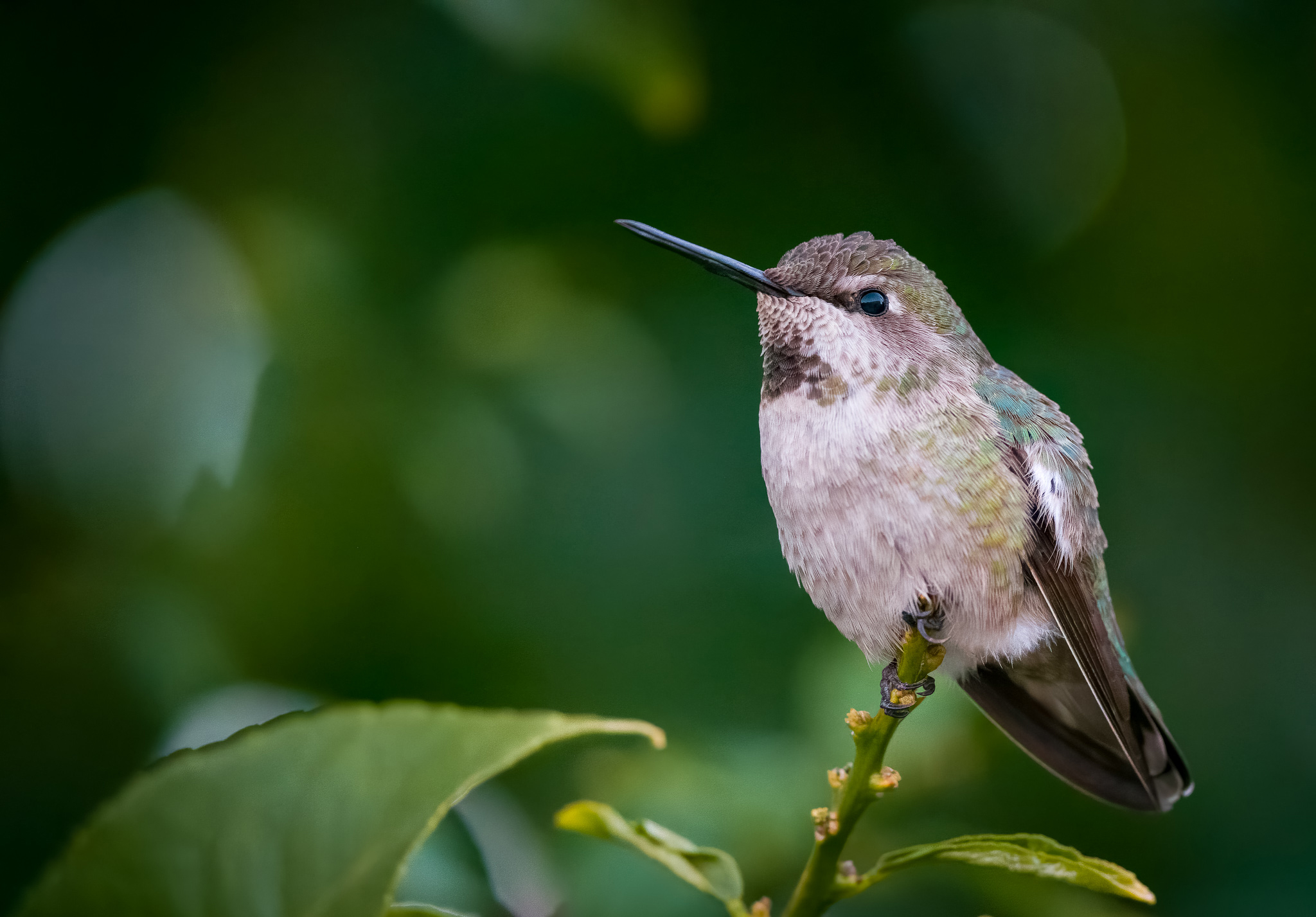
TOPAZ DENOISE
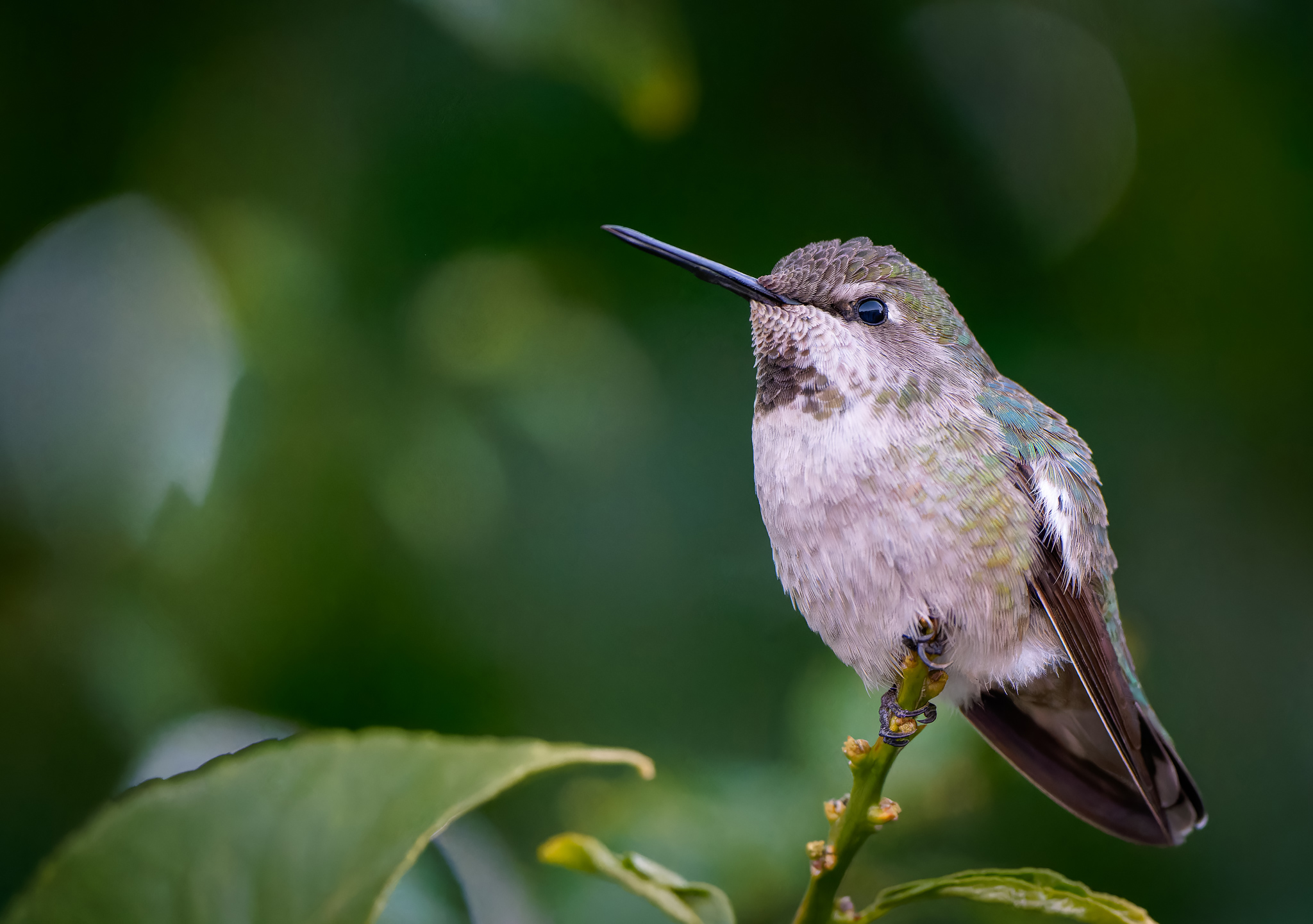
DxO with DEEP Prime xd
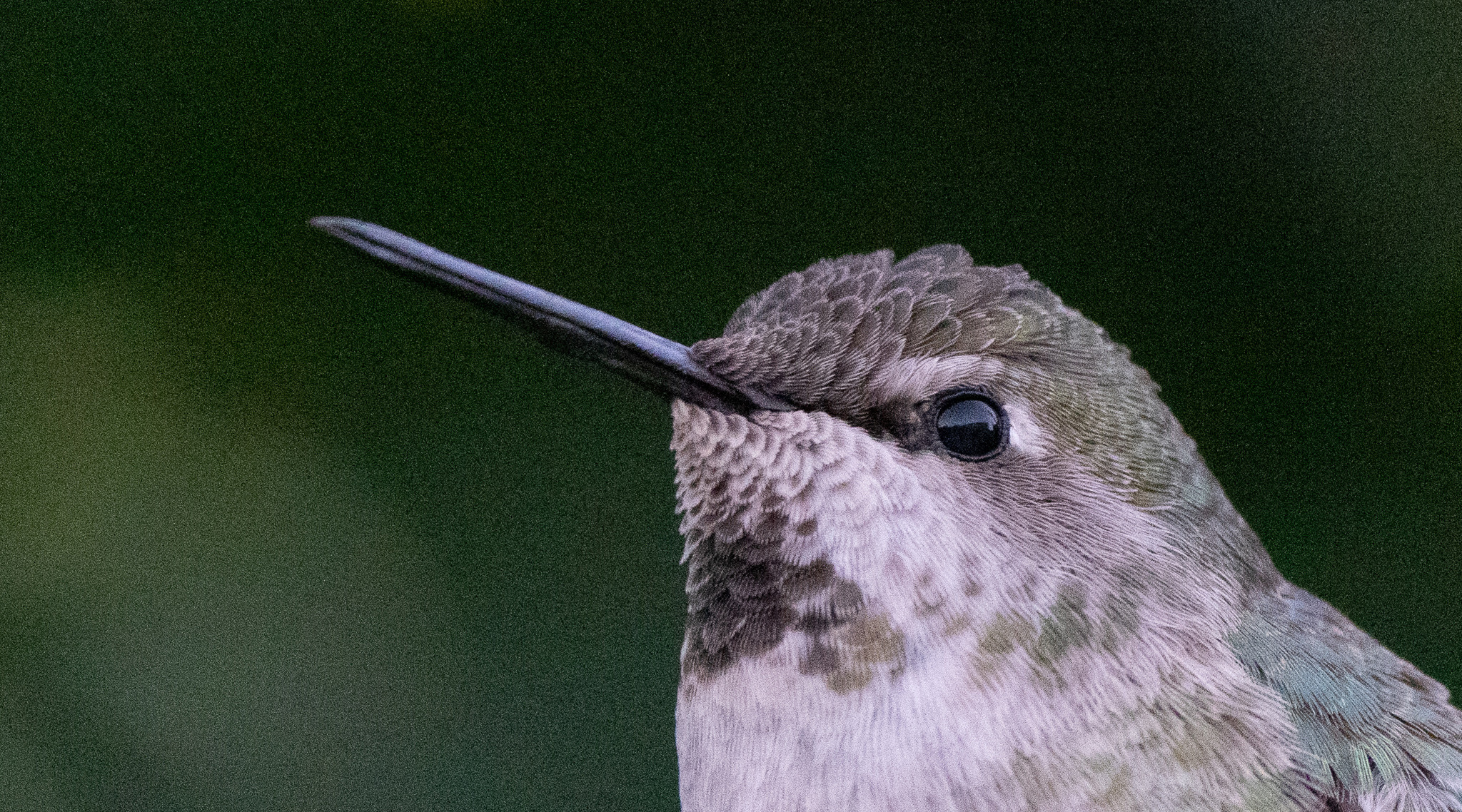
Original Cropped
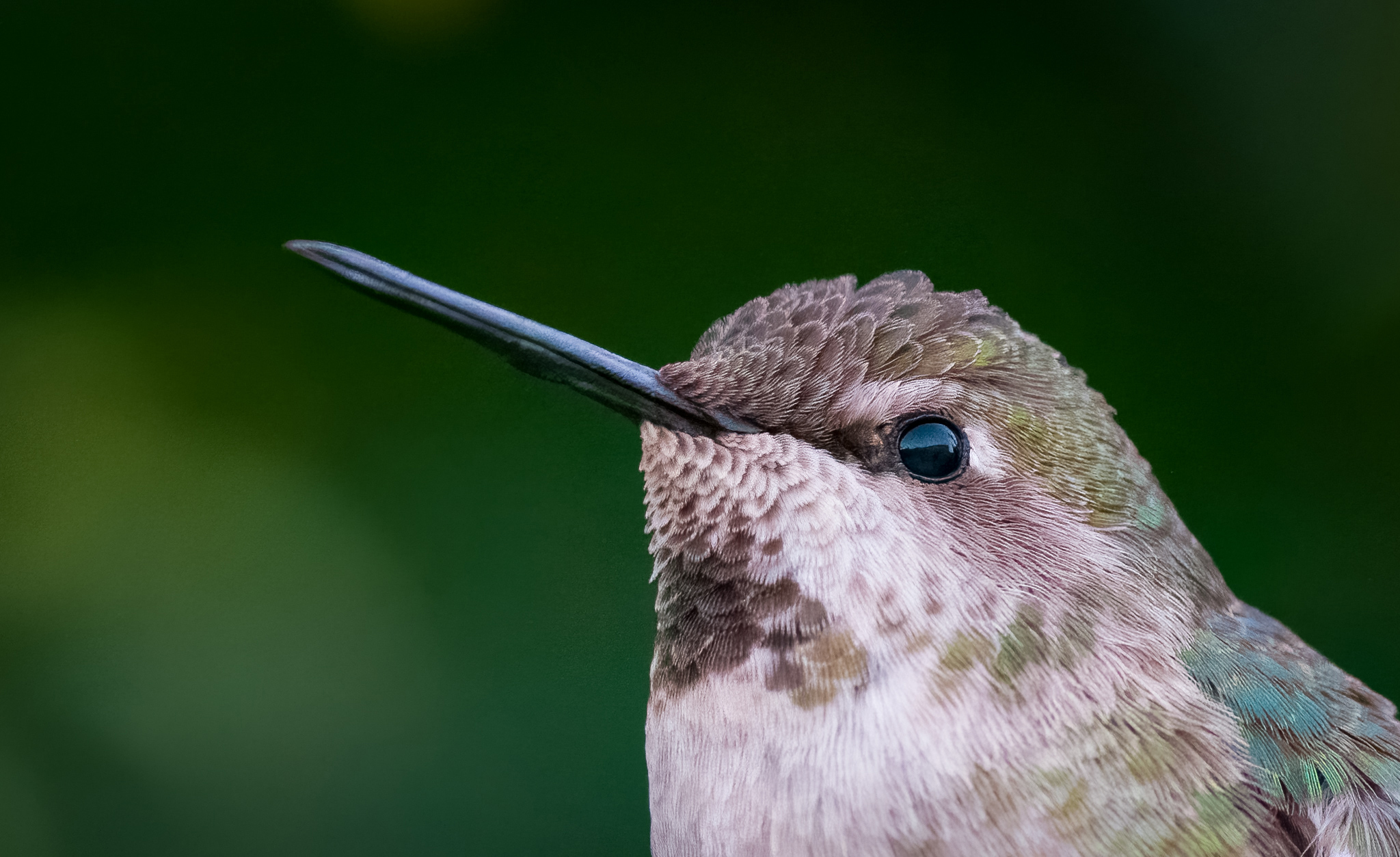
TOPAZ cropped
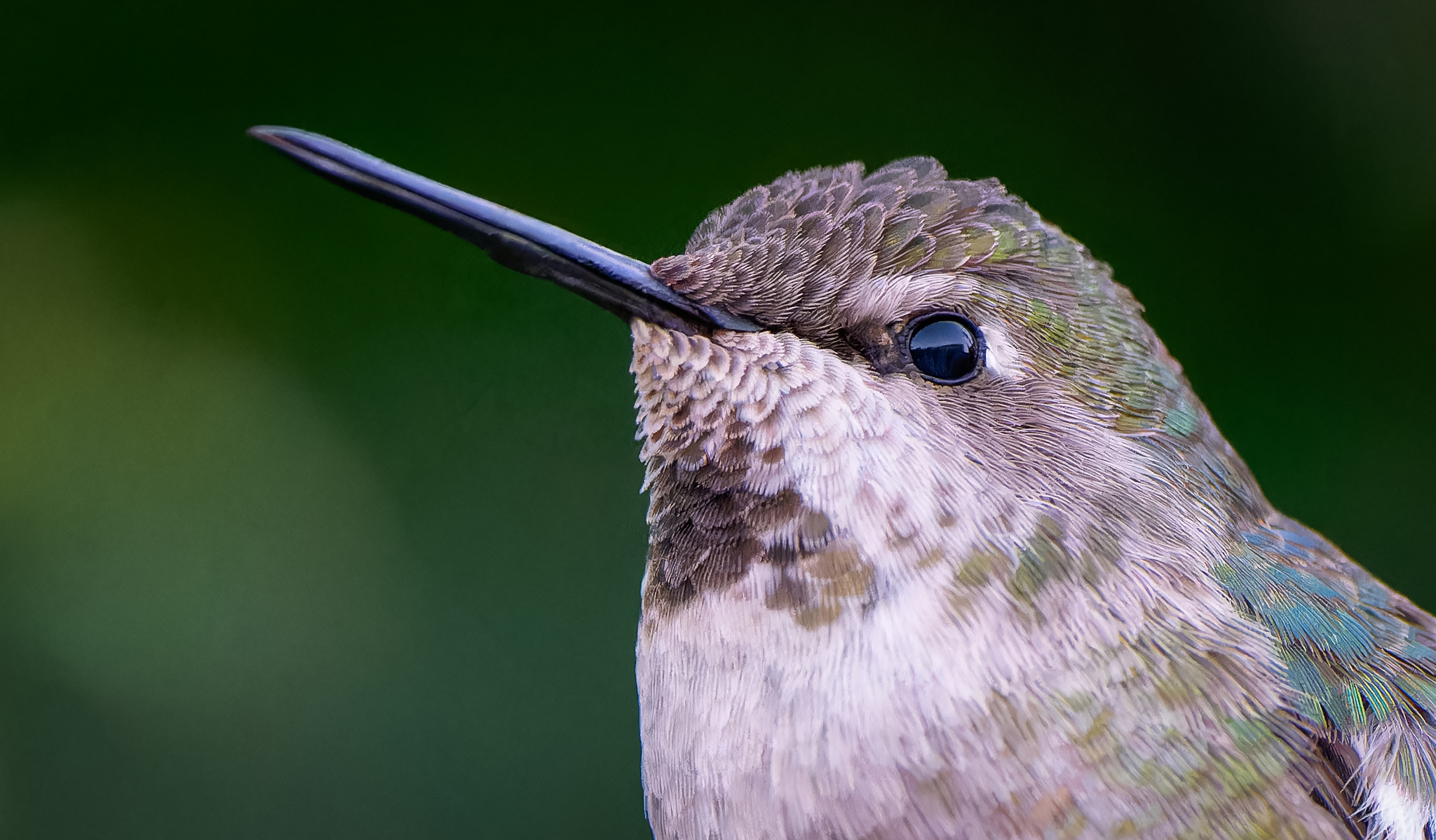
DxO cropped
Edited on Feb 05, 2023 at 08:53 PM · View previous versions
Also - see page 5 of this thread for an example at iso 32000.**
I'm new to the denoise software. I ended up purchasing Topaz Denoise. I'm frankly astounded at how good it is, especially with raw files.
Tonight I took this image of a hummingbird just after sunset in very dim light at ISO 12,800. I'm astounded. I thought I'd share for those who haven't tried one of the software programs available.
Original file first followed by my adjusted one after running it through Topaz.
ORIGINAL FILE
ILCE-7RM5 600mm f/6.3 1/250s 12800 ISO 0.0 EV
TOPAZ DENOISE
600mm f/6.3 1/250s 12800 ISO 0.0 EV
DxO with DEEP Prime xd
ILCE-7RM5 600mm f/6.3 1/250s 12800 ISO 0.0 EV
Original Cropped
ILCE-7RM5 600mm f/6.3 1/250s 12800 ISO 0.0 EV
TOPAZ cropped
600mm f/6.3 1/250s 12800 ISO 0.0 EV
DxO cropped
ILCE-7RM5 600mm f/6.3 1/250s 12800 ISO 0.0 EV
Edited on Feb 05, 2023 at 08:53 PM · View previous versions
Jan 29, 2023 at 08:23 PM
p.1 #2*Edited* Denoise software is amazing. Image.
Impressive! Great shots too.
Jan 29, 2023 at 08:30 PM
p.1 #3*Edited* Denoise software is amazing. Image.
My max. ISO comfort level is about 6400. I use Topaz Denoise for almost all my bird pictures, it's godsend.
Jan 29, 2023 at 08:33 PM
p.1 #4*Edited* Denoise software is amazing. Image.
Yep, between the capabilities of the latest sensors, backed up with amazing processing software the World of what conditions we can shoot in has greatly expanded.
It is a great time to be a photographer.
Jan 29, 2023 at 08:42 PM
p.1 #5*Edited* Denoise software is amazing. Image.
If you make the raw file available, I can run it through DxO Photolab 6, and post the output JPG for comparison.
I also own Topaz DeNoise, but have not used this program lately. Denoising in PL 6 is efficient.
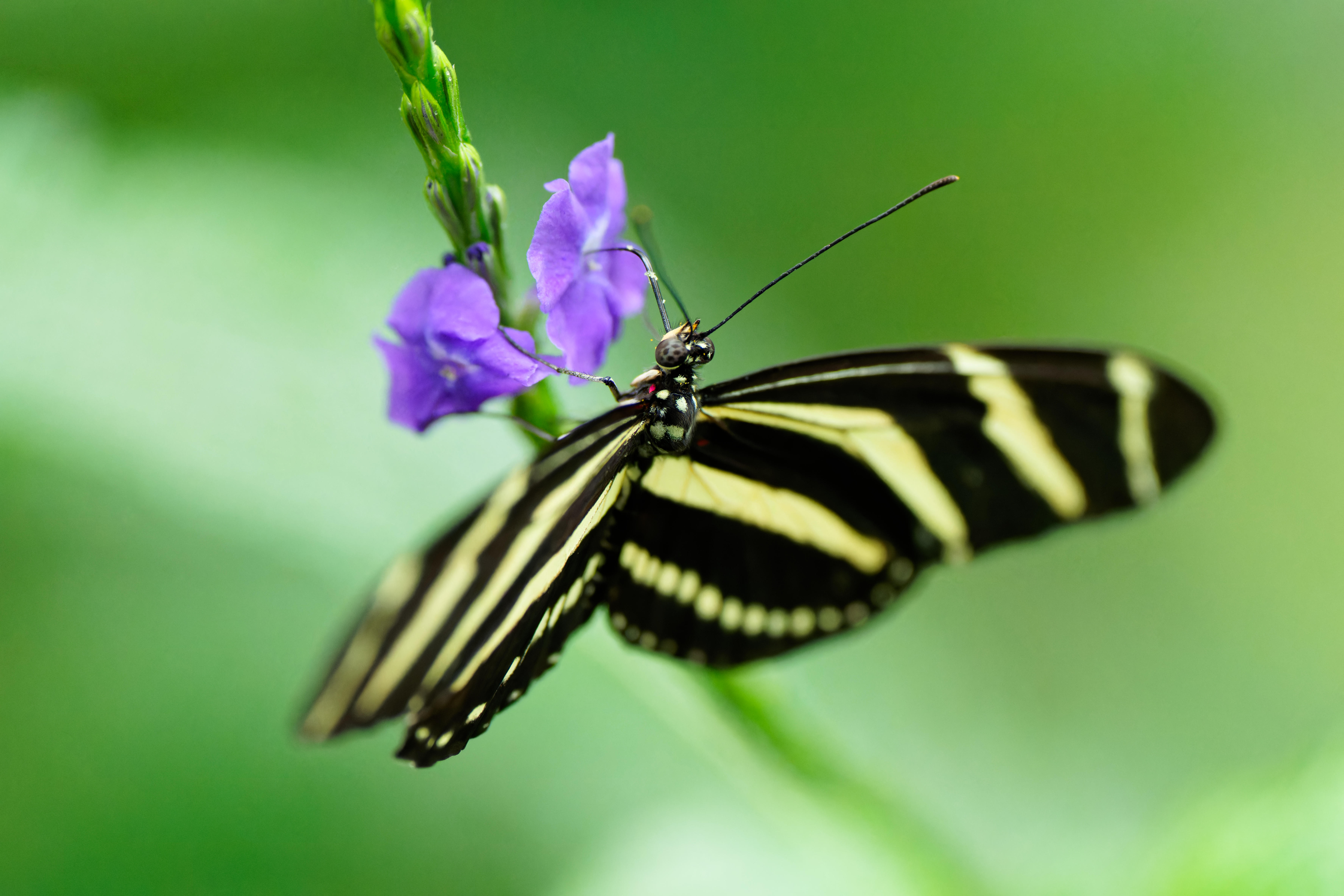
Here is an example of an ISO 12800 denoised in PL6.
I agree with the comment above. My comfort zone is also ISO 6400 (and lower for people)
I also own Topaz DeNoise, but have not used this program lately. Denoising in PL 6 is efficient.
Here is an example of an ISO 12800 denoised in PL6.
I agree with the comment above. My comfort zone is also ISO 6400 (and lower for people)
 |
||
 |
||
|
ILCE-1 FE 70-200mm F2.8 GM OSS II + 2X Teleconverter lens 65535 lens 400mm f/5.6 1/400s 12800 ISO 0.0 EV
Jan 29, 2023 at 08:53 PM
p.1 #6*Edited* Denoise software is amazing. Image.
ruthenium wrote:
If you make the raw file available, I can run it through DxO Photolab 6, and post the output JPG for comparison.
I also own Topaz DeNoise, but have not used this program lately. Denoising in PL 6 is efficient.
Here is an example of an ISO 12800 denoised in PL6.
I agree with the comment above. My comfort zone is also ISO 6400 (and lower for people)
Very nice. I don’t have an online presence, and the original file may too large to email to you.
Jan 29, 2023 at 09:07 PM
p.1 #7*Edited* Denoise software is amazing. Image.
ruthenium wrote:
If you make the raw file available, I can run it through DxO Photolab 6, and post the output JPG for comparison.
I also own Topaz DeNoise, but have not used this program lately. Denoising in PL 6 is efficient.
Here is an example of an ISO 12800 denoised in PL6.
I agree with the comment above. My comfort zone is also ISO 6400 (and lower for people)
It would be very interesting to see the comparison with PL6.
Jan 29, 2023 at 09:08 PM
p.1 #8*Edited* Denoise software is amazing. Image.
mudlake wrote:
I'm new to the denoise software. I ended up purchasing Topaz Denoise. I'm frankly astounded at how good it is, especially with raw files.
Tonight I took this image of a hummingbird just after sunset in very dim light at ISO 12,800. I'm astounded. I thought I'd share for those who haven't tried one of the software programs available.
I also love Topaz, but do have problems at times with random patches of artifacts. I seem to have most success with "Low Light" mode.
I'm curious to know which mode you used and the levels you selected for your sample photo. It certainly cleaned up very well.
Jan 29, 2023 at 09:27 PM
p.1 #9*Edited* Denoise software is amazing. Image.
I used to wonder how people got such clean and sharp shots at high ISO. I have been using DeNoise on all wildlife shots for a while now.
I don’t really have a hard max ISO. Sometimes I find it doesn’t do a good job at ISO 3200, while other times I am amazed at the good results at ISO 12,800. It depends on the shot, original exposure, colors, how much cropping is required, and other factors determined by the AI. I generally try and stay below ISO 8000, lower if more cropping is required.
Jan 29, 2023 at 09:35 PM
p.1 #10*Edited* Denoise software is amazing. Image.
wordfool wrote:
mudlake wrote
I'm new to the denoise software. I ended up purchasing Topaz Denoise. I'm frankly astounded at how good it is, especially with raw files.Tonight I took this image of a hummingbird just after sunset in very dim light at ISO 12,800. I'm astounded. I thought I'd share for those who haven't tried one of the software programs available.
I'm curious to know which mode you used and the levels you selected for your sample photo. It certainly cleaned up very well.
This video explains exactly what I did with the raw file. Skip to 2:35. I used the auto mode in raw. When I used the slider to see before and after, it was almost like magic. 🙂
Jan 29, 2023 at 09:44 PM
p.1 #11*Edited* Denoise software is amazing. Image.
Denoise often gives me trouble with wing tips, I often get artifacts in the notches where the feathers join. I’ve using DxO more. Will have to give DeNoise another chance.
Jan 29, 2023 at 09:45 PM
p.1 #12*Edited* Denoise software is amazing. Image.
You may want to give the Topaz Photo AI a try. It's been steadily improved and, in some cases, can even do a better job. I believe there is a trial for it as well.
Jan 29, 2023 at 10:07 PM
p.1 #13*Edited* Denoise software is amazing. Image.
I keep seeing Tony Northrup pushing Topaz on facebook.
Jan 29, 2023 at 11:34 PM
p.1 #14*Edited* Denoise software is amazing. Image.
I generally use 'low light' with Topaz. If I'm not happy I switch to 'clear'. Settings to taste but with 'low light' noise 10, sharpen 20, are my starting point.
- Sometimes there are random artefacts ('clear' is better in that respect)
- Watch out for backgrounds which can sometimes get a little blotchy (tweak settings)
- I always duplicate the layer and run topaz on that, then turn the layer opacity down a little depending on the ISO, my starting point is 75% for iso3200. This is personal taste but I find the super smooth backgrounds a little unrealistic so the opacity level is adding a little grain as it were.
Jan 30, 2023 at 12:33 AM
p.1 #15*Edited* Denoise software is amazing. Image.
mudlake wrote:
I'm frankly astounded at how good it is, especially with raw files.
Nice results. Thanx for sharing.
I use the following raw converters :
C1 Pro 22, Nikon Capture NX-D and ACR in Photoshop CS6.
Does Topaz Denoise AI work with ACR in CS6?
Thanx.
Cheers,
Riccardo
Jan 30, 2023 at 03:10 AM
p.1 #16*Edited* Denoise software is amazing. Image.
Topaz says >>>>You will get the best image quality if you import your RAW files directly into DeNoise AI or Photo AI".
Scroll down till you see "Recommended Raw Workflow" and watch the video
https://www.topazlabs.com/denoise-ai
PL6 has Deep PRIME XD - XD stands for X-tra Detail
I have latest of both DeNoise AI & Deep PRIME XD. I find Deep PRIME XD the best.
When it comes to Sony files, I find Capture 1 gives me the best results for basic adjustments.
Jan 30, 2023 at 11:20 AM

p.1 #17*Edited* Denoise software is amazing. Image.
It's a good program depsite that.
runamuck wrote:
I keep seeing Tony Northrup pushing Topaz on facebook.
Jan 30, 2023 at 11:55 AM
p.1 #18*Edited* Denoise software is amazing. Image.
I use Topaz Denoise any time I shoot indoors without flash (as often as possible) Anything over 6400 bothers me. I’ve used it with much less ISO settings also. It adds editing time but the results are excellent. My photo teacher loved noise (grain), I never understood why lol
Jan 30, 2023 at 12:17 PM
p.1 #19*Edited* Denoise software is amazing. Image.
IndyFab wrote:
Topaz says >>>>You will get the best image quality if you import your RAW files directly into DeNoise AI or Photo AI".
My only gripe against using the RAW workflow model with Lightroom is that you end up with two RAW files (original ARW and de-noised DNG), and syncing LR edits/masks between them does not always work as expected (as highlighted in the Topaz video's example). So the best solution is to only edit the DNG file in LR.
I much prefer just working with one RAW file, making edits in LR/PS, then sending to Denoise for a final output. I guess ultimately it's not a huge difference, just more of a preference based on my long-standing editing workflow.
Jan 30, 2023 at 12:48 PM
p.1 #20*Edited* Denoise software is amazing. Image.
Lightroom already does a good job. I'm hesitant to add anything beyond that, especially when editing a lot of photos.
Edited on Jan 30, 2023 at 01:45 PM · View previous versions
Jan 30, 2023 at 01:14 PM