rji2goleez wrote:
^Ditto - try clearing your browser cache, cookies, etc.
A good samaritan (thanks, Tyler!) gave me access to their account and it took less than two minutes to log on, download, and install the app on my camera... so clearly it was not related to the hardware/OS/browsers I was using...
My back door contact to Sony didn't have any suggestions on how to nudge them along, so I contacted Sony support via their web page. I indicated that I was part of a forum group, and that there was a strong, collective opinion that this app would benefit greatly from the addition of the electronic shutter and uncompressed raw functionality that is already available in other apps, e.g., time lapse and multiple exposure. I've not heard anything back, but I'm sure that it wouldn't hurt for others to put in their two-cents worth.
navmannz wrote:
My back door contact to Sony didn't have any suggestions on how to nudge them along, so I contacted Sony support via their web page. I indicated that I was part of a forum group, and that there was a strong, collective opinion that this app would benefit greatly from the addition of the electronic shutter and uncompressed raw functionality that is already available in other apps, e.g., time lapse and multiple exposure. I've not heard anything back, but I'm sure that it wouldn't hurt for others to put in their two-cents worth.
-John
Same here John.
I think that the link I posted above is our best bet!
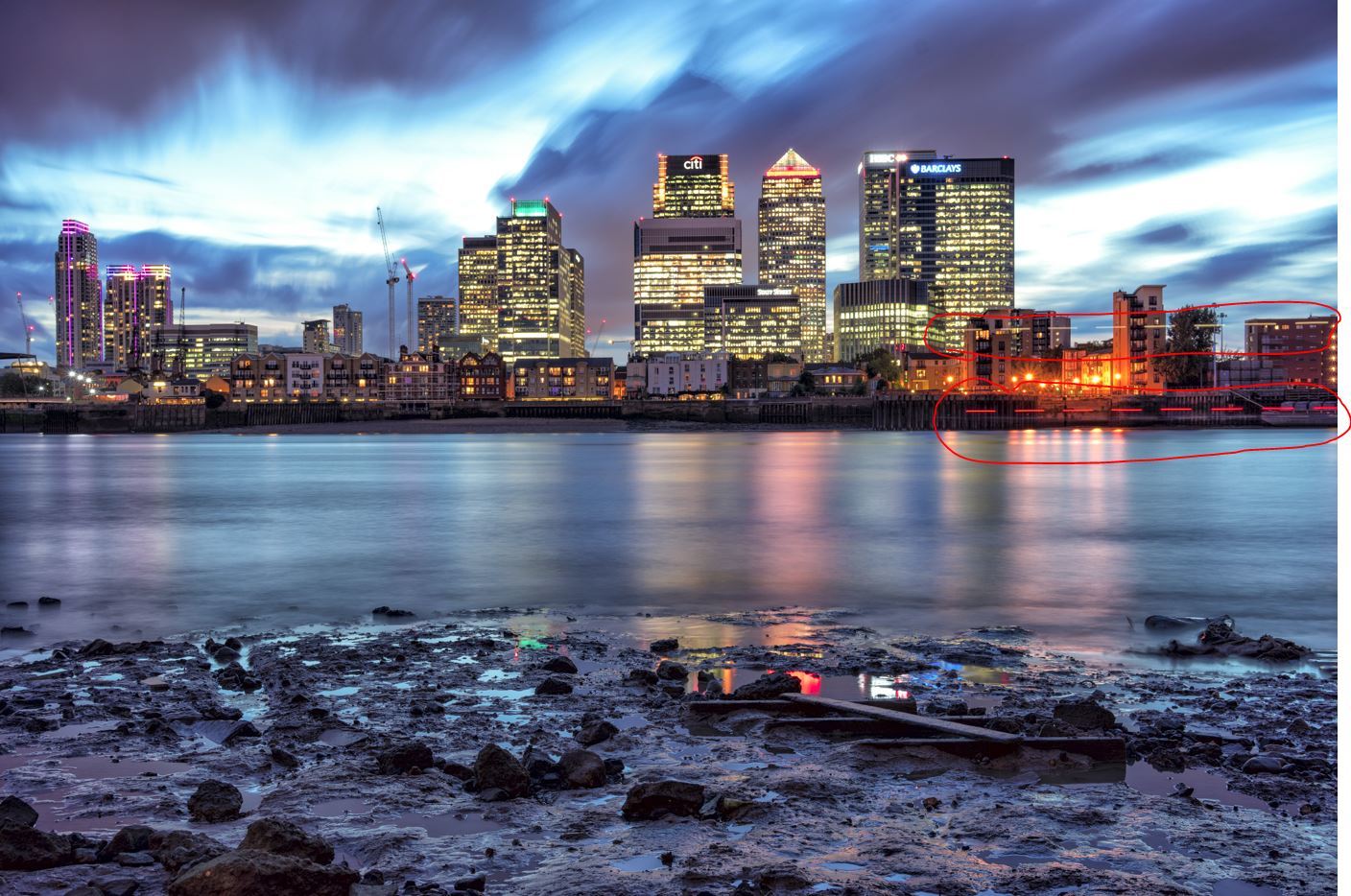
also note the lights on passing boat are dashed, so there's some time between shots thats causing this.
A7r processing time?
Would this be better with the a7rII
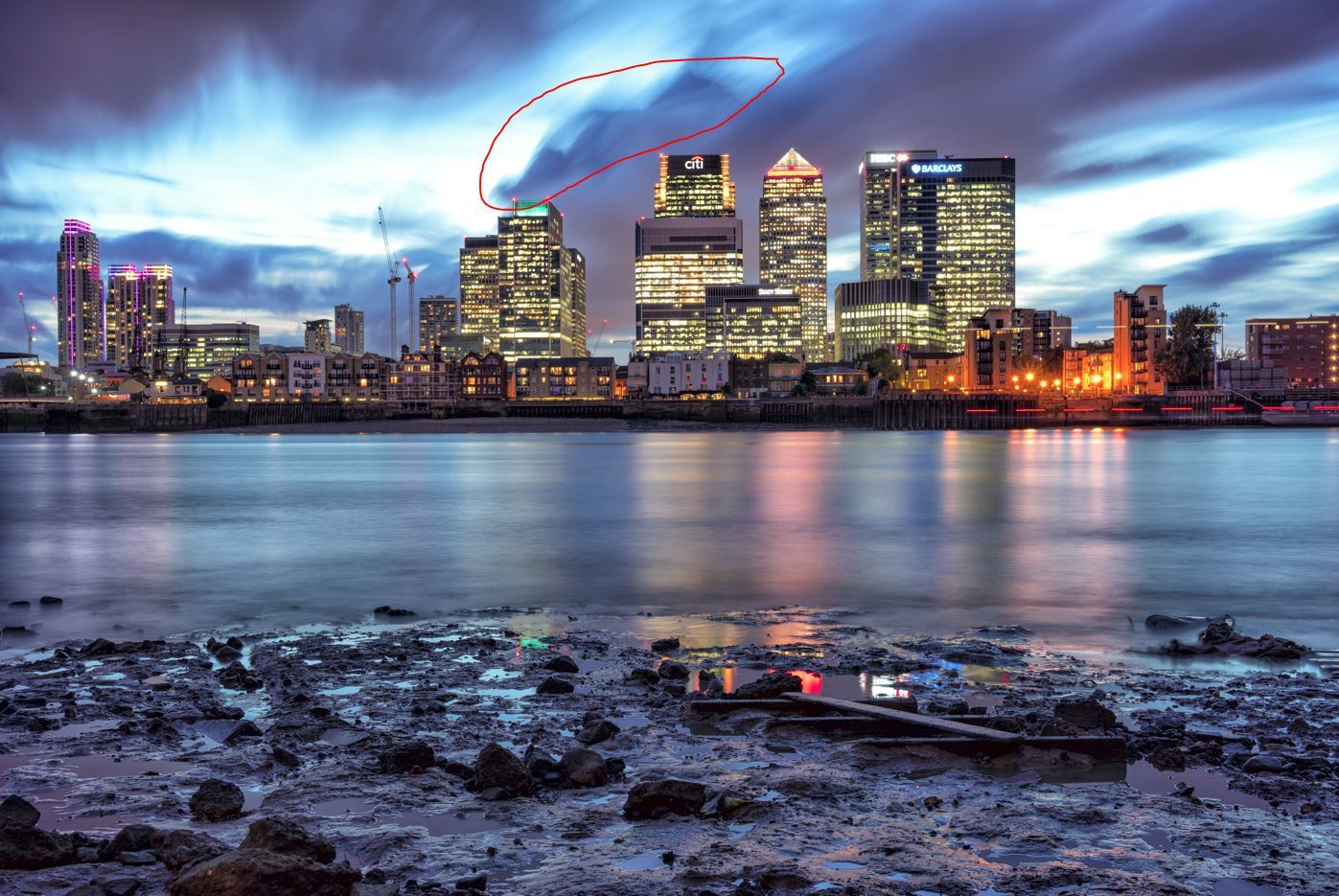
How many shots did you take to produce this image? It looks like maybe 8 shots?
I wouldn't think the boat lights would be easily visible if you shot 16 or so. Less than that, you are going to have the problem you have here.
Do you have an image of the clouds as a single shot so we can see what they looked like without the SR app? I'm thinking that the clouds just did something a bit unpredictable, not that there is a rendering problem in the app.
I have tried to do some tail light shots using the SR app. I have not had a lot of success. I suspect that long exposures and lot's of them would cure the problem, but just doing 8 or 16 will not be smooth enough most of the time for moving lights.
I used the SR app recently when the lighting conditions were low already. It took about 5 seconds to just get a single exposure at f/8, the optimal aperture. Set on auto, the camera/app took only 6-8 exposures (sorry, I don't remember the exact number) to generate a single file and the image looks great with smooth waves. The image looks like it was taken at a 30 sec shutter speed. If I stop down the aperture to f/22, the result would suffer a little due to diffraction. This is a case where the app really shines.
On the other hand, I tried to capture smooth water at waterfalls when it was bright during the day. I set the aperture small to get longer exposures but still, 128 exposures later, the resulting image doesn't look good/natural. This is the case where a physical neutral density filter would be better.
Apparently, it is not an app that can be applied universally and we have to experiment a little to get the result we are after.
TheEmrys wrote:
While I understand that this is opinion, I believe the images in this thread disprove it. The great bane of working with ND and Graduated ND filters is the color cast and exposure errors (more for long exposure, high stop ND filter work). For under $20, Sony has solved both issues while providing the cleanest images ever seen on Full Frame Digital Bodies.
Sometimes SR works, sometimes it doesn't, it doesn't always provide a suitable alternative to ND filters.
I have no problems with my Hoya 10 stop ND's, especially stacked together for 8 minute long exposures. No issue with colour cast whatsoever (using a colour card for WB).
I recently used 2 x 10 stop Hoya ND + Hoya multi-coated CPL, no issues.
I used SR recently and ended up with a 15 minute 256 image workflow which was frustrating (and added 256 shutter actuations to the camera).
It also didn't look as good as the image with ND as I had weird white dots, like hot pixels but colour-less, in the shadows (before any post processing).
I too purchased the app based on the results I saw here and elsewhere and was most interested in the clean shadows through lack of noise reduction, but cannot consistently get great results.
Having said all that, it's worth having for $5 and Sky HDR for $10.
molson wrote:
A good samaritan (thanks, Tyler!) gave me access to their account and it took less than two minutes to log on, download, and install the app on my camera... so clearly it was not related to the hardware/OS/browsers I was using...
I thought I'd this smooth reflection app a shot... really like the clean output! In this example you can see some issues with the trees waving (I couldn't see them with the naked but clearly they moved a little bit), but overall, pretty nice app