roshambo123 wrote:
It's marketed wrong, and it needs to be an integral feature in the regular menus.
When folks realize they can get a clean 3-stop underexposed image using this app after recovering the shadows in post, they may change their mind about it. This means you may no longer need to bracket your exposure whenever the scene exceeds the camera's DR.
Just use SR (with the correct number of exposures), expose for the highlights (getting an underexposed file) and recover the shadows in post. I'm shocked by how clean the shadows are! This deserves its own thread and I will post it soon.
roshambo123 wrote:
Perhaps someone more skilled in SNR math could elucidate, but what is the true DR benefit here? More than three stops at maximum 256 images I'd say.
The A7R has 14 stops of DR, but you're gaining on a logarithmic scale, no?
So, if I'm understanding improvement over native DR is...
So theoretically we would have:
1 stop (4 shots)
2 stop (16 shots)
3 stop (64 shots)
4 stop (256 shots)
However, the biggest gains in SNR can be seen with only 4 shots and then more modest gains after 8 shots with 16 shots (2-stop) being the best compromise in terms of number of shots vs reduction of random noise.
After 64 shots, there is very little change in Noise Random reduction.
See graph:
From BRETT MUEHLHAUSER - R&D Technical Fellow - ASNT Level III
This question is a bit off top, but one of the benefits of this app is increase in SNR and DR. Does the same apply to color accuracy etc? In other words, if I took 32 shots at ISO3200 and stacked them using mean, would I get a file with the same tonal range etc as a single shot at ISO100? (Assuming both has the same exposure.) Or do the benefits only apply to SNR/DR?
Schlotkins wrote:
This question is a bit off top, but one of the benefits of this app is increase in SNR and DR. Does the same apply to color accuracy etc? In other words, if I took 32 shots at ISO3200 and stacked them using mean, would I get a file with the same tonal range etc as a single shot at ISO100? (Assuming both has the same exposure.) Or do the benefits only apply to SNR/DR?
Thanks,
Chris
Hi Chris,
Image averaging will reduce considerable random noise and therefore improve SNR and color accuracy. (Less chroma noise)
Fred Miranda wrote:
Hi Chris,
Image averaging will reduce considerable random noise and therefore improve SNR and color accuracy. (Less chroma noise)
Okay, thanks to Fred's and others' postings, I went ahead and downloaded the SR app the other day. I intend to test it out more soon. Today I tried it for the first time and just took a pic in my messy office at home and shot a high dynamic range scene and underexposed it a bit (1 stop on the exposure compensation dial) on purpose. I then developed it and pushed the exposure by two stops. See below for the results, but color me impressed with the lack of noise. I used only a 16 picture blend. Here is what I got:
Scene (shot with Loxia 50 at F8, if it matters):
Here is a 100% crop of the normal single frame shot:
Here it is with 16 shots processed by the SR app:
To me, it is a night and day kind of difference. The hard part will be figuring out when not to use the app and when to use it for landscapes. Windy conditions will argue against it, but calm conditions will argue in favor of its use, I would think. It is fascinating that the greatest benefit may come from a use quite apart from that for which it is intended. That is, the noise reduction in the shadows might be more useful day to day than the ND filter effect for which the app was designed and marketed.
Luvwine wrote:
Okay, thanks to Fred's and others' postings, I went ahead and downloaded the SR app the other day. I intend to test it out more soon. Today I tried it for the first time and just took a pic in my messy office at home and shot a high dynamic range scene and underexposed it a bit (1 stop on the exposure compensation dial) on purpose. I then developed it and pushed the exposure by two stops. See below for the results, but color me impressed with the lack of noise. I used only a 16 picture blend. Here is what I got:
To me, it is a night and day kind of difference. The hard part will be figuring out when not to use the app and when to use it for landscapes. Windy conditions will argue against it, but calm conditions will argue in favor of its use, I would think. It is fascinating that the greatest benefit may come from a use quite apart from that for which it is intended. That is, the noise reduction in the shadows might be more useful day to day than the ND filter effect for which the app was designed and marketed.
Yes, that's what I've been telling people! The SNR and color improvement is astonishing with this app. I am not sure if Sony knows how good this really is. It's like shooing at ISO 25!
If you use 32 images in SR, you are able to underexpose your shots about 3.5 stops and still have very clean shadows (with the addition of a ND effect). Imaging how useful this tool is for landscapes! Whenever possible, I practically use it for all my shooting, instead of bracketing.
I absolutely love this app and use it to the point I don't even carry filters with me. My favorite use is to get cloud movement. I used to use a 10 or 14 stop ND filter. Now, I just vary the number of exposures.
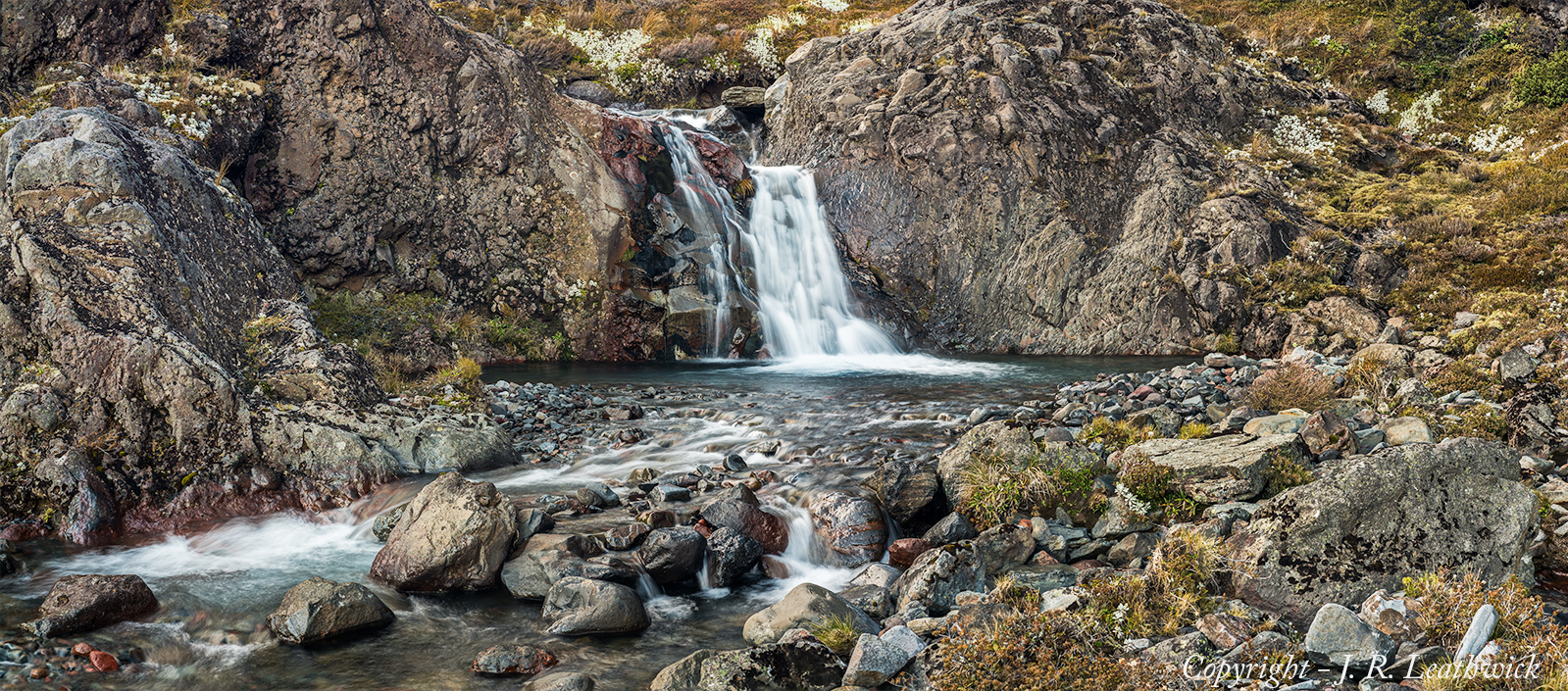
I also find it better for capturing moving water effects for river shots - unless you have exactly the right neutral density filter, I find it hard to control the amount of smoothing, and its easy to end up with a totally smoothed, glassy look. By contrast, combining multiple images can give both the sense of dynamic movement, and the local features of particular splashes, as in the one below, which was produced from a combination of four exposures.
So when using SR and exposing for the highlights is it still necessary to ETTR (I assume not...just make sure highlights aren't blown)? Do you still have the same latitude to pull back highlights in post?
I guess my main question is what's the best way to expose when using SR for purposes of DR/reducing shadow noise?
brendans wrote:
So when using SR and exposing for the highlights is it still necessary to ETTR (I assume not...just make sure highlights aren't blown)? Do you still have the same latitude to pull back highlights in post?
I guess my main question is what's the best way to expose when using SR for purposes of DR/reducing shadow noise?
This is the trick about SR. You can't use it together with ETTR. The highlights won't have the same latitude as a normal RAW file. You must expose to the highlights and make sure they are not blown out.
Actually this is not a bad thing as you will have so much better SNR and color in the shadows anyways.
My method is to use Zebras 100+ (Zebras work with SR)
Once I see the slight sign of a zebra pattern, I underexpose until the pattern is gone. (Using the top exposure compensation dial).
If you try using ETTR with SR, your files will be ruined. (I've learned the hard way)
Fred
I'm hoping they update SR adding "Silent shutter" (to save our shutters) and uncompressed (RAW) as options.
This would make this app even better. Perhaps we can start a petition.
Fred Miranda wrote:
I'm hoping they update SR adding "Silent shutter" (to save our shutters) and uncompressed (RAW) as options.
This would make this app even better. Perhaps we can start a petition.
I would be a starter - how do we get something underway? I would also like to have something in the exif that records the exposure details.
Fred Miranda wrote:
I'm hoping they update SR adding "Silent shutter" (to save our shutters) and uncompressed (RAW) as options.
This would make this app even better. Perhaps we can start a petition.
Don't the cameras switch to 12-bit capture when silent shutter is enabled?
molson wrote:
Don't the cameras switch to 12-bit capture when silent shutter is enabled?
It does not really makes a difference as we are averaging many images. They same goes for when bracketing in continuous mode. Yes, it's 12-bit but you have so much data, that it would not matter.
Perhaps SR already works in 12-bit. It's hard to tell.
Fred Miranda wrote:
It does not really makes a difference as we are averaging many images. They same goes for when bracketing in continuous mode. Yes, it's 12-bit but you have so much data, that it would not matter.
Perhaps SR already works in 12-bit. It's hard to tell.
I've just checked out the apps website, and it seems that silent shutter and uncompressed raw are both supported in several of the other apps (TimeLapse, SmartRemoteControl), but not in Smooth Reflections. I've emailed a contact who has links to Sony to see whether there is any way he can suggest to push this along.