Sony FE Images Thread


p.2537 #2Sony FE Images Thread
CV21/1.8 and CV65/2

2017-11-14_12 by Sean H Choe, on Flickr

2017-11-14_24 by Sean H Choe, on Flickr

2017-11-14_03 by Sean H Choe, on Flickr

2017-11-14_22 by Sean H Choe, on Flickr

2017-11-14_15 by Sean H Choe, on Flickr

2017-11-14_11 by Sean H Choe, on Flickr

2017-11-14_02 by Sean H Choe, on Flickr
2017-11-14_12 by Sean H Choe, on Flickr
2017-11-14_24 by Sean H Choe, on Flickr
2017-11-14_03 by Sean H Choe, on Flickr
2017-11-14_22 by Sean H Choe, on Flickr
2017-11-14_15 by Sean H Choe, on Flickr
2017-11-14_11 by Sean H Choe, on Flickr
2017-11-14_02 by Sean H Choe, on Flickr
Nov 16, 2017 at 06:22 AM
p.2537 #3Sony FE Images Thread
mcbroomf wrote:
I was able to get access to a Coastguard helicopter a couple of weeks ago to lightpaint it at night.
I got there before dark so that I could have them position the helicopter where I wanted it to take the photos and to set up the gear and decide on composition. They have 3 helicopters and the one they chose was yellow. The normal CG colour is red and white, the yellow paint job is to commemorate their centennial last year.
http://a4.pbase.com/o10/63/551663/1/166538248.Pcv1xK4z.1450_R2222301.jpg
http://a4.pbase.com/o10/63/551663/1/166538254.UfJ2No7E.1450_R2222322.jpg
Towing it out of the hangar
http://a4.pbase.com/o10/63/551663/1/166538246.5dxIKt3B.1450_R2222343.jpg
Into position and disconnecting the mule and tow bar
http://a4.pbase.com/o10/63/551663/1/166538252.MtQVmvQc.1450_R2222404.jpg
I initially thought that I'd like one...Show more →
Awesome work Mike. Love the final version. However I'd crop just slightly lower so that the guy's feet have a little space below them and the next to last shot looks a lot sharper and pops a lot more, I'd process the final image in the same way. Great work !
I was able to get access to a Coastguard helicopter a couple of weeks ago to lightpaint it at night.
I got there before dark so that I could have them position the helicopter where I wanted it to take the photos and to set up the gear and decide on composition. They have 3 helicopters and the one they chose was yellow. The normal CG colour is red and white, the yellow paint job is to commemorate their centennial last year.
http://a4.pbase.com/o10/63/551663/1/166538248.Pcv1xK4z.1450_R2222301.jpg
http://a4.pbase.com/o10/63/551663/1/166538254.UfJ2No7E.1450_R2222322.jpg
Towing it out of the hangar
http://a4.pbase.com/o10/63/551663/1/166538246.5dxIKt3B.1450_R2222343.jpg
Into position and disconnecting the mule and tow bar
http://a4.pbase.com/o10/63/551663/1/166538252.MtQVmvQc.1450_R2222404.jpg
I initially thought that I'd like one...Show more →
Awesome work Mike. Love the final version. However I'd crop just slightly lower so that the guy's feet have a little space below them and the next to last shot looks a lot sharper and pops a lot more, I'd process the final image in the same way. Great work !
Nov 16, 2017 at 06:55 AM

p.2537 #4Sony FE Images Thread
rcarlton wrote:
Waxahatchie, TX, WWII reenactment.
Ron, excellent and authentic looking images! You did a great job with the post processing. The last image of several soldiers in front of the Soviet flag looks real, too except for the woman soldier though; she is simply too pretty to render the image "authentic" .
_______________________________
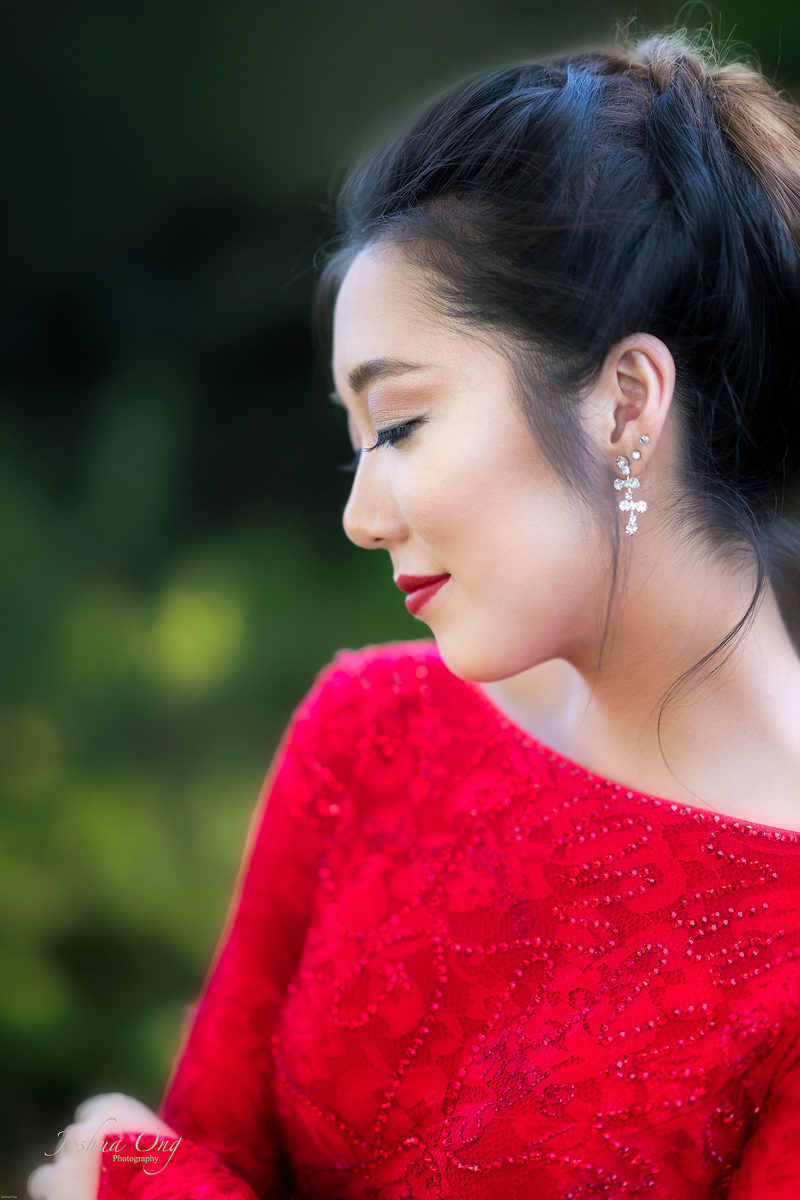
Semi profile of a young Asian lady in red...
Tricia captured using GM 85
Waxahatchie, TX, WWII reenactment.
Ron, excellent and authentic looking images! You did a great job with the post processing. The last image of several soldiers in front of the Soviet flag looks real, too except for the woman soldier though; she is simply too pretty to render the image "authentic"
. _______________________________
Semi profile of a young Asian lady in red...
 |
||
 © AGeoJO 2017 |
||
 |
Tricia captured using GM 85
Nov 16, 2017 at 07:38 AM
p.2537 #5Sony FE Images Thread
philber wrote:
Wow!! Classy!! When I see a shot like that, I wonder how I can live without a super-wide...
Thanks Phillipe, You've already got the king of wides - Otus 28, no need others.
Here's a more standard focal length shot.
The sky / clouds still had some colours and the lights were already turned on so no need blending.
A7R2, CV40/1.2, F/5, 13s, ISO100.
 _DSC2053 copy by Kai O'Yang, on Flickr
Wow!! Classy!! When I see a shot like that, I wonder how I can live without a super-wide...
Thanks Phillipe, You've already got the king of wides - Otus 28, no need others.
Here's a more standard focal length shot.
The sky / clouds still had some colours and the lights were already turned on so no need blending.
A7R2, CV40/1.2, F/5, 13s, ISO100.
_DSC2053 copy by Kai O'Yang, on FlickrNov 16, 2017 at 08:36 AM
p.2537 #6Sony FE Images Thread
kaioyang wrote:
Thanks Phillipe, You've already got the king of wides - Otus 28, no need others.
Here's a more standard focal length shot.
The sky / clouds still had some colours and the lights were already turned on so no need blending.
A7R2, CV40/1.2, F/5, 13s, ISO100.
https://farm5.staticflickr.com/4574/37558823665_00bdb90a08_h.jpg_DSC2053 copy by Kai O'Yang, on Flickr
Beautiful shot, Kai! Not only a great subject and view, but also a great rendition with that lens at f/5.0.
philber wrote
Wow!! Classy!! When I see a shot like that, I wonder how I can live without a super-wide...Here's a more standard focal length shot.
The sky / clouds still had some colours and the lights were already turned on so no need blending.
A7R2, CV40/1.2, F/5, 13s, ISO100.
https://farm5.staticflickr.com/4574/37558823665_00bdb90a08_h.jpg_DSC2053 copy by Kai O'Yang, on Flickr
Beautiful shot, Kai! Not only a great subject and view, but also a great rendition with that lens at f/5.0.
Nov 16, 2017 at 08:50 AM
p.2537 #7Sony FE Images Thread
Gunzorro wrote:
Thanks Phillipe, You've already got the king of wides - Otus 28, no need others.
Here's a more standard focal length shot.
The sky / clouds still had some colours and the lights were already turned on so no need blending.
A7R2, CV40/1.2, F/5, 13s, ISO100.
https://farm5.staticflickr.com/4574/37558823665_00bdb90a08_h.jpg_DSC2053 copy by Kai O'Yang, on FlickrBeautiful shot, Kai! Not only a great subject and view, but also a great rendition with that lens at f/5.0.
Many thanks Jim! 👍
I want to shoot base ISO so had to check back and front if any bus or vehicle was going to pass which would ruin my shot due to shake. I gathered 10-15s was OK. Then from what I have used this lens, since thus is quite a flat subject, F5 should be ok, and it didn't disappoint. I believe I set it also to -1eV to not blow out the highlights too.
kaioyang wrote
philber wrote
Wow!! Classy!! When I see a shot like that, I wonder how I can live without a super-wide...Here's a more standard focal length shot.
The sky / clouds still had some colours and the lights were already turned on so no need blending.
A7R2, CV40/1.2, F/5, 13s, ISO100.
https://farm5.staticflickr.com/4574/37558823665_00bdb90a08_h.jpg_DSC2053 copy by Kai O'Yang, on Flickr
Many thanks Jim! 👍
I want to shoot base ISO so had to check back and front if any bus or vehicle was going to pass which would ruin my shot due to shake. I gathered 10-15s was OK. Then from what I have used this lens, since thus is quite a flat subject, F5 should be ok, and it didn't disappoint. I believe I set it also to -1eV to not blow out the highlights too.
Nov 16, 2017 at 09:03 AM
p.2537 #8Sony FE Images Thread
Frogfish wrote:
I got there before dark so that I could have them position the helicopter where I wanted it to take the photos and to set up the gear and decide on composition. They have 3 helicopters and the one they chose was yellow. The normal CG colour is red and white, the yellow paint job is to commemorate their centennial last year.
http://a4.pbase.com/o10/63/551663/1/166538248.Pcv1xK4z.1450_R2222301.jpg
http://a4.pbase.com/o10/63/551663/1/166538254.UfJ2No7E.1450_R2222322.jpg
Towing it out of the hangar
http://a4.pbase.com/o10/63/551663/1/166538246.5dxIKt3B.1450_R2222343.jpg
Into position and disconnecting the mule and tow bar
http://a4.pbase.com/o10/63/551663/1/166538252.MtQVmvQc.1450_R2222404.jpg
I initially thought that I'd like one of the compositions high and in front so I asked if they could bring over a pickup so I could use it with my tall tripod. I ended up not liking the composition so much but here's a shot. They had turned off some lights outside the nearest hangar that would have been pointing directly at the helicopter, so the only lights on were from the far hangar behind the fuel depot and some street lights a good way off to my left. Now wait for dark ...
http://a4.pbase.com/o10/63/551663/1/166538250.fGVk354d.1450_R2222445.jpg
The moon co-operated beautifully. It was the night after the full moon and by chance it rose, shrouded in clouds, to the left of the tail, then came up moving to the right and crossing the rotors. The clouds stayed there and made it more interesting (by chance because I didn't set up the helicopter knowing where the moon was going to rise).
http://a4.pbase.com/o10/63/551663/1/166538241.BLNiZiYu.OtisAFbase_ly1350.jpg
I took 48 images, lighting different sections in each (many repeats as I wasn't going to get a 2nd chance at this). I took shots with the cabins empty and with crew, and one crew member standing outside watching the engine in their startup position. Of the 48 I pulled 28 into PS as layers, and ended up with 18 of them in the final comp. Here's a gif showing the lighting by section. The layers in PS had been masked before I created the gif so you don't see what I call light splashover. I use a focusable flashlight so my lighting it fairly controlled, but there are good sections that have to be masked out in many or most shot. I set each lighting layer against the final sky background so you don't actually see the moon rising like a timelapse.
http://a4.pbase.com/o10/63/551663/1/166538158.qqRnzwMd.OtisAFbase_23secs.gif
Sony A7R2 / Canon 24mm TSE II / Metabones 4
MikeAwesome work Mike. Love the final version. However I'd crop just slightly lower so that the guy's feet have a little space below them and the next to last shot looks a lot sharper and pops a lot more, I'd process the final image in the same way. Great work !
Thanks Kevin. You are dead right about the guy's feet in the gif, unfortunately it wasn't cropped. I took all of the images with no people in them 1st. He was close to the last shot I made and I didn't notice his feet were right on the edge. If I decide to print it I thought I might add a thick'ish black border so it's not so obvious his shoes are almost cut off. I think the softer image in the last is due to the conversion to gif as they got the same processing except the final resize (but both were resized from the full image), but I'll take a look at that again.
Thanks for the feedback.
mcbroomf wrote
I was able to get access to a Coastguard helicopter a couple of weeks ago to lightpaint it at night.I got there before dark so that I could have them position the helicopter where I wanted it to take the photos and to set up the gear and decide on composition. They have 3 helicopters and the one they chose was yellow. The normal CG colour is red and white, the yellow paint job is to commemorate their centennial last year.
http://a4.pbase.com/o10/63/551663/1/166538248.Pcv1xK4z.1450_R2222301.jpg
http://a4.pbase.com/o10/63/551663/1/166538254.UfJ2No7E.1450_R2222322.jpg
Towing it out of the hangar
http://a4.pbase.com/o10/63/551663/1/166538246.5dxIKt3B.1450_R2222343.jpg
Into position and disconnecting the mule and tow bar
http://a4.pbase.com/o10/63/551663/1/166538252.MtQVmvQc.1450_R2222404.jpg
I initially thought that I'd like one of the compositions high and in front so I asked if they could bring over a pickup so I could use it with my tall tripod. I ended up not liking the composition so much but here's a shot. They had turned off some lights outside the nearest hangar that would have been pointing directly at the helicopter, so the only lights on were from the far hangar behind the fuel depot and some street lights a good way off to my left. Now wait for dark ...
http://a4.pbase.com/o10/63/551663/1/166538250.fGVk354d.1450_R2222445.jpg
The moon co-operated beautifully. It was the night after the full moon and by chance it rose, shrouded in clouds, to the left of the tail, then came up moving to the right and crossing the rotors. The clouds stayed there and made it more interesting (by chance because I didn't set up the helicopter knowing where the moon was going to rise).
http://a4.pbase.com/o10/63/551663/1/166538241.BLNiZiYu.OtisAFbase_ly1350.jpg
I took 48 images, lighting different sections in each (many repeats as I wasn't going to get a 2nd chance at this). I took shots with the cabins empty and with crew, and one crew member standing outside watching the engine in their startup position. Of the 48 I pulled 28 into PS as layers, and ended up with 18 of them in the final comp. Here's a gif showing the lighting by section. The layers in PS had been masked before I created the gif so you don't see what I call light splashover. I use a focusable flashlight so my lighting it fairly controlled, but there are good sections that have to be masked out in many or most shot. I set each lighting layer against the final sky background so you don't actually see the moon rising like a timelapse.
http://a4.pbase.com/o10/63/551663/1/166538158.qqRnzwMd.OtisAFbase_23secs.gif
Sony A7R2 / Canon 24mm TSE II / Metabones 4
Mike
Thanks Kevin. You are dead right about the guy's feet in the gif, unfortunately it wasn't cropped. I took all of the images with no people in them 1st. He was close to the last shot I made and I didn't notice his feet were right on the edge. If I decide to print it I thought I might add a thick'ish black border so it's not so obvious his shoes are almost cut off. I think the softer image in the last is due to the conversion to gif as they got the same processing except the final resize (but both were resized from the full image), but I'll take a look at that again.
Thanks for the feedback.
Nov 16, 2017 at 10:45 AM
p.2537 #9Sony FE Images Thread
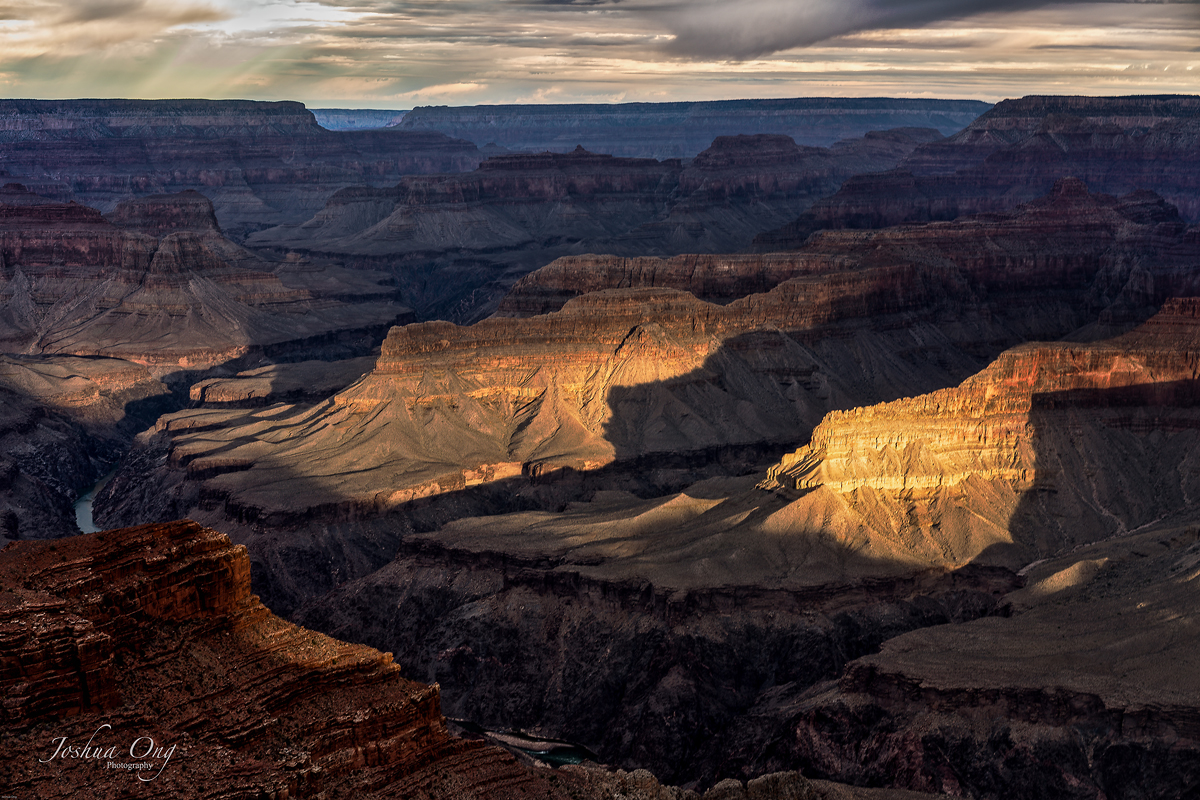
I just downloaded Luminar 2018 that became available today and played with it for the very first time. This is an image from Grand Canyon that I processed with slight modification using one of their presets, Dark Moon that seems to be suitable for this image.
Between light and shadow in the Canyon - Processed with Luminar 2018
|
||
 © AGeoJO 2017 |
||
|
Between light and shadow in the Canyon - Processed with Luminar 2018
Nov 16, 2017 at 12:29 PM
p.2537 #10Sony FE Images Thread
very nice!
some other shots from Brittany
with Zony 24-70
 Le Magouer by NEMEAD, sur Flickr
[ Lorient by NEMEAD, sur Flickr
 Port Louis by NEMEAD, sur Flickr
some other shots from Brittany
with Zony 24-70
Le Magouer by NEMEAD, sur Flickr[
Lorient by NEMEAD, sur FlickrPort Louis by NEMEAD, sur FlickrNov 16, 2017 at 12:35 PM
|

p.2537 #14Sony FE Images Thread
mcbroomf wrote:
I was able to get access to a Coastguard helicopter a couple of weeks ago to lightpaint it at night.
I got there before dark so that I could have them position the helicopter where I wanted it to take the photos and to set up the gear and decide on composition. They have 3 helicopters and the one they chose was yellow. The normal CG colour is red and white, the yellow paint job is to commemorate their centennial last year.
http://a4.pbase.com/o10/63/551663/1/166538248.Pcv1xK4z.1450_R2222301.jpg
http://a4.pbase.com/o10/63/551663/1/166538254.UfJ2No7E.1450_R2222322.jpg
Towing it out of the hangar
http://a4.pbase.com/o10/63/551663/1/166538246.5dxIKt3B.1450_R2222343.jpg
Into position and disconnecting the mule and tow bar
http://a4.pbase.com/o10/63/551663/1/166538252.MtQVmvQc.1450_R2222404.jpg
I initially thought that I'd like one...Show more →
I've been following this thread for a long time (never posted), and this is one of my favorites to date. Awesome!
I was able to get access to a Coastguard helicopter a couple of weeks ago to lightpaint it at night.
I got there before dark so that I could have them position the helicopter where I wanted it to take the photos and to set up the gear and decide on composition. They have 3 helicopters and the one they chose was yellow. The normal CG colour is red and white, the yellow paint job is to commemorate their centennial last year.
http://a4.pbase.com/o10/63/551663/1/166538248.Pcv1xK4z.1450_R2222301.jpg
http://a4.pbase.com/o10/63/551663/1/166538254.UfJ2No7E.1450_R2222322.jpg
Towing it out of the hangar
http://a4.pbase.com/o10/63/551663/1/166538246.5dxIKt3B.1450_R2222343.jpg
Into position and disconnecting the mule and tow bar
http://a4.pbase.com/o10/63/551663/1/166538252.MtQVmvQc.1450_R2222404.jpg
I initially thought that I'd like one...Show more →
I've been following this thread for a long time (never posted), and this is one of my favorites to date. Awesome!
Nov 16, 2017 at 02:26 PM
p.2537 #16Sony FE Images Thread
Phillip Reeve wrote:
Just published my Sony FE 2.8/90 Review
https://farm5.staticflickr.com/4574/37742296934_1b50c14e43_o.jpg
https://farm5.staticflickr.com/4571/38401001106_0d6c9f14ff_o.jpg
https://farm5.staticflickr.com/4563/38424739562_e3e37b6c32_o.jpg
https://farm5.staticflickr.com/4530/38424742172_cd48696c25_o.jpg
https://farm5.staticflickr.com/4580/38401005306_00926702b5_o.jpg
Thanks Phillip! Interesting review as usual but above all great images sample... very very nice
Just published my Sony FE 2.8/90 Review
https://farm5.staticflickr.com/4574/37742296934_1b50c14e43_o.jpg
https://farm5.staticflickr.com/4571/38401001106_0d6c9f14ff_o.jpg
https://farm5.staticflickr.com/4563/38424739562_e3e37b6c32_o.jpg
https://farm5.staticflickr.com/4530/38424742172_cd48696c25_o.jpg
https://farm5.staticflickr.com/4580/38401005306_00926702b5_o.jpg
Thanks Phillip! Interesting review as usual but above all great images sample... very very nice
Nov 16, 2017 at 04:22 PM
p.2537 #17Sony FE Images Thread
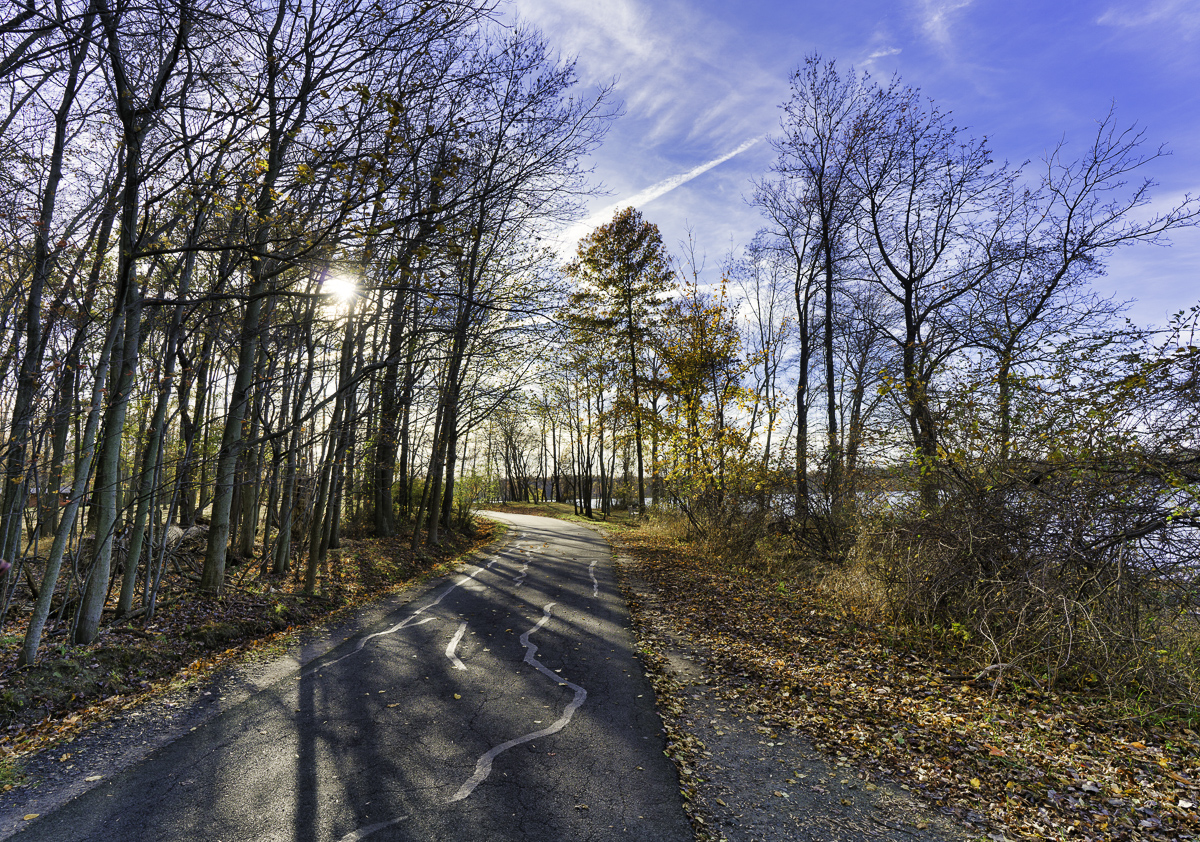
Another from Rockland Lake State Park.
Edited on Nov 16, 2017 at 05:19 PM · View previous versions
 |
||
 |
||
|
Edited on Nov 16, 2017 at 05:19 PM · View previous versions
Nov 16, 2017 at 05:02 PM
p.2537 #18Sony FE Images Thread
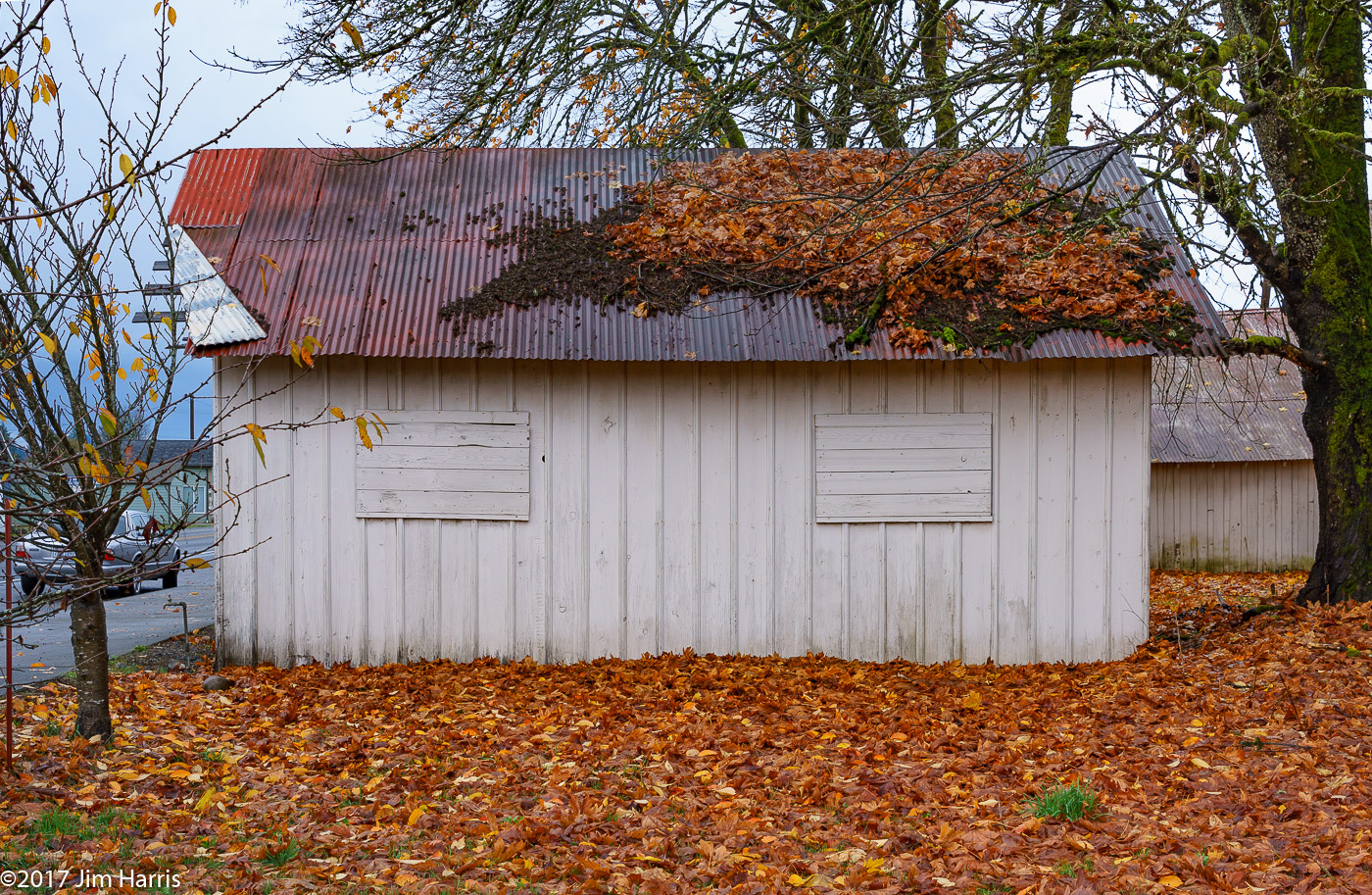
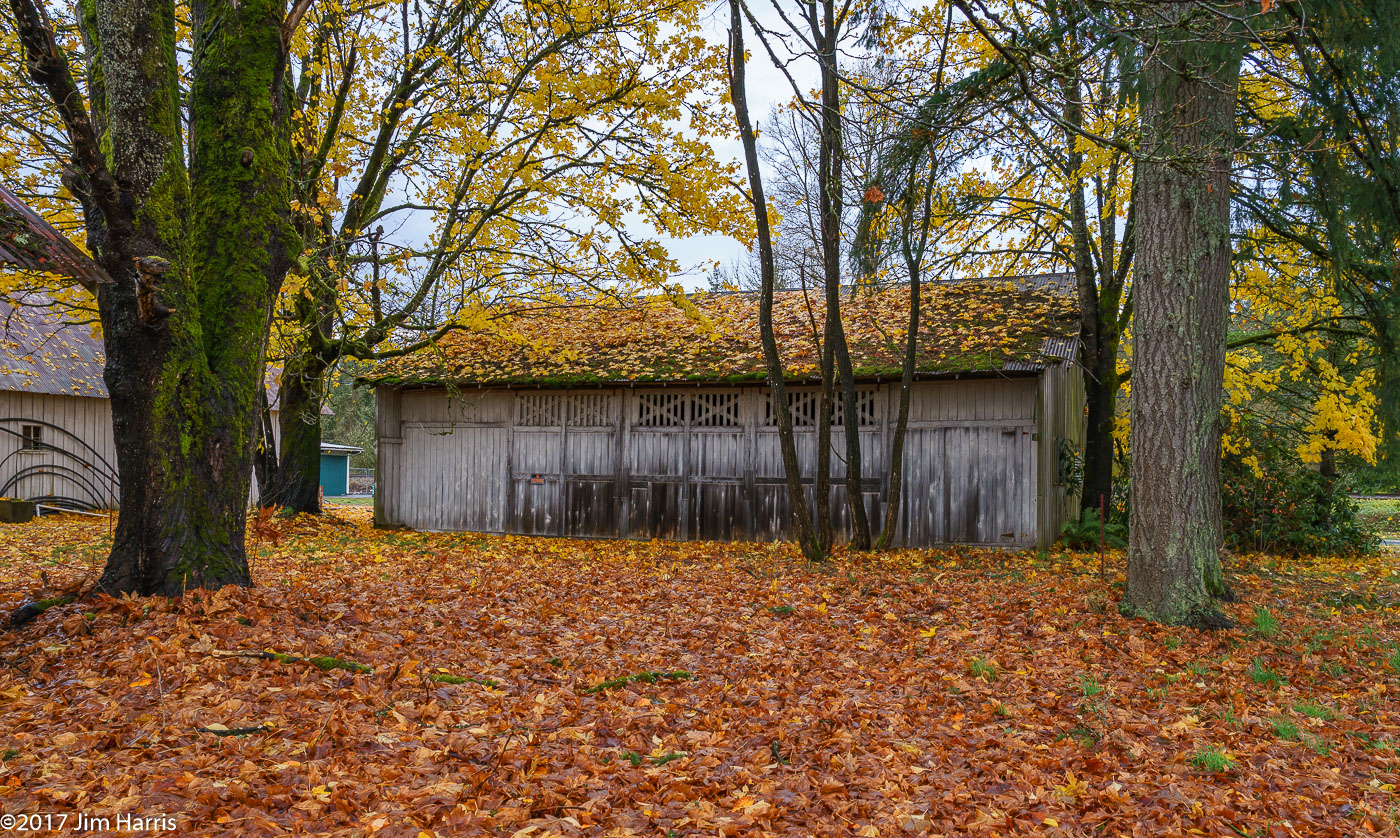
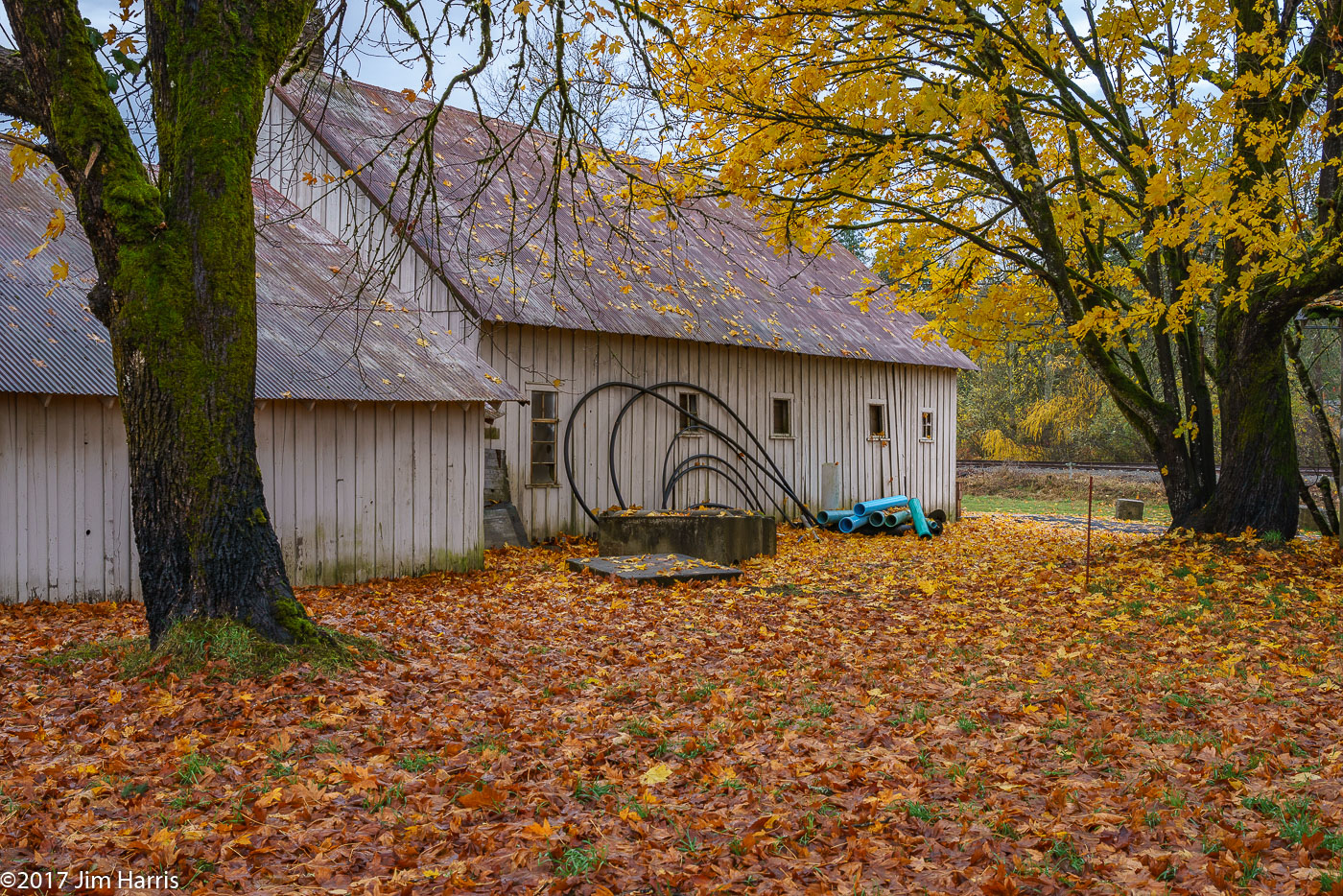
Driving by (seasonal?) commercial produce facility in the little town of Oakville, WA, had to pull over on the main drag to grab these leaves and buildings.
Edited on Nov 16, 2017 at 05:40 PM · View previous versions
Edited on Nov 16, 2017 at 05:40 PM · View previous versions
Nov 16, 2017 at 05:15 PM
p.2537 #19Sony FE Images Thread

Tunnel Blick (Tunnel Vision) by Werner Utsch, on Flickr
A7RII, FE 100-400 GM
Nov 16, 2017 at 05:30 PM
p.2537 #20Sony FE Images Thread
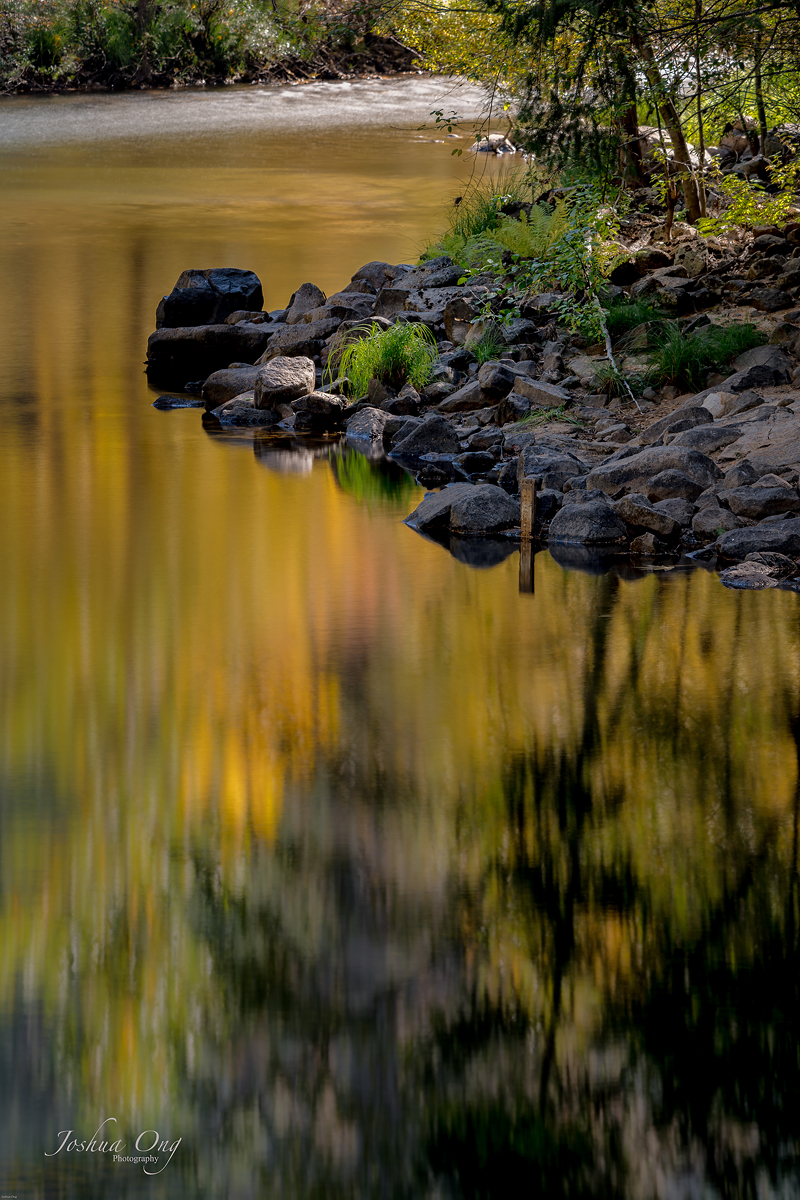
Somewhere at Yosemite NP and inspired by Claude Monet....
Monet impression - reflection of fall colors
|
||
 © AGeoJO 2017 |
||
|
Monet impression - reflection of fall colors
Nov 16, 2017 at 05:52 PM