Manual Focus Nikon Glass
p.1978 #1Manual Focus Nikon Glass
Like that mini-me on the carburetor Glen.
Jim, Charlie looks like he meant to stay, and you don't have a say in it.
Leighton, animals at the landfill, yeah, that's rural America!
James Markus wrote:
Colin,
I'm not sure if you are waiting on Lr or Ps to denoise that image, but on my win10 machine i7 3770 16gb ram I use Topaz products. DeNoise was always pretty fast, but Topaz Sharpen was very slow on my 5DS-R (50 megapixel images). I wrote Topaz support and asked what it took to speed things up (video ram, interface or bandwidth, cuda cores etc) - they never answered. So I bought a used 8gb nvidia GTX 1080 (+ new beefier power supply) to replace my 2gb 750 ti sc. I optimized the video driver, and set it's...Show more →
That's interesting Jim, when I run LR Denoise now, my 3GB GTX 1050 only reports from 12-18% utilization. That's surprising your 1080 upgrade brought that much improvement. I don't worry too much about speed during preview generation and export speed, but rather more when I am actively editing individual shots.
GeorgeBo wrote:
If you figure out away to pay with an HSA card let me know!
Shhh, someone might be listening. I will say that someone here (first initial J) played the devil pretty well after my comment about fidget toys, and I've spent time on *bay looking already ...... what a group!
Regina, you're bringing back some longing for the 45P, if I recall correctly John used that lens to great effect when he was active here and always had me thinking.
Aug 31, 2023 at 08:01 PM
p.1978 #2Manual Focus Nikon Glass
Finally got my last MF lens and shot with it, in my quest to use and produce shots that would I keep around, from every one of the MF lenses I have in July and August. The 24mm finally got out today.
However, the pictures below are a random assortment.
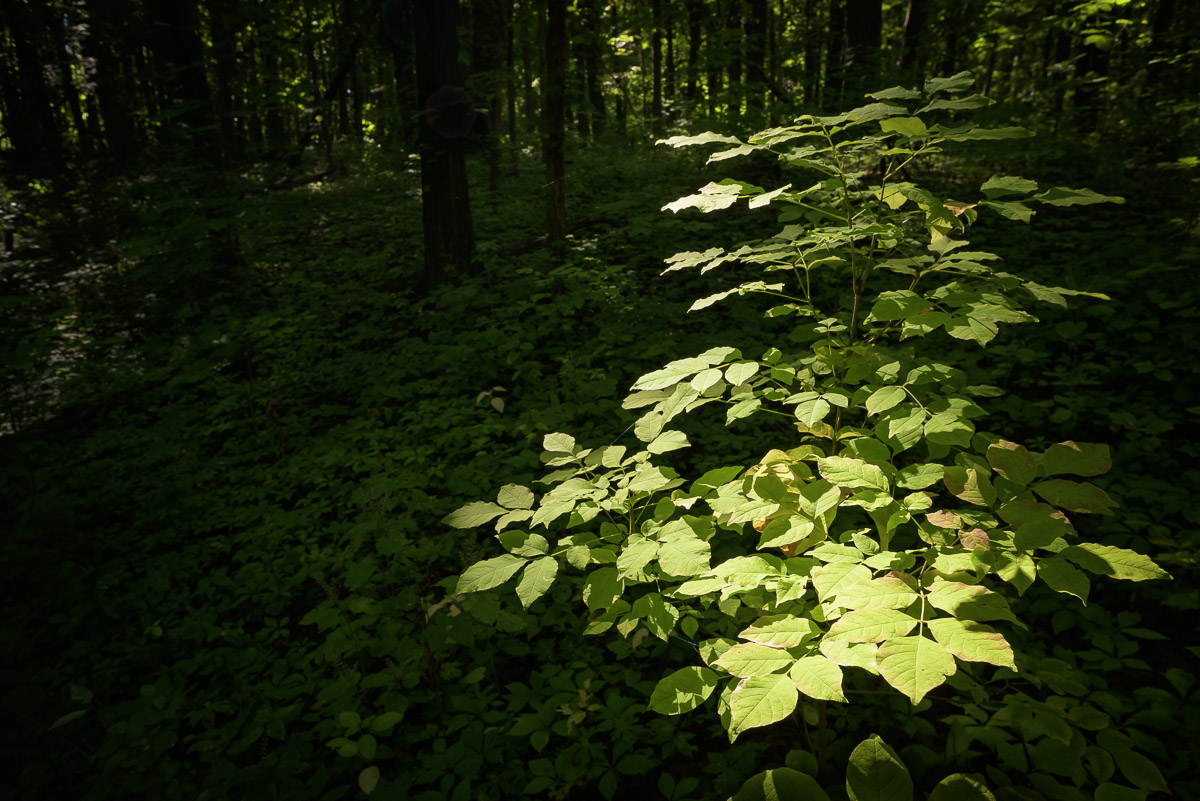
24mm f2.8 AIS
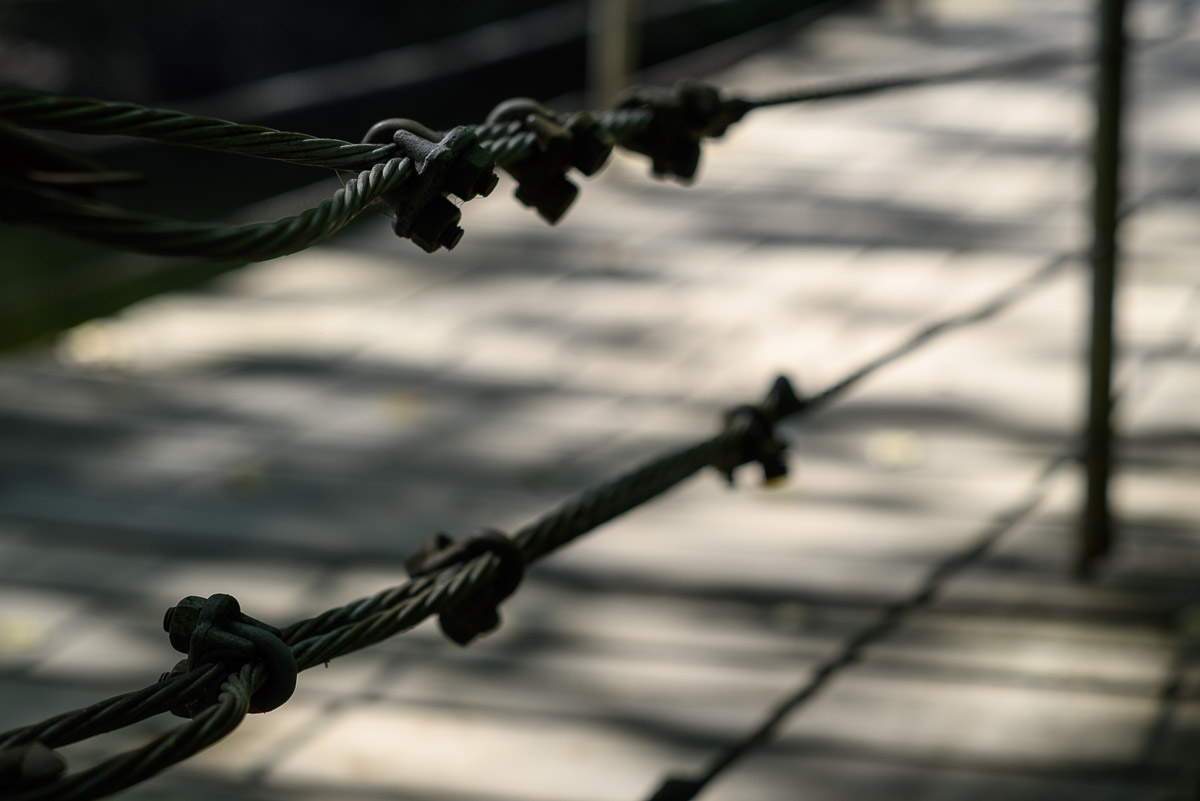
85mm f2.0 AI
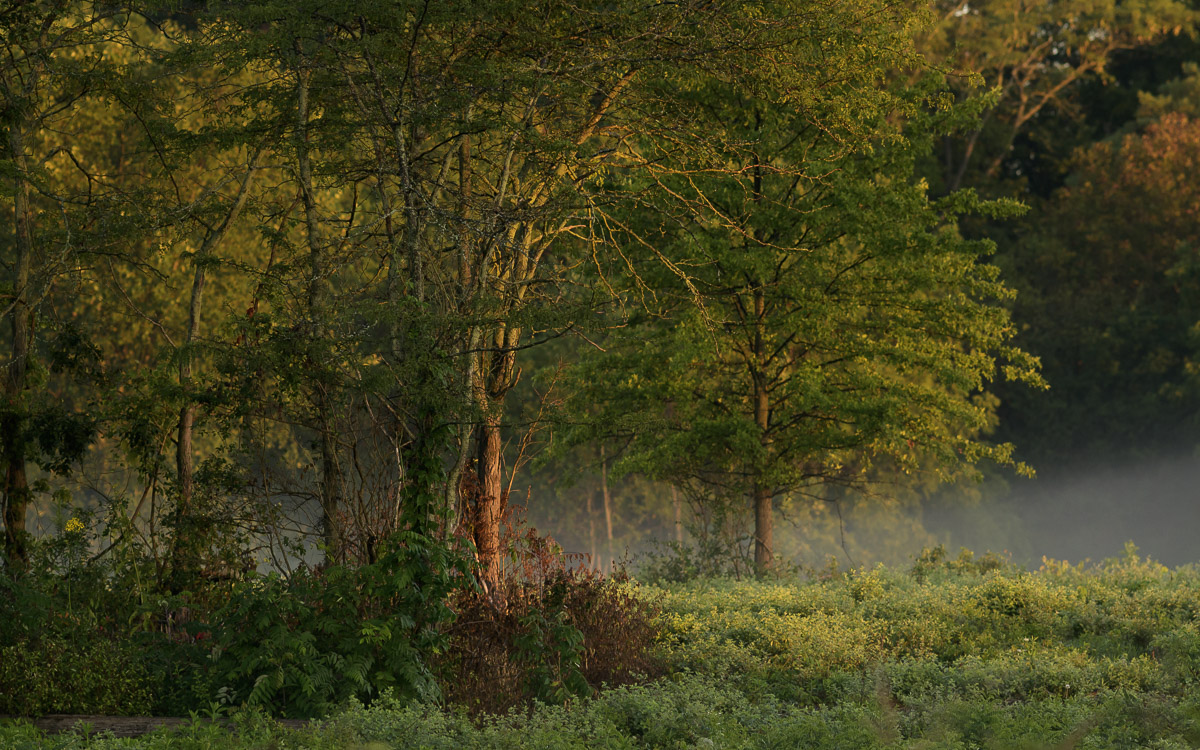
180mm f2.8 AIS
However, the pictures below are a random assortment.
24mm f2.8 AIS
85mm f2.0 AI
180mm f2.8 AIS
Aug 31, 2023 at 08:09 PM

p.1978 #3Manual Focus Nikon Glass
Playing with lens flare yesterday - Nikkor 20mm f2.8 ais with it's HK-14 lens hood on the
Canon 5DmkII 665nm converted body
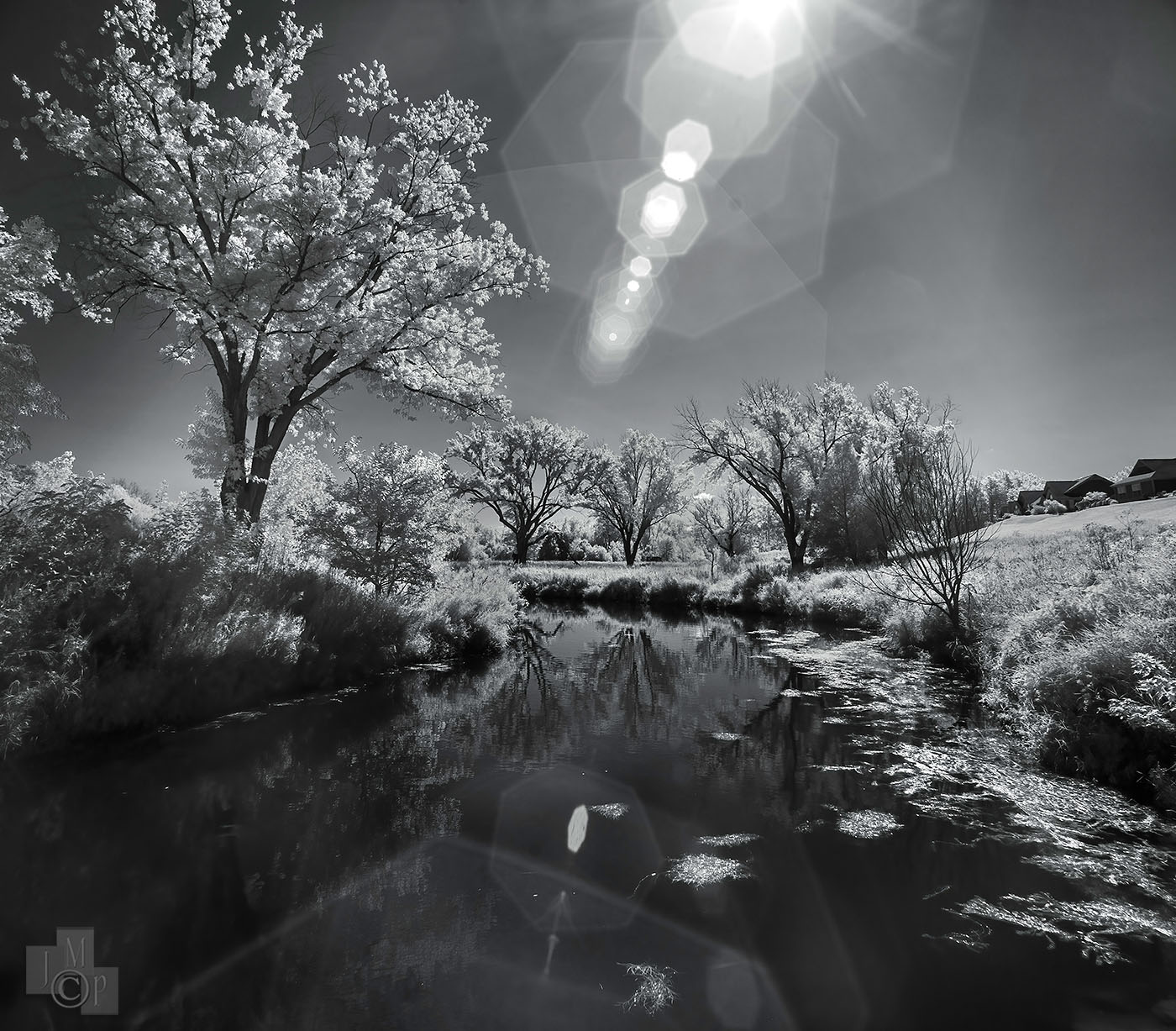
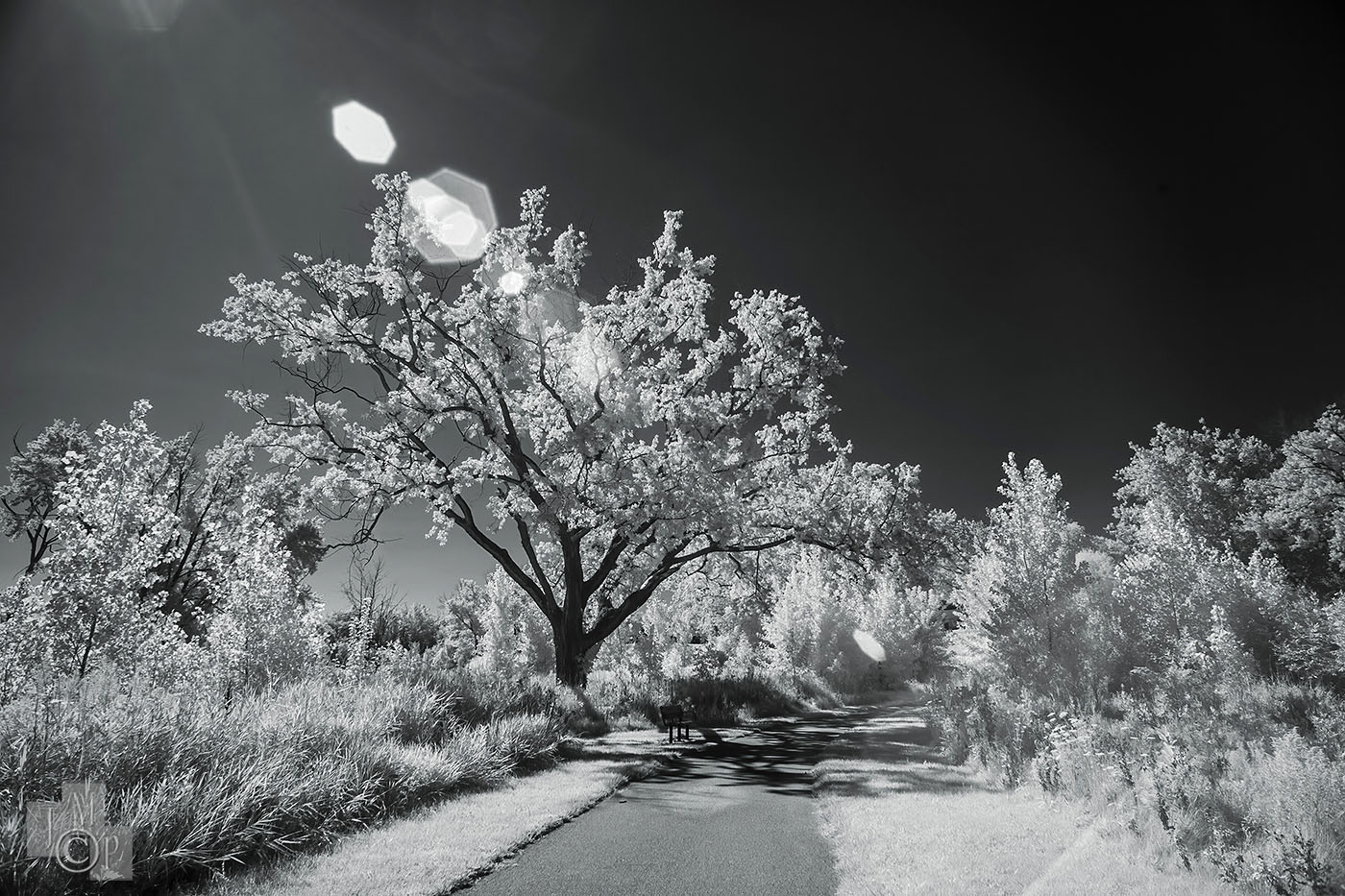
Canon 5DmkII 665nm converted body
Aug 31, 2023 at 08:43 PM
p.1978 #4Manual Focus Nikon Glass
leighton w wrote:
That doesn't even make sense why they would go to copper. I would think fiber cable would be cheaper than copper.
The copper is the existing phone line in the ground, in some cases 50 years old.
cadman342001 wrote
Here in the 3rd World my provider had to refund me as they couldn't achieve the 20Mbps promised. Australia's NBN is a joke (the incoming government decided to downgrade the roll out from fibre to the door to fibre to the node, Leaving copper the rest of the way)The copper is the existing phone line in the ground, in some cases 50 years old.
Aug 31, 2023 at 08:51 PM
p.1978 #5Manual Focus Nikon Glass
Ray,
This setting made a big difference with my old 750ti card - cut times about 30-40%.
Start > nVidia Control Panel > Manage 3D settings > Global Settings (tab)
Scroll to Power Management mode and click the setting words to the right
choose "Prefer Maximum Performance" (it may have "Optimal", or "Adaptive Power" set already
Next nVidia has an app called the "Geforce Experience" - you may already have it installed
I was able to add all Topaz applications, Bridge and other apps. Click the three dots in the upper right corner and choose "Optimize all games & Apps" This got another 10-15% improvement.
For Lr to take advantage of this - check that your preferences are using the GPU instead of the CPU
hope that helps
Jim
pbraymond wrote:
That's interesting Jim, when I run LR Denoise now, my 3GB GTX 1050 only reports from 12-18% utilization. That's surprising your 1080 upgrade brought that much improvement. I don't worry too much about speed during preview generation and export speed, but rather more when I am actively editing individual shots.
Aug 31, 2023 at 09:21 PM
p.1978 #6Manual Focus Nikon Glass
pbraymond wrote:
Like that mini-me on the carburetor Glen.
Jim, Charlie looks like he meant to stay, and you don't have a say in it.
Leighton, animals at the landfill, yeah, that's rural America!
I'm not sure if you are waiting on Lr or Ps to denoise that image, but on my win10 machine i7 3770 16gb ram I use Topaz products. DeNoise was always pretty fast, but Topaz Sharpen was very slow on my 5DS-R (50 megapixel images). I wrote Topaz support and asked what it took to speed things up (video ram, interface or bandwidth, cuda cores etc) - they never answered. So I bought a used 8gb nvidia GTX 1080 (+ new beefier power supply) to replace my 2gb 750 ti sc. I optimized the video driver, and set it's performance to max. Sharpens went from 4-7 minutes each photo to 12-17 seconds each. The M2 has been in the 5-10 second range so far. Denoise is much faster as well. So the M2 mini is using much less power, generating no heat or noise, and destroying 10 year old pc hardware in speed. I still throw a ton of files at it and go do something else while it works on it, but I have always done that in any operating system I use.
JimThat's interesting Jim, when I run LR Denoise now, my 3GB GTX 1050 only reports from 12-18% utilization. That's surprising your 1080 upgrade brought that much improvement. I don't worry too much about speed during preview generation and export speed, but rather more when I am actively editing individual shots.
Shhh, someone might be listening. I will say that someone here (first initial J) played the devil pretty well after my comment...Show more →
Ray,
I saw the same kind of low utilization from my 4GB GTX 1050ti but after Jim's suggesting at changing that power setting I now get 100% GPU utilization during denoise. Speeds things up a bit. Thanks for the tip Jim.
Colin
Like that mini-me on the carburetor Glen.
Jim, Charlie looks like he meant to stay, and you don't have a say in it.
Leighton, animals at the landfill, yeah, that's rural America!
James Markus wrote
Colin,I'm not sure if you are waiting on Lr or Ps to denoise that image, but on my win10 machine i7 3770 16gb ram I use Topaz products. DeNoise was always pretty fast, but Topaz Sharpen was very slow on my 5DS-R (50 megapixel images). I wrote Topaz support and asked what it took to speed things up (video ram, interface or bandwidth, cuda cores etc) - they never answered. So I bought a used 8gb nvidia GTX 1080 (+ new beefier power supply) to replace my 2gb 750 ti sc. I optimized the video driver, and set it's performance to max. Sharpens went from 4-7 minutes each photo to 12-17 seconds each. The M2 has been in the 5-10 second range so far. Denoise is much faster as well. So the M2 mini is using much less power, generating no heat or noise, and destroying 10 year old pc hardware in speed. I still throw a ton of files at it and go do something else while it works on it, but I have always done that in any operating system I use.
Jim
GeorgeBo wrote
If you figure out away to pay with an HSA card let me know!Ray,
I saw the same kind of low utilization from my 4GB GTX 1050ti but after Jim's suggesting at changing that power setting I now get 100% GPU utilization during denoise. Speeds things up a bit. Thanks for the tip Jim.
Colin
Sep 01, 2023 at 12:21 AM
p.1978 #7Manual Focus Nikon Glass
pbraymond wrote:
Finally got my last MF lens and shot with it, in my quest to use and produce shots that would I keep around, from every one of the MF lenses I have in July and August. The 24mm finally got out today.
However, the pictures below are a random assortment.
These are great. I especially love the light on the first and last ones.
Sep 01, 2023 at 01:27 AM
p.1978 #8Manual Focus Nikon Glass
cadman342001 wrote:
That doesn't even make sense why they would go to copper. I would think fiber cable would be cheaper than copper.The copper is the existing phone line in the ground, in some cases 50 years old.
Wonder how much is loss in the transition to copper.
leighton w wrote
cadman342001 wrote
Here in the 3rd World my provider had to refund me as they couldn't achieve the 20Mbps promised. Australia's NBN is a joke (the incoming government decided to downgrade the roll out from fibre to the door to fibre to the node, Leaving copper the rest of the way)Wonder how much is loss in the transition to copper.
Sep 01, 2023 at 04:04 AM
p.1978 #9Manual Focus Nikon Glass
At the gas station with the 55/2.8. I like coming to this station as it's right next to the interstate and people from all over the country are here. It's a good study in human behavior.
 Nikon 55mm f2.8 ais by Tom Womack, on Flickr
Sep 01, 2023 at 04:59 AM
p.1978 #10Manual Focus Nikon Glass
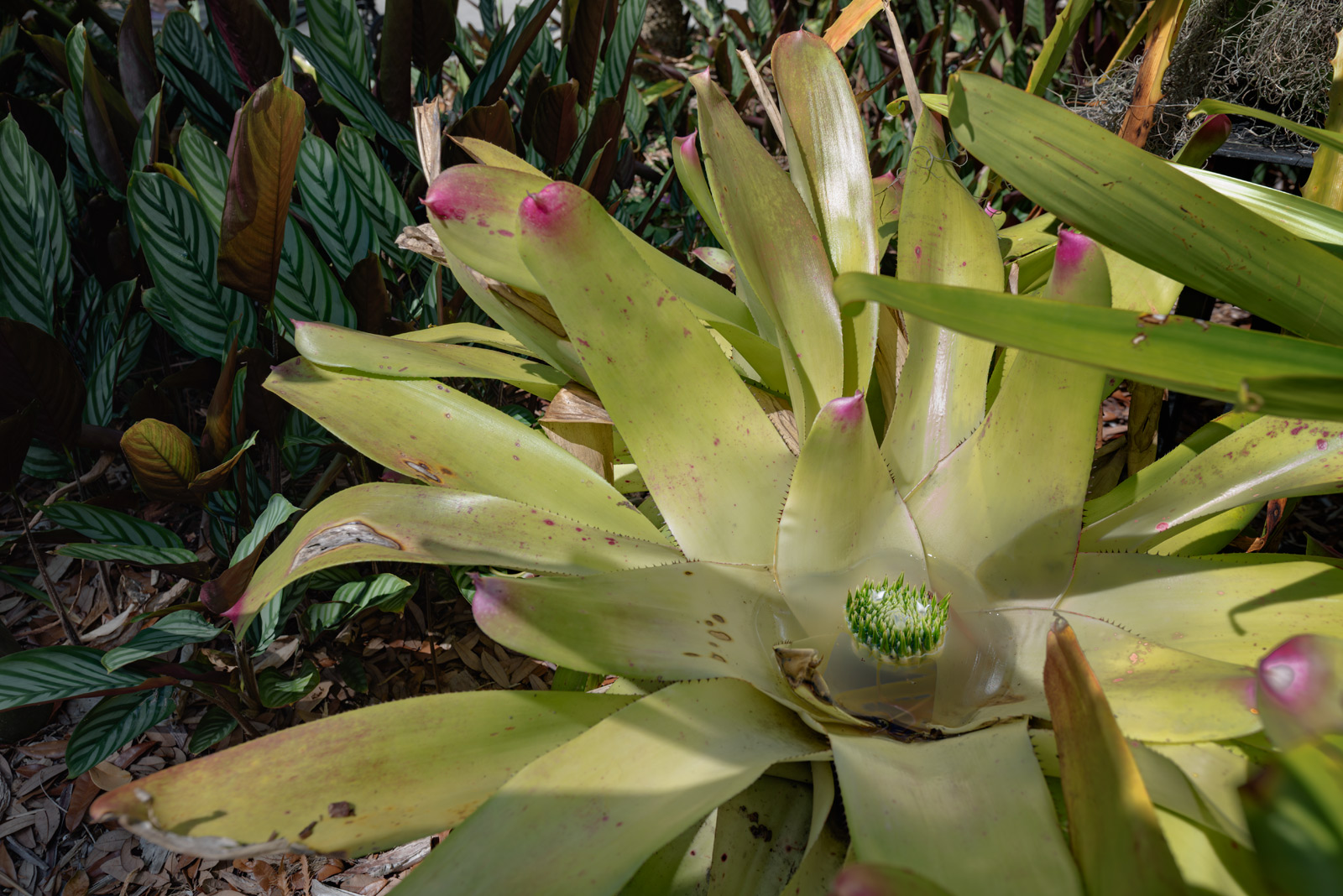
I remember it well, N bound in heavy slow Sunday afternoon traffic I gassed up there and abandoned the interstate for a NW network of backroads eventually leading to Maryland. A maze of twisty roads reminiscent of D & D!
 |
||
 -Jay- © HCE HCE 2023 |
||
|
Sep 01, 2023 at 05:13 AM
|
p.1978 #11Manual Focus Nikon Glass
Or are you really there for the chicken?
leighton w wrote:
At the gas station with the 55/2.8. I like coming to this station as it's right next to the interstate and people from all over the country are here. It's a good study in human behavior.
https://live.staticflickr.com/65535/53156750184_676aa751ff_b.jpgNikon 55mm f2.8 ais by Tom Womack, on Flickr
Sep 01, 2023 at 05:15 AM
p.1978 #12Manual Focus Nikon Glass
DeltaSigma wrote:
Jim, Charlie looks like he meant to stay, and you don't have a say in it.
Leighton, animals at the landfill, yeah, that's rural America!
I'm not sure if you are waiting on Lr or Ps to denoise that image, but on my win10 machine i7 3770 16gb ram I use Topaz products. DeNoise was always pretty fast, but Topaz Sharpen was very slow on my 5DS-R (50 megapixel images). I wrote Topaz support and asked what it took to speed things up (video ram, interface or bandwidth, cuda cores etc) - they never answered. So I bought a used 8gb nvidia GTX 1080 (+ new beefier power supply) to replace my 2gb 750 ti sc. I optimized the video driver, and set it's performance to max. Sharpens went from 4-7 minutes each photo to 12-17 seconds each. The M2 has been in the 5-10 second range so far. Denoise is much faster as well. So the M2 mini is using much less power, generating no heat or noise, and destroying 10 year old pc hardware in speed. I still throw a ton of files at it and go do something else while it works on it, but I have always done that in any operating system I use.
JimThat's interesting Jim, when I run LR Denoise now, my 3GB GTX 1050 only reports from 12-18% utilization. That's surprising your 1080 upgrade brought that much improvement. I don't worry too much about speed during preview generation and export speed, but rather more when I am actively editing individual shots.
Shhh, someone might be listening. I will say that someone here (first initial J) played the devil pretty well after my comment about fidget toys, and I've spent time on *bay looking already ...... what a group!
Regina, you're bringing back some longing for the 45P, if I recall correctly John used that lens to great effect when he was active here and always had me thinking.Ray,
I saw the same kind of low utilization from my 4GB GTX 1050ti but after Jim's suggesting at changing that power setting I now get 100% GPU utilization during denoise. Speeds things up a bit. Thanks for the tip Jim.
Colin
James Markus wrote:
Ray,
This setting made a big difference with my old 750ti card - cut times about 30-40%.
Start > nVidia Control Panel > Manage 3D settings > Global Settings (tab)
Scroll to Power Management mode and click the setting words to the right
choose "Prefer Maximum Performance" (it may have "Optimal", or "Adaptive Power" set already
Next nVidia has an app called the "Geforce Experience" - you may already have it installed
I was able to add all Topaz applications, Bridge and other apps. Click the three dots in the upper right corner and choose "Optimize all games & Apps" This got another 10-15% improvement.
For...Show more →
Thanks for the insight Jim, Colin. Can't wait to try it out tonight, the only thing I've not changed is the "Maximum Performance" setting.
SiMuMe wrote:
However, the pictures below are a random assortment.These are great. I especially love the light on the first and last ones.
Thanks Siphiwe. That first shot is has one of the reasons why I don't think I'll ever get back to film, I don't think anything there could handle the super bright highlights and deeper shadows like I got here. I could be wrong as I've not shot film for close to 20 years now.
pbraymond wrote
Like that mini-me on the carburetor Glen.Jim, Charlie looks like he meant to stay, and you don't have a say in it.
Leighton, animals at the landfill, yeah, that's rural America!
James Markus wrote
Colin,I'm not sure if you are waiting on Lr or Ps to denoise that image, but on my win10 machine i7 3770 16gb ram I use Topaz products. DeNoise was always pretty fast, but Topaz Sharpen was very slow on my 5DS-R (50 megapixel images). I wrote Topaz support and asked what it took to speed things up (video ram, interface or bandwidth, cuda cores etc) - they never answered. So I bought a used 8gb nvidia GTX 1080 (+ new beefier power supply) to replace my 2gb 750 ti sc. I optimized the video driver, and set it's performance to max. Sharpens went from 4-7 minutes each photo to 12-17 seconds each. The M2 has been in the 5-10 second range so far. Denoise is much faster as well. So the M2 mini is using much less power, generating no heat or noise, and destroying 10 year old pc hardware in speed. I still throw a ton of files at it and go do something else while it works on it, but I have always done that in any operating system I use.
Jim
GeorgeBo wrote
If you figure out away to pay with an HSA card let me know!Regina, you're bringing back some longing for the 45P, if I recall correctly John used that lens to great effect when he was active here and always had me thinking.
I saw the same kind of low utilization from my 4GB GTX 1050ti but after Jim's suggesting at changing that power setting I now get 100% GPU utilization during denoise. Speeds things up a bit. Thanks for the tip Jim.
Colin
James Markus wrote:
Ray,
This setting made a big difference with my old 750ti card - cut times about 30-40%.
Start > nVidia Control Panel > Manage 3D settings > Global Settings (tab)
Scroll to Power Management mode and click the setting words to the right
choose "Prefer Maximum Performance" (it may have "Optimal", or "Adaptive Power" set already
Next nVidia has an app called the "Geforce Experience" - you may already have it installed
I was able to add all Topaz applications, Bridge and other apps. Click the three dots in the upper right corner and choose "Optimize all games & Apps" This got another 10-15% improvement.
For...Show more →
pbraymond wrote
That's interesting Jim, when I run LR Denoise now, my 3GB GTX 1050 only reports from 12-18% utilization. That's surprising your 1080 upgrade brought that much improvement. I don't worry too much about speed during preview generation and export speed, but rather more when I am actively editing individual shots.Thanks for the insight Jim, Colin. Can't wait to try it out tonight, the only thing I've not changed is the "Maximum Performance" setting.
SiMuMe wrote:
pbraymond wrote
Finally got my last MF lens and shot with it, in my quest to use and produce shots that would I keep around, from every one of the MF lenses I have in July and August. The 24mm finally got out today.However, the pictures below are a random assortment.
Thanks Siphiwe. That first shot is has one of the reasons why I don't think I'll ever get back to film, I don't think anything there could handle the super bright highlights and deeper shadows like I got here. I could be wrong as I've not shot film for close to 20 years now.
Sep 01, 2023 at 06:13 AM
p.1978 #13Manual Focus Nikon Glass
HCE HCE wrote:
I remember it well, N bound in heavy slow Sunday afternoon traffic I gassed up there and abandoned the interstate for a NW network of backroads eventually leading to Maryland. A maze of twisty roads reminiscent of D & D!
Next time, let me know, you were only 6 miles from me.
I remember it well, N bound in heavy slow Sunday afternoon traffic I gassed up there and abandoned the interstate for a NW network of backroads eventually leading to Maryland. A maze of twisty roads reminiscent of D & D!
Next time, let me know, you were only 6 miles from me.
Sep 01, 2023 at 06:23 AM
p.1978 #14Manual Focus Nikon Glass
GeorgeBo wrote:
Or are you really there for the chicken?
https://live.staticflickr.com/65535/53156750184_676aa751ff_b.jpgNikon 55mm f2.8 ais by Tom Womack, on Flickr
Ha, I would, but it burned up over a year ago and it's still not open.
Or are you really there for the chicken?
leighton w wrote
At the gas station with the 55/2.8. I like coming to this station as it's right next to the interstate and people from all over the country are here. It's a good study in human behavior.https://live.staticflickr.com/65535/53156750184_676aa751ff_b.jpgNikon 55mm f2.8 ais by Tom Womack, on Flickr
Ha, I would, but it burned up over a year ago and it's still not open.
Sep 01, 2023 at 06:24 AM
p.1978 #15Manual Focus Nikon Glass
Ok, just making sure you knew of the option  I panicked when I had just gotten my D500 and couldn't open a file in Bridge... when I finally get my new system...
Ballard wrote:
https://helpx.adobe.com/camera-raw/using/adobe-dng-converter.html
And yes its free. I use it to convert my D500 shotsI've used DNG converter. I still use it occasionally, but it adds an extra, time-consuming step. If there is some feature in LR that I really need to use, then I'll go that route. Otherwise, CaptureOne is a much more versatile program than LR. CaptureOne is less intuitive, and harder to master.
I certainly don't consider myself a master of anything really. Just trying to have a little fun, and occasionally I'll get an image that I like.
I panicked when I had just gotten my D500 and couldn't open a file in Bridge... when I finally get my new system...Ballard wrote:
NightOwl Cat wrote
Ken, there's always the Free Adobe DNG converter, too.https://helpx.adobe.com/camera-raw/using/adobe-dng-converter.html
And yes its free. I use it to convert my D500 shots
I certainly don't consider myself a master of anything really. Just trying to have a little fun, and occasionally I'll get an image that I like.
Sep 01, 2023 at 06:28 AM
p.1978 #16Manual Focus Nikon Glass
Ok, Andy, print ordered...Giclee 20x24 on Glossy paper, white mat, and non-glare glass. Expected delivery next week.
NightOwl Cat wrote:
Haven't had it printed yet Andy. I need to log in and order it though, stay tuned.
And other than tempting Alan, since he caused that 500 to fall in my cart... I've been good...
And yes I have an 85 f/1.4 AI-s as well as an 85mm f/1.4 AF-D....
I need to organize my house, it's a nightmare...
On another note, just ordered a 135/2.0 AI (AI has a larger rotation for more accurate focusing, 270 degrees IIRC) and a 105/1.8 ais off ebay.
I thought I knew who to blame but that list suddenly got longer once Laura went on her spree !
(BTW - have you printed that pic of the church I took yet Laura? Inquiring minds etc.! Remember our deal, I sent you the file on condition that when you printed it posted a pic of it on your wall on here)
I have lots of lenses I don't use, I just like looking at them. Then selling them cos I don't use them/need the cash. Then buying them again. Then selling them again. etc. !
Silly really as I rarely use anything between 28mm and the 180ED. Maybe I'll use them on the GFX though ?
I would have bought an 85/1.4 but for the outrageous price of them too even though I have an 85/1.4 AF-S version
Andy
NightOwl Cat wrote:
Haven't had it printed yet Andy. I need to log in and order it though, stay tuned.
And other than tempting Alan, since he caused that 500 to fall in my cart... I've been good...
And yes I have an 85 f/1.4 AI-s as well as an 85mm f/1.4 AF-D....
I need to organize my house, it's a nightmare...
cadman342001 wrote
Let's hope it stays that way Chris. Fingers crossed for Curtis and his teeth, Rafael and his eyes, Leighton and his liver etc etc etc !On another note, just ordered a 135/2.0 AI (AI has a larger rotation for more accurate focusing, 270 degrees IIRC) and a 105/1.8 ais off ebay.
I thought I knew who to blame but that list suddenly got longer once Laura went on her spree !
(BTW - have you printed that pic of the church I took yet Laura? Inquiring minds etc.! Remember our deal, I sent you the file on condition that when you printed it posted a pic of it on your wall on here)
I have lots of lenses I don't use, I just like looking at them. Then selling them cos I don't use them/need the cash. Then buying them again. Then selling them again. etc. !
Silly really as I rarely use anything between 28mm and the 180ED. Maybe I'll use them on the GFX though ?
I would have bought an 85/1.4 but for the outrageous price of them too even though I have an 85/1.4 AF-S version
Andy
Sep 01, 2023 at 06:47 AM
p.1978 #17Manual Focus Nikon Glass
pbraymond wrote:
Regina, you're bringing back some longing for the 45P, if I recall correctly John used that lens to great effect when he was active here and always had me thinking.
Ray, you should get one. I use more the 45mm f2.8P than the 50mm f1.2. I do not own a 55 f1.2 (I am searching for a good one!)
Regina, you're bringing back some longing for the 45P, if I recall correctly John used that lens to great effect when he was active here and always had me thinking.
Ray, you should get one. I use more the 45mm f2.8P than the 50mm f1.2. I do not own a 55 f1.2 (I am searching for a good one!)
Sep 01, 2023 at 07:36 AM
p.1978 #18Manual Focus Nikon Glass
105mm f2.5
 _DSC5448_470 by Regina, on Flickr
Sep 01, 2023 at 07:45 AM
p.1978 #19Manual Focus Nikon Glass
milt wrote:
Ray, you should get one. I use more the 45mm f2.8P than the 50mm f1.2. I do not own a 55 f1.2 (I am searching for a good one!)
I'll trade you my 55mm f1.2 SC for your 45mm.
pbraymond wrote
Regina, you're bringing back some longing for the 45P, if I recall correctly John used that lens to great effect when he was active here and always had me thinking.I'll trade you my 55mm f1.2 SC for your 45mm.
Sep 01, 2023 at 08:20 AM
p.1978 #20Manual Focus Nikon Glass
leighton w wrote:
I'll trade you my 55mm f1.2 SC for your 45mm.
Leighton, although I want a 55mm f1.2 SC, I still prefer the 45mm f2.8P (such a lovely lens!!!). But I would definitely buy your 55mm f1.2 SC if you want to sell.
I'll trade you my 55mm f1.2 SC for your 45mm.
Leighton, although I want a 55mm f1.2 SC, I still prefer the 45mm f2.8P (such a lovely lens!!!). But I would definitely buy your 55mm f1.2 SC if you want to sell.
Sep 01, 2023 at 08:28 AM