Thank you Joe, Joakim, Charles, Zhangyue, Douglas for your comments.
Very nice shots from Joe, Joakim, Zhangyue.
Yes, definitely there is no correct answer in regards to color. It is so subjective. I myself prefer simple solutions, so tend to stick with one profile.
I mostly prefer the embedded M9 one, even though it is more tricky to get the right WB. I often find it nicely saturated and with a look reminiscent of color slide film (which is no surprise knowing that Leica emulated the Kodachrome look with its sensor toppings and demosaicing algorithms).
Very often, I find Adobe standard profile to be somewhat more pleasing, but more digital to my eyes. The skin tones, the saturated blues, and the flat mid-tone curve are imo very digital, and not very different from other cameras using the same profile. In fact the Adobe standard tries to make all cameras look alike, so it is sort of an equalizer.
The biggest advantage that I find with the Adobe standard is its superior demosaicing algorithms in colored light sources like car break lights or neon signs. Also under some difficult lighting conditions the embedded profile goes berserk while the Adobe standard produces normal looking results.
I have received very often positive comments about my photos as having film like colors. In fact, most have received very little to no PP, just choosing the esthetically most suitable WB with the embedded profile.
I am a person who doesn't like multiple choices. I wish we had only one profile to deal with
Jabberwockt wrote:
I'm still struggling a bit with the M9's colors but as an additional data point, I've found that the colors when processed through Lightroom using both the Embedded and the Adobe Standard profile to be a slight bit different than what a custom profile built with a Colorchecker would produce. I tried making an animated GIF but failed, but if you open each in a separate tab in your browser and flip through these, you can see the colors change slightly, even after having been converted to sRGB.
Comparing the embedded and adobe standard shots, they correspond exactly to my own findings. Adobe is more pleasing but less natural. For example:
Blues and greens are lighter with embedded, darker and more saturated with adobe.
Purples are very unnatural with adobe, too dark.
Reds are pinkish with embedded, and more natural with adobe (slightly too warm).
Orange is darker and warmer with embedded, while yellow is darker and warmer with adobe.
Based on the above, the adobe produces darker more staturated blue skies and green plants. Purer reds, and more natural skin tones (though too yellowish to my taste). Embedded produces healthier skin tones (good for Asians and Africans, but not that good for Caucasians), lighter blue skies and green plants. It has a more contrasty tone curve.
joe88 wrote:
Thanks Michael & Charles. Film can be fun for the experience but I think at least for 35mm format, we have moved on to digital. Medium and large format is another story for now.
I might have posted this comparison back when I took these pics in 2011, but here we can compare the highlight roll off on a similar scene. First shot, my M6 with Ektar 100 (35mm lens) and below that, M9 with 28Cron. You can see the difference in the highlight retention. Digital sensors will keep improving and I hope soon enough we can have sensors with much better DR or at least some way to control the highlight signal amplification and retention?
ken.vs.ryu wrote:
nice and simple comparison. thanks.
The problem with this comparison is that the digital version has the highlights blown out. A comparison where the highlights weren't blown out, and the shadows were brought up in post, would be a more telling comparison. That's especially true with an "ISO-less" camera like the M9.
There is also a lot more information in the shadows in the M9 shot than in the film shot, so even without bringing up the shadows in post, a shot with equalized exposure for the highlights would be telling.
douglasf13 wrote:
The problem with this comparison is that the digital version has the highlights blown out. A comparison where the highlights weren't blown out, and the shadows were brought up in post, would be a more telling comparison. That's especially true with an "ISO-less" camera like the M9.
Yes, the film's DR mostly happen at right of histogram. The beauty of digital is it can redistribute histogram as your wish to realize more usable DR in real life without sacrifice too much. film can have more DR that if you use this character of film to exposure to the right. but color information is not linear, so it is very hard to bring down mid-tone to keep color intact. especially with 35mm film, there is no enough pixel (6M?)
Most people choose film for its look! I will recheck VCSO, Joe recommended last time. It might be a good idea to have the look but save the hassle.
Regarding colors, I suspect Adobe is going for a fairly general set of pleasing 'memory colors,' which to me would explain the vivid blues and greens. And there is a certain logic in them trying for consistency across all profiles. It's great for shooting different camera models or makes at the same time when aiming for some consistency in post.
Edward, that's an interesting comment on skin tone preference. I think you've been acclimatized to Asian color preferences. As I've mentioned before, it was quite apparent to me while browsing window displays of Taiwanese wedding photography studios, as well as seeing friends' wedding albums - everyone has very pink complexions.
It's also interesting to see the Xrite vs. embedded profile differences. It's very slight, but there seem to be differences in skin tone interpretation, with the embedded being a bit more pink.
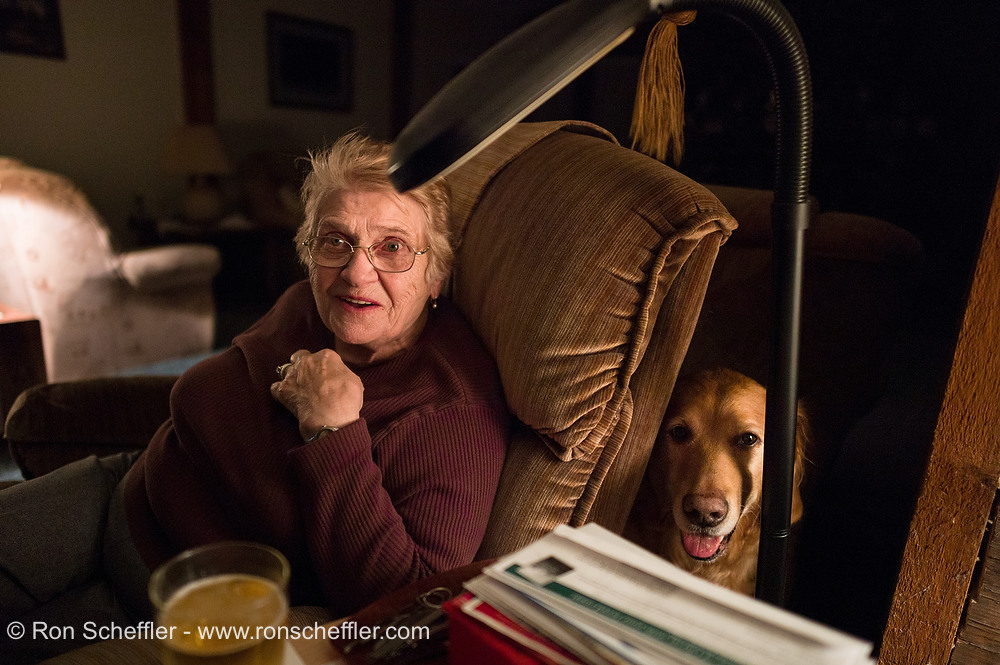
The M9 can produce good skin tone in low light conditions. It's primarily a factor of light quality, rather than intensity. Having shot a fair number of corporate type events with the camera along with my Canons, under decent fluorescent lighting I can get good available light results. I think this one is a pretty reasonable example. Though not from a corporate shoot, it was a compact fluorescent light source:
Incandescent lighting seems to pose a greater issue because of its strong red shift which underexposes the blue channel. This is usually where I notice quite strong color splotchiness when trying for a more neutral WB quality. Has anyone experimented with shooting 80A or 80B blue color correction filters? It would seem to be the solution, though at a roughly two-stops light loss.
rscheffler wrote:
Edward, that's an interesting comment on skin tone preference. I think you've been acclimatized to Asian color preferences. As I've mentioned before, it was quite apparent to me while browsing window displays of Taiwanese wedding photography studios, as well as seeing friends' wedding albums - everyone has very pink complexions.
I think so too In fact, the adobe profile makes the complexion of my southeast Asian subjects a bit greenish/yellow, not very flattering. When I add a bit of magenta, it affects other colors. However, people of northern European descent tend to have reddish/pinkish skins, so I do understand how the adobe profile would be more flattering in their case, while the embedded profile makes their complexion overly reddish.
Michael, really excellent shots with both your ZM21 and sigh.. 35CronV1! Do you have some more sample shots of the 35Cron at f/2?
Edward, that ZM50 shot looks exactly like slide film. Nice shot! I don't think you need change too much with your pp workflow. The color shots you posted are all beautifully rendered, contrasty and I don't think you need to do much other than correct for skin tones, unless its purely an exercise to experiment? Have you tried Capture One? Charles and others seem to have good experiences with Capture One in the past. Nothing wrong with the colors looking like chromes or Velvia, I love film and I bet many others as well
douglasf13 wrote:
The problem with this comparison is that the digital version has the highlights blown out. A comparison where the highlights weren't blown out, and the shadows were brought up in post, would be a more telling comparison. That's especially true with an "ISO-less" camera like the M9.
Yours and Carsten's explanation is valid and as long as we are deliberate with shooting and checking exposure on the histogram or with a handheld meter, we can always pull up the shadows in digital and stretch the dynamic range. I don't disagree. But still the abrupt cut off of highlight detail in digital is not "natural" per se, and that is not how our eyes perceive brightness or highlight roll off. Oftentimes, a picture is not "ruined" if has pure black shadow details but it is almost always ruined if there are abrupt blown highlights. I am not defending one medium over the other, I definitely prefer digital for the convenience and resolution nowadays. With Moore's law and computing power, maybe in the near future, with so much Dynamic range available on the pixel level, blown highlights could be "programmed" into a camera sensor software, probably adjusting the gain on the sensor's amplication so that it tails off to logarithmic scale rather than a linear one. Else give us a metering mode that is intelligent enough to detect level 255 on the pixel and automatically adjust exposure to not exceed say 1-3% of the pixels at 255 and bring down the exposure automatically? That would definitely make my life easier.
zhangyue wrote:
Most people choose film for its look! I will recheck VCSO, Joe recommended last time. It might be a good idea to have the look but save the hassle.
VSCO presets tweaks the toning sliders on LR4 and PS , it won't help with blown highlights I actually get better results with VSCO on Canon/Nikon/Sony files rather than the M9 files. With M9, results varies but I do like VCSO's black & white emulation and some of the independent color toning tools. I asked VSCO if they would come up with a profile for Leica M9 and they didn't really answer but said it was in the pipeline. Maybe they haven't figured a way out to tame the M9 colors.
M8 versus M9 Color: As a new Leica shooter (finally gotr my first M8!) I just wanted to ask you veterans if you could comment on the differences between M8 and M9 in terms of color out of the camera. I have found the M8 color to be fairly good thus far, I just wondered if the M9 is dramatially better with regard to AWB performance. Any input much appreciated!
Joe, I agree with you in that the "designed" colours of film look nicer much of the time, and highlights have a nicer rolloff on film than on digital, but not exposing digital for highlights and then comparing highlights isn't an example of this
carstenw wrote:
Joe, I agree with you in that the "designed" colours of film look nicer much of the time, and highlights have a nicer rolloff on film than on digital, but not exposing digital for highlights and then comparing highlights isn't an example of this
Don't want over react this color thing.it is very personal. It could be just my personal preference. During pp, I feel leica seems give me more freedom than D700. And the good thing of it it's output really depend on your preference. Other than Canikon's similar output. Leica camera is more like artist tool and Canikon more like the tool get job done quickly and nicely.
Joe, they don't support leica? I seems remember they have leica listed. Another question is how many licsens I can get for my multiple computer?
Do they have profile created for each film simulation or just a bunch of slider tweak?
Joe I will add some WO shot lately. They are most portrait. I can tell you: they are decent sharp but bokeh is not as good as your RX1 for sure if that is what you want know
I enjoy your film shots. More please.
Edward, I agree with your opinion about all this color thing, it is very personal, no right or no wrong. Especially for you guys from film day, my first serious camera is D700, it give me some expectation preference I had. I slowly love M more and more since then.
Ron, you can bring any photo as example of good skin tone. You are expert for this color tweak thing And I feel it require a lots of experience to do so.
WavecrestPhoto wrote:
M8 versus M9 Color: As a new Leica shooter (finally gotr my first M8!) I just wanted to ask you veterans if you could comment on the differences between M8 and M9 in terms of color out of the camera. I have found the M8 color to be fairly good thus far, I just wondered if the M9 is dramatially better with regard to AWB performance. Any input much appreciated!
I'm not an expert on colors. But I always loved my M8 for its colors out of the camera. What I have heard leica (kodak) really tried to put as much "kodachrome" into the M8's output.
To me the M9 has less of this look. The M9's colors seem more "normal" or standard to me than those of the M8. I personally like the M8's better.
However, I haven't used my M9 that much since I was graduating since I got it. So I still have to use it on a big trip. Maybe after that I change my mind.
To me now an M8 with 28 cron still is by far the best combo I have ever used.
zhangyue wrote:
Joe, they don't support leica? I seems remember they have leica listed. Another question is how many licsens I can get for my multiple computer?
Do they have profile created for each film simulation or just a bunch of slider tweak?
Joe I will add some WO shot lately. They are most portrait. I can tell you: they are decent sharp but bokeh is not as good as your RX1 for sure if that is what you want know
From iPhone at airplane 10000m at air
They have 2 packs with different film emulations but all are C41 color or B&W. Does not have any slide film emulation Each pack has various films and on each film, there are 4 settings, gentle (-1), normal, +1 where is looks like pushed film with shadows lifted, +2 with more extreme grain and even more shadows lifted or toned. The film look from what I can see on the LR sliders has shadows toned green or magenta and lifted from 0 to +10 or more to simulate film.
VSCO includes a general profile which works for all cameras but they also provide 2 profiles specifically for Canon and Nikon. So Leica (and other cameras) are supported but not as precise as the Nikon and Canon presets. So sometimes you still have to tweak a few settings. So on each film simulation, almost all of the tools on the develop module such as color sliders, tone curves and and split toning are used to achieve the "film" look.
I'll try and post some examples when I have some time. One license is limited to 2 computers I think. I have it on my Macbook and Windows desktop at home.
rscheffler wrote:
Edward, that's an interesting comment on skin tone preference. I think you've been acclimatized to Asian color preferences. As I've mentioned before, it was quite apparent to me while browsing window displays of Taiwanese wedding photography studios, as well as seeing friends' wedding albums - everyone has very pink complexions.
edwardkaraa wrote:
I think so too In fact, the adobe profile makes the complexion of my southeast Asian subjects a bit greenish/yellow, not very flattering. When I add a bit of magenta, it affects other colors. However, people of northern European descent tend to have reddish/pinkish skins, so I do understand how the adobe profile would be more flattering in their case, while the embedded profile makes their complexion overly reddish.
Have you tried tweaking the individual color hue settings? For example, if skin tone is too yellow, pull the orange and yellow hue sliders a bit to the left. Reducing yellow saturation might also help.
The M9's colors remind me a lot of the original Canon 1D. That was also a CCD sensor camera. Not sure how much of a factor that is... It was my first digital camera and I remember not liking how it rendered skin tones. Very splotchy looking at times. Ruddy complexions were especially bad. It was a real shock coming from shooting weddings on C41 emulsions where skin tone was always perfect looking. My guess is the more recent digital cameras have something happening post-capture to improve skin tone rendering.


 As I've mentioned before, it was quite apparent to me while browsing window displays of Taiwanese wedding photography studios, as well as seeing friends' wedding albums - everyone has very pink complexions.