Hilmar - Maybe the solution is to make an iPad app of your favorite photos. Personally, I only print if someone requests a print of an image. That is my solution. Back in the analog days when I spent a lot of time in the darkroom, the dilemma was always which prints to display and the majority sat in storage. While I haven't gotten around to it yet, in part because I no longer watch much TV, I was thinking of setting up a large screen TV and just playing photos on it. I guess with the new display technology now appearing, it shouldn't be too long before we have 200-300 dpi/ppi large screen displays better suited for high resolution images. Not that I don't like prints...
Thanks for your comment on my photos. When I go out for walks, I tend to photograph lots of everyday things, because that's what's readily available. And often it's not because its a set of steps, a door, windows, etc. but as you mentioned, the shapes, patterns, textures, and some combination of those elements combined with the light that really interests my eyes. But I also am drawn to older, weathered, crumbling things. Luckily the city where I live has enough history to supply such elements if I look in the right places.
I've printed numerous times with Blurb and have been pretty happy with the results. There have been a few times when they goofed, such as mixing the pages of two separate books, or have smudged pages, but have always been great about resolving problems. The books have either been for client projects or as gifts for friends.
Thanks Gary, Charles and Ryan!
Gary, really like the last one.
Ryan, the first one is my fav.
While I'm out wandering, I will also do 'postcard' shots like this first one
90 Summarit, about 50% crop:
21 Lux:
50 Lux around f/2.8 because I haven't bought a ND for it yet..., though I think a bit of depth of field helps at times too
Ron - nice set on the last page, really like the 21 Lux shot. On this page the 4th shot looks exactly like downtown here in Savannah
Charles - excellent sets of portraits. #2 of the monk on the last page is excellent! I really like the rendering of the last shot up above of the guy smoking. Look at those bokeh balls up top!
Nate - great shot of your son with the Noctilux!
Gary - nice set of walls . Like the first red the best
a few shots from St Patricks day parade here in Savannah. Over 1 million people in town for the parade....saying it may have been the largest in the country over New York. Unfortunately I had kid duty and couldn't really get out to take many pics
All shots below with 75 Lux
and....our newest member over 9 months already. Time flies.....
Hi Charles, the rendering on the 24lux is pretty amazing. I would love to see how it draws & renders as a environmental portrait lens when used in a landscape orientation.
Please think of me next time your shooting in Thailand or Asia and do a few shots like this.
BTW: I'm shooting on a 5D mark II with the Zeiss ZE 100mm and 35/f1.4. It's in my future to own a Leica but I'm just waiting to see what happens at the May 10th announcement and at Photokina so I can plan my purchasing strategy. In the meantime, I'm living vicariously through this thread!
Andrew, really nice shots from the previous page.
Charles, more excellent portraits from your Bangkok series!
Ron, excellent shots in your past few sets. I like the implied meaning on the flag in the cementary shot with the 21Lux. Also love your diagonals and play of color and lighting. Looks like your 50Lux ASPH is focusing well again.
Ryan, is the 75Lux the only lens you have right now Really nice shots in your past few posts. Really like the rendering on this lens. Looks like your son is growing fast! Already teething
Zhanghue, nice set with the 50/1.5 Sonnar!
Gary, nice set of the woods!
Nate, very nice shot of your son with the Nocti! Congrats on the lens.
----
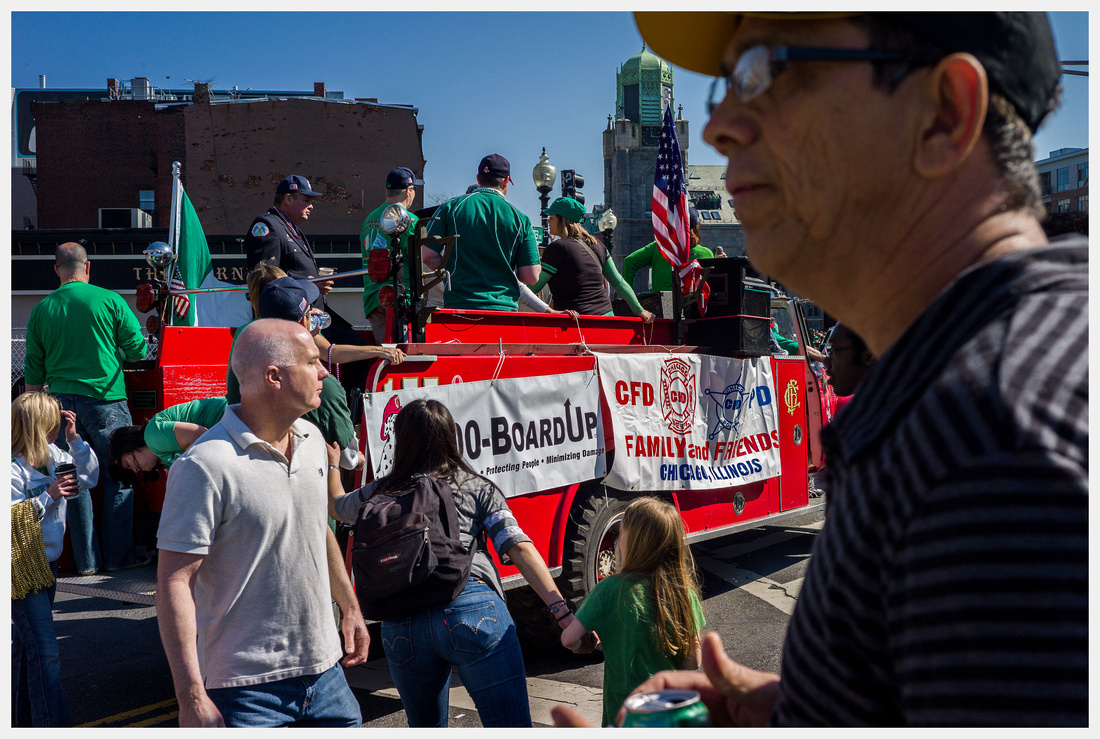
Ryan, I don't know much about St Patrick's elsewhere, but I think Boston is the place to be for this parade. M9 CV35/2.5
Thanks Joe. Yeah, full out teething. 2 on the bottom and now 4 on top - all 4 up top at the same time, lots of sleepless nights. Its funny, every time I take the 75 Lux off to put something else on I go right back to the lens. It is a really beautiful lens.
I like what you have been posting with the CV 35. Ironically I have seen 3 or 4 for sale in the past few days and your shots being posted are making me wonder if I should just go on and buy one. I can't see a single fault in the shots above, they all look great. I really like your 'Liberty Tax' shot
.....and I don't care how many people are here....I agree, would rather be in Boston . I think I'm due another trip up there
Gary, thanks, love those, especially the first two.
Charles, thanks, and the first one for me.
Thanks Ryan, looks like it was fun even with kid duty. Seriously - 1 million? I would love to visit Savannah at some point... have 'driven past' a couple times but unfortunately the schedule didn't permit a stop. I was pleasantly surprised to discover those houses. Having lived here for more than a couple decades, it shows you can still find something new if you look.
Joe, I always enjoy the layers and action in your images, and the Liberty Tax one also jumped out to me. 50 Lux was the only one focusing well, at least at nearer distances, until the last recalibration. Now things are more in line, though probably could still be better, especially for consistency with the 90. But I generally don't worry much about accuracy with 50mm and wider for mid and nearer distances.
Attended the Leica Academy over the weekend for the introduction to the M9 - great class, and really not entry level!
Any thoughts on this guy? Not my usual style...
I tried shooting the M9 with the DNG + JPG mode vintage B&W and really enjoyed the outputs. Is there are a preset for LR that replicates this vintage B&W?
AshNZ wrote:
Attended the Leica Academy over the weekend for the introduction to the M9 - great class, and really not entry level!
Any thoughts on this guy? Not my usual style...
I tried shooting the M9 with the DNG + JPG mode vintage B&W and really enjoyed the outputs. Is there are a preset for LR that replicates this vintage B&W?
Ash
Not so sure I'd call that vintage, rather, selective color. You should play around with the individual color saturation sliders in LR. In this case, pulling back on cyan, green and most of the blue will probably get you in the ballpark. Not sure if you follow Yanidel's blog, but it appears to be along the lines of what he does with his images - a lot of selective color manipulation to give a certain overall color feel to the images.
Gary, yes, I like those also, especially the second one. The background blur seems to compliment the creases in the 'fabric' of the figures.
Ron, another really nice set! Really like the greens. Did you pp outside of LR3/4?
Ash, interesting shot. LR4 has some nice B&W preset.
Gary, nice rendering on the CV90.
Ryan, its been a warm winter, we're having 70s in March, crazy but I'll take it anytime. Re CV 35/2.5 - its a very nice lens if you are not looking for smooth bokeh or strictly technical shots, its more for portability and light weight and when you don't want to worry about banging up your 75Lux or other Leica lenses. Bokeh is a bit nervous and there is visible distortion which can be easily corrected in post, else I'm really enjoying this lens. Its quite sharp even at f/2.5 in the center but the corners will need f/8 to catch up.
----
I made a quick trial of the selective WB brush in LR4 to remove the blue color cast in the M9 shadows. Probably need to blend the shadow details a little more on this shot but nevertheless, pretty interesting result and probably useable if not used in excess. I guess all you PS users have this tool already?
Thanks Joe, all my processing is done in LR unless it requires something fancy. What you produced with the selective WB brush would be something I would have to do in PS as a LR3 user: export two different versions of a file, one with WB for the sunny area and another for shadow WB. Then blend them in PS.
But instead of doing that, I have toyed with just using the adjustment brush with no settings, painting over an area, then clicking on the color selector box and sliding the picker around the various colors to see which will modify the color balance suitably in a given area. It's not the same, but can be good enough for quick fixes. It's essentially the same as my moire fix trick for LR pre version 4, but without the desaturation.


 Personally, I only print if someone requests a print of an image. That is my solution. Back in the analog days when I spent a lot of time in the darkroom, the dilemma was always which prints to display and the majority sat in storage. While I haven't gotten around to it yet, in part because I no longer watch much TV, I was thinking of setting up a large screen TV and just playing photos on it. I guess with the new display technology now appearing, it shouldn't be too long before we have 200-300 dpi/ppi large screen displays better suited for high resolution images. Not that I don't like prints...