I see that Ray! I have no idea how this artifact presented itself! I am sure you have but did you try to "remove" that effect with a brush tool and de-noise? I see it in his face also. Maybe the fact that he is well lit factors into the equation. I really dont know.
I agree about looking at images on a larger monitor. I use my wife's 16"Mac laptop to view but do all my posting from a 27 or 30" calibrated monitor. They really show problems I cannot see.
Good Luck!
Dan
Ray Swindle wrote:
I shot a game last night. I took this photo and processed it with my 13" MBP using Topaz DeNoise, then Lr and sent it off to the editor. This morning I put it on the 27" Studio monitor. I saw DeNoise did a pretty good job removing the noise and adding sharpness to the subjects, but the background was filled with noise. I pulled up noise reduction in Lr (could not use Denoise because it wasn't a RAW file from Topaz) to manually remove the noise. Looked OK. Then I enlarged the photo to check it out. The first photo is only cropped from landscape to portrait, the second is about 100%. What is going on with the orange peel on the neck/face of the player on the right and the left side of the football?
I like how the larger monitor shows the problems I can't see in my 13" laptop.
I find that, as good as it is, sharpening and noise reduction both add artifacts to an image. My guess is the double NR application caused the effect that you are seeing.
Yes, one has to be careful analyzing an image on the 16" screen without pumping it up a couple hundred percent, it's easy to miss stuff.
I find that, as good as it is, sharpening and noise reduction both add artifacts to an image. My guess is the double NR application caused the effect that you are seeing.
Yes, one has to be careful analyzing an image on the 16" screen without pumping it up a couple hundred percent, it's easy to miss stuff.
Hi Jim!
Oh sharpening DOES add crap to an image and nr does take something away from the sharpness, IMHO, of said image.
That is why I try to "get it right the 1st time" in camera with some "fine tuning" in Bridge.
Ray...I have no idea what is causing that. Jim's analysis of "artifacts" in our post processing is sound.
Zane inspired me with his railroad pictures. He was brave getting the low angle. I prefer to soar above. I’m in the process of ditching the costly Adobe Premiere subscription and away from my familiar PC as I gently transition into Davinci Resolve on my Mac Studio. Who says old dogs can’t learn new tricks.
?si=asGYa8dFfdHuM6M9
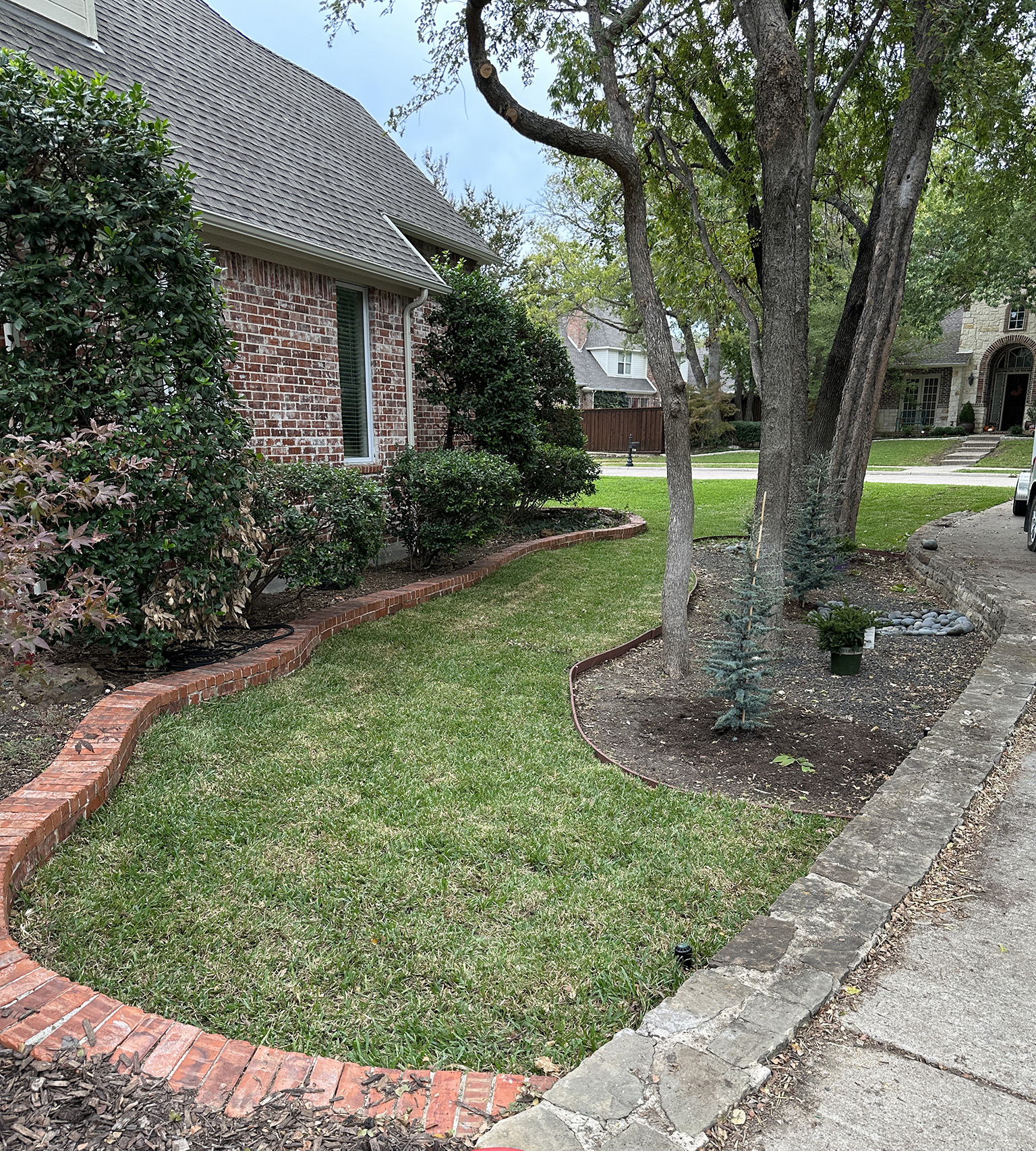
I'm ready to get back to photography and out of the landscaping business, every muscle in my body hurts. JIII has been at my side for the whole project. I mowed our sod for the fourth time late this afternoon.. it's looking good. Hope this winter doesn't freeze it!
I'm ready to get back to photography and out of the landscaping business, every muscle in my body hurts. JIII has been at my side for the whole project. I mowed our sod for the fourth time late this afternoon.. it's looking good. Hope this winter doesn't freeze it!
Planted four Burford Hollies, a Bloodgood Japanese Maple and two Dwarf Blue Spruce bushes, along with a number of smaller accent plants. Time for a few tons of Mexican Beach Pebbles.
Guys, my apologies for dumping a cry for help and then bailing out for several days. I got sick shortly after I posted the photos and haven't felt human until today. Everything is good, I guess I ingested something my digestive track refused to process.
Dan, Bill and Jim, thanks for the input. You guys are correct. I decided to retrace my steps from the RAW photo through the process. The artifacts showed up in Topaz DeNoise, but I had to enlarge it to 400%, which I rarely do on my laptop. The "Clear" denoise mode created the orange peel. I changed it to "Severe Noise" and got this:
Of course there are always issues using denoise software and sharpening tools. I really need the denoise on the sports photos, I try not to do any sharpening, especially in Lr. As usual, assign this defect to user error. Live and learn.
MBrewington wrote:
Zane inspired me with his railroad pictures. He was brave getting the low angle. I prefer to soar above. I’m in the process of ditching the costly Adobe Premiere subscription and away from my familiar PC as I gently transition into Davinci Resolve on my Mac Studio. Who says old dogs can’t learn new tricks.
?si=asGYa8dFfdHuM6M9
I'm always up for being an inspiration!
I have yet to join the aerial video squad.... yet.
There was a woman flying a quadcopter around while we were out chasing.
Zane, I got forced into the video thing early on in the drone game when a client commented that my drone shot videos too. It has been a learning experience as I tried the freebies, then video in Photoshop (Never try that!), then Adobe Premiere which was good but expensive. Now I've committed to a workflow based on Mac so I am using the Davinci Resolve free version which is way above Premiere on its best day. Get out and explore the video capabilities of a flying machine. You will be amazed and Hooked like Jim and I are.