Trade safely
Please use protected, insured payment methods for all transactions

Post your Buy & Sell listing straight from your camera with FM Studio
p.1 #1Post your Buy & Sell listing straight from your camera with FM Studio
Selling a camera or a lens is quick. Writing the listing is the slow part: finding the photos, resizing them, typing the same details into the form.
FM Studio 1.5.0 does that part for you. Take a few photos of your gear, with your camera, an iPhone or iPad, or use files already on your Mac. Add a name, price, condition and description for each item, then click Send. The New Listing form on FredMiranda.com opens already filled in, with your photos attached. You look it over, press Send, and you're done.
FORUM LISTING
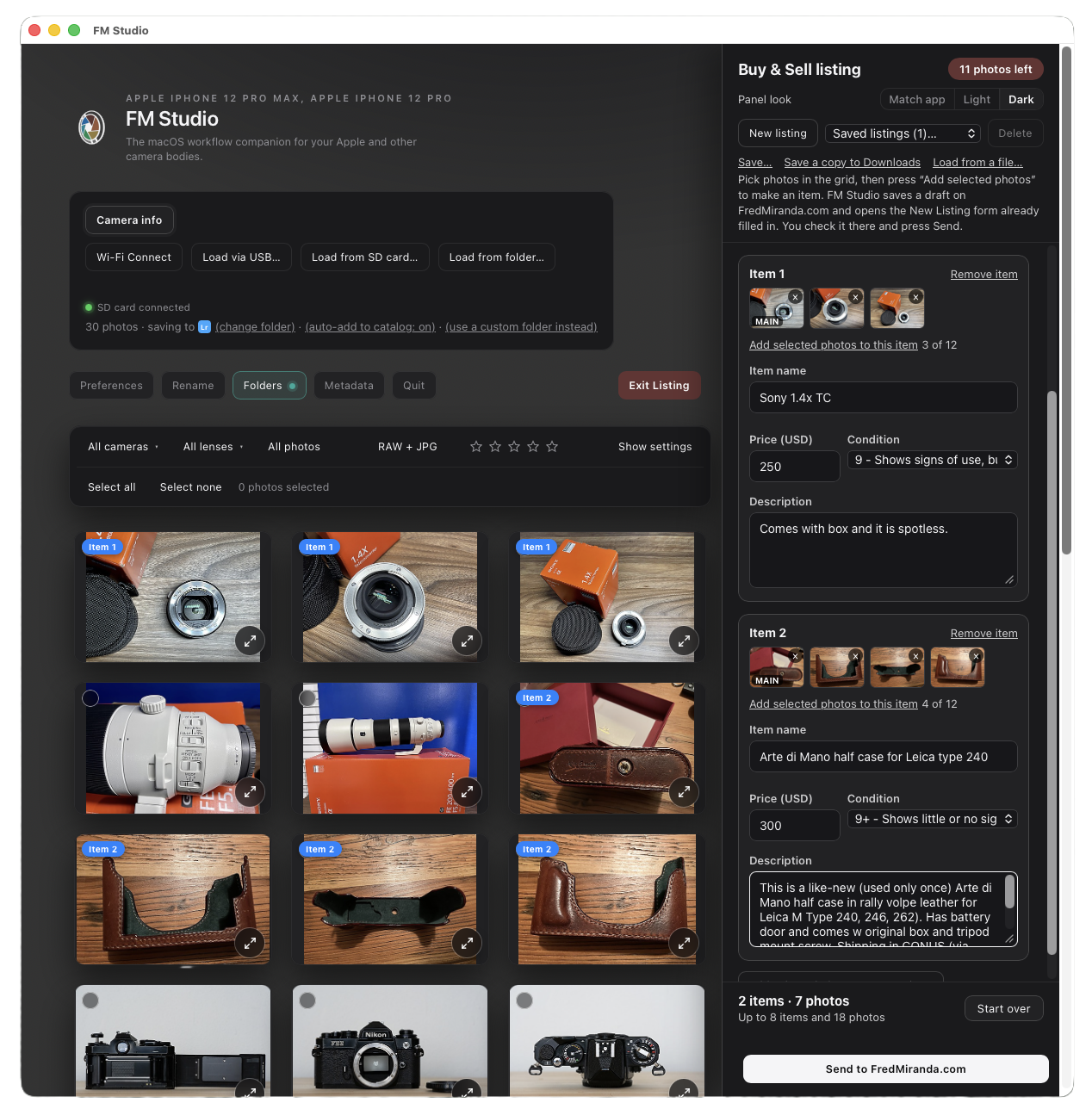
The Forum Listing panel beside the grid, with two items added. Each item has its own photos, name, price, condition and description.
How it works:
1. Open FM Studio and click Forum Listing, next to Edit EXIF.
2. Select the photos for an item and add them as an item. The photos can still be on the camera or card.
3. Type the name, price, condition and description. Add more items the same way.
4. Click "Send to FredMiranda.com". The form opens in your browser, ready to post.
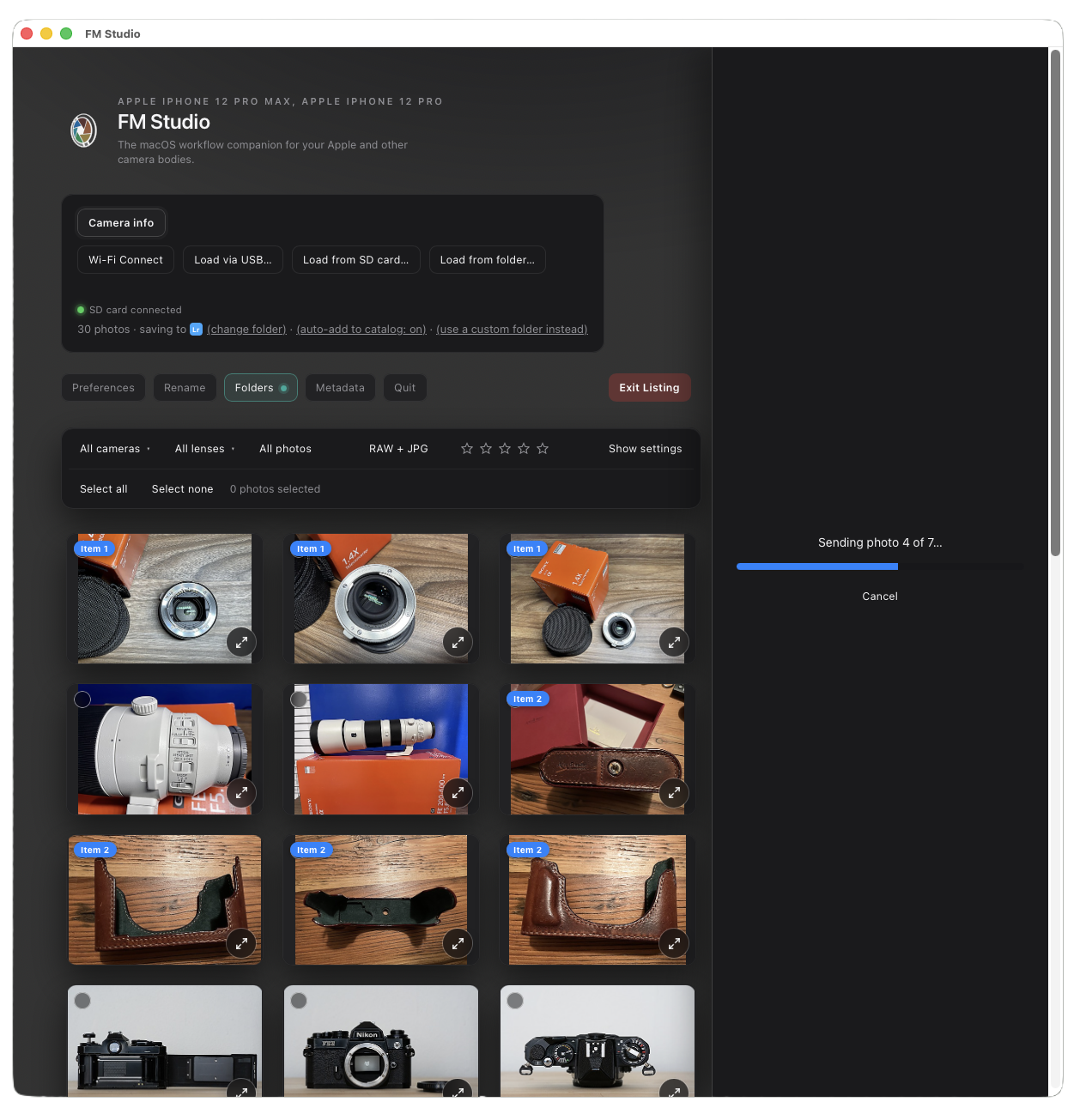
Sending: a progress bar shows each photo going up, then the form opens in your browser.
Your thread looks better too. Each item appears in its own card, with its price, condition and description, and its own photos right underneath. Nothing is dumped at the bottom of the post.
Good to know:
- Nothing is posted until you press Send on the forum, and every Buy & Sell rule applies exactly as it does today. You can change anything first.
- Photos are sent at 1600 pixels without EXIF or GPS location. Your original files are never changed.
- You can save a listing and finish it later, or reuse it for the next one.
- Forum Listing is for Upload & Sell members. FM Studio is a Mac app today, and the Windows version is in development.
- FM Studio Lifetime is $99.95 through Dec 31, then $119.95. It's one payment, and it covers FM Studio 1.x on Mac and Windows. You can also try it for 1 month at $9.95, and that payment counts toward Lifetime.
More about FM Studio 1.5.0 and everything else it does (importing from cameras, renaming, folders, metadata, Lightroom):
https://www.fredmiranda.com/forum/fm-studio.php?src=board
Questions are welcome here. If you try it, tell me how it worked for your first listing.
FM Studio 1.5.0 does that part for you. Take a few photos of your gear, with your camera, an iPhone or iPad, or use files already on your Mac. Add a name, price, condition and description for each item, then click Send. The New Listing form on FredMiranda.com opens already filled in, with your photos attached. You look it over, press Send, and you're done.
FORUM LISTING
The Forum Listing panel beside the grid, with two items added. Each item has its own photos, name, price, condition and description.
How it works:
1. Open FM Studio and click Forum Listing, next to Edit EXIF.
2. Select the photos for an item and add them as an item. The photos can still be on the camera or card.
3. Type the name, price, condition and description. Add more items the same way.
4. Click "Send to FredMiranda.com". The form opens in your browser, ready to post.
Sending: a progress bar shows each photo going up, then the form opens in your browser.
Your thread looks better too. Each item appears in its own card, with its price, condition and description, and its own photos right underneath. Nothing is dumped at the bottom of the post.
Good to know:
- Nothing is posted until you press Send on the forum, and every Buy & Sell rule applies exactly as it does today. You can change anything first.
- Photos are sent at 1600 pixels without EXIF or GPS location. Your original files are never changed.
- You can save a listing and finish it later, or reuse it for the next one.
- Forum Listing is for Upload & Sell members. FM Studio is a Mac app today, and the Windows version is in development.
- FM Studio Lifetime is $99.95 through Dec 31, then $119.95. It's one payment, and it covers FM Studio 1.x on Mac and Windows. You can also try it for 1 month at $9.95, and that payment counts toward Lifetime.
More about FM Studio 1.5.0 and everything else it does (importing from cameras, renaming, folders, metadata, Lightroom):
https://www.fredmiranda.com/forum/fm-studio.php?src=board
Questions are welcome here. If you try it, tell me how it worked for your first listing.
Nov 18, 2026 at 07:13 PM