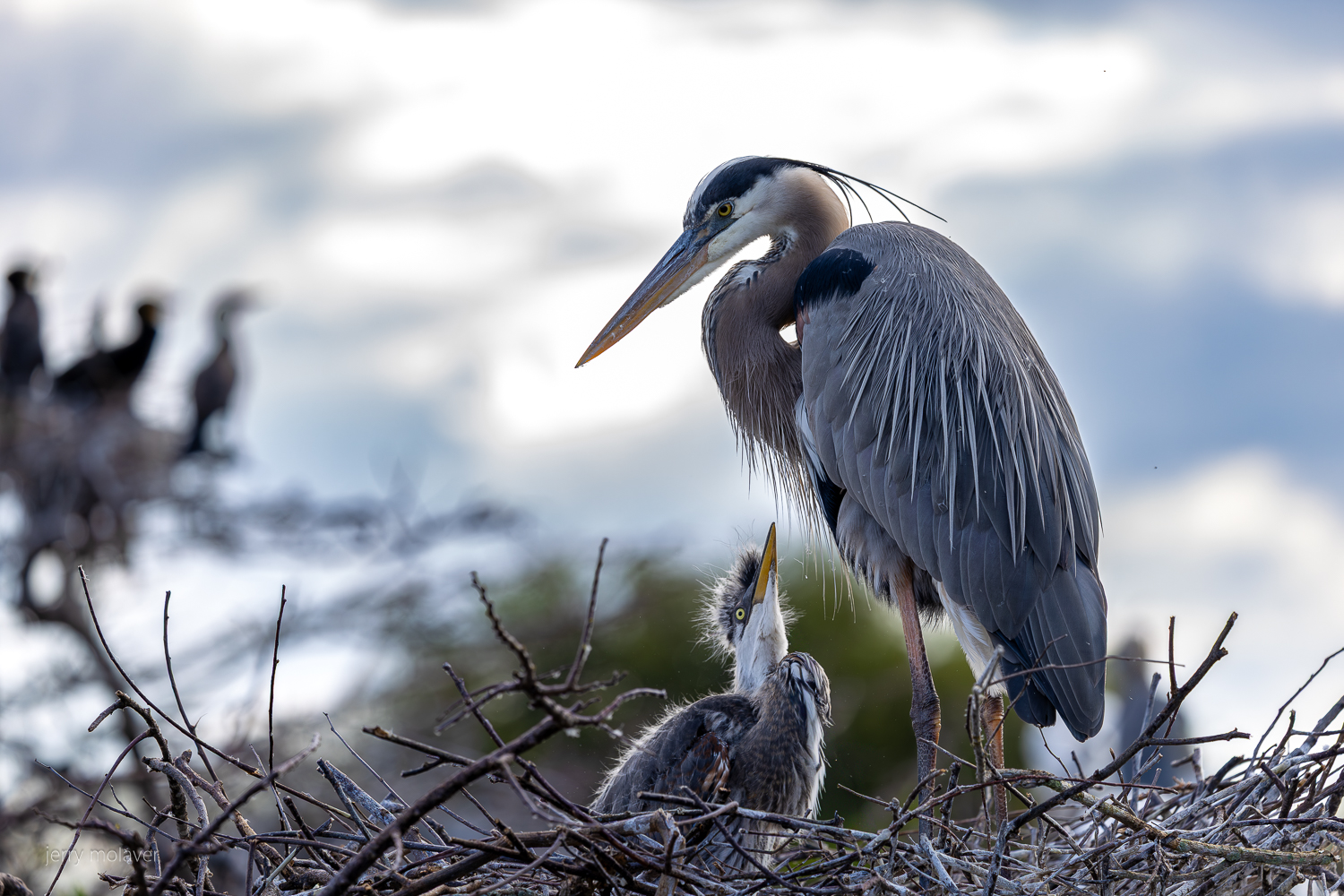
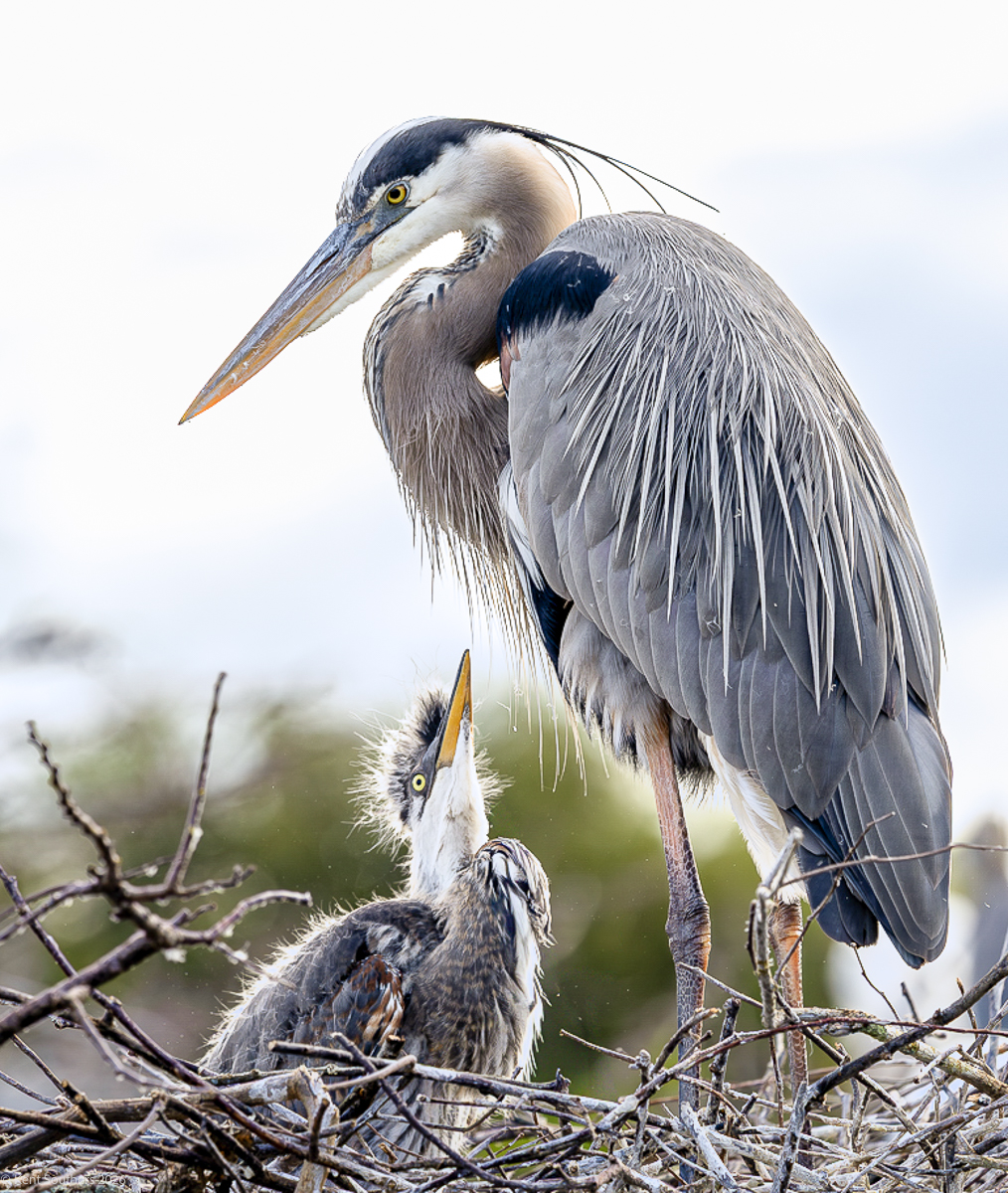
I have been shooting birds at the local wetlands. The only position I can shoot some of the nesting ones puts them in the foreground with a totally blown out background. I've spent some time in LRC trying a bunch of things and just can't seem to get an acceptable image. I have tried the various sky replacements with meh success. . .
Any suggestions would be appreciated. This is my most recent iteration.
with chick
Canon EOS R5m2RF100-500mm F4.5-7.1 L IS USM lens270mmf/5.61/800s500 ISO0.0 EV
If you are shooting raw, you could try underexposing enough that there is detail in the sky, then mask in Lightroom to bring the subject up to the correct exposure
Thanks for the comments @pr4photos @RoamingScott grandmas@
I should have posted more info. I shoot raw. I got to the wetlands around 8am iirc so this series was shot fairly early in the am. There really isn't any other position to get this shot. The boardwalk dictates the angle / position. I did shoot varying the exposure but I felt that when exposing to bring out sky detail I really had mediocre results with the dark area of the birds. I wouldn't use a flash there but fill light would be an answer.
Next time I go, probably tomorrow, I shoot with camera bracketing with smaller increments and see if that helps.
Meter for the subject, meter for the sky. Manually (or EC) split the diff.
Generally speaking there will be a roughly 3-4 stop difference between the two (frontlit vs. backlit). Setting up for a 1.5 or 2.0 split / diff exposure means your recovery on each isn't a very heavy lift (i.e. both are less than 3 stops ... i.e. both ends against the middle kind of thing for a combination push / pull (this vs. a heavy push or heavy pull).
From that you may find that you favor a slightly weighted "split", but the split should get you in the ballpark.
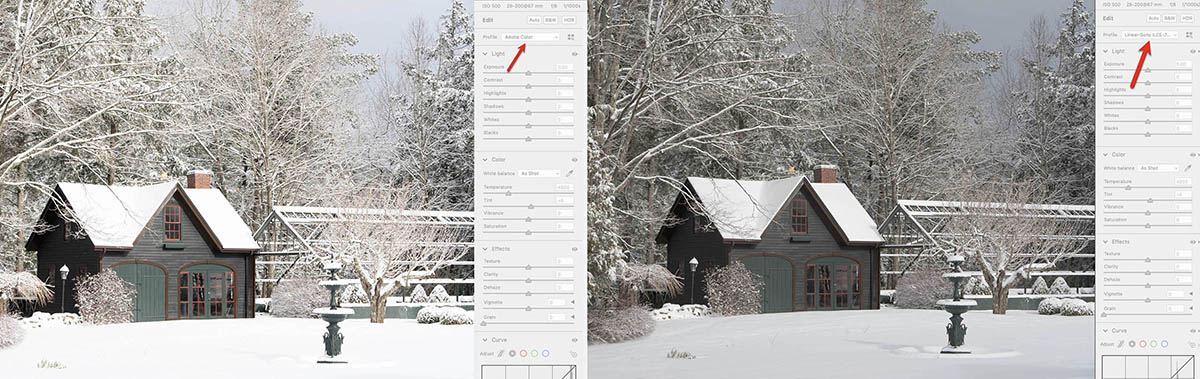
Depending on how you convert from raw, your sensor is probably recording a wider tonal scale than you realize. Using a linear profile for your camera, you can retrieve a considerable amount of detail and color from the highlights. Below is an image, exposed for the snow. On the left, converted from raw using the (default) Adobe Color profile. On the right, using a linear profile. Same photo, two different conversions from raw. The Sony sensor actually captured the entire tonal scale.
Sometimes there just isn't a shot.
As above, try a different time of day- different weather.
Or sometimes we just have to put the camera down and enjoy it for ourselves.
good luck
gary
ctgoldwing wrote:
I have been shooting birds at the local wetlands. The only position I can shoot some of the nesting ones puts them in the foreground with a totally blown out background. I've spent some time in LRC trying a bunch of things and just can't seem to get an acceptable image. I have tried the various sky replacements with meh success. . .
Any suggestions would be appreciated. This is my most recent iteration.
Unfortunately you get a lot of feedback telling you to go at a different time, try a different angle, and other suggestions that may be of no help when conditions prevent you from doing any of those. It is also your image and you don't need any preacher telling you what you can do with your background in post-processing. It is YOUR image.
One solution I have yet to try that should work when your subject is not moving is to take 3 or 5 shots at different exposures. Your camera should have the option for exposure-bracketing in-camera. Those images can then be stacked in Photoshop to give you a HDR image, which you may or may not like.
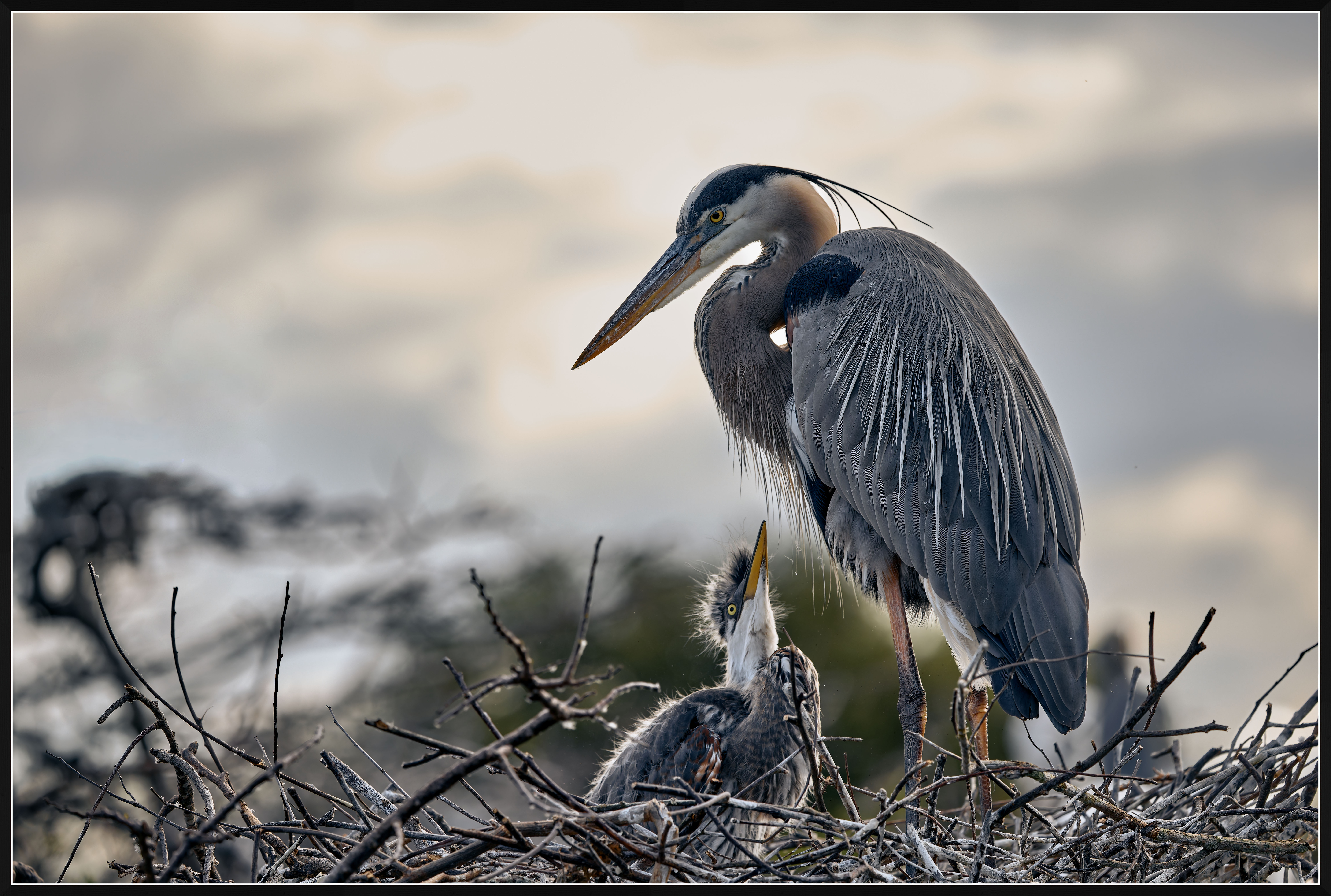
In your image below I roughly selected the two herons, then inverted the selection. I then used Fill 50% gray in Mode: Multiply. Then I adjusted the whites and highlights.
Just a rough example that may help you, as I am no expert at this.
Imagemaster wrote:
Unfortunately you get a lot of feedback telling you to go at a different time, try a different angle, and other suggestions that may be of no help when conditions prevent you from doing any of those. It is also your image and you don't need any preacher telling you what you can do with your background in post-processing. It is YOUR image.
One solution I have yet to try that should work when your subject is not moving is to take 3 or 5 shots at different exposures. Your camera should have the option for exposure-bracketing in-camera. Those images can then be stacked in Photoshop to give you a HDR image, which you may or may not like.
In your image below I roughly selected the two herons, then inverted the selection. I then used Fill 50% gray in Mode: Multiply. Then I adjusted the whites and highlights.
Just a rough example that may help you, as I am no expert at this. ...Show more →
Thanks @Imagemaster I appreciate your input. . .
I have not moved the image to PS yet. I am reluctant to do that down here in Florida as I am working on a less than cutting edge laptop and I get frustrated easily by the time it takes to do even LRC effects. I am spoiled by my desktop at home. I will definitely edit this image when I get home. I shot about 50 frames - unfortunately all hand held - bracketing the exposures manually. It makes good sense to bring my tripod back there and have the camera auto bracket 5 or 7 frames. Last year I played around with focus bracketing and liked the results. Exposure bracketing I have done many years ago and look forward to trying it again. I appreciate your editing of the image.
I asked for help and do appreciate all the responses, some here and PM's have been very detailed and thoughtful. That 'image philosophy' and editing choices differ from mine is better than ok. It gives me perspective, that on my own, I would not even think about. It can only make me consider editing in new ways and improve my modest creative abilities.
First rule of digital photography exposure: If you blow something out by over-exposing, you cannot really get it back in post.
So it is generally better to risk underexposure, protect highlights, and deal with the dark areas in post.
Shen photographing birds against bright backgrounds, various problems crop up. In your case, exposing for the birds in soft, shadow light will blow out the sky. (Another common problem is when shooting overhead birds against sky: the camera will underexpose the bird to try to make the large sky area closer to an average value. In this case you often need to "over-expose" the image — if using automatic exposure ou may need to use the EC control to increase exposure 2/3 to a full stop.)
In the case of your photograph you have a couple of choices:
1. You can accept a bit of blown sky, especially when it is very unfocused as in this example. I think that would be an acceptable option in this case since the sky is not particularly central to the image.
2. You can reduce the exposure to whatever degree is necessary to avoid blowing out the sky — that might be at least a stop and perhaps more in this example. Images from contemporary digital cameras can tolerate a lot of pushing of shadows and retain good detail, especially if your ISO isn't too high and if you use tools like the AI Denoise feature in Adobe software.
You can also use some of the powerful masking features in the Adobe apps to apply different levels and types of post-processing to elements of your photograph, at least if you are shooting in raw mode. There are several I'd try with this image — subject, object, or gradient, or even brush... or a combination of those. I'd likely increase the brightness of the birds and other dark areas (consider using a curve adjustment of this) and perhaps warming the color balance a bit.
Another option to play with with this photo: You _could_ consider a tighter crop on the large heron and chick that eliminated the OOF group at the far left along with a bit of the sky. In a way I like those other OOF birds, but they aren't really the main story of this photograph. (That would both tighten the subject focus and possibly allow you to get away with some more global edits to color balance and so forth.)
Regarding camera position, etcetera stuff: ome folks — do they actually photograph wildlife, I wonder? — seem to think that you can just set up a shot as you might in the studio and count on a perfect, well-developed composition with ideal lighting. Birds ain't like that... ;-) As you seem to understand.
While we apply experience and location- and critter-knowledge to improve the odds (have the wind at your back when photographing landing birds, get a bit of side light in morning and evening, etc.) birds don't always cooperate all that well, and part of the game is learning how to take the best of what nature gives you and make it work. :-)
Jerry kindly shared the raw file with me (we exchanged a few PMs) and with his permission I can share some observations.
When there is clipping in a raw file, this is not always too damaging. For example, only one channel can be clipped, with only a small percentage of the pixels affected by clipping. The raw file for the jpeg shared in this thread happened to be significantly affected by clipping, in all four channels: Red (8.1%)-Green (33.8%)-Blue (18.9%)-Green2(33.8%), according to RawDigger. Thus a relatively large number of pixels in the file contained no image information.
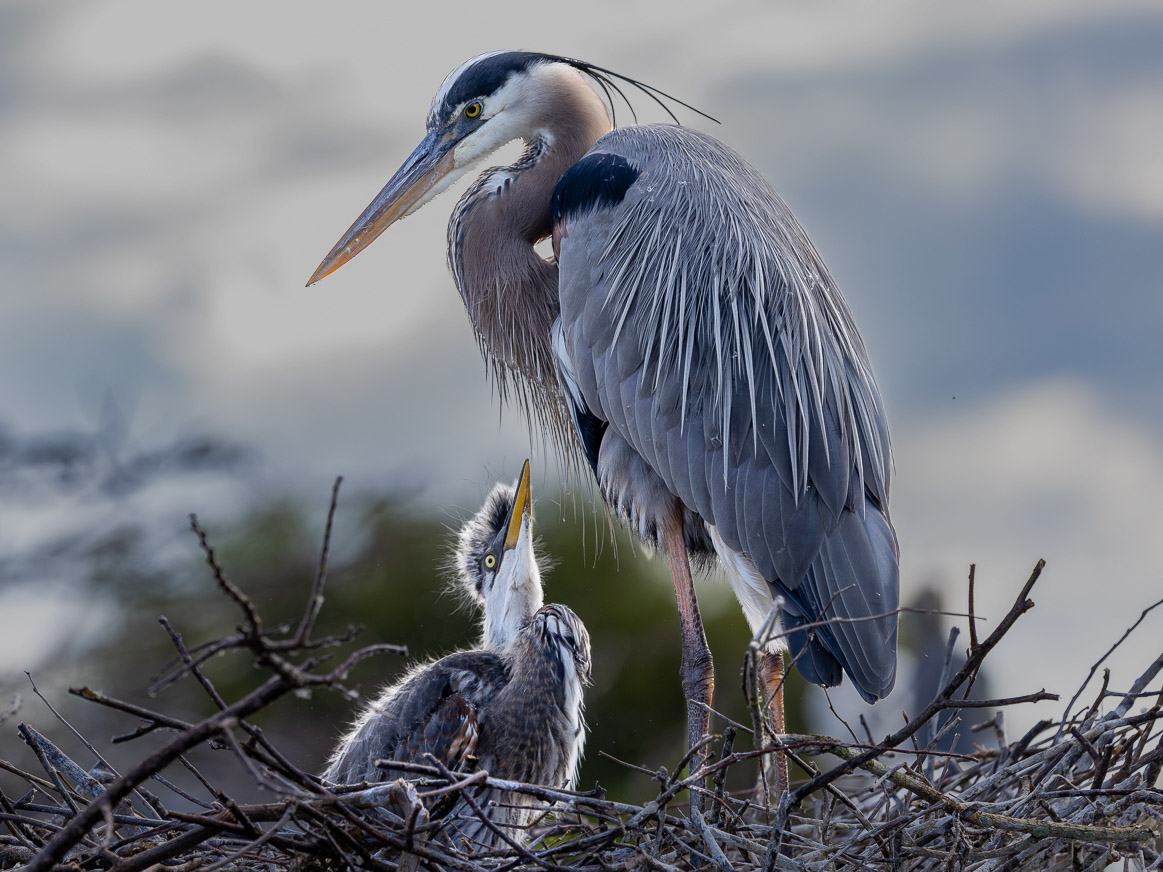
In post-processing, these white patches can only be reduced in brightness. Also some toning/coloring can be added to simulate a sky (without resorting to sky replacement, that I am not interested in). I attached a jpeg that I could produce from the raw file from Jerry, by processing in Capture One (with some help from DxO Photolab). I don't claim this to be perfect, but it illustrates what can be done in an extreme case like this.
Naturally, it is appropriate to ask what could help preventing the clipping? Instinctively, most photographers (I guess) should think of using exposure compensation. This was my immediate thinking. What exposure compensation does in my four cameras (although none of these is Canon) it changes the shutter speed in Aperture-priority or the aperture in Shutter-priority modes. For example, using a -1 exposure compensation would double the shutter speed in Aperture-priority. This should reduce the exposure by reducing the amount of light collected by the sensor. Lifting the exposure in dark areas of the image in post will result in visibly increased noise. Efficient denoising almost certainly is going to be needed.
After some thinking, I believe it might be interesting to explore a strategy different from exposure compensation, that I suggested to Jerry as follows. I am going to quote from the PM I sent him: Go to full manual, make sure the ISO is under manual control (not Auto). Set the aperture, then set the shutter speed you want. Then manually reduce the ISO until you see that the highlights are not blown out. At this time, the image in the viewfinder or on the back of the camera should look rather dark. At least, the subject should look dark. Don't worry about this, because this is what ISO is doing - it changes how light or dark an image appears. The important thing is that changing the ISO has NO effect on the exposure (as long as the aperture and the shutter speed remain unchanged, as they should be in full manual mode).
The highlights clipping that happened in the image discussed in this thread - this happened not on the sensor (the sensor wasn't saturated at ISO 500) - this happened in the analog-to-digital converter (ADC). The reason this happened was not because the sensor was overexposed, but because the gain (which is the ISO) applied on the signal from the sensor was too large; thus, it clipped in the ADC.
The advantage of the approach where the ISO is changed in full manual, instead of exposure compensation in A- or S-modes, is that the exposure (the amount of light per sensor surface area) is retained when adjusting the ISO gain instead of the exposure compensation. This means that there will be less noise when the shadows are lifted in post.
Canon EOS R5m2RF100-500mm F4.5-7.1 L IS USM lens270mmf/5.61/800s500 ISO0.0 EV
Piggybacking off the PP aspect of things (another +1 for working from the raw vs. jpg) ... rather than trying to "fight" the bright BG, maybe a combination of just "going with it" and reducing the contrast (i.e. eye catching) of the blown areas into something more gradual.
That, coupled with some increase in exposure to your subject can reduce the amount of detracting "pull" that the blown areas are creating. In some regard, there are times when you have to decide if your setting is as important as your subject. I get that the sky will be a reveal to time of day, environment, etc. But, was the sky really the reason you took the pic? Sometimes we have to decide between the rock vs. the hard place.
Land it where you like, but here's a rough concept (would be better, if I was working from raw).
One thing this thread demonstrates is that there’s more than one way to skin a… heron? ;-)
Also, I think some people might be surprised just how much you can bring up shadow detail in post with the right approaches, exposure, and tools. This example has nothing to do with birds, but it is one that I shared recently, so here it is again.
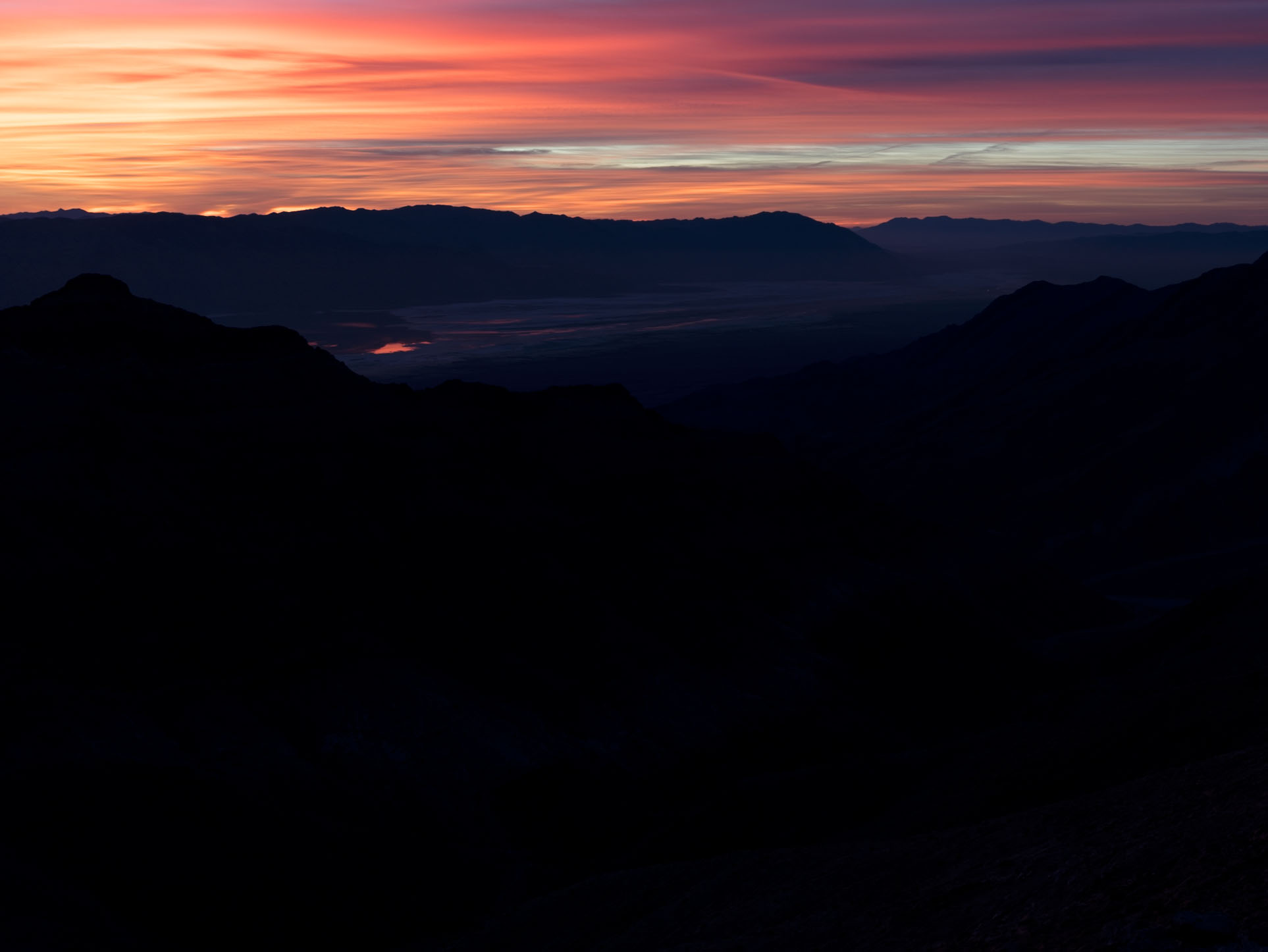
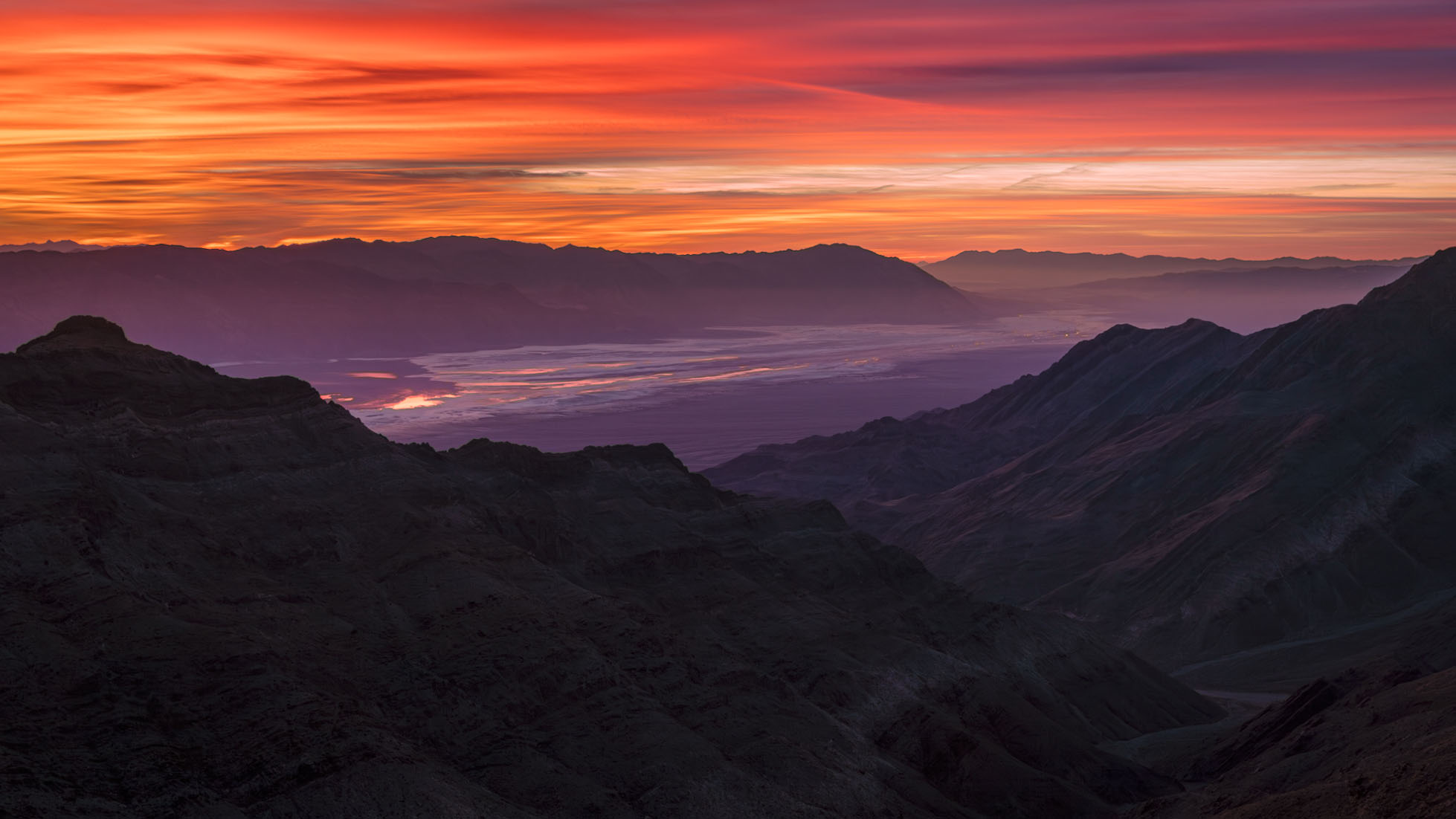
Photographing from a high prominence in the mountains of Death Valley National Park before sunrise, I was faced with a huge dynamic range between intensely red/orange clouds to the east and very dark valleys below. (Being particularly hot in one channel, those bright clouds posed a more serious challenge than hot white tones.) I did bracket exposures in case it turned out that I would need to merge images in post. But I was able to produce an image from a single raw frame by means of some post-processing magic that I contemplated at the time of exposure.
Here’s what I started with:
And here’s the end result:
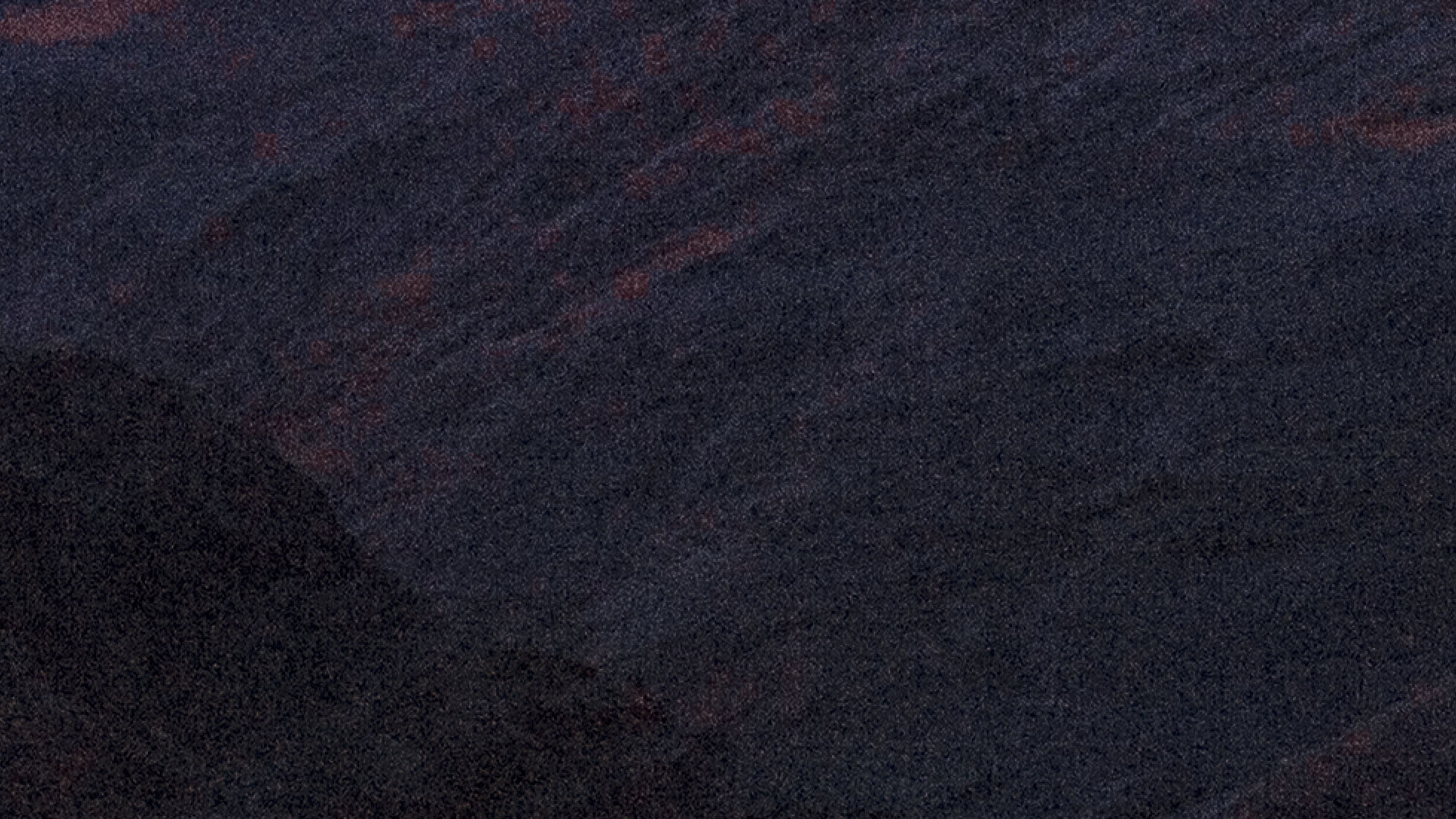
The initial edit left me with significant noise in the lifted deep shadows (highly magnified crop of a dark section near the bottom):
But NR (in this case Adobes AI Denoise at 50% intensity) reduced this to a level where you would not notice it at all in a print.
So don’t be afraid to lift shadows in post, even radically. You can do a _lot_ with underexposed shadows, but there’s very little (and sometimes nothing) you can do with blown highlights.
Hopefully in future you can bracket or at least use the a7rV that does a lot better in the shadows. I'd take a few at +2 or more even with a Sony however.
gchappel wrote:
Sometimes there just isn't a shot.
As above, try a different time of day- different weather.
Or sometimes we just have to put the camera down and enjoy it for ourselves.
good luck
gary
I'd probably pass on that bird also, unless it is rare.
The histogram and other tools will show the highlights overexposed. Some sofware is better than others at recovery, so I'd try several on a particular image.
EB-1 wrote:
Hopefully in future you can bracket or at least use the a7rV that does a lot better in the shadows. I'd take a few at +2 or more even with a Sony however.
EBH
On the assumption that you are referring to my example above...
I did bracket, and thought I might have to use exposure blending. But that is the point — I did not have to do that, given the capabilities of modern cameras and contemporary software.
15 years ago I/we had to bracket in a whole lot of situations, but today it is much less likely that we have to resort to that. (I did recently do a focus blend, but that's a different thing.)
Ah, the infamous splotchy landscape example that proves nothing, in a birding thread no less! A new personal record in irrelevance, which...no small feat!
My favorite camera for preservation of the highlights is the M11 Monochrom. I can shoot an image with no detail, other than the sky and when I bring the subject back, the noise looks much like film grain.
RoamingScott wrote:
Ah, the infamous splotchy landscape example that proves nothing, in a birding thread no less! A new personal record in irrelevance, which...no small feat!
You seem to enjoy demonstrating how little you understand about actual photography.
The best “help” you could offer was essentially, “Dumb photograph. Don’t take it.”
I know this is difficult for you to understand, but the issue in this thread is how to deal with real world subjects with large dynamic ranges without blowing out highlights and, as a result, recovering dark areas of the frame in post. That concept can be illustrated — and applied — via subjects other than birds. I happened to have an example ready to go, so rather than dig into the archives and produce a new one with birds that demonstrates the same exact point to Make Scott Happy I used it.
Would a bird example help you understand this basic photographic concept better Scott?
Nah. You are too busy thinking up new ScottSnark to get that. Because that’s pretty much the extent of your contribution to FM discussions.