Benefits and Improvements
Adapts the display layout of shooting information for both horizontal and vertical viewing
Adds the Spot: XL and Spot: XS options to the Spot section of the Focus Area menu
Adds the Custom 1, Custom 2, and Custom 3 options to the Custom section of the Focus Area menu
Adds the Tracking: Spot XL, Tracking: Spot XS, Tracking: Custom 1, Tracking: Custom 2, and Tracking: Custom 3 options to the Tracking section of the Focus Area menu
Allows simultaneous deletion and rating of images stored on both memory card slot 1 and slot 2
Allows the display of folder and file names during playback
Allows you to cancel the scheduled transfer of selected images during FTP transfer
Adds support for the following Transfer & Tagging settings:
A setting to automatically schedule FTP transfer of protected still images from FTP Import
A setting to automatically schedule FTP transfer of protected still images and videos from FTP Upload Preset
A setting to automatically protect still images transferred via FTP from FTP Upload Preset
The latest version of the Transfer & Tagging app is necessary.
The Transfer & Tagging setting may not be available in some countries or regions.
Supports the following Monitor & Control app functions:
Focus map display
IRIS operation bar display
The latest version of the Monitor & Control app is necessary.
The Monitor & Control app may not be available in some countries or regions.
Supports the Write Digital Signature function for movies as part of Sony’s Camera Authenticity Solution
The timing for the provision of licenses (paid) to customers other than certain media outlets is yet to be determined.
Services may not be available in some countries or regions. For more information, please visit the Authenticity Catalog Page.
Supports Scan and Tag, Photo Cropping, and Volume Photography Commands under the Volume Photography License
Installation of a paid license is required for use.
Services may not be available in some countries or regions.
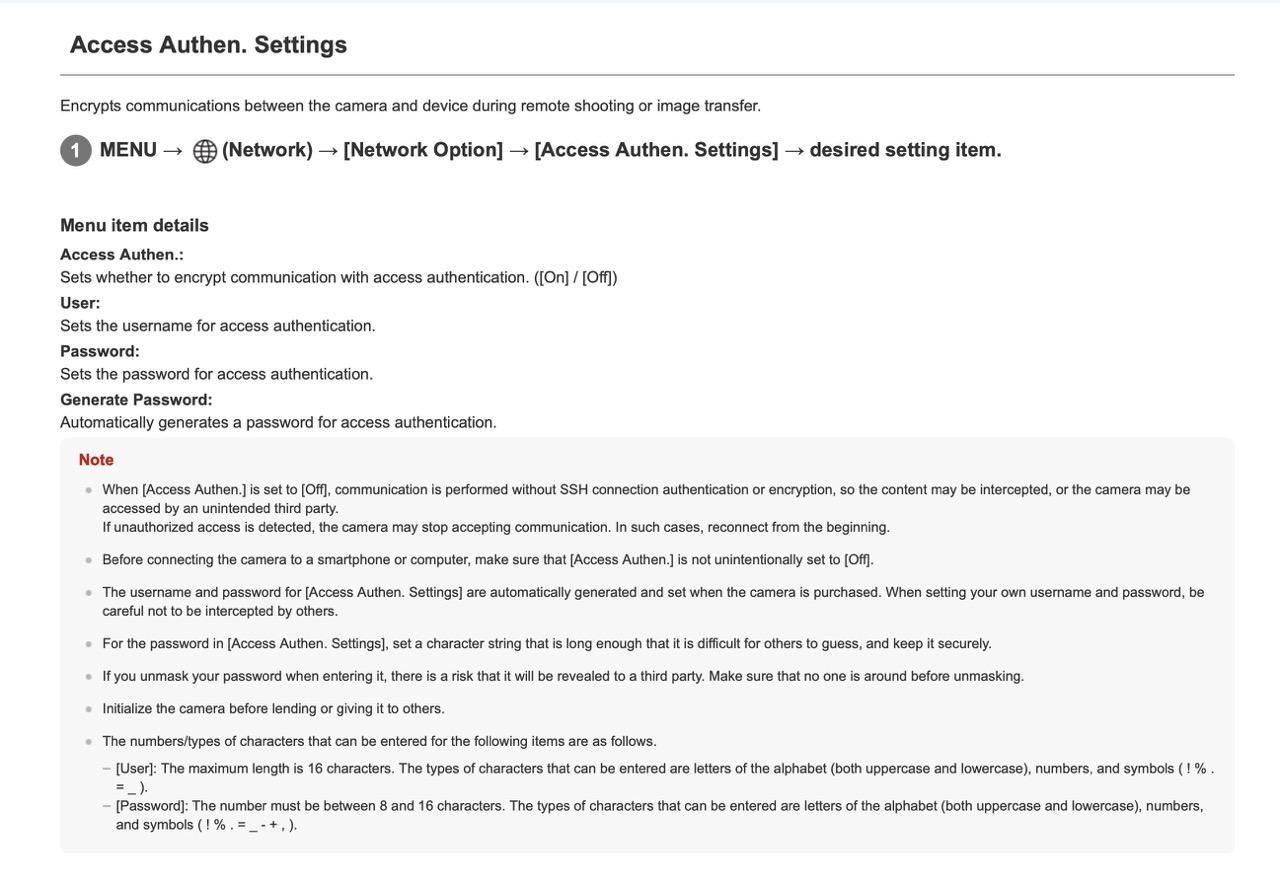
No longer supports the Security (IPsec) functionality. Please enable and use Access Authen. for enhanced protection and security
No longer supports WPA and WEP functionalities. You will no longer be able to select WPA or WEP when connecting to Wi-Fi. Please use the more secure WPA2 or WPA3 security setting moving forward
Fixes an issue where continuous shooting may not resume for 1 to 2 seconds after the end of a continuous shooting session
Fixes an issue where the multi-selector on the vertical grip may not function correctly
Improves the operational stability of the camera
I don’t think I need any of the new features mentioned…but more stability would be nice. There are definitely times where my A1 kind of spaces out until I pull the battery.
"Allows simultaneous deletion and rating of images stored on both memory card slot 1 and slot 2"
hmm... wonder if this allows tagging photos to both cards along with tagging photos to the remaining card when one has been pulled? tagging = protected
My single 3rd party battery still works with no message.
The update seems to reset some of my settings (I expected that though).
Didn't have time to take more than a handful of snapshots...
j4nu wrote:
I updated right away via Creator's App so didn't have time to notice .
I took a photo this time. Just to make sure I wasn't seeing things Ha!
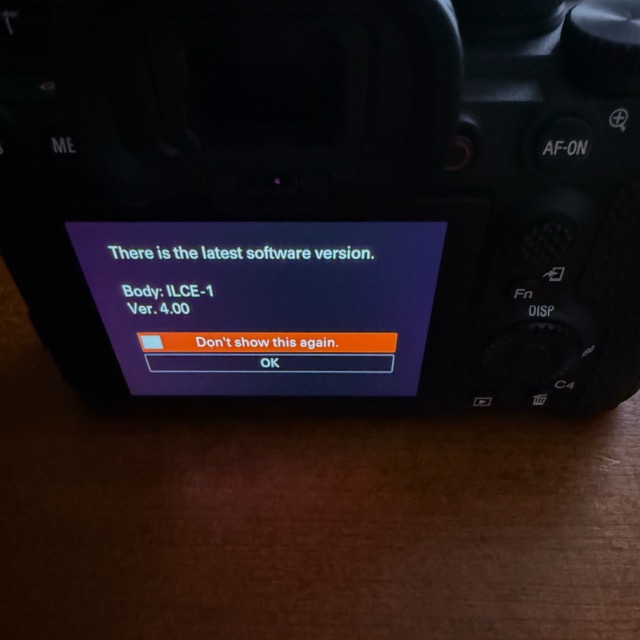
This firmware update notification appears as soon as I turn on my camera. *I auto connect with bluetooth and the Creators' app on my iPhone as soon as I power on the camera which may have something with this msg that displays on my camera screen.
j4nu wrote:
My single 3rd party battery still works with no message.
The update seems to reset some of my settings (I expected that though).
Didn't have time to take more than a handful of snapshots...
"The update seems to reset some of my settings "
Did you use the new Creator's app backup settings to the Cloud feature before doing the 4.0 firmware update?
No "notification" message after turning on the camera but in settings/version the software update button is active (body must not be in custom 1-3 mode for it to be active).
schlotz wrote:
No "notification" message after turning on the camera but in settings/version the software update button is active (body must not be in custom 1-3 mode for it to be active).
I also noticed a little asterisk like symbol on the Setup icon on the camera's menu indicating a firmware update notification as well before I completed the update. I've not noticed this update symbol appearing on the Setup icon previously.
After updating the A1 to 4.0 via the Creators' app from my iPhone and as expected, both the rear screen firmware update msg and the little update symbol on the Setup icon in the camera menu are now gone ✅
Note**
For those that update or updated to v4.0 using the Creators' app, don't forget to delete the update file "BODYDATA.DAT" from the SD or CFexpress card after the update has completed to avoid any issues with future updates.
Not sure what this means "Improves the operational stability of the camera" but it comes with any firmware update
As to other benefits I only see spot XL and Xs are potentially good for use
The rest is just meh ....
Not sure if this warrants an update since I may have to reprogram everything
I suppose newer Sony cameras already have this "Access Authen" feature for some time. Anybody notice any differences or run into any operational issues with this feature on the other cameras?
Some interesting/important notes from the guide to pay attention to if "Access Authen" is turned off:
ronno wrote:
I *think* my camera turns on and is ready to shoot a bit faster.
🤔
Also, FYI, all of my custom buttons, etc., preserved their programming.
I'm positive my turns on and is ready much faster. Maybe mine had a slight issue with turn on and ready for work before, but not anymore. I used to think my Canon DSLRs were the fastest. I don't think so anymore. It seems to be a bit faster than my a9 III and maybe twice as fast as the a7r5 in my completely unscientific testing.
Also all custom buttons/functions retained using the update via cfe card.


 .
.