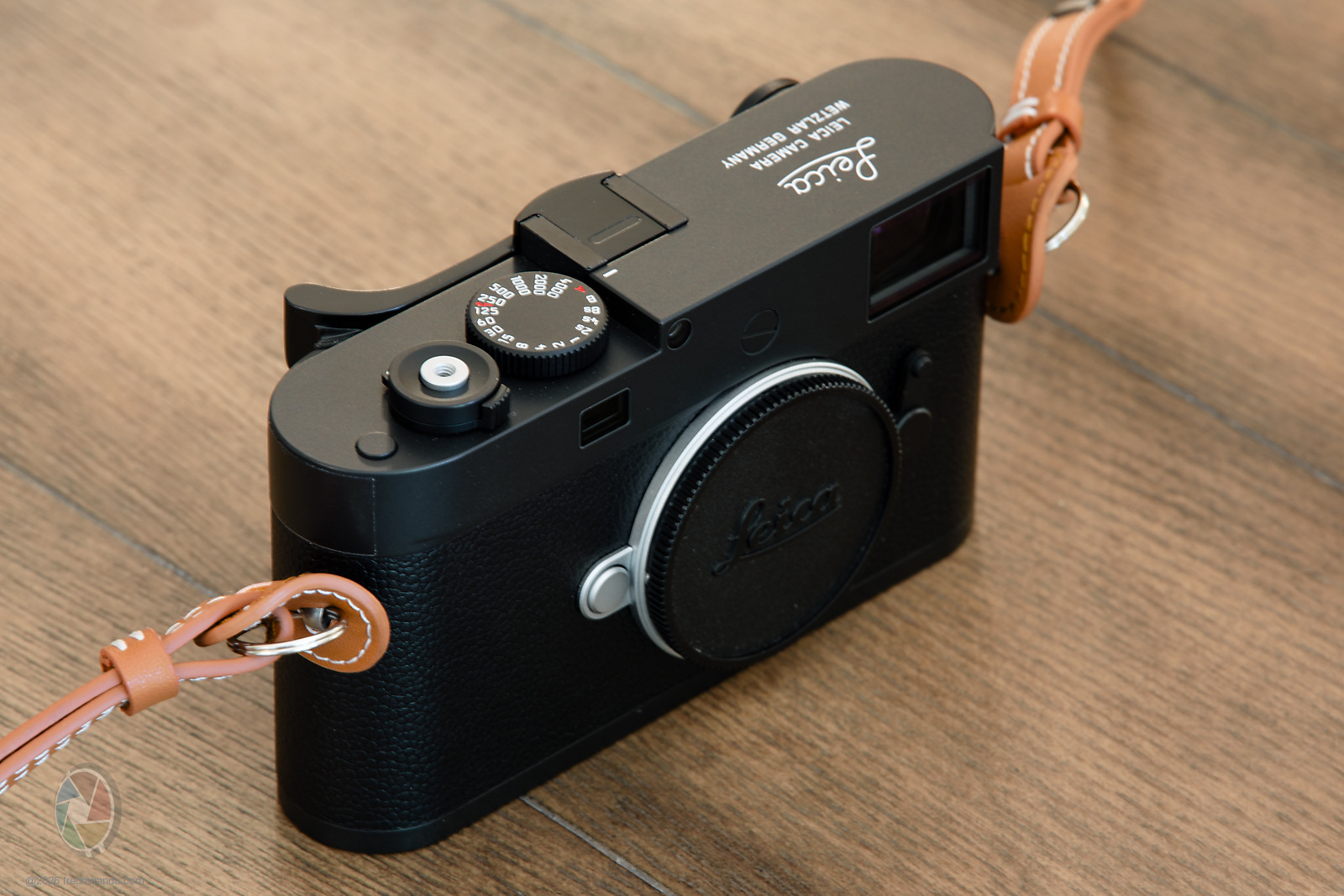
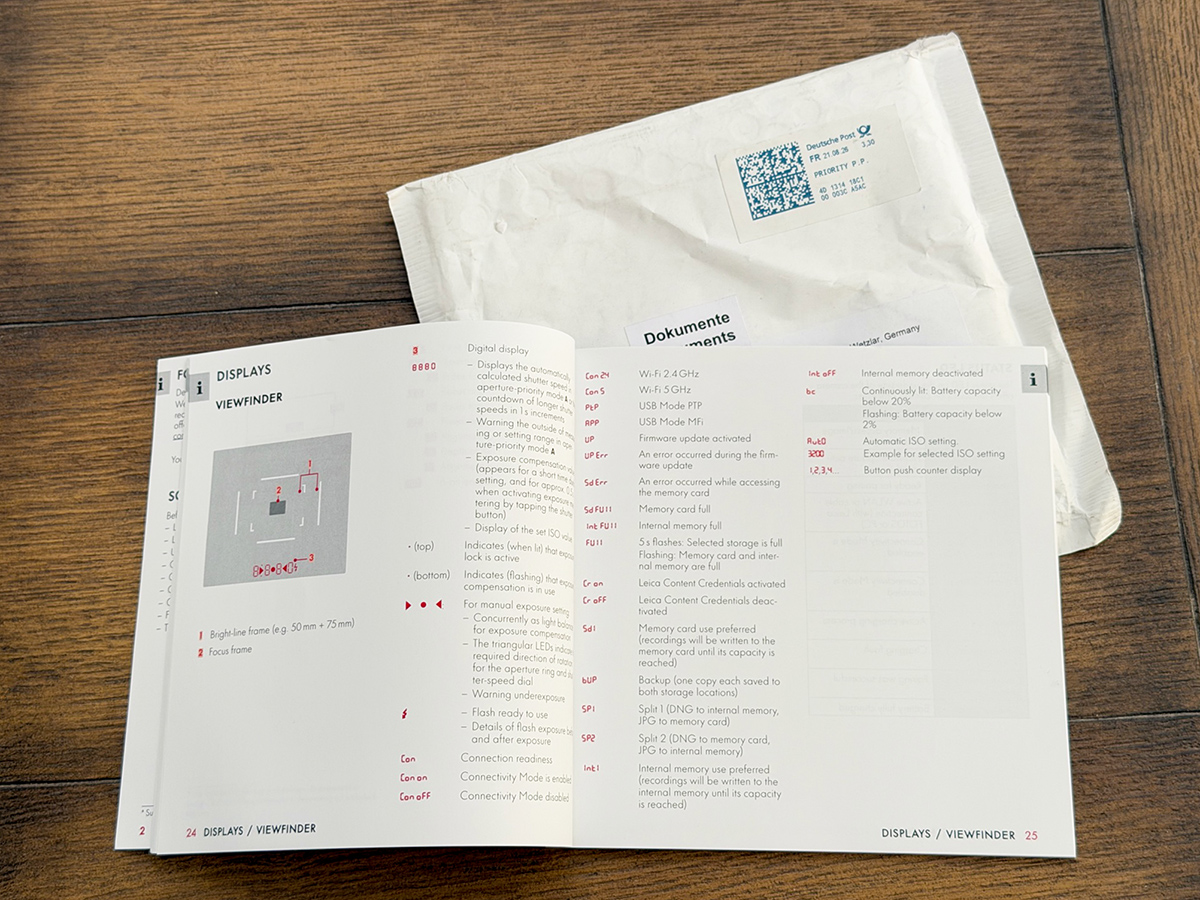
I don't think this is well-known and I just learned this by trying all possibilities with the camera buttons.
With the Visoflex 2 attached, press and hold the M11-D's top function button for about one second, then release it. That toggles what a normal press of that button does:
Info Profiles: cycles the EVF overlays, such as histogram/highlight warnings, focus peaking, and info displays.
OR
Focus Aid: activates manual magnification when pressing the button or rotating the lens' focusing ring; use the thumbwheel to adjust zoom level. There is nothing distracting on this mode. Just the image, no info at all.
I don't love focus peaking since it keys off contrast rather than actual resolution, especially with classic lenses undercorrected for SA where that distinction matters.
I was playing with these two modes yesterday and settled on "Focus Aid" as my default, since I prefer pressing the button to magnify the image center instead of rotating the focusing ring, which has an annoying delay. In this mode, everything is easy: click the custom button to magnify instantly (adjust the magnification level with the thumbwheel if you want), and press again to un-magnify (or half-press the shutter button). Very quick way to focus but I still prefer the rangefinder.
Fred Miranda wrote:
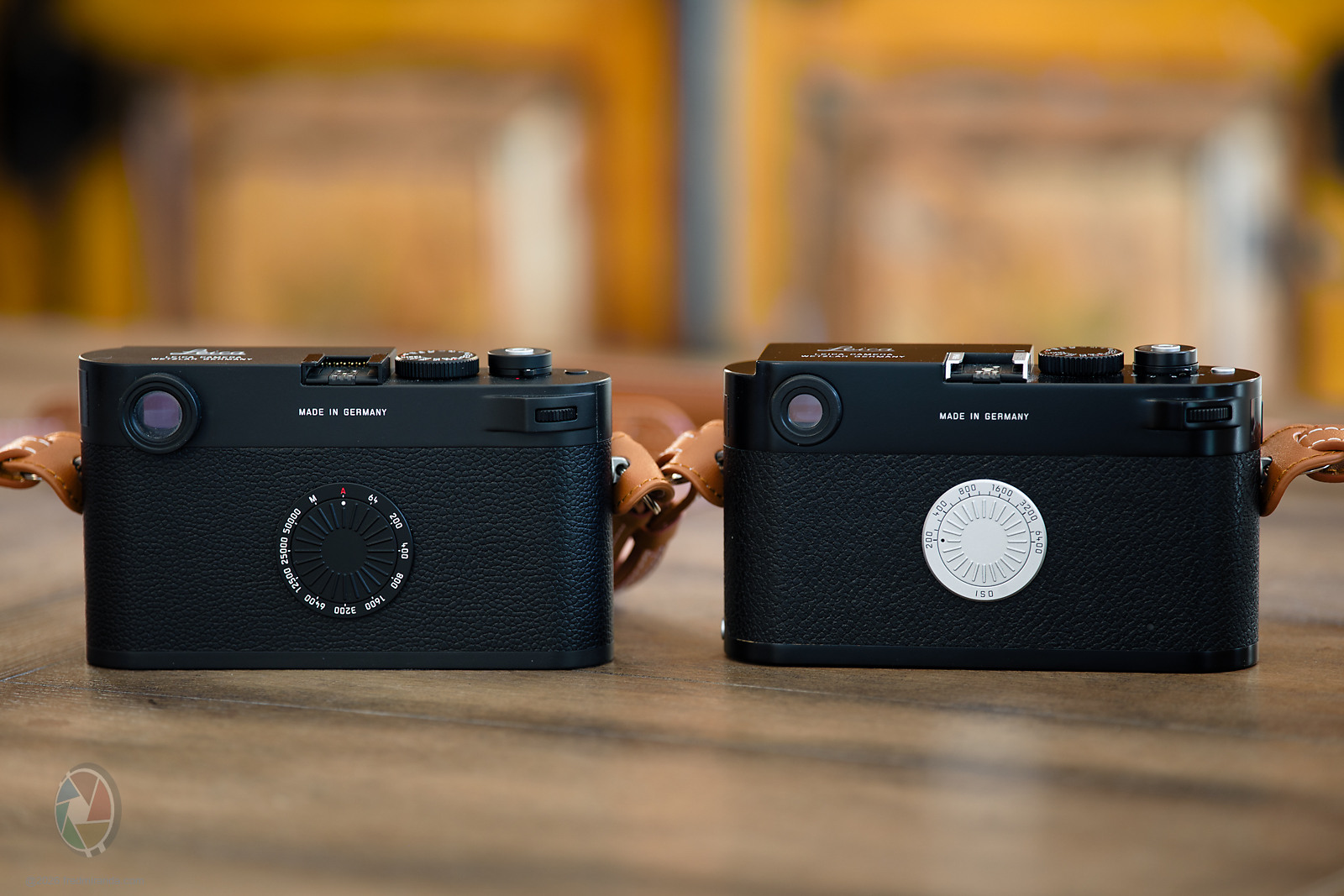
Actually the back ISO dial is made of brass and will patina overtime.
which again raises the question of why does my MP have the cheesy plastic dial- Leica could have done better........nothing new, but the plastic one is such as disappointment for "perfection" because it isn't
EMH2025 wrote:
which again raises the question of why does my MP have the cheesy plastic dial- Leica could have done better........nothing new, but the plastic one is such as disappointment for "perfection" because it isn't
The only thing I disliked about the MP was the plasticky feeling ISO dial, which was actually hard to turn. I much prefer the aesthetics of the Leica M-A's ISO dial, and the best is the M11-D's, though the M-D's silver brass one is quite nice too.
The plastic MP iso dial bothered me too, but I think it had to be raised up as opposed to the non metered cameras to fit the electronic contacts underneath. Digital cameras have no film pressure plate behind it so maybe that’s why they can be more flush. I guess the part was not worth there cost to make out of brass or something but that would have been nice on the film cameras. Changing iso while hard is easier with one thumb pressed in the middle. Adding more fingers makes it harder. On the M7 the middle plastic teeth are sharper giving your finger a better grip.
Fred Miranda wrote:
I don't think this is well-known and I just learned this by trying all possibilities with the camera buttons.
With the Visoflex 2 attached, press and hold the M11-D's top function button for about one second, then release it. That toggles what a normal press of that button does:
Info Profiles: cycles the EVF overlays, such as histogram/highlight warnings, focus peaking, and info displays.
OR
Focus Aid: activates manual magnification when pressing the button or rotating the lens' focusing ring; use the thumbwheel to adjust zoom level. There is nothing distracting on this mode. Just the image, no info at all.
I don't love focus peaking since it keys off contrast rather than actual resolution, especially with classic lenses undercorrected for SA where that distinction matters. ...Show more →
What a brilliant discovery—now I can finally turn off that annoying focus peaking. Thank you, Fred!
WanderingCloud wrote:
What a brilliant discovery—now I can finally turn off that annoying focus peaking. Thank you, Fred!
You're welcome!
To clarify further: you use "Info Profiles" to configure what appears specifically while in Focus Aid mode. Think of it as your M11-D's workaround "menu" for setting up display preferences.
For example, within Info Profiles, you can toggle between four options:
⚬ No peaking
⚬ Peaking
⚬ Peaking + histogram + camera settings
⚬ Peaking + histogram + framelines + Level + highlight warning + camera settings (the busiest but useful when you want the level)
Select one of those four options, then press and hold your custom button for a second to lock it in. This puts you directly into Focus Aid mode with your preferred display setup -- which is the mode you'll use for actual shooting.
Now, pressing that custom button instantly magnifies the center of the frame using your selected layout. This direct button method is much better than relying on automatic focus-ring magnification, which has that annoying lag before it kicks in.
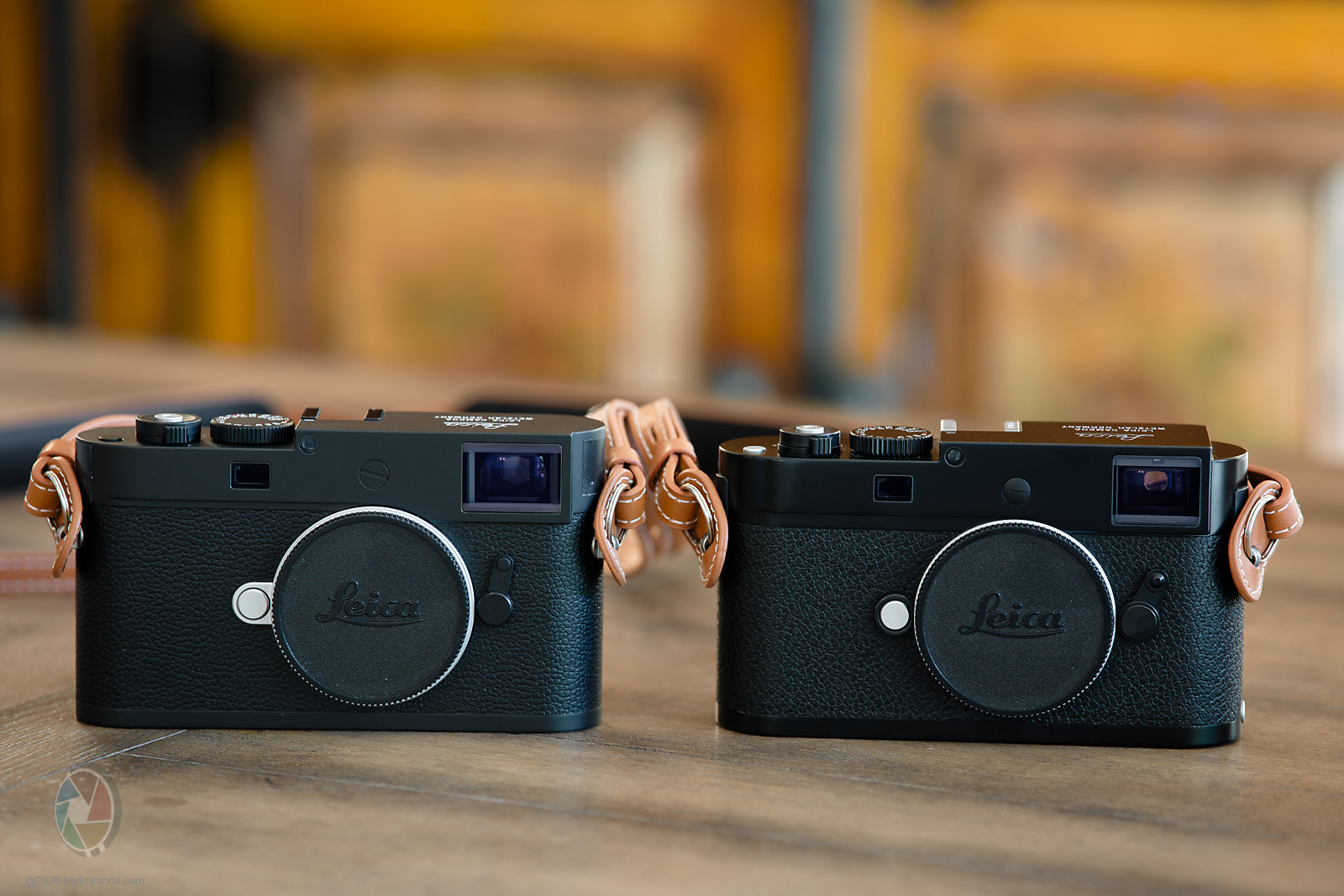
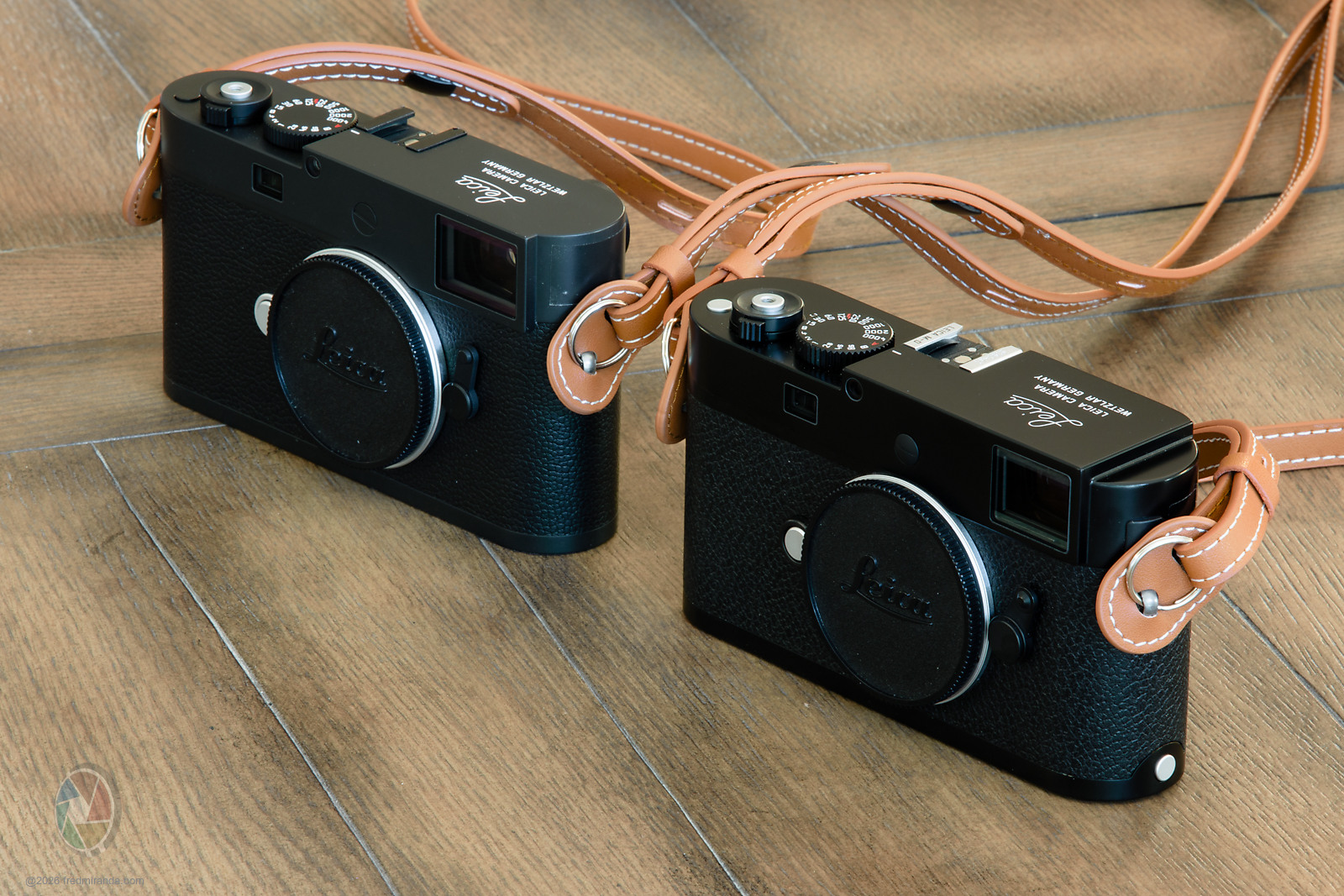
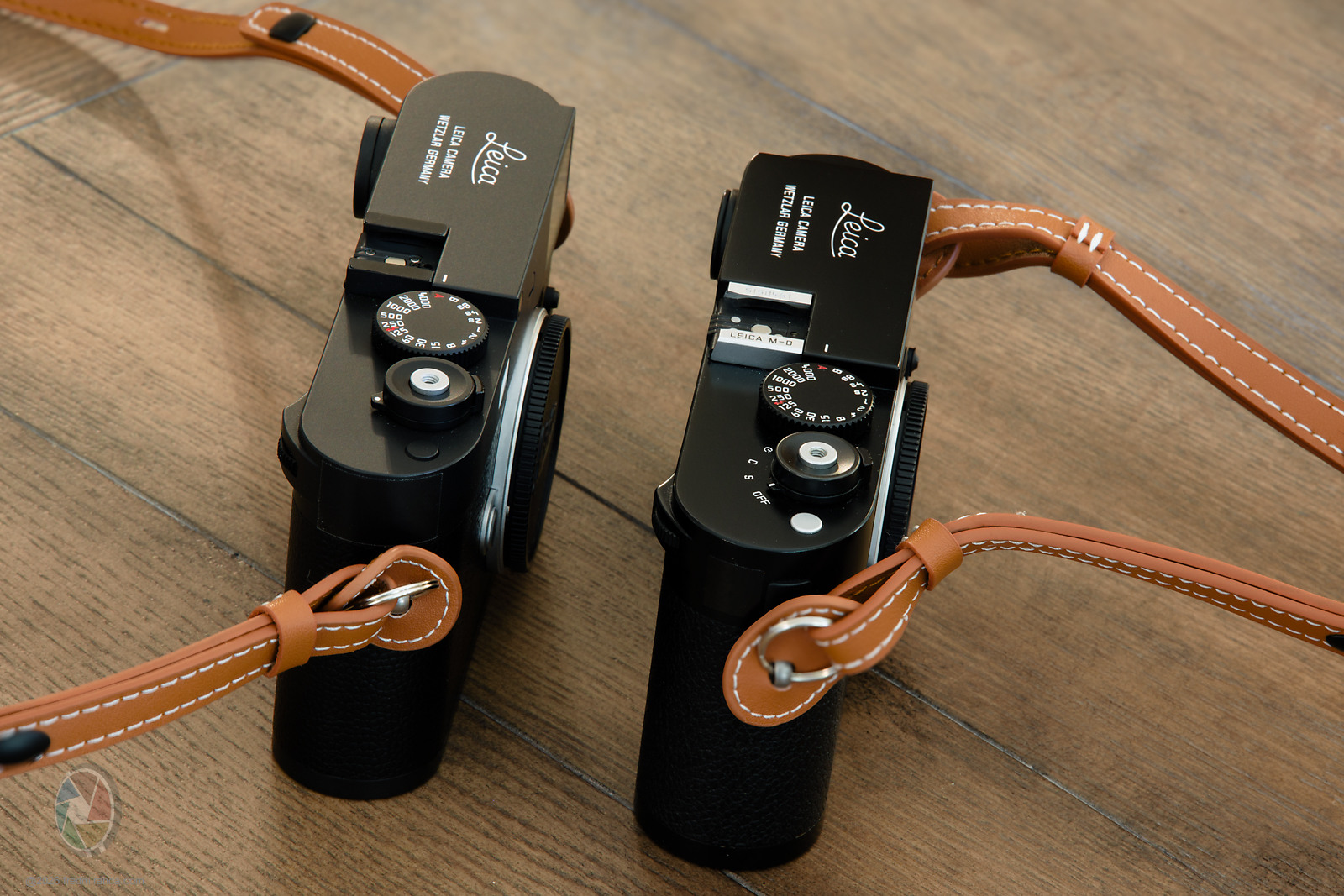
Here's a comparison between the Leica M-D Typ 262 and the new M11-D.
They actually have more in common with each other than either does with the M10-D. Both have the ISO dial on the back instead of on top, and their overall design language is very similar. One thing I love about the M-D is that the drive mode, including the self-timer, is fully mechanical. With the M11-D you have to go through FOTOS for that. Blah!
The cool thing about the M-D is its 0.68x viewfinder, which pairs better with a 28mm lens, whereas the M11-D uses the standard 0.73x.
Both are painted black, but the M-D has a glossier black paint over brass, while the M11-D has a matte black finish over aluminum. The last images show the M11-D with a matte black "Thumbs Up" grip, which is actually brass underneath. At least that'll patina nicely over time.
I bought the Thumbs Up from PopFlash (it was on sale), they usually carry this stuff at a discount compared to other stores.
Fred Miranda wrote:
One thing I love about the M-D is that the drive mode, including the self-timer, is fully mechanical. With the M11-D you have to go through FOTOS for that. Blah!
I can’t believe Leica removed that feature, along with the connection mode switch on the ISO wheel and thumb rest of the M10-D.
WanderingCloud wrote:
I can’t believe Leica removed that feature, along with the connection mode switch on the ISO wheel and thumb rest of the M10-D.
To be fair, the M10-D never had a mechanical drive mode switch either. That single/continuous/self-timer selector goes back well before the M-D Typ 262, it was standard on M-series bodies of that earlier era. The M-D Typ 262 just carried it forward, it's the M10 generation, M10-D included, that dropped it.
You're right about the Wi-Fi connection switch, though: the M10-D has a dedicated position on the ISO dial to trigger the Fotos connection. The M11-D dropped that physical switch, but the function didn't disappear, it now lives behind the function button combined with thumb wheel presses. I will admit I never actually use it wi-fi.
As for the thumb rest, I get the appeal. Some people love the M10-D's built-in grip, others find it gimmicky. The M11-D went back to the cleaner M-D Typ 262 aesthetic without it. It's a nice, minimal design, but I can see the case for the M10-D's version too.