Has anyone done an actual comparison of the Sony 200-600 with the Sigma 500mm cropped to match? I know the speculation is the Sigma would be better which makes sense. Also it would be interesting to see how they compare with the Sony and a 1.4x TC at 840mm compared to an equivalent crop on the Sigma.
rmurphy wrote:
Has anyone done an actual comparison of the Sony 200-600 with the Sigma 500mm cropped to match? I know the speculation is the Sigma would be better which makes sense. Also it would be interesting to see how they compare with the Sony and a 1.4x TC at 840mm compared to an equivalent crop on the Sigma.
I would also be interested in a comparison of the Sony 200-600 with the Sigma 500mm cropped to match. I have a great copy of the 200-600 but debating going lighter with the Sigma, or Sony 300mm + TC2x
The size and weight savings of the Sigma is the obvious draw. I don't care much about the fps limitations as I am on an a7rv but I am concerned about 500mm with no TC. That said, I took an a7rc to Costa Rica with a Tamron 70-180 F2.8 G2 (all I had at the time) and got some amazing bird shots at Cano Negro just using apsc mode and crop in post. I can see where cropping a high res sensor can be as good or better than using a TC and a sharp lens like the Sigma could be a good match.
Beautiful pics with nice color and detail. I placed an order for one last week. I decided the weight/size advantage outweighs the reach and flexibility of the 200-600 for me. I also prefer to hand hold and based on what everyone is saying that should be a big plus with this lens.
I really like how you’ve been putting the 500mm to use, nice work. Are you doing anything in post to enhance the bokeh? The rendering looks incredible.
I find it hard to to believe that this $3,000 offering from Sigma could compare to the IQ of the GM 300/2.8. Let’s see some side-by-side comparison shots. I guessing the bokeh for one, is not even in the ballpark.
Ross Martin wrote:
I really like how you’ve been putting the 500mm to use, nice work. Are you doing anything in post to enhance the bokeh? The rendering looks incredible.
Thank you, Ross. First of all, I would say I really like the rendering on its own. With most lenses I have a few post-processing steps for the bokeh, essentially reducing clarity and texture and sometimes default sharpening. This mostly helps in the transition zone.
ketang wrote:
Thank you, Ross. First of all, I would say I really like the rendering on its own. With most lenses I have a few post-processing steps for the bokeh, essentially reducing clarity and texture and sometimes default sharpening. This mostly helps in the transition zone.
I like the results you’re getting with those steps. I’ve been experimenting with some myself in LR.
Ross Martin wrote:
I like the results you’re getting with those steps. I’ve been experimenting with some myself in LR.
I can share more specifics if it helps:
1) In ACR/LR, I use the background select mask and/or select object and/or the brush tool to get OOF areas selected. I find that reducing Clarity and Texture to a value between -10 and -15 works best. Again, you don't want to push it too far if the background is already soft, but this is great for busy bokeh.
2) Using the same tools as above, I sometimes reduce sharpness, but I use this sparingly.
3) Once in PS, there are two plug-ins I find helpful. I use the Nik Collection (now managed by DxO) on all images. Within ColorEfex there is a filter called "Tonal Contrast," and within that reducing midtone contrast often softens OOF areas without harming sharpness, even if you haven't selected only the OOF areas. With Sharpener Efex, reducing structure with a slight boost to local contrast softens OOF areas while enhancing sharp areas.
4) There is an outdated plugin, not sure if it's still available, from Topaz Labs called Topaz Detail. I sometimes use this for an extra step, particularly if I am dealing with a harsh transition zone or busy bokeh, like with an iPhone shot. You need to select the OOF areas for this otherwise it softens the sharp areas.
ketang wrote:
I can share more specifics if it helps:
1) In ACR/LR, I use the background select mask and/or select object and/or the brush tool to get OOF areas selected. I find that reducing Clarity and Texture to a value between -10 and -15 works best. Again, you don't want to push it too far if the background is already soft, but this is great for busy bokeh.
2) Using the same tools as above, I sometimes reduce sharpness, but I use this sparingly.
3) Once in PS, there are two plug-ins I find helpful. I use the Nik Collection (now managed by DxO) on all images. Within ColorEfex there is a filter called "Tonal Contrast," and within that reducing midtone contrast often softens OOF areas without harming sharpness, even if you haven't selected only the OOF areas. With Sharpener Efex, reducing structure with a slight boost to local contrast softens OOF areas while enhancing sharp areas.
4) There is an outdated plugin, not sure if it's still available, from Topaz Labs called Topaz Detail. I sometimes use this for an extra step, particularly if I am dealing with a harsh transition zone or busy bokeh, like with an iPhone shot. You need to select the OOF areas for this otherwise it softens the sharp areas....Show more →
Great info, thanks! I’ve been doing some of 1 & 2 at times.
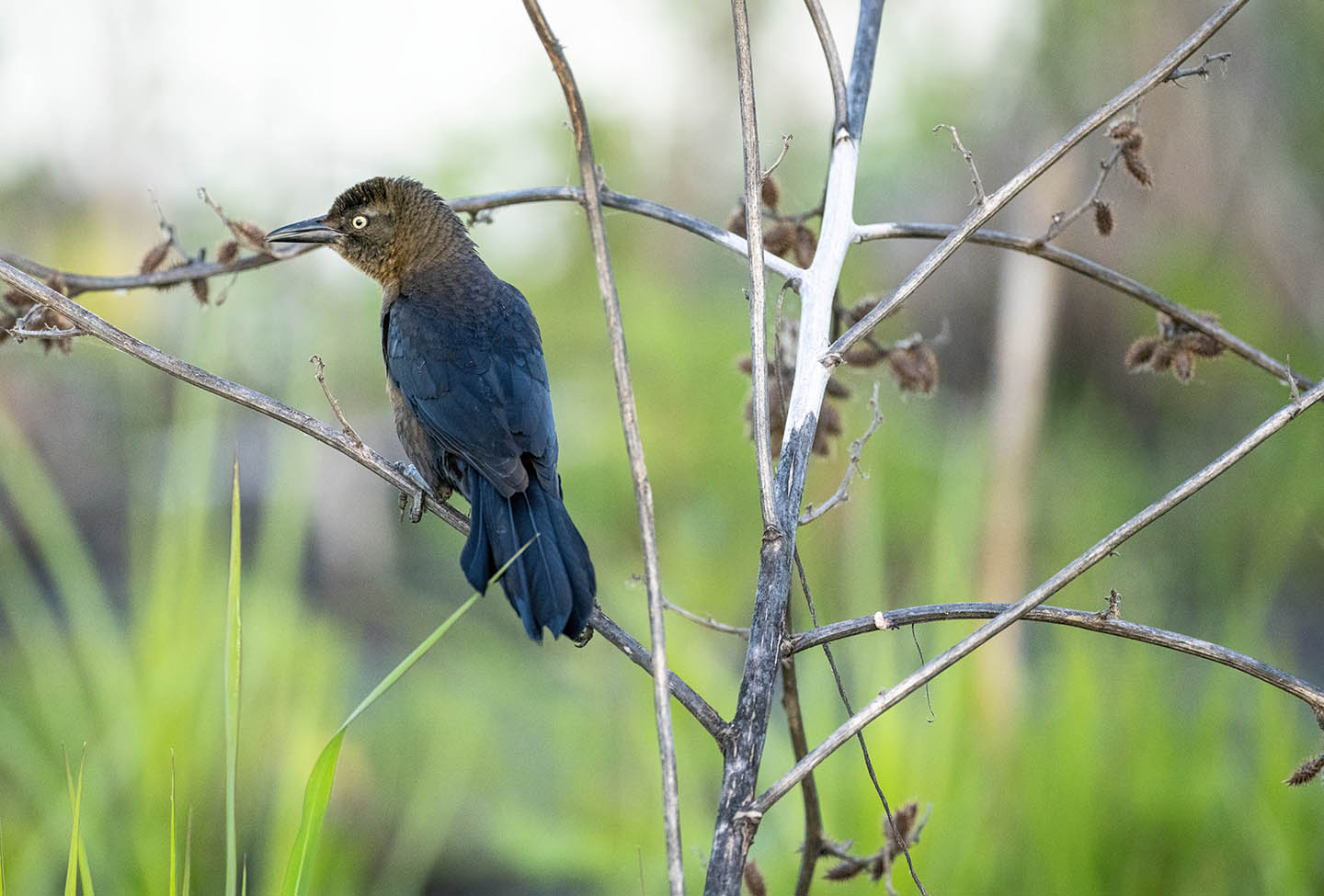
The female just arrived.
The female via the 500/5.6 but the male via a Sony 70-200mm F4 Macro with 2.0TC. An interesting comparison, at least to me, of image quality. I think anyone would bet the Sigma would be sharp but what about a very affordable 70-200 with a teleconverter? She is here too by MedicineMan4040, on Flickr
Got the male last week I'm pleased by MedicineMan4040, on Flickr
That is a very impressive comparison for the 70-200 F4 Macro with 2x TC. What aperture were you using and was it all the way out at 400mm? Many reviews indicate that lens is softish at the long end and does not hold up well using a 2x TC but your pic certainly proves that wrong. I have that lens with 1.4x TC and got some decent Marmot shots with that combo at F8 recently but I don't think they are as sharp as the pic you posted. That said, I am still learning. Thanks for sharing.



 the reach and flexibility of the 200-600 for me. I also prefer to hand hold and based on what everyone is saying that should be a big plus with this lens.


