mcbroomf wrote:
I usually see blotchiness on even blue skies with Topaz as well. Adobe AI denoise doing well below, and equally or a little better on the very fine detail.
Topaz Colour was getting better back in LrC but last weeks update has a yellow tint, which I reported. DXO comes back very close and the big thing is Adobe Denoise is bang on. I like that.
mcbroomf wrote:
Looks like my GPU is incompatible. Errors in both LRC and PS. Nvidia P2000 (5GB). Pretty old and slow these days (or is that me ... ?)
The Smithsonian called, they want your graphics card! My CPU is way better than my GPU - in PureRaw 2 I was able to get my CPU to do all the heavy lifting (and quickly) however when I upgraded it doesn't seem possible. I guess I should start looking too.
corposant wrote:
The Smithsonian called, they want your graphics card! My CPU is way better than my GPU - in PureRaw 2 I was able to get my CPU to do all the heavy lifting (and quickly) however when I upgraded it doesn't seem possible. I guess I should start looking too.
No kidding and I don't think it's worthwhile doing a GPU upgrade. The motherboard I have for the 7000 series i7 CPU won't take a current model GPU though I could do better than the P2000. I've been looking at Mac Studio refurbs but really prefer Windows for dual screen and my preferred use (and my MBP is on a dual setup, so I have been using it). Still TBD ...
I did a quick comparison with the latest Adobe AI Denoise release and the DxO DeepPRIME XD on an image of ISO 3200 from the original Canon 5D (note that ISO 3200 was pushing it on that great body).
DxO DeepPRIME comes out a hair ahead with better detail retention. But for a first cut, Adobe's performance is unbelievably good.
"We’d like to support additional file formats and combine Denoise with Super Resolution. We’re even looking into ways to speed up the workflow by not needing to make a new DNG file."
Rajan Parrikar wrote:
I did a quick comparison with the latest Adobe AI Denoise release and the DxO DeepPRIME XD on an image of ISO 3200 from the original Canon 5D (note that ISO 3200 was pushing it on that great body).
DxO DeepPRIME comes out a hair ahead with better detail retention. But for a first cut, Adobe's performance is unbelievably good.
Let the Games begin!
I only have PureRaw 2 which I removed off my OS today. A new era starts.
"We’d like to support additional file formats and combine Denoise with Super Resolution. We’re even looking into ways to speed up the workflow by not needing to make a new DNG file."
That this is their first release of it is really impressive. They are already exceeding Topaz quality at roughly the same time cost. This is a great development.
mcbroomf wrote:
Does not look like it. Using LRC, in the Detail panel for a jpg I get "Denoise is not currently compatible with this photo format"
I'm seeing that too. She shoots with a pair of Nikon D7200 bodies, which I think has dual card slots. Maybe I can convince her to put JPG on one and RAW on the other - just in case. Seeing the difference this is making, I think it's well worth it. Then again, I've been shooting RAW for 2 decades now.
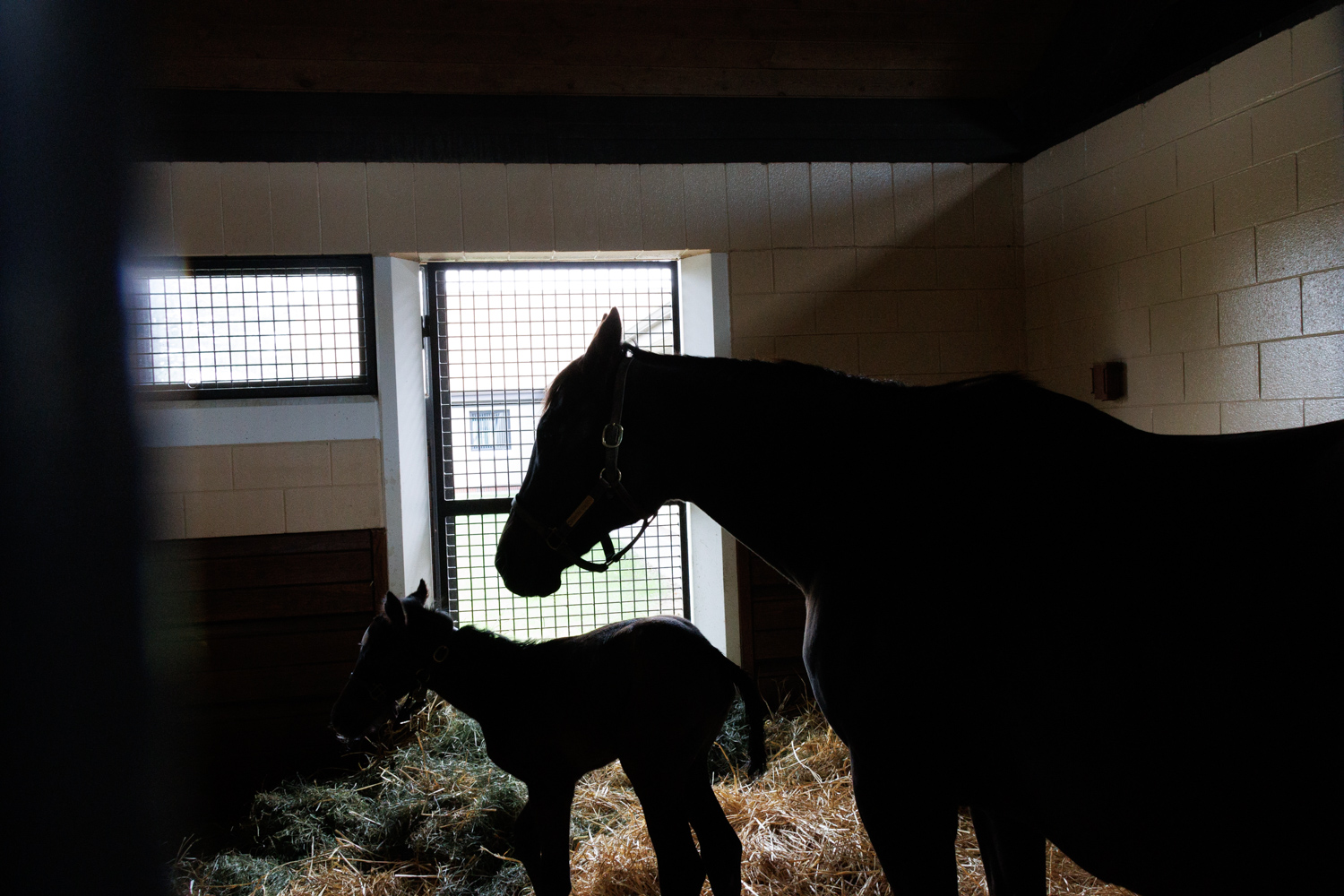
The first image is basically what I got with the camera, downsized and converted to JPG for posting. Very dark, shot in auto exposure, camera was fooled by the bright background and I didn't take the time to adjust as it was a tour and I didn't want to block others from seeing the mare with her new foal.
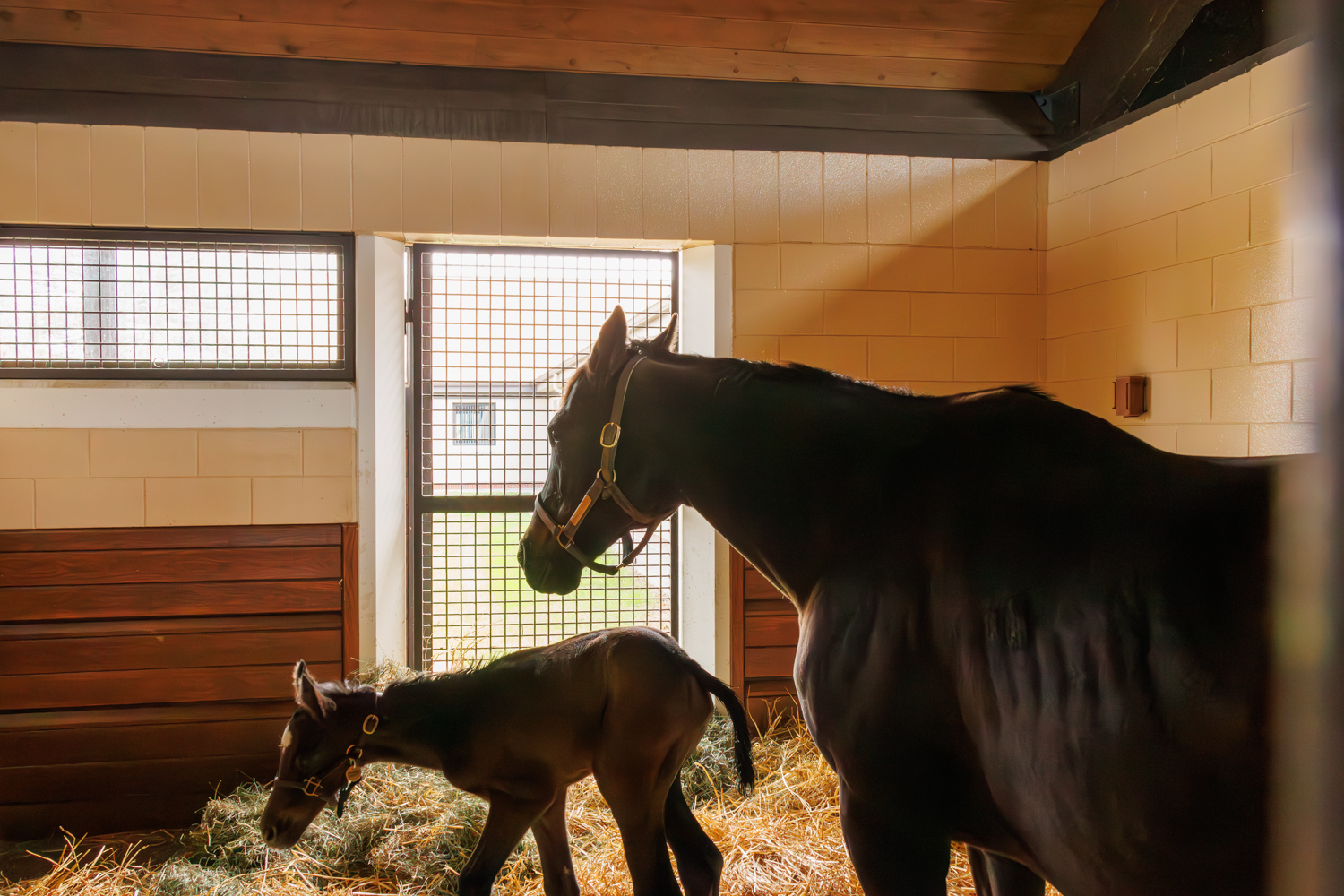
The second image is sequentially the next image, but I adjusted exposure, levels, white balance, even transformed to straighten the image. As you may have guessed, with the amount of exposure and level adjustment, the picture got very ugly very fast.
Enter the new de-noising function...
Wow! No, I don't think I'd blow it up and put it on the wall, but it made a huge difference and I can at least Facebook-share it and text it to friends.
Canon EOS R7RF-S18-150mm F3.5-6.3 IS STM lens18mmf/8.01/125s3200 ISO0.0 EV
I understand 'levels' can now work on masks, but in this release of 12.3, did Adobe enable presets to applied to masked portions of the image? i.e. so one can have one preset for a background and a different one for the foreground .
Crazy to hear some of the processing times here. I have a pretty powerful machine, but it's taking me about 4-5 seconds on 24MP files, and 7-8 or so on 45MP files. i7-12700K, GeForce 3080 Ti.