This topic is in the 2022 archive. You can read it and like its posts here. It is read only.
Archive 2022OM-1 Image Thread
p.6 #1OM-1 Image Thread
Decided to give Topaz Photo A1 a go, as the "upgrade" price was only $99. I have to say to being mightily impressed. These were taken with the OM-1 and the Olympus 100-400 at 400mm and still only resulted in a 3.2mp image after cropping (these Eurasian Wren's are tiny - they only weigh about 10g). I ran these thought Topaz Ai and in the same program up-res'd them to 24mp (just to see).
Now if Topaz labs could add to the program the ability to blur the background as if shooting with a FF camera (with a choice of focal lengths etc) it would be unbeatable.


Now if Topaz labs could add to the program the ability to blur the background as if shooting with a FF camera (with a choice of focal lengths etc) it would be unbeatable.
Oct 15, 2022 at 06:37 AM
p.6 #2OM-1 Image Thread
Forgive me for taking the opportunity to present a quick edit of such a shot with the new ON1 Photo RAW 2023 that has this wonderful new masking tool that is virtually automatic for choosing various areas and subjects in a shot. I applied the slight blur you mentioned to give a simulated larger aperture effect as you desired. I've been working with it a lot since the download Monday and find it's a great tool for exactly as you mentioned you also want. On occasion I too have a shot I need to blur the background out more but to a degree it looks believable and desirable. Hope this comes close to the effect you were referring to.
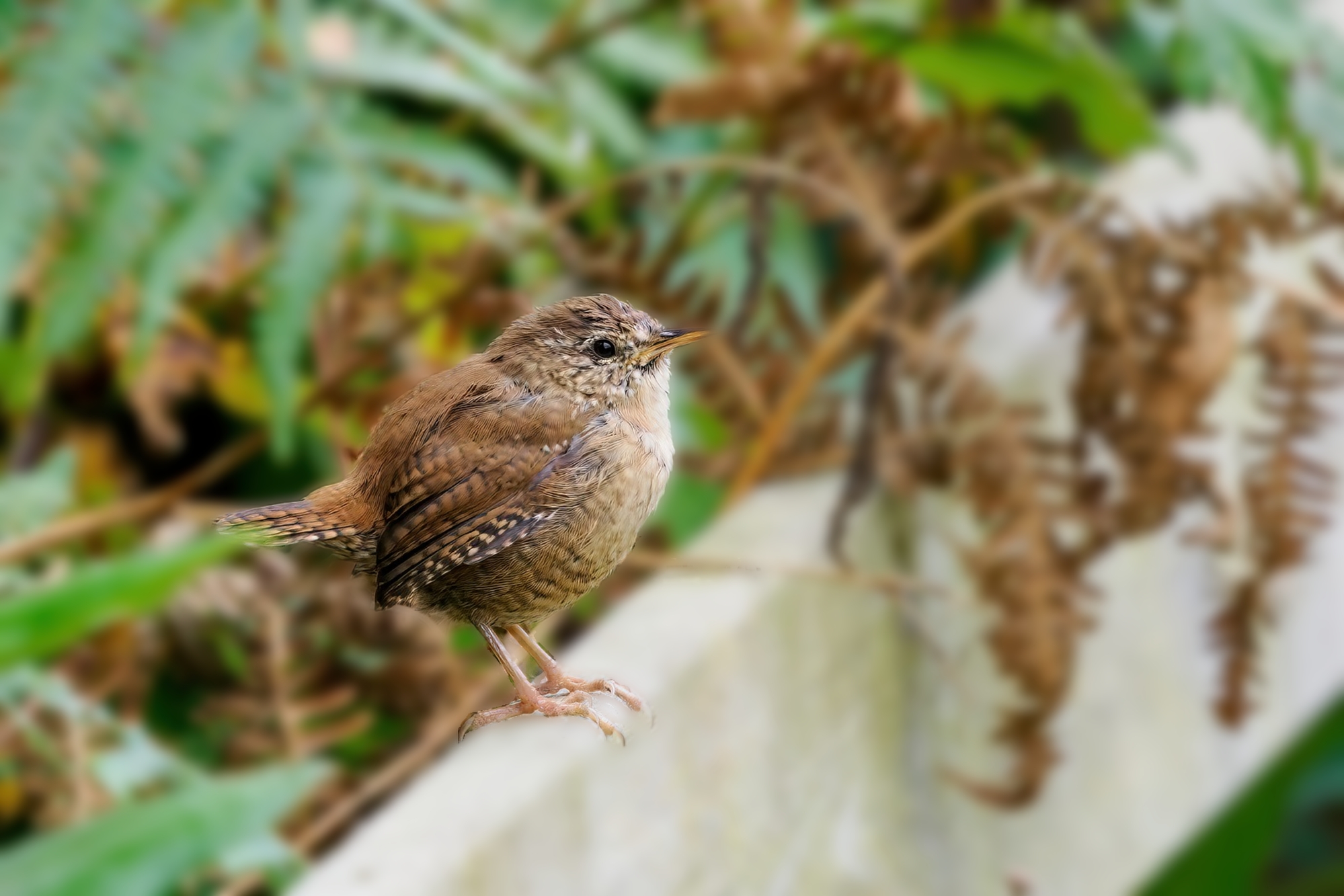
ON1 Mask blur effect
ON1 Mask blur effect
Oct 15, 2022 at 12:06 PM
p.6 #4OM-1 Image Thread
Careful when blurring in post. You must keep a line of focus plane to keep it looking real. The bird might look like you just cut and pasted it in the scene as above. Can't have sharp feet sitting on a blurred perch.
Oct 15, 2022 at 01:02 PM
p.6 #5OM-1 Image Thread
I get it PV. This was a very fast and simple click and edit operation I wanted to illustrate how fast it was to get even close to what one would want with this new ON1 program I'm not even one to have masked in the past, so I'm still getting used to it. But have to be honest if it's this easy just to begin, if you get fussy about dialing it in I can assure you you can get a great result. And it's by no means a root canal to get there which is to ME what it's all about. Definitely a far cry from Adobe to be sure.
Oct 15, 2022 at 01:13 PM
p.6 #6OM-1 Image Thread
dcisive wrote:
I get it PV. This was a very fast and simple click and edit operation I wanted to illustrate how fast it was to get even close to what one would want with this new ON1 program I'm not even one to have masked in the past, so I'm still getting used to it. But have to be honest if it's this easy just to begin, if you get fussy about dialing it in I can assure you you can get a great result. And it's by no means a root canal to get there which is to ME what...Show more →
No worries, I failed to mention that you were showing a quick example of what ON-1 can do. Got ahead of myself there.
Cheers, Patrick
Oct 15, 2022 at 02:10 PM
p.6 #8OM-1 Image Thread
It seems that the Om System 40-150 f 4.0 makes a decent macro lens.
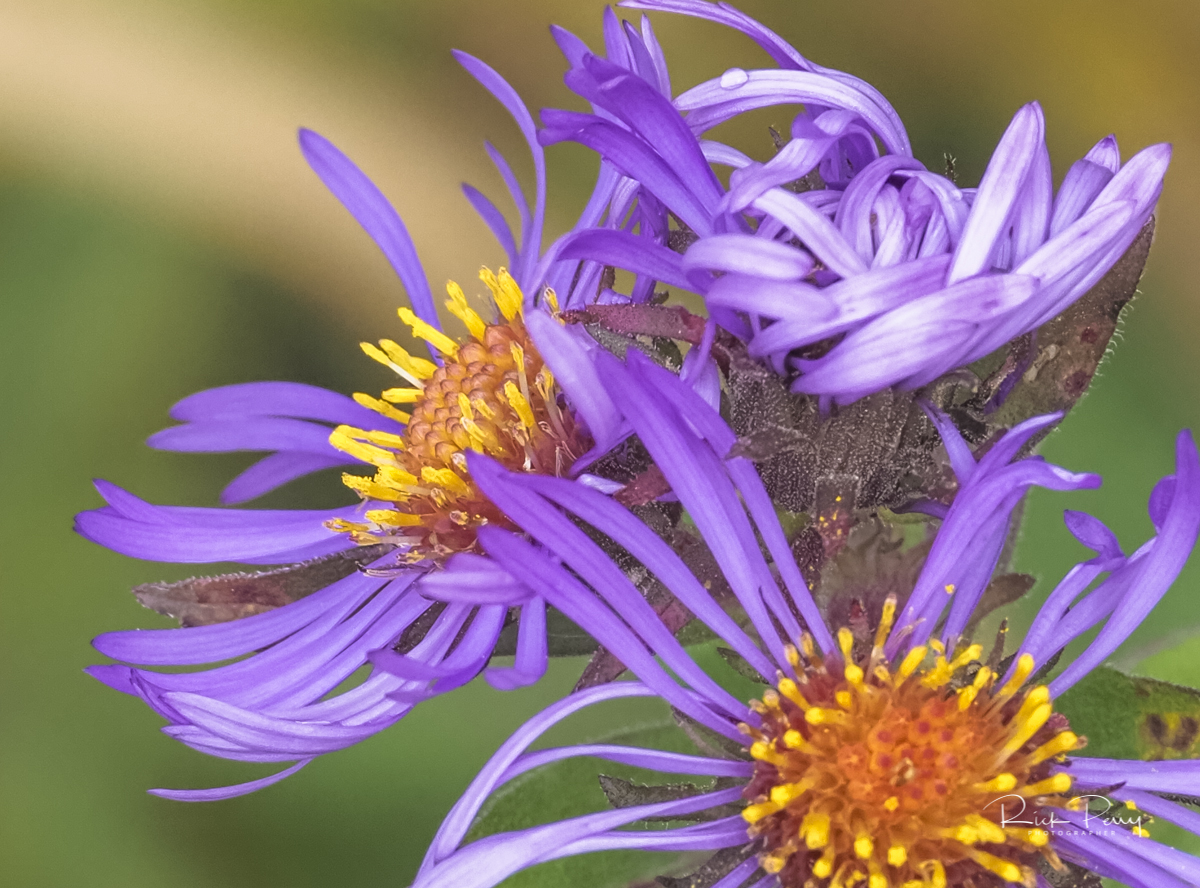
E-M1MarkIII OM 40-150mm F4.0 lens 150mm f/8.0 1/400s 800 ISO -0.3 EV
Oct 15, 2022 at 04:49 PM
p.6 #9OM-1 Image Thread
PV Hiker wrote:
Careful when blurring in post. You must keep a line of focus plane to keep it looking real. The bird might look like you just cut and pasted it in the scene as above. Can't have sharp feet sitting on a blurred perch.
I agree but haven't figured out how to do it yet. The software is very good at finding the subject and has a feature where you can add to the mask. I just can't figure out how to do it yet. When I do I will simply extend the subject mask from side to side in a band that corresponds to the DOF of a F4 lens on a FF body.
Tom
Oct 15, 2022 at 05:32 PM
p.6 #10OM-1 Image Thread
ON1 sure does have a learning curve I'll say that. But once you get it figured out it's pretty darned powerful indeed. For example the fast and rather sure way to get a mask is to click on a given subject or area intended to mask with the Super AI Mask tool on the left side/bar. Then as you click on a given subject, like the area around your bird you want to mask, you can click on some specific areas and it can narrow it down which sure does speed things up. Then after that you have the tool down that list below called "Refine". That gives you 3 tools to clean up or get real specific on edges and such if desired. You can add or subtract of course by choosing the menu at the top when you select that tool. You can Refine, Chilsel or Blur to attain very accurate results but best of all it is FAST! So far I'm really enjoying playing with some old portraits I took several years ago in a situation where there was background I wanted to blur out more or even get rid of. This program sure makes it easy and accurate. And that's just tip of the iceberg.
Oct 15, 2022 at 06:22 PM
p.6 #11OM-1 Image Thread
Even old Photoshop CS6 still works fine for blurring background only,
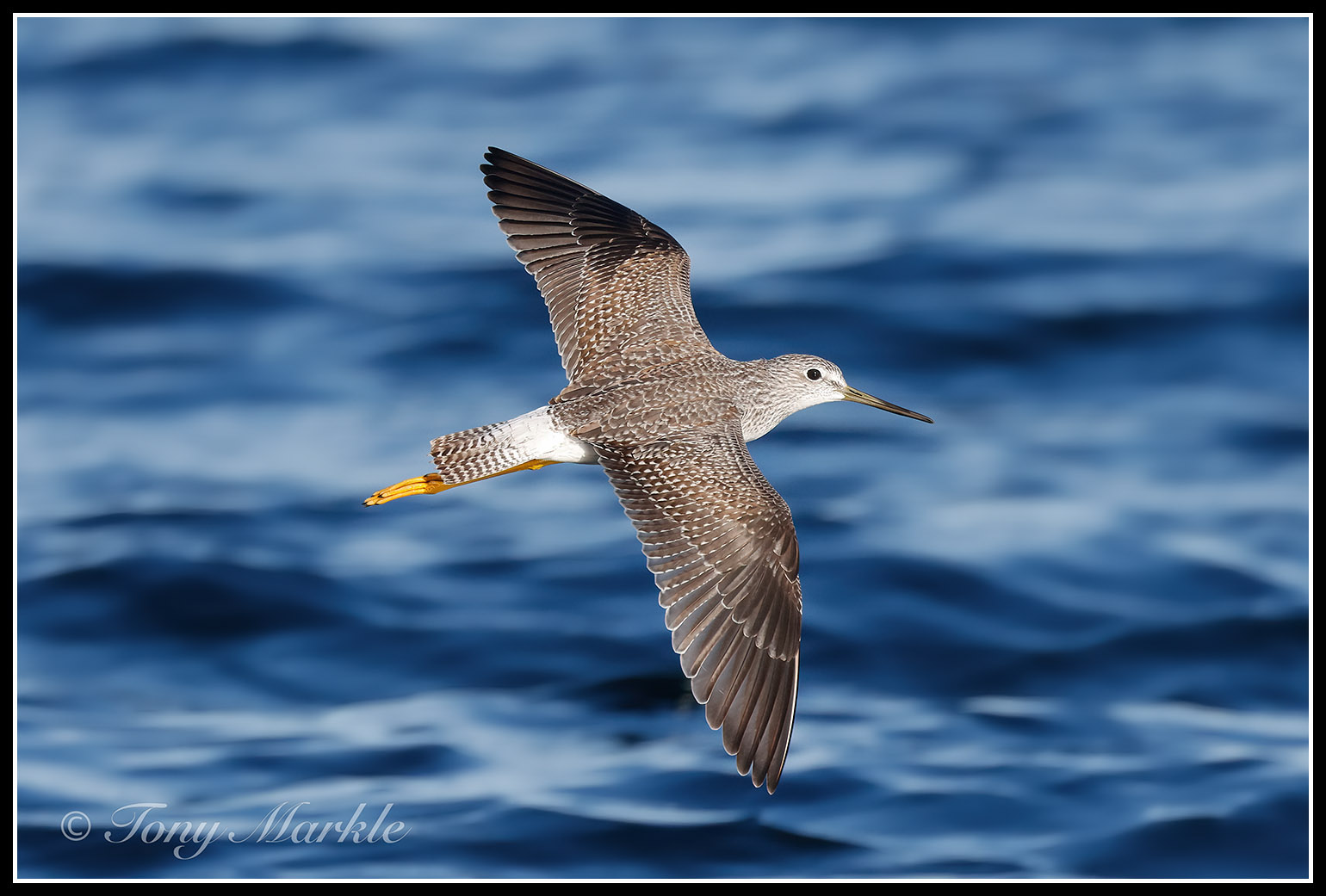
Oct 15, 2022 at 08:17 PM
p.6 #13OM-1 Image Thread

Autumn on the Right of Way by lennycarl08, on Flickr
Oct 16, 2022 at 02:01 PM
p.6 #14OM-1 Image Thread
Bath Maine
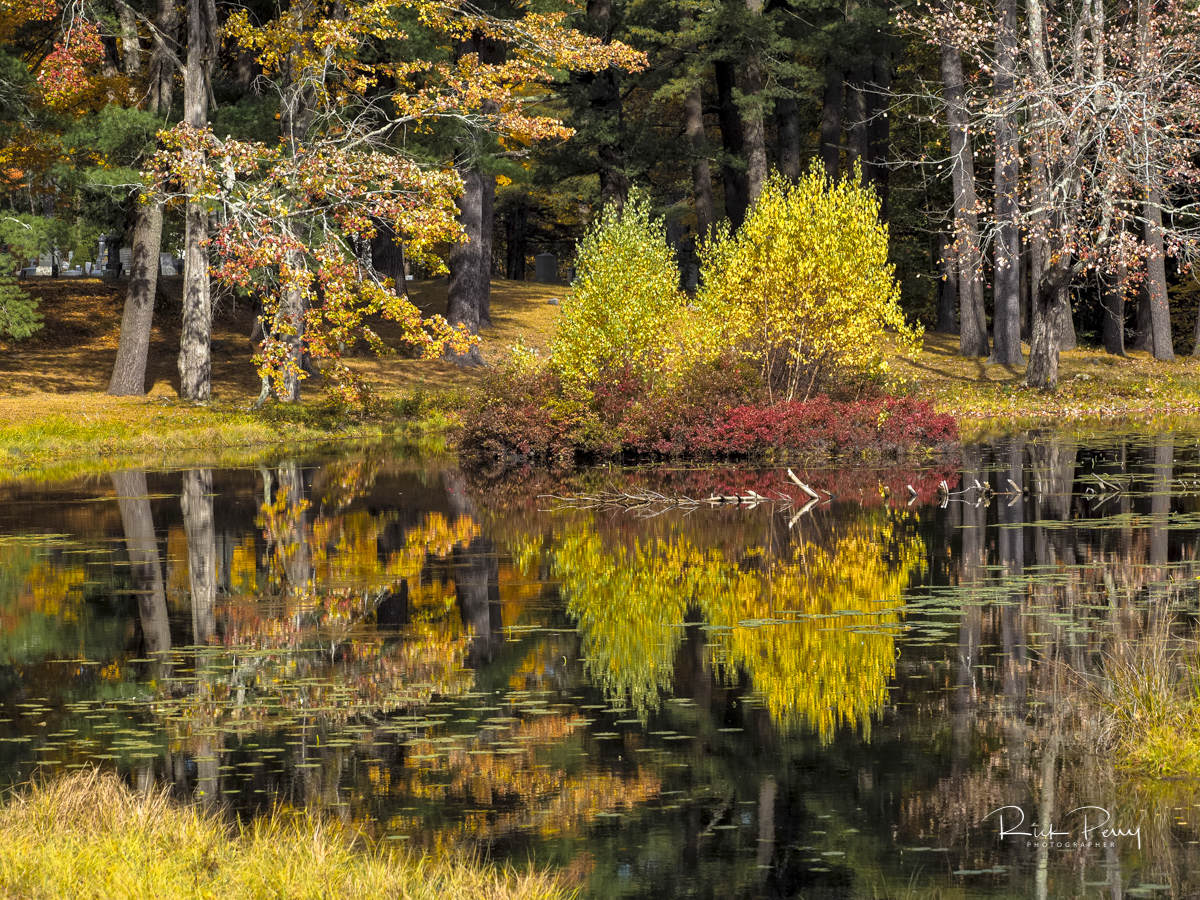
E-M1MarkIII OM 40-150mm F4.0 lens 72mm f/7.1 1/160s 80 ISO -0.3 EV
Oct 16, 2022 at 07:38 PM
p.6 #15OM-1 Image Thread
PV Hiker wrote:
No worries, I failed to mention that you were showing a quick example of what ON-1 can do. Got ahead of myself there.
Cheers, Patrick
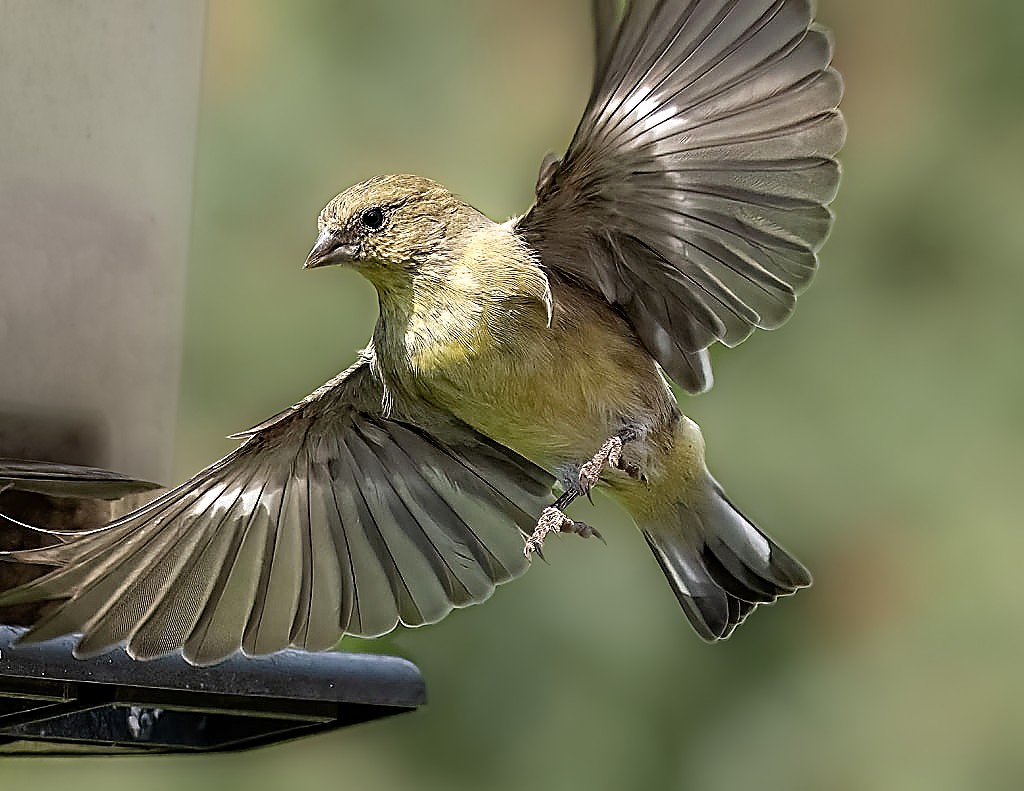
I took the OI process a bit further using blur, structure and saturation to tone down the background. I also enhanced the subject. I also feathered the mask a couple of pixels. This was one of my first ProCapture experiments and the background destroyed the picture. Doing this on a second picture would take less than 5 min.
Tom
dcisive wrote
I get it PV. This was a very fast and simple click and edit operation I wanted to illustrate how fast it was to get even close to what one would want with this new ON1 program I'm not even one to have masked in the past, so I'm still getting used to it. But have to be honest if it's this easy just to begin, if you get fussy about dialing it in I can assure you you can get a great result. And it's by no means a root canal to get there which is to ME what it's all about. Definitely a far cry from Adobe to be sure.Cheers, Patrick
I took the OI process a bit further using blur, structure and saturation to tone down the background. I also enhanced the subject. I also feathered the mask a couple of pixels. This was one of my first ProCapture experiments and the background destroyed the picture. Doing this on a second picture would take less than 5 min.
Tom
© Tom Reynolds 2022
Oct 16, 2022 at 09:26 PM
p.6 #16OM-1 Image Thread
Wilbus wrote:
Lovely! Awesome to see some shots from the new 9mm! How do you find the lens?
Regards
Rasmus
I pre-ordered and received it soon-ish. haha
memzinla wrote
Here are some pictures with the Panasonic 9mmRegards
Rasmus
I pre-ordered and received it soon-ish. haha
Oct 17, 2022 at 12:53 AM

p.6 #17OM-1 Image Thread
Tom Reynolds wrote:
No worries, I failed to mention that you were showing a quick example of what ON-1 can do. Got ahead of myself there.
Cheers, PatrickI took the OI process a bit further using blur, structure and saturation to tone down the background. I also enhanced the subject. I also feathered the mask a couple of pixels. This was one of my first ProCapture experiments and the background destroyed the picture. Doing this on a second picture would take less than 5 min.
Tom
On my monitor the feather detail is looking harsh and "crunchy". I'd back off on the sharpening.
PV Hiker wrote
dcisive wrote
I get it PV. This was a very fast and simple click and edit operation I wanted to illustrate how fast it was to get even close to what one would want with this new ON1 program I'm not even one to have masked in the past, so I'm still getting used to it. But have to be honest if it's this easy just to begin, if you get fussy about dialing it in I can assure you you can get a great result. And it's by no means a root canal to get there which is to ME what it's all about. Definitely a far cry from Adobe to be sure.Cheers, Patrick
Tom
On my monitor the feather detail is looking harsh and "crunchy". I'd back off on the sharpening.
Oct 17, 2022 at 08:30 AM
p.6 #18OM-1 Image Thread
galenapass wrote:
On my monitor the feather detail is looking harsh and "crunchy". I'd back off on the sharpening.
Ditto. As soon as feathers start to look "crunchy" or "wiry" it is over-sharpened. Fur and feathers are soft and should not look harsh in a photo.
On my monitor the feather detail is looking harsh and "crunchy". I'd back off on the sharpening.
Ditto. As soon as feathers start to look "crunchy" or "wiry" it is over-sharpened. Fur and feathers are soft and should not look harsh in a photo.
Oct 17, 2022 at 08:54 AM
p.6 #19OM-1 Image Thread
You guys,
I was just demonstrating the capabilities of the SW.
Tom
I was just demonstrating the capabilities of the SW.
Tom
Oct 17, 2022 at 09:58 AM
p.6 #20OM-1 Image Thread
Tom Reynolds wrote:
You guys,
I was just demonstrating the capabilities of the SW.
Tom
OK. That is useful, but could you be more clear about what you are trying to show? The ability to just blur the background has existed for years in different software. I fist posted this for Topaz Mask AI in 2020 (https://www.fredmiranda.com/forum/topic/1646975/0) and before that PS could do this for years and years. I think what is really useful and would be interesting are 2 things:
(1) Software that applies a blur gradient such as the tilt shift blur tool in PS
(2) Software that has content aware fill
The first item will allow you to blur backgrounds so they look more natural and convincing. For example, the base of that feeder is going to need blur that starts with a little bit on the closest edge and becomes more out of focus toward the far edge. The PS tilt shift blur tool can do that easily. Right now just blurring the whole background is something that a lot of software can do but it is really the gradient blur that is useful for photos like this.
The second item allows you to just remove the feeder entirely and quickly. Which is what I would have done in that photo because it represents a visual distraction.
I am NOT a fan of Adobe and their BS subscription model. Those 2 actions would be something that would help me move from PS which would be very welcome. I understand that blurring the background is useful for many photos, but as a person does more and more PP one begins to move away from programs that have only basic functionality. It would be nice if you guys could post a little more - beyond what is readily available in many programs.
Edited on Oct 17, 2022 at 11:16 AM · View previous versions
Oct 17, 2022 at 11:06 AM