This topic is in the 2021 archive. You can read it and like its posts here. It is read only.
Archive 2021CaptureOne broken for A1.
p.17 #1CaptureOne broken for A1.
k-h.a.w wrote:
Quote:
"
Thanks for your patience during this period of time when we receive a rather high volume of support requests.
This may be an issue with your graphics driver. Please try to disable OpenCL prior to startup, by downloading the disable OpenCL script here:
OpenCL (GPU) support in Capture One
Try opening Capture One once you have done this and you should then be able to work as normal.
Of course, with powerful hardware, you would need to use OpenCL. Therefore, follow the OpenCL troubleshooting guide here on how to rebuild the kernels used for OpenCL:
What is OpenCL troubleshooting?
Additionally, please consider calibrating your monitor which is important even if you don’t have any intentions to print your images. Monitor calibration is the process of measuring and adjusting the colors on your computer monitor to match a common standard. Most calibration software suggest that you calibrate your monitor(s) every 2-6 weeks to insure that everything is accurate.
Please, refer to the following article that might be handy for you as well – Pixels on exported images
Kind regards,
Irina - Capture One Support
We encourage you to browse our Help Center for detailed product documentation, helpful pro tips, and much more.
"
Well, how does this guidance explain that the "Black Dots" in yellow flowers issue only seems to affect Capture One 21 processing of .ARW files from my A1 and A7R II, but not from my A9 and A7R cameras? Other images that don't show the "Black Dots" in yellow flowers issue are processing just fine from all my Sony FF cameras. How does a potential computer hardware acceleration problem enter into this picture?

BTW for the record, I have been doing my image post-processing on an Apple Silicon M1 Mac mini 16GB/2TB.
What should I send back in response?
K-H.Have you tried disabling OpenCL? That very well could be causing an issue. Regardless of whether it repros only on your A1 files it’s a very easy thing to test since you have images that reproduce the issue.Thanks Jesse. Here is the .ARW file for downloading.
https://www.dropbox.com/s/qlbb6x2hlbjrgyq/DSC01997%20Black%20Dots%20in%20the%20Yellow%20for%20Iliah.ARW?dl=0
You can try yourself and report back here what you find.
I would greatly appreciate that.
Here are the black dots CO produces in the yellow flowers,
first noticed by j4nu in one of his images over 4 months ago.
https://photos.smugmug.com/2021-08-18-A12018-FE-G-Black-Dots-in-Yellow-Mesa-Verde-Dr/i-G7jpnhx/0/d95d1e77/O/F%20DSC01997%20Black%20Dots%20in%20the%20Yellow.jpg
I left Single Pixel Noise Reduction SPNR at 0.
If you set SPNR to 100 most black dots disappear,
but some lined up just right fuse into a black line that persists.
BTW j4nu, on which computer do you run CO? TIA.
With kind regards, K-H.Thanks, I run CO on my desktop: AMD (CPU) + Radeon (GPU). I did try a completely clean installation on my laptop (Intel+Nvidia), where I never installed CO before and the resulting files were the same.
I also tried disabling openCL altogether in CO, but unfortunately it didn't change a thing.
I don't think this is a dealbreaker, but it's simply discouraging to see those black pixels appear out of nowhere when you examine your photo... I think SPNR should be maxed by default for A1, as it greatly reduces the problem and puts CO nearly on par with other RAW processors...Thank you very much j4nu for the detailed account, that I appreciate immensely.
Based on your experience, disabling openCL is a red herring.
I am not going to waste my time by fooling around with that.
This basically concludes my interest in this subject.
I tried to help CO with their problem, apparently to no avail.
Moving on to other post-processing apps that result in much cleaner jpg images.
Thanks again, with kind regards, Karl-Heinz.
Well, if you ever want to try it's pretty straightforward in CO:
* under edit menu, go into preferences
* on the first (General) tab, change both options (Display & Processing) under "Hardware Acceleration (Use OpenCL for) to "Never".
I have to say after all this time I kinda made my peace with this issue, as in most cases it's a nuisance rather than something that can break the image.
That's not to say I'm laying down my arms, I'm going to remind CO Support about it every month at least until they fix it.
Personally, I'd be ashamed to release a RAW processor that handles these black/darkish pixels so badly compared to the competition but shame does not really matter in today's business world... The way CO support handles this issue is also something to be ashamed of .
Anyways, this triggered me to start learning new things in DxO, so it's not all bad in the end.
j4nu wrote
k-h.a.w wrote
Jesse Evans wrote
k-h.a.w wrote
I finally got this email response from Irina (Capture One):Quote:
"
Thanks for your patience during this period of time when we receive a rather high volume of support requests.
This may be an issue with your graphics driver. Please try to disable OpenCL prior to startup, by downloading the disable OpenCL script here:
OpenCL (GPU) support in Capture One
Try opening Capture One once you have done this and you should then be able to work as normal.
Of course, with powerful hardware, you would need to use OpenCL. Therefore, follow the OpenCL troubleshooting guide here on how to rebuild the kernels used for OpenCL:
What is OpenCL troubleshooting?
Additionally, please consider calibrating your monitor which is important even if you don’t have any intentions to print your images. Monitor calibration is the process of measuring and adjusting the colors on your computer monitor to match a common standard. Most calibration software suggest that you calibrate your monitor(s) every 2-6 weeks to insure that everything is accurate.
Please, refer to the following article that might be handy for you as well – Pixels on exported images
Kind regards,
Irina - Capture One Support
We encourage you to browse our Help Center for detailed product documentation, helpful pro tips, and much more.
"
Well, how does this guidance explain that the "Black Dots" in yellow flowers issue only seems to affect Capture One 21 processing of .ARW files from my A1 and A7R II, but not from my A9 and A7R cameras? Other images that don't show the "Black Dots" in yellow flowers issue are processing just fine from all my Sony FF cameras.
How does a potential computer hardware acceleration problem enter into this picture? BTW for the record, I have been doing my image post-processing on an Apple Silicon M1 Mac mini 16GB/2TB.
What should I send back in response?
K-H.
https://www.dropbox.com/s/qlbb6x2hlbjrgyq/DSC01997%20Black%20Dots%20in%20the%20Yellow%20for%20Iliah.ARW?dl=0
You can try yourself and report back here what you find.
I would greatly appreciate that.
Here are the black dots CO produces in the yellow flowers,
first noticed by j4nu in one of his images over 4 months ago.
https://photos.smugmug.com/2021-08-18-A12018-FE-G-Black-Dots-in-Yellow-Mesa-Verde-Dr/i-G7jpnhx/0/d95d1e77/O/F%20DSC01997%20Black%20Dots%20in%20the%20Yellow.jpg
I left Single Pixel Noise Reduction SPNR at 0.
If you set SPNR to 100 most black dots disappear,
but some lined up just right fuse into a black line that persists.
BTW j4nu, on which computer do you run CO? TIA.
With kind regards, K-H.
I also tried disabling openCL altogether in CO, but unfortunately it didn't change a thing.
I don't think this is a dealbreaker, but it's simply discouraging to see those black pixels appear out of nowhere when you examine your photo... I think SPNR should be maxed by default for A1, as it greatly reduces the problem and puts CO nearly on par with other RAW processors...
Based on your experience, disabling openCL is a red herring.
I am not going to waste my time by fooling around with that.
This basically concludes my interest in this subject.
I tried to help CO with their problem, apparently to no avail.
Moving on to other post-processing apps that result in much cleaner jpg images.
Thanks again, with kind regards, Karl-Heinz.
Well, if you ever want to try it's pretty straightforward in CO:
* under edit menu, go into preferences
* on the first (General) tab, change both options (Display & Processing) under "Hardware Acceleration (Use OpenCL for) to "Never".
I have to say after all this time I kinda made my peace with this issue, as in most cases it's a nuisance rather than something that can break the image.
That's not to say I'm laying down my arms, I'm going to remind CO Support about it every month at least until they fix it.
Personally, I'd be ashamed to release a RAW processor that handles these black/darkish pixels so badly compared to the competition but shame does not really matter in today's business world... The way CO support handles this issue is also something to be ashamed of
.Anyways, this triggered me to start learning new things in DxO, so it's not all bad in the end.
Sep 08, 2021 at 03:46 PM
p.17 #2CaptureOne broken for A1.
j4nu wrote:
Quote:
"
Thanks for your patience during this period of time when we receive a rather high volume of support requests.
This may be an issue with your graphics driver. Please try to disable OpenCL prior to startup, by downloading the disable OpenCL script here:
OpenCL (GPU) support in Capture One
Try opening Capture One once you have done this and you should then be able to work as normal.
Of course, with powerful hardware, you would need to use OpenCL. Therefore, follow the OpenCL troubleshooting guide here on how to rebuild the kernels used for OpenCL:
What is OpenCL troubleshooting?
Additionally, please consider calibrating your monitor which is important even if you don’t have any intentions to print your images. Monitor calibration is the process of measuring and adjusting the colors on your computer monitor to match a common standard. Most calibration software suggest that you calibrate your monitor(s) every 2-6 weeks to insure that everything is accurate.
Please, refer to the following article that might be handy for you as well – Pixels on exported images
Kind regards,
Irina - Capture One Support
We encourage you to browse our Help Center for detailed product documentation, helpful pro tips, and much more.
"
Well, how does this guidance explain that the "Black Dots" in yellow flowers issue only seems to affect Capture One 21 processing of .ARW files from my A1 and A7R II, but not from my A9 and A7R cameras? Other images that don't show the "Black Dots" in yellow flowers issue are processing just fine from all my Sony FF cameras. How does a potential computer hardware acceleration problem enter into this picture?
BTW for the record, I have been doing my image post-processing on an Apple Silicon M1 Mac mini 16GB/2TB.
What should I send back in response?
K-H.Have you tried disabling OpenCL? That very well could be causing an issue. Regardless of whether it repros only on your A1 files it’s a very easy thing to test since you have images that reproduce the issue.Thanks Jesse. Here is the .ARW file for downloading.
https://www.dropbox.com/s/qlbb6x2hlbjrgyq/DSC01997%20Black%20Dots%20in%20the%20Yellow%20for%20Iliah.ARW?dl=0
You can try yourself and report back here what you find.
I would greatly appreciate that.
Here are the black dots CO produces in the yellow flowers,
first noticed by j4nu in one of his images over 4 months ago.
https://photos.smugmug.com/2021-08-18-A12018-FE-G-Black-Dots-in-Yellow-Mesa-Verde-Dr/i-G7jpnhx/0/d95d1e77/O/F%20DSC01997%20Black%20Dots%20in%20the%20Yellow.jpg
I left Single Pixel Noise Reduction SPNR at 0.
If you set SPNR to 100 most black dots disappear,
but some lined up just right fuse into a black line that persists.
BTW j4nu, on which computer do you run CO? TIA.
With kind regards, K-H.Thanks, I run CO on my desktop: AMD (CPU) + Radeon (GPU). I did try a completely clean installation on my laptop (Intel+Nvidia), where I never installed CO before and the resulting files were the same.
I also tried disabling openCL altogether in CO, but unfortunately it didn't change a thing.
I don't think this is a dealbreaker, but it's simply discouraging to see those black pixels appear out of nowhere when you examine your photo... I think SPNR should be maxed by default for A1, as it greatly reduces the problem and puts CO nearly on par with other RAW processors...Thank you very much j4nu for the detailed account, that I appreciate immensely.
Based on your experience, disabling openCL is a red herring.
I am not going to waste my time by fooling around with that.
This basically concludes my interest in this subject.
I tried to help CO with their problem, apparently to no avail.
Moving on to other post-processing apps that result in much cleaner jpg images.
Thanks again, with kind regards, Karl-Heinz.Well, if you ever want to try it's pretty straightforward in CO:
* under edit menu, go into preferences
* on the first (General) tab, change both options (Display & Processing) under "Hardware Acceleration (Use OpenCL for) to "Never".
I have to say after all this time I kinda made my peace with this issue, as in most cases it's a nuisance rather than something that can break the image.
That's not to say I'm laying down my arms, I'm going to remind CO Support about it every month at least until they fix it.
Personally, I'd be ashamed to release a RAW processor that...Show more →
Thanks j4nu. Quote:
“
* under edit menu, go into preferences
* on the first (General) tab, change both options (Display & Processing) under "Hardware Acceleration (Use OpenCL for) to "Never".
“
I know. You also then have to quit the app before the change becomes effective.
Easy to do. But that’s not the point.
The point is this black dot issue of CO is not caused by openCL. Period.
But I am repeating myself. Enough is enough.
Regards, K-H.
k-h.a.w wrote
j4nu wrote
k-h.a.w wrote
Jesse Evans wrote
k-h.a.w wrote
I finally got this email response from Irina (Capture One):Quote:
"
Thanks for your patience during this period of time when we receive a rather high volume of support requests.
This may be an issue with your graphics driver. Please try to disable OpenCL prior to startup, by downloading the disable OpenCL script here:
OpenCL (GPU) support in Capture One
Try opening Capture One once you have done this and you should then be able to work as normal.
Of course, with powerful hardware, you would need to use OpenCL. Therefore, follow the OpenCL troubleshooting guide here on how to rebuild the kernels used for OpenCL:
What is OpenCL troubleshooting?
Additionally, please consider calibrating your monitor which is important even if you don’t have any intentions to print your images. Monitor calibration is the process of measuring and adjusting the colors on your computer monitor to match a common standard. Most calibration software suggest that you calibrate your monitor(s) every 2-6 weeks to insure that everything is accurate.
Please, refer to the following article that might be handy for you as well – Pixels on exported images
Kind regards,
Irina - Capture One Support
We encourage you to browse our Help Center for detailed product documentation, helpful pro tips, and much more.
"
Well, how does this guidance explain that the "Black Dots" in yellow flowers issue only seems to affect Capture One 21 processing of .ARW files from my A1 and A7R II, but not from my A9 and A7R cameras? Other images that don't show the "Black Dots" in yellow flowers issue are processing just fine from all my Sony FF cameras.
How does a potential computer hardware acceleration problem enter into this picture? BTW for the record, I have been doing my image post-processing on an Apple Silicon M1 Mac mini 16GB/2TB.
What should I send back in response?
K-H.
https://www.dropbox.com/s/qlbb6x2hlbjrgyq/DSC01997%20Black%20Dots%20in%20the%20Yellow%20for%20Iliah.ARW?dl=0
You can try yourself and report back here what you find.
I would greatly appreciate that.
Here are the black dots CO produces in the yellow flowers,
first noticed by j4nu in one of his images over 4 months ago.
https://photos.smugmug.com/2021-08-18-A12018-FE-G-Black-Dots-in-Yellow-Mesa-Verde-Dr/i-G7jpnhx/0/d95d1e77/O/F%20DSC01997%20Black%20Dots%20in%20the%20Yellow.jpg
I left Single Pixel Noise Reduction SPNR at 0.
If you set SPNR to 100 most black dots disappear,
but some lined up just right fuse into a black line that persists.
BTW j4nu, on which computer do you run CO? TIA.
With kind regards, K-H.
I also tried disabling openCL altogether in CO, but unfortunately it didn't change a thing.
I don't think this is a dealbreaker, but it's simply discouraging to see those black pixels appear out of nowhere when you examine your photo... I think SPNR should be maxed by default for A1, as it greatly reduces the problem and puts CO nearly on par with other RAW processors...
Based on your experience, disabling openCL is a red herring.
I am not going to waste my time by fooling around with that.
This basically concludes my interest in this subject.
I tried to help CO with their problem, apparently to no avail.
Moving on to other post-processing apps that result in much cleaner jpg images.
Thanks again, with kind regards, Karl-Heinz.
* under edit menu, go into preferences
* on the first (General) tab, change both options (Display & Processing) under "Hardware Acceleration (Use OpenCL for) to "Never".
I have to say after all this time I kinda made my peace with this issue, as in most cases it's a nuisance rather than something that can break the image.
That's not to say I'm laying down my arms, I'm going to remind CO Support about it every month at least until they fix it.
Personally, I'd be ashamed to release a RAW processor that...Show more →
Thanks j4nu. Quote:
“
* under edit menu, go into preferences
* on the first (General) tab, change both options (Display & Processing) under "Hardware Acceleration (Use OpenCL for) to "Never".
“
I know. You also then have to quit the app before the change becomes effective.
Easy to do. But that’s not the point.
The point is this black dot issue of CO is not caused by openCL. Period.
But I am repeating myself. Enough is enough.
Regards, K-H.
Sep 08, 2021 at 07:37 PM
p.17 #3CaptureOne broken for A1.
Slightly OFF TOPIC, but only a little bit. 
One shot
Sony ILCE-1 + FE 100-400mm F4.5-5.6 GM OSS + 1.4X Teleconverter @ 560 mm, f/8,1/2,500 s, ISO 8,000.
Its resulting .ARW file processed 4 different ways, ranked according to noise reduction, worst first .
• Capture One 21
https://photos.smugmug.com/2021-09-11-A1100-40045-56-GM-OSS14x-TC-IMBY-Hummingbirds/i-5CgpWwR/0/347ee182/O/F%20_DSC9048%20Hummer.jpg
• Capture One 21 + DxO Nik Collection 4 Dfine2 Version 5.0.4
https://photos.smugmug.com/2021-09-11-A1100-40045-56-GM-OSS14x-TC-IMBY-Hummingbirds/i-T9ThZxH/0/7470313a/O/F%20_DSC9048%20Hummer%20Dfine2.jpg
• Capture One 21 + ON1 NoNoise AI 2021
https://photos.smugmug.com/2021-09-11-A1100-40045-56-GM-OSS14x-TC-IMBY-Hummingbirds/i-gmPD8xB/0/3f9fa5e9/O/F%20_DSC9048%20Hummer%20ON1.jpg
• DxO PureRaw DeepPRIME (demosaicing & noise reduction) + Capture One 21 editing
https://photos.smugmug.com/2021-09-11-A1100-40045-56-GM-OSS14x-TC-IMBY-Hummingbirds/i-jLCsZ55/0/9d2ab11a/O/F%20_DSC9048%20Hummer-ARW_DxO_DeepPRIME.jpg
And the Winner is: DxO PR
K-H.
Sep 11, 2021 at 11:25 PM
p.17 #4CaptureOne broken for A1.
k-h.a.w wrote:
Slightly OFF TOPIC, but only a little bit.
One shot
Sony ILCE-1 + FE 100-400mm F4.5-5.6 GM OSS + 1.4X Teleconverter @ 560 mm, f/8,1/2,500 s, ISO 8,000.
Its resulting .ARW file processed 4 different ways, ranked according to noise reduction, worst first .
• Capture One 21
https://photos.smugmug.com/2021-09-11-A1100-40045-56-GM-OSS14x-TC-IMBY-Hummingbirds/i-5CgpWwR/0/347ee182/O/F%20_DSC9048%20Hummer.jpg
• Capture One 21 + DxO Nik Collection 4 Dfine2 Version 5.0.4
https://photos.smugmug.com/2021-09-11-A1100-40045-56-GM-OSS14x-TC-IMBY-Hummingbirds/i-T9ThZxH/0/7470313a/O/F%20_DSC9048%20Hummer%20Dfine2.jpg
• Capture One 21 + ON1 NoNoise AI 2021
https://photos.smugmug.com/2021-09-11-A1100-40045-56-GM-OSS14x-TC-IMBY-Hummingbirds/i-gmPD8xB/0/3f9fa5e9/O/F%20_DSC9048%20Hummer%20ON1.jpg
• DxO PureRaw DeepPRIME (demosaicing & noise reduction) + Capture One 21 editing
https://photos.smugmug.com/2021-09-11-A1100-40045-56-GM-OSS14x-TC-IMBY-Hummingbirds/i-jLCsZ55/0/9d2ab11a/O/F%20_DSC9048%20Hummer-ARW_DxO_DeepPRIME.jpg
And the Winner is: DxO PR
K-H.
Completely off-topic (sorry, j4nu) - denoising is an interesting topic on its own. I don't know how denoising in DxO PureRaw DeepPRIME works. Presumably, it is the same as in DxO Photolab which I am using for post-processing. When using DeepPRIME recently, I was genuinely impressed that a clean useable image could be obtained at ISO 25,600 (the jpg was generated by Topaz Sharpen AI from the tiff file from DxO Photolab with the Luminance set to the maximum value, 100).
 |
||
 |
||
|
Sep 12, 2021 at 06:41 AM
p.17 #5CaptureOne broken for A1.
ruthenium wrote:
One shot
Sony ILCE-1 + FE 100-400mm F4.5-5.6 GM OSS + 1.4X Teleconverter @ 560 mm, f/8,1/2,500 s, ISO 8,000.
Its resulting .ARW file processed 4 different ways, ranked according to noise reduction, worst first .
• Capture One 21
https://photos.smugmug.com/2021-09-11-A1100-40045-56-GM-OSS14x-TC-IMBY-Hummingbirds/i-5CgpWwR/0/347ee182/O/F%20_DSC9048%20Hummer.jpg
• Capture One 21 + DxO Nik Collection 4 Dfine2 Version 5.0.4
https://photos.smugmug.com/2021-09-11-A1100-40045-56-GM-OSS14x-TC-IMBY-Hummingbirds/i-T9ThZxH/0/7470313a/O/F%20_DSC9048%20Hummer%20Dfine2.jpg
• Capture One 21 + ON1 NoNoise AI 2021
https://photos.smugmug.com/2021-09-11-A1100-40045-56-GM-OSS14x-TC-IMBY-Hummingbirds/i-gmPD8xB/0/3f9fa5e9/O/F%20_DSC9048%20Hummer%20ON1.jpg
• DxO PureRaw DeepPRIME (demosaicing & noise reduction) + Capture One 21 editing
https://photos.smugmug.com/2021-09-11-A1100-40045-56-GM-OSS14x-TC-IMBY-Hummingbirds/i-jLCsZ55/0/9d2ab11a/O/F%20_DSC9048%20Hummer-ARW_DxO_DeepPRIME.jpg
And the Winner is: DxO PR
K-H.Completely off-topic (sorry, j4nu) - denoising is an interesting topic on its own. I don't know how denoising in DxO PureRaw DeepPRIME works. Presumably, it is the same as in DxO Photolab which I am using for post-processing. When using DeepPRIME recently, I was genuinely impressed that a clean useable image could be obtained at ISO 25,600 (the jpg was generated by Topaz Sharpen AI from the tiff file from DxO Photolab with the Luminance set to the maximum value, 100).
Wow, this is actually amazing (esp. the color retention) at ISO25600!
k-h.a.w wrote
Slightly OFF TOPIC, but only a little bit.One shot
Sony ILCE-1 + FE 100-400mm F4.5-5.6 GM OSS + 1.4X Teleconverter @ 560 mm, f/8,1/2,500 s, ISO 8,000.
Its resulting .ARW file processed 4 different ways, ranked according to noise reduction, worst first .
• Capture One 21
https://photos.smugmug.com/2021-09-11-A1100-40045-56-GM-OSS14x-TC-IMBY-Hummingbirds/i-5CgpWwR/0/347ee182/O/F%20_DSC9048%20Hummer.jpg
• Capture One 21 + DxO Nik Collection 4 Dfine2 Version 5.0.4
https://photos.smugmug.com/2021-09-11-A1100-40045-56-GM-OSS14x-TC-IMBY-Hummingbirds/i-T9ThZxH/0/7470313a/O/F%20_DSC9048%20Hummer%20Dfine2.jpg
• Capture One 21 + ON1 NoNoise AI 2021
https://photos.smugmug.com/2021-09-11-A1100-40045-56-GM-OSS14x-TC-IMBY-Hummingbirds/i-gmPD8xB/0/3f9fa5e9/O/F%20_DSC9048%20Hummer%20ON1.jpg
• DxO PureRaw DeepPRIME (demosaicing & noise reduction) + Capture One 21 editing
https://photos.smugmug.com/2021-09-11-A1100-40045-56-GM-OSS14x-TC-IMBY-Hummingbirds/i-jLCsZ55/0/9d2ab11a/O/F%20_DSC9048%20Hummer-ARW_DxO_DeepPRIME.jpg
And the Winner is: DxO PR
K-H.
Wow, this is actually amazing (esp. the color retention) at ISO25600!
Sep 12, 2021 at 07:08 AM
p.17 #6CaptureOne broken for A1.
ruthenium wrote:
One shot
Sony ILCE-1 + FE 100-400mm F4.5-5.6 GM OSS + 1.4X Teleconverter @ 560 mm, f/8,1/2,500 s, ISO 8,000.
Its resulting .ARW file processed 4 different ways, ranked according to noise reduction, worst first .
• Capture One 21
https://photos.smugmug.com/2021-09-11-A1100-40045-56-GM-OSS14x-TC-IMBY-Hummingbirds/i-5CgpWwR/0/347ee182/O/F%20_DSC9048%20Hummer.jpg
• Capture One 21 + DxO Nik Collection 4 Dfine2 Version 5.0.4
https://photos.smugmug.com/2021-09-11-A1100-40045-56-GM-OSS14x-TC-IMBY-Hummingbirds/i-T9ThZxH/0/7470313a/O/F%20_DSC9048%20Hummer%20Dfine2.jpg
• Capture One 21 + ON1 NoNoise AI 2021
https://photos.smugmug.com/2021-09-11-A1100-40045-56-GM-OSS14x-TC-IMBY-Hummingbirds/i-gmPD8xB/0/3f9fa5e9/O/F%20_DSC9048%20Hummer%20ON1.jpg
• DxO PureRaw DeepPRIME (demosaicing & noise reduction) + Capture One 21 editing
https://photos.smugmug.com/2021-09-11-A1100-40045-56-GM-OSS14x-TC-IMBY-Hummingbirds/i-jLCsZ55/0/9d2ab11a/O/F%20_DSC9048%20Hummer-ARW_DxO_DeepPRIME.jpg
And the Winner is: DxO PR
K-H.Completely off-topic (sorry, j4nu) - denoising is an interesting topic on its own. I don't know how denoising in DxO PureRaw DeepPRIME works. Presumably, it is the same as in DxO Photolab which I am using for post-processing. When using DeepPRIME recently, I was genuinely impressed that a clean useable image could be obtained at ISO 25,600 (the jpg was generated by Topaz Sharpen AI from the tiff file from DxO Photolab with the Luminance set to the maximum value, 100).
---------------------------------------------
j4nu wrote:
One shot
Sony ILCE-1 + FE 100-400mm F4.5-5.6 GM OSS + 1.4X Teleconverter @ 560 mm, f/8,1/2,500 s, ISO 8,000.
Its resulting .ARW file processed 4 different ways, ranked according to noise reduction, worst first .
• Capture One 21
https://photos.smugmug.com/2021-09-11-A1100-40045-56-GM-OSS14x-TC-IMBY-Hummingbirds/i-5CgpWwR/0/347ee182/O/F%20_DSC9048%20Hummer.jpg
• Capture One 21 + DxO Nik Collection 4 Dfine2 Version 5.0.4
https://photos.smugmug.com/2021-09-11-A1100-40045-56-GM-OSS14x-TC-IMBY-Hummingbirds/i-T9ThZxH/0/7470313a/O/F%20_DSC9048%20Hummer%20Dfine2.jpg
• Capture One 21 + ON1 NoNoise AI 2021
https://photos.smugmug.com/2021-09-11-A1100-40045-56-GM-OSS14x-TC-IMBY-Hummingbirds/i-gmPD8xB/0/3f9fa5e9/O/F%20_DSC9048%20Hummer%20ON1.jpg
• DxO PureRaw DeepPRIME (demosaicing & noise reduction) + Capture One 21 editing
https://photos.smugmug.com/2021-09-11-A1100-40045-56-GM-OSS14x-TC-IMBY-Hummingbirds/i-jLCsZ55/0/9d2ab11a/O/F%20_DSC9048%20Hummer-ARW_DxO_DeepPRIME.jpg
And the Winner is: DxO PR
K-H.Completely off-topic (sorry, j4nu) - denoising is an interesting topic on its own. I don't know how denoising in DxO PureRaw DeepPRIME works. Presumably, it is the same as in DxO Photolab which I am using for post-processing. When using DeepPRIME recently, I was genuinely impressed that a clean useable image could be obtained at ISO 25,600 (the jpg was generated by Topaz Sharpen AI from the tiff file from DxO Photolab with the Luminance set to the maximum value, 100).Wow, this is actually amazing (esp. the color retention) at ISO25600!
Thanks ruthenium. Stunningly effective. WOW!
How much does Topaz Sharpen AI contribute to this clean image?
What does the jpg look like if exported directly from DxO Photolab?
What if additionally run through DxO PR, provided that makes any sense?
Does this also work so well if the image pushes dynamic range?
IMHO this noise reduction / sharpening aspect fits well within the topic of this thread.
Thanks again, K-H.
k-h.a.w wrote
Slightly OFF TOPIC, but only a little bit.One shot
Sony ILCE-1 + FE 100-400mm F4.5-5.6 GM OSS + 1.4X Teleconverter @ 560 mm, f/8,1/2,500 s, ISO 8,000.
Its resulting .ARW file processed 4 different ways, ranked according to noise reduction, worst first .
• Capture One 21
https://photos.smugmug.com/2021-09-11-A1100-40045-56-GM-OSS14x-TC-IMBY-Hummingbirds/i-5CgpWwR/0/347ee182/O/F%20_DSC9048%20Hummer.jpg
• Capture One 21 + DxO Nik Collection 4 Dfine2 Version 5.0.4
https://photos.smugmug.com/2021-09-11-A1100-40045-56-GM-OSS14x-TC-IMBY-Hummingbirds/i-T9ThZxH/0/7470313a/O/F%20_DSC9048%20Hummer%20Dfine2.jpg
• Capture One 21 + ON1 NoNoise AI 2021
https://photos.smugmug.com/2021-09-11-A1100-40045-56-GM-OSS14x-TC-IMBY-Hummingbirds/i-gmPD8xB/0/3f9fa5e9/O/F%20_DSC9048%20Hummer%20ON1.jpg
• DxO PureRaw DeepPRIME (demosaicing & noise reduction) + Capture One 21 editing
https://photos.smugmug.com/2021-09-11-A1100-40045-56-GM-OSS14x-TC-IMBY-Hummingbirds/i-jLCsZ55/0/9d2ab11a/O/F%20_DSC9048%20Hummer-ARW_DxO_DeepPRIME.jpg
And the Winner is: DxO PR
K-H.
---------------------------------------------
j4nu wrote:
ruthenium wrote
k-h.a.w wrote
Slightly OFF TOPIC, but only a little bit.One shot
Sony ILCE-1 + FE 100-400mm F4.5-5.6 GM OSS + 1.4X Teleconverter @ 560 mm, f/8,1/2,500 s, ISO 8,000.
Its resulting .ARW file processed 4 different ways, ranked according to noise reduction, worst first .
• Capture One 21
https://photos.smugmug.com/2021-09-11-A1100-40045-56-GM-OSS14x-TC-IMBY-Hummingbirds/i-5CgpWwR/0/347ee182/O/F%20_DSC9048%20Hummer.jpg
• Capture One 21 + DxO Nik Collection 4 Dfine2 Version 5.0.4
https://photos.smugmug.com/2021-09-11-A1100-40045-56-GM-OSS14x-TC-IMBY-Hummingbirds/i-T9ThZxH/0/7470313a/O/F%20_DSC9048%20Hummer%20Dfine2.jpg
• Capture One 21 + ON1 NoNoise AI 2021
https://photos.smugmug.com/2021-09-11-A1100-40045-56-GM-OSS14x-TC-IMBY-Hummingbirds/i-gmPD8xB/0/3f9fa5e9/O/F%20_DSC9048%20Hummer%20ON1.jpg
• DxO PureRaw DeepPRIME (demosaicing & noise reduction) + Capture One 21 editing
https://photos.smugmug.com/2021-09-11-A1100-40045-56-GM-OSS14x-TC-IMBY-Hummingbirds/i-jLCsZ55/0/9d2ab11a/O/F%20_DSC9048%20Hummer-ARW_DxO_DeepPRIME.jpg
And the Winner is: DxO PR
K-H.
Thanks ruthenium. Stunningly effective. WOW!
How much does Topaz Sharpen AI contribute to this clean image?
What does the jpg look like if exported directly from DxO Photolab?
What if additionally run through DxO PR, provided that makes any sense?
Does this also work so well if the image pushes dynamic range?
IMHO this noise reduction / sharpening aspect fits well within the topic of this thread.
Thanks again, K-H.
Sep 12, 2021 at 08:34 AM
p.17 #7CaptureOne broken for A1.
k-h.a.w wrote:
One shot
Sony ILCE-1 + FE 100-400mm F4.5-5.6 GM OSS + 1.4X Teleconverter @ 560 mm, f/8,1/2,500 s, ISO 8,000.
Its resulting .ARW file processed 4 different ways, ranked according to noise reduction, worst first .
• Capture One 21
https://photos.smugmug.com/2021-09-11-A1100-40045-56-GM-OSS14x-TC-IMBY-Hummingbirds/i-5CgpWwR/0/347ee182/O/F%20_DSC9048%20Hummer.jpg
• Capture One 21 + DxO Nik Collection 4 Dfine2 Version 5.0.4
https://photos.smugmug.com/2021-09-11-A1100-40045-56-GM-OSS14x-TC-IMBY-Hummingbirds/i-T9ThZxH/0/7470313a/O/F%20_DSC9048%20Hummer%20Dfine2.jpg
• Capture One 21 + ON1 NoNoise AI 2021
https://photos.smugmug.com/2021-09-11-A1100-40045-56-GM-OSS14x-TC-IMBY-Hummingbirds/i-gmPD8xB/0/3f9fa5e9/O/F%20_DSC9048%20Hummer%20ON1.jpg
• DxO PureRaw DeepPRIME (demosaicing & noise reduction) + Capture One 21 editing
https://photos.smugmug.com/2021-09-11-A1100-40045-56-GM-OSS14x-TC-IMBY-Hummingbirds/i-jLCsZ55/0/9d2ab11a/O/F%20_DSC9048%20Hummer-ARW_DxO_DeepPRIME.jpg
And the Winner is: DxO PR
K-H.Completely off-topic (sorry, j4nu) - denoising is an interesting topic on its own. I don't know how denoising in DxO PureRaw DeepPRIME works. Presumably, it is the same as in DxO Photolab which I am using for post-processing. When using DeepPRIME recently, I was genuinely impressed that a clean useable image could be obtained at ISO 25,600 (the jpg was generated by Topaz Sharpen AI from the tiff file from DxO Photolab with the Luminance set to the maximum value, 100).---------------------------------------------
One shot
Sony ILCE-1 + FE 100-400mm F4.5-5.6 GM OSS + 1.4X Teleconverter @ 560 mm, f/8,1/2,500 s, ISO 8,000.
Its resulting .ARW file processed 4 different ways, ranked according to noise reduction, worst first .
• Capture One 21
https://photos.smugmug.com/2021-09-11-A1100-40045-56-GM-OSS14x-TC-IMBY-Hummingbirds/i-5CgpWwR/0/347ee182/O/F%20_DSC9048%20Hummer.jpg
• Capture One 21 + DxO Nik Collection 4 Dfine2 Version 5.0.4
https://photos.smugmug.com/2021-09-11-A1100-40045-56-GM-OSS14x-TC-IMBY-Hummingbirds/i-T9ThZxH/0/7470313a/O/F%20_DSC9048%20Hummer%20Dfine2.jpg
• Capture One 21 + ON1 NoNoise AI 2021
https://photos.smugmug.com/2021-09-11-A1100-40045-56-GM-OSS14x-TC-IMBY-Hummingbirds/i-gmPD8xB/0/3f9fa5e9/O/F%20_DSC9048%20Hummer%20ON1.jpg
• DxO PureRaw DeepPRIME (demosaicing & noise reduction) + Capture One 21 editing
https://photos.smugmug.com/2021-09-11-A1100-40045-56-GM-OSS14x-TC-IMBY-Hummingbirds/i-jLCsZ55/0/9d2ab11a/O/F%20_DSC9048%20Hummer-ARW_DxO_DeepPRIME.jpg
And the Winner is: DxO PR
K-H.Completely off-topic (sorry, j4nu) - denoising is an interesting topic on its own. I don't know how denoising in DxO PureRaw DeepPRIME works. Presumably, it is the same as in DxO Photolab which I am using for post-processing. When using DeepPRIME recently, I was genuinely impressed that a clean useable image could be obtained at ISO 25,600 (the jpg was generated by Topaz Sharpen AI from the tiff file from DxO Photolab with the Luminance set to the maximum value, 100).Wow, this is actually amazing (esp. the color retention) at ISO25600!Thanks ruthenium. Stunningly effective. WOW!
How much does Topaz Sharpen AI contribute to this clean image?
What does the jpg look like if exported directly from DxO Photolab?
What if additionally run through DxO PR, provided that makes any sense?
Does this also work so well if the image pushes dynamic range?
IMHO this noise reduction / sharpening aspect fits well within the topic of this thread.
Thanks again, K-H.
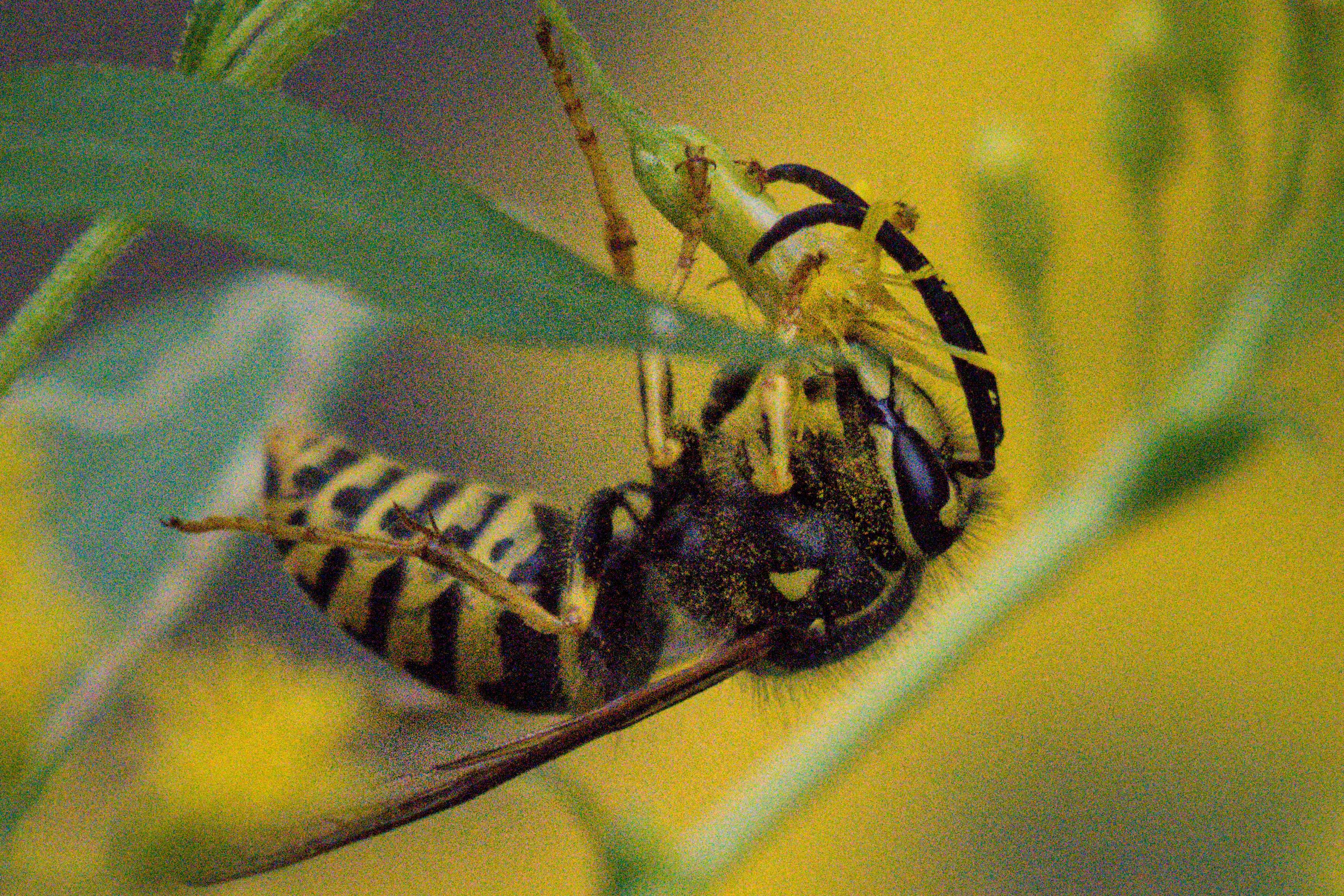
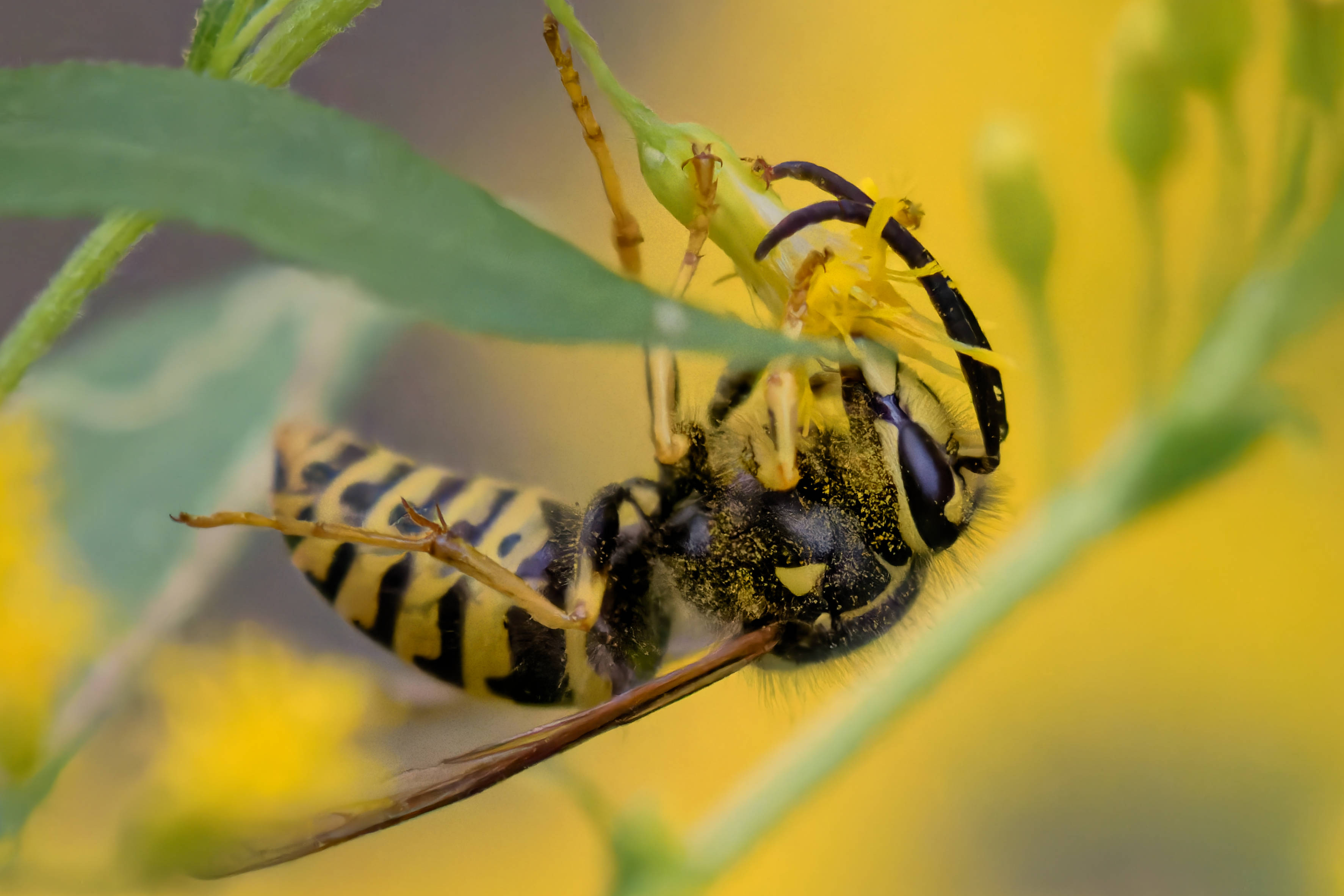
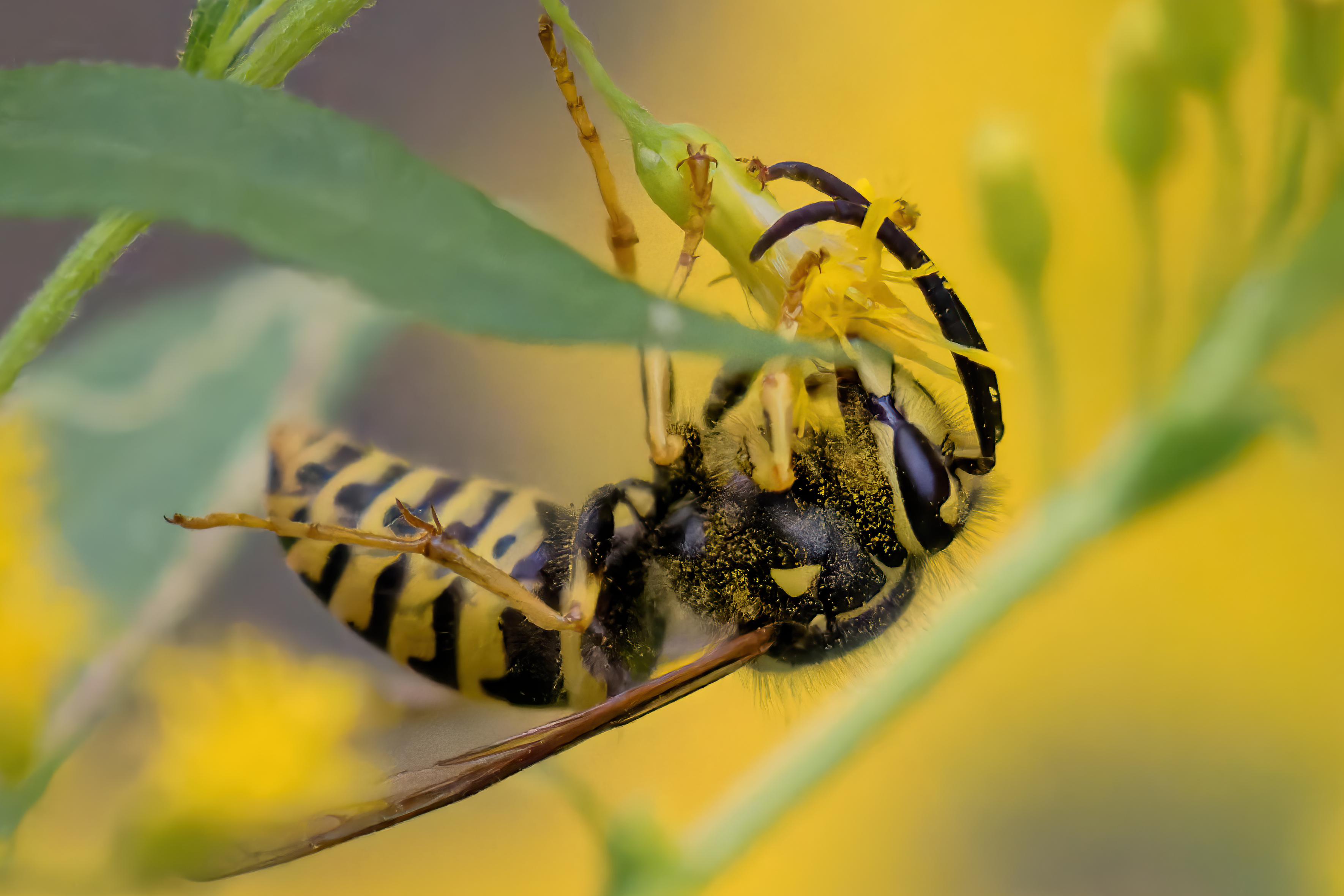
The following are 8MP crops from central area of the full 50MP image
1. Uncorrected (Cobalt Standard picture profile was applied in all cases)
2. Corrected and de-noised in DxO Photolab
3. After running the output from DxO Photolab (as tif file) through Topaz Sharpen
4. After running the output from Topaz Sharpen (the jpg) through Topaz Gigapixel and upscaling to 50 MP.
The last gives the best quality, although the differences may not be seen on small screens or in small prints.
To see some of the minor differences you will have to download the jpgs and do pixel-peeping.
I think running the corrected jpgs through DxO PR would be unnecessary, but I have not tried.
I cannot answer the last question, regarding pushing the dynamic range. I have not experimented with this aspect.
Some types of photography, e.g. birds and insects (macro), are more demanding in terms of the sharpness expectations.
I came to think about sharpness as an illusion, for the most part. This illusion can be enhanced by using the Topaz tools.
uncorrected
Corrected and de-noised in DxO Photolab
After running the output from DxO Photolab (as tif file) through Topaz Sharpen
After running the output from Topaz Sharpen (the jpg) through Topaz Gigapixel and upscaling to 50 MP.
ruthenium wrote
k-h.a.w wrote
Slightly OFF TOPIC, but only a little bit.One shot
Sony ILCE-1 + FE 100-400mm F4.5-5.6 GM OSS + 1.4X Teleconverter @ 560 mm, f/8,1/2,500 s, ISO 8,000.
Its resulting .ARW file processed 4 different ways, ranked according to noise reduction, worst first .
• Capture One 21
https://photos.smugmug.com/2021-09-11-A1100-40045-56-GM-OSS14x-TC-IMBY-Hummingbirds/i-5CgpWwR/0/347ee182/O/F%20_DSC9048%20Hummer.jpg
• Capture One 21 + DxO Nik Collection 4 Dfine2 Version 5.0.4
https://photos.smugmug.com/2021-09-11-A1100-40045-56-GM-OSS14x-TC-IMBY-Hummingbirds/i-T9ThZxH/0/7470313a/O/F%20_DSC9048%20Hummer%20Dfine2.jpg
• Capture One 21 + ON1 NoNoise AI 2021
https://photos.smugmug.com/2021-09-11-A1100-40045-56-GM-OSS14x-TC-IMBY-Hummingbirds/i-gmPD8xB/0/3f9fa5e9/O/F%20_DSC9048%20Hummer%20ON1.jpg
• DxO PureRaw DeepPRIME (demosaicing & noise reduction) + Capture One 21 editing
https://photos.smugmug.com/2021-09-11-A1100-40045-56-GM-OSS14x-TC-IMBY-Hummingbirds/i-jLCsZ55/0/9d2ab11a/O/F%20_DSC9048%20Hummer-ARW_DxO_DeepPRIME.jpg
And the Winner is: DxO PR
K-H.
j4nu wrote
ruthenium wrote
k-h.a.w wrote
Slightly OFF TOPIC, but only a little bit.One shot
Sony ILCE-1 + FE 100-400mm F4.5-5.6 GM OSS + 1.4X Teleconverter @ 560 mm, f/8,1/2,500 s, ISO 8,000.
Its resulting .ARW file processed 4 different ways, ranked according to noise reduction, worst first .
• Capture One 21
https://photos.smugmug.com/2021-09-11-A1100-40045-56-GM-OSS14x-TC-IMBY-Hummingbirds/i-5CgpWwR/0/347ee182/O/F%20_DSC9048%20Hummer.jpg
• Capture One 21 + DxO Nik Collection 4 Dfine2 Version 5.0.4
https://photos.smugmug.com/2021-09-11-A1100-40045-56-GM-OSS14x-TC-IMBY-Hummingbirds/i-T9ThZxH/0/7470313a/O/F%20_DSC9048%20Hummer%20Dfine2.jpg
• Capture One 21 + ON1 NoNoise AI 2021
https://photos.smugmug.com/2021-09-11-A1100-40045-56-GM-OSS14x-TC-IMBY-Hummingbirds/i-gmPD8xB/0/3f9fa5e9/O/F%20_DSC9048%20Hummer%20ON1.jpg
• DxO PureRaw DeepPRIME (demosaicing & noise reduction) + Capture One 21 editing
https://photos.smugmug.com/2021-09-11-A1100-40045-56-GM-OSS14x-TC-IMBY-Hummingbirds/i-jLCsZ55/0/9d2ab11a/O/F%20_DSC9048%20Hummer-ARW_DxO_DeepPRIME.jpg
And the Winner is: DxO PR
K-H.
How much does Topaz Sharpen AI contribute to this clean image?
What does the jpg look like if exported directly from DxO Photolab?
What if additionally run through DxO PR, provided that makes any sense?
Does this also work so well if the image pushes dynamic range?
IMHO this noise reduction / sharpening aspect fits well within the topic of this thread.
Thanks again, K-H.
The following are 8MP crops from central area of the full 50MP image
1. Uncorrected (Cobalt Standard picture profile was applied in all cases)
2. Corrected and de-noised in DxO Photolab
3. After running the output from DxO Photolab (as tif file) through Topaz Sharpen
4. After running the output from Topaz Sharpen (the jpg) through Topaz Gigapixel and upscaling to 50 MP.
The last gives the best quality, although the differences may not be seen on small screens or in small prints.
To see some of the minor differences you will have to download the jpgs and do pixel-peeping.
I think running the corrected jpgs through DxO PR would be unnecessary, but I have not tried.
I cannot answer the last question, regarding pushing the dynamic range. I have not experimented with this aspect.
Some types of photography, e.g. birds and insects (macro), are more demanding in terms of the sharpness expectations.
I came to think about sharpness as an illusion, for the most part. This illusion can be enhanced by using the Topaz tools.
|
||
 |
||
|
uncorrected
|
||
 |
||
|
Corrected and de-noised in DxO Photolab
|
||
 |
||
|
After running the output from DxO Photolab (as tif file) through Topaz Sharpen
|
||
 |
||
|
After running the output from Topaz Sharpen (the jpg) through Topaz Gigapixel and upscaling to 50 MP.
Sep 13, 2021 at 10:05 AM
p.17 #8CaptureOne broken for A1.
ruthenium wrote:
One shot
Sony ILCE-1 + FE 100-400mm F4.5-5.6 GM OSS + 1.4X Teleconverter @ 560 mm, f/8,1/2,500 s, ISO 8,000.
Its resulting .ARW file processed 4 different ways, ranked according to noise reduction, worst first .
• Capture One 21
https://photos.smugmug.com/2021-09-11-A1100-40045-56-GM-OSS14x-TC-IMBY-Hummingbirds/i-5CgpWwR/0/347ee182/O/F%20_DSC9048%20Hummer.jpg
• Capture One 21 + DxO Nik Collection 4 Dfine2 Version 5.0.4
https://photos.smugmug.com/2021-09-11-A1100-40045-56-GM-OSS14x-TC-IMBY-Hummingbirds/i-T9ThZxH/0/7470313a/O/F%20_DSC9048%20Hummer%20Dfine2.jpg
• Capture One 21 + ON1 NoNoise AI 2021
https://photos.smugmug.com/2021-09-11-A1100-40045-56-GM-OSS14x-TC-IMBY-Hummingbirds/i-gmPD8xB/0/3f9fa5e9/O/F%20_DSC9048%20Hummer%20ON1.jpg
• DxO PureRaw DeepPRIME (demosaicing & noise reduction) + Capture One 21 editing
https://photos.smugmug.com/2021-09-11-A1100-40045-56-GM-OSS14x-TC-IMBY-Hummingbirds/i-jLCsZ55/0/9d2ab11a/O/F%20_DSC9048%20Hummer-ARW_DxO_DeepPRIME.jpg
And the Winner is: DxO PR
K-H.Completely off-topic (sorry, j4nu) - denoising is an interesting topic on its own. I don't know how denoising in DxO PureRaw DeepPRIME works. Presumably, it is the same as in DxO Photolab which I am using for post-processing. When using DeepPRIME recently, I was genuinely impressed that a clean useable image could be obtained at ISO 25,600 (the jpg was generated by Topaz Sharpen AI from the tiff file from DxO Photolab with the Luminance set to the maximum value, 100).---------------------------------------------
One shot
Sony ILCE-1 + FE 100-400mm F4.5-5.6 GM OSS + 1.4X Teleconverter @ 560 mm, f/8,1/2,500 s, ISO 8,000.
Its resulting .ARW file processed 4 different ways, ranked according to noise reduction, worst first .
• Capture One 21
https://photos.smugmug.com/2021-09-11-A1100-40045-56-GM-OSS14x-TC-IMBY-Hummingbirds/i-5CgpWwR/0/347ee182/O/F%20_DSC9048%20Hummer.jpg
• Capture One 21 + DxO Nik Collection 4 Dfine2 Version 5.0.4
https://photos.smugmug.com/2021-09-11-A1100-40045-56-GM-OSS14x-TC-IMBY-Hummingbirds/i-T9ThZxH/0/7470313a/O/F%20_DSC9048%20Hummer%20Dfine2.jpg
• Capture One 21 + ON1 NoNoise AI 2021
https://photos.smugmug.com/2021-09-11-A1100-40045-56-GM-OSS14x-TC-IMBY-Hummingbirds/i-gmPD8xB/0/3f9fa5e9/O/F%20_DSC9048%20Hummer%20ON1.jpg
• DxO PureRaw DeepPRIME (demosaicing & noise reduction) + Capture One 21 editing
https://photos.smugmug.com/2021-09-11-A1100-40045-56-GM-OSS14x-TC-IMBY-Hummingbirds/i-jLCsZ55/0/9d2ab11a/O/F%20_DSC9048%20Hummer-ARW_DxO_DeepPRIME.jpg
And the Winner is: DxO PR
K-H.Completely off-topic (sorry, j4nu) - denoising is an interesting topic on its own. I don't know how denoising in DxO PureRaw DeepPRIME works. Presumably, it is the same as in DxO Photolab which I am using for post-processing. When using DeepPRIME recently, I was genuinely impressed that a clean useable image could be obtained at ISO 25,600 (the jpg was generated by Topaz Sharpen AI from the tiff file from DxO Photolab with the Luminance set to the maximum value, 100).Wow, this is actually amazing (esp. the color retention) at ISO25600!Thanks ruthenium. Stunningly effective. WOW!
How much does Topaz Sharpen AI contribute to this clean image?
What does the jpg look like if exported directly from DxO Photolab?
What if additionally run through DxO PR, provided that makes any sense?
Does this also work so well if the image pushes dynamic range?
IMHO this noise reduction / sharpening aspect fits well within the topic of this thread.
Thanks again, K-H.The following are 8MP crops from central area of the full 50MP image
1. Uncorrected (Cobalt Standard picture profile was applied in all cases)
2. Corrected and de-noised in DxO Photolab
3. After running the output from DxO Photolab (as tif file) through Topaz Sharpen
4. After running the output from Topaz Sharpen (the jpg) through Topaz Gigapixel and upscaling to 50 MP.
The last gives the best quality, although the differences may not be seen on small screens or in small prints.
To see some of the minor differences you will have to download the jpgs and do pixel-peeping.
I think running the corrected jpgs...Show more →
Thank you so much ruthenium, much appreciated.
I think I get your first 3 points
1. Uncorrected (Cobalt Standard picture profile was applied in all cases)
2. Corrected and de-noised in DxO Photolab
3. After running the output from DxO Photolab (as tif file) through Topaz Sharpen
DxO Photolab does all the heavy lifting, including optical corrections if available,
demosaicing and de-noising, as well as other editing, but excluding sharpening.
For that you use Topaz Sharpen.
As DxO PR does optical corrections if available, demosaicing and de-noising,
it seems to be a subset and part of the DxO Photolab functionality, right?
DxO's pricing seems interesting.
DxO PhotoLab 4 Elite, current price $199, I paid one sale $69.99 (reducerd from upgrade $89).
DxO PureRAW, current price $129, I paid one sale $89.99.
DxO VIEWPOINT 3, current price and what I paid $79, however it was on sale for $34.99 (reducerd from upgrade $49).
Here I have a question.
4. After running the output from Topaz Sharpen (the jpg) through Topaz Gigapixel and upscaling to 50 MP.
Did you upscale just the crop you show?
How then did you produce the jpg you show.
As I am using DxO PR to feed into Capture One 21, I have been using CO also for sharpening.
Thanks again, K-H.
k-h.a.w wrote
ruthenium wrote
k-h.a.w wrote
Slightly OFF TOPIC, but only a little bit.One shot
Sony ILCE-1 + FE 100-400mm F4.5-5.6 GM OSS + 1.4X Teleconverter @ 560 mm, f/8,1/2,500 s, ISO 8,000.
Its resulting .ARW file processed 4 different ways, ranked according to noise reduction, worst first .
• Capture One 21
https://photos.smugmug.com/2021-09-11-A1100-40045-56-GM-OSS14x-TC-IMBY-Hummingbirds/i-5CgpWwR/0/347ee182/O/F%20_DSC9048%20Hummer.jpg
• Capture One 21 + DxO Nik Collection 4 Dfine2 Version 5.0.4
https://photos.smugmug.com/2021-09-11-A1100-40045-56-GM-OSS14x-TC-IMBY-Hummingbirds/i-T9ThZxH/0/7470313a/O/F%20_DSC9048%20Hummer%20Dfine2.jpg
• Capture One 21 + ON1 NoNoise AI 2021
https://photos.smugmug.com/2021-09-11-A1100-40045-56-GM-OSS14x-TC-IMBY-Hummingbirds/i-gmPD8xB/0/3f9fa5e9/O/F%20_DSC9048%20Hummer%20ON1.jpg
• DxO PureRaw DeepPRIME (demosaicing & noise reduction) + Capture One 21 editing
https://photos.smugmug.com/2021-09-11-A1100-40045-56-GM-OSS14x-TC-IMBY-Hummingbirds/i-jLCsZ55/0/9d2ab11a/O/F%20_DSC9048%20Hummer-ARW_DxO_DeepPRIME.jpg
And the Winner is: DxO PR
K-H.
j4nu wrote
ruthenium wrote
k-h.a.w wrote
Slightly OFF TOPIC, but only a little bit.One shot
Sony ILCE-1 + FE 100-400mm F4.5-5.6 GM OSS + 1.4X Teleconverter @ 560 mm, f/8,1/2,500 s, ISO 8,000.
Its resulting .ARW file processed 4 different ways, ranked according to noise reduction, worst first .
• Capture One 21
https://photos.smugmug.com/2021-09-11-A1100-40045-56-GM-OSS14x-TC-IMBY-Hummingbirds/i-5CgpWwR/0/347ee182/O/F%20_DSC9048%20Hummer.jpg
• Capture One 21 + DxO Nik Collection 4 Dfine2 Version 5.0.4
https://photos.smugmug.com/2021-09-11-A1100-40045-56-GM-OSS14x-TC-IMBY-Hummingbirds/i-T9ThZxH/0/7470313a/O/F%20_DSC9048%20Hummer%20Dfine2.jpg
• Capture One 21 + ON1 NoNoise AI 2021
https://photos.smugmug.com/2021-09-11-A1100-40045-56-GM-OSS14x-TC-IMBY-Hummingbirds/i-gmPD8xB/0/3f9fa5e9/O/F%20_DSC9048%20Hummer%20ON1.jpg
• DxO PureRaw DeepPRIME (demosaicing & noise reduction) + Capture One 21 editing
https://photos.smugmug.com/2021-09-11-A1100-40045-56-GM-OSS14x-TC-IMBY-Hummingbirds/i-jLCsZ55/0/9d2ab11a/O/F%20_DSC9048%20Hummer-ARW_DxO_DeepPRIME.jpg
And the Winner is: DxO PR
K-H.
How much does Topaz Sharpen AI contribute to this clean image?
What does the jpg look like if exported directly from DxO Photolab?
What if additionally run through DxO PR, provided that makes any sense?
Does this also work so well if the image pushes dynamic range?
IMHO this noise reduction / sharpening aspect fits well within the topic of this thread.
Thanks again, K-H.
1. Uncorrected (Cobalt Standard picture profile was applied in all cases)
2. Corrected and de-noised in DxO Photolab
3. After running the output from DxO Photolab (as tif file) through Topaz Sharpen
4. After running the output from Topaz Sharpen (the jpg) through Topaz Gigapixel and upscaling to 50 MP.
The last gives the best quality, although the differences may not be seen on small screens or in small prints.
To see some of the minor differences you will have to download the jpgs and do pixel-peeping.
I think running the corrected jpgs...Show more →
Thank you so much ruthenium, much appreciated.
I think I get your first 3 points
1. Uncorrected (Cobalt Standard picture profile was applied in all cases)
2. Corrected and de-noised in DxO Photolab
3. After running the output from DxO Photolab (as tif file) through Topaz Sharpen
DxO Photolab does all the heavy lifting, including optical corrections if available,
demosaicing and de-noising, as well as other editing, but excluding sharpening.
For that you use Topaz Sharpen.
As DxO PR does optical corrections if available, demosaicing and de-noising,
it seems to be a subset and part of the DxO Photolab functionality, right?
DxO's pricing seems interesting.
DxO PhotoLab 4 Elite, current price $199, I paid one sale $69.99 (reducerd from upgrade $89).
DxO PureRAW, current price $129, I paid one sale $89.99.
DxO VIEWPOINT 3, current price and what I paid $79, however it was on sale for $34.99 (reducerd from upgrade $49).
Here I have a question.
4. After running the output from Topaz Sharpen (the jpg) through Topaz Gigapixel and upscaling to 50 MP.
Did you upscale just the crop you show?
How then did you produce the jpg you show.
As I am using DxO PR to feed into Capture One 21, I have been using CO also for sharpening.
Thanks again, K-H.
Sep 13, 2021 at 10:17 PM
p.17 #9CaptureOne broken for A1.
k-h.a.w wrote:
One shot
Sony ILCE-1 + FE 100-400mm F4.5-5.6 GM OSS + 1.4X Teleconverter @ 560 mm, f/8,1/2,500 s, ISO 8,000.
Its resulting .ARW file processed 4 different ways, ranked according to noise reduction, worst first .
• Capture One 21
https://photos.smugmug.com/2021-09-11-A1100-40045-56-GM-OSS14x-TC-IMBY-Hummingbirds/i-5CgpWwR/0/347ee182/O/F%20_DSC9048%20Hummer.jpg
• Capture One 21 + DxO Nik Collection 4 Dfine2 Version 5.0.4
https://photos.smugmug.com/2021-09-11-A1100-40045-56-GM-OSS14x-TC-IMBY-Hummingbirds/i-T9ThZxH/0/7470313a/O/F%20_DSC9048%20Hummer%20Dfine2.jpg
• Capture One 21 + ON1 NoNoise AI 2021
https://photos.smugmug.com/2021-09-11-A1100-40045-56-GM-OSS14x-TC-IMBY-Hummingbirds/i-gmPD8xB/0/3f9fa5e9/O/F%20_DSC9048%20Hummer%20ON1.jpg
• DxO PureRaw DeepPRIME (demosaicing & noise reduction) + Capture One 21 editing
https://photos.smugmug.com/2021-09-11-A1100-40045-56-GM-OSS14x-TC-IMBY-Hummingbirds/i-jLCsZ55/0/9d2ab11a/O/F%20_DSC9048%20Hummer-ARW_DxO_DeepPRIME.jpg
And the Winner is: DxO PR
K-H.Completely off-topic (sorry, j4nu) - denoising is an interesting topic on its own. I don't know how denoising in DxO PureRaw DeepPRIME works. Presumably, it is the same as in DxO Photolab which I am using for post-processing. When using DeepPRIME recently, I was genuinely impressed that a clean useable image could be obtained at ISO 25,600 (the jpg was generated by Topaz Sharpen AI from the tiff file from DxO Photolab with the Luminance set to the maximum value, 100).---------------------------------------------
One shot
Sony ILCE-1 + FE 100-400mm F4.5-5.6 GM OSS + 1.4X Teleconverter @ 560 mm, f/8,1/2,500 s, ISO 8,000.
Its resulting .ARW file processed 4 different ways, ranked according to noise reduction, worst first .
• Capture One 21
https://photos.smugmug.com/2021-09-11-A1100-40045-56-GM-OSS14x-TC-IMBY-Hummingbirds/i-5CgpWwR/0/347ee182/O/F%20_DSC9048%20Hummer.jpg
• Capture One 21 + DxO Nik Collection 4 Dfine2 Version 5.0.4
https://photos.smugmug.com/2021-09-11-A1100-40045-56-GM-OSS14x-TC-IMBY-Hummingbirds/i-T9ThZxH/0/7470313a/O/F%20_DSC9048%20Hummer%20Dfine2.jpg
• Capture One 21 + ON1 NoNoise AI 2021
https://photos.smugmug.com/2021-09-11-A1100-40045-56-GM-OSS14x-TC-IMBY-Hummingbirds/i-gmPD8xB/0/3f9fa5e9/O/F%20_DSC9048%20Hummer%20ON1.jpg
• DxO PureRaw DeepPRIME (demosaicing & noise reduction) + Capture One 21 editing
https://photos.smugmug.com/2021-09-11-A1100-40045-56-GM-OSS14x-TC-IMBY-Hummingbirds/i-jLCsZ55/0/9d2ab11a/O/F%20_DSC9048%20Hummer-ARW_DxO_DeepPRIME.jpg
And the Winner is: DxO PR
K-H.Completely off-topic (sorry, j4nu) - denoising is an interesting topic on its own. I don't know how denoising in DxO PureRaw DeepPRIME works. Presumably, it is the same as in DxO Photolab which I am using for post-processing. When using DeepPRIME recently, I was genuinely impressed that a clean useable image could be obtained at ISO 25,600 (the jpg was generated by Topaz Sharpen AI from the tiff file from DxO Photolab with the Luminance set to the maximum value, 100).Wow, this is actually amazing (esp. the color retention) at ISO25600!Thanks ruthenium. Stunningly effective. WOW!
How much does Topaz Sharpen AI contribute to this clean image?
What does the jpg look like if exported directly from DxO Photolab?
What if additionally run through DxO PR, provided that makes any sense?
Does this also work so well if the image pushes dynamic range?
IMHO this noise reduction / sharpening aspect fits well within the topic of this thread.
Thanks again, K-H.The following are 8MP crops from central area of the full 50MP image
1. Uncorrected (Cobalt Standard picture profile was applied in all cases)
2. Corrected and de-noised in DxO Photolab
3. After running the output from DxO Photolab (as tif file) through Topaz Sharpen
4. After running the output from Topaz Sharpen (the jpg) through Topaz Gigapixel and upscaling to 50 MP.
The last gives the best quality, although the differences may not be seen on small screens or in small prints.
To see some of the minor differences you will have to download the jpgs and do pixel-peeping.
I think running the corrected jpgs through DxO PR would be unnecessary, but I have not tried.
I cannot answer the last question, regarding pushing the dynamic range. I have not experimented with this aspect.
Some types of photography, e.g. birds and insects (macro), are more demanding in terms of the sharpness expectations.
I came to think about sharpness as an illusion, for the most part. This illusion can be enhanced by using the Topaz tools.Thank you so much ruthenium, much appreciated.
I think I get your first 3 points
1. Uncorrected (Cobalt Standard picture profile was applied in all cases)
2. Corrected and de-noised in DxO Photolab
3. After running the output from DxO Photolab (as tif file) through Topaz Sharpen
DxO Photolab does all the heavy lifting, including optical corrections if available,
demosaicing and de-noising, as well as other editing, but excluding sharpening.
For that you use Topaz Sharpen.
As DxO PR does optical corrections if available, demosaicing and de-noising,
it seems to be a subset and part of the DxO Photolab functionality, right?
DxO's pricing seems interesting.
DxO...Show more →
I hope I can aswer the DxO PR vs PL part, as I've been investigating it too. From all the sources I've found, PR is indeed a subset of PL. It's just that in PL you have some additional controls so you can finetune its output more to your liking (e.g. sharpening is decoupled from lens correction).
ruthenium wrote
k-h.a.w wrote
ruthenium wrote
k-h.a.w wrote
Slightly OFF TOPIC, but only a little bit.One shot
Sony ILCE-1 + FE 100-400mm F4.5-5.6 GM OSS + 1.4X Teleconverter @ 560 mm, f/8,1/2,500 s, ISO 8,000.
Its resulting .ARW file processed 4 different ways, ranked according to noise reduction, worst first .
• Capture One 21
https://photos.smugmug.com/2021-09-11-A1100-40045-56-GM-OSS14x-TC-IMBY-Hummingbirds/i-5CgpWwR/0/347ee182/O/F%20_DSC9048%20Hummer.jpg
• Capture One 21 + DxO Nik Collection 4 Dfine2 Version 5.0.4
https://photos.smugmug.com/2021-09-11-A1100-40045-56-GM-OSS14x-TC-IMBY-Hummingbirds/i-T9ThZxH/0/7470313a/O/F%20_DSC9048%20Hummer%20Dfine2.jpg
• Capture One 21 + ON1 NoNoise AI 2021
https://photos.smugmug.com/2021-09-11-A1100-40045-56-GM-OSS14x-TC-IMBY-Hummingbirds/i-gmPD8xB/0/3f9fa5e9/O/F%20_DSC9048%20Hummer%20ON1.jpg
• DxO PureRaw DeepPRIME (demosaicing & noise reduction) + Capture One 21 editing
https://photos.smugmug.com/2021-09-11-A1100-40045-56-GM-OSS14x-TC-IMBY-Hummingbirds/i-jLCsZ55/0/9d2ab11a/O/F%20_DSC9048%20Hummer-ARW_DxO_DeepPRIME.jpg
And the Winner is: DxO PR
K-H.
j4nu wrote
ruthenium wrote
k-h.a.w wrote
Slightly OFF TOPIC, but only a little bit.One shot
Sony ILCE-1 + FE 100-400mm F4.5-5.6 GM OSS + 1.4X Teleconverter @ 560 mm, f/8,1/2,500 s, ISO 8,000.
Its resulting .ARW file processed 4 different ways, ranked according to noise reduction, worst first .
• Capture One 21
https://photos.smugmug.com/2021-09-11-A1100-40045-56-GM-OSS14x-TC-IMBY-Hummingbirds/i-5CgpWwR/0/347ee182/O/F%20_DSC9048%20Hummer.jpg
• Capture One 21 + DxO Nik Collection 4 Dfine2 Version 5.0.4
https://photos.smugmug.com/2021-09-11-A1100-40045-56-GM-OSS14x-TC-IMBY-Hummingbirds/i-T9ThZxH/0/7470313a/O/F%20_DSC9048%20Hummer%20Dfine2.jpg
• Capture One 21 + ON1 NoNoise AI 2021
https://photos.smugmug.com/2021-09-11-A1100-40045-56-GM-OSS14x-TC-IMBY-Hummingbirds/i-gmPD8xB/0/3f9fa5e9/O/F%20_DSC9048%20Hummer%20ON1.jpg
• DxO PureRaw DeepPRIME (demosaicing & noise reduction) + Capture One 21 editing
https://photos.smugmug.com/2021-09-11-A1100-40045-56-GM-OSS14x-TC-IMBY-Hummingbirds/i-jLCsZ55/0/9d2ab11a/O/F%20_DSC9048%20Hummer-ARW_DxO_DeepPRIME.jpg
And the Winner is: DxO PR
K-H.
How much does Topaz Sharpen AI contribute to this clean image?
What does the jpg look like if exported directly from DxO Photolab?
What if additionally run through DxO PR, provided that makes any sense?
Does this also work so well if the image pushes dynamic range?
IMHO this noise reduction / sharpening aspect fits well within the topic of this thread.
Thanks again, K-H.
1. Uncorrected (Cobalt Standard picture profile was applied in all cases)
2. Corrected and de-noised in DxO Photolab
3. After running the output from DxO Photolab (as tif file) through Topaz Sharpen
4. After running the output from Topaz Sharpen (the jpg) through Topaz Gigapixel and upscaling to 50 MP.
The last gives the best quality, although the differences may not be seen on small screens or in small prints.
To see some of the minor differences you will have to download the jpgs and do pixel-peeping.
I think running the corrected jpgs through DxO PR would be unnecessary, but I have not tried.
I cannot answer the last question, regarding pushing the dynamic range. I have not experimented with this aspect.
Some types of photography, e.g. birds and insects (macro), are more demanding in terms of the sharpness expectations.
I came to think about sharpness as an illusion, for the most part. This illusion can be enhanced by using the Topaz tools.
I think I get your first 3 points
1. Uncorrected (Cobalt Standard picture profile was applied in all cases)
2. Corrected and de-noised in DxO Photolab
3. After running the output from DxO Photolab (as tif file) through Topaz Sharpen
DxO Photolab does all the heavy lifting, including optical corrections if available,
demosaicing and de-noising, as well as other editing, but excluding sharpening.
For that you use Topaz Sharpen.
As DxO PR does optical corrections if available, demosaicing and de-noising,
it seems to be a subset and part of the DxO Photolab functionality, right?
DxO's pricing seems interesting.
DxO...Show more →
I hope I can aswer the DxO PR vs PL part, as I've been investigating it too. From all the sources I've found, PR is indeed a subset of PL. It's just that in PL you have some additional controls so you can finetune its output more to your liking (e.g. sharpening is decoupled from lens correction).
Sep 14, 2021 at 01:19 AM
p.17 #10CaptureOne broken for A1.
j4nu wrote:
One shot
Sony ILCE-1 + FE 100-400mm F4.5-5.6 GM OSS + 1.4X Teleconverter @ 560 mm, f/8,1/2,500 s, ISO 8,000.
Its resulting .ARW file processed 4 different ways, ranked according to noise reduction, worst first .
• Capture One 21
https://photos.smugmug.com/2021-09-11-A1100-40045-56-GM-OSS14x-TC-IMBY-Hummingbirds/i-5CgpWwR/0/347ee182/O/F%20_DSC9048%20Hummer.jpg
• Capture One 21 + DxO Nik Collection 4 Dfine2 Version 5.0.4
https://photos.smugmug.com/2021-09-11-A1100-40045-56-GM-OSS14x-TC-IMBY-Hummingbirds/i-T9ThZxH/0/7470313a/O/F%20_DSC9048%20Hummer%20Dfine2.jpg
• Capture One 21 + ON1 NoNoise AI 2021
https://photos.smugmug.com/2021-09-11-A1100-40045-56-GM-OSS14x-TC-IMBY-Hummingbirds/i-gmPD8xB/0/3f9fa5e9/O/F%20_DSC9048%20Hummer%20ON1.jpg
• DxO PureRaw DeepPRIME (demosaicing & noise reduction) + Capture One 21 editing
https://photos.smugmug.com/2021-09-11-A1100-40045-56-GM-OSS14x-TC-IMBY-Hummingbirds/i-jLCsZ55/0/9d2ab11a/O/F%20_DSC9048%20Hummer-ARW_DxO_DeepPRIME.jpg
And the Winner is: DxO PR
K-H.Completely off-topic (sorry, j4nu) - denoising is an interesting topic on its own. I don't know how denoising in DxO PureRaw DeepPRIME works. Presumably, it is the same as in DxO Photolab which I am using for post-processing. When using DeepPRIME recently, I was genuinely impressed that a clean useable image could be obtained at ISO 25,600 (the jpg was generated by Topaz Sharpen AI from the tiff file from DxO Photolab with the Luminance set to the maximum value, 100).---------------------------------------------
Wow, this is actually amazing (esp. the color retention) at ISO25600!Thanks ruthenium. Stunningly effective. WOW!
How much does Topaz Sharpen AI contribute to this clean image?
What does the jpg look like if exported directly from DxO Photolab?
What if additionally run through DxO PR, provided that makes any sense?
Does this also work so well if the image pushes dynamic range?
IMHO this noise reduction / sharpening aspect fits well within the topic of this thread.
Thanks again, K-H.The following are 8MP crops from central area of the full 50MP image
1. Uncorrected (Cobalt Standard picture profile was applied in all cases)
2. Corrected and de-noised in DxO Photolab
3. After running the output from DxO Photolab (as tif file) through Topaz Sharpen
4. After running the output from Topaz Sharpen (the jpg) through Topaz Gigapixel and upscaling to 50 MP.
The last gives the best quality, although the differences may not be seen on small screens or in small prints.
To see some of the minor differences you will have to download the jpgs and do pixel-peeping.
I think running the corrected jpgs through DxO PR would be unnecessary, but I have not tried.
I cannot answer the last question, regarding pushing the dynamic range. I have not experimented with this aspect.
Some types of photography, e.g. birds and insects (macro), are more demanding in terms of the sharpness expectations.
I came to think about sharpness as an illusion, for the most part. This illusion can be enhanced by using the Topaz tools.Thank you so much ruthenium, much appreciated.
I think I get your first 3 points
1. Uncorrected (Cobalt Standard picture profile was applied in all cases)
2. Corrected and de-noised in DxO Photolab
3. After running the output from DxO Photolab (as tif file) through Topaz Sharpen
DxO Photolab does all the heavy lifting, including optical corrections if available,
demosaicing and de-noising, as well as other editing, but excluding sharpening.
For that you use Topaz Sharpen.
As DxO PR does optical corrections if available, demosaicing and de-noising,
it seems to be a subset and part of the DxO Photolab functionality, right?
DxO's pricing seems interesting.
DxO PhotoLab 4 Elite, current price $199, I paid one sale $69.99 (reducerd from upgrade $89).
DxO PureRAW, current price $129, I paid one sale $89.99.
DxO VIEWPOINT 3, current price and what I paid $79, however it was on sale for $34.99 (reducerd from upgrade $49).
Here I have a question.
4. After running the output from Topaz Sharpen (the jpg) through Topaz Gigapixel and upscaling to 50 MP.
Did you upscale just the crop you show?
How then did you produce the jpg you show.
As I am using DxO PR to feed into Capture One 21, I have been using CO also for sharpening.
Thanks again, K-H.I hope I can aswer the DxO PR vs PL part, as I've been investigating it too. From all the sources I've found, PR is indeed a subset of PL. It's just that in PL you have some additional controls so you can finetune its output more to your liking (e.g. sharpening is decoupled from lens correction).
Thank you j4nu, much appreciated.
So PR also has some sharpening thrown into the mix?
Interesting… I have been using CO to apply sharpening to the dng file from PR.
So far I have not touched DxO PL, as PR and CO seem to work well together.
But I think now I am ready to explore PL as well.
K-H.
k-h.a.w wrote
ruthenium wrote
k-h.a.w wrote
ruthenium wrote
k-h.a.w wrote
Slightly OFF TOPIC, but only a little bit.One shot
Sony ILCE-1 + FE 100-400mm F4.5-5.6 GM OSS + 1.4X Teleconverter @ 560 mm, f/8,1/2,500 s, ISO 8,000.
Its resulting .ARW file processed 4 different ways, ranked according to noise reduction, worst first .
• Capture One 21
https://photos.smugmug.com/2021-09-11-A1100-40045-56-GM-OSS14x-TC-IMBY-Hummingbirds/i-5CgpWwR/0/347ee182/O/F%20_DSC9048%20Hummer.jpg
• Capture One 21 + DxO Nik Collection 4 Dfine2 Version 5.0.4
https://photos.smugmug.com/2021-09-11-A1100-40045-56-GM-OSS14x-TC-IMBY-Hummingbirds/i-T9ThZxH/0/7470313a/O/F%20_DSC9048%20Hummer%20Dfine2.jpg
• Capture One 21 + ON1 NoNoise AI 2021
https://photos.smugmug.com/2021-09-11-A1100-40045-56-GM-OSS14x-TC-IMBY-Hummingbirds/i-gmPD8xB/0/3f9fa5e9/O/F%20_DSC9048%20Hummer%20ON1.jpg
• DxO PureRaw DeepPRIME (demosaicing & noise reduction) + Capture One 21 editing
https://photos.smugmug.com/2021-09-11-A1100-40045-56-GM-OSS14x-TC-IMBY-Hummingbirds/i-jLCsZ55/0/9d2ab11a/O/F%20_DSC9048%20Hummer-ARW_DxO_DeepPRIME.jpg
And the Winner is: DxO PR
K-H.
j4nu wrote
ruthenium wrote
Completely off-topic (sorry, j4nu) - denoising is an interesting topic on its own. I don't know how denoising in DxO PureRaw DeepPRIME works. Presumably, it is the same as in DxO Photolab which I am using for post-processing. When using DeepPRIME recently, I was genuinely impressed that a clean useable image could be obtained at ISO 25,600 (the jpg was generated by Topaz Sharpen AI from the tiff file from DxO Photolab with the Luminance set to the maximum value, 100).How much does Topaz Sharpen AI contribute to this clean image?
What does the jpg look like if exported directly from DxO Photolab?
What if additionally run through DxO PR, provided that makes any sense?
Does this also work so well if the image pushes dynamic range?
IMHO this noise reduction / sharpening aspect fits well within the topic of this thread.
Thanks again, K-H.
1. Uncorrected (Cobalt Standard picture profile was applied in all cases)
2. Corrected and de-noised in DxO Photolab
3. After running the output from DxO Photolab (as tif file) through Topaz Sharpen
4. After running the output from Topaz Sharpen (the jpg) through Topaz Gigapixel and upscaling to 50 MP.
The last gives the best quality, although the differences may not be seen on small screens or in small prints.
To see some of the minor differences you will have to download the jpgs and do pixel-peeping.
I think running the corrected jpgs through DxO PR would be unnecessary, but I have not tried.
I cannot answer the last question, regarding pushing the dynamic range. I have not experimented with this aspect.
Some types of photography, e.g. birds and insects (macro), are more demanding in terms of the sharpness expectations.
I came to think about sharpness as an illusion, for the most part. This illusion can be enhanced by using the Topaz tools.
I think I get your first 3 points
1. Uncorrected (Cobalt Standard picture profile was applied in all cases)
2. Corrected and de-noised in DxO Photolab
3. After running the output from DxO Photolab (as tif file) through Topaz Sharpen
DxO Photolab does all the heavy lifting, including optical corrections if available,
demosaicing and de-noising, as well as other editing, but excluding sharpening.
For that you use Topaz Sharpen.
As DxO PR does optical corrections if available, demosaicing and de-noising,
it seems to be a subset and part of the DxO Photolab functionality, right?
DxO's pricing seems interesting.
DxO PhotoLab 4 Elite, current price $199, I paid one sale $69.99 (reducerd from upgrade $89).
DxO PureRAW, current price $129, I paid one sale $89.99.
DxO VIEWPOINT 3, current price and what I paid $79, however it was on sale for $34.99 (reducerd from upgrade $49).
Here I have a question.
4. After running the output from Topaz Sharpen (the jpg) through Topaz Gigapixel and upscaling to 50 MP.
Did you upscale just the crop you show?
How then did you produce the jpg you show.
As I am using DxO PR to feed into Capture One 21, I have been using CO also for sharpening.
Thanks again, K-H.
Thank you j4nu, much appreciated.
So PR also has some sharpening thrown into the mix?
Interesting… I have been using CO to apply sharpening to the dng file from PR.
So far I have not touched DxO PL, as PR and CO seem to work well together.
But I think now I am ready to explore PL as well.
K-H.
Sep 14, 2021 at 01:58 AM
p.17 #11CaptureOne broken for A1.
k-h.a.w wrote:
---------------------------------------------
Thanks ruthenium. Stunningly effective. WOW!
How much does Topaz Sharpen AI contribute to this clean image?
What does the jpg look like if exported directly from DxO Photolab?
What if additionally run through DxO PR, provided that makes any sense?
Does this also work so well if the image pushes dynamic range?
IMHO this noise reduction / sharpening aspect fits well within the topic of this thread.
Thanks again, K-H.The following are 8MP crops from central area of the full 50MP image
1. Uncorrected (Cobalt Standard picture profile was applied in all cases)
2. Corrected and de-noised in DxO Photolab
3. After running the output from DxO Photolab (as tif file) through Topaz Sharpen
4. After running the output from Topaz Sharpen (the jpg) through Topaz Gigapixel and upscaling to 50 MP.
The last gives the best quality, although the differences may not be seen on small screens or in small prints.
To see some of the minor differences you will have to download the jpgs and do pixel-peeping.
I think running the corrected jpgs through DxO PR would be unnecessary, but I have not tried.
I cannot answer the last question, regarding pushing the dynamic range. I have not experimented with this aspect.
Some types of photography, e.g. birds and insects (macro), are more demanding in terms of the sharpness expectations.
I came to think about sharpness as an illusion, for the most part. This illusion can be enhanced by using the Topaz tools.Thank you so much ruthenium, much appreciated.
I think I get your first 3 points
1. Uncorrected (Cobalt Standard picture profile was applied in all cases)
2. Corrected and de-noised in DxO Photolab
3. After running the output from DxO Photolab (as tif file) through Topaz Sharpen
DxO Photolab does all the heavy lifting, including optical corrections if available,
demosaicing and de-noising, as well as other editing, but excluding sharpening.
For that you use Topaz Sharpen.
As DxO PR does optical corrections if available, demosaicing and de-noising,
it seems to be a subset and part of the DxO Photolab functionality, right?
DxO's pricing seems interesting.
DxO PhotoLab 4 Elite, current price $199, I paid one sale $69.99 (reducerd from upgrade $89).
DxO PureRAW, current price $129, I paid one sale $89.99.
DxO VIEWPOINT 3, current price and what I paid $79, however it was on sale for $34.99 (reducerd from upgrade $49).
Here I have a question.
4. After running the output from Topaz Sharpen (the jpg) through Topaz Gigapixel and upscaling to 50 MP.
Did you upscale just the crop you show?
How then did you produce the jpg you show.
As I am using DxO PR to feed into Capture One 21, I have been using CO also for sharpening.
Thanks again, K-H.I hope I can aswer the DxO PR vs PL part, as I've been investigating it too. From all the sources I've found, PR is indeed a subset of PL. It's just that in PL you have some additional controls so you can finetune its output more to your liking (e.g. sharpening is decoupled from lens correction).Thank you j4nu, much appreciated.
So PR also has some sharpening thrown into the mix?
Interesting… I have been using CO to apply sharpening to the dng file from PR.
So far I have not touched DxO PL, as PR and CO seem to work well together.
But I think now I am ready to explore PL as well.
K-H.
Yes, as long as you have the "camera/lens" module enabled PR also applies some sharpening. I've read a thread on DxO forums with people complaining it's oversharpening often .
j4nu wrote
k-h.a.w wrote
ruthenium wrote
k-h.a.w wrote
ruthenium wrote
Completely off-topic (sorry, j4nu) - denoising is an interesting topic on its own. I don't know how denoising in DxO PureRaw DeepPRIME works. Presumably, it is the same as in DxO Photolab which I am using for post-processing. When using DeepPRIME recently, I was genuinely impressed that a clean useable image could be obtained at ISO 25,600 (the jpg was generated by Topaz Sharpen AI from the tiff file from DxO Photolab with the Luminance set to the maximum value, 100).j4nu wrote
Wow, this is actually amazing (esp. the color retention) at ISO25600!How much does Topaz Sharpen AI contribute to this clean image?
What does the jpg look like if exported directly from DxO Photolab?
What if additionally run through DxO PR, provided that makes any sense?
Does this also work so well if the image pushes dynamic range?
IMHO this noise reduction / sharpening aspect fits well within the topic of this thread.
Thanks again, K-H.
1. Uncorrected (Cobalt Standard picture profile was applied in all cases)
2. Corrected and de-noised in DxO Photolab
3. After running the output from DxO Photolab (as tif file) through Topaz Sharpen
4. After running the output from Topaz Sharpen (the jpg) through Topaz Gigapixel and upscaling to 50 MP.
The last gives the best quality, although the differences may not be seen on small screens or in small prints.
To see some of the minor differences you will have to download the jpgs and do pixel-peeping.
I think running the corrected jpgs through DxO PR would be unnecessary, but I have not tried.
I cannot answer the last question, regarding pushing the dynamic range. I have not experimented with this aspect.
Some types of photography, e.g. birds and insects (macro), are more demanding in terms of the sharpness expectations.
I came to think about sharpness as an illusion, for the most part. This illusion can be enhanced by using the Topaz tools.
I think I get your first 3 points
1. Uncorrected (Cobalt Standard picture profile was applied in all cases)
2. Corrected and de-noised in DxO Photolab
3. After running the output from DxO Photolab (as tif file) through Topaz Sharpen
DxO Photolab does all the heavy lifting, including optical corrections if available,
demosaicing and de-noising, as well as other editing, but excluding sharpening.
For that you use Topaz Sharpen.
As DxO PR does optical corrections if available, demosaicing and de-noising,
it seems to be a subset and part of the DxO Photolab functionality, right?
DxO's pricing seems interesting.
DxO PhotoLab 4 Elite, current price $199, I paid one sale $69.99 (reducerd from upgrade $89).
DxO PureRAW, current price $129, I paid one sale $89.99.
DxO VIEWPOINT 3, current price and what I paid $79, however it was on sale for $34.99 (reducerd from upgrade $49).
Here I have a question.
4. After running the output from Topaz Sharpen (the jpg) through Topaz Gigapixel and upscaling to 50 MP.
Did you upscale just the crop you show?
How then did you produce the jpg you show.
As I am using DxO PR to feed into Capture One 21, I have been using CO also for sharpening.
Thanks again, K-H.
So PR also has some sharpening thrown into the mix?
Interesting… I have been using CO to apply sharpening to the dng file from PR.
So far I have not touched DxO PL, as PR and CO seem to work well together.
But I think now I am ready to explore PL as well.
K-H.
Yes, as long as you have the "camera/lens" module enabled PR also applies some sharpening. I've read a thread on DxO forums with people complaining it's oversharpening often
.Sep 14, 2021 at 02:29 AM
p.17 #12CaptureOne broken for A1.
k-h.a.w wrote:
One shot
Sony ILCE-1 + FE 100-400mm F4.5-5.6 GM OSS + 1.4X Teleconverter @ 560 mm, f/8,1/2,500 s, ISO 8,000.
Its resulting .ARW file processed 4 different ways, ranked according to noise reduction, worst first .
• Capture One 21
https://photos.smugmug.com/2021-09-11-A1100-40045-56-GM-OSS14x-TC-IMBY-Hummingbirds/i-5CgpWwR/0/347ee182/O/F%20_DSC9048%20Hummer.jpg
• Capture One 21 + DxO Nik Collection 4 Dfine2 Version 5.0.4
https://photos.smugmug.com/2021-09-11-A1100-40045-56-GM-OSS14x-TC-IMBY-Hummingbirds/i-T9ThZxH/0/7470313a/O/F%20_DSC9048%20Hummer%20Dfine2.jpg
• Capture One 21 + ON1 NoNoise AI 2021
https://photos.smugmug.com/2021-09-11-A1100-40045-56-GM-OSS14x-TC-IMBY-Hummingbirds/i-gmPD8xB/0/3f9fa5e9/O/F%20_DSC9048%20Hummer%20ON1.jpg
• DxO PureRaw DeepPRIME (demosaicing & noise reduction) + Capture One 21 editing
https://photos.smugmug.com/2021-09-11-A1100-40045-56-GM-OSS14x-TC-IMBY-Hummingbirds/i-jLCsZ55/0/9d2ab11a/O/F%20_DSC9048%20Hummer-ARW_DxO_DeepPRIME.jpg
And the Winner is: DxO PR
K-H.Completely off-topic (sorry, j4nu) - denoising is an interesting topic on its own. I don't know how denoising in DxO PureRaw DeepPRIME works. Presumably, it is the same as in DxO Photolab which I am using for post-processing. When using DeepPRIME recently, I was genuinely impressed that a clean useable image could be obtained at ISO 25,600 (the jpg was generated by Topaz Sharpen AI from the tiff file from DxO Photolab with the Luminance set to the maximum value, 100).---------------------------------------------
One shot
Sony ILCE-1 + FE 100-400mm F4.5-5.6 GM OSS + 1.4X Teleconverter @ 560 mm, f/8,1/2,500 s, ISO 8,000.
Its resulting .ARW file processed 4 different ways, ranked according to noise reduction, worst first .
• Capture One 21
https://photos.smugmug.com/2021-09-11-A1100-40045-56-GM-OSS14x-TC-IMBY-Hummingbirds/i-5CgpWwR/0/347ee182/O/F%20_DSC9048%20Hummer.jpg
• Capture One 21 + DxO Nik Collection 4 Dfine2 Version 5.0.4
https://photos.smugmug.com/2021-09-11-A1100-40045-56-GM-OSS14x-TC-IMBY-Hummingbirds/i-T9ThZxH/0/7470313a/O/F%20_DSC9048%20Hummer%20Dfine2.jpg
• Capture One 21 + ON1 NoNoise AI 2021
https://photos.smugmug.com/2021-09-11-A1100-40045-56-GM-OSS14x-TC-IMBY-Hummingbirds/i-gmPD8xB/0/3f9fa5e9/O/F%20_DSC9048%20Hummer%20ON1.jpg
• DxO PureRaw DeepPRIME (demosaicing & noise reduction) + Capture One 21 editing
https://photos.smugmug.com/2021-09-11-A1100-40045-56-GM-OSS14x-TC-IMBY-Hummingbirds/i-jLCsZ55/0/9d2ab11a/O/F%20_DSC9048%20Hummer-ARW_DxO_DeepPRIME.jpg
And the Winner is: DxO PR
K-H.Completely off-topic (sorry, j4nu) - denoising is an interesting topic on its own. I don't know how denoising in DxO PureRaw DeepPRIME works. Presumably, it is the same as in DxO Photolab which I am using for post-processing. When using DeepPRIME recently, I was genuinely impressed that a clean useable image could be obtained at ISO 25,600 (the jpg was generated by Topaz Sharpen AI from the tiff file from DxO Photolab with the Luminance set to the maximum value, 100).Wow, this is actually amazing (esp. the color retention) at ISO25600!Thanks ruthenium. Stunningly effective. WOW!
How much does Topaz Sharpen AI contribute to this clean image?
What does the jpg look like if exported directly from DxO Photolab?
What if additionally run through DxO PR, provided that makes any sense?
Does this also work so well if the image pushes dynamic range?
IMHO this noise reduction / sharpening aspect fits well within the topic of this thread.
Thanks again, K-H.The following are 8MP crops from central area of the full 50MP image
1. Uncorrected (Cobalt Standard picture profile was applied in all cases)
2. Corrected and de-noised in DxO Photolab
3. After running the output from DxO Photolab (as tif file) through Topaz Sharpen
4. After running the output from Topaz Sharpen (the jpg) through Topaz Gigapixel and upscaling to 50 MP.
The last gives the best quality, although the differences may not be seen on small screens or in small prints.
To see some of the minor differences you will have to download the jpgs and do pixel-peeping.
I think running the corrected jpgs through DxO PR would be unnecessary, but I have not tried.
I cannot answer the last question, regarding pushing the dynamic range. I have not experimented with this aspect.
Some types of photography, e.g. birds and insects (macro), are more demanding in terms of the sharpness expectations.
I came to think about sharpness as an illusion, for the most part. This illusion can be enhanced by using the Topaz tools.Thank you so much ruthenium, much appreciated.
I think I get your first 3 points
1. Uncorrected (Cobalt Standard picture profile was applied in all cases)
2. Corrected and de-noised in DxO Photolab
3. After running the output from DxO Photolab (as tif file) through Topaz Sharpen
DxO Photolab does all the heavy lifting, including optical corrections if available,
demosaicing and de-noising, as well as other editing, but excluding sharpening.
For that you use Topaz Sharpen.
As DxO PR does optical corrections if available, demosaicing and de-noising,
it seems to be a subset and part of the DxO Photolab functionality, right?
DxO's pricing seems interesting.
DxO...Show more →
JPG image # 3 (8MP, 412 KB) was opened in Topaz Gigapixel and upscaled to 50 MP. To generate the output, the "quality" was set to 7, the same value as when image #3 was generated from the TIF file from DxO Photolab. The resulting JPG (image #4 in the series) is a 1.63MB file. From my experience, one can upload images up to 2MB in size (or close to 2MB) on the FM forums. Thus, image #4 is a 50MP file (you can check this if you download the file).
I should add that the sharpening happened 2 times for image #3 (in DxO Photolab + Topaz), and 3(!) times for image #4 as Topaz Gigapixel also "removes blur."
Sharpness is subjective, and the amount of sharpening depends on the type of photography one does. In the Spring and Summer this year, I spent much time taking pictures at 800 mm (100-400GM with 2x TC), often cropping these in PP, and sometimes shooting in the APS-C mode at the effective FL 1200 mm. The challenges of shooting at 800 - 1200 mm are well-known: camera shake, subject movements, the atmospheric interferences, and reduced amount of light at F11. These are the factors affecting the image quality. Using Topaz Sharpen and (when cropping heavily) Gigapixel, often helps to improve the apparent image quality, as I see it. Having said this, I should also acknowledge the drawbacks. Topaz Sharpen can produce ugly artifacts, and oversharpening can be a problem. Post-processing is a process where the decisions can be highly subjective.
ruthenium wrote
k-h.a.w wrote
ruthenium wrote
k-h.a.w wrote
Slightly OFF TOPIC, but only a little bit.One shot
Sony ILCE-1 + FE 100-400mm F4.5-5.6 GM OSS + 1.4X Teleconverter @ 560 mm, f/8,1/2,500 s, ISO 8,000.
Its resulting .ARW file processed 4 different ways, ranked according to noise reduction, worst first .
• Capture One 21
https://photos.smugmug.com/2021-09-11-A1100-40045-56-GM-OSS14x-TC-IMBY-Hummingbirds/i-5CgpWwR/0/347ee182/O/F%20_DSC9048%20Hummer.jpg
• Capture One 21 + DxO Nik Collection 4 Dfine2 Version 5.0.4
https://photos.smugmug.com/2021-09-11-A1100-40045-56-GM-OSS14x-TC-IMBY-Hummingbirds/i-T9ThZxH/0/7470313a/O/F%20_DSC9048%20Hummer%20Dfine2.jpg
• Capture One 21 + ON1 NoNoise AI 2021
https://photos.smugmug.com/2021-09-11-A1100-40045-56-GM-OSS14x-TC-IMBY-Hummingbirds/i-gmPD8xB/0/3f9fa5e9/O/F%20_DSC9048%20Hummer%20ON1.jpg
• DxO PureRaw DeepPRIME (demosaicing & noise reduction) + Capture One 21 editing
https://photos.smugmug.com/2021-09-11-A1100-40045-56-GM-OSS14x-TC-IMBY-Hummingbirds/i-jLCsZ55/0/9d2ab11a/O/F%20_DSC9048%20Hummer-ARW_DxO_DeepPRIME.jpg
And the Winner is: DxO PR
K-H.
j4nu wrote
ruthenium wrote
k-h.a.w wrote
Slightly OFF TOPIC, but only a little bit.One shot
Sony ILCE-1 + FE 100-400mm F4.5-5.6 GM OSS + 1.4X Teleconverter @ 560 mm, f/8,1/2,500 s, ISO 8,000.
Its resulting .ARW file processed 4 different ways, ranked according to noise reduction, worst first .
• Capture One 21
https://photos.smugmug.com/2021-09-11-A1100-40045-56-GM-OSS14x-TC-IMBY-Hummingbirds/i-5CgpWwR/0/347ee182/O/F%20_DSC9048%20Hummer.jpg
• Capture One 21 + DxO Nik Collection 4 Dfine2 Version 5.0.4
https://photos.smugmug.com/2021-09-11-A1100-40045-56-GM-OSS14x-TC-IMBY-Hummingbirds/i-T9ThZxH/0/7470313a/O/F%20_DSC9048%20Hummer%20Dfine2.jpg
• Capture One 21 + ON1 NoNoise AI 2021
https://photos.smugmug.com/2021-09-11-A1100-40045-56-GM-OSS14x-TC-IMBY-Hummingbirds/i-gmPD8xB/0/3f9fa5e9/O/F%20_DSC9048%20Hummer%20ON1.jpg
• DxO PureRaw DeepPRIME (demosaicing & noise reduction) + Capture One 21 editing
https://photos.smugmug.com/2021-09-11-A1100-40045-56-GM-OSS14x-TC-IMBY-Hummingbirds/i-jLCsZ55/0/9d2ab11a/O/F%20_DSC9048%20Hummer-ARW_DxO_DeepPRIME.jpg
And the Winner is: DxO PR
K-H.
How much does Topaz Sharpen AI contribute to this clean image?
What does the jpg look like if exported directly from DxO Photolab?
What if additionally run through DxO PR, provided that makes any sense?
Does this also work so well if the image pushes dynamic range?
IMHO this noise reduction / sharpening aspect fits well within the topic of this thread.
Thanks again, K-H.
1. Uncorrected (Cobalt Standard picture profile was applied in all cases)
2. Corrected and de-noised in DxO Photolab
3. After running the output from DxO Photolab (as tif file) through Topaz Sharpen
4. After running the output from Topaz Sharpen (the jpg) through Topaz Gigapixel and upscaling to 50 MP.
The last gives the best quality, although the differences may not be seen on small screens or in small prints.
To see some of the minor differences you will have to download the jpgs and do pixel-peeping.
I think running the corrected jpgs through DxO PR would be unnecessary, but I have not tried.
I cannot answer the last question, regarding pushing the dynamic range. I have not experimented with this aspect.
Some types of photography, e.g. birds and insects (macro), are more demanding in terms of the sharpness expectations.
I came to think about sharpness as an illusion, for the most part. This illusion can be enhanced by using the Topaz tools.
I think I get your first 3 points
1. Uncorrected (Cobalt Standard picture profile was applied in all cases)
2. Corrected and de-noised in DxO Photolab
3. After running the output from DxO Photolab (as tif file) through Topaz Sharpen
DxO Photolab does all the heavy lifting, including optical corrections if available,
demosaicing and de-noising, as well as other editing, but excluding sharpening.
For that you use Topaz Sharpen.
As DxO PR does optical corrections if available, demosaicing and de-noising,
it seems to be a subset and part of the DxO Photolab functionality, right?
DxO's pricing seems interesting.
DxO...Show more →
JPG image # 3 (8MP, 412 KB) was opened in Topaz Gigapixel and upscaled to 50 MP. To generate the output, the "quality" was set to 7, the same value as when image #3 was generated from the TIF file from DxO Photolab. The resulting JPG (image #4 in the series) is a 1.63MB file. From my experience, one can upload images up to 2MB in size (or close to 2MB) on the FM forums. Thus, image #4 is a 50MP file (you can check this if you download the file).
I should add that the sharpening happened 2 times for image #3 (in DxO Photolab + Topaz), and 3(!) times for image #4 as Topaz Gigapixel also "removes blur."
Sharpness is subjective, and the amount of sharpening depends on the type of photography one does. In the Spring and Summer this year, I spent much time taking pictures at 800 mm (100-400GM with 2x TC), often cropping these in PP, and sometimes shooting in the APS-C mode at the effective FL 1200 mm. The challenges of shooting at 800 - 1200 mm are well-known: camera shake, subject movements, the atmospheric interferences, and reduced amount of light at F11. These are the factors affecting the image quality. Using Topaz Sharpen and (when cropping heavily) Gigapixel, often helps to improve the apparent image quality, as I see it. Having said this, I should also acknowledge the drawbacks. Topaz Sharpen can produce ugly artifacts, and oversharpening can be a problem. Post-processing is a process where the decisions can be highly subjective.
Sep 14, 2021 at 07:37 AM
p.17 #13CaptureOne broken for A1.
ruthenium wrote:
One shot
Sony ILCE-1 + FE 100-400mm F4.5-5.6 GM OSS + 1.4X Teleconverter @ 560 mm, f/8,1/2,500 s, ISO 8,000.
Its resulting .ARW file processed 4 different ways, ranked according to noise reduction, worst first .
• Capture One 21
https://photos.smugmug.com/2021-09-11-A1100-40045-56-GM-OSS14x-TC-IMBY-Hummingbirds/i-5CgpWwR/0/347ee182/O/F%20_DSC9048%20Hummer.jpg
• Capture One 21 + DxO Nik Collection 4 Dfine2 Version 5.0.4
https://photos.smugmug.com/2021-09-11-A1100-40045-56-GM-OSS14x-TC-IMBY-Hummingbirds/i-T9ThZxH/0/7470313a/O/F%20_DSC9048%20Hummer%20Dfine2.jpg
• Capture One 21 + ON1 NoNoise AI 2021
https://photos.smugmug.com/2021-09-11-A1100-40045-56-GM-OSS14x-TC-IMBY-Hummingbirds/i-gmPD8xB/0/3f9fa5e9/O/F%20_DSC9048%20Hummer%20ON1.jpg
• DxO PureRaw DeepPRIME (demosaicing & noise reduction) + Capture One 21 editing
https://photos.smugmug.com/2021-09-11-A1100-40045-56-GM-OSS14x-TC-IMBY-Hummingbirds/i-jLCsZ55/0/9d2ab11a/O/F%20_DSC9048%20Hummer-ARW_DxO_DeepPRIME.jpg
And the Winner is: DxO PR
K-H.Completely off-topic (sorry, j4nu) - denoising is an interesting topic on its own. I don't know how denoising in DxO PureRaw DeepPRIME works. Presumably, it is the same as in DxO Photolab which I am using for post-processing. When using DeepPRIME recently, I was genuinely impressed that a clean useable image could be obtained at ISO 25,600 (the jpg was generated by Topaz Sharpen AI from the tiff file from DxO Photolab with the Luminance set to the maximum value, 100).---------------------------------------------
Wow, this is actually amazing (esp. the color retention) at ISO25600!Thanks ruthenium. Stunningly effective. WOW!
How much does Topaz Sharpen AI contribute to this clean image?
What does the jpg look like if exported directly from DxO Photolab?
What if additionally run through DxO PR, provided that makes any sense?
Does this also work so well if the image pushes dynamic range?
IMHO this noise reduction / sharpening aspect fits well within the topic of this thread.
Thanks again, K-H.The following are 8MP crops from central area of the full 50MP image
1. Uncorrected (Cobalt Standard picture profile was applied in all cases)
2. Corrected and de-noised in DxO Photolab
3. After running the output from DxO Photolab (as tif file) through Topaz Sharpen
4. After running the output from Topaz Sharpen (the jpg) through Topaz Gigapixel and upscaling to 50 MP.
The last gives the best quality, although the differences may not be seen on small screens or in small prints.
To see some of the minor differences you will have to download the jpgs and do pixel-peeping.
I think running the corrected jpgs through DxO PR would be unnecessary, but I have not tried.
I cannot answer the last question, regarding pushing the dynamic range. I have not experimented with this aspect.
Some types of photography, e.g. birds and insects (macro), are more demanding in terms of the sharpness expectations.
I came to think about sharpness as an illusion, for the most part. This illusion can be enhanced by using the Topaz tools.Thank you so much ruthenium, much appreciated.
I think I get your first 3 points
1. Uncorrected (Cobalt Standard picture profile was applied in all cases)
2. Corrected and de-noised in DxO Photolab
3. After running the output from DxO Photolab (as tif file) through Topaz Sharpen
DxO Photolab does all the heavy lifting, including optical corrections if available,
demosaicing and de-noising, as well as other editing, but excluding sharpening.
For that you use Topaz Sharpen.
As DxO PR does optical corrections if available, demosaicing and de-noising,
it seems to be a subset and part of the DxO Photolab functionality, right?
DxO's pricing seems interesting.
DxO PhotoLab 4 Elite, current price $199, I paid one sale $69.99 (reducerd from upgrade $89).
DxO PureRAW, current price $129, I paid one sale $89.99.
DxO VIEWPOINT 3, current price and what I paid $79, however it was on sale for $34.99 (reducerd from upgrade $49).
Here I have a question.
4. After running the output from Topaz Sharpen (the jpg) through Topaz Gigapixel and upscaling to 50 MP.
Did you upscale just the crop you show?
How then did you produce the jpg you show.
As I am using DxO PR to feed into Capture One 21, I have been using CO also for sharpening.
Thanks again, K-H.JPG image # 3 (8MP, 412 KB) was opened in Topaz Gigapixel and upscaled to 50 MP. To generate the output, the "quality" was set to 7, the same value as when image #3 was generated from the TIF file from DxO Photolab. The resulting JPG (image #4 in the series) is a 1.63MB file. From my experience, one can upload images up to 2MB in size (or close to 2MB) on the FM forums. Thus, image #4 is a 50MP file (you can check this if you download the file).
I should add that the sharpening happened 2 times for...Show more →
Here is an example of what I mentioned above.
The first image is uncorrected cropped to 9MP, the second was corrected in DxO Photolab + Topaz Sharpen + upscaled in Gigapixel.
cropped but uncorrected
final corrected
k-h.a.w wrote
ruthenium wrote
k-h.a.w wrote
ruthenium wrote
k-h.a.w wrote
Slightly OFF TOPIC, but only a little bit.One shot
Sony ILCE-1 + FE 100-400mm F4.5-5.6 GM OSS + 1.4X Teleconverter @ 560 mm, f/8,1/2,500 s, ISO 8,000.
Its resulting .ARW file processed 4 different ways, ranked according to noise reduction, worst first .
• Capture One 21
https://photos.smugmug.com/2021-09-11-A1100-40045-56-GM-OSS14x-TC-IMBY-Hummingbirds/i-5CgpWwR/0/347ee182/O/F%20_DSC9048%20Hummer.jpg
• Capture One 21 + DxO Nik Collection 4 Dfine2 Version 5.0.4
https://photos.smugmug.com/2021-09-11-A1100-40045-56-GM-OSS14x-TC-IMBY-Hummingbirds/i-T9ThZxH/0/7470313a/O/F%20_DSC9048%20Hummer%20Dfine2.jpg
• Capture One 21 + ON1 NoNoise AI 2021
https://photos.smugmug.com/2021-09-11-A1100-40045-56-GM-OSS14x-TC-IMBY-Hummingbirds/i-gmPD8xB/0/3f9fa5e9/O/F%20_DSC9048%20Hummer%20ON1.jpg
• DxO PureRaw DeepPRIME (demosaicing & noise reduction) + Capture One 21 editing
https://photos.smugmug.com/2021-09-11-A1100-40045-56-GM-OSS14x-TC-IMBY-Hummingbirds/i-jLCsZ55/0/9d2ab11a/O/F%20_DSC9048%20Hummer-ARW_DxO_DeepPRIME.jpg
And the Winner is: DxO PR
K-H.
j4nu wrote
ruthenium wrote
Completely off-topic (sorry, j4nu) - denoising is an interesting topic on its own. I don't know how denoising in DxO PureRaw DeepPRIME works. Presumably, it is the same as in DxO Photolab which I am using for post-processing. When using DeepPRIME recently, I was genuinely impressed that a clean useable image could be obtained at ISO 25,600 (the jpg was generated by Topaz Sharpen AI from the tiff file from DxO Photolab with the Luminance set to the maximum value, 100).How much does Topaz Sharpen AI contribute to this clean image?
What does the jpg look like if exported directly from DxO Photolab?
What if additionally run through DxO PR, provided that makes any sense?
Does this also work so well if the image pushes dynamic range?
IMHO this noise reduction / sharpening aspect fits well within the topic of this thread.
Thanks again, K-H.
1. Uncorrected (Cobalt Standard picture profile was applied in all cases)
2. Corrected and de-noised in DxO Photolab
3. After running the output from DxO Photolab (as tif file) through Topaz Sharpen
4. After running the output from Topaz Sharpen (the jpg) through Topaz Gigapixel and upscaling to 50 MP.
The last gives the best quality, although the differences may not be seen on small screens or in small prints.
To see some of the minor differences you will have to download the jpgs and do pixel-peeping.
I think running the corrected jpgs through DxO PR would be unnecessary, but I have not tried.
I cannot answer the last question, regarding pushing the dynamic range. I have not experimented with this aspect.
Some types of photography, e.g. birds and insects (macro), are more demanding in terms of the sharpness expectations.
I came to think about sharpness as an illusion, for the most part. This illusion can be enhanced by using the Topaz tools.
I think I get your first 3 points
1. Uncorrected (Cobalt Standard picture profile was applied in all cases)
2. Corrected and de-noised in DxO Photolab
3. After running the output from DxO Photolab (as tif file) through Topaz Sharpen
DxO Photolab does all the heavy lifting, including optical corrections if available,
demosaicing and de-noising, as well as other editing, but excluding sharpening.
For that you use Topaz Sharpen.
As DxO PR does optical corrections if available, demosaicing and de-noising,
it seems to be a subset and part of the DxO Photolab functionality, right?
DxO's pricing seems interesting.
DxO PhotoLab 4 Elite, current price $199, I paid one sale $69.99 (reducerd from upgrade $89).
DxO PureRAW, current price $129, I paid one sale $89.99.
DxO VIEWPOINT 3, current price and what I paid $79, however it was on sale for $34.99 (reducerd from upgrade $49).
Here I have a question.
4. After running the output from Topaz Sharpen (the jpg) through Topaz Gigapixel and upscaling to 50 MP.
Did you upscale just the crop you show?
How then did you produce the jpg you show.
As I am using DxO PR to feed into Capture One 21, I have been using CO also for sharpening.
Thanks again, K-H.
I should add that the sharpening happened 2 times for...Show more →
Here is an example of what I mentioned above.
The first image is uncorrected cropped to 9MP, the second was corrected in DxO Photolab + Topaz Sharpen + upscaled in Gigapixel.
 |
||
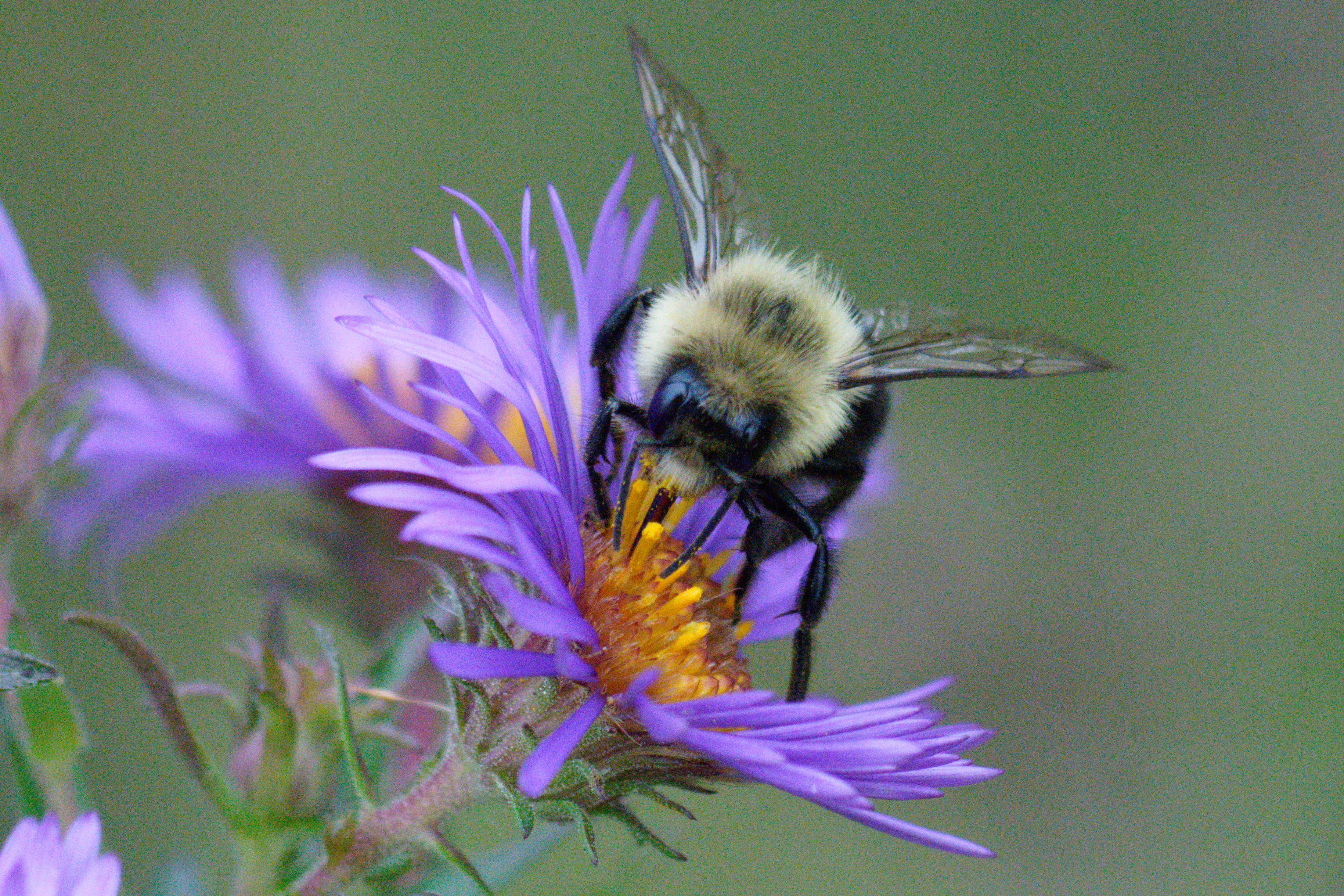 |
||
|
cropped but uncorrected
|
||
 |
||
|
final corrected
Sep 14, 2021 at 07:55 AM
p.17 #14CaptureOne broken for A1.
ruthenium wrote:
---------------------------------------------
Thanks ruthenium. Stunningly effective. WOW!
How much does Topaz Sharpen AI contribute to this clean image?
What does the jpg look like if exported directly from DxO Photolab?
What if additionally run through DxO PR, provided that makes any sense?
Does this also work so well if the image pushes dynamic range?
IMHO this noise reduction / sharpening aspect fits well within the topic of this thread.
Thanks again, K-H.The following are 8MP crops from central area of the full 50MP image
1. Uncorrected (Cobalt Standard picture profile was applied in all cases)
2. Corrected and de-noised in DxO Photolab
3. After running the output from DxO Photolab (as tif file) through Topaz Sharpen
4. After running the output from Topaz Sharpen (the jpg) through Topaz Gigapixel and upscaling to 50 MP.
The last gives the best quality, although the differences may not be seen on small screens or in small prints.
To see some of the minor differences you will have to download the jpgs and do pixel-peeping.
I think running the corrected jpgs through DxO PR would be unnecessary, but I have not tried.
I cannot answer the last question, regarding pushing the dynamic range. I have not experimented with this aspect.
Some types of photography, e.g. birds and insects (macro), are more demanding in terms of the sharpness expectations.
I came to think about sharpness as an illusion, for the most part. This illusion can be enhanced by using the Topaz tools.Thank you so much ruthenium, much appreciated.
I think I get your first 3 points
1. Uncorrected (Cobalt Standard picture profile was applied in all cases)
2. Corrected and de-noised in DxO Photolab
3. After running the output from DxO Photolab (as tif file) through Topaz Sharpen
DxO Photolab does all the heavy lifting, including optical corrections if available,
demosaicing and de-noising, as well as other editing, but excluding sharpening.
For that you use Topaz Sharpen.
As DxO PR does optical corrections if available, demosaicing and de-noising,
it seems to be a subset and part of the DxO Photolab functionality, right?
DxO's pricing seems interesting.
DxO PhotoLab 4 Elite, current price $199, I paid one sale $69.99 (reducerd from upgrade $89).
DxO PureRAW, current price $129, I paid one sale $89.99.
DxO VIEWPOINT 3, current price and what I paid $79, however it was on sale for $34.99 (reducerd from upgrade $49).
Here I have a question.
4. After running the output from Topaz Sharpen (the jpg) through Topaz Gigapixel and upscaling to 50 MP.
Did you upscale just the crop you show?
How then did you produce the jpg you show.
As I am using DxO PR to feed into Capture One 21, I have been using CO also for sharpening.
Thanks again, K-H.JPG image # 3 (8MP, 412 KB) was opened in Topaz Gigapixel and upscaled to 50 MP. To generate the output, the "quality" was set to 7, the same value as when image #3 was generated from the TIF file from DxO Photolab. The resulting JPG (image #4 in the series) is a 1.63MB file. From my experience, one can upload images up to 2MB in size (or close to 2MB) on the FM forums. Thus, image #4 is a 50MP file (you can check this if you download the file).
I should add that the sharpening happened 2 times for image #3 (in DxO Photolab + Topaz), and 3(!) times for image #4 as Topaz Gigapixel also "removes blur."
Sharpness is subjective, and the amount of sharpening depends on the type of photography one does. In the Spring and Summer this year, I spent much time taking pictures at 800 mm (100-400GM with 2x TC), often cropping these in PP, and sometimes shooting in the APS-C mode at the effective FL 1200 mm. The challenges of shooting at 800 - 1200 mm are well-known: camera shake, subject movements, the atmospheric interferences, and reduced amount of light at F11. These are the factors affecting the image quality. Using Topaz Sharpen and (when cropping heavily) Gigapixel, often helps to improve the apparent image quality, as I see it. Having said this, I should also acknowledge the drawbacks. Topaz Sharpen can produce ugly artifacts, and oversharpening can be a problem. Post-processing is a process where the decisions can be highly subjective.Here is an example of what I mentioned above.
The first image is uncorrected cropped to 9MP, the second was corrected in DxO Photolab + Topaz Sharpen + upscaled in Gigapixel.
Thanks ruthenium.
I love the image, the detail, light, and colors.
K-H.
ruthenium wrote
k-h.a.w wrote
ruthenium wrote
k-h.a.w wrote
ruthenium wrote
Completely off-topic (sorry, j4nu) - denoising is an interesting topic on its own. I don't know how denoising in DxO PureRaw DeepPRIME works. Presumably, it is the same as in DxO Photolab which I am using for post-processing. When using DeepPRIME recently, I was genuinely impressed that a clean useable image could be obtained at ISO 25,600 (the jpg was generated by Topaz Sharpen AI from the tiff file from DxO Photolab with the Luminance set to the maximum value, 100).j4nu wrote
Wow, this is actually amazing (esp. the color retention) at ISO25600!How much does Topaz Sharpen AI contribute to this clean image?
What does the jpg look like if exported directly from DxO Photolab?
What if additionally run through DxO PR, provided that makes any sense?
Does this also work so well if the image pushes dynamic range?
IMHO this noise reduction / sharpening aspect fits well within the topic of this thread.
Thanks again, K-H.
1. Uncorrected (Cobalt Standard picture profile was applied in all cases)
2. Corrected and de-noised in DxO Photolab
3. After running the output from DxO Photolab (as tif file) through Topaz Sharpen
4. After running the output from Topaz Sharpen (the jpg) through Topaz Gigapixel and upscaling to 50 MP.
The last gives the best quality, although the differences may not be seen on small screens or in small prints.
To see some of the minor differences you will have to download the jpgs and do pixel-peeping.
I think running the corrected jpgs through DxO PR would be unnecessary, but I have not tried.
I cannot answer the last question, regarding pushing the dynamic range. I have not experimented with this aspect.
Some types of photography, e.g. birds and insects (macro), are more demanding in terms of the sharpness expectations.
I came to think about sharpness as an illusion, for the most part. This illusion can be enhanced by using the Topaz tools.
I think I get your first 3 points
1. Uncorrected (Cobalt Standard picture profile was applied in all cases)
2. Corrected and de-noised in DxO Photolab
3. After running the output from DxO Photolab (as tif file) through Topaz Sharpen
DxO Photolab does all the heavy lifting, including optical corrections if available,
demosaicing and de-noising, as well as other editing, but excluding sharpening.
For that you use Topaz Sharpen.
As DxO PR does optical corrections if available, demosaicing and de-noising,
it seems to be a subset and part of the DxO Photolab functionality, right?
DxO's pricing seems interesting.
DxO PhotoLab 4 Elite, current price $199, I paid one sale $69.99 (reducerd from upgrade $89).
DxO PureRAW, current price $129, I paid one sale $89.99.
DxO VIEWPOINT 3, current price and what I paid $79, however it was on sale for $34.99 (reducerd from upgrade $49).
Here I have a question.
4. After running the output from Topaz Sharpen (the jpg) through Topaz Gigapixel and upscaling to 50 MP.
Did you upscale just the crop you show?
How then did you produce the jpg you show.
As I am using DxO PR to feed into Capture One 21, I have been using CO also for sharpening.
Thanks again, K-H.
I should add that the sharpening happened 2 times for image #3 (in DxO Photolab + Topaz), and 3(!) times for image #4 as Topaz Gigapixel also "removes blur."
Sharpness is subjective, and the amount of sharpening depends on the type of photography one does. In the Spring and Summer this year, I spent much time taking pictures at 800 mm (100-400GM with 2x TC), often cropping these in PP, and sometimes shooting in the APS-C mode at the effective FL 1200 mm. The challenges of shooting at 800 - 1200 mm are well-known: camera shake, subject movements, the atmospheric interferences, and reduced amount of light at F11. These are the factors affecting the image quality. Using Topaz Sharpen and (when cropping heavily) Gigapixel, often helps to improve the apparent image quality, as I see it. Having said this, I should also acknowledge the drawbacks. Topaz Sharpen can produce ugly artifacts, and oversharpening can be a problem. Post-processing is a process where the decisions can be highly subjective.
The first image is uncorrected cropped to 9MP, the second was corrected in DxO Photolab + Topaz Sharpen + upscaled in Gigapixel.
Thanks ruthenium.
I love the image, the detail, light, and colors.
K-H.
Sep 14, 2021 at 08:26 AM
p.17 #15CaptureOne broken for A1.
"Never fade away."
Even the spider got some (part of 100% screengrab from Capture One), 100mm:
https://photos.smugmug.com/photos/i-kFc4qfX/0/14c35922/O/i-kFc4qfX.jpg
Interestingly, at 400mm I don't really see any:
https://photos.smugmug.com/photos/i-MF7bJN2/0/5c0cf455/O/i-MF7bJN2.jpg
Even the spider got some (part of 100% screengrab from Capture One), 100mm:
https://photos.smugmug.com/photos/i-kFc4qfX/0/14c35922/O/i-kFc4qfX.jpg
Interestingly, at 400mm I don't really see any:
https://photos.smugmug.com/photos/i-MF7bJN2/0/5c0cf455/O/i-MF7bJN2.jpg
Sep 19, 2021 at 05:19 AM
p.17 #16CaptureOne broken for A1.
"Never fade away."
Ok, I know this is boring for most but it really irks me, I guess similar to how some are more susceptible to certain CVs magenta fringing in the corners...
So, look what I found in DPRTV's latest samples of the new 70-200GMII:
https://www.dpreview.com/sample-galleries/7980481125/sony-70-200mm-f2-8-gm-ii-sample-gallery-dpreview-tv/0074167342
150% crop:
 DPRTV_IMG15_150crop by Jan U, on Flickr
Maybe if DPR stuff notices it, there might be _some_ action from Capture One Support...
I need to prepare some anniversary post, as it soon will be half a year since I reported this .
On the other hand, the issue is more or less known from A7RII days, so it is in fact a lot older...
Ok, I know this is boring for most but it really irks me, I guess similar to how some are more susceptible to certain CVs magenta fringing in the corners...
So, look what I found in DPRTV's latest samples of the new 70-200GMII:
https://www.dpreview.com/sample-galleries/7980481125/sony-70-200mm-f2-8-gm-ii-sample-gallery-dpreview-tv/0074167342
150% crop:
DPRTV_IMG15_150crop by Jan U, on FlickrMaybe if DPR stuff notices it, there might be _some_ action from Capture One Support...
I need to prepare some anniversary post, as it soon will be half a year since I reported this
.On the other hand, the issue is more or less known from A7RII days, so it is in fact a lot older...
Oct 15, 2021 at 01:34 AM
p.17 #17CaptureOne broken for A1.
What do you mean with "more or less known from A7RII days"?
I've never had issues like this with the a7RII and I was a frequent user of fredmiranda and dpreview these days.
I've never had issues like this with the a7RII and I was a frequent user of fredmiranda and dpreview these days.
Oct 15, 2021 at 02:01 AM
p.17 #18CaptureOne broken for A1.
sebbe wrote:
What do you mean with "more or less known from A7RII days"?
I've never had issues like this with the a7RII and I was a frequent user of fredmiranda and dpreview these days.
Yes, I was also surprised. You can see it first here:
https://www.dpreview.com/forums/thread/4594540?page=3#forum-post-65419835
but there are also more recent examples in this thread.
It is visibly worse on A1 I'd say though.
Oct 15, 2021 at 02:36 AM
p.17 #19CaptureOne broken for A1.
FYI, this is still not fixed in Capture One 22, or at least CO support is unwilling to confirm it  .
.Oct 31, 2021 at 04:13 AM
p.17 #20CaptureOne broken for A1.
Can you actually download Capture One 22?
I find Capture One 21 pretty buggy on macOS Monterey.
IMHO currently unusable.
K-H.
I find Capture One 21 pretty buggy on macOS Monterey.
IMHO currently unusable.
K-H.
Oct 31, 2021 at 04:26 AM