Jochenb wrote:
I also own film packs from other companies (RNI, Replichrome,...) and they actually put huge amounts of work into developing and scanning the actual films, in different ways, developed by different labs,...
This way you get multiple variations of a film.
With Cobalt you just get one, with one tone curve baked in. That tone curve often looks too "washed out" for my taste (quite strongly lifted blacks).
When using my other film packs that's not an issue because I can select a variation with a less faded look. That way I can decide for myself how washed out I want the blacks to look....Show more →
that-s why we love our result.
Is not a 10 version Velvia with many names added of scanner, contrast etc who makes a product better.
We give you ONE Velvia 50.
You can use it at 100%.. at 50%.. and you know is ON the Cobalt profile, so the starting point is a state-of-the-art color profile.
You can fade it, or you can make it stronger, just develop it after the selection of profile.
About competitors... I read many words about scans, about labs, about samples, BUT TO ME, and I talk as a photographer before the start of this project, seems a marketing way to sell LUTs over famous name (velvia, portra, koda, etc) giving you 10 different choices for emulsion or perhaps in some cases just two or three FAR away from the real film but very well sold as marketing team (someone could recognize exactly who I am talking about).
And... price...
seriously, apart from claims of the scans, labs, and various numbers, what technology is involved in the development of these profiles?
I mean the standard, the digital technology of the emulations... etc etc.
And last but not least, many scans made by these companies are made using x or y brand of scanners, are they calibrated if yes why that claim? what develop settings have they used?
I want an emulation of their scanner with their parameters of emulation of GENERAL purpose Velvia made by the output results without thousands of different variables inside?
Sometimes when I read about the softness of film etc etc, I think many of digital camera users have never used a film camera with negatives of slides or they forgot the real output of their photos.
Jochenb wrote:
The Cobalt base profiles are the best you can get on the market IMHO.
However, when it comes to film emulations I feel it's not really good value for money at the moment. They are quite expensive and you only get a few profiles.
I also own film packs from other companies (RNI, Replichrome,...) and they actually put huge amounts of work into developing and scanning the actual films, in different ways, developed by different labs,...
This way you get multiple variations of a film.
With Cobalt you just get one, with one tone curve baked in. That tone curve often looks too "washed out" for my taste (quite strongly lifted blacks).
When using my other film packs that's not an issue because I can select a variation with a less faded look. That way I can decide for myself how washed out I want the blacks to look....Show more →
Can't disagree with this. I do like that with profiles, you can scale back the amount (like scaling back opacity in PS). Do you find that even with that, you're not getting the look you want as far as the faded look?
Ulysseita wrote:
About competitors... I read many words about scans, about labs, about samples, BUT TO ME, and I talk as a photographer before the start of this project, seems a marketing way to sell LUTs over famous name
It's funny that you mention this because that's exactly the way I feel about your Kodachrome pack.
I'm a Steve McCurry fan. Last weekend I even went to his exhibition here (with 200 big prints).
Your Kodachrome last roll profiles are advertised with his name and IMHO the results I'm getting from it don't give me the same look and feel of McCurry at all.
It gives you A film look, but not his famous Kodachrome one.
But oh well, it's your interpretation of that film so it's useless to argue about such things.
BTW, you also advertise your profiles a lot in this thread by saying how superior they are to anything else.
I'm fine with that, but don't use that argument on other companies now please.
I'm also talking as a photographer. I use all the tools I buy a LOT (on a hardware calibrated Eizo CG series monitor) so I can certainly decide for myself what are the positives and negatives of each product.
The thing you get wrong about film emulations is that there's not ONE profile that offers THE look. I depends on the process.
Also: when you decide to only bake in a tone curve with already strongly lifted blacks there's no way you can get those back once the profile is applied. Even when you only slightly apply it the true blacks are gone. That's the whole point.
I am sure we offer the best basic and digital emulations.
I honestly find useless to talk about who is the best or the worst for film, as you are saying there is a personal taste on film emulations; there are so many variables from shot to develop, scan, calibrations of scanner etc ...
But I am sure does not make any sense to make another version of the same emulations you can find in thousands of versions online.
We offer an averaged version of the emulation of that specific film taking in account the scientific side as described many times and the taste of our personal way to see the film.
No claims over scanners, different develop set etc.
Have you ever checked the competitors level of the profiles set where they mount their luts?
Or perhaps if you have two different cameras are that set giving the same consistent result ?
That is what count at the end; you can apply the profile X and move two slider to change it to another thing, but if you want consistency between different cameras using the same profile, that's another matter.
About Kodachrome..
What prints..200?
The last roll is no more than 30 pics, the series in India, the series in New York, the couple of R.Deniro....teh self portrait of McCurry close to a Taxi.
Other pictures of McCurry you find everywhere from web to many exhibitions have more advanced editing and colour correction than an ad of Gucci.
ps. your advice is always useful to us to improve our products!
Jochenb wrote:
It's funny that you mention this because that's exactly the way I feel about your Kodachrome pack.
I'm a Steve McCurry fan. Last weekend I even went to his exhibition here (with 200 big prints).
Your Kodachrome last roll profiles are advertised with his name and IMHO the results I'm getting from it don't give me the same look and feel of McCurry at all.
It gives you A film look, but not his famous Kodachrome one.
But oh well, it's your interpretation of that film so it's useless to argue about such things.
BTW, you also advertise your profiles a lot in this thread by saying how superior they are to anything else.
I'm fine with that, but don't use that argument on other companies now please.
I'm also talking as a photographer. I use all the tools I buy a LOT (on a hardware calibrated Eizo CG series monitor) so I can certainly decide for myself what are the positives and negatives of each product.
The thing you get wrong about film emulations is that there's not ONE profile that offers THE look. I depends on the process.
Also: when you decide to only bake in a tone curve with already strongly lifted blacks there's no way you can get those back once the profile is applied. Even when you only slightly apply it the true blacks are gone. That's the whole point. ...Show more →
@Ulysseita: Yes we agree about the digital profiles, that's why I also mentioned that I think those are the best on the market.
That's also why I even bother to give feedback on your products, even if it annoys you.
Because the philosophy behind your profiles is the right one (the same good base profile for many cameras) I write these comments because I feel that your products could be even better with some slight adjustments.
I'm not further discussing what I think of the actual look of the film profiles, because that's such a subjective thing with so many variables.
In the end my comments really come down to one thing:
The film packs would be nicer if you also added a version without the "washed out" look for the profiles that have lifted blacks. You can lift the tone curve in the blacks yourself in 1 second to get the same look, but you can't get back what's already gone from the start.
You can disagree with this, but I really think this would give the user more flexibilty.
Jochenb wrote:
...The thing you get wrong about film emulations is that there's not ONE profile that offers THE look. I depends on the process.
Also: when you decide to only bake in a tone curve with already strongly lifted blacks there's no way you can get those back once the profile is applied. Even when you only slightly apply it the true blacks are gone...
Unless I've misunderstood what you're saying, I think you're putting words into @Ulysseita's mouth. From what I've read, he's not saying that there's one profile that gives the Kodachrome look — and, to be fair, he has several Kodachrome looks, for dark and bright light, with grain and without grain, for less and more saturation, and for different WB. That should be enough for anyone interested in a Kodachrome-type look, not to speak of starting with one of the Cobalt DNG profiles and processing one's own interpretation of Kodachrome for any particular image. Andy Piper ("adan") on LUF wrote, Getting too worked up over what "looks like Kodachrome" and what doesn't is pointless. Kodachrome was always a schizophrenic film, depending on exposure. A "bright" exposure gave pastel colors, while a dark exposure gave strong saturated colors.
I only tried the Cobalt DNG profiles for my Leica M10 and find them to be very good. Often the Cobalt Standard profiles gives results that a very similar to my M10 "embedded" profile in Lightroom; however, when there are saturated reds and yellows in the image, the Cobalt profile is more accurate: it seems it is as good as making a custom profile for your camera.
I haven't tried any of the preset emulations yet, but am interested in the Kodachrome one and the forthcoming Kodak film pack; and am also thinking about CCD Fever, for the M9 emulation. Not sure which ones I'll get and would welcome advice from anyone who has been using Cobalt presets.
____________________ Frog Leaping photobook: https://www.frogleaping.org
Jochenb wrote:
The film packs would be nicer if you also added a version without the "washed out" look for the profiles that have lifted blacks. You can lift the tone curve in the blacks yourself in 1 second to get the same look, but you can't get back what's already gone from the start.
You can disagree with this, but I really think this would give the user more flexibilty.
that's a good point, we can always improve following feedback like that! thanks!
Mitch Alland wrote:
Unless I've misunderstood what you're saying, I think you're putting words into @Ulysseita@'s mouth. From what I've read, he's not saying that there's one profile that gives the Kodachrome look — and, to be fair, he has several Kodachrome looks, for dark and bright light, with grain and without grain, for less and more saturation, and for different WB. That should be enough for anyone interested in a Kodachrome-type look, not to speak of starting with one of the Cobalt DNG profiles and processing one's own interpretation of Kodachrome for any particular image. Andy Piper ("adan") on LUF wrote,Getting too worked up over what "looks like Kodachrome" and what doesn't is pointless. Kodachrome was always a schizophrenic film, depending on exposure. A "bright" exposure gave pastel colors, while a dark exposure gave strong saturated colors.
I agree that it's pointless to keep discussing how certain film types "should" look. Like you say, some film can really be schizophrenic. There really are a lot of variables. That's why I'm not going to comment on that anymore and try to keep it constructive.
Late to this discussion...is it possible to "layer" in LR a film profile from another provider (RNI in my case) on top of the base profile from Cobalt?
I'd like to try the better starting point for colour accuracy from Cobalt (and hopefully the better skintones) but I'm not ready to replace my RNI film emulations yet).
I could do it in PS or Affinity, but I was wondering if there's any way to stay in LR and start RNI from a different base colour interpretation... I guess not?
jaggedhorizon wrote:
Late to this discussion...is it possible to "layer" in LR a film profile from another provider (RNI in my case) on top of the base profile from Cobalt?
I'd like to try the better starting point for colour accuracy from Cobalt (and hopefully the better skintones) but I'm not ready to replace my RNI film emulations yet).
I could do it in PS or Affinity, but I was wondering if there's any way to stay in LR and start RNI from a different base colour interpretation... I guess not?
I do this a lot, but sadly it's indeed not possible within LR.
For those who don't know how to do it:
In LR I pick a base profile with the best skintones. I then take it to PS and open the camera RAW filter. There I can apply any of the RNI profiles, on the photo that already has the nicer base profile.
A quick sooc example to show it for those that might be interested:
This is an RNI Portra 160 II profile applied straight in LR:
This is same RNI Portra 160 II profile, but applied in PS on a photo that had the Cobalt Neutral profile applied in LR first:
There's a clear difference (open them in separate tabs to make it more visible), I prefer the second one.
For me this shows how useful the Cobalt base profiles are even if you want to use other film packs.
We added support for all Rx10 by Sony and the Rx1r mkii as well; and we are proud to announce the update on Cobalt CCD Fever , adding the M9 jpg b&w std and high contrast to the list.
Ulysseita wrote:
We added support for all Rx10 by Sony and the Rx1r mkii as well; and we are proud to announce the update on Cobalt CCD Fever , adding the M9 jpg b&w std and high contrast to the list.
How does one install the updated emulation pack? Does simply importing v1.1 of CCD Fever overwrite the existing v1.0?
Jochenb wrote:
It's funny that you mention this because that's exactly the way I feel about your Kodachrome pack.
I'm a Steve McCurry fan. Last weekend I even went to his exhibition here (with 200 big prints).
Your Kodachrome last roll profiles are advertised with his name and IMHO the results I'm getting from it don't give me the same look and feel of McCurry at all.
It gives you A film look, but not his famous Kodachrome one.
But oh well, it's your interpretation of that film so it's useless to argue about such things.
BTW, you also advertise your profiles a lot in this thread by saying how superior they are to anything else.
I'm fine with that, but don't use that argument on other companies now please.
I'm also talking as a photographer. I use all the tools I buy a LOT (on a hardware calibrated Eizo CG series monitor) so I can certainly decide for myself what are the positives and negatives of each product.
The thing you get wrong about film emulations is that there's not ONE profile that offers THE look. I depends on the process.
Also: when you decide to only bake in a tone curve with already strongly lifted blacks there's no way you can get those back once the profile is applied. Even when you only slightly apply it the true blacks are gone. That's the whole point. ...Show more →
Hi Jochenb,
I've read your posts and think you are offering great feedback for some of the profiles. I'm sure the Cobalt team really appreciates it.
I have been communicating with Giuseppe @Ulysseita since the days he was only offering Lightroom presets, way before Cobalt profiles were even developed. As you can see from his participation on this thread, he offers oustanding customer support and is always very responsive. That's one of the reasons I decided to start this thread. I knew that our members would really appreciate that the company's owner is very hands on.
Sometimes Giuseppe may appear overly confident in some of his posts () but that's just his personality. As you probably can already tell, he has a passion for color correction and film emulation.
You made a good point on the tonality curve applied to some of the film emulations. Perhaps it would be possible to provide an options for flatter tones so users can apply their own curves to taste.
Fred Miranda wrote:
Hi Jochenb,
I've read your posts and think you are offering great feedback for some of the profiles. I'm sure the Cobalt team really appreciates it.
I have been communicating with Giuseppe @Ulysseita@ since the days he was only offering Lightroom presets, way before Cobalt profiles were even developed. As you can see from his participation on this thread, he offers oustanding customer support and is always very responsive. That's one of the reasons I decided to start this thread. I knew that our members would really appreciate that the company's owner is very hands on.
Sometimes Giuseppe may appear overly confident in some of his posts () but that's just his personality. As you probably can already tell, he has a passion for color correction and film emulation.
You made a good point on the tonality curve applied to some of the film emulations. Perhaps it would be possible to provide an options for flatter tones so users can apply their own curves to taste....Show more →
I think it is great to help increase familiarity with the Cobalt profiles. Raw converters like CO1 and Adobe camera raw supply their own base profiles, but these don't offer the best starting point for editing in many scenarios. Especially for those with a color managed workflow, the Cobalt profiles are significantly more useable than e.g. the CO1 generic and ProStandard profiles.
Especially the much better amount and nature of contrast is a blessing. I agree with Giuseppe that your eyes easily get used to "wrong habits", and a good starting point is a great asset.
I have always wondered why the mainstream Raw converters don't offer more neutral and accurate/consistent base profiles, although I remember CO1 forum discussions about a more neutral/accurate base profile always ending up with dogged phrases such as: "accurate color doesn't exist and if it did you wouldn't want it", or "everyone sees colors differently so an accurate profile is senseless", or even when glaringly obvious color deviations were posted: "I don't see any difference!"
So there is certainly a valid reason to get the Cobalt base profiles.
I don't know about the film emulations, I hardly ever use them, but some of them look great.
Jochenb wrote:
I do this a lot, but sadly it's indeed not possible within LR.
For those who don't know how to do it:
In LR I pick a base profile with the best skintones. I then take it to PS and open the camera RAW filter. There I can apply any of the RNI profiles, on the photo that already has the nicer base profile.
A quick sooc example to show it for those that might be interested:
There's a clear difference (open them in separate tabs to make it more visible), I prefer the second one.
For me this shows how useful the Cobalt base profiles are even if you want to use other film packs. ...Show more →
Great illustration of the better rendering (i.m.o.) with the emulation on the Cobalt base profile.
It may be subtle, but to me it makes a striking difference in making the image easier on the eyes and increasing the subtle details.
Ulysseita wrote:
We added support for all Rx10 by Sony and the Rx1r mkii as well; and we are proud to announce the update on Cobalt CCD Fever , adding the M9 jpg b&w std and high contrast to the list.
I'm glad you added the M9 B&W jpeg to the CCD emulations. It's one of my favorite black and white rendition and now I can also use it on my M10 and Sony. Leica got that one right imo.
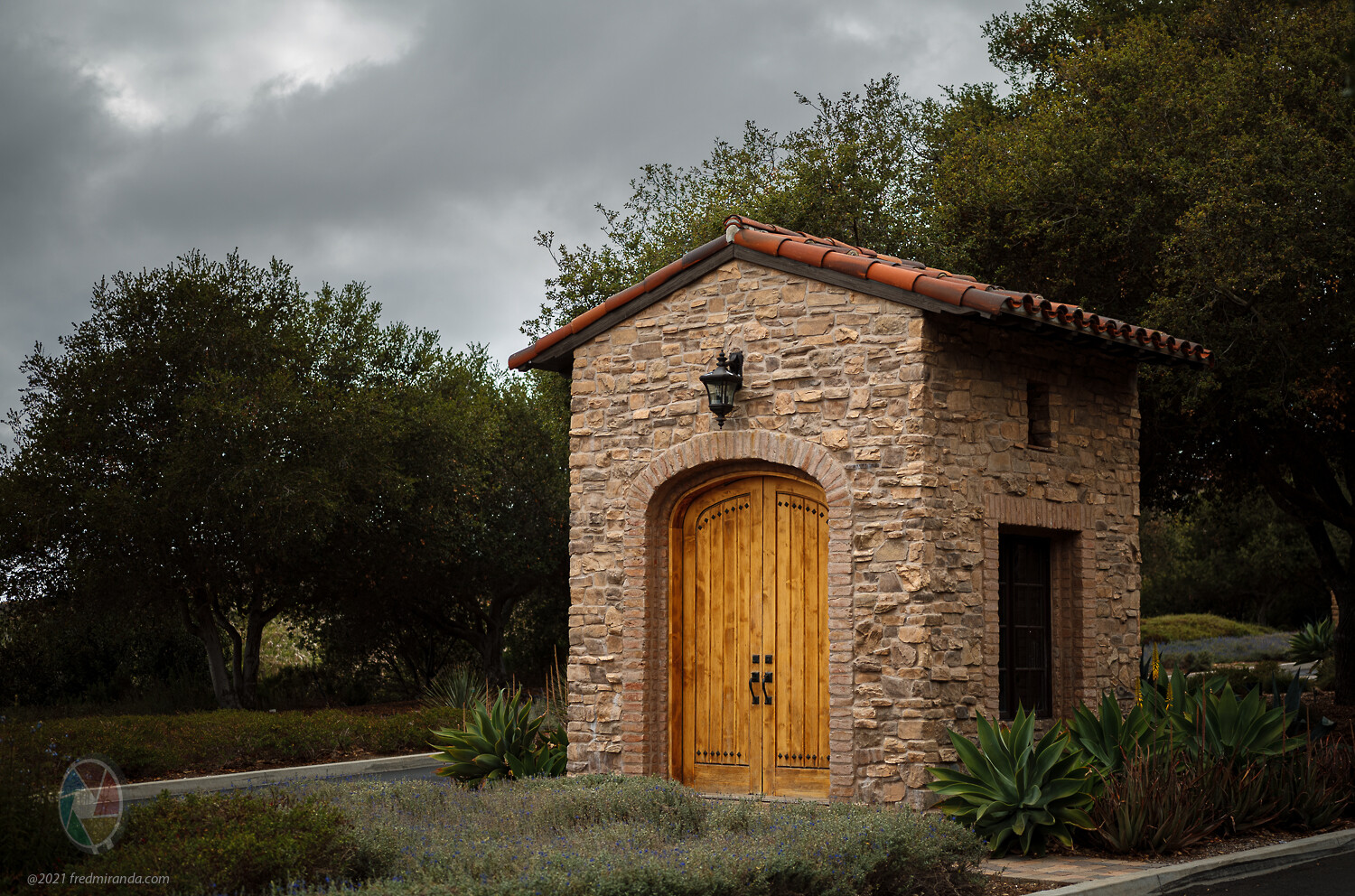
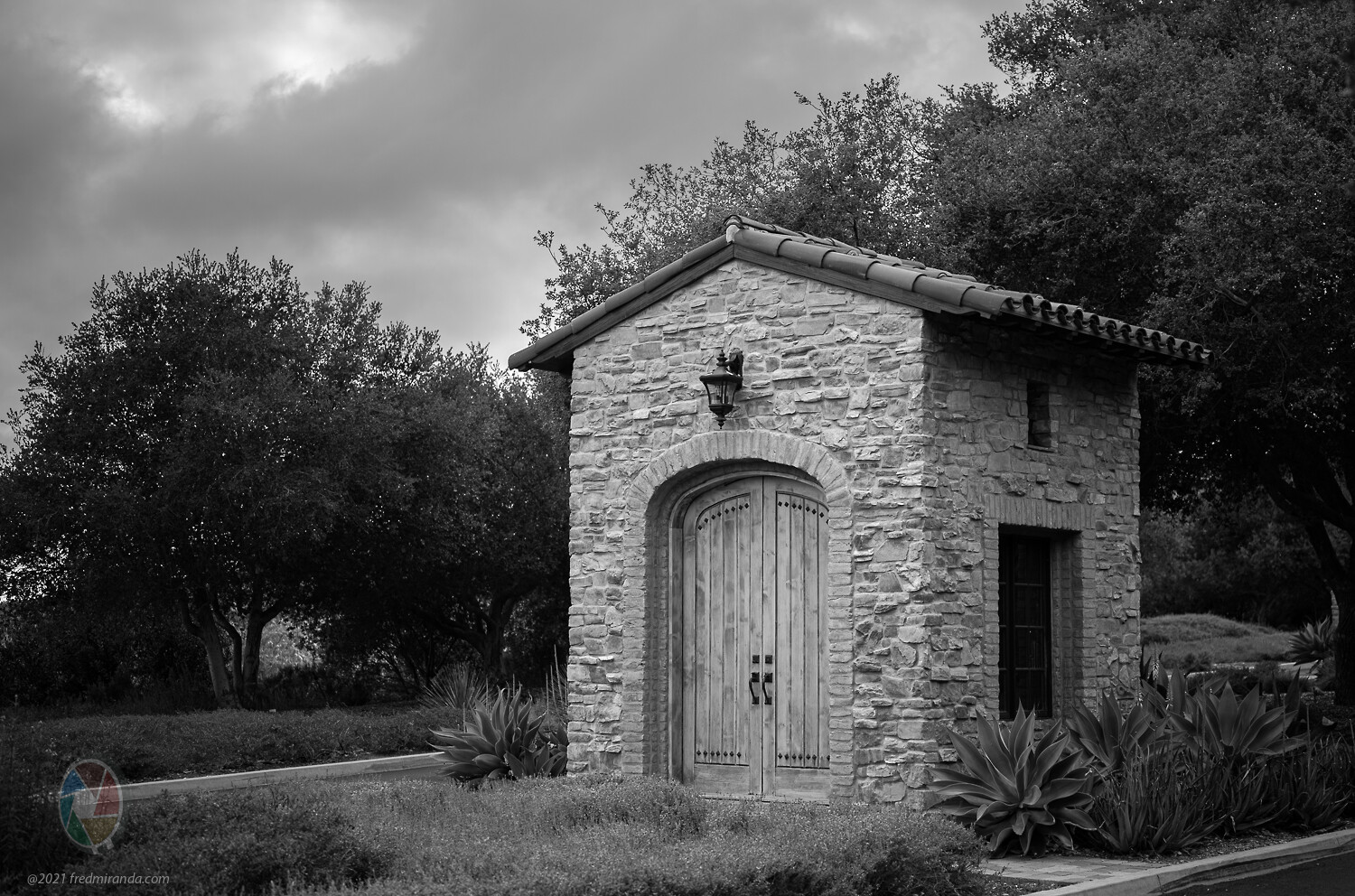
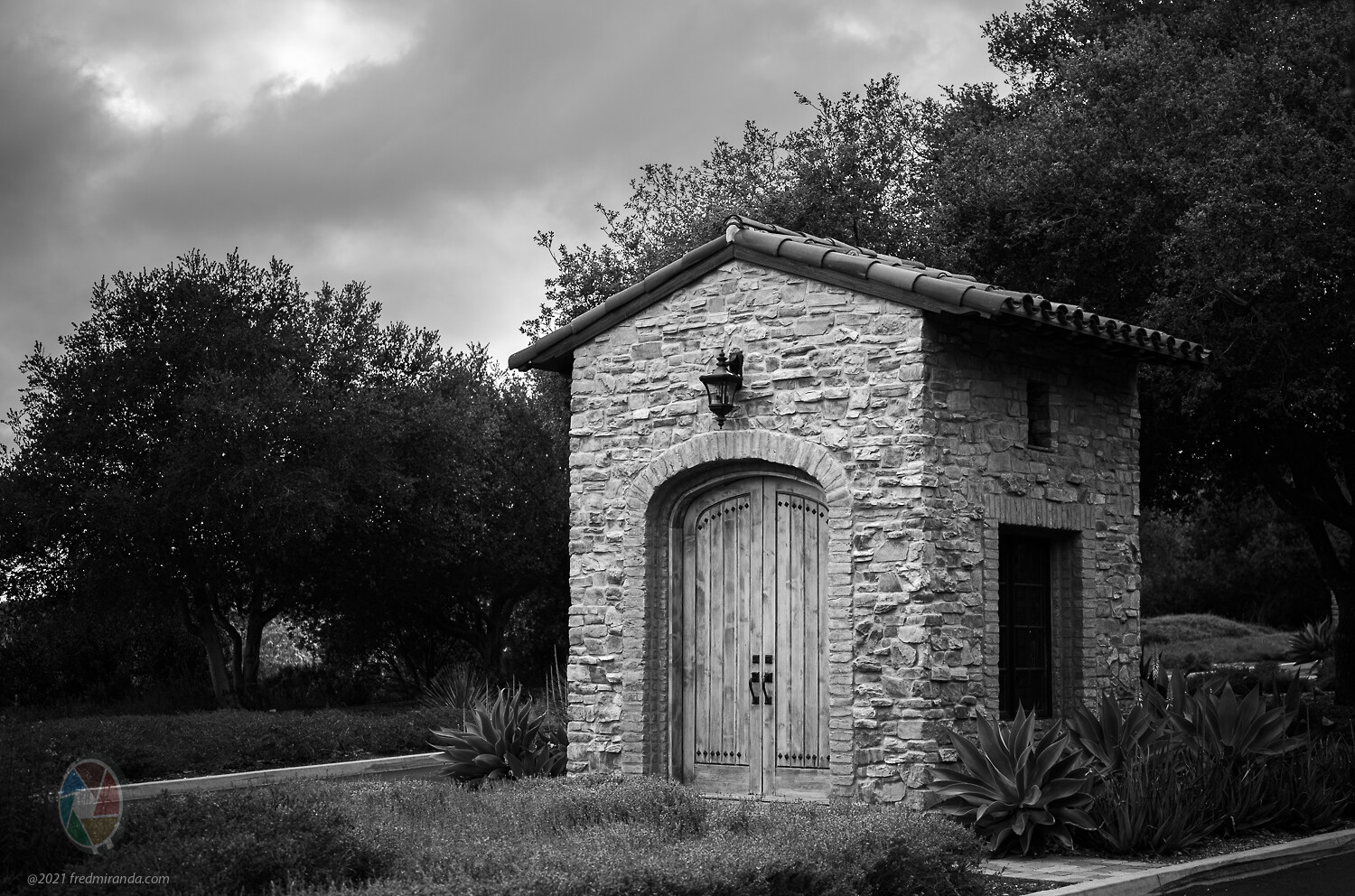
Here is an example from the Leica M10-R showing the original DNG file followed by the DNG + M9 B&W jpeg emulations (standard and high contrast profiles)
I have always wondered why the mainstream Raw converters don't offer more neutral and accurate/consistent base profiles, although I remember CO1 forum discussions about a more neutral/accurate base profile always ending up with dogged phrases such as: "accurate color doesn't exist and if it did you wouldn't want it", or "everyone sees colors differently so an accurate profile is senseless", or even when glaringly obvious color deviations were posted: "I don't see any difference!"
I'd always known that Adobe's profiles (and even their implementation of brand profiles) seem a bit "off." But I never realized how off until looking through this thread and seeing the differences. I had just assumed that crummy starting colors were a necessary evil, so it's excited to learn there is a much better way to start the editing process.
I took some portraits this weekend in mixed lighting of three people of different skin tones. LR and supposed Camera matching profiles were a disaster. White balancing failed to reproduce the real colors. Cobalt Standard got all skin tones but made a greenish shirt blue. Fuji S5 nailed everything perfectly.

 Archive 2021 · Cobalt Profiles


 ) but that's just his personality. As you probably can already tell, he has a passion for color correction and film emulation.