fredmiranda.com
Login

Moderated by: Fred Miranda
  New fredmiranda.com Mobile Site
  New Feature: SMS Notification alert
  New Feature: Buy & Sell Watchlist
  

FM Forums | Sony Forum | Join Upload & Sell

1       2       3              10              12              39       40       end
  

Archive 2021 · Cobalt Profiles


genji
Offline
• • • •
Upload & Sell: Off
p.11 #1 · Cobalt Profiles


Mitch Alland wrote:
@genji@

Strange, when I take carefully-sized screen grabs of the two sets of color images, and look at them in Preview on the Mac, so that they show like a slide-show (in the same position), I can see no difference between the Adobe and Cobalt visions in the A7R3 set; and in the M10-P only a difference in the reds of the dress and the singlet but, surprisingly no difference in skin tones. Other sets earlier in the thread show large differences in the Adobe and Cobalt profiles. What do you think accounts for that?
____________________
Frog Leaping photobook:
https://www.frogleaping.org


No idea, Mitch. All I did was change the profile and export the JPG. Perhaps Ulysseita will be able to offer an explanation.

It does seem to be highly image dependent, with a lot of my pictures showing only subtle differences between the Adobe and Cobalt Standard profiles, which I believe is also true for many of the comparisons we've seen in this thread. More obvious difference in this example...

Adobe Standard
http://d1u92k3d1w68j5.cloudfront.net/profile-tests/jd-20181231-181406-4579-a7rIIIa-copy02-w1200bc-adobe-std.jpg

Cobalt Standard
http://d1u92k3d1w68j5.cloudfront.net/profile-tests/jd-20181231-181406-4579-a7rIIIa-copy02-w1200bc-cobalt-std.jpg

Cobalt CCD
http://d1u92k3d1w68j5.cloudfront.net/profile-tests/jd-20181231-181406-4579-a7rIIIa-copy02-w1200bc-cobalt-ccd.jpg

Cobalt CMOS
http://d1u92k3d1w68j5.cloudfront.net/profile-tests/jd-20181231-181406-4579-a7rIIIa-copy02-w1200bc-cobalt-cmos.jpg


Jun 04, 2021 at 10:23 PM
iso.light
Offline
• •
Upload & Sell: Off
p.11 #2 · Cobalt Profiles


You are my hero, sir. Thank you so much for this ! It's exactly what I was looking for: a simple comparison between these two profiles. There is a bigger difference than what I was expecting there.


genji wrote:
Here you go...

Sony A7R3

Adobe Standard
http://d1u92k3d1w68j5.cloudfront.net/profile-tests/jd-20190301-180352-5425-a7rIIIa-copy01-w1200bc-adobe-std.jpg

Cobalt Standard
http://d1u92k3d1w68j5.cloudfront.net/profile-tests/jd-20190301-180352-5425-a7rIIIa-copy01-w1200bc-cobalt-std.jpg

Cobalt CCD
http://d1u92k3d1w68j5.cloudfront.net/profile-tests/jd-20190301-180352-5425-a7rIIIa-copy01-w1200bc-cobalt-ccd.jpg

Cobalt CMOS
http://d1u92k3d1w68j5.cloudfront.net/profile-tests/jd-20190301-180352-5425-a7rIIIa-copy01-w1200bc-cobalt-cmos.jpg

Leica M10-P

Adobe Standard
http://d1u92k3d1w68j5.cloudfront.net/profile-tests/jd-20190126-183927-0379-m10pa-copy03-w1200bc-adobe-std.jpg

Cobalt Standard
http://d1u92k3d1w68j5.cloudfront.net/profile-tests/jd-20190126-183927-0379-m10pa-copy03-w1200bc-cobalt-std.jpg

Cobalt CCD
http://d1u92k3d1w68j5.cloudfront.net/profile-tests/jd-20190126-183927-0379-m10pa-copy03-w1200bc-cobalt-ccd.jpg

Cobalt CMOS
http://d1u92k3d1w68j5.cloudfront.net/profile-tests/jd-20190126-183927-0379-m10pa-copy03-w1200bc-cobalt-cmos.jpg


Jun 05, 2021 at 03:00 AM
Ulysseita
Offline
• •
Upload & Sell: On
p.11 #3 · Cobalt Profiles


Mitch Alland wrote:
@genji@

Strange, when I take carefully-sized screen grabs of the two sets of color images, and look at them in Preview on the Mac, so that they show like a slide-show (in the same position), I can see no difference between the Adobe and Cobalt visions in the A7R3 set; and in the M10-P only a difference in the reds of the dress and the singlet but, surprisingly no difference in skin tones. Other sets earlier in the thread show large differences in the Adobe and Cobalt profiles. What do you think accounts for that?
____________________
Frog Leaping photobook:
https://www.frogleaping.org


The purpose is to have calibrated profiles as a basic profile.
That is not a revolution coming from Adobe std/color (yes, for Capture one is closer to the definition of revolution ), and on daylight , for pictures not very busy of colors with small details, the difference is not even easy to find.
But, for people who like to spend thousands for a better MTF or 10 mpx more, is crazy do not to take into account, for more complex pictures , with hard lights, harsh lights, skin tones, busy vegetations, etc... the color accuracy of the camera.

Please try to take a picture of a model with yellows and reds under the light of the sun or the studio lights and the difference will be huge, for the photographer, for the product manager at the side, for the model, for the guy in charge for PP.

https://i.imgur.com/pAjcAkr.jpg

Wow I like that red I would say when I see the image on the right from Adobe std but the product manager of the shirt would say... yes but is not the real color...and the pp editor would say, why I did not study medicine?

That for pro... I personally can't say the standard Adobe profile is not enough for the average photographer (so not the crazy for mtf, and expensive gear), it's pleasing and they know that, pleasing and in the latest cameras perfect against extreme lights, so more "limited" than before but less extended in colors.

BUT when I take a picture of my beloved one under the sun in Hyde Park and I see that difference (left Adobe, right Cobalt) on Canon 5ds...
https://i.imgur.com/XBpnWFl.jpg

.. I understand why I should take care of colors.

Same here on a model in Royal gardens on early sunlight
https://i.imgur.com/d1iAuXI.jpg

and before the shooting, I told her.. "nice purple your dress", purple, NOT RED.
you can see why on this comparison on our website
https://i.imgur.com/CGBswRz.jpg

https://cobalt-image.com/how-to/how-it-works/

The red on Adobe is COMPRESSED, and so the yellows and oranges...(blue as well)


So, even without talking about the "coherence" between different cameras offered by our Cobalt profiles, I WARMLY suggest to calibrate your cameras with at least a Xryte SG or... buy pro profiles like the ours; does not make any sense to save money for that after the big investment already made for bodies (always not 100% exploited) or always more sharpen lenses.


A real pro with thousands invested in medium format cameras and lenses, lights and other studio equipment, start with software already fitted with WELL calibrated profiles (Phocus for Hassy or C1 for Mamiya and Phase one..) and , is already committed to spend money in order to calibrate HIS camera with HIS lights and HIS lenses just to be sure all money invested are well invested....


Jun 05, 2021 at 06:54 AM
genji
Offline
• • • •
Upload & Sell: Off
p.11 #4 · Cobalt Profiles


iso.light wrote:
You are my hero, sir. Thank you so much for this ! It's exactly what I was looking for: a simple comparison between these two profiles. There is a bigger difference than what I was expecting there.


Glad I was able to help. The difference between the CCD and CMOS profiles surprised me too. More importantly, there are 49 different profiles in each emulation pack—7 kinds of color filtration (including none) multiplied by seven illuminants—and the difference between CCD and CMOS for the same profile (e.g. D65 illuminant with green filter) can be more extreme than what you’ve noticed in the examples I’ve posted.


Jun 05, 2021 at 07:12 AM
Chuck Coyne
Offline
• • • •
Upload & Sell: Off
p.11 #5 · Cobalt Profiles


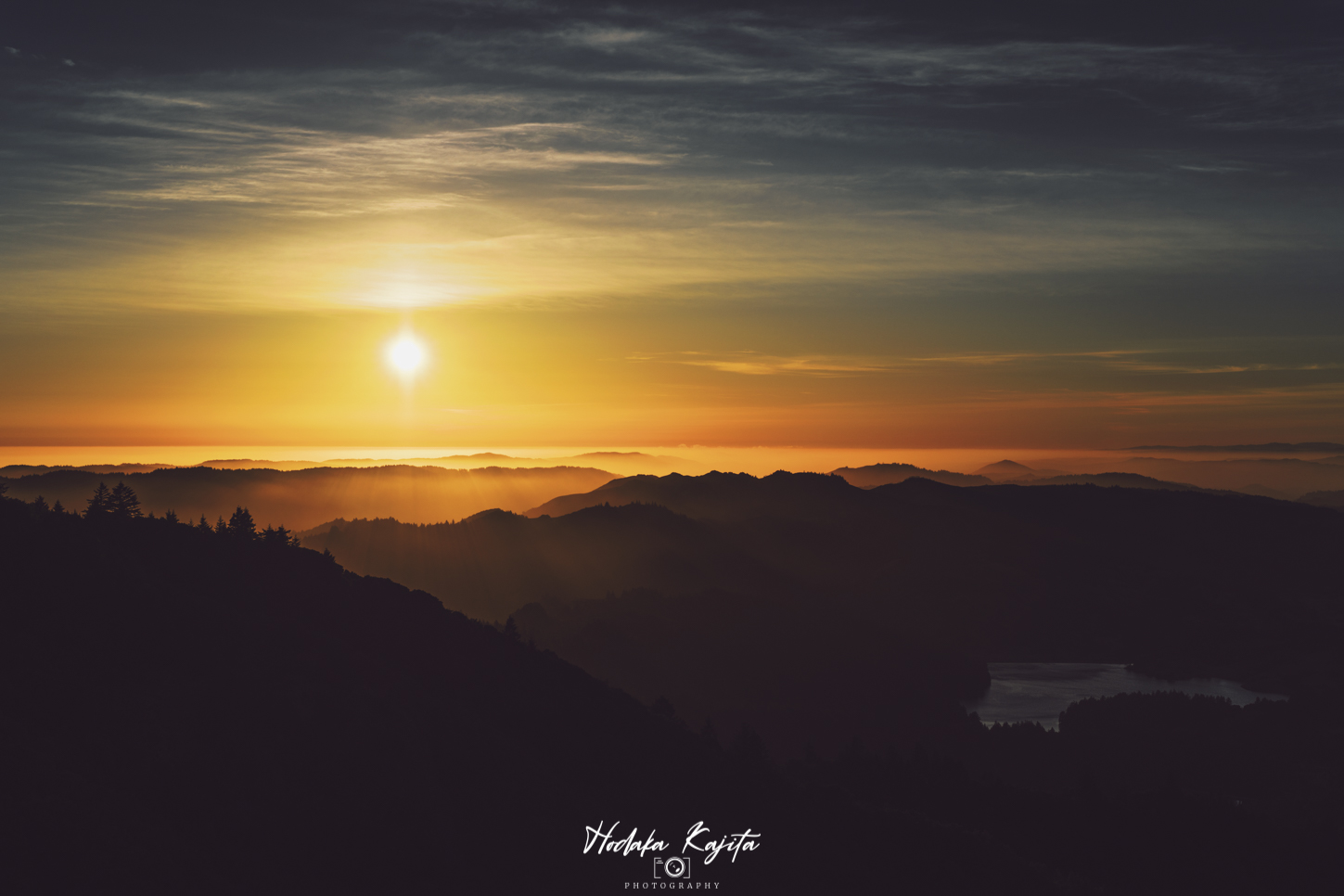
Used the Leica M9 DNG Emulsion for this sunset shoot. Cross post with 14mm GM Preorder thread.

First chance to take a sunset shot with my Alpha 1 + 14mm f/1.8 GM lens. It was a gorgeous display of colors staying lit for a good 15-20 minutes. I love this lens for being so distortion-free and light on the camera. No profile available yet but I found that careful leveling of the camera produces very nice results. A manual adjustment for corner vignetting is easy to do in LR.

_DSC3270-fullsize by Chuck Coyne, on Flickr


Jun 05, 2021 at 08:06 AM
ChrisMak
Offline
• • •
Upload & Sell: Off
p.11 #6 · Cobalt Profiles


Ulysseita wrote:
The purpose is to have calibrated profiles as a basic profile.
That is not a revolution coming from Adobe std/color (yes, for Capture one is closer to the definition of revolution ), and on daylight , for pictures not very busy of colors with small details, the difference is not even easy to find.
But, for people who like to spend thousands for a better MTF or 10 mpx more, is crazy do not to take into account, for more complex pictures , with hard lights, harsh lights, skin tones, busy vegetations, etc... the color accuracy of the camera.

Please try to take
...Show more

What converter would you say produces the best results overall, when using your base profiles: Capture One or Adobe Camera Raw. Not just for portraits or skin tones, but for general shooting incl. landscapes.


Jun 05, 2021 at 08:15 AM
Ulysseita
Offline
• •
Upload & Sell: On
p.11 #7 · Cobalt Profiles


ChrisMak wrote:
What converter would you say produces the best results overall, when using your base profiles: Capture One or Adobe Camera Raw. Not just for portraits or skin tones, but for general shooting incl. landscapes.


For general use Lr wins :

Better lens database,
better AC correction
better NR
HDR
Pano
superDetails
depth masks

C1
control of diffraction
pro addons ( mainly for color editing)
interface
grain control

As a pro photographer, I still love the interface of C1, the speed, the "better feeling" with images for zoom, crop, comparers etc etc.


But seriously, apart from the higher clarity on Capture One by default I can't see a winner on IQ, and using our profiles would be to get the same colors by both of them.


Jun 05, 2021 at 08:33 AM
Mitch Alland
Offline
• • •
Upload & Sell: Off
p.11 #8 · Cobalt Profiles


Ulysseita wrote:
The purpose is to have calibrated profiles as a basic profile..That is not a revolution coming from Adobe std/color...and on daylight, for pictures not very busy of colors with small details, the difference is not even easy to find.
But...for more complex pictures, with hard lights, harsh lights, skin tones, busy vegetations, etc... the color accuracy of the camera...Please try to take a picture of a model with yellows and reds under the light of the sun or the studio lights and the difference will be huge...


@Ulysseita
Thanks, great explanation and great visual comparison on these types of colors! Of course, the reality of the reds and yellows in particular — that is to say the huge difference between what Adobe Color/Standard shows and what the actual colors are — happens all the time, particularly in difficult light, or simply good light that makes colors saturated.

I wanted to hold off buying the Cobalt profiles for a while, because I have a lot of other things to do and knew I wouldn't be able to hold off trying out the new profiles — but, seeing your examples, I couldn't hold off buying any longer. But, while I completed my transaction using AMEX rather than PayPal, I didn't get the confirmation email and then couldn't sign in to my account account — I've sent you a PM on this.
____________________
Frog Leaping photobook: https://www.frogleaping.org


Jun 05, 2021 at 09:41 AM
GabrielPhoto
Offline
• • • •
Upload & Sell: On
p.11 #9 · Cobalt Profiles


Ulysseita wrote:
For general use Lr wins :

Better lens database,
better AC correction
better NR
HDR
Pano
superDetails
depth masks

C1
control of diffraction
pro addons ( mainly for color editing)
interface
grain control

As a pro photographer, I still love the interface of C1, the speed, the "better feeling" with images for zoom, crop, comparers etc etc.

But seriously, apart from the higher clarity on Capture One by default I can't see a winner on IQ, and using our profiles would be to get the same colors by both of them.


What about the skin color correction editing tools of C1? Do you like that feature?


Jun 05, 2021 at 10:28 AM
Ulysseita
Offline
• •
Upload & Sell: On
p.11 #10 · Cobalt Profiles


GabrielPhoto wrote:
What about the skin color correction editing tools of C1? Do you like that feature?


I like it so much; as said above, apart from that (color editing or matching) , the sharpening radius starting from 0.2 instead of 0.5 and other things like LEVELS and LUMA curve, I find LR more evolute and do not forget, LR sometimes for the packs it's Lightroom + Photoshop where you have total control of the image.
You can do almost the same of skin correction on Lightroom using the range mask with some limits indeed.

Capture One gives you many pro control on the same program, more control instead of being in the need to open another software to edit, but from the image side (LR has hdr-panorama inside instead of levels or LUMA)

About image quality, I did so many test in the past, we can open a topic for that, seriously, and we would see the similar quality in the output .


Jun 05, 2021 at 11:56 AM
Arvaker
Offline

Upload & Sell: Off
p.11 #11 · Cobalt Profiles

Will there be a possibility to buy Fuji film pack for C1?


Jun 05, 2021 at 03:06 PM
Woody84
Offline

Upload & Sell: Off
p.11 #12 · Cobalt Profiles


Arvaker wrote:
Will there be a possibility to buy Fuji film pack for C1?


Yes, for C1 you need to request it and they check whether they can develop it for your specific camera. But consider, as soon as you‘re using another camera you need to request it (and pay) once again, even for the emulation you bought already for another camera.


Jun 05, 2021 at 03:30 PM
Ulysseita
Offline
• •
Upload & Sell: On
p.11 #13 · Cobalt Profiles


Already shared in another thread, I share here too some samples of my workflow on Ipad pro using this profile set.

https://adobe.ly/3coJi9s


Jun 06, 2021 at 07:14 AM
NotToday
Offline

Upload & Sell: Off
p.11 #14 · Cobalt Profiles


How do these work for someone who is sort of advanced beginner with LR?
I know what the sliders do and how to operate the program, but not sure how this would benefit me. Most presets always feel like too much for my style, are these more subtle changes?
Adding up the camera specific profiles + the film emulation profiles it is not a small investment. I wish there were a way to trial before committing.


Jun 06, 2021 at 03:00 PM
markhout
Offline
• • •
Upload & Sell: Off
p.11 #15 · Cobalt Profiles


Can I ask boldly - would there be a way or workflow to integrate these camera profiles with RAWs of Sigma Foveon sensors (the Merrill cameras specifically), either directly into Sigma Photo Pro 6, or in the TIFFs that the Sigma software generates?


Jun 06, 2021 at 04:12 PM
Ulysseita
Offline
• •
Upload & Sell: On
p.11 #16 · Cobalt Profiles


markhout wrote:
Can I ask boldly - would there be a way or workflow to integrate these camera profiles with RAWs of Sigma Foveon sensors (the Merrill cameras specifically), either directly into Sigma Photo Pro 6, or in the TIFFs that the Sigma software generates?


HEHEHE, welcome to my world.

No, I am sorry, we found a workaround but thought Kalpanika (so dng) and if we gonna find the time to develop a constant output, we can definitely sell a basic DNG for MERRIL-Kalpanika, Sigma QUATTRO DNG.

Yes, for Quattro TOO.


In the meantime... more samples


Canon 5ds-Canon 200L , Cobalt Fuji Film Provia 400x + grain


Sony A7r3-Voigtlander 40 1.2, Cobalt Fuji digital Classic Negative + grain


Sony A7r3-Zeiss Batis 18, Cobalt Fuji Film Velvia 50 + grain


Sony a55- Sony 55 200, Cobalt Leica Mono CCD Green + grain


Canon 6d. Canon 24-105, Cobalt Kodachrome LR dark + grain


Jun 06, 2021 at 04:25 PM
Hodie
Offline
• • •
Upload & Sell: On
p.11 #17 · Cobalt Profiles


Various with Kodachrome.


Kodachrome Last Roll Dark


Kodachrome Dark


Kodachrome Last Roll Bright


Kodachrome Last Roll Dark


Kodachrome Haas


Jun 07, 2021 at 01:13 AM
Ulysseita
Offline
• •
Upload & Sell: On
p.11 #18 · Cobalt Profiles


We are ready to update the CCD Fever pack adding the Monochrome M9 JPG emulation in high and normal contrast curve.
As M9 user and former Leica "curious" , I always found both in the forums and from my taste, awesome the job done on Wetzlar when they cooked the jpg sooc bw profiles for the Leica M9.


Bokehrama A7r3 with Sammy 85 1.4 . color Cobalt CCD Fever Leica M9 jpg BW HIGH


Cobalt CCD Fever Leica M9 jpg BW STD


Cobalt CCD Fever Leica M9 jpg BW STD


Cobalt CCD Fever Leica M9 jpg BW HIGH


Jun 07, 2021 at 06:45 AM
Jochenb
Offline
• • • •
Upload & Sell: Off
p.11 #19 · Cobalt Profiles


The Cobalt base profiles are the best you can get on the market IMHO.

However, when it comes to film emulations I feel it's not really good value for money at the moment. They are quite expensive and you only get a few profiles.
I also own film packs from other companies (RNI, Replichrome,...) and they actually put huge amounts of work into developing and scanning the actual films, in different ways, developed by different labs,...
This way you get multiple variations of a film.

With Cobalt you just get one, with one tone curve baked in. That tone curve often looks too "washed out" for my taste (quite strongly lifted blacks).
When using my other film packs that's not an issue because I can select a variation with a less faded look. That way I can decide for myself how washed out I want the blacks to look.


Jun 07, 2021 at 08:48 AM
Fred Miranda
Offline
Admin
Upload & Sell: On
p.11 #20 · Cobalt Profiles


Ulysseita wrote:
We are ready to update the CCD Fever pack adding the Monochrome M9 JPG emulation in high and normal contrast curve.
As M9 user and former Leica "curious" , I always found both in the forums and from my taste, awesome the job done on Wetzlar when they cooked the jpg sooc bw profiles for the Leica M9.


Can't wait for that. Love the M9 jpeg b&w output done by Leica, especially the high contrast. It's not so easy to mimic it from the DNG file.
They tweaked it on the M10 and it's not really the same. It lost something.


Jun 07, 2021 at 09:06 AM
1       2       3              10              12              39       40       end


FM Forums | Sony Forum | Join Upload & Sell

1       2       3              10              12              39       40       end


Welcome back
Log in to your account