This topic is in the 2021 archive. You can read it and like its posts here. It is read only.
Archive 2021Sony A1 - Bird Photography Camera for Dummies

p.1 #1Sony A1 - Bird Photography Camera for Dummies
First off, I am not a camera tester; just a passionate photographer who does a fair amount of bird photography. Here is my opinion mostly on the advantages of the A1 over my existing camera for that purpose, the A9 II, after using the A1 on 2 outings albeit both were short.
Of course, I will use the camera also for other types of photography, like portraits, landscape and some macro but for the most part, the main reason for the to get the A1 is for bird photography or fast action photography. The A7r IV could easily do landscape, portraits and macro and to a certain degree, in terms of resolution, it is even better than the A1.
I have been happy with the AF performance of the A9 II. There are several quirks but I could overlook those. But the main drawback of that camera for me is the resolution. Unless you could get your target to fill the frame in a nice composition or close to it, cropping to (larger than) 100% brings up some shortcomings. With that said, since I know before hand that the camera has a 50MP sensor, then the point is moot but if the AF performance of the A1 is better than that of the A9 II, that's the added benefit.
Just like in portrait or people photography, the emphasis is on the eye or eyes of the target to be in focus.There are a lot of talks about birds-eye AF (BE-AF) after the R5 came out . I didn't miss BE-AF on my A9 II but I could see the benefits of BE-AF for perched birds or for in-flight larger birds. Although the Zone-AF has performed superbly in keeping the eye or eyes in focus most of the time but there are situations where the camera would focus somewhere else, like closer and contrasty parts of wings, for example.
So, how is the BE-AF on this camera? For the first time in my life, I turned on this feature yesterday. This male falcon was eating his kill but he was facing the other way. Well, that's wildlife, what can I say. So, the camera was focusing on the body but this falcon lifted up his head quite often, looked to the right and to the left and wham, the BE-AF picked up the eye immediately each time it did. The first image shows the entire scene to see how far away the falcon was and the second is the 100% crop of the same file. The same goes for the third image where the BE-AF was activated right away. Frankly, artistically or bird photography-wise the images are not great and I wouldn’t bother in real life but they are fine to showcase my point.
The 100% crops look really great coming from this 50MP sensor. If you look at the cropped image(s), the entire falcon body was pretty much in focus. So, did the camera shift the focus from the body to the eye when it lifted the head? Who knows but one thing for sure, it makes us the user feels good to see that the BE-AF works, at least based on the indicator. The BE-AF indicator is an overlay on the EVF anyway. So far, even falcons at a distance are fairly small and the depth-of-field renders the entire bird in focus although the eye is in critical focus for sure. I am not saying that it is gimmick though, at least not yet . We will see how well the BE-AF performs down the road. But so far, I have been very pleased with the AF performance, be it due to the BE-AF or not, but for sure with the increased resolution over the A9 II. This camera ticks most if not all the boxes for me. The American kestrel image is a 100% crop from the original file. I know that that file shows finer details and better rendition had I taken that image with my A9 II.
The Sony A1 makes the life of a photographer, who wants to dabble into bird photography, easier. I would call this camera as a “Bird Photography Camera for Dummies” . Of course, I meant no offense here. Frankly, it feels like cheating... in a good way though, and the heck why not?
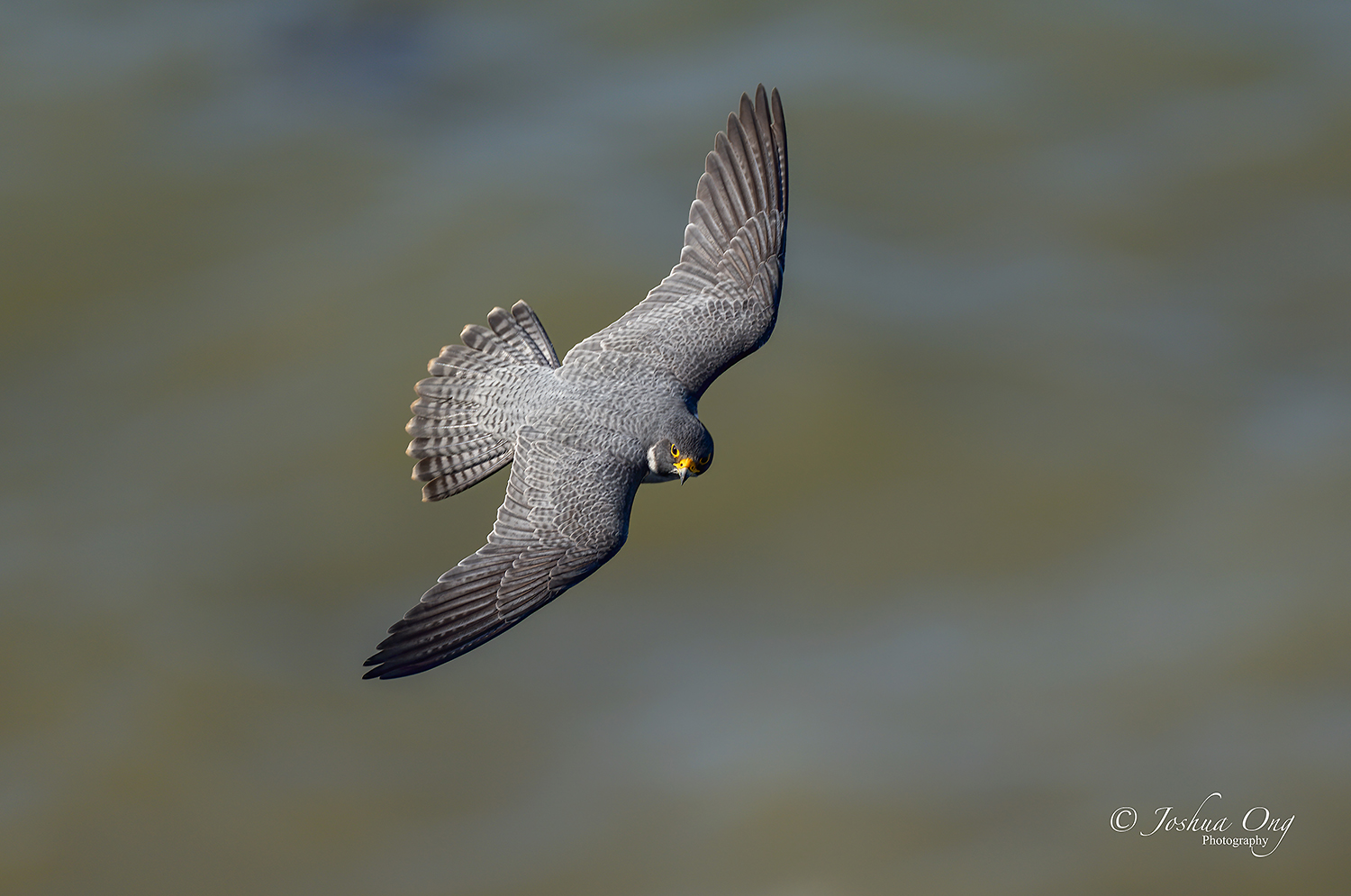
The other images are some perched and in-flight images captured in the last 2 days. And yes, with the BE-AF on each time, of course. I will add more images as they come in but it is not intended to compete with the A1 image thread posted in this forum, which is geared more for sharing images.
I hope this little insight is helpful in some way,
Joshua
Entire frame
Cropped approximately 100%
Cropped approximately 100% but from a different file
American kestrel - cropped virtually 100%
Flycatcher
Flycatcher 2
Flycatcher 3
Flycatcher 4
Male peregrine falcon
Male peregrine falcon 2
Of course, I will use the camera also for other types of photography, like portraits, landscape and some macro but for the most part, the main reason for the to get the A1 is for bird photography or fast action photography. The A7r IV could easily do landscape, portraits and macro and to a certain degree, in terms of resolution, it is even better than the A1.
I have been happy with the AF performance of the A9 II. There are several quirks but I could overlook those. But the main drawback of that camera for me is the resolution. Unless you could get your target to fill the frame in a nice composition or close to it, cropping to (larger than) 100% brings up some shortcomings. With that said, since I know before hand that the camera has a 50MP sensor, then the point is moot but if the AF performance of the A1 is better than that of the A9 II, that's the added benefit.
Just like in portrait or people photography, the emphasis is on the eye or eyes of the target to be in focus.There are a lot of talks about birds-eye AF (BE-AF) after the R5 came out
. I didn't miss BE-AF on my A9 II but I could see the benefits of BE-AF for perched birds or for in-flight larger birds. Although the Zone-AF has performed superbly in keeping the eye or eyes in focus most of the time but there are situations where the camera would focus somewhere else, like closer and contrasty parts of wings, for example.So, how is the BE-AF on this camera? For the first time in my life, I turned on this feature yesterday. This male falcon was eating his kill but he was facing the other way. Well, that's wildlife, what can I say. So, the camera was focusing on the body but this falcon lifted up his head quite often, looked to the right and to the left and wham, the BE-AF picked up the eye immediately each time it did. The first image shows the entire scene to see how far away the falcon was and the second is the 100% crop of the same file. The same goes for the third image where the BE-AF was activated right away. Frankly, artistically or bird photography-wise the images are not great and I wouldn’t bother in real life but they are fine to showcase my point.
The 100% crops look really great coming from this 50MP sensor. If you look at the cropped image(s), the entire falcon body was pretty much in focus. So, did the camera shift the focus from the body to the eye when it lifted the head? Who knows but one thing for sure, it makes us the user feels good to see that the BE-AF works, at least based on the indicator
. The BE-AF indicator is an overlay on the EVF anyway. So far, even falcons at a distance are fairly small and the depth-of-field renders the entire bird in focus although the eye is in critical focus for sure. I am not saying that it is gimmick though, at least not yet . We will see how well the BE-AF performs down the road. But so far, I have been very pleased with the AF performance, be it due to the BE-AF or not, but for sure with the increased resolution over the A9 II. This camera ticks most if not all the boxes for me. The American kestrel image is a 100% crop from the original file. I know that that file shows finer details and better rendition had I taken that image with my A9 II.The Sony A1 makes the life of a photographer, who wants to dabble into bird photography, easier. I would call this camera as a “Bird Photography Camera for Dummies”
. Of course, I meant no offense here. Frankly, it feels like cheating... in a good way though, and the heck why not?The other images are some perched and in-flight images captured in the last 2 days. And yes, with the BE-AF on each time, of course. I will add more images as they come in but it is not intended to compete with the A1 image thread posted in this forum, which is geared more for sharing images.
I hope this little insight is helpful in some way,
Joshua
 |
||
 © AGeoJO 2021 |
||
 |
Entire frame
|
||
 © AGeoJO 2021 |
||
|
Cropped approximately 100%
|
||
 © AGeoJO 2021 |
||
|
Cropped approximately 100% but from a different file
|
||
 |
||
|
American kestrel - cropped virtually 100%
|
||
 © AGeoJO 2021 |
||
|
Flycatcher
|
||
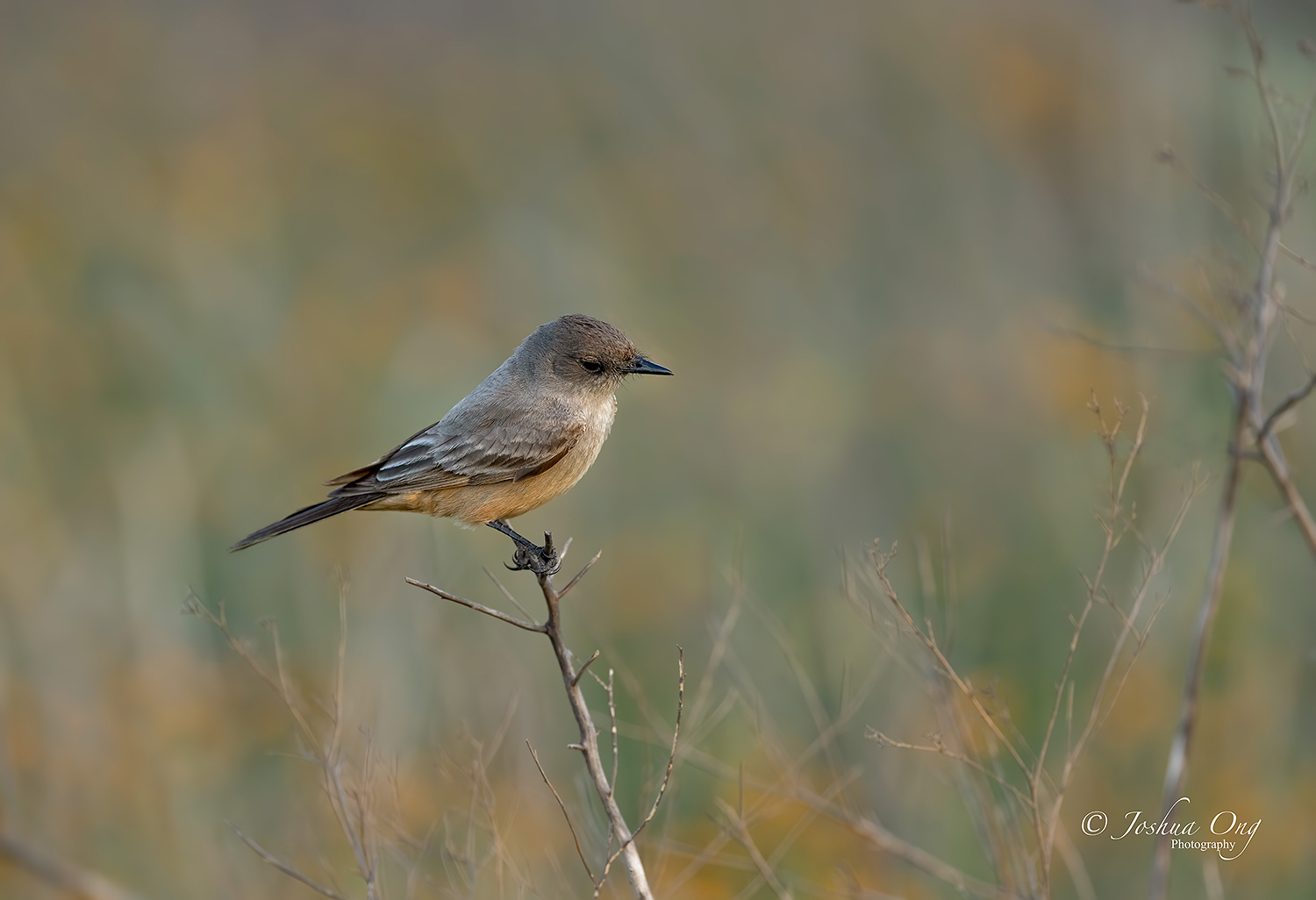 © AGeoJO 2021 |
||
|
Flycatcher 2
|
||
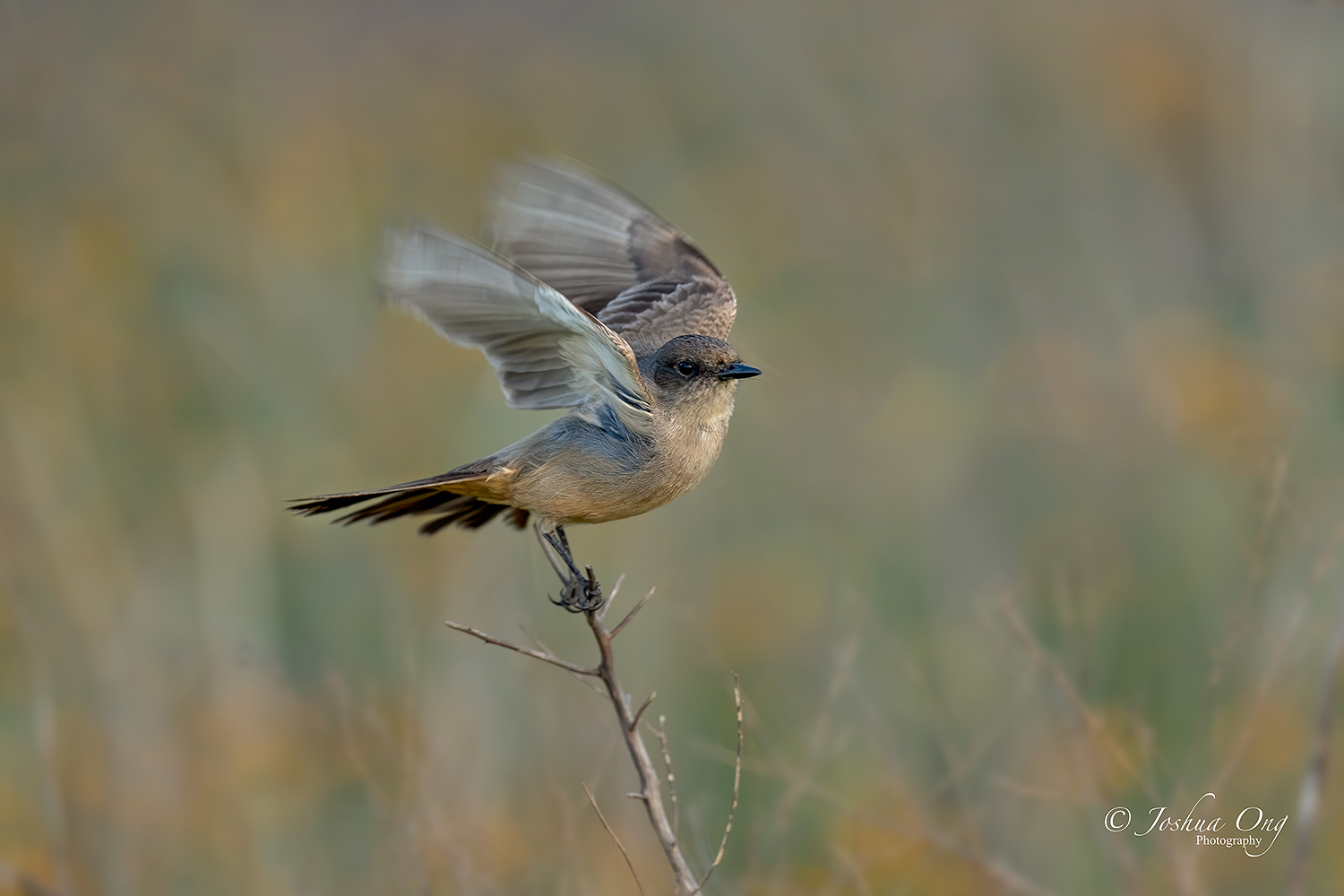 © AGeoJO 2021 |
||
|
Flycatcher 3
|
||
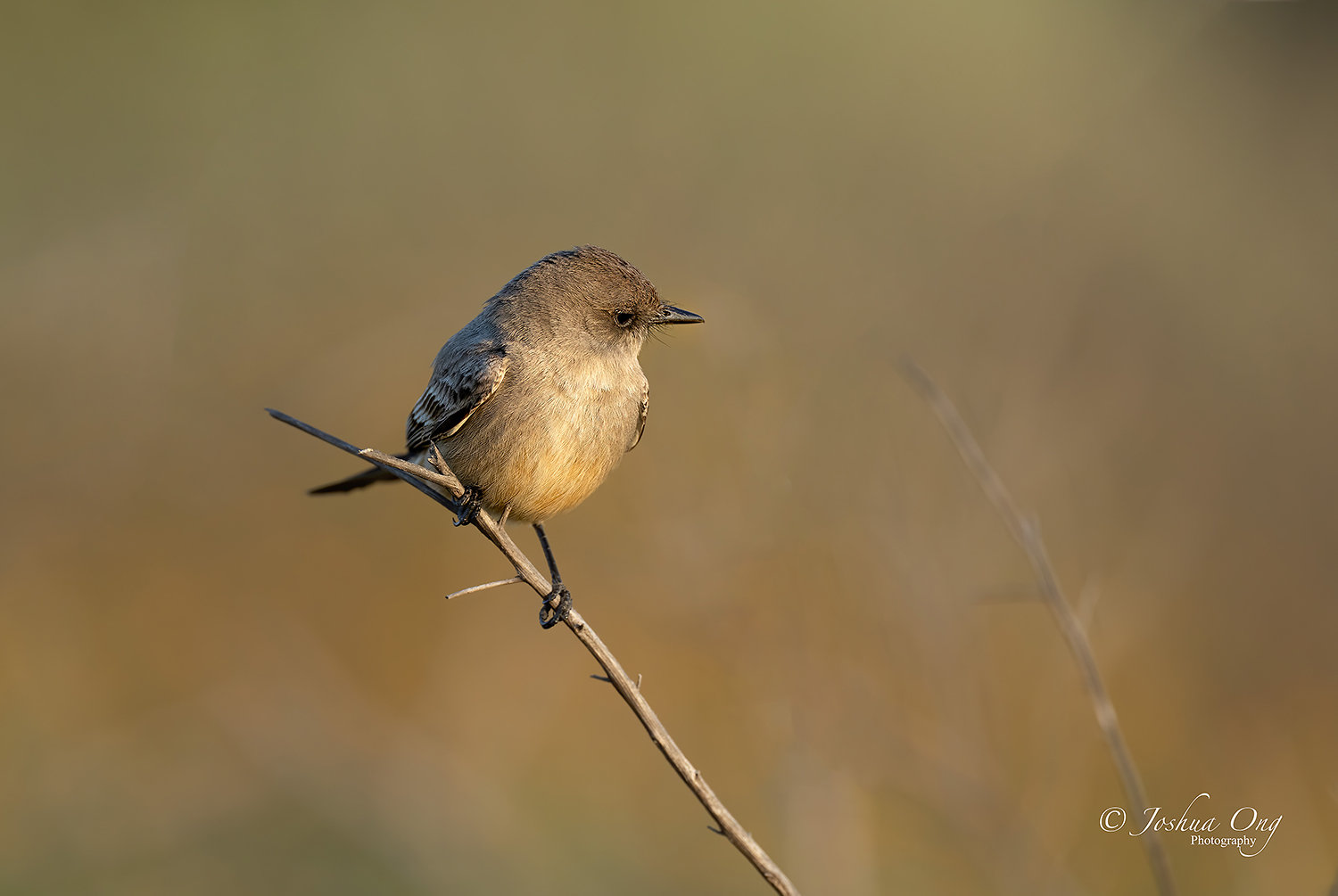 © AGeoJO 2021 |
||
|
Flycatcher 4
|
||
 © AGeoJO 2021 |
||
|
Male peregrine falcon
|
||
 © AGeoJO 2021 |
||
|
Male peregrine falcon 2
Mar 10, 2021 at 08:49 PM
p.1 #2Sony A1 - Bird Photography Camera for Dummies
Thanks for sharing your first impressions Joshua.
Having had access to another "Bird Photography Camera for Dummies" in the R5 since October I can relate.
I'm just glad that I can now rid myself of the R5 and the "slow" 100-500 lens and mount a Camera for Dummies on my 600GM and 200-600
I've only had about 10mins with the A1 aimed at a bird and it found the eye of the perched hummingbird when it was really small in the frame. I actually forgot about the Eye-AF when I first aimed it at the hummer and then saw the grey box appear out of nowhere.
Lots of testing for me will come over the next few days.
Unfortunately in just my 10mins with the camera I discovered a feature they broke compared to how my A9II/A7RIV work. On those cameras I would assign AF-ON to Registered AF Function Hold. I would assign my button on the lens to Tracking ON. If I held in the Tracking On button on the lens and then activated my Registered AF Function Hold it would switch into the tracking variant of whichever AF area I had registered. On the A1 it doesn't
I'm going to have to figure out a new workflow. But with the addition of the REC button as another Back button I think I have a way to get what I want out of it.
Having had access to another "Bird Photography Camera for Dummies" in the R5 since October I can relate.
I'm just glad that I can now rid myself of the R5 and the "slow" 100-500 lens and mount a Camera for Dummies on my 600GM and 200-600
I've only had about 10mins with the A1 aimed at a bird and it found the eye of the perched hummingbird when it was really small in the frame. I actually forgot about the Eye-AF when I first aimed it at the hummer and then saw the grey box appear out of nowhere.
Lots of testing for me will come over the next few days.
Unfortunately in just my 10mins with the camera I discovered a feature they broke compared to how my A9II/A7RIV work. On those cameras I would assign AF-ON to Registered AF Function Hold. I would assign my button on the lens to Tracking ON. If I held in the Tracking On button on the lens and then activated my Registered AF Function Hold it would switch into the tracking variant of whichever AF area I had registered. On the A1 it doesn't
I'm going to have to figure out a new workflow. But with the addition of the REC button as another Back button I think I have a way to get what I want out of it.
Mar 10, 2021 at 09:02 PM
p.1 #3Sony A1 - Bird Photography Camera for Dummies
arbitrage wrote:
Thanks for sharing your first impressions Joshua.
Having had access to another "Bird Photography Camera for Dummies" in the R5 since October I can relate.
I'm just glad that I can now rid myself of the R5 and the "slow" 100-500 lens and mount a Camera for Dummies on my 600GM and 200-600
I've only had about 10mins with the A1 aimed at a bird and it found the eye of the perched hummingbird when it was really small in the frame. I actually forgot about the Eye-AF when I first aimed it at the hummer and then saw the grey box appear...Show more →
Great to hear that you got yours, Geoff! Yes, I changed a few settings on mine, too. The funny thing is right now, I still need to figure out how to make the viewfinder blink while shooting to remind me that I am shooting. I need to pull out the manual then. Dang, I thought I could get away without that.
Thanks for sharing your first impressions Joshua.
Having had access to another "Bird Photography Camera for Dummies" in the R5 since October I can relate.
I'm just glad that I can now rid myself of the R5 and the "slow" 100-500 lens and mount a Camera for Dummies on my 600GM and 200-600
I've only had about 10mins with the A1 aimed at a bird and it found the eye of the perched hummingbird when it was really small in the frame. I actually forgot about the Eye-AF when I first aimed it at the hummer and then saw the grey box appear...Show more →
Great to hear that you got yours, Geoff! Yes, I changed a few settings on mine, too. The funny thing is right now, I still need to figure out how to make the viewfinder blink while shooting to remind me that I am shooting. I need to pull out the manual then
. Dang, I thought I could get away without that.Mar 10, 2021 at 09:10 PM
p.1 #4Sony A1 - Bird Photography Camera for Dummies
AGeoJO wrote:
Having had access to another "Bird Photography Camera for Dummies" in the R5 since October I can relate.
I'm just glad that I can now rid myself of the R5 and the "slow" 100-500 lens and mount a Camera for Dummies on my 600GM and 200-600
I've only had about 10mins with the A1 aimed at a bird and it found the eye of the perched hummingbird when it was really small in the frame. I actually forgot about the Eye-AF when I first aimed it at the hummer and then saw the grey box appear out of nowhere.
Lots of testing for me will come over the next few days.
Unfortunately in just my 10mins with the camera I discovered a feature they broke compared to how my A9II/A7RIV work. On those cameras I would assign AF-ON to Registered AF Function Hold. I would assign my button on the lens to Tracking ON. If I held in the Tracking On button on the lens and then activated my Registered AF Function Hold it would switch into the tracking variant of whichever AF area I had registered. On the A1 it doesn't
I'm going to have to figure out a new workflow. But with the addition of the REC button as another Back button I think I have a way to get what I want out of it.Great to hear that you got yours, Geoff! Yes, I changed a few settings on mine, too. The funny thing is right now, I still need to figure out how to make the viewfinder blink while shooting to remind me that I am shooting. I need to pull out the manual then . Dang, I thought I could get away without that.
Let me help you with that one.
It is called Shoot Timing Display and is located in Setup, Display Option, Shoot Timing Display
https://helpguide.sony.net/ilc/2040/v1/en/contents/TP0002924539.html
I've always preferred option 2 that is a blue border around the AF point and not just out at the periphery.
arbitrage wrote
Thanks for sharing your first impressions Joshua.Having had access to another "Bird Photography Camera for Dummies" in the R5 since October I can relate.
I'm just glad that I can now rid myself of the R5 and the "slow" 100-500 lens and mount a Camera for Dummies on my 600GM and 200-600
I've only had about 10mins with the A1 aimed at a bird and it found the eye of the perched hummingbird when it was really small in the frame. I actually forgot about the Eye-AF when I first aimed it at the hummer and then saw the grey box appear out of nowhere.
Lots of testing for me will come over the next few days.
Unfortunately in just my 10mins with the camera I discovered a feature they broke compared to how my A9II/A7RIV work. On those cameras I would assign AF-ON to Registered AF Function Hold. I would assign my button on the lens to Tracking ON. If I held in the Tracking On button on the lens and then activated my Registered AF Function Hold it would switch into the tracking variant of whichever AF area I had registered. On the A1 it doesn't
I'm going to have to figure out a new workflow. But with the addition of the REC button as another Back button I think I have a way to get what I want out of it.
. Dang, I thought I could get away without that.Let me help you with that one.
It is called Shoot Timing Display and is located in Setup, Display Option, Shoot Timing Display
https://helpguide.sony.net/ilc/2040/v1/en/contents/TP0002924539.html
I've always preferred option 2 that is a blue border around the AF point and not just out at the periphery.
Mar 10, 2021 at 09:17 PM
p.1 #5Sony A1 - Bird Photography Camera for Dummies
Congrats guys on the new toys!
Bob
Bob
Mar 10, 2021 at 09:23 PM
p.1 #6Sony A1 - Bird Photography Camera for Dummies
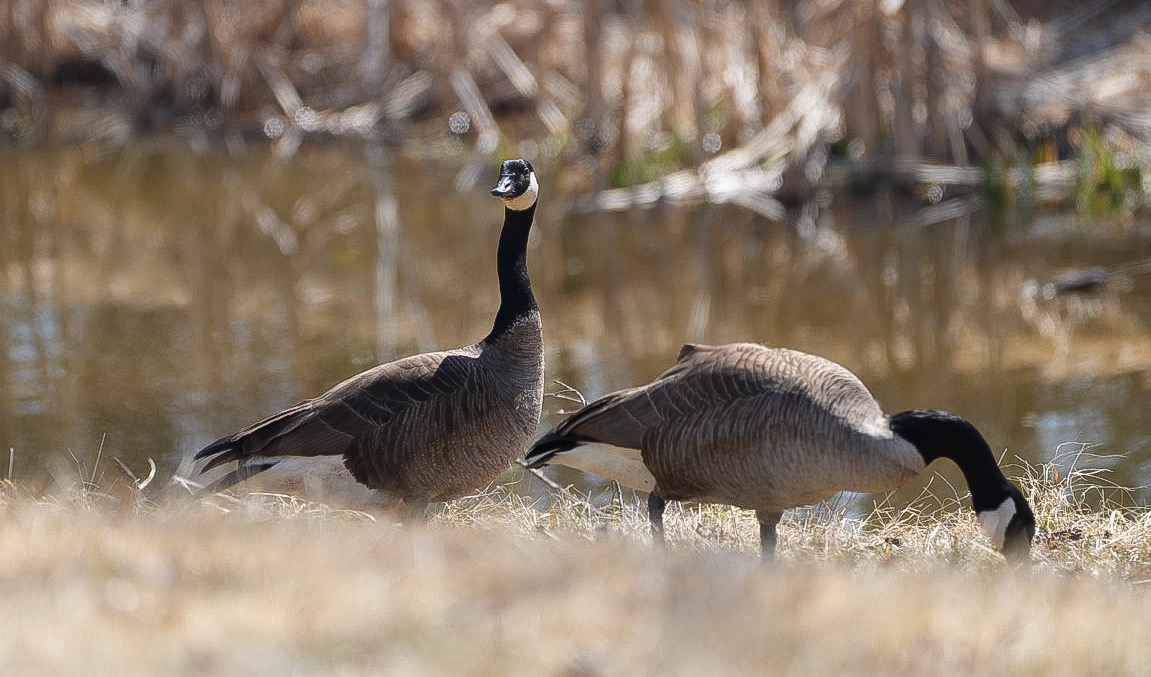
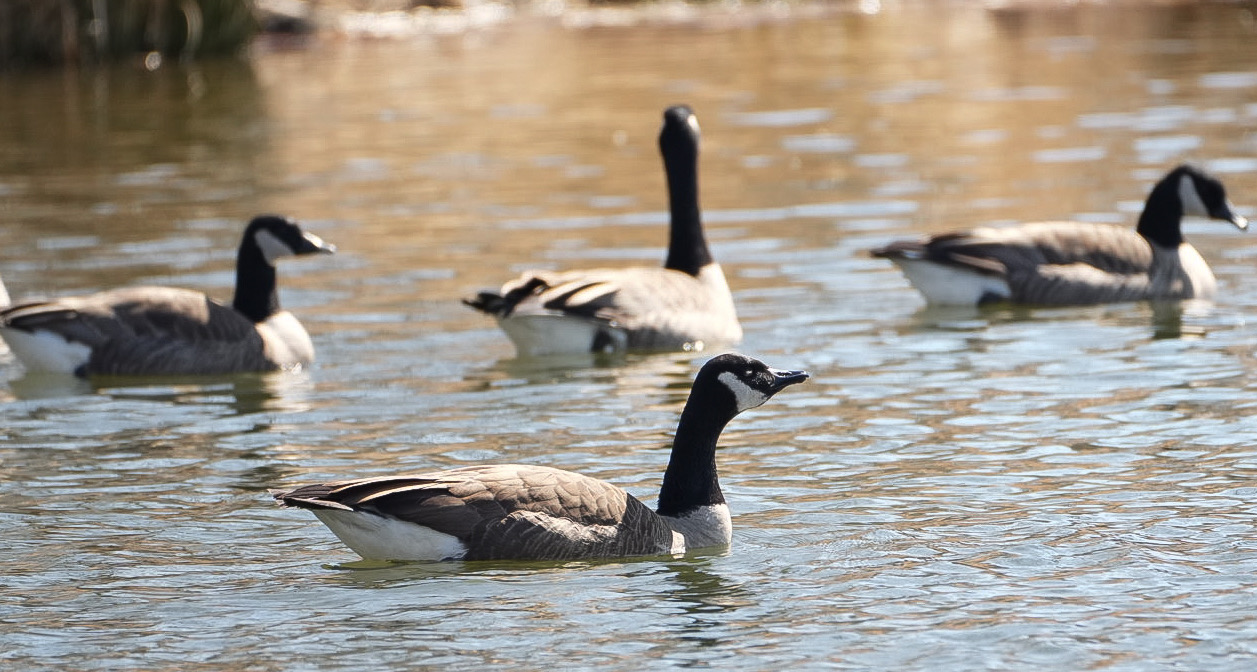
I practiced a little on Canada Geese today. The BEAF worked well.
Edited on Mar 10, 2021 at 09:27 PM · View previous versions
Edited on Mar 10, 2021 at 09:27 PM · View previous versions
Mar 10, 2021 at 09:25 PM
p.1 #7Sony A1 - Bird Photography Camera for Dummies
Bobg657 wrote:
Congrats guys on the new toys!
Bob
Thanks, Bob! I need all the help I can get to play well.
Congrats guys on the new toys!
Bob
Thanks, Bob! I need all the help I can get to play well
.Mar 10, 2021 at 09:30 PM
p.1 #8Sony A1 - Bird Photography Camera for Dummies
Joshua, Great info about the A1, and you once again demonstrate the capture of beautiful images to back it all up ! Look forward to seeing more !!!
Mar 10, 2021 at 10:36 PM
p.1 #9Sony A1 - Bird Photography Camera for Dummies
Laslo Varadi wrote:
I practiced a little on Canada Geese today. The BEAF worked well.
But these particular birds are so lazy that you can shoot them with your phone. No need to buy A1 for that.
I practiced a little on Canada Geese today. The BEAF worked well.
But these particular birds are so lazy that you can shoot them with your phone. No need to buy A1 for that.
Mar 10, 2021 at 10:47 PM
p.1 #10Sony A1 - Bird Photography Camera for Dummies
Great set Joshua, appreciate your sharing your findings so far. I'm getting envious already.
Mar 10, 2021 at 10:51 PM
p.1 #11Sony A1 - Bird Photography Camera for Dummies
Thanks for sharing your thoughts Joshua, look forward to reading/seeing more over the coming weeks 
Mar 10, 2021 at 11:39 PM
p.1 #12Sony A1 - Bird Photography Camera for Dummies
arbitrage wrote:
Having had access to another "Bird Photography Camera for Dummies" in the R5 since October I can relate.
I'm just glad that I can now rid myself of the R5 and the "slow" 100-500 lens and mount a Camera for Dummies on my 600GM and 200-600
I've only had about 10mins with the A1 aimed at a bird and it found the eye of the perched hummingbird when it was really small in the frame. I actually forgot about the Eye-AF when I first aimed it at the hummer and then saw the grey box appear out of nowhere.
Lots of testing for me will come over the next few days.
Unfortunately in just my 10mins with the camera I discovered a feature they broke compared to how my A9II/A7RIV work. On those cameras I would assign AF-ON to Registered AF Function Hold. I would assign my button on the lens to Tracking ON. If I held in the Tracking On button on the lens and then activated my Registered AF Function Hold it would switch into the tracking variant of whichever AF area I had registered. On the A1 it doesn't
I'm going to have to figure out a new workflow. But with the addition of the REC button as another Back button I think I have a way to get what I want out of it.Great to hear that you got yours, Geoff! Yes, I changed a few settings on mine, too. The funny thing is right now, I still need to figure out how to make the viewfinder blink while shooting to remind me that I am shooting. I need to pull out the manual then . Dang, I thought I could get away without that.Let me help you with that one.
It is called Shoot Timing Display and is located in Setup, Display Option, Shoot Timing Display
https://helpguide.sony.net/ilc/2040/v1/en/contents/TP0002924539.html
I've always preferred option 2 that is a blue border around the AF point and not just out at the periphery.
That’s it and thank you, Geoff! I scrolled through that but somehow I missed it. It is something that you set one time at the beginning and forget about it.
AGeoJO wrote
arbitrage wrote
Thanks for sharing your first impressions Joshua.Having had access to another "Bird Photography Camera for Dummies" in the R5 since October I can relate.
I'm just glad that I can now rid myself of the R5 and the "slow" 100-500 lens and mount a Camera for Dummies on my 600GM and 200-600
I've only had about 10mins with the A1 aimed at a bird and it found the eye of the perched hummingbird when it was really small in the frame. I actually forgot about the Eye-AF when I first aimed it at the hummer and then saw the grey box appear out of nowhere.
Lots of testing for me will come over the next few days.
Unfortunately in just my 10mins with the camera I discovered a feature they broke compared to how my A9II/A7RIV work. On those cameras I would assign AF-ON to Registered AF Function Hold. I would assign my button on the lens to Tracking ON. If I held in the Tracking On button on the lens and then activated my Registered AF Function Hold it would switch into the tracking variant of whichever AF area I had registered. On the A1 it doesn't
I'm going to have to figure out a new workflow. But with the addition of the REC button as another Back button I think I have a way to get what I want out of it.
. Dang, I thought I could get away without that.It is called Shoot Timing Display and is located in Setup, Display Option, Shoot Timing Display
https://helpguide.sony.net/ilc/2040/v1/en/contents/TP0002924539.html
I've always preferred option 2 that is a blue border around the AF point and not just out at the periphery.
That’s it and thank you, Geoff! I scrolled through that but somehow I missed it. It is something that you set one time at the beginning and forget about it.
Mar 11, 2021 at 07:04 AM
p.1 #13Sony A1 - Bird Photography Camera for Dummies
Appreciate the write-up, Joshua!
Edited on Mar 11, 2021 at 08:39 AM · View previous versions
Edited on Mar 11, 2021 at 08:39 AM · View previous versions
Mar 11, 2021 at 07:19 AM
p.1 #14Sony A1 - Bird Photography Camera for Dummies
ramesesthe2nd wrote:
But these particular birds are so lazy that you can shoot them with your phone. No need to buy A1 for that.
Very true, but I was lazy too yesterday.😀
Laslo Varadi wrote
I practiced a little on Canada Geese today. The BEAF worked well.Very true, but I was lazy too yesterday.😀
Mar 11, 2021 at 07:33 AM
p.1 #15Sony A1 - Bird Photography Camera for Dummies
Hi Joshua. Did you have the oportunity to mount the 200-600? Any issue related to fron/back focus?
Thanks a lot
Thanks a lot
Mar 11, 2021 at 08:49 AM
p.1 #16Sony A1 - Bird Photography Camera for Dummies
Thanks for the interesting post, Joshua.
I'm interested in your comment about "feels like cheating," which is something I've felt at every stage of the advance of digital photography. Each stage makes it easier (and easier for non-pros) to get high quality versions of the images you could, with sufficient skill and thought, get before. Hence the proliferation of high quality images on forums that, 10 years ago, you would only see in Audubon or National Geographic.
What I have hopes to see from the experts here, eventually, is images you actually couldn't have gotten before. That is the challenge!!
One thing that struck me as I followed the R5 discussions was that the images people have gotten, while wonderful, don't appear to be anything particularly new. Maybe people can see quality differences on the full size files on their own monitors, and downsizing the files for posting here just takes too much of a hit on the quality (I would be interested to hear about that!). No doubt hit rates or keeper rates also go way up with each technology iteration, and will certainly do that here.
But I maintain the hope of seeing things that, either in terms of animal behavior or artistic expression, would have been almost impossible before.
I'm interested in your comment about "feels like cheating," which is something I've felt at every stage of the advance of digital photography. Each stage makes it easier (and easier for non-pros) to get high quality versions of the images you could, with sufficient skill and thought, get before. Hence the proliferation of high quality images on forums that, 10 years ago, you would only see in Audubon or National Geographic.
What I have hopes to see from the experts here, eventually, is images you actually couldn't have gotten before. That is the challenge!!
One thing that struck me as I followed the R5 discussions was that the images people have gotten, while wonderful, don't appear to be anything particularly new. Maybe people can see quality differences on the full size files on their own monitors, and downsizing the files for posting here just takes too much of a hit on the quality (I would be interested to hear about that!). No doubt hit rates or keeper rates also go way up with each technology iteration, and will certainly do that here.
But I maintain the hope of seeing things that, either in terms of animal behavior or artistic expression, would have been almost impossible before.
Mar 11, 2021 at 09:04 AM
p.1 #17Sony A1 - Bird Photography Camera for Dummies
roadapple wrote:
Joshua, Great info about the A1, and you once again demonstrate the capture of beautiful images to back it all up ! Look forward to seeing more !!!
louie champan wrote:
Great set Joshua, appreciate your sharing your findings so far. I'm getting envious already.
twodees wrote:
Thanks for sharing your thoughts Joshua, look forward to reading/seeing more over the coming weeks
Douglas Liu wrote:
Appreciate the write-up, Joshua!
Thank you very much, gents! I am taking a break today but I will go out again tomorrow morning. I will update my findings some more later.
JeyB wrote:
Hi Joshua. Did you have the oportunity to mount the 200-600? Any issue related to fron/back focus?
Thanks a lot
Hi JeyB, not yet but I will tomorrow. However, I really do not anticipate that lens to perform worse than on the A9 II. I will post my findings after that here.
________________________________________________
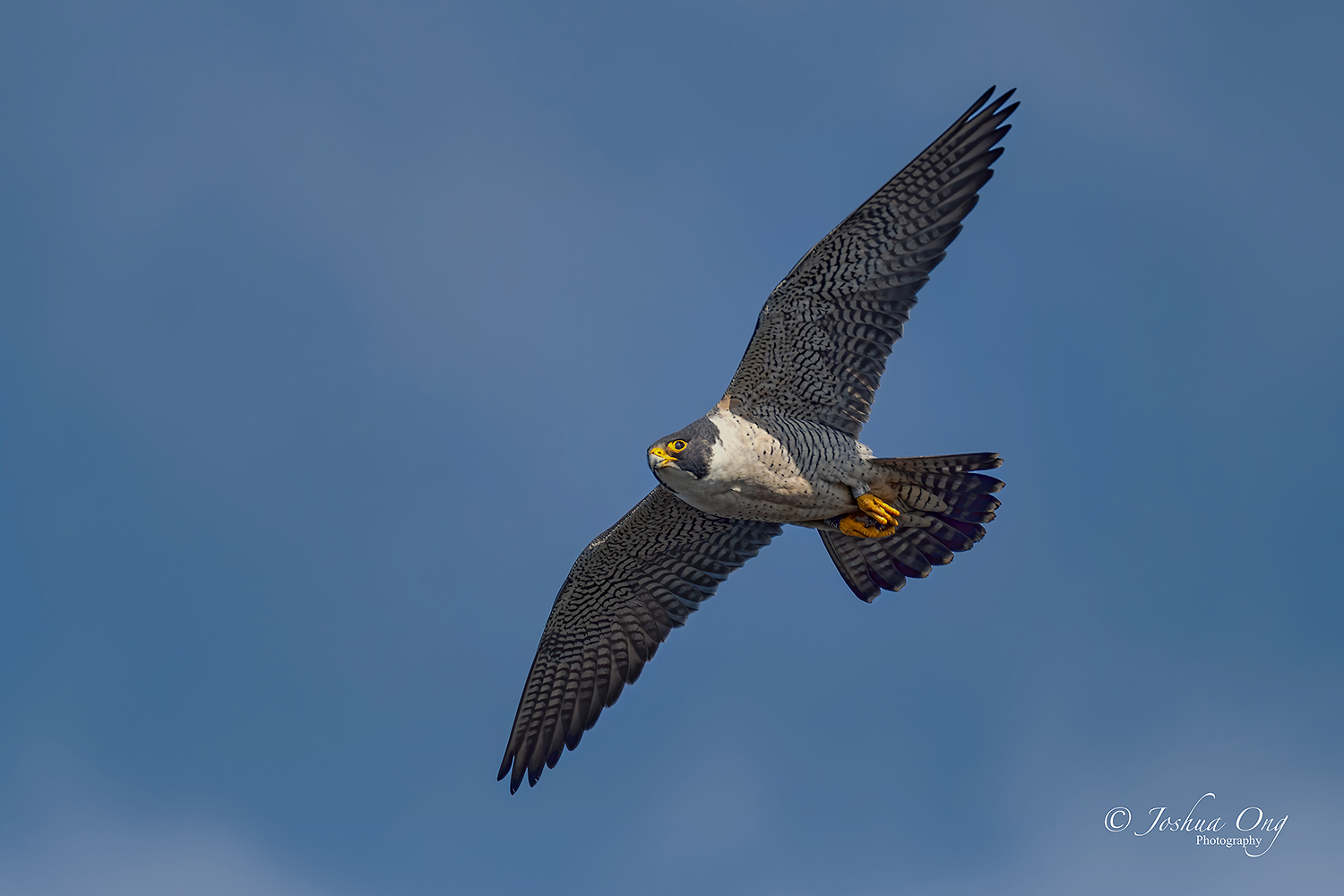
This is an easy peasy case for the A1...
Male peregrine falcon soaring pretty high up
Joshua, Great info about the A1, and you once again demonstrate the capture of beautiful images to back it all up ! Look forward to seeing more !!!
louie champan wrote:
Great set Joshua, appreciate your sharing your findings so far. I'm getting envious already.
twodees wrote:
Thanks for sharing your thoughts Joshua, look forward to reading/seeing more over the coming weeks
Douglas Liu wrote:
Appreciate the write-up, Joshua!
Thank you very much, gents! I am taking a break today but I will go out again tomorrow morning. I will update my findings some more later.
JeyB wrote:
Hi Joshua. Did you have the oportunity to mount the 200-600? Any issue related to fron/back focus?
Thanks a lot
Hi JeyB, not yet but I will tomorrow. However, I really do not anticipate that lens to perform worse than on the A9 II. I will post my findings after that here.
________________________________________________
This is an easy peasy case for the A1...
|
||
 © AGeoJO 2021 |
||
|
Male peregrine falcon soaring pretty high up
Mar 11, 2021 at 09:08 AM
p.1 #18Sony A1 - Bird Photography Camera for Dummies
Excellent shots gentlemen !!! Congratulations on your new toys. Have fun . I will live vicariously through your work
Birdie
Birdie
Mar 11, 2021 at 09:20 AM
p.1 #19Sony A1 - Bird Photography Camera for Dummies
photonoclast wrote:
Thanks for the interesting post, Joshua.
I'm interested in your comment about "feels like cheating," which is something I've felt at every stage of the advance of digital photography. Each stage makes it easier (and easier for non-pros) to get high quality versions of the images you could, with sufficient skill and thought, get before. Hence the proliferation of high quality images on forums that, 10 years ago, you would only see in Audubon or National Geographic.
What I have hopes to see from the experts here, eventually, is images you actually couldn't have gotten before. That is the challenge!!
One thing that...Show more →
Thank you for bringing up a valid point, photonoclast!
You are correct about the proliferation of high quality images that can be found here and at other on-line sources. And to a certain degree we are expecting more and more from our gear and yes, our skill. The way I look at it in wildlife is you have to be there at the right location and at the right moment. You can anticipate some magic moments to happen but whether it actually does, it is up to nature. And of course, your gear has to have the right specs and to perform well if you are exposed to that situation. The point I am making is this:
I was at the falcon site last Sunday. There was a mid-air food transfer but it was way out there over the ocean. Although I had a total of 840mm effective focal length, I couldn't get any images that look decent enough to be posted on-line. The female falcon flew back to the ledge where I was standing. It dove under the ledge as it flew closer and disappeared from my view. It came back up from below, at least from my perspective, and I couldn't guess where or what part of the ledge it would appear. I missed the landing. I got it after it had landed but nothing spectacular. Another photographer was way to the left and he could see and follow the falcon fly under and come back up. He captured the landing with the prey still moving... What a great capture! He was at the right place and the right time. His gear? Sony A9 II and G 200-600mm lens. I had the same setup that morning but I was not at the right position. Yes, I missed that opportunity since I didn't get the note where the falcon would land.
And here is another factor where the gear would play a role. If you get 30 FPS, the chance that you capture the peak moment or moments is greater than if you get 10 FPS and even significantly less, if you shoot a single frame. By using a higher frame rate, you are increasing your chance in getting that one magical shot that other photographers may miss. Of course, some photographers may get lucky by even taking single frames but believe me, it doesn't happen that often.
Thanks for the interesting post, Joshua.
I'm interested in your comment about "feels like cheating," which is something I've felt at every stage of the advance of digital photography. Each stage makes it easier (and easier for non-pros) to get high quality versions of the images you could, with sufficient skill and thought, get before. Hence the proliferation of high quality images on forums that, 10 years ago, you would only see in Audubon or National Geographic.
What I have hopes to see from the experts here, eventually, is images you actually couldn't have gotten before. That is the challenge!!
One thing that...Show more →
Thank you for bringing up a valid point, photonoclast!
You are correct about the proliferation of high quality images that can be found here and at other on-line sources. And to a certain degree we are expecting more and more from our gear and yes, our skill. The way I look at it in wildlife is you have to be there at the right location and at the right moment. You can anticipate some magic moments to happen but whether it actually does, it is up to nature. And of course, your gear has to have the right specs and to perform well if you are exposed to that situation. The point I am making is this:
I was at the falcon site last Sunday. There was a mid-air food transfer but it was way out there over the ocean. Although I had a total of 840mm effective focal length, I couldn't get any images that look decent enough to be posted on-line. The female falcon flew back to the ledge where I was standing. It dove under the ledge as it flew closer and disappeared from my view. It came back up from below, at least from my perspective, and I couldn't guess where or what part of the ledge it would appear. I missed the landing. I got it after it had landed but nothing spectacular. Another photographer was way to the left and he could see and follow the falcon fly under and come back up. He captured the landing with the prey still moving... What a great capture! He was at the right place and the right time. His gear? Sony A9 II and G 200-600mm lens. I had the same setup that morning but I was not at the right position. Yes, I missed that opportunity since I didn't get the note where the falcon would land
.And here is another factor where the gear would play a role. If you get 30 FPS, the chance that you capture the peak moment or moments is greater than if you get 10 FPS and even significantly less, if you shoot a single frame. By using a higher frame rate, you are increasing your chance in getting that one magical shot that other photographers may miss. Of course, some photographers may get lucky by even taking single frames but believe me, it doesn't happen that often.
Mar 11, 2021 at 09:35 AM
p.1 #20Sony A1 - Bird Photography Camera for Dummies
Could you estimate what the keeper rate is compared to a9?
This could be calculated in 2 ways, given the different fps of the two cameras.
a) Actual keeper rate = frames in focus/total frames
b) Keeper rate per second
Even if "a" is lower in a1 compared to a9/a9II, "b" can be still higher due to 30fps.
I hope both a) and b) are higher with a1 though
Edited on Mar 11, 2021 at 10:03 AM · View previous versions
This could be calculated in 2 ways, given the different fps of the two cameras.
a) Actual keeper rate = frames in focus/total frames
b) Keeper rate per second
Even if "a" is lower in a1 compared to a9/a9II, "b" can be still higher due to 30fps.
I hope both a) and b) are higher with a1 though
Edited on Mar 11, 2021 at 10:03 AM · View previous versions
Mar 11, 2021 at 09:48 AM