p.56 #1 · Portrait and People Image Thread using Sony
Shot with my DIY optical snoot + a speedlight with a blue gel hitting a silver reflector in the BG. @GabrielPhoto, I'd still love to hear more about your experience with the Ambitful!
p.56 #2 · Portrait and People Image Thread using Sony
fuzzykeys wrote:
Shot with my DIY optical snoot + a speedlight with a blue gel hitting a silver reflector in the BG. @GabrielPhoto@, I'd still love to hear more about your experience with the Ambitful!
I have not shot that much with it to be honest but plan to use it a lot more this year when Covid is finally under control for sure. I got one that I wanted but it wont fit the Ambitful but I got this reply from Musson.com
"Thanks for checking with us! While Rosco has not made gobos for this fixture below, they should be able to.
However, because we can’t find any gobo size specs for this fixture, you’ll need to ship one of your gobos to Rosco for them to measure it. Rosco can then ship your gobo back to you with the #79020 gobo you order. Going forward they would keep this fixture in their database if you wanted to order additional Rosco gobos.
Cost would be same as a standard gobo ($12.95 + shipping), just a slightly longer lead time due to shipping/measure/shipping-back. You can place an order for this on our website below, just enter “AMBITFUL AL-16” in the “Fixture Make & Model” text box."
p.56 #3 · Portrait and People Image Thread using Sony
GabrielPhoto wrote:
Love it!
I have not shot that much with it to be honest but plan to use it a lot more this year when Covid is finally under control for sure. I got one that I wanted but it wont fit the Ambitful but I got this reply from Musson.com
"Thanks for checking with us! While Rosco has not made gobos for this fixture below, they should be able to.
However, because we can’t find any gobo size specs for this fixture, you’ll need to ship one of your gobos to Rosco for them to measure it. Rosco can then ship your gobo back to you with the #79020 gobo you order. Going forward they would keep this fixture in their database if you wanted to order additional Rosco gobos.
Cost would be same as a standard gobo ($12.95 + shipping), just a slightly longer lead time due to shipping/measure/shipping-back. You can place an order for this on our website below, just enter “AMBITFUL AL-16” in the “Fixture Make & Model” text box."
p.56 #5 · Portrait and People Image Thread using Sony
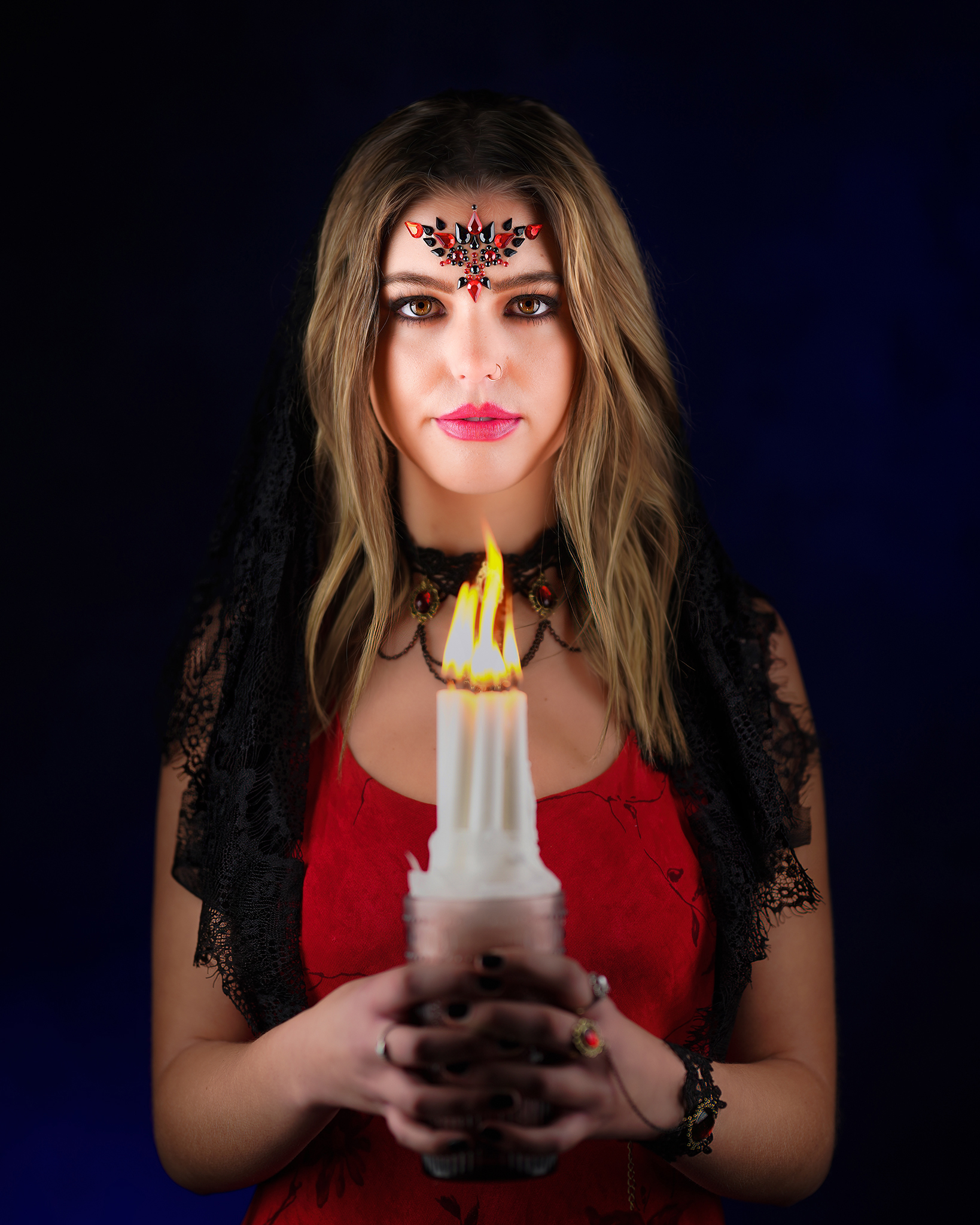
Very nice man! Awesome job with the lighting and still making you believe that the candle is a main light source!
Too bad about the non-standard gobo size on the Ambitful, though you might be able to rig something up to accommodate some third party stuff. How is the lens optically speaking? The optical snoot is becoming more of an essential piece to me and less of a novelty modifier the more I use it, but it’s really hard to find solid information about the various models available. My DIY setup is super cumbersome in that I have my analog cam on a separate stand attached to a ball head with a regular strobe in a snoot firing into the rear of the cam where the film would normally go. It’s flexible in the gobo department but man is it a PITA to aim.
GabrielPhoto wrote:
Love it!
I have not shot that much with it to be honest but plan to use it a lot more this year when Covid is finally under control for sure. I got one that I wanted but it wont fit the Ambitful but I got this reply from Musson.com
"Thanks for checking with us! While Rosco has not made gobos for this fixture below, they should be able to.
However, because we can’t find any gobo size specs for this fixture, you’ll need to ship one of your gobos to Rosco for them to measure it. Rosco can then ship your gobo back to you with the #79020 gobo you order. Going forward they would keep this fixture in their database if you wanted to order additional Rosco gobos.
Cost would be same as a standard gobo ($12.95 + shipping), just a slightly longer lead time due to shipping/measure/shipping-back. You can place an order for this on our website below, just enter “AMBITFUL AL-16” in the “Fixture Make & Model” text box."
p.56 #6 · Portrait and People Image Thread using Sony
fuzzykeys wrote:
Very nice man! Awesome job with the lighting and still making you believe that the candle is a main light source!
Too bad about the non-standard gobo size on the Ambitful, though you might be able to rig something up to accommodate some third party stuff. How is the lens optically speaking? The optical snoot is becoming more of an essential piece to me and less of a novelty modifier the more I use it, but it’s really hard to find solid information about the various models available. My DIY setup is super cumbersome in that I have my analog cam on a separate stand attached to a ball head with a regular strobe in a snoot firing into the rear of the cam where the film would normally go. It’s flexible in the gobo department but man is it a PITA to aim.
...Show more →
Thank you very much!
Honeslty I have not examined the quality of the lens much but will do so ASAP and let you know since I plan to use it more often whenver I resume shooting in studio
p.56 #9 · Portrait and People Image Thread using Sony
I was editing some older photos and rescued this one from when I was test shooting a ballet dancer. She was doing a pre-dance stretch routine and a bare speedlight was behind her, and it turned out interesting enough to process. (Is it still a portrait if you can't see her face??)
p.56 #10 · Portrait and People Image Thread using Sony
A previously unprocessed photo from two years ago. Hopefully I will be able to go out and shoot again soon. Taken in my home studio with Godox lighting. A7r3 and 24-105.
p.56 #12 · Portrait and People Image Thread using Sony
GabrielPhoto wrote:
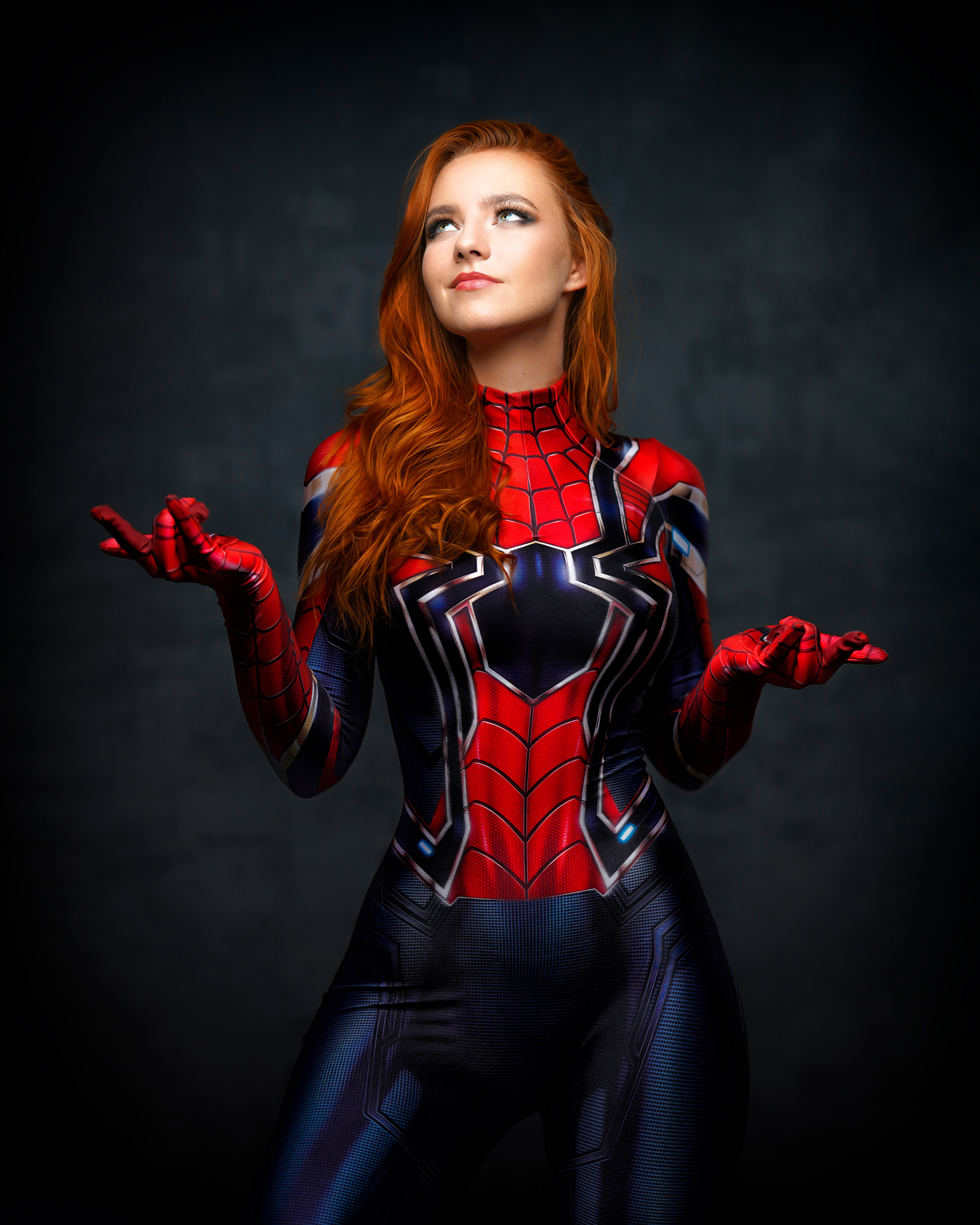
Here comes my favorite Superhero
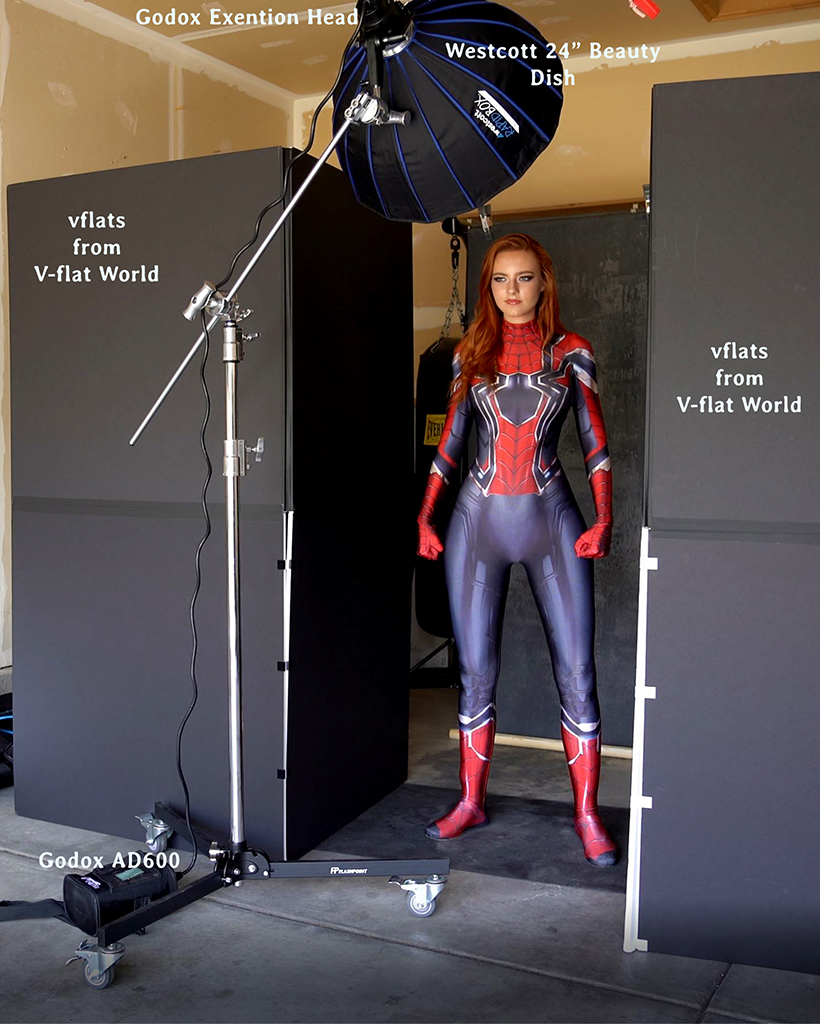
Cool result, wish I had some v flats like this but have nowhere to store them. Also, maybe this idea has crossed your mind, but with this model...a Mary Jane / Spider-Man composite?
p.56 #13 · Portrait and People Image Thread using Sony
abadger wrote:
Cool result, wish I had some v flats like this but have nowhere to store them. Also, maybe this idea has crossed your mind, but with this model...a Mary Jane / Spider-Man composite?
Thanks and that is actually a good idea to explore!
p.56 #14 · Portrait and People Image Thread using Sony
There are some AWESOME images in this thread.
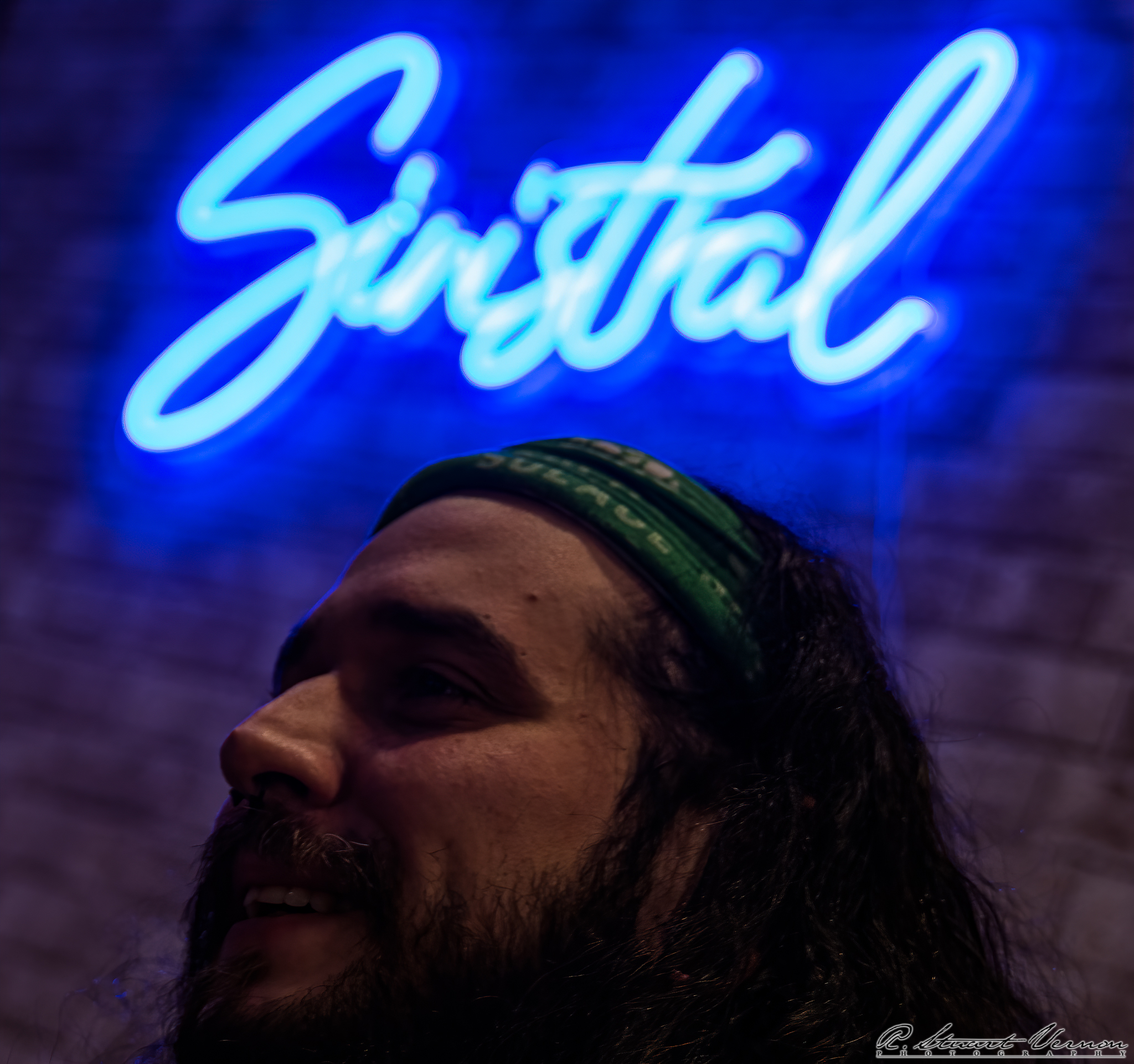
This is not going to be one of them. I'm posting it because it has the seed of an idea that I think could end up being a good photo. Suggestions on what I should do differently next time?
I was focusing on the guy's eye. But, looking at the result, I'm thinking maybe I should have focused on the neon sign in the background? And kept it wide open to get a nice blur on the face? Or close it down and try to get the sign in focus and also keep his face in focus?
Suggestions are invited.
ps. Sinistral is my favorite local brewery. I was just shooting spontaneous images while I was out.
p.56 #15 · Portrait and People Image Thread using Sony
stuartv wrote:
There are some AWESOME images in this thread.
This is not going to be one of them. I'm posting it because it has the seed of an idea that I think could end up being a good photo. Suggestions on what I should do differently next time?
I was focusing on the guy's eye. But, looking at the result, I'm thinking maybe I should have focused on the neon sign in the background? And kept it wide open to get a nice blur on the face? Or close it down and try to get the sign in focus and also keep his face in focus?
Suggestions are invited.
ps. Sinistral is my favorite local brewery. I was just shooting spontaneous images while I was out. ...Show more →
Stuart, you could evaluate the full size image on your monitor while we are not able to. According to you, what is sharp and in focus there? If nothing is really sharp, then the blurriness may have been caused more by camera/lens movement. Maybe using a higher shutter speed will help minimizing that issue.
p.56 #19 · Portrait and People Image Thread using Sony
Thanks man! The fencing idea sounds awesome!
The basic principle is you need a continuous light to capture motion during a semi-long exposure, a flash to freeze it and a black background. I don’t have a proper continuous light so I just used my Xplor 600 Pro’s modeling light at full power in a 7” reflector with barn doors and teal gel set up behind Jess. For the flash I used the 400 Pro in a 25” softbox. The BG was a Westcott X-Drop. For the captures, I shot ~1 second exposures at f5.6 with front curtain sync and then panned the camera after opening the shutter and tripping the flash.
The most critical aspect is the placement of the continuous light. If you want motion in front of the subject, move the light closer to the lens and spill a bit of light onto the face. If you want to try to get more of the face lit cleanly with white light, move it back and watch your spill. In the latter case, focusing can be a bit challenging since you need to be in a dark area and turn off the strobe’s modeling light to prevent it from capturing white light motion.
If you wanted to capture your son and the sword moving, you’d probably want to try the opposite of what I did and have your son move throughout the exposure after the flash fires. You could try moving the camera on top of that as well and you’d probably get some totally crazy stuff. You’ll have to fiddle around with the exposure times to find a sweet spot. It’s a very unpredictable process and tons of fun!
In post, I really didn’t do too much. My usual beauty retouching routine but less of it because I wanted a bit of a grittier look and the crispy highlights of the smaller modifier, a little greenish-yellow split toning to the highlights in ACR, and then I desaturated the blues and increased their luminosity a bit.
Hodie wrote:
This is so cool, Matt! Care to share how you did it? I want to try to do something similar with my son and his fencing.
p.56 #20 · Portrait and People Image Thread using Sony
Thanks! That’s what I was trying earlier (before your post) but I didn’t use a continuous light, just a speed light with a gel, and my results were unspectacular. I also think the placement was all wrong. I only got to experiment for about 20 mins so I will need to fiddle around some more. I want to get the result where the face is sharp but there is movement with the foil (“sword”).
I’ll probably use one of my cheap Aperture LED lights and throw a gel over it or use my AD400 modeling light and use my speed light as the key.
Thanks so much for sharing! The most challenging part for me will be getting a 6-year model dressed in full fencing gear to be willing to let me experiment 😂.
fuzzykeys wrote:
Thanks man! The fencing idea sounds awesome!
The basic principle is you need a continuous light to capture motion during a semi-long exposure, a flash to freeze it and a black background. I don’t have a proper continuous light so I just used my Xplor 600 Pro’s modeling light at full power in a 7” reflector with barn doors and teal gel set up behind Jess. For the flash I used the 400 Pro in a 25” softbox. The BG was a Westcott X-Drop. For the captures, I shot ~1 second exposures at f5.6 with front curtain sync and then panned the camera after opening the shutter and tripping the flash.
The most critical aspect is the placement of the continuous light. If you want motion in front of the subject, move the light closer to the lens and spill a bit of light onto the face. If you want to try to get more of the face lit cleanly with white light, move it back and watch your spill. In the latter case, focusing can be a bit challenging since you need to be in a dark area and turn off the strobe’s modeling light to prevent it from capturing white light motion.
If you wanted to capture your son and the sword moving, you’d probably want to try the opposite of what I did and have your son move throughout the exposure after the flash fires. You could try moving the camera on top of that as well and you’d probably get some totally crazy stuff. You’ll have to fiddle around with the exposure times to find a sweet spot. It’s a very unpredictable process and tons of fun!
In post, I really didn’t do too much. My usual beauty retouching routine but less of it because I wanted a bit of a grittier look and the crispy highlights of the smaller modifier, a little greenish-yellow split toning to the highlights in ACR, and then I desaturated the blues and increased their luminosity a bit.