p.6 #1 · Lightroom's new Enhance Details sample with Sony FE 50/1.4 ZA
GMPhotography wrote:
I had a really hard time getting it in my office. First it was like 300 pounds shipped by crate and was like 40 inches long. A real monster. Beautiful printer though.
I used it a lot when I was teaching workshops. I made each attendee a final print when I got home. One or two workshops we actually brought my partners 7900 in and did a printing workshop. Fun stuff
I have a Canon IPF 8300. My wife about died laughing as four of us got the monster up the stairs to my home office. It is still there. I hope it never dies, lol.
p.6 #2 · Lightroom's new Enhance Details sample with Sony FE 50/1.4 ZA
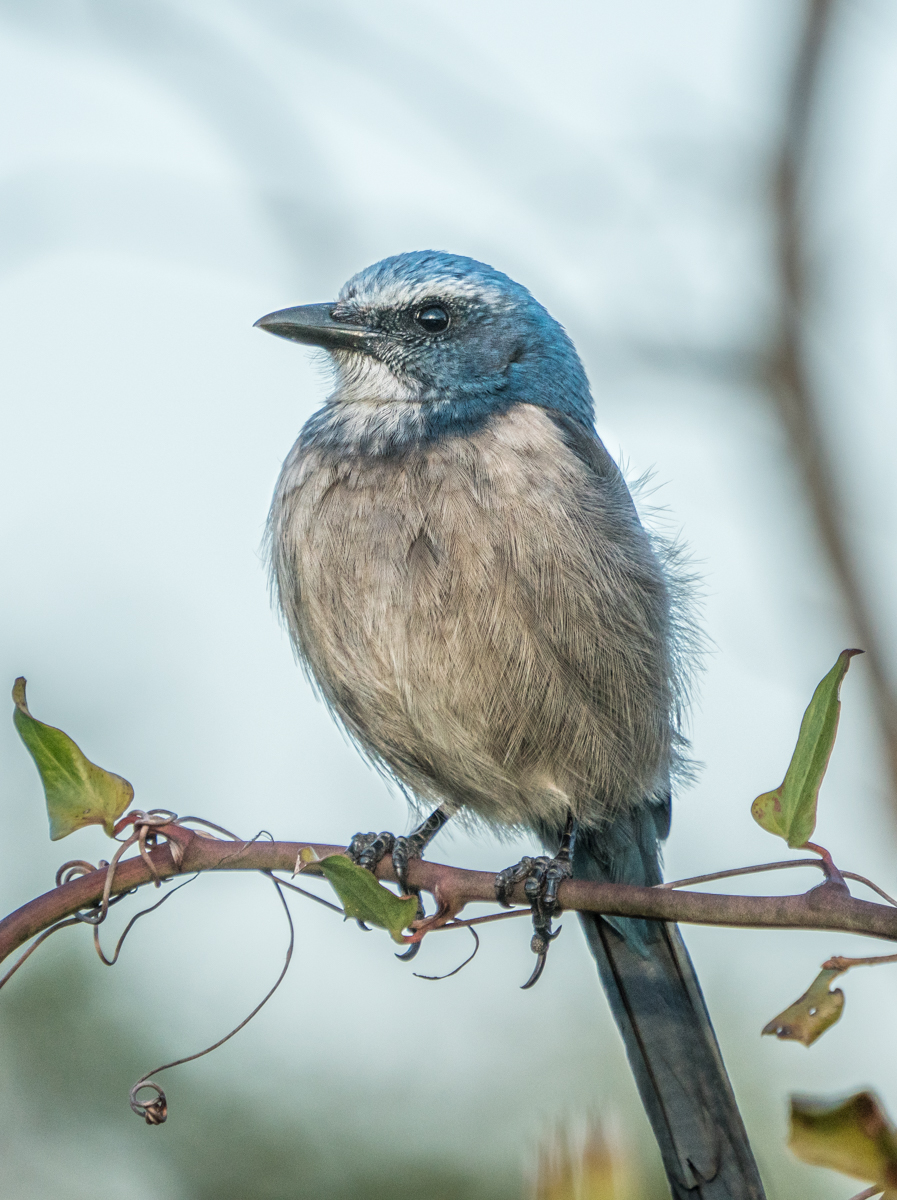
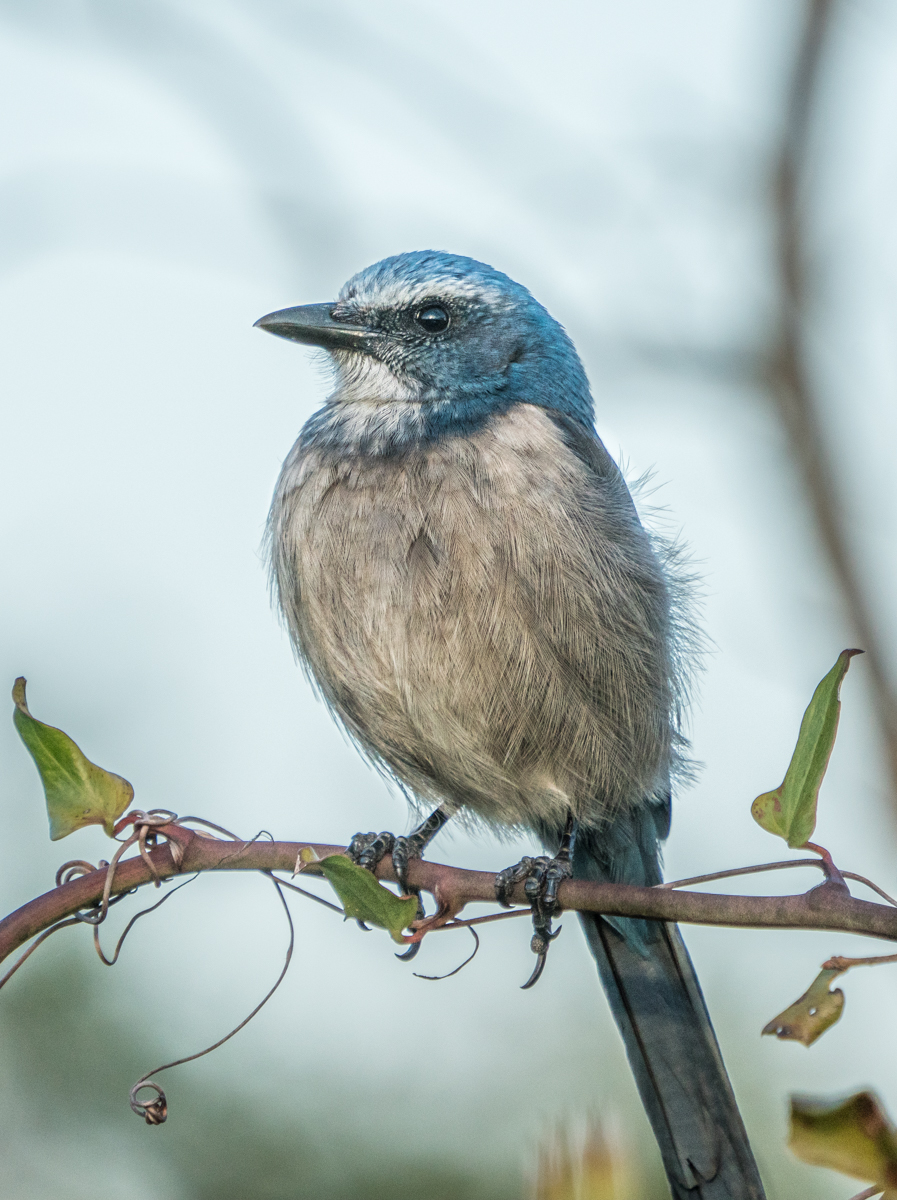
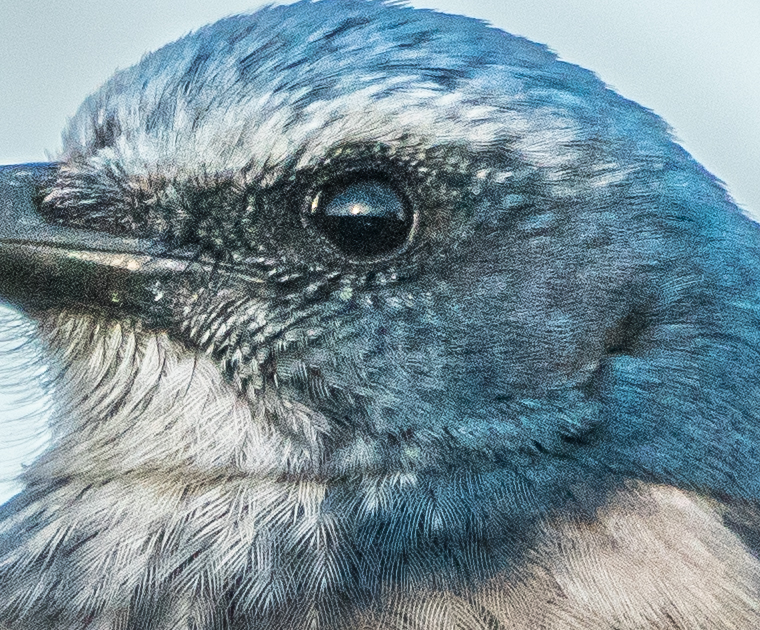
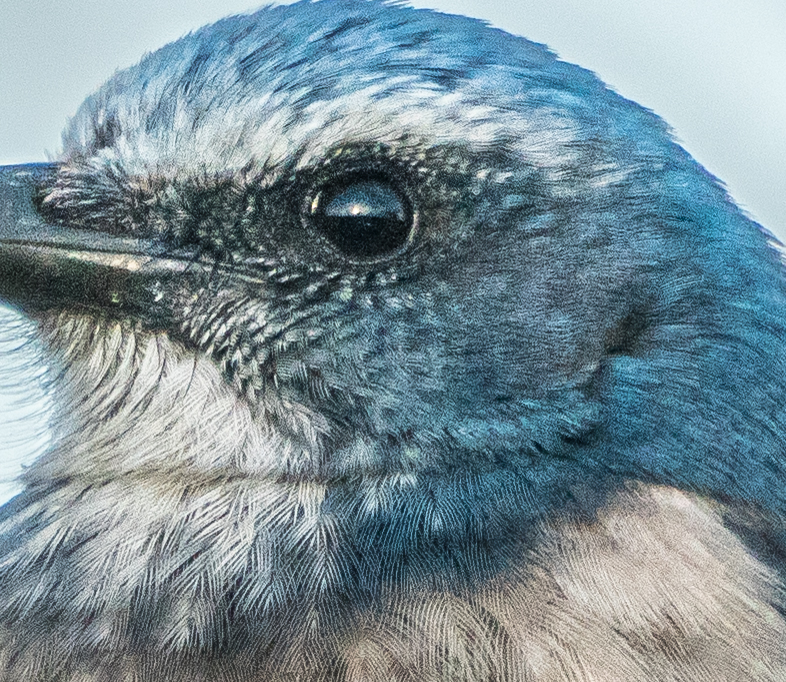
I updated Windows to the proper level and tried it with a bird photo taken with my A7Riii, 100-400 lens, and 1.4TC.
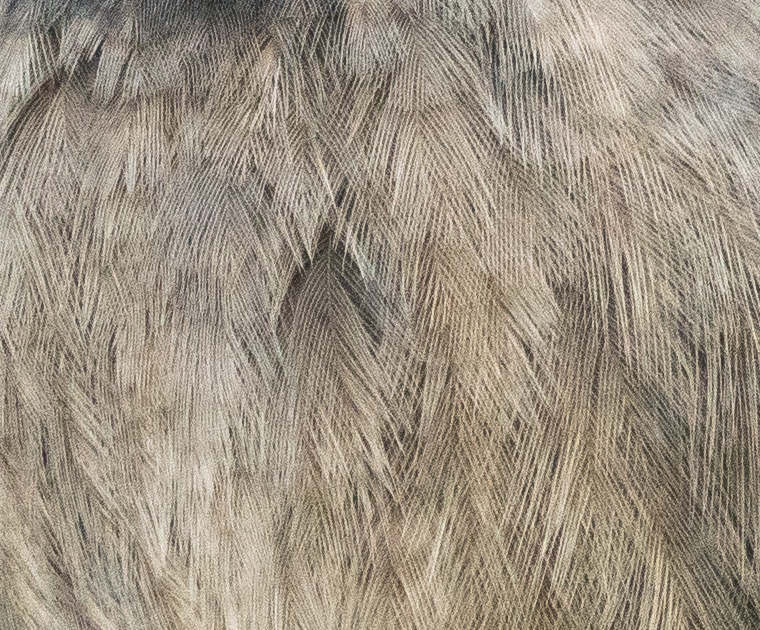
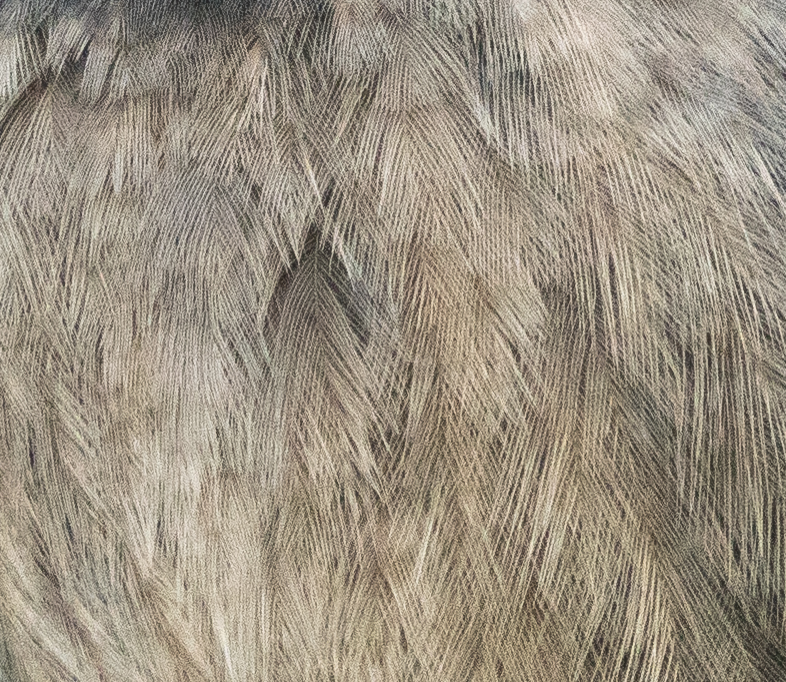
The following are a full image, just for reference (it is probably affected by jpeg compression more than anything), followed by two parts of the bird at full 100%.
All pairs are original first, followed by enhanced version.
I took a bigger crop and uploaded the raw at my smugmug page at full resolution, raw. You will need this link.
At this point, I don't see much value in comparing prints of this image. I think the Enhance Detail is for prints that have interference patterns. I thought I might see some change in the crossed feather patterns, but...
Since I have the original printed, if someone thinks it is worthwhile, I can print the enhanced version.
p.6 #3 · Lightroom's new Enhance Details sample with Sony FE 50/1.4 ZA
kimknapp wrote:
I updated Windows to the proper level and tried it with a bird photo taken with my A7Riii, 100-400 lens, and 1.4TC.
The following are a full image, just for reference (it is probably affected by jpeg compression more than anything), followed by two parts of the bird at full 100%.
All pairs are original first, followed by enhanced version.
I took a bigger crop and uploaded the raw at my smugmug page at full resolution, raw. You will need this link.
At this point, I don't see much value in comparing prints of this image. I think the Enhance Detail is for prints that have interference patterns. I thought I might see some change in the crossed feather patterns, but...
Since I have the original printed, if someone thinks it is worthwhile, I can print the enhanced version....Show more →
Kim,
I'd be interested in your impressions of the enhanced print in comparison to the original print. Seems like a nice image to assess it on.
p.6 #5 · Lightroom's new Enhance Details sample with Sony FE 50/1.4 ZA
naturephoto1 wrote:
Unfortunately to take advantage of this I would need to go to the Subscription CC version of LR. Like many of us on FM, I do not have any cameras or lenses later than an A7rIII and 100-400mm GM so we are using the last stand alone version of LR with 6.14.
Rich
Why not get it for all the other new features Adobe added to LR in the last year. Some good stuff. Process version 5 now that makes blacks look black instead of purple in high iso low light shots. That is just one of many. You also get a free website. If a concern you don’t have to store any files in the cloud using LR Classic CC. In fact you couldn’t if you wanted to. Classic is local storage based. It only syncs smart previews to the cloud.
Not getting updates for older versions is common. I purchased DXO PL and 5 months later they released version 2. I’m not getting any updates unless I pay for the new version.
p.6 #7 · Lightroom's new Enhance Details sample with Sony FE 50/1.4 ZA
Zenon Char wrote:
Why not get it for all the other new features Adobe added to LR in the last year. Some good stuff. Process version 5 now that makes blacks look black instead of purple in high iso low light shots. That is just one of many. You also get a free website. If a concern you don’t have to store any files in the cloud using LR Classic CC. In fact you couldn’t if you wanted to. Classic is local storage based. It only syncs smart previews to the cloud.
Not getting updates for older versions is common. I purchased DXO PL and 5 months later they released version 2. I’m not getting any updates unless I pay for the new version. ...Show more →
Some of us are now into retirement circumstances with fixed income, often with large medical expenses, supporting 2 people, and no longer earning income from sale of images.
p.6 #8 · Lightroom's new Enhance Details sample with Sony FE 50/1.4 ZA
naturephoto1 wrote:
Some of us are now into retirement circumstances with fixed income, often with large medical expenses, supporting 2 people, and no longer earning income from sale of images.
Rich
You have to make things work for your circumstances.
p.6 #9 · Lightroom's new Enhance Details sample with Sony FE 50/1.4 ZA
chiron wrote:
Kim,
I'd be interested in your impressions of the enhanced print in comparison to the original print. Seems like a nice image to assess it on.
I printed it this morning and I don't believe I can see any difference, other than that the current print (enhanced version) is very slightly lighter than the older print, but that can be due to a number of factors - printed a year apart, different paper batch, different ink batches, ink hasn't dried sufficiently on the latest, etc.
But, nothing as far as detail enhancement. I looked carefully at edges; at areas that might be affected by interference patterns, like the overall look of the bark and the intertwining of the small feathers; and at out of focus areas.
Both images were printed at 13 x 19 (images are 2856 x 3819 pixels, cropped from a 7R3 image), using Canon Pro-100 with a custom printer profile I created for Canon Pro Luster paper.
The good news is the Pro-100 image did not fade even a little over the last year. Great printer!
p.6 #10 · Lightroom's new Enhance Details sample with Sony FE 50/1.4 ZA
I have just updated my W7 64 to W10 64 and the Enhance Details works nicely. I am not seeing much difference but I do need to test on high frequency images as suggested by Fred.
Also for those interested I would look at Topaz AI Clear as it is an amazing product similar in the way it enhances detail and while lessening noise. I would suggest to test images for instance at 25,000 ISO and see the detail that is possible to extract.
p.6 #11 · Lightroom's new Enhance Details sample with Sony FE 50/1.4 ZA
Amazing when in Topaz. Garbage after export and my comp meets the specs required to run it. There is a bug they have not resolved. I'm still waiting for a refund from Topaz.
p.6 #12 · Lightroom's new Enhance Details sample with Sony FE 50/1.4 ZA
kevphoto wrote:
Wow, 12 seconds? On my MacBook Pro (mid-2014) a Z7 file the estimate is 5 minutes and for my Fuji X-T2 it's two minutes. And it is definitely not quick!
Interestingly I can see some improvements in my Z7 images but not really seeing anything in the X-T2 files. I would have thought the lower res files would show more improvement.
1DxII and Sony A9 files process in under 2 second on my iMac Pro and about 70 seconds on my MacBook Pro. That's about the only thing I've seen that is appreciable faster with the iMac Pro although I understand video processing is much faster with it.
As for the new tool, a few files are improved, but crops not by much. I'll have to see if there is a difference with higher resolution files like the 5Ds.
After reading through the last five pages of comments, I tried upping the view to 4:1 and 8:1 on the 5k monitor and the individual pixels are definitely cleaner. However at 1:1 only a few files actually look any better.
p.6 #13 · Lightroom's new Enhance Details sample with Sony FE 50/1.4 ZA
Zenon Char wrote:
Amazing when in Topaz. Garbage after export and my comp meets the specs required to run it. There is a bug they have not resolved. I'm still waiting for a refund from Topaz.
Topaz AI Clear with the latest updates is excellent and the issues have been resolved. You just need to be sure you turn off all sharpening and noise reduction when you export into Topaz.
Personally I love where post processing technology is now heading
p.6 #14 · Lightroom's new Enhance Details sample with Sony FE 50/1.4 ZA
I did turn off sharpening and NR as per instructions when using it. Actually when I did activate those it worked somewhat better. When I get home in a month I'll give it another try.
p.6 #15 · Lightroom's new Enhance Details sample with Sony FE 50/1.4 ZA
GMPhotography wrote:
I just posted Raws of the CV 50 3.5 and Sony 501.4 that I tested together on Big Bronco and infinity. Big Bronco would be a excellent set of files to try this on. It’s detail heaven . I don’t use LR but someone should try it. You have my permission to post here on the forum. The raws are in the thread Fred started on the Cv40,50 and Sony 50 1.4. Oh the CV is in that Big Bronco test as well. Have fun love to see the results
Not Big Bronco but the other image from the CV50 3.5 @ F5.6:-
p.6 #17 · Lightroom's new Enhance Details sample with Sony FE 50/1.4 ZA
This excellent video seems to sum up the situation about Enhanced Details pretty well.
The differences on my Sony A7r2 files were negligible if any. Per the video much more potentially helpful to Fujifilm T type sensor camera users. So, at this time, I'd say that with the exception of the Fujifilm people, this is pretty much marketing hype. Perhaps it will not be down the line.
Now, it does greatly increase your file size i.e. from 43MB to 183mb on my Sony. So, maybe that will make for much better extreme enlargements or crops BUT at 1:1 you are unlikely to see anything meaningfully different in your picture. It is truly a pixelpeepers delight!
p.6 #18 · Lightroom's new Enhance Details sample with Sony FE 50/1.4 ZA
I ran landscape still tests from the A7R3 and a 1DS3, a 5DSR and a RX100V5 on a 4K 32" Samsung 4K monitor @100% and found I got better results using CaptureOne 12.0.2 than the Lightroom 8.2. Even DXO Photolab2 did better. I plan to run another series of test using CaptureOne styles and see what happens there. My compliant is that the distant foliage looks blobby (sic) and edegy (sic), of course no process completely makes me happy on distant foliage. It is fairly slow and a good attempt and it might eventually work as hyped.
My GFX50R files opened in LR but the enhanced enable just gave me lines. My CR3 files did show quite an improvement though.
p.6 #19 · Lightroom's new Enhance Details sample with Sony FE 50/1.4 ZA
Has anyone tried this on an Astro file? I’m out of the country at the moment, otherwise I’d take a look-see. Seems like something like this could be really useful if indeed some of the false-color noise is calmed a bit.
And FWIW, looking at files at 1:1 for those of us who print large is a necessity, and seeing differences on-screen that only start to be revealed at 2:1 and 4:1 (4:1 and 8:1 on a 5k monitor) makes a difference. The last image I printed for a client was a 24x70” astro image captured at Valley of the Gods, and this stuff matters. I’d gladly take the horrific file size if I got 20% better quality (still ‘limping’ along with a 5Ds).