This topic is in the 2019 archive. You can read it and like its posts here. It is read only.
Archive 2019Sony FE to Nikon Z Electronic adapter from China
p.3 #1Sony FE to Nikon Z Electronic adapter from China
IMO it's visible even on a normal grey shot (pic 1). With LCC you can correct it though (pic 2+3).
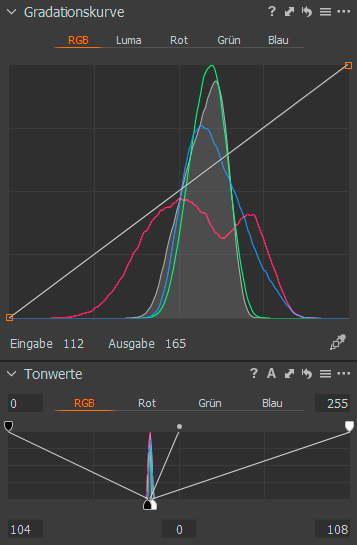
To compare it with others (pic 5-8) I spreaded the dynamic range (see picture 4). See Exif to identify the lenses.
Maybe some JPG-compression is visible too...

LCC-shot turned off everything

LCC-shot with colour correction turned on, but vignette correction off.

LCC-shot with colour and vignette correction turned on.
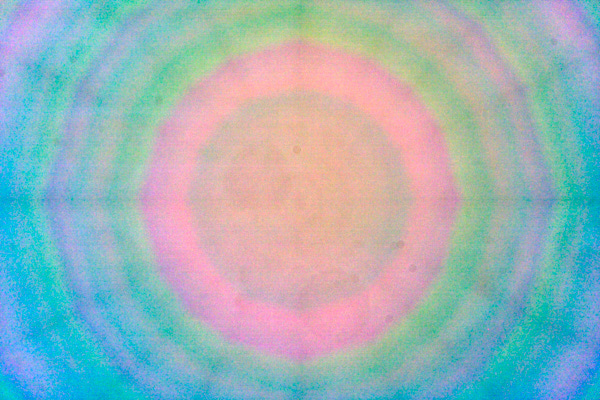
LCC-shot with colour correction turned off and vignette correction on.
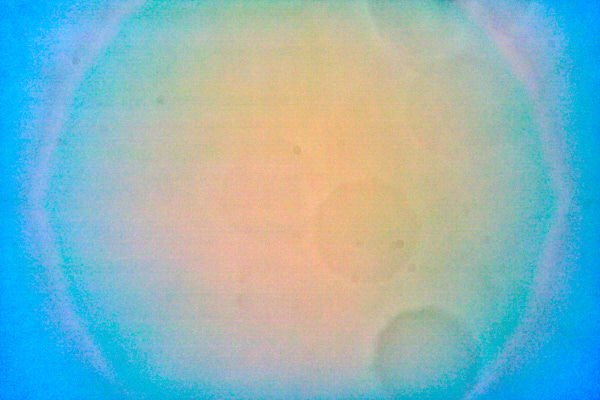
LCC-shot with colour correction turned off and vignette correction on.
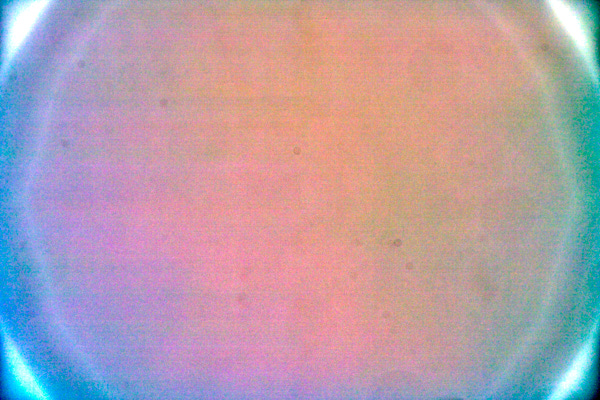
LCC-shot with colour correction turned off and vignette correction on.
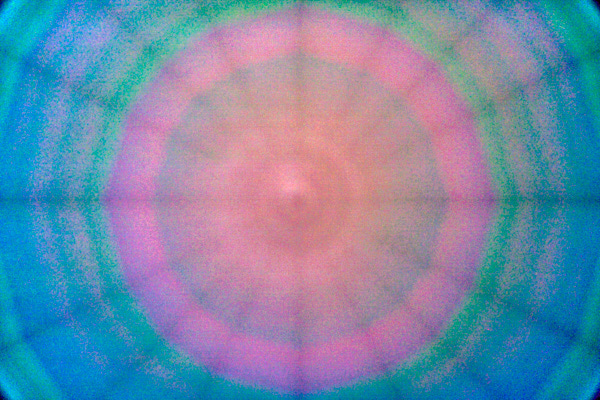
LCC-shot with colour correction turned off and vignette correction on.
To compare it with others (pic 5-8) I spreaded the dynamic range (see picture 4). See Exif to identify the lenses.
Maybe some JPG-compression is visible too...
LCC-shot turned off everything
LCC-shot with colour correction turned on, but vignette correction off.
LCC-shot with colour and vignette correction turned on.
LCC-shot with colour correction turned off and vignette correction on.
LCC-shot with colour correction turned off and vignette correction on.
LCC-shot with colour correction turned off and vignette correction on.
LCC-shot with colour correction turned off and vignette correction on.
Jan 21, 2019 at 11:42 AM
p.3 #2Sony FE to Nikon Z Electronic adapter from China
sebbe wrote:
IMO it's visible even on a normal grey shot (pic 1). With LCC you can correct it though (pic 2+3).
To compare it with others (pic 5-8) I spreaded the dynamic range (see picture 4). See Exif to identify the lenses.
Maybe some JPG-compression is visible too...
awesome
IMO it's visible even on a normal grey shot (pic 1). With LCC you can correct it though (pic 2+3).
To compare it with others (pic 5-8) I spreaded the dynamic range (see picture 4). See Exif to identify the lenses.
Maybe some JPG-compression is visible too...
awesome
Jan 21, 2019 at 07:25 PM

p.3 #3Sony FE to Nikon Z Electronic adapter from China
How do these look with vignette correction turned off as well?
sebbe wrote:
IMO it's visible even on a normal grey shot (pic 1). With LCC you can correct it though (pic 2+3).
To compare it with others (pic 5-8) I spreaded the dynamic range (see picture 4). See Exif to identify the lenses.
Maybe some JPG-compression is visible too...
sebbe wrote:
IMO it's visible even on a normal grey shot (pic 1). With LCC you can correct it though (pic 2+3).
To compare it with others (pic 5-8) I spreaded the dynamic range (see picture 4). See Exif to identify the lenses.
Maybe some JPG-compression is visible too...
Jan 21, 2019 at 08:24 PM
p.3 #4Sony FE to Nikon Z Electronic adapter from China
Mathieu18 wrote:
How do these look with vignette correction turned off as well?
To compare it with others (pic 5-8) I spreaded the dynamic range (see picture 4). See Exif to identify the lenses.
Maybe some JPG-compression is visible too...
If I turn all off it is pitch black because only the data between 104-108 (of 0-255) is visible (see pic 4 above). In this case, I have to widen the area and it looks just like a shot of a grey-card with a very strong vignetting. The pattern and the colour shift are like in the very first picture. You have to look very close and it's more visible in the darker parts.
As we can see there is some colour shift with ANY lens. Then there is an additional pattern depending on the construction. Both are visible under VERY extreme conditions. As olalafoto's portfolio always shows very oversaturated colours on hdr-processed pictures he/she add a lot of noise on top of the colour shift and the luminosity pattern. All will be multiplied together and may be visible in some processed pictures.
An additional note to the pictures above: All sharpening, noise reduction and lens corrections are turned off. They are processed with a complete linear curve (linear scientific in C1) and a slightly contrasty colour profile that was made for each lens separately. When I turn noise reduction on, lens corrections on, take the default colour profile (generic or standard in C1) and a more pleasing curve (auto in C1) the effect is less visible. Default profiles have a strong compression of very saturated colours and the pleasing curve compress towards the brights. All together help to negate the effects.
In my opinion, the colour shift with the Loxia 21 is not an issue and if so it's with any other lens too. The strong pattern due to the lens construction may be the bigger problem if you add a lot of noise. But the pattern is strongly connected to the focal length. Wide lenses (tested it with Lox21, Sony28) will show more pattern. While "tele" lenses (tested it with 90G Macro, 85GM, Zony55, CV40) does only in the corners.
To sum it up: What we see in olalafotos example is a mixture of lens construction and heavy processing. Therefore it's not software only as mathieu and I thought at the beginning.
Back to the initial question: May there be less colour shift visible with the very same lens just on the Z7 body? I don't know. This is something for Vivek and others.

LCC-shot turned off everything but data range spreaded (61-111 to 0-255)

The same but with generic colour profile and auto curve (C1) (111-186 to 0-255)
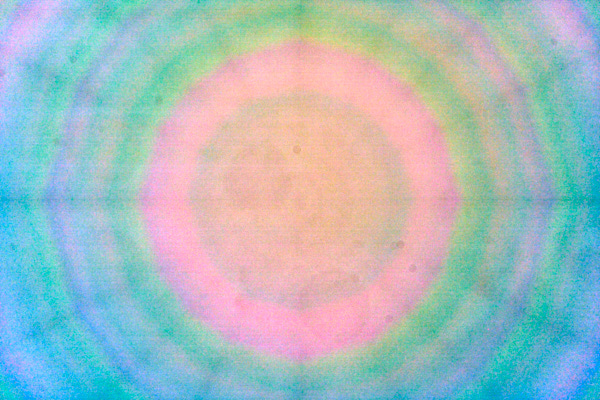
LCC-shot with colour correction turned off and vignette correction on. But this time with the generic colour profile and the auto curve (C1) (181-185 to 0-255)
How do these look with vignette correction turned off as well?
sebbe wrote
IMO it's visible even on a normal grey shot (pic 1). With LCC you can correct it though (pic 2+3).To compare it with others (pic 5-8) I spreaded the dynamic range (see picture 4). See Exif to identify the lenses.
Maybe some JPG-compression is visible too...
If I turn all off it is pitch black because only the data between 104-108 (of 0-255) is visible (see pic 4 above). In this case, I have to widen the area and it looks just like a shot of a grey-card with a very strong vignetting. The pattern and the colour shift are like in the very first picture. You have to look very close and it's more visible in the darker parts.
As we can see there is some colour shift with ANY lens. Then there is an additional pattern depending on the construction. Both are visible under VERY extreme conditions. As olalafoto's portfolio always shows very oversaturated colours on hdr-processed pictures he/she add a lot of noise on top of the colour shift and the luminosity pattern. All will be multiplied together and may be visible in some processed pictures.
An additional note to the pictures above: All sharpening, noise reduction and lens corrections are turned off. They are processed with a complete linear curve (linear scientific in C1) and a slightly contrasty colour profile that was made for each lens separately. When I turn noise reduction on, lens corrections on, take the default colour profile (generic or standard in C1) and a more pleasing curve (auto in C1) the effect is less visible. Default profiles have a strong compression of very saturated colours and the pleasing curve compress towards the brights. All together help to negate the effects.
In my opinion, the colour shift with the Loxia 21 is not an issue and if so it's with any other lens too. The strong pattern due to the lens construction may be the bigger problem if you add a lot of noise. But the pattern is strongly connected to the focal length. Wide lenses (tested it with Lox21, Sony28) will show more pattern. While "tele" lenses (tested it with 90G Macro, 85GM, Zony55, CV40) does only in the corners.
To sum it up: What we see in olalafotos example is a mixture of lens construction and heavy processing. Therefore it's not software only as mathieu and I thought at the beginning.
Back to the initial question: May there be less colour shift visible with the very same lens just on the Z7 body? I don't know. This is something for Vivek and others.
LCC-shot turned off everything but data range spreaded (61-111 to 0-255)
The same but with generic colour profile and auto curve (C1) (111-186 to 0-255)
LCC-shot with colour correction turned off and vignette correction on. But this time with the generic colour profile and the auto curve (C1) (181-185 to 0-255)
Jan 22, 2019 at 02:06 AM
p.3 #5Sony FE to Nikon Z Electronic adapter from China
Hi Seb, there is another factor in play, IMHO, that has nothing to do with the stack thickness.
The front of the stack (any camera/make- other than Leica) has a reflective anti IR coating. Light hitting it at steeper angle (away from the optical axis) will always create issues.
So, it is doubtful Nikon Z6/7 would do any better in this regard.
The front of the stack (any camera/make- other than Leica) has a reflective anti IR coating. Light hitting it at steeper angle (away from the optical axis) will always create issues.
So, it is doubtful Nikon Z6/7 would do any better in this regard.
Jan 22, 2019 at 01:18 PM
p.3 #6Sony FE to Nikon Z Electronic adapter from China
Vivek, the coating design of these IR cut coatings could be quite different in regards of angular transmission. So there is at least some hope it could be better.
Jan 23, 2019 at 01:30 AM
p.3 #7Sony FE to Nikon Z Electronic adapter from China
sebbe wrote:
I have some shots with an LCC calibration plate. These plates are made to identify (and negate) colour shifts (and other stuff) of a lens. I'll use the corrections very often. Especially with the voigtländer lenses, I have the feeling that there is some slight colour shift toward the edges. I never did some serious checks there. The pictures just look better with LCC-correction than with the software vignetting reduction. That's the main reason.
LCC in C1 & Manual correction in Photoshop,perfect fix,Thank you a lot!!!
I have some shots with an LCC calibration plate. These plates are made to identify (and negate) colour shifts (and other stuff) of a lens. I'll use the corrections very often. Especially with the voigtländer lenses, I have the feeling that there is some slight colour shift toward the edges. I never did some serious checks there. The pictures just look better with LCC-correction than with the software vignetting reduction. That's the main reason.
LCC in C1 & Manual correction in Photoshop,perfect fix,Thank you a lot!!!
 |
||
| http://forum.xitek.com/pics/201901/4739/473947/473947_1548404555.jpg | ||
|
Jan 25, 2019 at 02:28 AM