This topic is in the 2017 archive. You can read it and like its posts here. It is read only.
Archive 2017Stitching or Merging Images. Your Panoramas are Welcome!
p.7 #1Stitching or Merging Images. Your Panoramas are Welcome!
One more pano image from my old school D1H, three vertical frames merged

Jan 18, 2018 at 11:19 PM

p.7 #2Stitching or Merging Images. Your Panoramas are Welcome!
Ulff wrote:
Thinking about it, probably more of my images are stitched in some way or another than not. Some examples:
1. 360° panorama from 7 images with the Canon 8-15L
http://www.paintingwithlight.de/FilesEx/fm_pano_01.jpg
2. six images from the Ricoh GR (handheld stitch):
http://www.paintingwithlight.de/FilesEx/fm_pano_02.jpg
3.-5. projection-stitches with the Canon 8-15L:
http://www.paintingwithlight.de/FilesEx/fm_pano_03.jpg
http://www.paintingwithlight.de/FilesEx/fm_pano_04.jpg
http://www.paintingwithlight.de/FilesEx/fm_pano_05.jpg
6. vertical stitch from 3 shifted images with the Canon 45 TS-E (cropped to square):
http://www.paintingwithlight.de/FilesEx/fm_pano_06.jpg
7. the ground level of buildings is stitched from about 100 images (Canon 17 TS-E) while walking down the street and therefore changing the POV (later manually stitched in PS). Then added a few hundred more images above that.
http://www.paintingwithlight.de/FilesEx/fm_pano_07.jpg
A few tips:
- always use manual exposure (shutter...Show more →
wow. great examples. I especially like that last one since I am seeing something like this for the first time. Kudos.
I just visited your website and blown by those image set. You have a fantastic set and I can't wait to emulate and learn from them.
Jan 19, 2018 at 11:20 AM
p.7 #3Stitching or Merging Images. Your Panoramas are Welcome!
Pompeii's Amphitheatre general view (3.5 years before David Gilmour's concert and 42 years after Pink Floyd's one):
 Pompeii's Amphitheatre general view by Jose, on Flickr
This is a 8 vertical shots pano.
D7000 + Nikkor 16mm f/3.5 F ai'd hand held, ISO 250, f/8.
Side view of the same Amphitheatre in a cloudy day of February.
 Pompeii's Amphitheatre - 3 horizontal shots pano by Jose, on Flickr
D7000 + Nikkor 16mm f/3.5 F ai'd hand held, ISO 200, f/8 at 1/160s.
3 horizontal shots pano.
4 vertical shots pano of Vesuvius, from Pompeii
 4 vertical shots pano of Vesuvius, from Pompeii by Jose, on Flickr
D7000 + Nikkor 85mm f/1.8 K ai'd & CPU'd, hand held, ISO 100, f/5.6 at 1/640s.
Edited on Jan 19, 2018 at 05:28 PM · View previous versions
Pompeii's Amphitheatre general view by Jose, on FlickrThis is a 8 vertical shots pano.
D7000 + Nikkor 16mm f/3.5 F ai'd hand held, ISO 250, f/8.
Side view of the same Amphitheatre in a cloudy day of February.
Pompeii's Amphitheatre - 3 horizontal shots pano by Jose, on FlickrD7000 + Nikkor 16mm f/3.5 F ai'd hand held, ISO 200, f/8 at 1/160s.
3 horizontal shots pano.
4 vertical shots pano of Vesuvius, from Pompeii
4 vertical shots pano of Vesuvius, from Pompeii by Jose, on FlickrD7000 + Nikkor 85mm f/1.8 K ai'd & CPU'd, hand held, ISO 100, f/5.6 at 1/640s.
Edited on Jan 19, 2018 at 05:28 PM · View previous versions
Jan 19, 2018 at 12:30 PM
p.7 #4Stitching or Merging Images. Your Panoramas are Welcome!
3 image pano
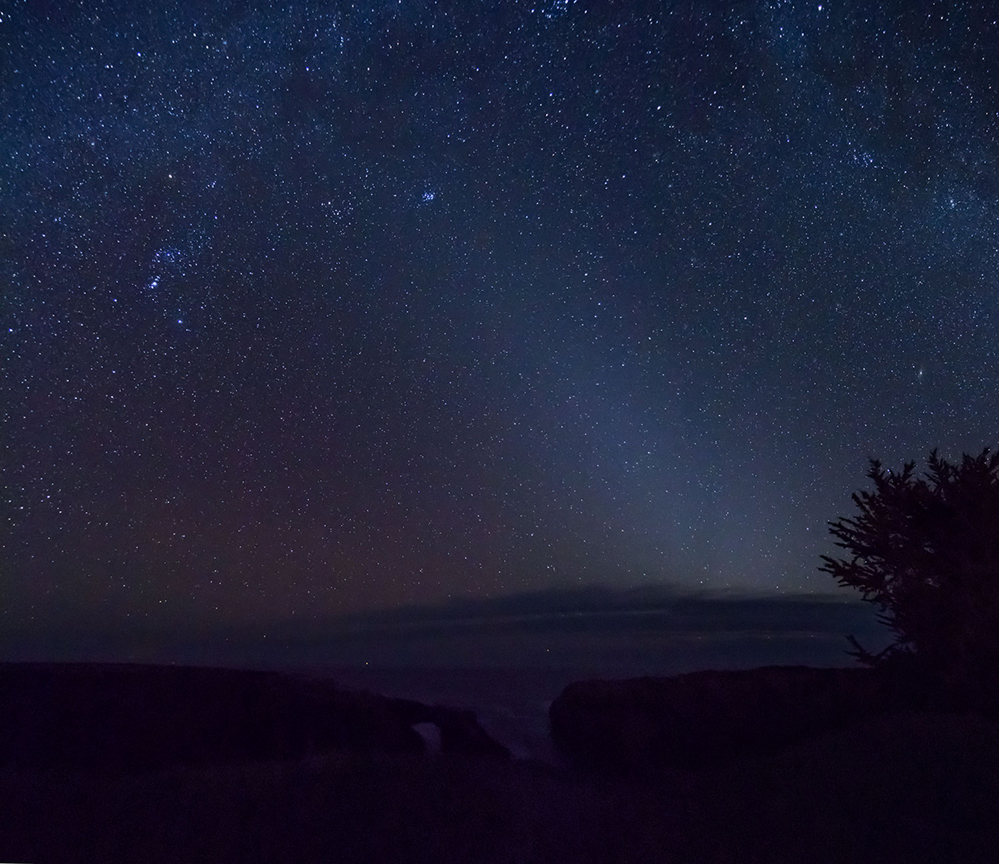
Zodiacal Light
Zodiacal Light
Jan 19, 2018 at 03:50 PM
p.7 #5Stitching or Merging Images. Your Panoramas are Welcome!
Napoli (Naples) and part of Bay of Naples from Vesuvius.
 Bay of Naples from Vesuvius - 2-shots pano- Nikkor 16/3.5 by Jose, on Flickr
Soon before reaching the crater border of the Mount Vesuvius I took this picture of the Bay of Naples. Unfortunately there was some haze and air pollution. Herculaneum is near the left border, not far from the sea.
2 horizontal shots pano, no defishing or any kind of lens "correction".
D7000 + Nikkor 16mm f/3.5 F ai'd had held, ISO 100, f/8 at 1/500s.
As no polarizer was possible with this lens I abused of the "clarity" slider and made some "tonal contrast" to minimize the terrible haze of that afternoon.
Bay of Naples from Vesuvius - 2-shots pano- Nikkor 16/3.5 by Jose, on FlickrSoon before reaching the crater border of the Mount Vesuvius I took this picture of the Bay of Naples. Unfortunately there was some haze and air pollution. Herculaneum is near the left border, not far from the sea.
2 horizontal shots pano, no defishing or any kind of lens "correction".
D7000 + Nikkor 16mm f/3.5 F ai'd had held, ISO 100, f/8 at 1/500s.
As no polarizer was possible with this lens I abused of the "clarity" slider and made some "tonal contrast" to minimize the terrible haze of that afternoon.
Jan 20, 2018 at 06:06 AM
p.7 #6Stitching or Merging Images. Your Panoramas are Welcome!
D810 20 Images
2500mm f/8
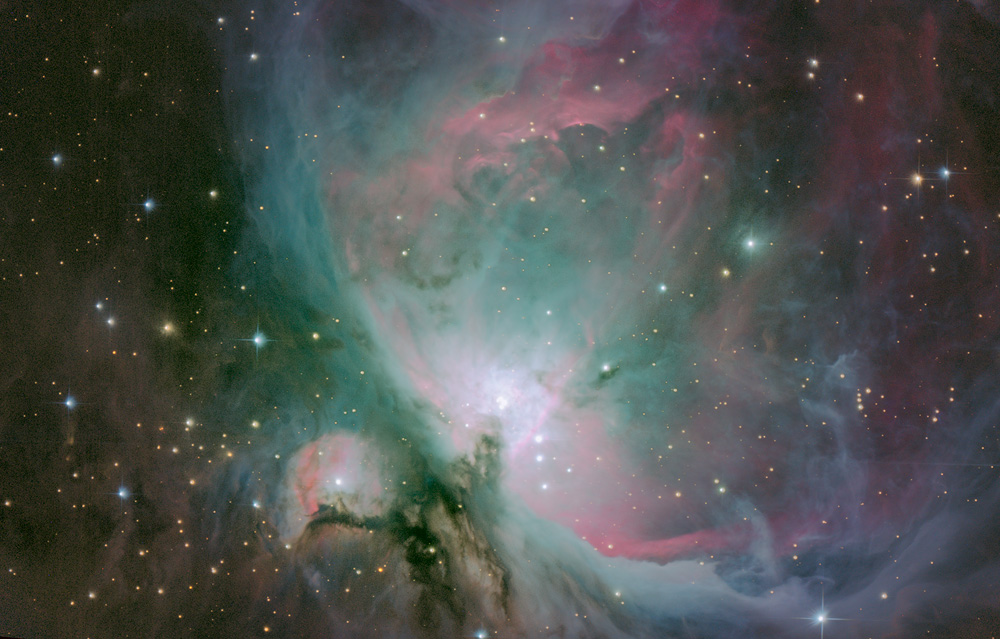
Center of Orion Nebula
Edited on Jan 20, 2018 at 07:29 AM · View previous versions
2500mm f/8
Center of Orion Nebula
Edited on Jan 20, 2018 at 07:29 AM · View previous versions
Jan 20, 2018 at 06:59 AM
p.7 #7Stitching or Merging Images. Your Panoramas are Welcome!
How long does it take to process something like that?
Jan 20, 2018 at 07:02 AM
p.7 #8Stitching or Merging Images. Your Panoramas are Welcome!
danski0224 wrote:
How long does it take to process something like that?
Probably around 2 hours because I'm learning/experimenting.
I apologize for the size, I seem to have some issues fitting images on the forum!
-Jay-
How long does it take to process something like that?
Probably around 2 hours because I'm learning/experimenting.
I apologize for the size, I seem to have some issues fitting images on the forum!
-Jay-
Jan 20, 2018 at 07:08 AM
p.7 #9Stitching or Merging Images. Your Panoramas are Welcome!
2 hours sure seems impressive.
It took longer than that for me process the 24 image 5DsR Chicago skyline pano, possibly the huge file sizes had something to do with it.
It took longer than that for me process the 24 image 5DsR Chicago skyline pano, possibly the huge file sizes had something to do with it.
Jan 20, 2018 at 07:25 AM
p.7 #10Stitching or Merging Images. Your Panoramas are Welcome!
danski0224 wrote:
2 hours sure seems impressive.
It took longer than that for me process the 24 image 5DsR Chicago skyline pano, possibly the huge file sizes had something to do with it.
There is a big difference in processing requirements between stacking images that cover the same field like the above Orion Nebula image and merging pano overlapping frames like your Chicago Skyline.
For example, yesterday I merged 21 overlapping frames of an oak tree taken with a D850 and a 200mm f/2 wide open. On my modestly outfitted PC it took around 2 hours to merge!
-Jay-
Jan 20, 2018 at 07:43 AM
p.7 #11Stitching or Merging Images. Your Panoramas are Welcome!
Pano with a fisheye 16mm f3.5 AI - probably 4-5 shots.
 Tallulah Falls Pano by Ramkumar Sangameshwar, on Flickr
Jan 26, 2018 at 09:43 AM
p.7 #12Stitching or Merging Images. Your Panoramas are Welcome!
Tuscany, D800 likely with the 24-120f4 Nikkor.
http://www.pbraymond.com/img/s/v-2/p1352906940-6.jpg
http://www.pbraymond.com/img/s/v-2/p1352906940-6.jpg
Jan 26, 2018 at 12:49 PM
p.7 #13Stitching or Merging Images. Your Panoramas are Welcome!
Firenze (Florence) view from Piazzale Michelangelo, February morning.
Part of city wall at far left.
 Firenze view from Piazzale Michelangelo, February morning by Jose, on Flickr
D610 + Nikon 75-150mm f/3.5E @150mm, ISO 200, f/8 at 1/640-1000s. 9-shots pano.
Best to see details at the original sized image at flickr
https://www.flickr.com/photos/labecoaves/32589936163/sizes/o/
Part of city wall at far left.
Firenze view from Piazzale Michelangelo, February morning by Jose, on FlickrD610 + Nikon 75-150mm f/3.5E @150mm, ISO 200, f/8 at 1/640-1000s. 9-shots pano.
Best to see details at the original sized image at flickr
https://www.flickr.com/photos/labecoaves/32589936163/sizes/o/
Jan 28, 2018 at 11:33 AM
p.7 #14Stitching or Merging Images. Your Panoramas are Welcome!
asiostygius wrote:
Firenze (Florence) view from Piazzale Michelangelo, February morning.
Part of city wall at far left.
https://farm3.staticflickr.com/2863/32589936163_70411fb00b_h.jpgFirenze view from Piazzale Michelangelo, February morning by Jose, on Flickr
D610 + Nikon 75-150mm f/3.5E @150mm, ISO 200, f/8 at 1/640-1000s. 9-shots pano.
Best to see details at the original sized image at flickr
https://www.flickr.com/photos/labecoaves/32589936163/sizes/o/
Beautiful Jose. Brings back memories, though I did not make it to that particular location in the city.
Jan 28, 2018 at 12:40 PM
p.7 #15Stitching or Merging Images. Your Panoramas are Welcome!
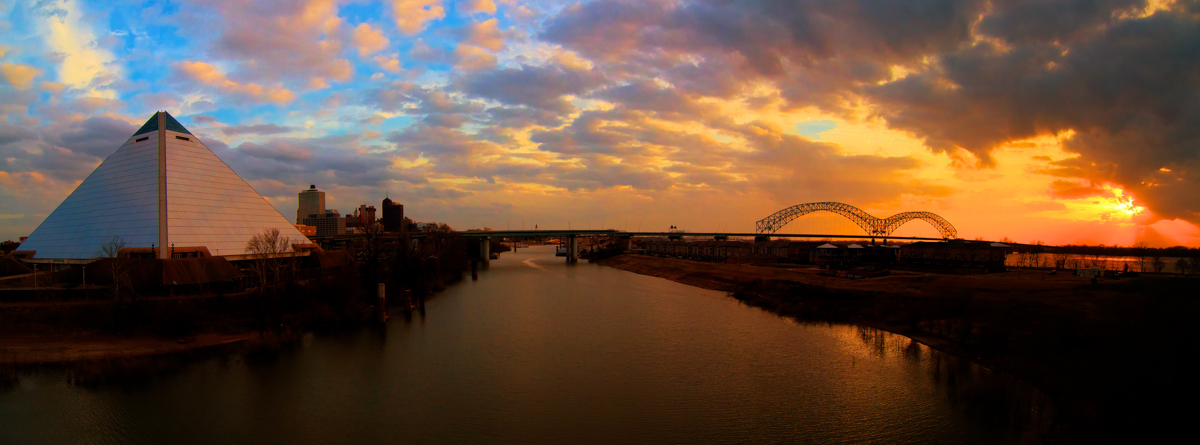
I love panos, so great work everyone! Here is one from Memphis, TN.
Jan 28, 2018 at 06:06 PM
p.7 #16Stitching or Merging Images. Your Panoramas are Welcome!
D810 24mm PC-E 10 image pano
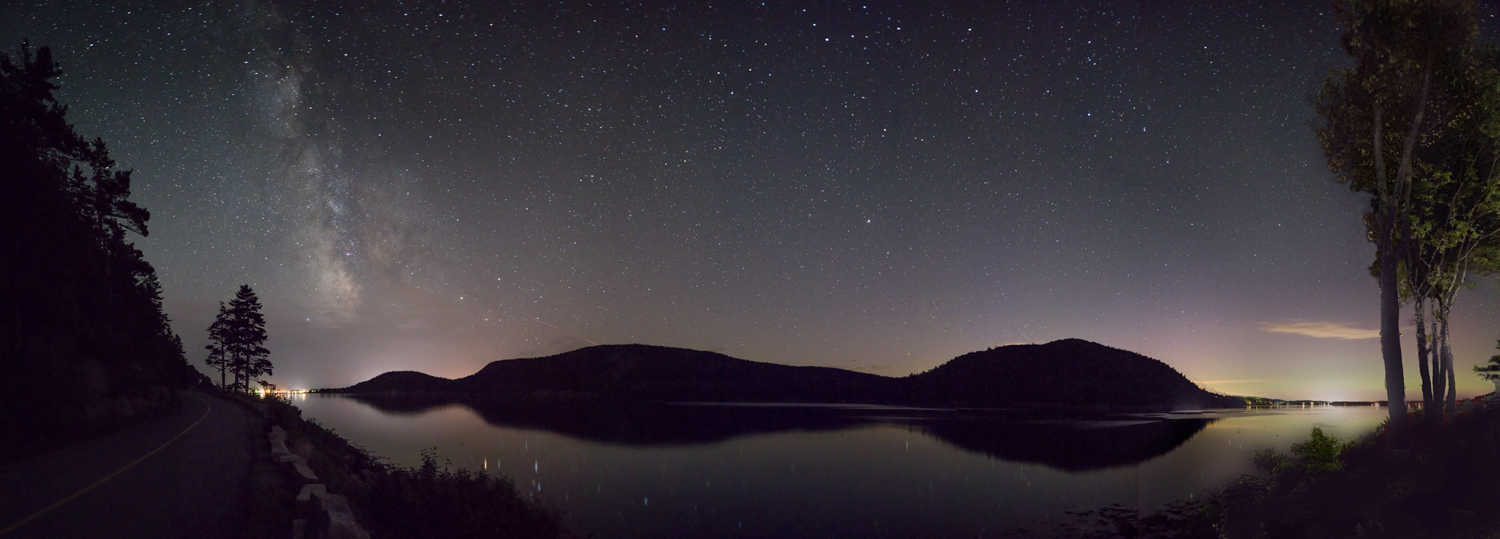
Sargent Drive
-Jay- © HCE HCE 2018
Sargent Drive
Jan 29, 2018 at 12:26 PM
p.7 #17Stitching or Merging Images. Your Panoramas are Welcome!
HCE HCE wrote:
D810 24mm PC-E 10 image pano
That's an excellent composition.
I've been wanting to try a starry-sky night pano, but I've been concerned about stitching problems associated with the rotating night sky. Stitching 10 images, surely you would have encountered this problem on this image. How did you handle it in processing or during capture?
Jan 30, 2018 at 11:01 AM
p.7 #18Stitching or Merging Images. Your Panoramas are Welcome!
Thank you!
This gets automagically handled in Photoshop during processing since the frame to frame excursion is small with a 24mm lens. I am rather annoyed at the star trailing that elongate the stars in these 30 second exposures but again, because of the plate scale, it is doesn't totally wreck the composite.
-Jay-
amacal1 wrote:
That's an excellent composition.
I've been wanting to try a starry-sky night pano, but I've been concerned about stitching problems associated with the rotating night sky. Stitching 10 images, surely you would have encountered this problem on this image. How did you handle it in processing or during capture?
This gets automagically handled in Photoshop during processing since the frame to frame excursion is small with a 24mm lens. I am rather annoyed at the star trailing that elongate the stars in these 30 second exposures but again, because of the plate scale, it is doesn't totally wreck the composite.
-Jay-
amacal1 wrote:
HCE HCE wrote
D810 24mm PC-E 10 image panoI've been wanting to try a starry-sky night pano, but I've been concerned about stitching problems associated with the rotating night sky. Stitching 10 images, surely you would have encountered this problem on this image. How did you handle it in processing or during capture?
Jan 30, 2018 at 03:06 PM
p.7 #19Stitching or Merging Images. Your Panoramas are Welcome!
 Herculaneum pano - 5 vertical shots with Nikkor 16mm f/3.5 by Jose, on Flickr
General view of Herculaneum from south-west border. At 79 AD (at the time of Vesuvius eruption) the beach was just at where I stood to do this photography, but today it is some 300-400m away behind.
D7000 + Nikkor 16mm f/3.5 F ai'd hand held, ISO 320, f/8 at 1/250s.
5 vertical shots pano.
Note the town is ~20m below today's ground level. Modern day Ercolano city and Vesuvius are in the background.
Jan 31, 2018 at 10:56 AM
p.7 #20Stitching or Merging Images. Your Panoramas are Welcome!

Sony A7R II + Zeiss Loxia 50mm f/2 Planar T* by Ronny Olsson, on Flickr
Feb 02, 2018 at 03:13 PM