This topic is in the 2017 archive. You can read it and like its posts here. It is read only.
Archive 2017Stitching or Merging Images. Your Panoramas are Welcome!
p.6 #1Stitching or Merging Images. Your Panoramas are Welcome!
Terrific panos in here, Panorascal, loved the muted tones in both panos, may I ask what hardware you stitching with? Thanks, takomaru
Jan 15, 2018 at 07:06 PM
p.6 #2Stitching or Merging Images. Your Panoramas are Welcome!
Color version is in the Canon Winter thread, 2 rows of 12 images in portrait orientation, 100mm L macro. If I had 90mm, I could have gotten a little more sky and reflection. First stab at a 2 row pano, so I'm glad it worked out.
 _L7A0276 Panorama-2.jpg by Dan T, on Flickr
This one is taken with a Sigma dp3M. Single row, 12 images, portrait.
 _P3M2966 Panorama.jpg by Dan T, on Flickr
_L7A0276 Panorama-2.jpg by Dan T, on FlickrThis one is taken with a Sigma dp3M. Single row, 12 images, portrait.
_P3M2966 Panorama.jpg by Dan T, on FlickrJan 15, 2018 at 07:14 PM
p.6 #3Stitching or Merging Images. Your Panoramas are Welcome!
takomaru wrote:
Terrific panos in here, Panorascal, loved the muted tones in both panos, may I ask what hardware you stitching with? Thanks, takomaru
Thanks for the compliment, though the weather around here gets most of the credit for the muted tones haha....I shoot with a sunwayfoto pano head and stitch with a 4ghz quad core i7 iMac.
Jan 15, 2018 at 07:34 PM
p.6 #4Stitching or Merging Images. Your Panoramas are Welcome!
16 frame pano
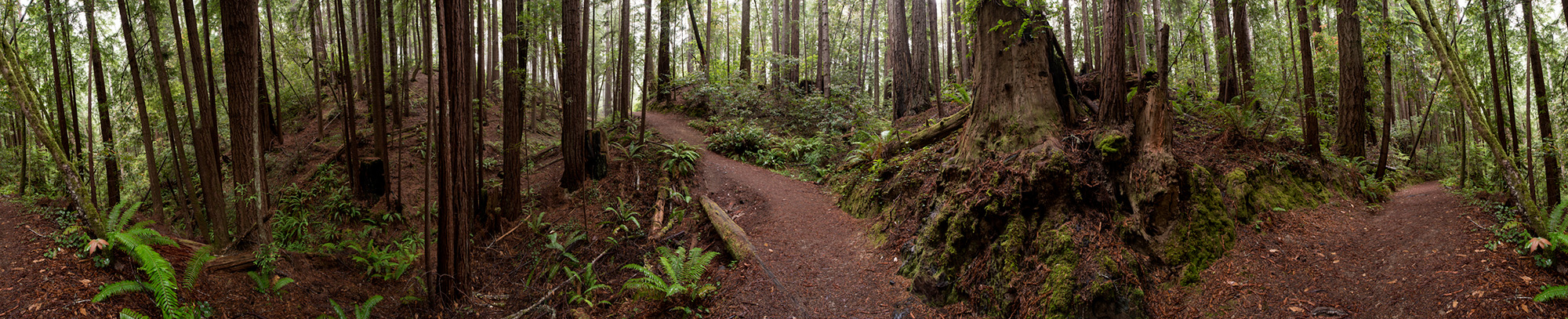
A Walk in the Woods
Edited on Jan 16, 2018 at 04:16 PM · View previous versions
A Walk in the Woods
Edited on Jan 16, 2018 at 04:16 PM · View previous versions
Jan 15, 2018 at 10:07 PM
p.6 #5Stitching or Merging Images. Your Panoramas are Welcome!
Panorascal, thank you for the info and you can keep the weather but do like muted tones; in my side of the world tones are extremely rich and oversaturated, like rice-paddy perfect pictures with blue skies reflected on the water; most people thing we oversaturate. I've been looking for an easy head to stitch panos, mine's a bit over the top for simple use; I'm not sure they have Sunnyway heads in here, but have seen them praised in MFD forums, will look around...
Jan 15, 2018 at 11:49 PM
p.6 #6Stitching or Merging Images. Your Panoramas are Welcome!
Basic instinct pano from me before reading this topic. 3pics from 14-24mm bring FE view, lovely mistake, excuse me!

Jan 16, 2018 at 02:53 AM
p.6 #7Stitching or Merging Images. Your Panoramas are Welcome!
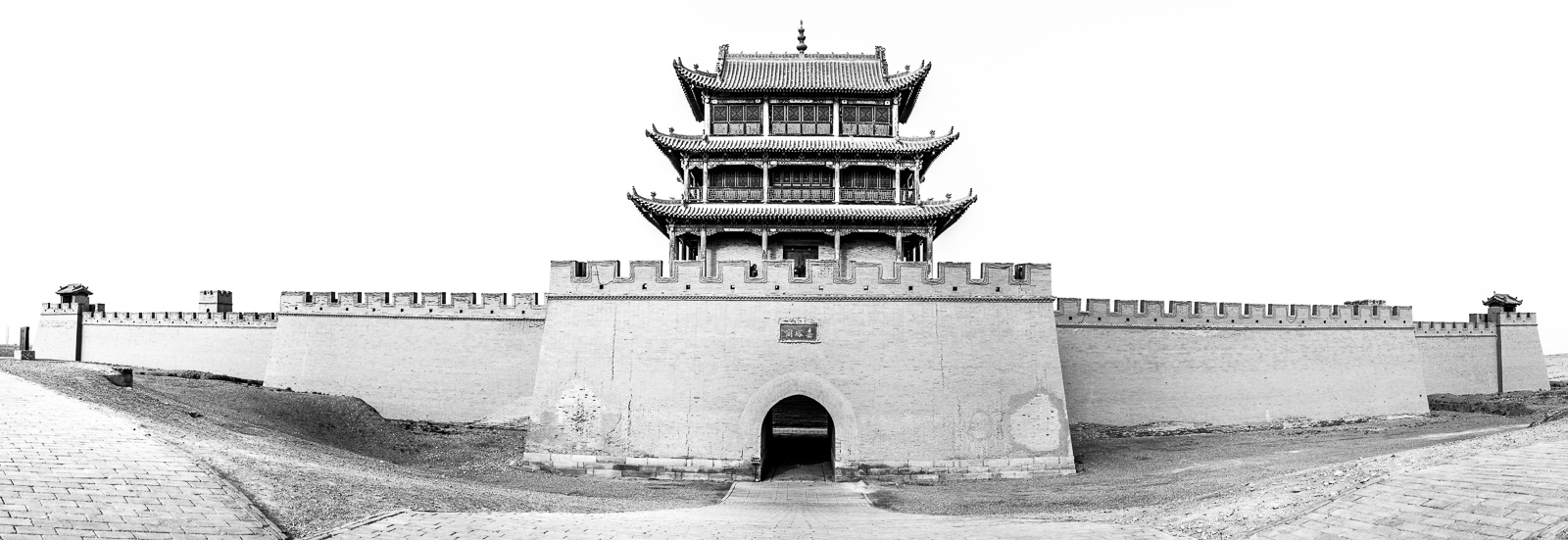
D3s + Sigma 50/1.4
Jiayuguan Fortress
 |
||
 |
||
|
Jiayuguan Fortress
Jan 16, 2018 at 02:57 PM
p.6 #8Stitching or Merging Images. Your Panoramas are Welcome!
36 image pano
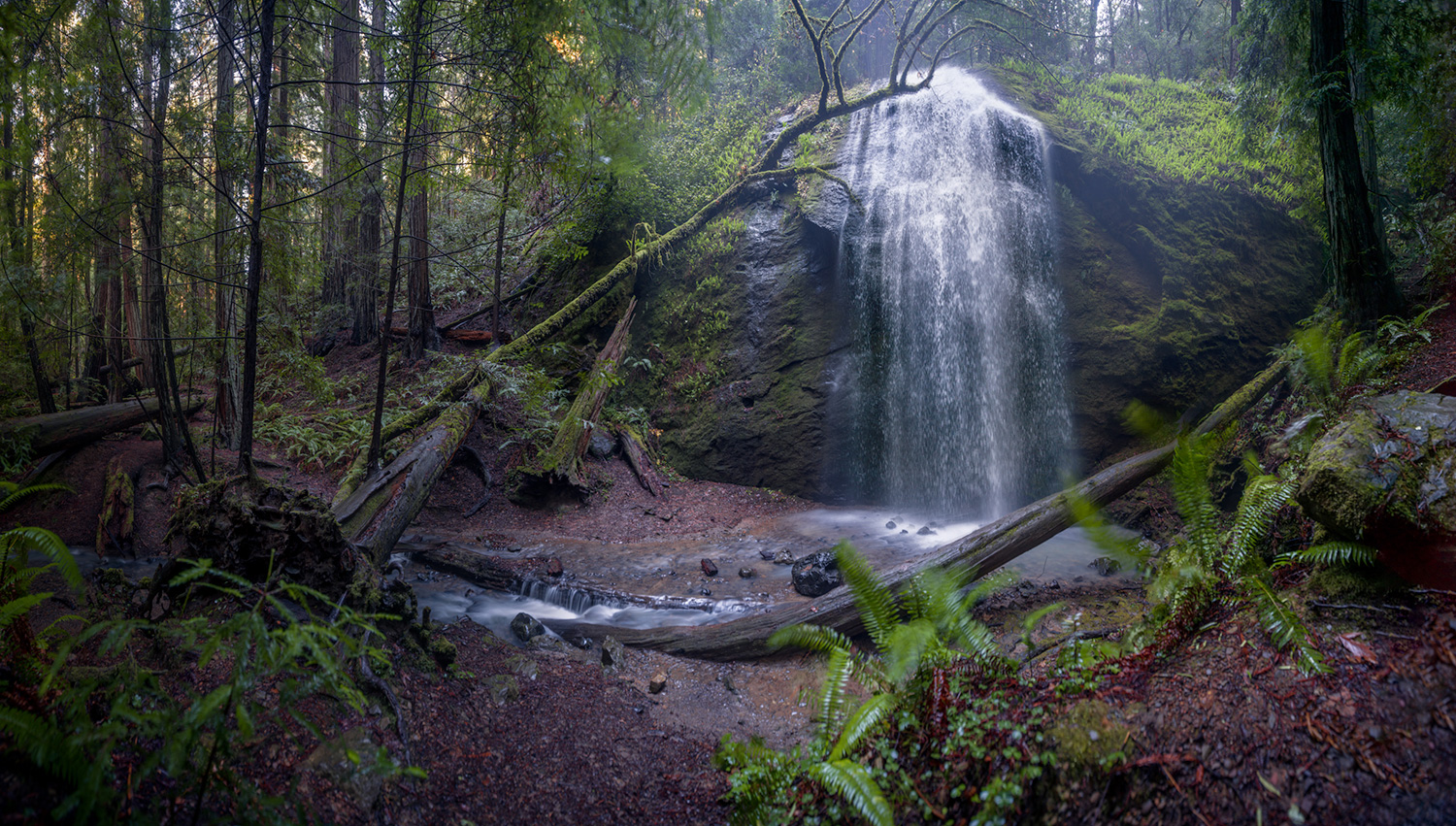
Chamberlain Falls
-Jay- © HCE HCE 2018
Chamberlain Falls
Jan 16, 2018 at 04:24 PM
p.6 #9Stitching or Merging Images. Your Panoramas are Welcome!
HCE HCE wrote:
36 image pano
Wonderfully done!
36 image pano
Wonderfully done!
Jan 16, 2018 at 04:34 PM
p.6 #10Stitching or Merging Images. Your Panoramas are Welcome!
Nikon D4
ƒ/8.0 50.0 mm 1/10 100
(4vertical frames)

ƒ/8.0 50.0 mm 1/10 100
(4vertical frames)
Jan 16, 2018 at 09:53 PM
p.6 #11Stitching or Merging Images. Your Panoramas are Welcome!
I've gotten pretty casual about stitches and panoramas lately - shooting handheld and switching to JPG and just guessing coverage. Here's a square format example from the lowly Nikon V1, with a closeup showing available detail.
Done to simulate a much higher Mp sensor, not for field of view...
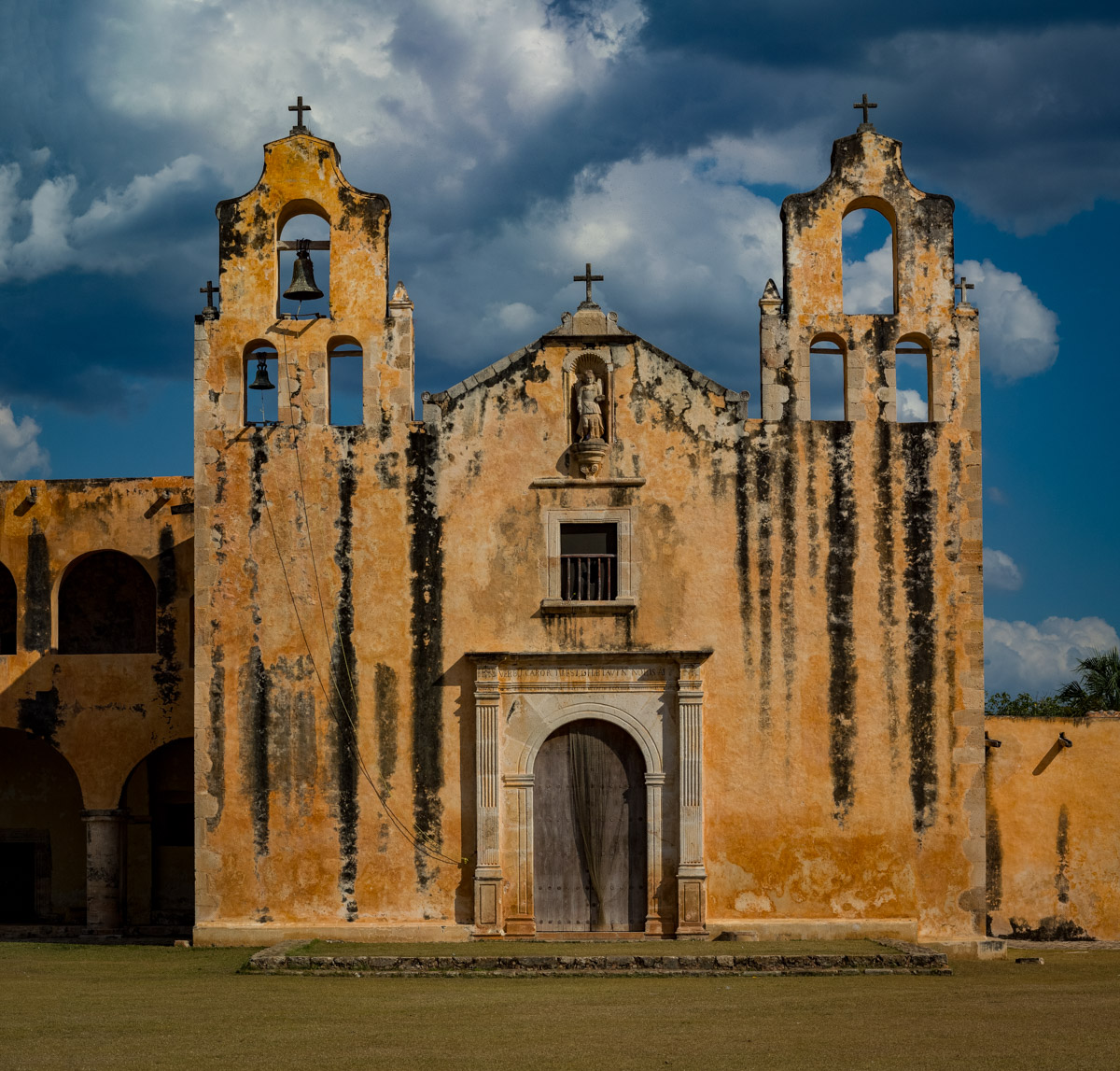
Done to simulate a much higher Mp sensor, not for field of view...
Jan 17, 2018 at 12:14 PM
p.6 #12Stitching or Merging Images. Your Panoramas are Welcome!
Thinking about it, probably more of my images are stitched in some way or another than not. Some examples:
1. 360° panorama from 7 images with the Canon 8-15L
http://www.paintingwithlight.de/FilesEx/fm_pano_01.jpg
2. six images from the Ricoh GR (handheld stitch):
http://www.paintingwithlight.de/FilesEx/fm_pano_02.jpg
3.-5. projection-stitches with the Canon 8-15L:
http://www.paintingwithlight.de/FilesEx/fm_pano_03.jpg
http://www.paintingwithlight.de/FilesEx/fm_pano_04.jpg
http://www.paintingwithlight.de/FilesEx/fm_pano_05.jpg
6. vertical stitch from 3 shifted images with the Canon 45 TS-E (cropped to square):
http://www.paintingwithlight.de/FilesEx/fm_pano_06.jpg
7. the ground level of buildings is stitched from about 100 images (Canon 17 TS-E) while walking down the street and therefore changing the POV (later manually stitched in PS). Then added a few hundred more images above that.
http://www.paintingwithlight.de/FilesEx/fm_pano_07.jpg
A few tips:
- always use manual exposure (shutter speed, aperture, ISO)
- don't change the focus during stitching
- if you use jpg as image format: use a manual white balance setting between the shots
- a tripod (and ultimately the use of nodal points) is the more important, the nearer everything is; handheld stitching is very forgiving for object far away
- software for stitching is very good nowadays; my favorite is probably Autopano Pro; Lightroom and Photoshop are also very good for basic stitchings
- be aware of people moving from one frame into another because they will appear twice or more often later in the stitched image; if possible always shoot against the walking direction of people
- avoid or be aware of fast changing light light situations (cloudy sky, blue hour, etc), they may be not correctable in post processing
Jan 17, 2018 at 02:08 PM
p.6 #13Stitching or Merging Images. Your Panoramas are Welcome!
^ fantastic stuff
Jan 17, 2018 at 03:16 PM
p.6 #14Stitching or Merging Images. Your Panoramas are Welcome!
Hey! Who let this Canon shooter in?!?!?!  Love 100 image stitch!!
Ulff wrote:
Thinking about it, probably more of my images are stitched in some way or another than not. Some examples:
1. 360° panorama from 7 images with the Canon 8-15L
http://www.paintingwithlight.de/FilesEx/fm_pano_01.jpg
2. six images from the Ricoh GR (handheld stitch):
http://www.paintingwithlight.de/FilesEx/fm_pano_02.jpg
3.-5. projection-stitches with the Canon 8-15L:
http://www.paintingwithlight.de/FilesEx/fm_pano_03.jpg
http://www.paintingwithlight.de/FilesEx/fm_pano_04.jpg
http://www.paintingwithlight.de/FilesEx/fm_pano_05.jpg
6. vertical stitch from 3 shifted images with the Canon 45 TS-E (cropped to square):
http://www.paintingwithlight.de/FilesEx/fm_pano_06.jpg
7. the ground level of buildings is stitched from about 100 images (Canon 17 TS-E) while walking down the street and therefore changing the POV (later manually stitched in PS). Then added a few hundred more images above that.
http://www.paintingwithlight.de/FilesEx/fm_pano_07.jpg
A few tips:
- always use manual exposure (shutter...Show more →
Love 100 image stitch!!Ulff wrote:
Thinking about it, probably more of my images are stitched in some way or another than not. Some examples:
1. 360° panorama from 7 images with the Canon 8-15L
http://www.paintingwithlight.de/FilesEx/fm_pano_01.jpg
2. six images from the Ricoh GR (handheld stitch):
http://www.paintingwithlight.de/FilesEx/fm_pano_02.jpg
3.-5. projection-stitches with the Canon 8-15L:
http://www.paintingwithlight.de/FilesEx/fm_pano_03.jpg
http://www.paintingwithlight.de/FilesEx/fm_pano_04.jpg
http://www.paintingwithlight.de/FilesEx/fm_pano_05.jpg
6. vertical stitch from 3 shifted images with the Canon 45 TS-E (cropped to square):
http://www.paintingwithlight.de/FilesEx/fm_pano_06.jpg
7. the ground level of buildings is stitched from about 100 images (Canon 17 TS-E) while walking down the street and therefore changing the POV (later manually stitched in PS). Then added a few hundred more images above that.
http://www.paintingwithlight.de/FilesEx/fm_pano_07.jpg
A few tips:
- always use manual exposure (shutter...Show more →
Jan 17, 2018 at 03:47 PM
p.6 #15Stitching or Merging Images. Your Panoramas are Welcome!
webmstrk9 wrote:
Hey! Who let this Canon shooter in?!?!?! Love 100 image stitch!!
I was surprised, too, because I saw this post in the post-processing forum... nevertheless, after 15 years on FM this is my first post that made it into the Nikon forum
Hey! Who let this Canon shooter in?!?!?!
Love 100 image stitch!!I was surprised, too, because I saw this post in the post-processing forum... nevertheless, after 15 years on FM this is my first post that made it into the Nikon forum
Jan 18, 2018 at 10:06 AM
p.6 #16Stitching or Merging Images. Your Panoramas are Welcome!
Ulff wrote:
Love 100 image stitch!!I was surprised, too, because I saw this post in the post-processing forum... nevertheless, after 15 years on FM this is my first post that made it into the Nikon forum
Glad you stopped by, beautiful work!
23 image Pano
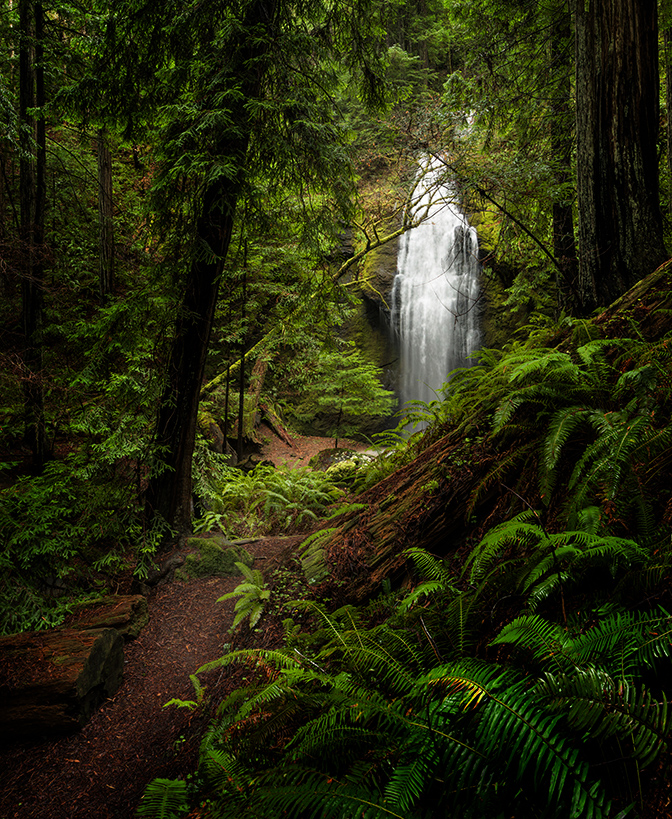
Chamberlain Falls from the Trail
webmstrk9 wrote
Hey! Who let this Canon shooter in?!?!?! Love 100 image stitch!!Glad you stopped by, beautiful work!
23 image Pano
-Jay- © HCE HCE 2018
Chamberlain Falls from the Trail
Jan 18, 2018 at 10:27 AM
p.6 #17Stitching or Merging Images. Your Panoramas are Welcome!
HCE HCE wrote:
23 image Pano
This strikes me as a bold stitched image. Over 23 images, surely that waterfall or some of the greenery seems prone to significant movement and difficulty stitching. Your result speaks for itself. Very well done! What software did you use to stitch, if you don't mind me asking?
23 image Pano
This strikes me as a bold stitched image. Over 23 images, surely that waterfall or some of the greenery seems prone to significant movement and difficulty stitching. Your result speaks for itself. Very well done! What software did you use to stitch, if you don't mind me asking?
Jan 18, 2018 at 01:54 PM
p.6 #18Stitching or Merging Images. Your Panoramas are Welcome!
amacal1 wrote:
This strikes me as a bold stitched image. Over 23 images, surely that waterfall or some of the greenery seems prone to significant movement and difficulty stitching. Your result speaks for itself. Very well done! What software did you use to stitch, if you don't mind me asking?
Thanks very much.
This was all prosessed only in PS. I had a rare windless day. As you can see by my other attempt just up the page, I often have to contend with the leaves moving.
This is only a 50 foot waterfall, but it lies in a 50 foot hole, so ifor some views I wind up hanging off a steep embankment focal stacking!
-Jay-
HCE HCE wrote
23 image PanoThanks very much.
This was all prosessed only in PS. I had a rare windless day. As you can see by my other attempt just up the page, I often have to contend with the leaves moving.
This is only a 50 foot waterfall, but it lies in a 50 foot hole, so ifor some views I wind up hanging off a steep embankment focal stacking!
-Jay-
Jan 18, 2018 at 02:36 PM
p.6 #19Stitching or Merging Images. Your Panoramas are Welcome!
bs kite wrote:
Yesterday, I learned that leveling the camera on the horizon was not good enough; i.e. observing the relationship between the camera base and the horizon, and leveling accordingly.
Because, when slowly panning, I noticed that the extreme right and extreme left camera positions were not level, but rather, they were tilted.
Why is this?
Is it because the camera really is not level for a panoramic unless the bubble atop the tripod is used?
Robert
Robert
Set the camera up so that the extreme left end and extreme right end of your pano are both level as well as the central point looking forward -- the head should be level in all directions.
Jan 18, 2018 at 10:53 PM
p.6 #20Stitching or Merging Images. Your Panoramas are Welcome!
Ulff wrote:
Thinking about it, probably more of my images are stitched in some way or another than not. Some examples:
1. 360° panorama from 7 images with the Canon 8-15L
http://www.paintingwithlight.de/FilesEx/fm_pano_01.jpg
2. six images from the Ricoh GR (handheld stitch):
http://www.paintingwithlight.de/FilesEx/fm_pano_02.jpg
3.-5. projection-stitches with the Canon 8-15L:
http://www.paintingwithlight.de/FilesEx/fm_pano_03.jpg
http://www.paintingwithlight.de/FilesEx/fm_pano_04.jpg
http://www.paintingwithlight.de/FilesEx/fm_pano_05.jpg
6. vertical stitch from 3 shifted images with the Canon 45 TS-E (cropped to square):
http://www.paintingwithlight.de/FilesEx/fm_pano_06.jpg
7. the ground level of buildings is stitched from about 100 images (Canon 17 TS-E) while walking down the street and therefore changing the POV (later manually stitched in PS). Then added a few hundred more images above that.
http://www.paintingwithlight.de/FilesEx/fm_pano_07.jpg
A few tips:
- always use manual exposure (shutter...Show more →
Normally not a fan of the "tiny planet" projections I have to say these 3 are fantastic. Really nice work overall. Would be interested in talking about your shooting and stitching techniques.
Jan 18, 2018 at 10:57 PM