This topic is in the 2017 archive. You can read it and like its posts here. It is read only.
Archive 2017Lightroom vs Capture One RAW rendering
p.3 #1Lightroom vs Capture One RAW rendering
Sorry for all the posts. I seen some noise on the further wing and did some local NR adjustments.
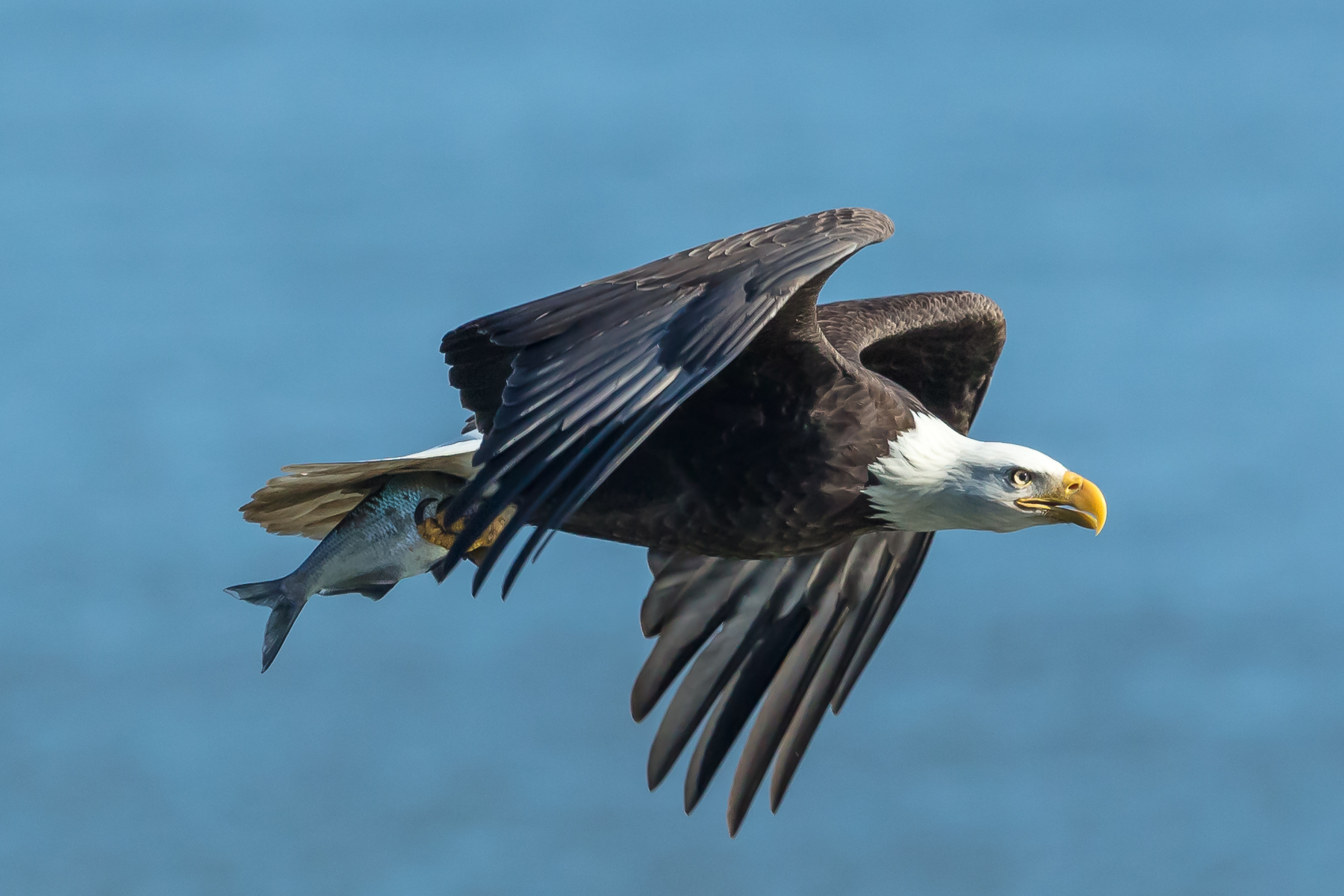
Dec 28, 2017 at 01:03 PM
p.3 #2Lightroom vs Capture One RAW rendering
This is my effort in LR....took 1min...
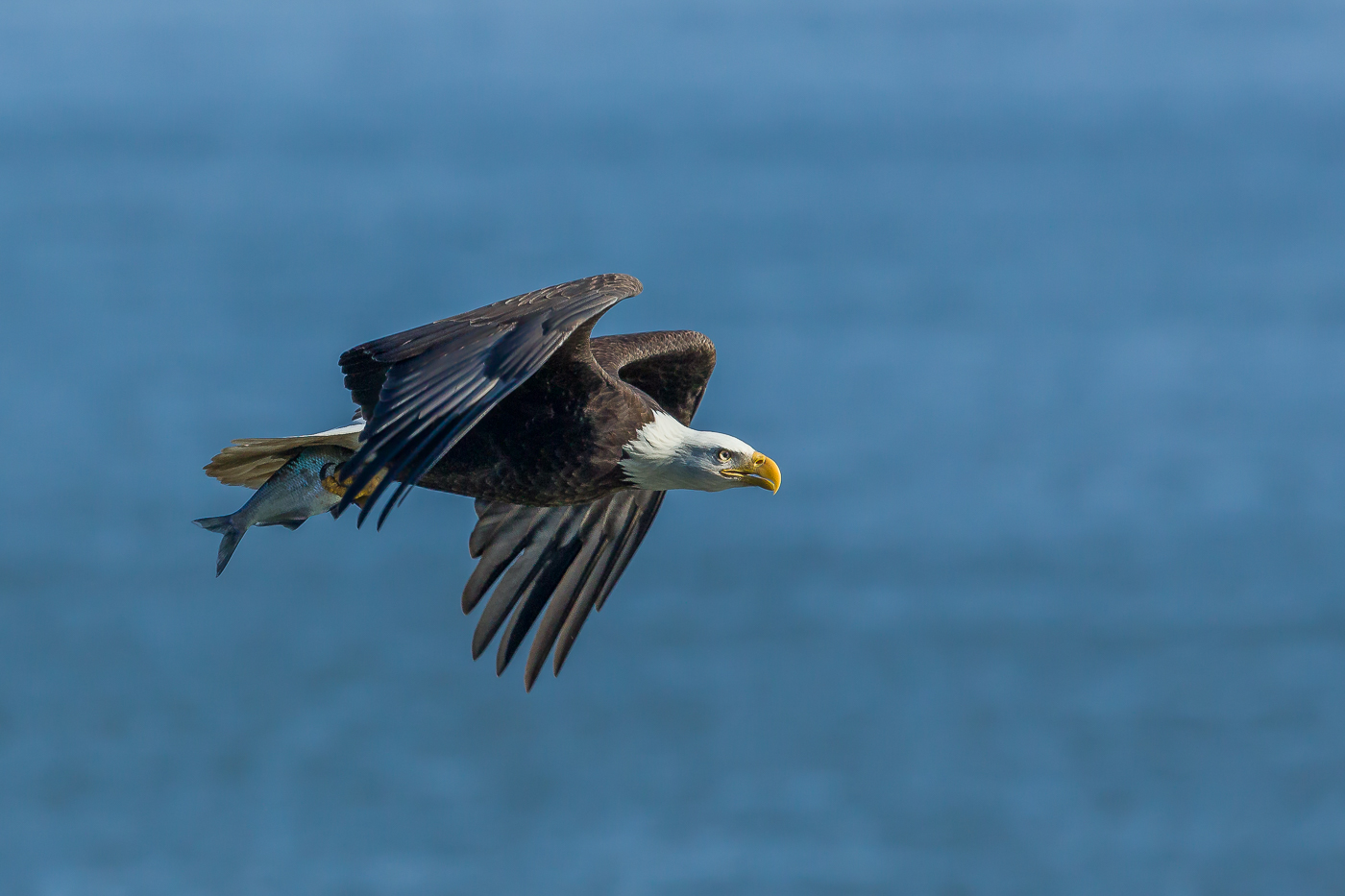
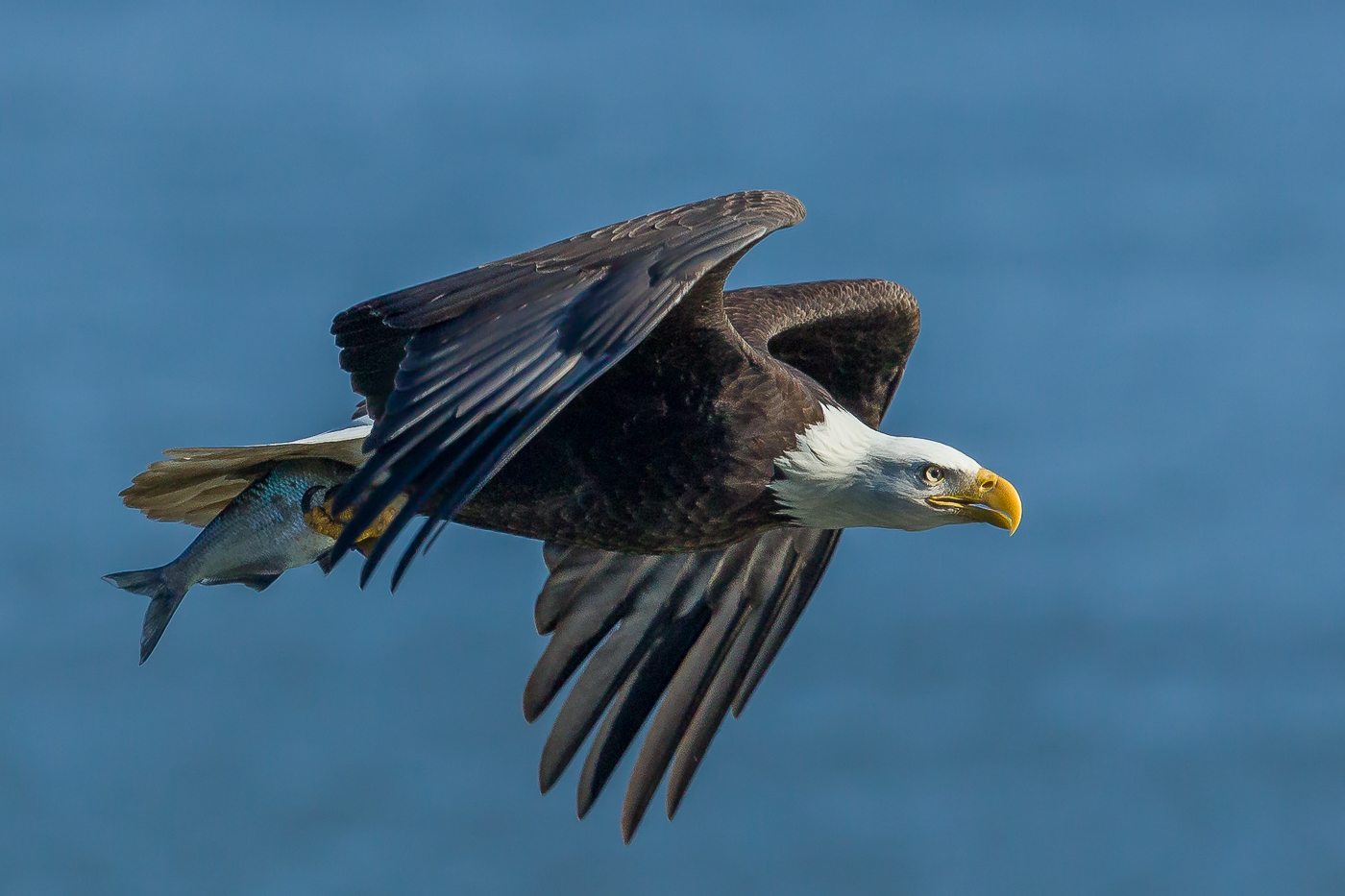
Dec 28, 2017 at 02:09 PM
p.3 #3Lightroom vs Capture One RAW rendering
Wow guys, thanx!
Ho1972: Very good!
Zenon: Nice and thanx for the LR version (shows the noise an green in belly)
Peter: always excellent! - Question for you below.
Questions:
Notice in all the LR renderings, the belly of the bird has noise and odd green color artifacts that I don't see in the CO images. Why?
I had to use moire slider on the brushed belly to rid the green and other color artifacts but that smudges up the detail too.
Peter: You are the CO master with tons of experience... I always admired your work in CO and you are the reason I am considering dumping LR. What do you think?
I am so embedded in LR that I gasp at learning something new but LR seems... well you see the noise and green colors in the belly.... is there something wrong or just better with CO that this stuff is missing? I shoot birds quite a bit and always wrestle with their dark bits and heavy cropping.
Again, thanx so much for the effort.... so far, to my eye, it looks like CO just does a better job out of the box so to speak.
Peace
Bruce in Philly
Dec 28, 2017 at 07:52 PM
p.3 #4Lightroom vs Capture One RAW rendering
Bruce - I'm not sure. Might be that Phase is a little better at removing color noise, but you should be able to do the same in Lr as well. They ARE different tools and C1 is not the be all and end all. For me, it's the best all round converter but I do not use their cataloging feature, as neither theirs nor Adobe's work for me and the myriad of files I need to throw in that direction. Try it out for a month and see if you like it, and see if their catalog works for you. That's the weak point in the program as far as I'm concerned and only use their "sessions" feature.
Dec 28, 2017 at 08:25 PM
p.3 #5Lightroom vs Capture One RAW rendering
Also - that's a 5DSR at 500 ISO. The noise is fine. Doesn't bother me a bit. There are a couple versions where the noise is essentially gone but then replaced with some sort of plastic in place of the feathers. Usually the plastic goes inside the bird these days.
Dec 28, 2017 at 08:28 PM
p.3 #6Lightroom vs Capture One RAW rendering
Peter Figen wrote:
Bruce - I'm not sure. Might be that Phase is a little better at removing color noise, but you should be able to do the same in Lr as well. They ARE different tools and C1 is not the be all and end all. For me, it's the best all round converter but I do not use their cataloging feature, as neither theirs nor Adobe's work for me and the myriad of files I need to throw in that direction. Try it out for a month and see if you like it, and see if their catalog works for...Show more →
Yeah I did a global NR and some local but did touch the belly as some noise in busy areas doesn't bother me. Easy fix.
Dec 28, 2017 at 09:47 PM
p.3 #7Lightroom vs Capture One RAW rendering
Bruce n Philly wrote:
Wow guys, thanx!
Ho1972: Very good!
Zenon: Nice and thanx for the LR version (shows the noise an green in belly)
Peter: always excellent! - Question for you below.
Questions:
Notice in all the LR renderings, the belly of the bird has noise and odd green color artifacts that I don't see in the CO images. Why?
I had to use moire slider on the brushed belly to rid the green and other color artifacts but that smudges up the detail too.
Peter: You are the CO master with tons of experience... I always admired your work in CO and you are the...Show more →
Yes out of the box LR does a far better job. Like CO it takes time to learn how to control LR for fine tuning. Look the birds face. What is your opinion about the clarity when comparing some of the posted shots?
Dec 28, 2017 at 09:48 PM
p.3 #8Lightroom vs Capture One RAW rendering
Oh yes Bruce. You asked about the noise under the wings, etc. The 5DSR is a light hungry sensor just like the 7D2. We are pushing the limits of cropping which I love to do and any bit of shadow with that amount of push will show. That is border line of what I would post. Not saying you anything bad about your image/s. I realize we are just testing and this is an excellent example.
Also you have to preserve the highlights so even ETTR is a factor as well in this situation. The only birds I prefer to shoot with a little overcast are pelicans which I practice on. Pretty slow birds but it blows the dust off in the spring
Also you have to preserve the highlights so even ETTR is a factor as well in this situation. The only birds I prefer to shoot with a little overcast are pelicans which I practice on. Pretty slow birds but it blows the dust off in the spring
Dec 28, 2017 at 10:00 PM
p.3 #9Lightroom vs Capture One RAW rendering
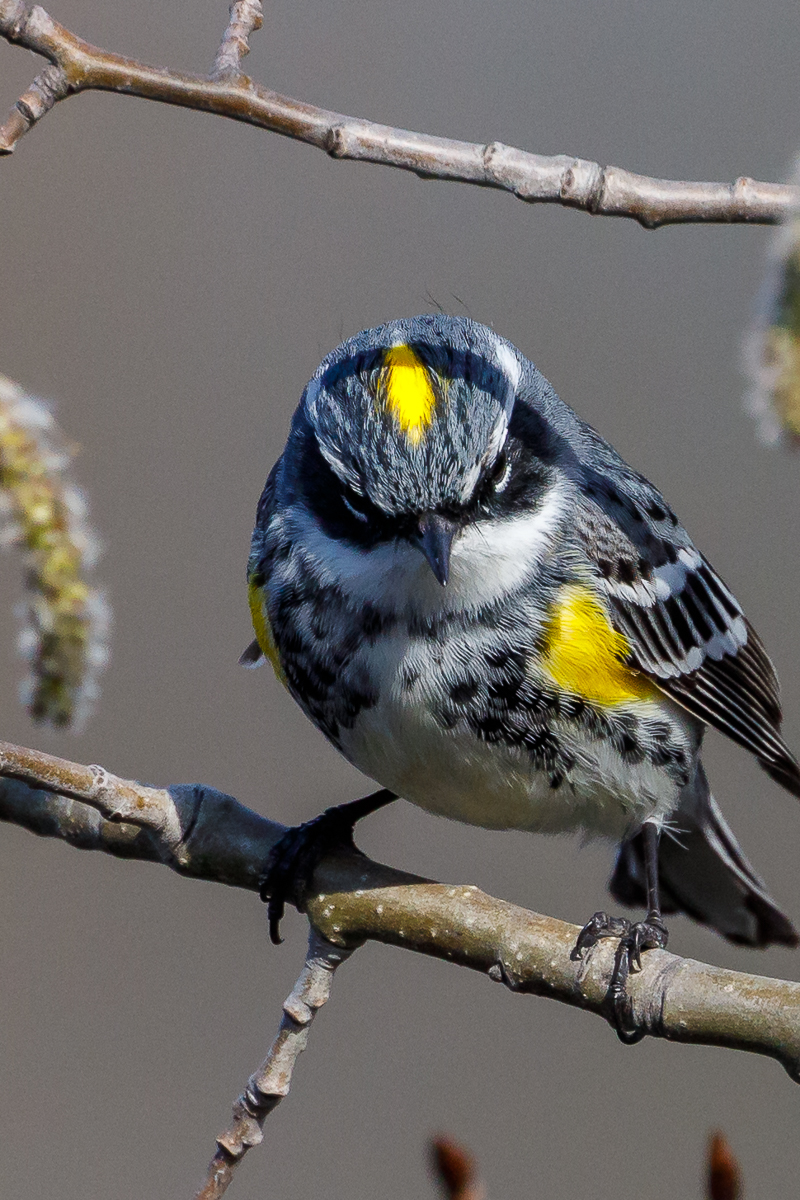
Here is another challenge. I don't know how to post a RAW file for download. Here is my LR edit which was very little for this one.
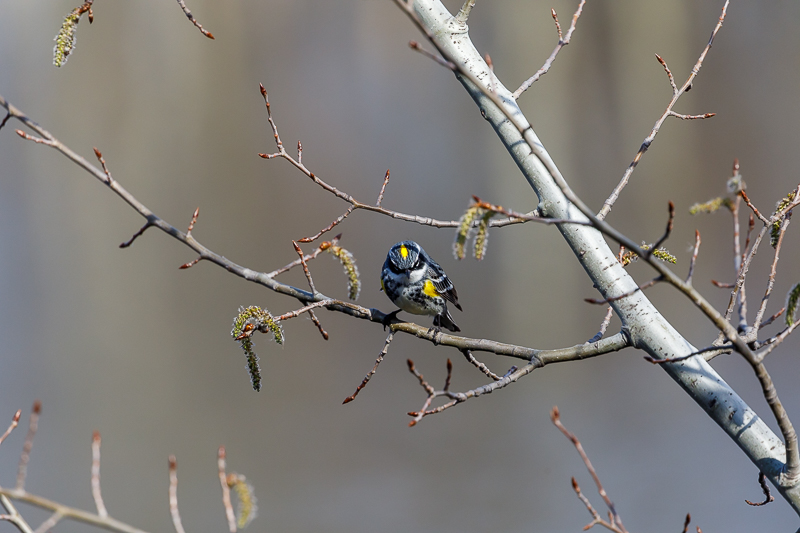
Dec 29, 2017 at 12:34 AM
p.3 #10Lightroom vs Capture One RAW rendering
Sorry for the late reply; I've been "distracted".
Here's my take using C1 11. Only edited on my MacBook Pro, so it may be off a bit compared with having a "real" monitor to work with, but it should give a reasonable idea of what can be done in a few minutes.
Peter: I'll pm you a link with the Raw + C1 adjustments so you can see what I did.
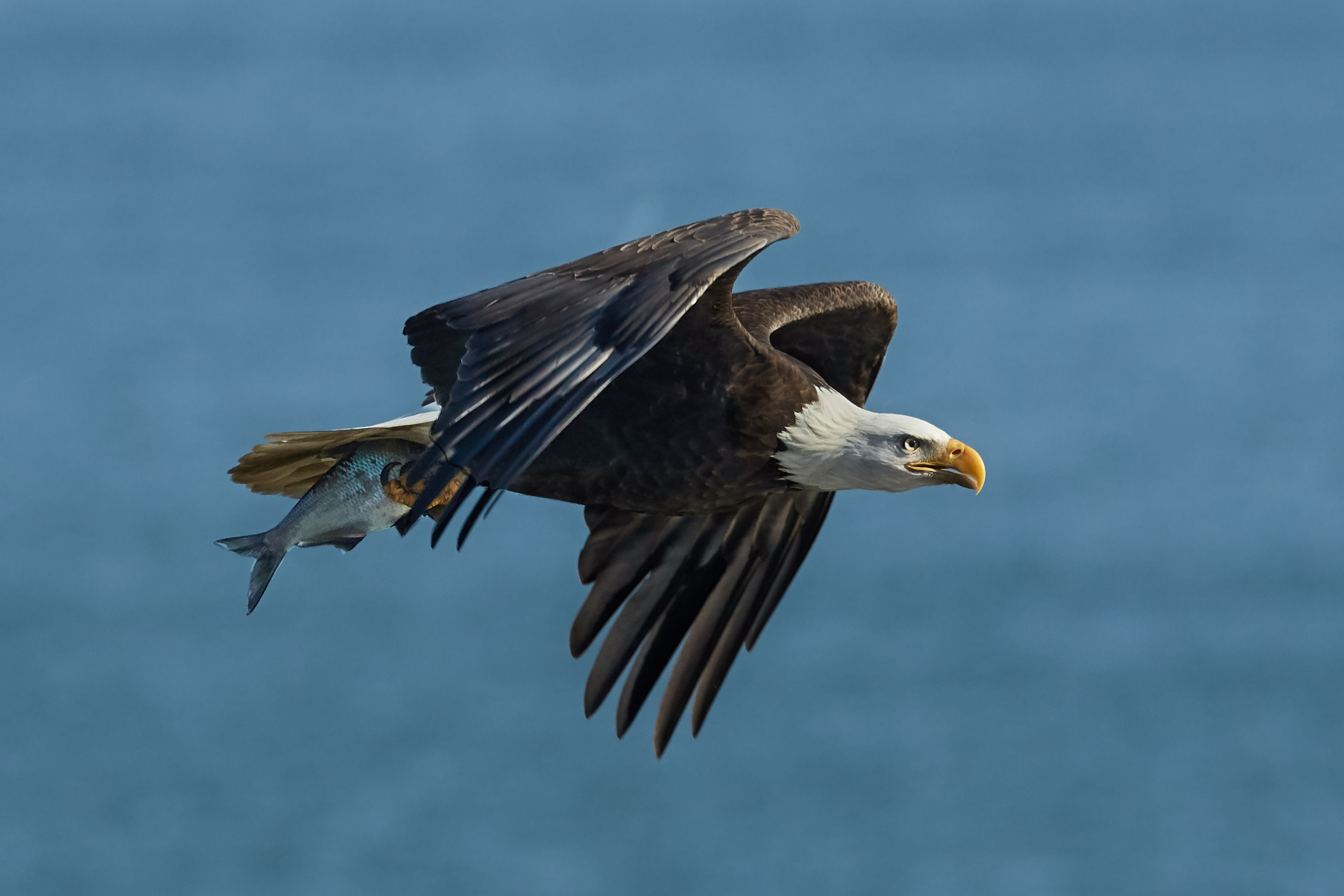
Here's my take using C1 11. Only edited on my MacBook Pro, so it may be off a bit compared with having a "real" monitor to work with, but it should give a reasonable idea of what can be done in a few minutes.
Peter: I'll pm you a link with the Raw + C1 adjustments so you can see what I did.
Dec 29, 2017 at 12:20 PM
p.3 #11Lightroom vs Capture One RAW rendering
I shoot Nikon and by far the best results with Raw conversion is using the Nikon software. Second best is Affinity of those I have used and both are far better than Adobe ACR. With Adobe I will get banding and other problems and so I start with Nikon for important images and generate 16-bit TIFF files for source with the editor.
I dislike Capture and Lightroom in terms of the workflow process they demand. I find it very inefficient and for me time is money. I want to go a first pass review, cull, and sort of my images from a project or event, and then process the images and lastly, input them into a DAM (iMatch in my case).
I also have multiple users and work with multiple computers and Lightroom is designed for one user with one computer and a file manager as opposed to being a DAM application. Capture has bought a true DAM company and should be integrating with it in the coming year. Then it will be worth my while to take a second look at the new workflow involved.
Dec 29, 2017 at 01:36 PM
p.3 #12Lightroom vs Capture One RAW rendering
elkhornsun wrote:
I shoot Nikon and by far the best results with Raw conversion is using the Nikon software. Second best is Affinity of those I have used and both are far better than Adobe ACR. With Adobe I will get banding and other problems and so I start with Nikon for important images and generate 16-bit TIFF files for source with the editor.
I dislike Capture and Lightroom in terms of the workflow process they demand. I find it very inefficient and for me time is money. I want to go a first pass review, cull, and sort of my images...Show more →
I wonder what it cost to write this post...your time is money after all.
Dec 29, 2017 at 02:27 PM
p.3 #13Lightroom vs Capture One RAW rendering
If you're billing by the hour then time might be money, but it's something quite different here. There's a LOT of time you simply can't put a price on.
Dec 29, 2017 at 02:38 PM
p.3 #14Lightroom vs Capture One RAW rendering
I like better the colors and starting point in CO, but i feel that lightroom has more depth in the pictures. I don't know how to explain, but CO looks flatter, and in lightroom there is more dimensionality...
Also the lens correction profiles in lightroom are miles better, and still the local adjustments are more intuitive. I feel like I edit the pictures faster in lightroom, but then of course exporting them is faster in CO.
For landscape, i prefer the way that lightroom handles the highlights and shadows, in CO they get an ugly HDR look much easier.
Also lightroom has tons of presets, and i feel like every tweak is much more accesible.
At starting point, there's no noise in my pictures in CO, and in lightroom is more visible.
I don't know, I started using CO for my old Fuji X-E1, but now with my a7rii i feel both of them are ok, and no one is perfect for me, depending on the pictures (or on the day) I use one or the other...
Jan 03, 2018 at 06:59 AM
p.3 #15Lightroom vs Capture One RAW rendering
I noticed no noise as well when I tried CO. It auto applies it so unless you set it up LR using default settings or use a preset you have manually apply Luminance NR.
Jan 03, 2018 at 12:22 PM
p.3 #16Lightroom vs Capture One RAW rendering
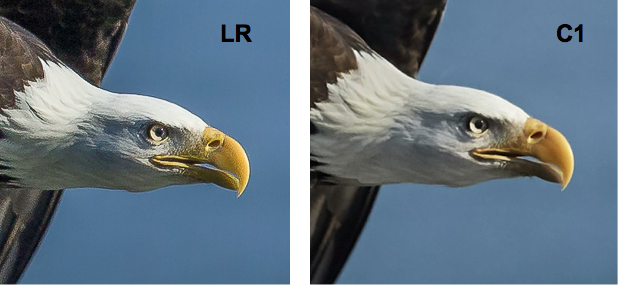
That was a great challenge (BIF). I find all the LR versions looking much better, having more details and depth.
Jan 03, 2018 at 03:01 PM
p.3 #17Lightroom vs Capture One RAW rendering
I just switched to capture 1. While you can achieve the same results, C1P capabilities are just so much more extended and customizable. Love the Layers for basic work. Sadly, I'm still dependent of PS. I love the "Session" feature of C1. I basically have 1 Session / project. To me it's easier to keep an oversight. I'm not looking back on lightroom.
Jan 04, 2018 at 04:50 PM
p.3 #18Lightroom vs Capture One RAW rendering
gfiksel wrote:
That was a great challenge (BIF). I find all the LR versions looking much better, having more details and depth.
Apologies, but this example is a joke. Sure, if you like Lightroom and know how to deal with it thats great - it's a very capable software. But either you do not know how to handle (sharpening) C1P or you try to make a point here in favour of Lightroom. Is use both softwares: You can achieve the same results with both softwares but I'm much faster in doing so in C1P; probably the reason why most professionals use it.
Jan 04, 2018 at 05:04 PM
p.3 #19Lightroom vs Capture One RAW rendering
Assuming your comments compare my rendering with others...
I actually made something similar to gfiksel's left LR image while I was processing. However, I wanted to lighten up the head shadows a bit because they didn't look natural to me. Also, I toned down the 'detail' because at full-size, the image looked over-sharpened and unnatural. Same for the fish. In the full-size rendering I sent to the OP, the feathers show very nicely and I thought the overall rendering was fairly accurate looking. I sent him the EIP file that includes adjustments so he can tweak if desired.
OTOH, the LR version's creator may have been more interested in razor-sharp detail than I was.
Two things I try to keep in mind when looking at variants like this is that are:
- The person doing the editing usually doesn't tell what his/her intent is, and that greatly influences the final result.
- The person doing the editing usually doesn't tell how familiar they are with the program(s) they're using. We tend to assume that the artist is expert at their tool, but often that's not the case. The people I know usually have a repertoire (I know I do), and tend to work mostly within those constraints.
I hope the OP was able to learn from the file I provided, as my intent was to get a fairly good rendering while providing them with knowledge (via the included adjustments and my descriptions) to be able to work the image on his own.
Jan 04, 2018 at 05:15 PM
p.3 #20Lightroom vs Capture One RAW rendering
Nightjar wrote:
Apologies, but this example is a joke. Sure, if you like Lightroom and know how to deal with it thats great - it's a very capable software. But either you do not know how to handle (sharpening) C1P or you try to make a point here in favour of Lightroom. Is use both softwares: You can achieve the same results with both softwares but I'm much faster in doing so in C1P; probably the reason why most professionals use it.
I don’t understand your comment. I simply compared two “ best case “ renderings done by others in the previous posts. Since it looks like you’re very proficient in C1, why don’t you put your money where your mouth is and demonstrate the C1 superiority.
gfiksel wrote
That was a great challenge (BIF). I find all the LR versions looking much better, having more details and depth.I don’t understand your comment. I simply compared two “ best case “ renderings done by others in the previous posts. Since it looks like you’re very proficient in C1, why don’t you put your money where your mouth is and demonstrate the C1 superiority.
Jan 04, 2018 at 05:48 PM