This topic is in the 2017 archive. You can read it and like its posts here. It is read only.
Archive 2017Lightroom vs Capture One RAW rendering
p.2 #1Lightroom vs Capture One RAW rendering
Zenon Char wrote:
--- These are excerpts from the original post ---
I trialed Capture twice and I think I can produce just as good an image using LR when you take the time to sharpen and compare after export. I did find the capture, detail, export, structure and clarity and worked with them using Capture. Capture is more aggressive at export sharpening so you have to be careful about halos and artifacts. More aggressive in other areas as well.
It automatically applies the camera's colour profile, sharpening, NR, etc. Some found the reds a little hot and the colours little saturated. Not...Show more →
You can always trial the latest version for 30 days. To be fair, you should also watch a bunch of their webinars and/or video tutorials (anyone can sign up for their free webinars). Unless you really try to dive in, I don't know how much you'd get from a trial. C1 can do some awesome things, but like any powerful tool, you need to work with it to gain proficiency. Another way to do it would be to sit down with someone who's proficient with C1 and have them work with you during the demo. I think there's enough difference in the ways the two programs work that it's very difficult to "cold turkey" the other program.
C1's adjustments work differently from LR's, and each program has capabilities the other lacks. I personally love C1's layers (formerly 'local adjustments') and the ability to show/hide the mask (in grayscale or color), and the Levels, Color Editor, and Color Balance tools, and I've been unable to accomplish quite the same things with LR 6's adjustments.
I initially went to C1 because I really didn't get along with LR's UI and I've been able to configure C1's controls to fit my workflow AND use both of my monitors as I want (LR really frustrated me with its limitations on what I can use my second monitor for). Now that I've been using it for several years, I'm more than happy with C1 (as I believe most LR users are with LR).
With Capture One, you can set your own import preset parameters similar to what you can do with LR. You can set your own default adjustments for each camera as styles and apply them by default upon import, or apply them during pp. You can also set export recipes, called Process Recipes, that can include sharpening adjustments and a lot of other things.
C1 also has a very useful (for me) Halo adjustment to compensate (and often eliminate) the sharpening artifacts you mentioned. They also added output sharpening in C1 10, although so far I haven't had any issues with over-sharpened prints (I print to an Epson 3880).
Two really useful additions in C1 11 are that most adjustments can now be used in layers, and Opacity can be set for each layer. I started with C1 8 and each successive update has included some extremely useful capabilities.
What I don't like is their Print dialog. It defaults to your system's default printer each time C1 launches and I haven't found a way to save page layouts. The dialog is different from all (and more awkward than) other apps I've used. Sometimes I wish they'd spend more development effort on their UI!
C1 has been working on an approximately annual upgrade cycle. They support a couple of [Mac] OS versions back; I don't know about Windows versions. I wish they'd support at least 3 macOS versions back, especially with Apple about to deprecate 32-bit support. Phase One's also been increasing the upgrade price. The way their upgrade price works as of the current version: $119 if you upgrade from either of the two previous releases; $149 if you're 3 versions back, and no upgrade if you're more than three back. So with the current version (C1 11), if you're running C1 7 or older, you're back to the full license price. Their perpetual licenses are for 3 computers, and their $15/month subscription is for 2. This info's all on their website.
At this point I'm hooked on what I can do with C1; I rarely need to go to external apps to accomplish what I want. My main need for externals is for compositing (Zerene Stacker for focus stacks, Affinity Photo for panos, Aurora HDR for my rare exposure stacks).
One thing I like about C1's perpetual license (and the old LR one) is that if I stop upgrading, I lose no functionality until an OS upgrade breaks the app. If I stop upgrading OSes and don't buy new cameras, I can continue using the software as long as I wish without functional penalty. And later, if I need to renew the license because of a must-have feature, OS upgrade, or new camera support, I buy a license (new or upgrade).
Dec 25, 2017 at 12:29 PM
p.2 #2Lightroom vs Capture One RAW rendering
I was aware of the of the import presets and the other things you mentioned. Also you can arrange windows which I really like. PS does that.
Colour is the least critical thing to me. The most important things to me are lens corrections and sharpening. I did find and work all of them including structure. As for over sharpening all I said was Capture is more aggressive and you can over sharpen so you have to more careful. Pretty tough to do that with export sharpening using LR. Capture does a great job.
I worked Capture pretty hard in the areas that were important to me. That the first thing I look at when I trial any software. I have been kinda picky since 2005 when I started looking at Liquidstone's work at DPreveiw. I didn't know this place existed. Those were the days when the resizing and resampling algorithms were not that great and everyone was looking alternative methods.
So every 6 months or so I look around for something new. This did not make decision to go with Adobe but the PixelGenius group developed the export sharpening for LR. Jeff Schewe was involved in the development of the detail window. I read everything I could find and took the time to learn how to use that window. The more I export using LR the more I appreciate it. I swear there is more going on than just sharpening and re-sizing.
Capture is excellent but it did not blow my socks off by comparison with what is most important to me. Not $300 worth anyway. If it was around $150 this may have been a different story.
As for cancelling the plan yeah that will suck. I still get to use Classic. They just disable the Develop and Map modules which I also took into consideration. I can still use different software and use the DAM if I want to. I hate converting to DNG so I doubt I'll go backwards to LR6 especially after getting spoiled with the new features.
At this point I'm OK with the plan. The principle about it bugs me a bit but the $120 a year doesn't. The only thing that would make me drop it at this point is if Adobe announces auto syncing to the cloud with desktop applications. Then I'll review everything again.
Dec 25, 2017 at 01:07 PM
p.2 #3Lightroom vs Capture One RAW rendering
I forgot to mention I got a free website with the plan. I was using Zenfolio which was overkill for my needs. I had been looking for an alternative for the last 6 months but couldn't get motivated to rebuild. I didn't even know about it when I got the plan so that was a nice surprise that motivated me. Gonna save $150 a year on that.
Dec 25, 2017 at 02:12 PM
p.2 #4Lightroom vs Capture One RAW rendering
I get the trial...... but, while I consider myself and advanced amateur, I still have a ton to learn and after years of use, I still am learning how to get the most out of LR. So.. I will try Capture One, but I am not sure I will fully get it in that time.
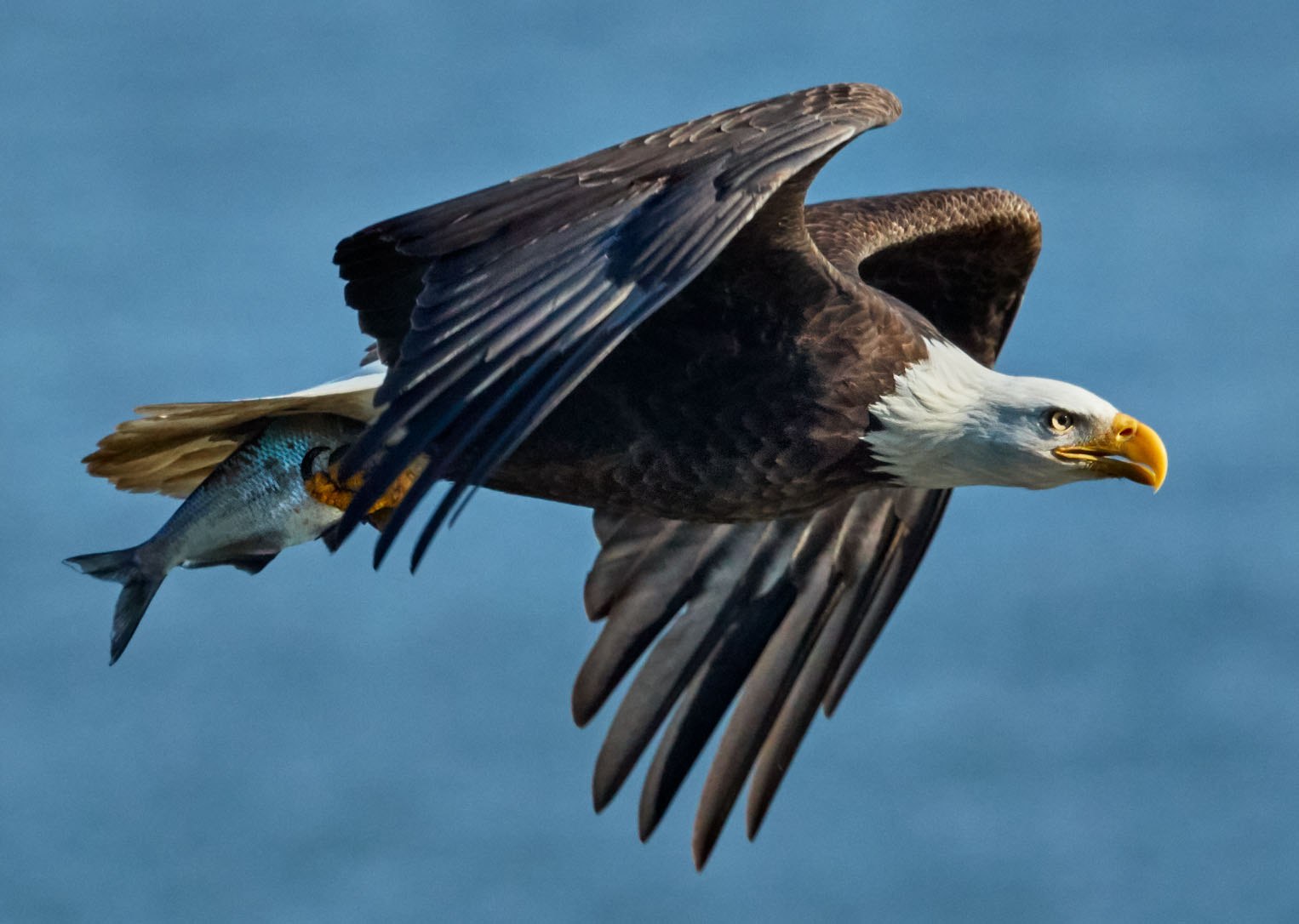
Look, the real issue is problem photos. I shoot birds with my 5DSr and eagles are particularly troublesome. They have white heads and tails, and their undersides are dark..... I use the expensive Canon 600 IS II lens and still crop deeply. If I shoot manual ISO 500 and at 3200 f/5.6 as below... then crop, my 5DSr makes a mess of the darks. Noisy as heck, I get weird color artifacts (I learned the moire slider can reduce some of this stuff).... I am not happy. I got the exposure perfect I think with the whites just under saturation but I know there is detail in there. So with LR, I slide the highlights down and detail comes out but the slider seems to grab too much... I want it to grab just the tippy top whites as more detail can come out but at the cost of crushing the whole photo. Argh!!!!
With LR, I have learned to deal with this but not all that well. Is it my skills? LR? Will CO do it better?
Peace
Bruce in Philly
Can I do better with Capture One?
https://photos.app.goo.gl/K2I8D0C1TlvSjSpv1

Edited on Dec 25, 2017 at 04:08 PM · View previous versions
Look, the real issue is problem photos. I shoot birds with my 5DSr and eagles are particularly troublesome. They have white heads and tails, and their undersides are dark..... I use the expensive Canon 600 IS II lens and still crop deeply. If I shoot manual ISO 500 and at 3200 f/5.6 as below... then crop, my 5DSr makes a mess of the darks. Noisy as heck, I get weird color artifacts (I learned the moire slider can reduce some of this stuff).... I am not happy. I got the exposure perfect I think with the whites just under saturation but I know there is detail in there. So with LR, I slide the highlights down and detail comes out but the slider seems to grab too much... I want it to grab just the tippy top whites as more detail can come out but at the cost of crushing the whole photo. Argh!!!!
With LR, I have learned to deal with this but not all that well. Is it my skills? LR? Will CO do it better?
Peace
Bruce in Philly
Can I do better with Capture One?
https://photos.app.goo.gl/K2I8D0C1TlvSjSpv1
Edited on Dec 25, 2017 at 04:08 PM · View previous versions
Dec 25, 2017 at 03:23 PM
p.2 #5Lightroom vs Capture One RAW rendering
Bruce n Philly wrote:
I get the trial...... but, while I consider myself and advanced amateur, I still have a ton to learn and after years of use, I still am learning how to get the most out of LR. So.. I will try Capture One, but I am not sure I will fully get it in that time.
Look, the real issue is problem photos. I shoot birds with my 5DSr and eagles are particularly troublesome. They have white heads and tails, and their undersides are dark..... I use the expensive Canon 600 IS II lens and still crop deeply. If I...Show more →
Yes. At least that is my experience with bald eagles, etc. Try it .
Dec 25, 2017 at 03:29 PM
p.2 #6Lightroom vs Capture One RAW rendering
Bruce n Philly wrote:
I get the trial...... but, while I consider myself and advanced amateur, I still have a ton to learn and after years of use, I still am learning how to get the most out of LR. So.. I will try Capture One, but I am not sure I will fully get it in that time.
With LR, I have learned to deal with this but not all that well. Is it my skills? LR? Will CO do it better?
I looked at your image. The head looks like it might be burned out, but I can't tell for sure from the image you posted.
If I tried it in C1, I'd do something like this:
- First, drop the exposure slider and see if the head's really blown. The way to tell: dropping the exposure won't bring back the feather detail. There really isn't much to do if it's really blown out. If it's not...
- Create an adjustment layer and dodge the head. You could do this either by reducing the exposure (traditional method) or by reducing highlights in the HDR panel (since you're only dealing with shades of white). I usually brush as needed, and then toggle the mask to 'visible' (keyboard shortcut: 'm') and tweak if needed. C1 11 added Refine and Feather capabilities, which are excellent, but they're hidden under the "more" ('...') menu. I use them so much that I've assigned them keyboard shortcuts and clustered all of the mask shortcuts into one region of my keyboard (and also programmed them into my Wacom tablet).
- If that doesn't give enough adjustment, create another adjustment layer and dodge again. The way C1 works, layers are additive and you can increase adjustments by adding multiples of the same adjustment, up to the 16 layer/image limit in C1.
- If the above netted more detail and you'd like to then give the feathers a bit more clarity, you could add Sharpening, and/or Structure to one of the Dodge layers, or create a separate "Detail" layer. I'd probably go with the latter and use it for detail enhancement of other parts of the eagle. Use the Flow and Opacity controls so you can vary the amount of sharpening you add.
- Remember that in C1 11 you can vary the opacity of individual layers. I use this in conjunction with brush flow/opacity. I'll get the relative densities right by brushing and then use layer opacity to vary the total layer effect. Works nicely once you get the hang of it.
If you try this, please get back to the forum or pm me so we know how you did.
Dec 25, 2017 at 03:52 PM
p.2 #7Lightroom vs Capture One RAW rendering
I will give it a try.... out of town for the holidays..... maybe I will post the RAW for any of you so kind as to give it a try.
Check back Wednesday eve or Thursday afternoon.
Regarding that head being blown out.... not according to LR IIRC (but I will check to confirm in a few days). the channels are up around 97% and it is not giving me the highlight alert. Now if LR is correct, and this is what I get, then maybe I am overexposed.... but ... here is where the trouble is.... the darks on the stupid canary get even uglier. I know, this is a classic exposure problem, but it is the real issue I deal with shooting birds with my 5DSr.
I have used other software years ago and have learned that different software tools can yield differing results.... From my inexperience and making some assumptions, I think the way LR grabs with the highlights slider is not good.... I would like to raise its lower threshold.
This is the same issue a bird photographer has when shooting say a bird in a tree when the sky is peeking through leaves.... the sky is blown out. The highlights slider could take the edge off.... but the LR slider grabs too much. With the brush, I can brush the white sky, apply some blue color, but it looks just crappy with a wierd halo around the leaves-sky border. Argh!!!
So..... if I had summarize the two areas that really bothers me about lightroom editing is the dirty darks and the over-achieving highlights slider. What I don;t know is if another tool like Capture One could do a better job or not. LRs shift to the subscription model has me out looking for an alternative. I suspect that if Capture One won''t help me, I will suck it up and pay LR.
Peace
Bruce in Philly
Dec 25, 2017 at 04:00 PM
p.2 #8Lightroom vs Capture One RAW rendering
Send me a link to your Raw.
What ISO did you use? Part of what you're seeing may be due to reduced DR at higher ISO. I try to use my 5DSR at 1600 or lower; above 3200 shows clear DR loss.
btw: I've been having a similar problem with an Emperor goose and a 7DII (similar DR/noise to my 5DSR). Looks like I may have solved the problem today by shooting at ISO 800 (it's been too dull here in Central Oregon for birds at this "low" ISO for a while).
Dec 25, 2017 at 04:49 PM
p.2 #9Lightroom vs Capture One RAW rendering
My RAW is on my home database and I am traveling. That shot was at ISO 500, 3200 f/5.6 but is a deep crop. I will post a link to the RAW on Wednesday eve or Thursday AM.
Thank so much for helping.
Peace
Bruce in Philly
Thank so much for helping.
Peace
Bruce in Philly
Dec 25, 2017 at 05:06 PM
p.2 #10Lightroom vs Capture One RAW rendering
Bruce n Philly wrote:
I think the way LR grabs with the highlights slider is not good.... I would like to raise its lower threshold.
Have you guven the new auto tone in LR CCC a try? It does amazingly well to give you a starting point by applying edits one would probably never come up with because they only work in conjunction. At least I would be much more restraint in this area without that auto feature because the intermediate results are ludicoursly offputting - but put together they are amazing most of the times...
Dec 25, 2017 at 05:11 PM
p.2 #11Lightroom vs Capture One RAW rendering
Bruce n Philly wrote:
I get the trial...... but, while I consider myself and advanced amateur, I still have a ton to learn and after years of use, I still am learning how to get the most out of LR. So.. I will try Capture One, but I am not sure I will fully get it in that time.
Look, the real issue is problem photos. I shoot birds with my 5DSr and eagles are particularly troublesome. They have white heads and tails, and their undersides are dark..... I use the expensive Canon 600 IS II lens and still crop deeply. If I...Show more →
Learn how to use local adjustments with the brush. I never tested that with Capture.
Tons of videos on the net.
Dec 25, 2017 at 07:47 PM
p.2 #12Lightroom vs Capture One RAW rendering
As for NR I spent a lot of money on 3rd party plugins and stopped using them. I can't even find them now. I just use Adobe.
I pulled this up from my 7D in 2009. ISO 12,800.
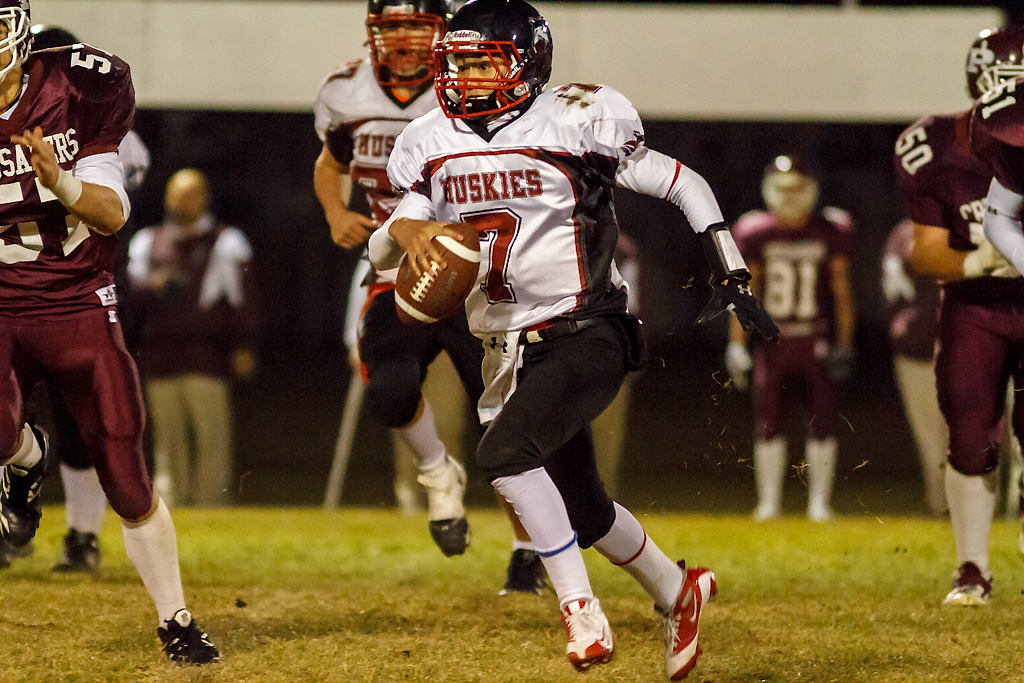
I pulled this up from my 7D in 2009. ISO 12,800.
Dec 25, 2017 at 08:30 PM
p.2 #13Lightroom vs Capture One RAW rendering
Here is the RAW if anyone would like to take a wack at it in Capture One. I know I am asking quite a bit, but the JPG below is the best I can do with LightRoom.
As I noted above, I feel I have the perfect exposure on this guy. LR is telling my there is nothing blown out on the head.... I found one channel was at 97% so not a bad exposure eh? But the darks are just a noisy mess and I am hoping Capture One with its supposedly superior RAW renderer can get better results.
500 ISO, 3200, f/5.6 - this should not be noisy in the darks no?
Peace
Bruce in Philly
RAW: RAW for this Eagle
The resulting JPG, my best effort from LR:
 |
||
| http://www.travelthroughpictures.com/bdd/photostuff/1R6A1293E.jpg | ||
|
Dec 27, 2017 at 05:14 PM
p.2 #14Lightroom vs Capture One RAW rendering
Thanks. I'll give it a go tomorrow 'cause I'm shutting down for the night.
Dec 27, 2017 at 07:30 PM
p.2 #15Lightroom vs Capture One RAW rendering
Ok, here is C1, v10 quasi-default rendering. I boosted the shadows using a generic Canon film curve (extra shadow) and also gave the shadow slider a 60 units bump. I did not touch any other settings such as noise reduction or sharpness. FWIW, I've never considered C1 to be the answer to noisy images. If I have real noise issues, the image is going to pass through Photoshop.
http://www.howardowen.net/img/s12/v174/p2693089068.jpg
Here's my take with some tweaks applied.
http://www.howardowen.net/img/s3/v7/p2693110838.jpg
I expect others can do better (calling Peter Figen ), but this is where I throw in the towel because duty calls. Thanks for posting the image.
EDIT: I apologize for not transferring your mark. If you want me to take these down, I will. Also, you'll note I copied your crop dimensions but not your crop placement (not intentionally, just sloppy).
http://www.howardowen.net/img/s12/v174/p2693089068.jpg
Here's my take with some tweaks applied.
http://www.howardowen.net/img/s3/v7/p2693110838.jpg
I expect others can do better (calling Peter Figen
), but this is where I throw in the towel because duty calls. Thanks for posting the image.EDIT: I apologize for not transferring your mark. If you want me to take these down, I will. Also, you'll note I copied your crop dimensions but not your crop placement (not intentionally, just sloppy).
Dec 28, 2017 at 10:19 AM
p.2 #16Lightroom vs Capture One RAW rendering
Bruce,
Thanks for this. I, too, have an Economist subscription so can link to it....
Re: processing software --- I notice that Darkroom (open source) has an updated version. These occur relatively infrequently, and so when I get a few minuted I'll take a look and see how it is......
Thanks for this. I, too, have an Economist subscription so can link to it....
Re: processing software --- I notice that Darkroom (open source) has an updated version. These occur relatively infrequently, and so when I get a few minuted I'll take a look and see how it is......
Dec 28, 2017 at 10:44 AM
p.2 #19Lightroom vs Capture One RAW rendering
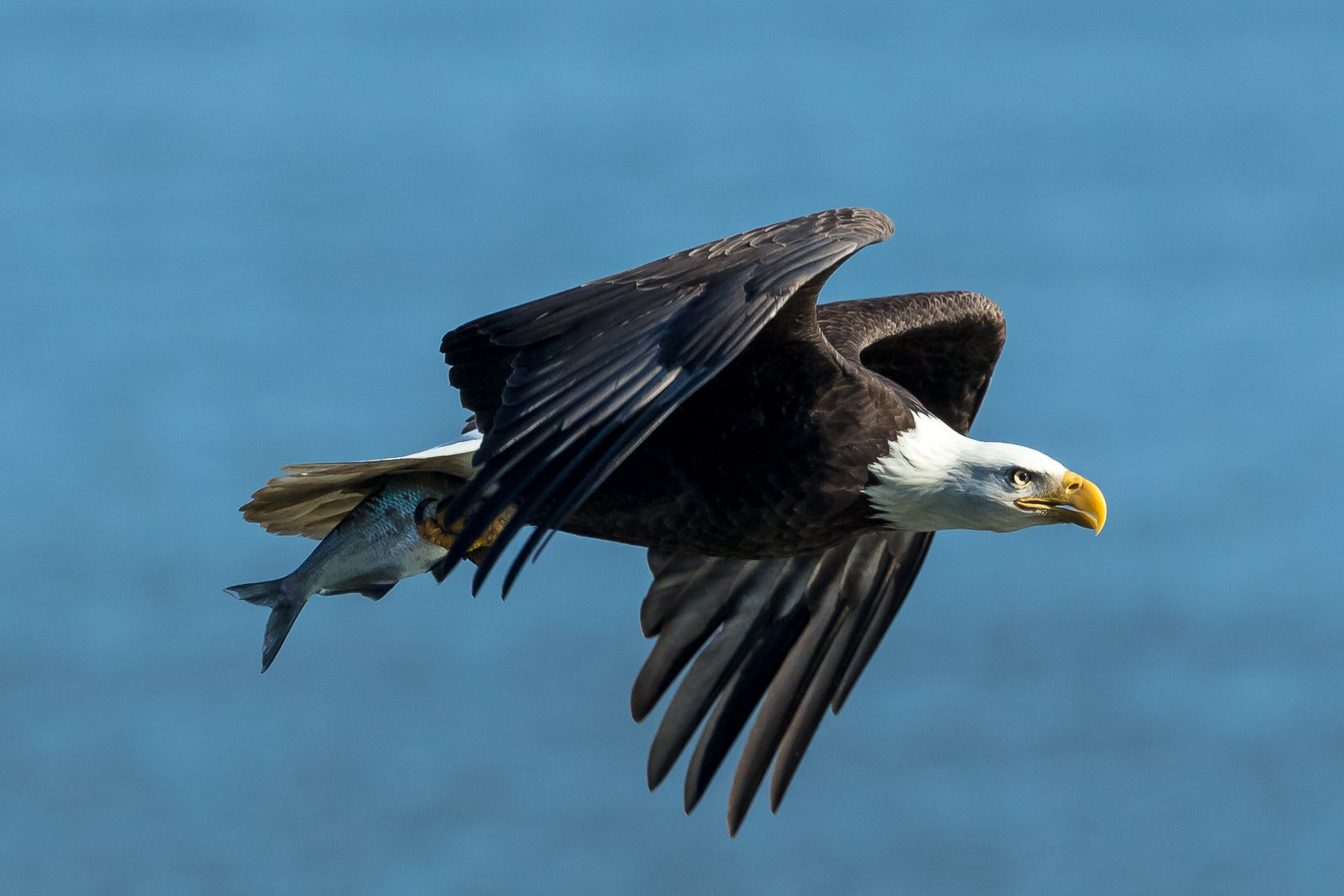
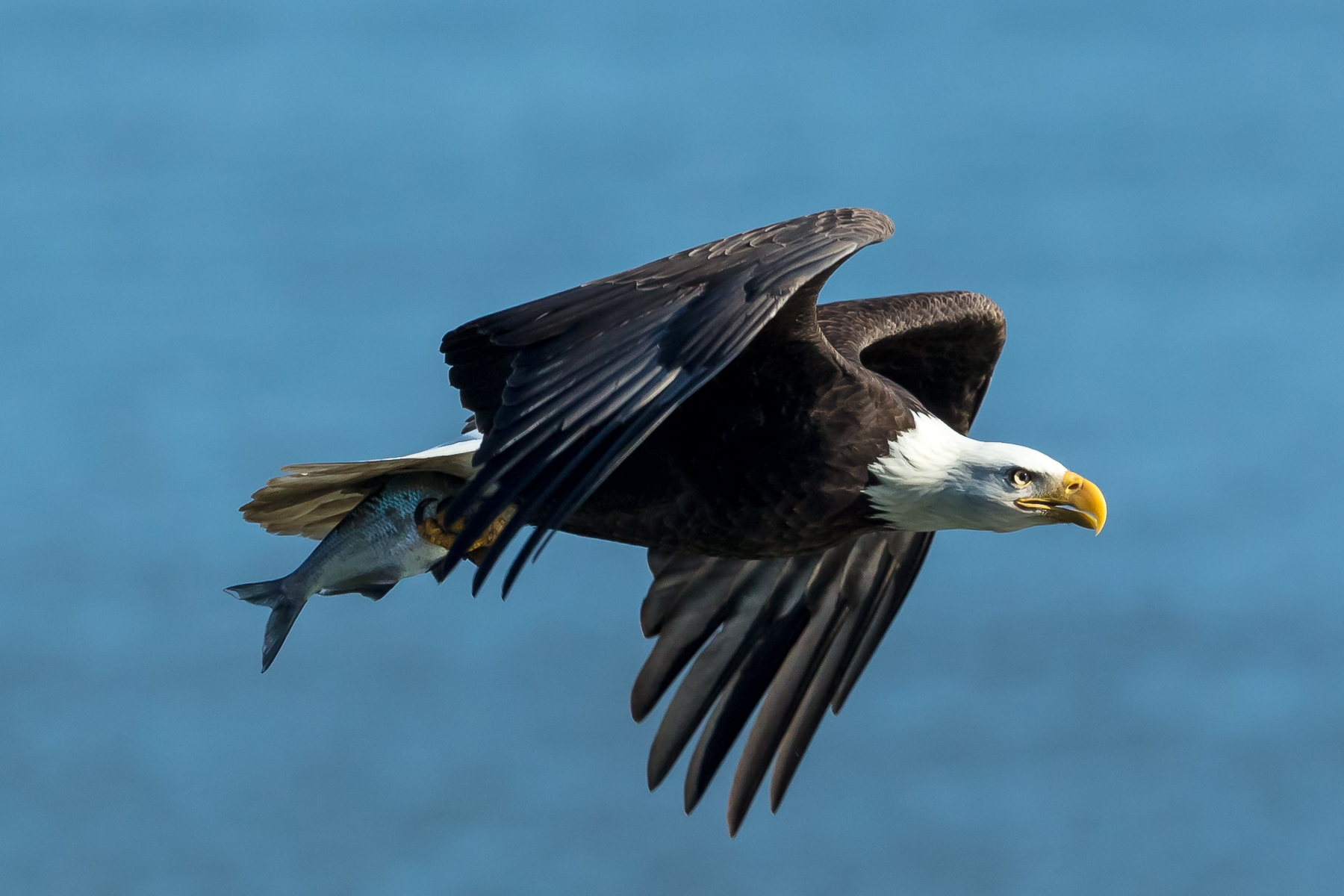
I brought up the shadows a bit as well however I didn't mind them on the darker side for this one.
Dec 28, 2017 at 12:30 PM
p.2 #20Lightroom vs Capture One RAW rendering
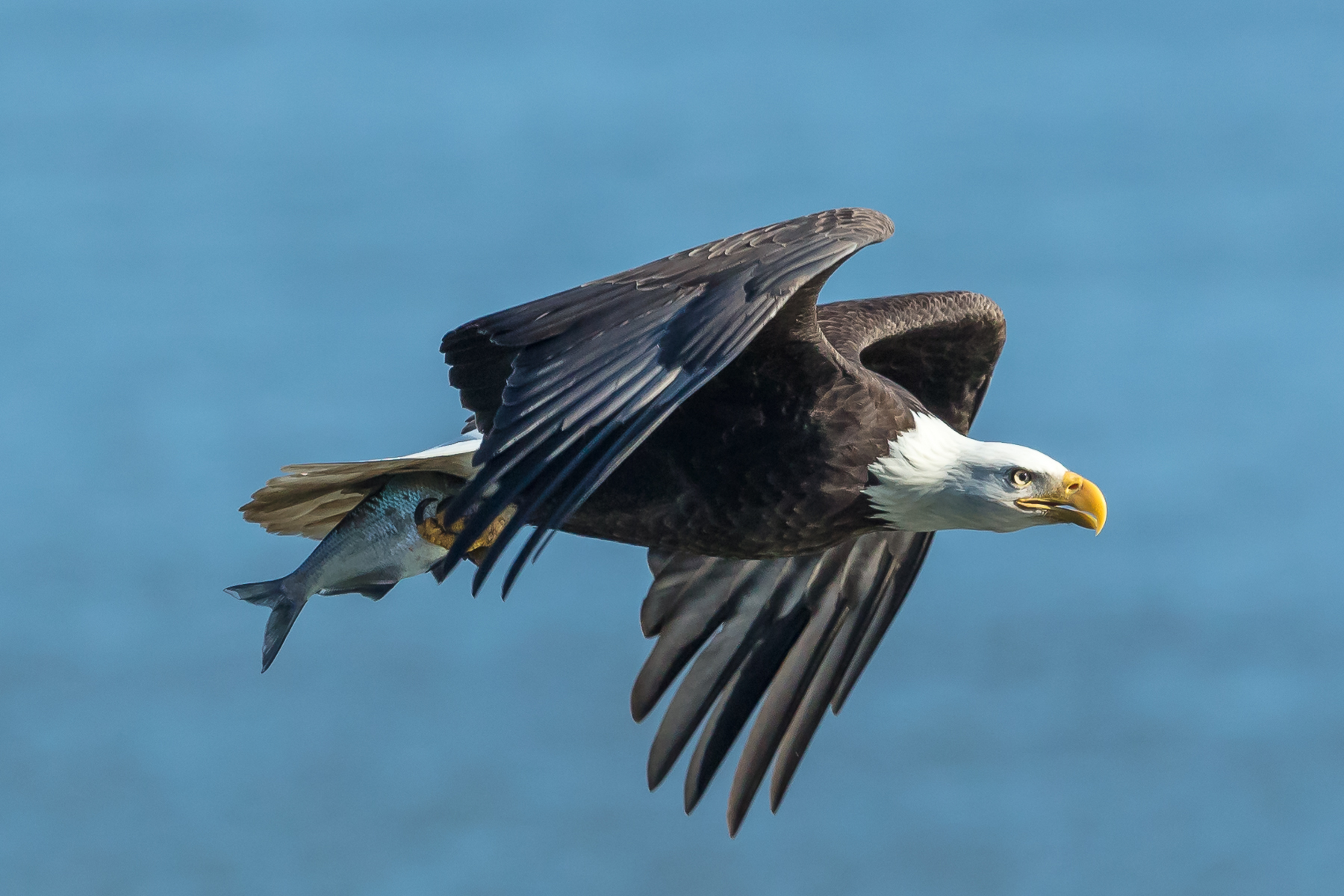
Here's my take with C1 v10 plus some processing in Ps to enhance some more, including a bit of Focus Magic as well.
Dec 28, 2017 at 12:57 PM