The touchpad function is fantastic. In AF and in MF. Much faster than moving focus point with joystick. I use it for stills and video. Can't imagine working without it. Actually PreAF with touchpad works well too.
I beg to differ, since I won't have to take my eyes off the EVF when fiddling with my thumb. All the basic settings are on EVF's display so it's very very simple and easy to do. Yes the back and front dials are not marked but it's very easy to remember (back dial SS, front dial Aperture) Since I have small fingers, I almost never encountered the dials to be accidentally turned
pdmphoto wrote:
I like the look up the Fuji controls. The problem with Sony's wheels and dials is that none of them are marked and they are too easily turned. There's no way to tell the actual setting without looking in the camera, and doing that requires changing you screen mode first, so it will show the camera setting. Of couse you can turn the dial to see, but that is changing as setting just to see what it is set at. I've been shooting Sony for almost 5 years and find theie dial and wheel concept to be terrible.
I shot a Fuji X-Pro 2 and X-T2 for about a year, back to Sony now.
Both control paradigms have their benefits and downsides. In any case, I get used to them in a few weeks and then I'm good with either. When I get a new camera, I tend to shoot with it exclusively for a few weeks, put a few hundred or thousand shots on it, and I am good to go with it (assuming it works for me). I don't make judgements before that.
Fuji is great in that you see your camera state at a glance and make adjustments prior to even turning on the camera - if you know what you need or expect to need for a shooting situation, you can easily dial that in.
Sony is great for scenarios when you want to quickly change to a new, known state. I do a bunch of switching between video and stills, and Sony (more so Panasonic) are great in that I can have very different settings appropriate for video or stills at the push of a button or twist of a dial. My A7RIII arrives today, I'm excited to try out the new customization options (different button set ups for stills and video, more parameters controlled by memory banks).
Fuji was a pain in the but for hybrid use, when constantly switching back and forth between video and stills.
Fuji's hard coded analog controls are nice, but so are Sony's abstracted control dials.
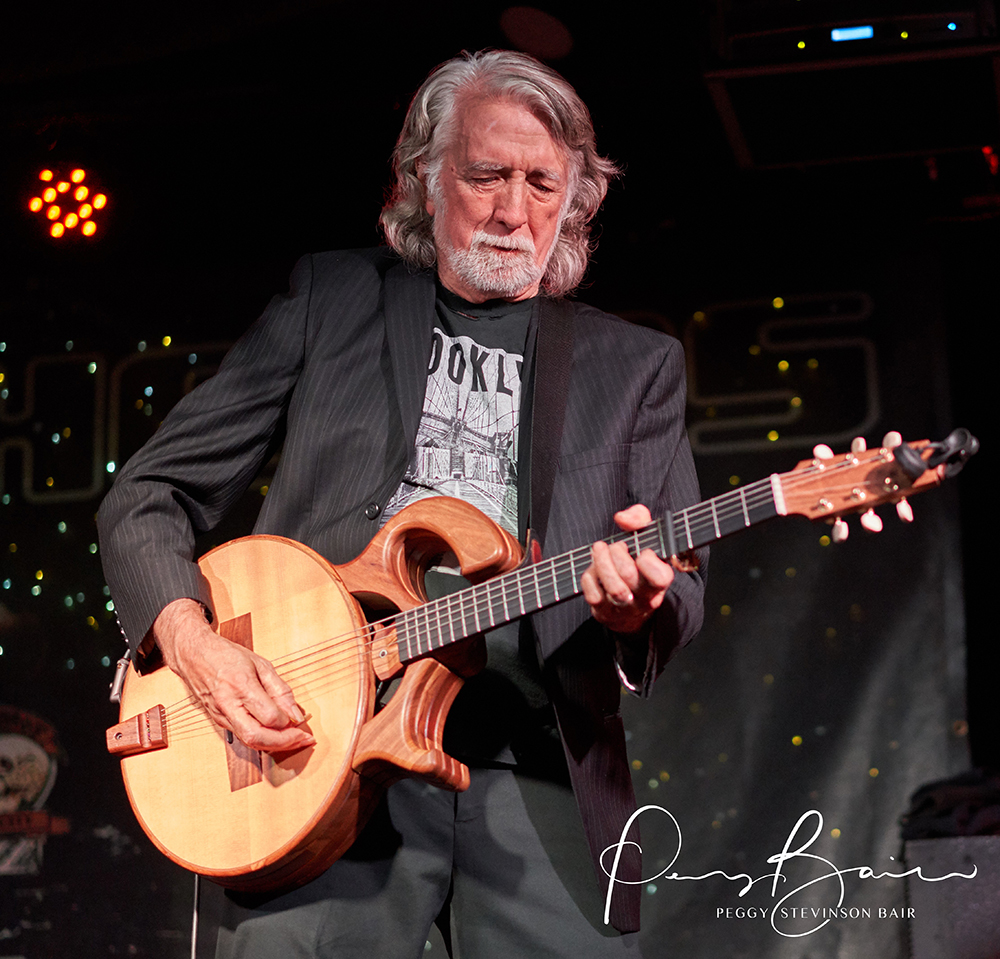
The thing that I was rather astounded by was the result with the A7RIII. I'm sorry I don't have fancy words for it - but, basically, the images are crispy and filled with fine detail. Shockingly so.
And I was shooting rather handicapped since I didn't really have the custom controls set up the way I wanted yet.
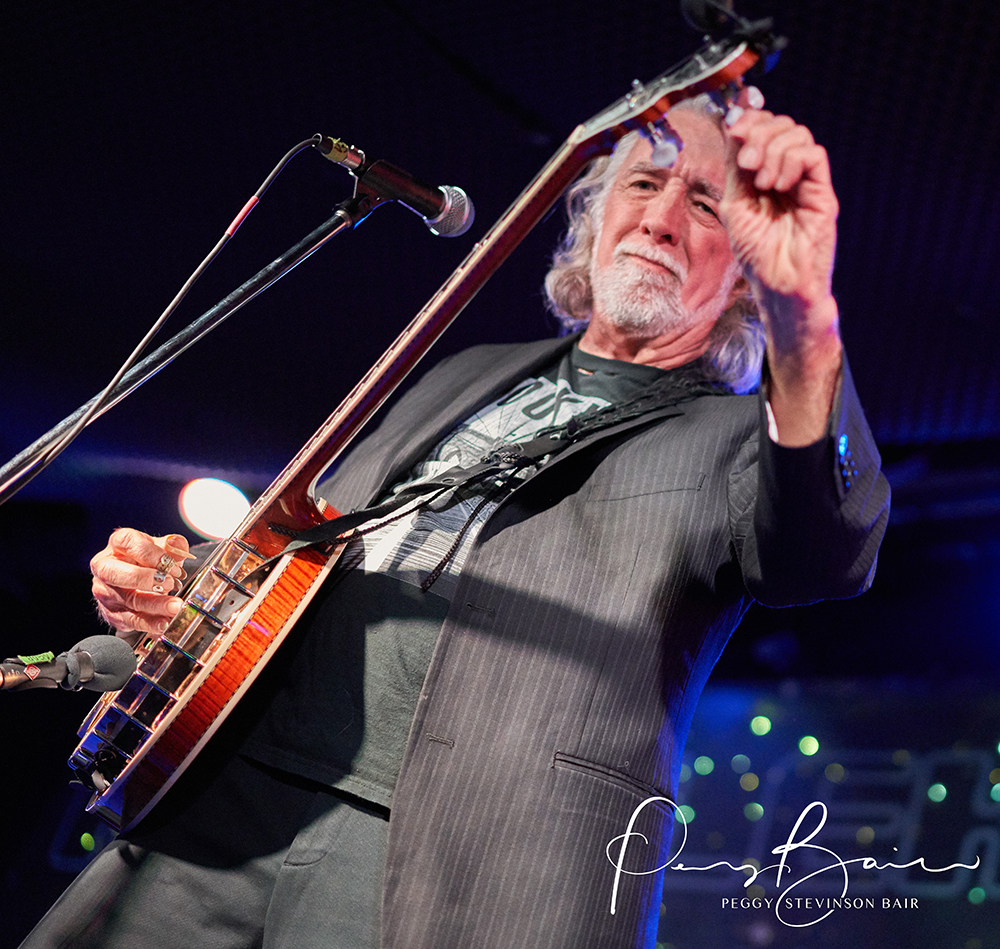
On the second photo, notice how the focus on his face wasn't quite nailed as the camera was searching for a face on the banjo instead of the focus point where I wanted it. This is what I mean by shooting through objects. I need to make that decision myself or get the camera to overcome searching for the face when I'm shooting through obstacles. Normally, I would choose a focus point and nail that point - but letting the camera choose to detect a face was not successful in this particular situation.
Also, notice that the ISO shifted from 4000 to 10000. I wish I could have had a static ISO of my own choosing - in fact, complete settings of my own choosing. This is a problem I will resolve by getting the camera set up properly for the way I want to shoot.
Since I have to downsize the images so much to post them here, they might not appear with the same crispness and resolution as they appear on my own computer screen.
pasblues wrote:
Since I have to downsize the images so much to post them here, they might not appear with the same crispness and resolution as they appear on my own computer screen.
I can still see fine detail on the resized image. The A7R3 + 55/1.8 is indeed a well balanced high IQ combo. Great images.
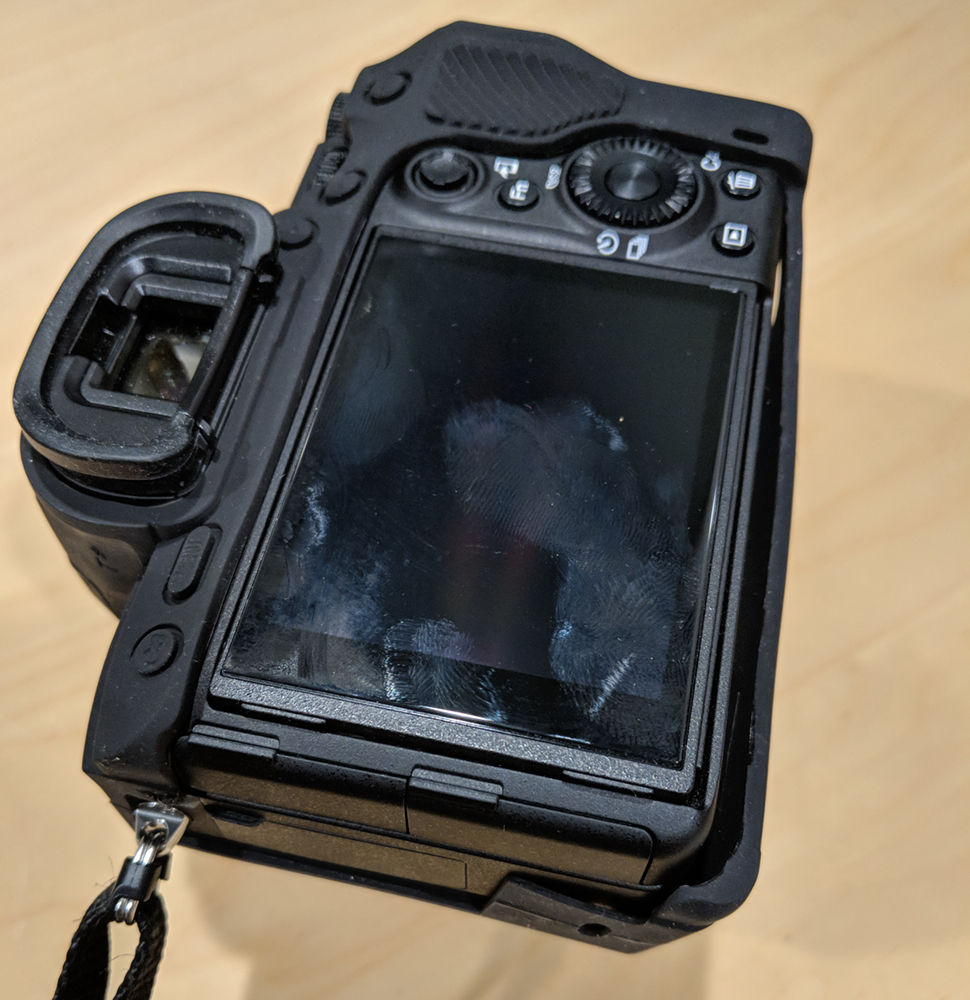
Just tried on the EasyCover for the A9 that is stated as being compatible with the A7RIII, but it did not go well.
It's too loose along the bottom of the LCD and there is nothing to hold the lower left edge from flopping around.
All they had to do was put one thin strip of rubber from the top to the bottom along the left edge of the LCD and it would have been just fine. Disappointed and it's being returned (via Amazon).
mine is actually flush. the only problem is that this version has a cut out for the joystick so the plastic is level with the joystick making it hard to move around
jhinkey wrote:
Just tried on the EasyCover for the A9 that is stated as being compatible with the A7RIII, but it did not go well.
It's too loose along the bottom of the LCD and there is nothing to hold the lower left edge from flopping around.
All they had to do was put one thin strip of rubber from the top to the bottom along the left edge of the LCD and it would have been just fine. Disappointed and it's being returned (via Amazon).
joosay wrote:
Whoa that's a huge difference. So shoot uncompressed when using e-shutter??
Keep in mind these are the very deepest of shadows near clipping, with a +7EV push, so they're not typical of the post-processing most would use. As for the result, I think the Single-Shot Compressed and Single-Shot Uncompressd are close enough that one could choose whichever format they happen to prefer (for other reasons, like file size or avoiding Sony's compression artifacts in high-contrast regions).
Also keep in mind that the Single-Shot compressed and uncompressed use the slower 1/15 sensor readout, whereas the Continuous (Compressed) uses the faster 1/30 readout, which can affect the amount of rolling shutter artifacts in the image.
snapsy wrote:
Keep in mind these are the very deepest of shadows near clipping, with a +7EV push, so they're not typical of the post-processing most would use. As for the result, I think the Single-Shot Compressed and Single-Shot Uncompressd are close enough that one could choose whichever format they happen to prefer (for other reasons, like file size or avoiding Sony's compression artifacts in high-contrast regions).
Also keep in mind that the Single-Shot compressed and uncompressed use the slower 1/15 sensor readout, whereas the Continuous (Compressed) uses the faster 1/30 readout, which can affect the amount of rolling shutter artifacts in the image. ...Show more →
Sorry, I got confused when you wrote "Continuous."
Are you comparing AF-S to AF-C, or single frame drive mode (must release shutter button to take another shot) to multiple frame drive mode (hold down shutter button to keep shooting)?
Thx
Parariss wrote:
Sorry, I got confused when you wrote "Continuous."
Are you comparing AF-S to AF-C, or single frame drive mode (must release shutter button to take another shot) to multiple frame drive mode (hold down shutter button to keep shooting)?
Thx
snapsy wrote:
Sorry, Multi-Shot, as in "continuous shooting".
Thanks for the clarification and the demonstration test. And, wow, I had no idea there was that much difference across drive modes. Yes, +7EV is abnormal, but the difference shown is large enough to become material at far less than +7EV. I guess it's the part of the hidden cost of having 42 megapixels. I don't mind paying it, but I do want to know where the issues are. Thanks again.
Going to post detailed first impressions later - I've shot 3000 raw images with it over a trip to mexico city and houston, and I'm just reviewing the images now. However -
BIG PROBLEM - Lightroom (updated to the latest version 7.1) is having a heck of a time dealing with the raw 42mg files. As in, it's crashed my computer 6 times in a row.
This has never happened once shooting all four generations of Canon 5D or any other Canon. Has anyone else had this problem that could help with with settings or advice? 17mp reduced sensor size images seem to work fine, it's just the 42mp ones that are the problem. I have the originals on a separate 20 TB external drive, and the previews and main application on the internal 500gb SD drive, imac 5k, 32gb ram.
avuroski wrote:
Going to post detailed first impressions later - I've shot 3000 raw images with it over a trip to mexico city and houston, and I'm just reviewing the images now. However -
BIG PROBLEM - Lightroom (updated to the latest version 7.1) is having a heck of a time dealing with the raw 42mg files. As in, it's crashed my computer 6 times in a row.
This has never happened once shooting all four generations of Canon 5D or any other Canon. Has anyone else had this problem that could help with with settings or advice? 17mp reduced sensor size images seem to work fine, it's just the 42mp ones that are the problem. I have the originals on a separate 20 TB external drive, and the previews and main application on the internal 500gb SD drive, imac 5k, 32gb ram.
Thanks!...Show more →
Here's a more complete Electronic Shutter noise comparison, this time with a full EV comparison. I progressively underexposed in 1EV increments - in post each image was pushed by the equivalent number of stops it was underexposed. For example if I underexposed by 4EV then I pushed the image by 4EV. This means all the resulting images have the same effective brightness (post-push).