Fred Miranda wrote:
Yes, if your camera supports it, it's a great deal. It had its downsides though...The in-camera Smooth Reflection didn't support silent shutter or uncompressed RAW which means your mechanical shutter would wear faster with heavy usage and the files were not 14-bit. Even though the resulting image was a RAW file, it had zero latitude for the highlights.
Recent Sony cameras have a built-in intervalometer making shooting multiple images much easier. The only downside is having to shoot many images in camera and the time it takes to process in post. The new app above (Mac only) process the images very fast and the developer told me the next version will support RAWs straight from the camera....Show more →
Any Windows option for the same task (apart from Photoshop itself)?
I have been using a command line program called ImageMagick. Completely free ofc.
It basically averages TIF files way, waaaay faster, and with less memory than Photoshop does.
I have been doing averages of 60-80 files per batch, in a total of close to 300 r4 and r3 shots, that take, literally, <2m/batch on my 16 inch 2019 i9 MacBook.
If someone is interested to write a tutorial with me, get in contact so we could put it here and help others. Since I have all the tooling working already I can't "redo the process". Any operating system would be okay but Macs and Linux would be easier because of the command line being present.
Here are some of the images I have processed this way (pay attention to clouds mostly):
I've been working on a framework that allows for the modification of the raw data contained in DNGs. My intended use is for experimentation with various image processing techniques and theories but I also realized this would be useful for some user-level features. For example I just implemented raw-based flat-field correction in the framework (sensor dust removal and vignetting correction) and more interesting for this thread, median image stacking. This allows you to apply the same median-stacking available in Photoshop and Affinity but to raw files directly. In other words, the input is a set of raw files and the output is a single raw file. Basically the same as what Sony's Smooth Reflection app offers but done in post and with the added flexibility that median stacking provides (Sony does mean stacking, which is much less resource intensive). It's fully automated as well - it automatically decides which images to stack based on their EXIF-based creation times and stacks each related set of images it finds. I didn't intend this to be user-facing but I'm putting out a feeler to see if there's interest.
Here's a post of the feature in my running thread on dpreview:
I've added mean support to the stacker in addition to median (documentation). Here's a 256 image mean stack of a 3-stops underexposed ISO 3200 image from my M43 GX85, showing a 100% crop comparison between one of the individual frames and the resulting stack. 256 images = 16EV improvement in noise. The entire stacking process is automated and it took 130 seconds total running off a spinning disk, which includes the 60 seconds it took for Adobe's DNG converter to pre-process the 256 raws to DNGs.
snapsy wrote:
I've added mean support to the stacker in addition to median (documentation). Here's a 256 image mean stack of a 3-stops underexposed ISO 3200 image from my M43 GX85, showing a 100% crop comparison between one of the individual frames and the resulting stack. 256 images = 16EV improvement in noise. The entire stacking process is automated and it took 130 seconds total running off a spinning disk, which includes the 60 seconds it took for Adobe's DNG converter to pre-process the 256 raws to DNGs.
Bravo, Adam and thank you for putting together a workable “SRA”! I didn’t know that you were working on this project. I would love to give it a shot before too long.
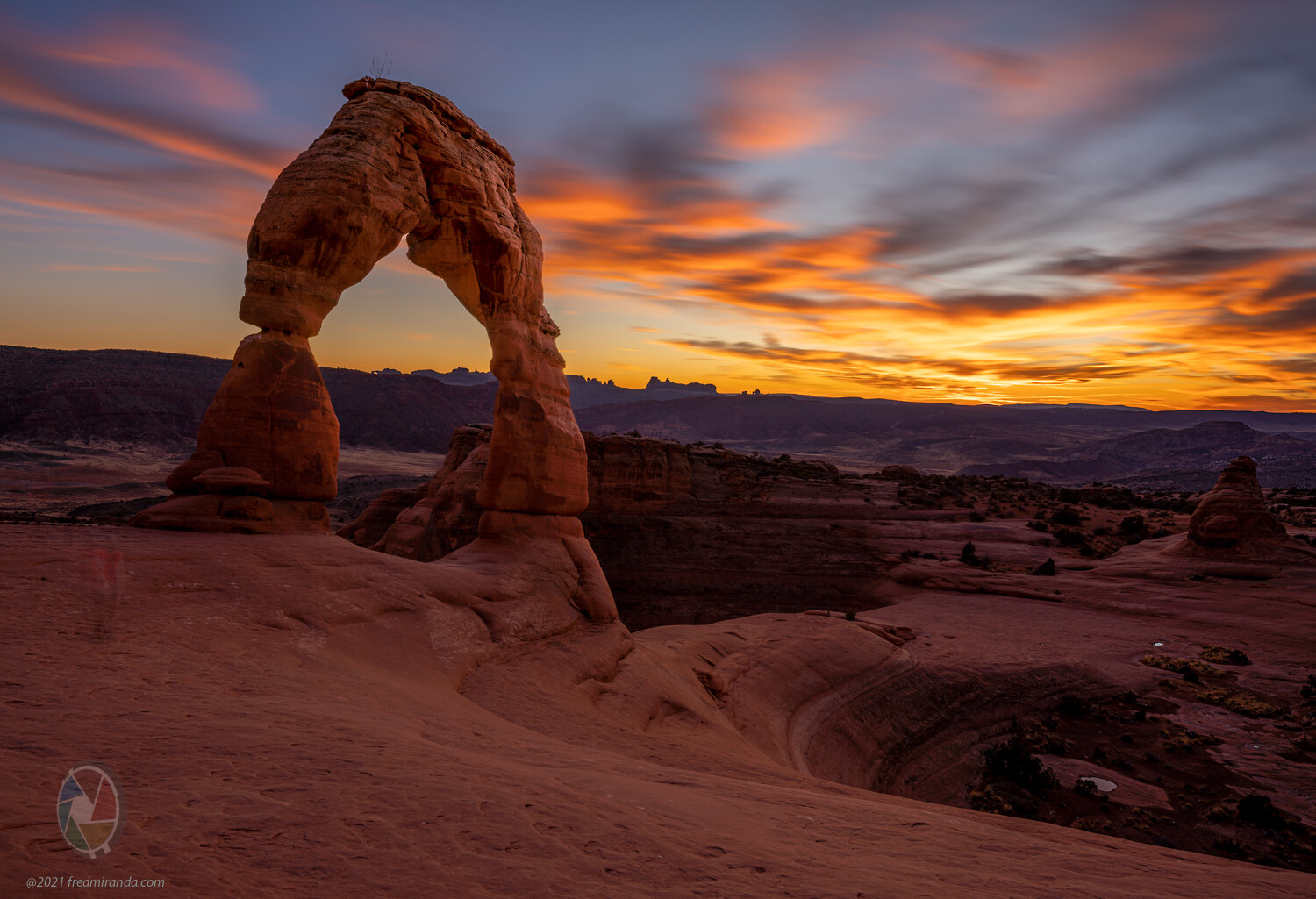
Well speaking of the Smooth Reflections App, having sold my a9 and a7riv/waiting for an A1, I grabbed the ol'A7Rii off the shelf last week for a play run with the FE 28-60 kit. Been a while since I've engaged the SR app.
Sorry for highjacking, this shot a couple blocks from the house.
snapsy wrote:
I've been working on a framework that allows for the modification of the raw data contained in DNGs. My intended use is for experimentation with various image processing techniques and theories but I also realized this would be useful for some user-level features. For example I just implemented raw-based flat-field correction in the framework (sensor dust removal and vignetting correction) and more interesting for this thread, median image stacking. This allows you to apply the same median-stacking available in Photoshop and Affinity but to raw files directly. In other words, the input is a set of raw files and the output is a single raw file. Basically the same as what Sony's Smooth Reflection app offers but done in post and with the added flexibility that median stacking provides (Sony does mean stacking, which is much less resource intensive). It's fully automated as well - it automatically decides which images to stack based on their EXIF-based creation times and stacks each related set of images it finds. I didn't intend this to be user-facing but I'm putting out a feeler to see if there's interest.
Here's a post of the feature in my running thread on dpreview:
Hi Adam,
I had a chance to play with your tool today and I'm very impressed.
I was able to average 64 RAW files in 57 seconds!!! Photoshop would take an eternity.
Question: Is it doing the averaging is 16-bit or 8-bit?
Here is the script I used in Octave and the resulting image after averaging 64 images (mean):
Fred Miranda wrote:
Hi Adam,
I had a chance to play with your tool today and I'm very impressed.
I was able to average 64 RAW files in 57 seconds!!! Photoshop would take an eternity.
Question: Is it doing the averaging is 16-bit or 8-bit?
Here is the script I used in Octave and the resulting image after averaging 64 images (mean):
Thanks for the feedback Fred! It uses a matrix of 32-bit values for the running sum, which is necessary because it's accumulating values that are 2^14 per pixel for each raw. The message output is a little verbose at the moment; I put in a mechanism to have a user-configured verbosity level but haven't implemented it across all the modules yet. I'm also considering a feature that will try to detect misaligned frames based on the stdev of rows/columns of pixels vs the other frames in the stack and automatically toss those frames out.
Btw those GPU warnings are from Adobe's DNG converter.
snapsy wrote:
Thanks for the feedback Fred! It uses a matrix of 32-bit values for the running sum, which is necessary because it's accumulating values that are 2^14 per pixel for each raw. The message output is a little verbose at the moment; I put in a mechanism to have a user-configured verbosity level but haven't implemented it across all the modules yet. I'm also considering a feature that will try to detect misaligned frames based on the stdev of rows/columns of pixels vs the other frames in the stack and automatically toss those frames out.
Btw those GPU warnings are from Adobe's DNG converter....Show more →
Even if it was averaging 8-bit files it would still be absurdly fast compared to Photoshop. Definitely makes it possible to average 256 images or more without running out of ram.
It would be great if we could run this from Lightroom as a plugin. Like selecting the images to average, calling the script and return the averaged file. That would be ideal for many of us but it already works great as it is. BTW, I followed your installation instructions on the Mac and it was very easy to get it running.
Fred Miranda wrote:
Even if it was averaging 8-bit files it would still be absurdly fast compared to Photoshop. Definitely makes it possible to average 256 images or more without running out of ram.
It would be great if we could run this from Lightroom as a plugin. Like selecting the images to average, calling the script and return the averaged file. That would be ideal for many of us but it already works great as it is. BTW, I followed your installation instructions on the Mac and it was very easy to get it running.
It should be relatively trivial to get this functionality. I have instructions on how to run the stacking via the OSX/Windows command line (here). Would just need to get Lightroom to launch the script for the selected folder. I'll download the Lightroom SDK and see how easy it would be to do a small plugin that just launches an external script. Lightroom's scripting language is Lua, which I've never used so it might be a good excuse to learn it.
snapsy wrote:
It should be relatively trivial to get this functionality. I have instructions on how to run the stacking via the OSX/Windows command line (here). Would just need to get Lightroom to launch the script for the selected folder. I'll download the Lightroom SDK and see how easy it would be to do a small plugin that just launches an external script. Lightroom's scripting language is Lua, which I've never used so it might be a good excuse to learn it.
That would be awesome!
Tomorrow I will try a 256 image, This is fun!
Fred Miranda wrote:
That would be awesome!
Tomorrow I will try a 256 image, This is fun!
I have a proof-of-concept LR plugin working, initially on Windows. I'll be tied up for the next week or so before I can continue with the effort. Here's a quick demo:
snapsy wrote:
I have a proof-of-concept LR plugin working, initially on Windows. I'll be tied up for the next week or so before I can continue with the effort. Here's a quick demo:
Very cool Adam. Can't wait to try the Mac version.
Here is a quick test I did with your tool using 256 images. (cloudy day with not much wind)
The entire process took about 3.5 minutes! This would take more than an hour in PS and one would need a very powerful machine with lots of RAM to be able to finish it.
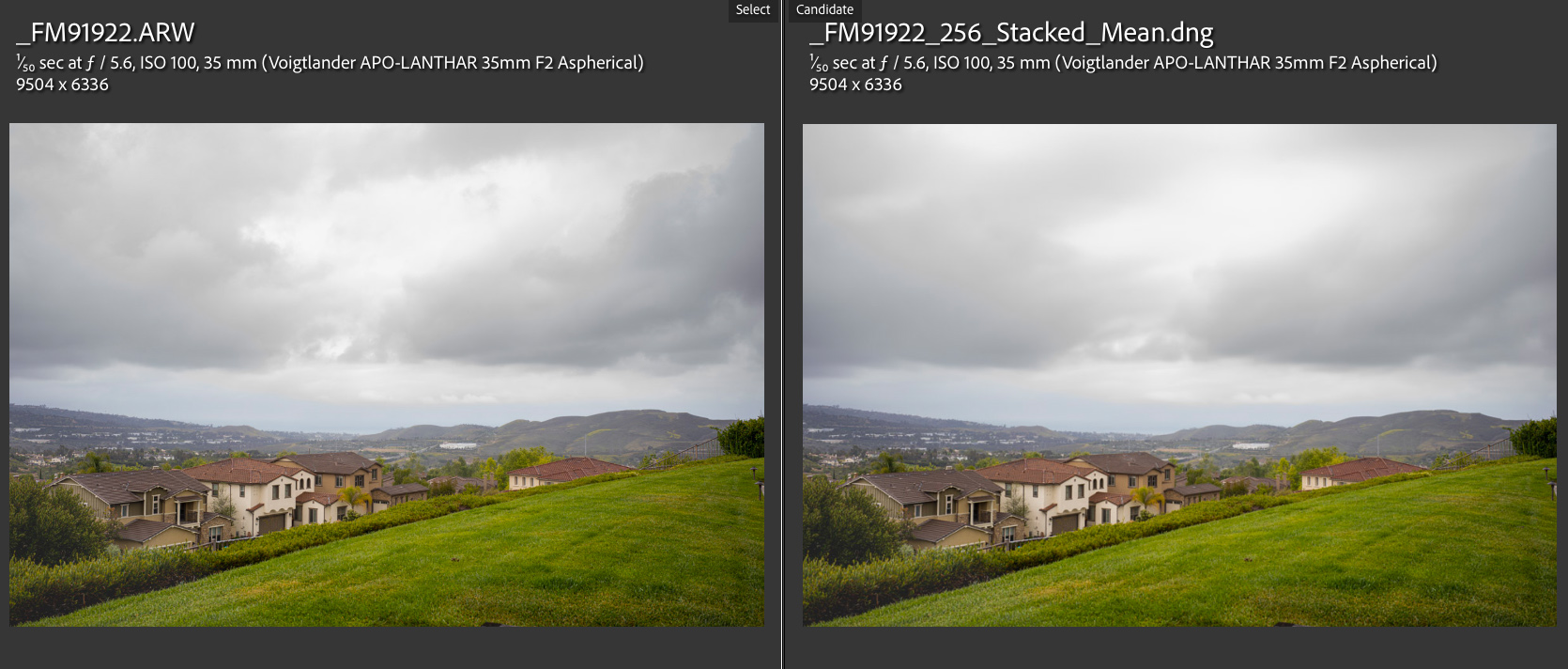
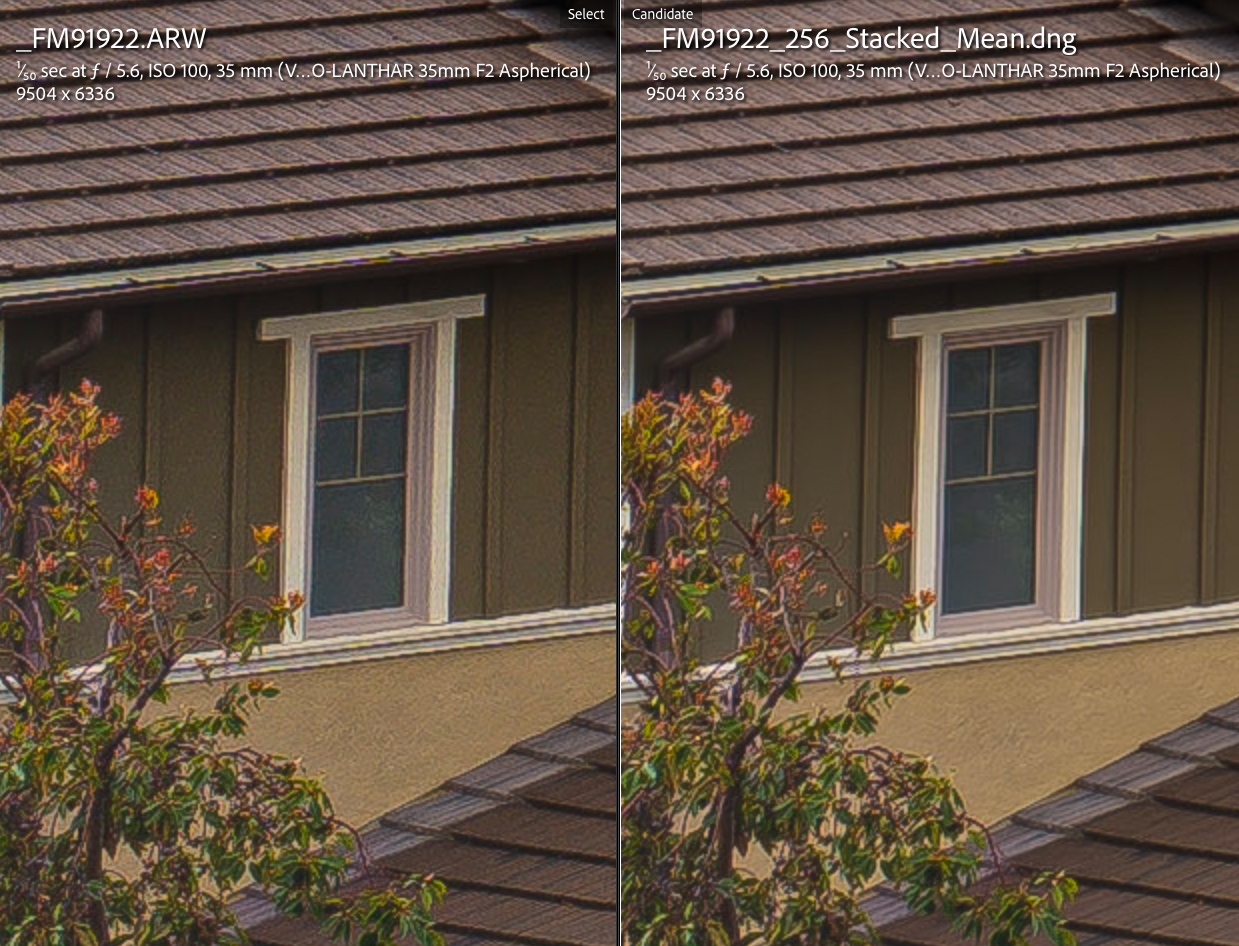
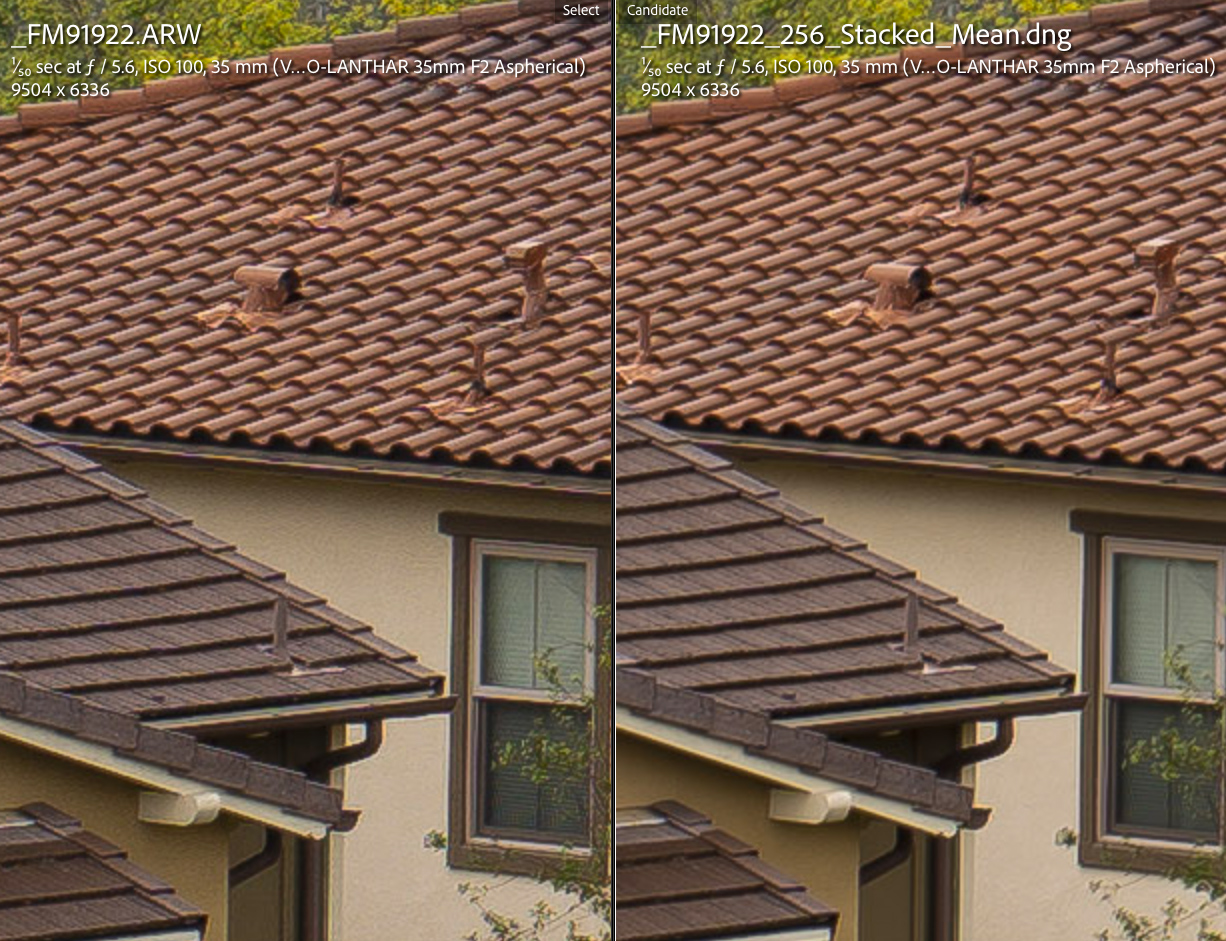
2 images side by side showing the regular RAW and the 256 stacked
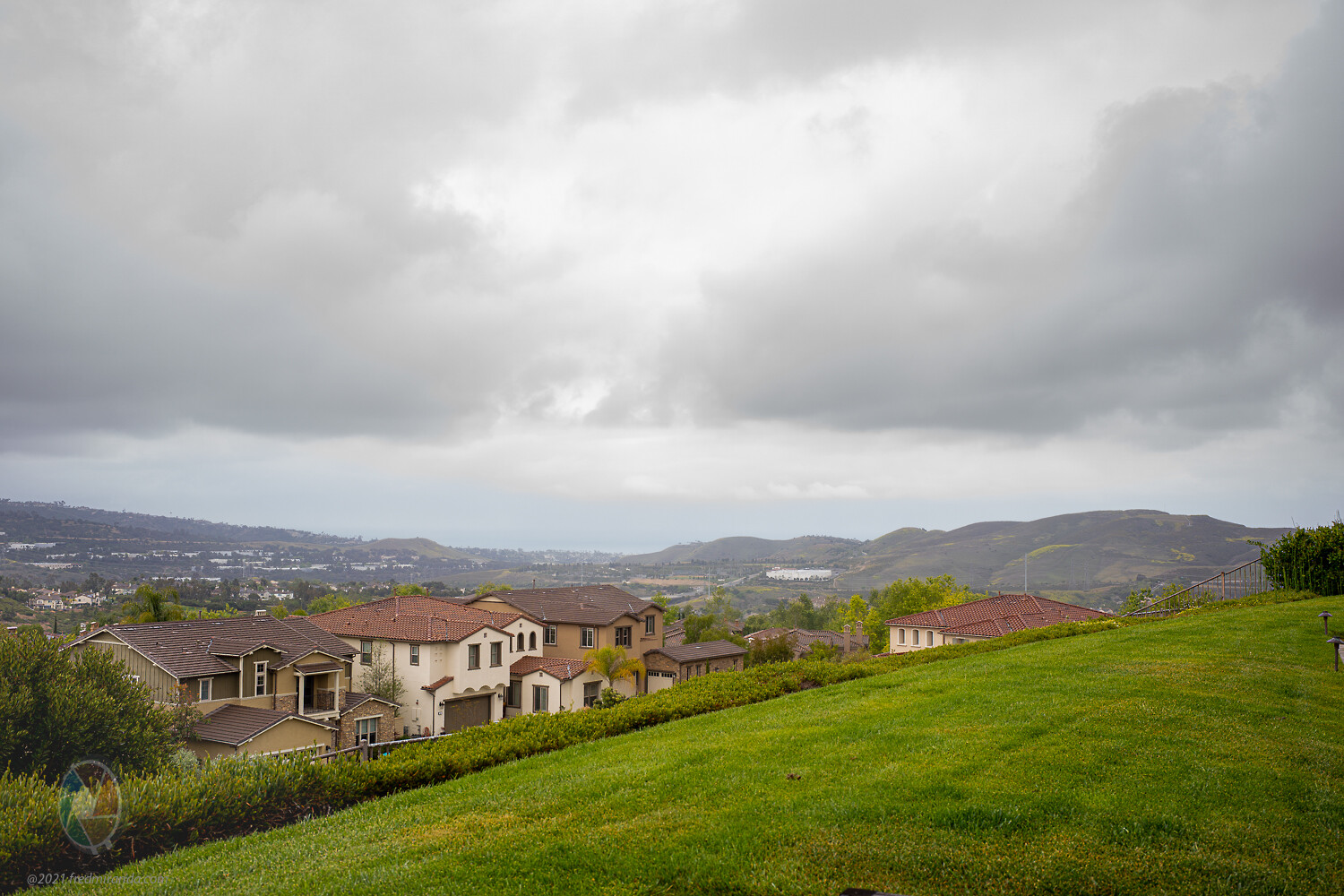
One RAW
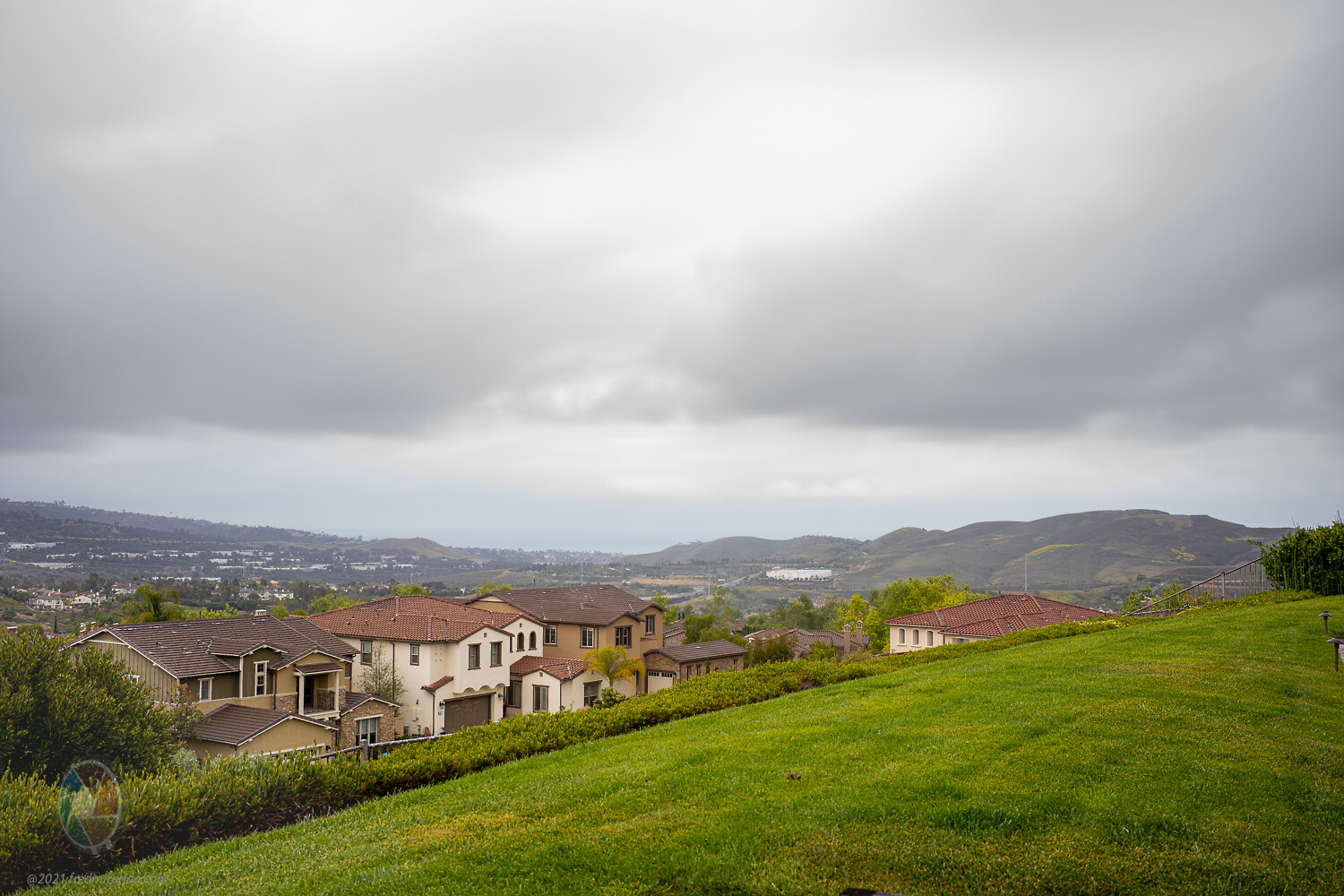
256 stacked. Not much ND effect because there was no wind
Octave's console showing the script run
200% crop comparing 1 RAW to 256 stacked DNG. (the 1 RAW crop may appear sharper but it's just more noise. :-)
How is this better than Sony's Smooth Reflections app:
1) The resulting image is a 16-bit DNG instead of 8-bit.
2) 2 stops latitude for the highlights. I over exposed all 256 images 2-stops in order to get even better shadows (ETTR). If I would do this in Sony Smooth Reflections, all highlight data would be lost.
3) If there is a blurry image between the sequence, it's easy to remove that problem image in post. With Sony's SR, the resulting image would look softer.
4) It's possible to reduce the ND effect in post. Let's say you captured 256 images but the ND effect is too strong. In post, you have the option to average less images for less ND effect. (Like 32 or 64)
Overall higher IQ with Adam's tool and more flexibility.