SGallant wrote:
So I shut everything off you listed, and as I expected those settings don't change anything. Pretty sure those only apply when you shoot jpg. Not RAW.
Likewise I had tested this on a DX body before in an attempt to increase the buffer capacity and didn't see any significant changes. However, I don't actually own an FX body so I didn't want to throw that out there =)
My understanding is as follows - if you are shooting RAW most of the corrections/DRO/NR are really more useful if you are intending to not do post-prod work? Most of the corrections that are impacting buffering would be best handled in post-prod by your computer if you are shooting RAW images.
I may be oversimplifying this or misunderstanding what I have read/learned so please feel free to correct me here.
None of these corrections affect anything in RAW unless you are using Capture NX D, they only affect the embedded JPEG. Only NX-D applies the corrections to the RAW files, 3rd party RAW converters either ignore corrections or use their own if selected.
JimBowman wrote:
Likewise I had tested this on a DX body before in an attempt to increase the buffer capacity and didn't see any significant changes. However, I don't actually own an FX body so I didn't want to throw that out there =)
--Jim
Interesting, I'd disabled these to increase buffer on my D7100 when I had it and got a noticeable boost (2-3 frames in 14bit lossless)
JimBowman wrote:
Anyone who has one of these mind doing me a huge favor:
Put the camera to in 14-bit lossless RAW (CH mode) push the shutter button - how many shots do you get before it sputters
Put the camera to shoot in 12-bit compressed RAW (CH mode) push the shutter button - how many shots do you get before it sputters
I refuse to shoot in crop mode as a compromise but I am going to make a decision today on the FX body I pickup so I am looking for real world tests of your camera if you don't mind adding a few shots to your total shutter count on the body =)
okafoja wrote:
So what is the verdict between Df and D750 regarding ISO?
I can't really give a verdict until LR can read the NEFs, but this I can tell you-- I shot the same night scene with both bodies and it looks like the D750 has less noise on the LCD preview..BUT it also appears that it has a more aggressive NR being applied on the JPG renderings because the Df previews look more crisp, albeit with slightly more noise.
As far as AF, I mounted the 16-35 f/4 on the Df and tried it in a dark room. The Df struggled right away with the AF just racking back and forth, unable to lock. I then mounted the 16-35 on the D750 and it locked right away. Same scene, same lighting, same target.
DontShoot wrote:
I can't really give a verdict until LR can read the NEFs, but this I can tell you-- I shot the same night scene with both bodies and it looks like the D750 has less noise on the LCD preview..BUT it also appears that it has a more aggressive NR being applied on the JPG renderings because the Df previews look more crisp, albeit with slightly more noise.
As far as AF, I mounted the 16-35 f/4 on the Df and tried it in a dark room. The Df struggled right away with the AF just racking back and forth, unable to lock. I then mounted the 16-35 on the D750 and it locked right away. Same scene, same lighting, same target. ...Show more →
I was able to get the TC-16A to work with no problems on the D750 (I didn't anticipate any). But, here are a few SOOC Raws using D750 & TC-16A & 180mm 2.8 AIS ED IF.
Opened raws in NX-D, converted to 16 bit Tiff and opened in LR and placed in Flickr file. No adjustments made at all.
subject matter is terrible, but if anyone wants to look at the files feel free to download and pixel peep. Both shots handheld, so most likely not very useful.
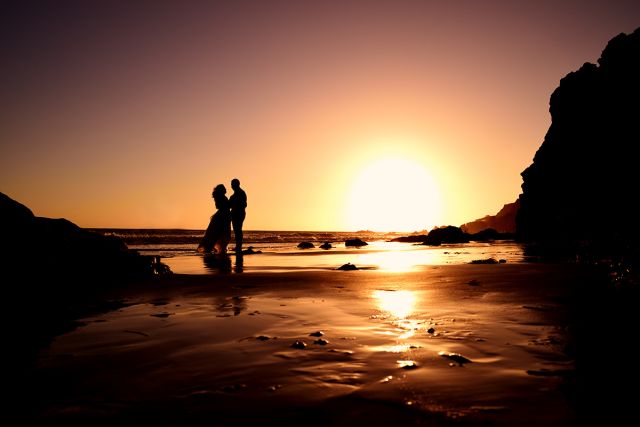
D750 with 28 2.8 AIS. Composition made possible by the tilt screen which opened up a whole world of possibilities. Clients got the pics right at the spot using Wi-Fi. Boom, done.
That photo is outstanding! Did you do a lot of post-processing on it or is that pretty close to SOOC?
I'm curious if ISO100 on D750 is equivalent / better / worse than ISO100 on D6x0. I haven't seen a lot of D810 shots that blow me away (maybe I haven't been looking hard enough) but everything from the D750 so far looks amazing.
MRM4 wrote:
Does the camera work as a transmitter allowing the phone to detect it? Is that for phones only, not laptops?
Correct. When you go to the settings menu on your phone, you will see the D750 listed as a Wifi device. Just connect, then tap on the Nikon App, and you can browse, transfer, or even remote live view and shoot the D750 using your phone. Not 100% sure on this, but I think it's for smartphones only.
slrl0ver wrote:
DontShoot,
That photo is outstanding! Did you do a lot of post-processing on it or is that pretty close to SOOC?
I'm curious if ISO100 on D750 is equivalent / better / worse than ISO100 on D6x0. I haven't seen a lot of D810 shots that blow me away (maybe I haven't been looking hard enough) but everything from the D750 so far looks amazing.
- slrl0ver
Thank you. As far as the exposure, NR, color, etc. it's pretty much untouched.... EXCEPT that I had to clone out two people from the frame because well.. it's impossible to have the entire beach to yourself, especially during sunset
From what I've seen, ISO100 on D750 looks very similar to ISO100 on my D600 shots. How do I test for base ISO? I know for a fact that ISO12800 is much cleaner than the D600's, but I'm not sure about ISO100.