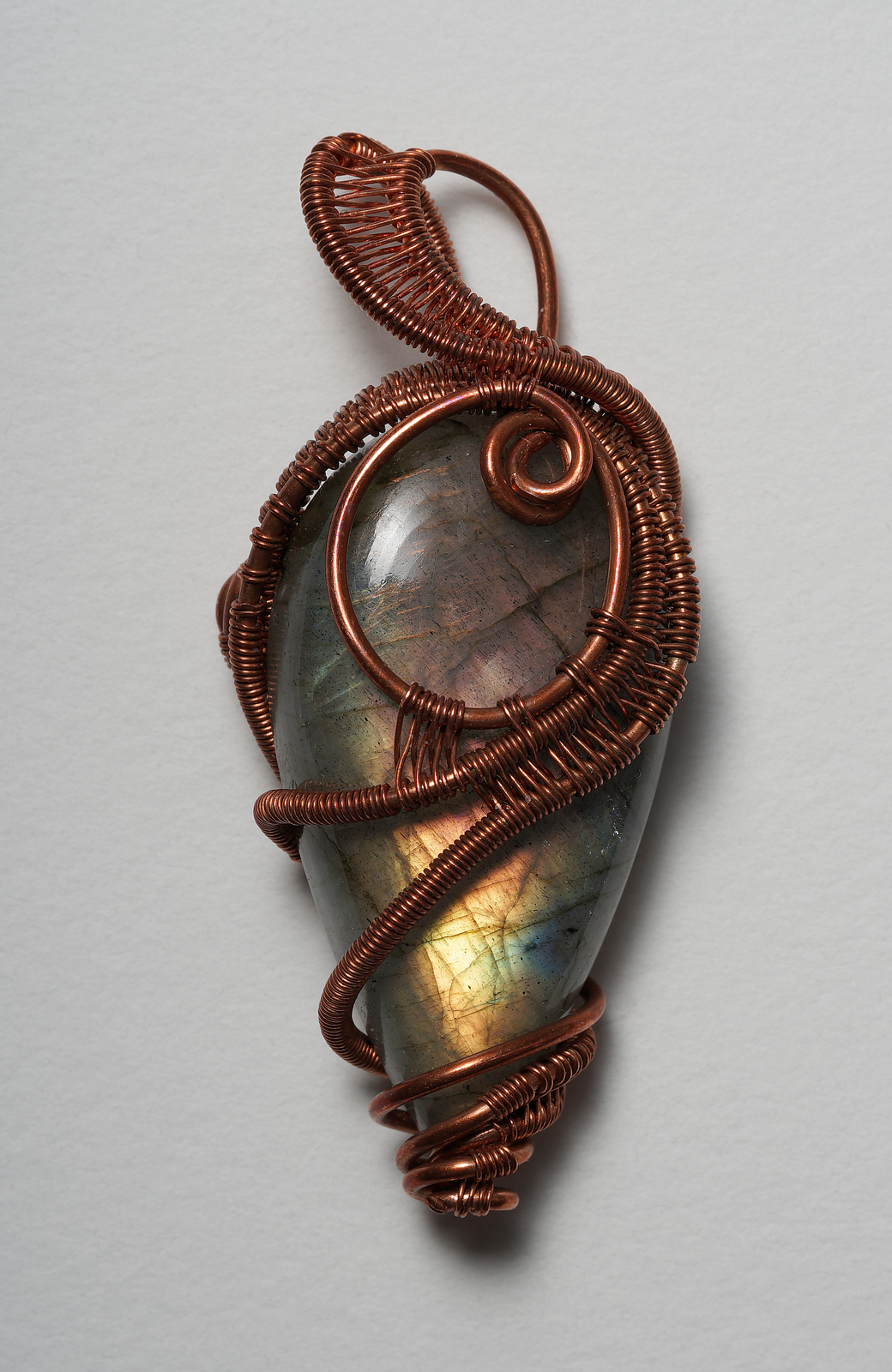
Hero shot of previous pendant. A7ii, 100 STF @ f/20, Canon 500D, one strobe. The 500D close-up lens yields about 2X subject magnification at MFD for the STF: an effective 0.5X pseudo-macro. Plus, I stacked five frames for additional bit depth.
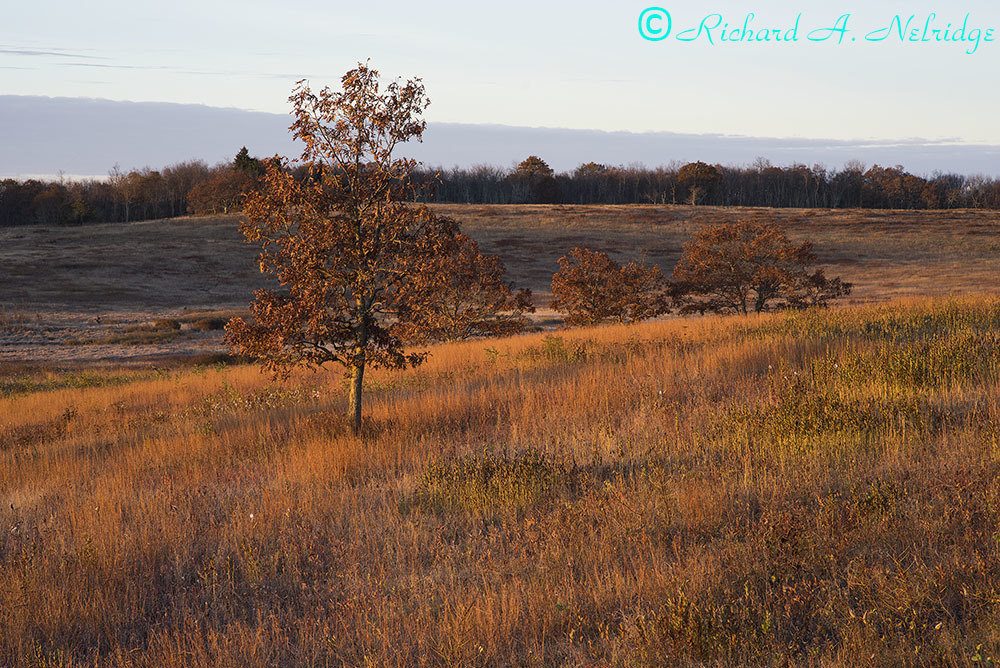
Looking at Big Meadows in Magic Hour, just after sunrise
Tripod mounted A7r and Leica M 90mm f2.5 Summarit lens
ISO 200, f11, 1/40 second
Exposure corrected by 0.24 Stops; processed in LR6.10
October 26, 2016
At Big Meadows, Shenandoah National Park, Virginia
MarcB83 wrote:
You should look into the Sony Camera App called Lens Compensation. You can create profiles for each lens, which you load everytime you change your lens, and the app will write the info in the EXIF data.
Thanks Mark, I was thinking to use Sound Photo to record a voice message with lens info but unfortunately this app is not available for A7r first version. Somebody could say if this solution could be easy to perform? Thanks. Hopefully I will upgrade my camera sooner or later
Manuel
ManuelLaMantia wrote:
Thanks Mark, I was thinking to use Sound Photo to record a voice message with lens info but unfortunately this app is not available for A7r first version. Somebody could say if this solution could be easy to perform? Thanks. Hopefully I will upgrade my camera sooner or later
Manuel
Manuel, can't help you with your idea. Hopefully somebody else can. But if I were to contemplate that avenue, I would seriously consider having with me small (but not too small) pieces of paper or durable material with me, with written on it the lens ID, and every time I put on a manual lens, I photograph that document with the info on it. Having a visual clue in the right sequence of the pictures is much more natural to deal with than audio bits in all software programs such as Lightroom. An alternative would be to have on your phone the same info, and photopraph the screen.
Marc
Samuli Vahonen wrote:
How is this done with his A7r?
With IBIS cameras like A7rv2 and A7v2 one can set IBIS focal length, but at least on firmware I had in my A7v2 spring 2016 this info was not written to EXIF.
Samuli
My mistake ! I have both A7r and A7rii and confused the menus.
Frogfish wrote:
My mistake ! I have both A7r and A7rii and confused the menus.
No problem - good to know A7rii saves the IBIS focal length to EXIF even A7v2 does not (or I should try to upgrade the firmware, which I prefer not to do as the camera works now and new firmwares create whatever new issues).
In my back-bag I usually have A7r, A7v2 and 2xA7 (I hate changing lenses in the field) - I'm confused all the time with different button positions and menus
Carl Zeiss Biogon T* 2/35 ZM @ f/11.0, 8s, A7 (Kolari v2 thin filter stack) @ ISO 50, Rodenstock Digital Vario ND 82mm
(photo from 2016, before invention of front-end filter-technique - this lens is usable f/11-16 with Kolari modified camera, but in my opinion needs the front filter for using it at larger apertures)
MarcB83 wrote:
Manuel, can't help you with your idea. Hopefully somebody else can. But if I were to contemplate that avenue, I would seriously consider having with me small (but not too small) pieces of paper or durable material with me, with written on it the lens ID, and every time I put on a manual lens, I photograph that document with the info on it. Having a visual clue in the right sequence of the pictures is much more natural to deal with than audio bits in all software programs such as Lightroom. An alternative would be to have on your phone the same info, and photopraph the screen.
Marc
IMO, you're not missing much. I downloaded the app, as it seems like a useful solution. Unfortunately, Sony cocked it up as they seem to do with many of their SW solutions.
For example, each lens profile doesn't take its many default settings (focus area, image type, size quality etc) from those set in the camera.
Instead they're set at whatever defaults Sony decided on, and you need to change some of them for every lens, even after setting the application defaults.
So irritating when software is done so poorly.
OK rant over.
I usually just use a notebook or take a photo of a lens before I start shooting with it, and then use lenstagger in LR. Low tech and easy.
A7RII. First two with Voigtlander 12mm f5.6 lens ISO 400, f11. The vertical shot began life as a 3:2 format, and the post was too centered to my liking, so I enlarged the canvas to 4:3 format and cloned the entire left side (about an inch or so wide) to make a 4:3 image and the post not so centered. The last image was Zeiss 16~35mm at 16mm, ISO 400 and f11, polarizer filter. Converted to emulate Plus X film and yellow filter (a combination I often used in my film days). Thanks for looking.
Dave (now 80 yrs old and still photographing, experimenting/printing).
Kierzkow wrote:
Is there is a way to capture the name of the Contax C/Y lens and/ or
the focal length used on the A7R + Novoflex? I have six C/Ys so it
can get a bit confusing when 50-60 shots get transferred to the Lightroom.
Maybe someone else as answered by now, but in case no one has ( i am catching up with a backlog) ...
There is an app that lets you enter in lens names, but the problem is that if you are running it, you lose your custom settings. I cant remember the name right now but i think something like lens corrections. Havent used it for a while, because i got the Techart which records exif data.
Or, whenever you change a lens, photograph your hand and have a code (number of fingers) for for each lens. Then in LR its easy to edit the exif using lenstagger. Problem with both, if you are like me, is remembering to do it before taking the first picture after a lens change.
rico, Frogfish, Samuli, MarcB86, Manuel bluloo, r2015
Good discussion about lens data recording.
It was a piece of cake this time.
Photo 1: Sony A7R + Sony FE 16-35 F4.0 (automatically recorded data)
Photo 2: Sony A7R + Voigtlander 12mm F5.6(very recogbisable lens)