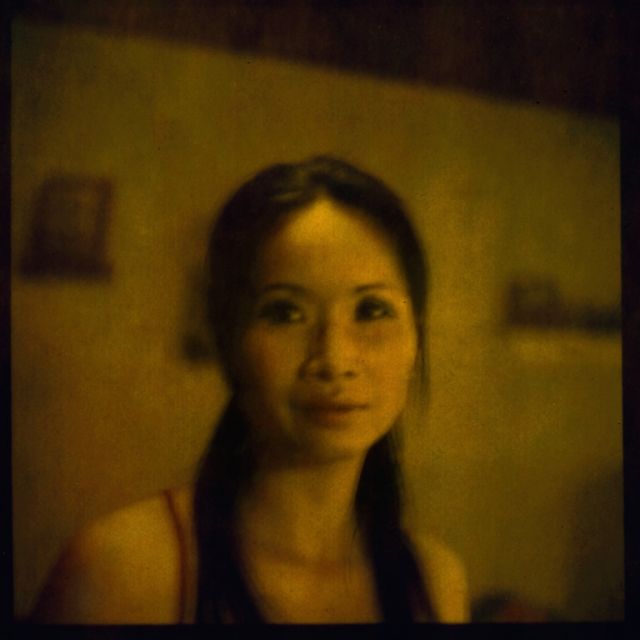
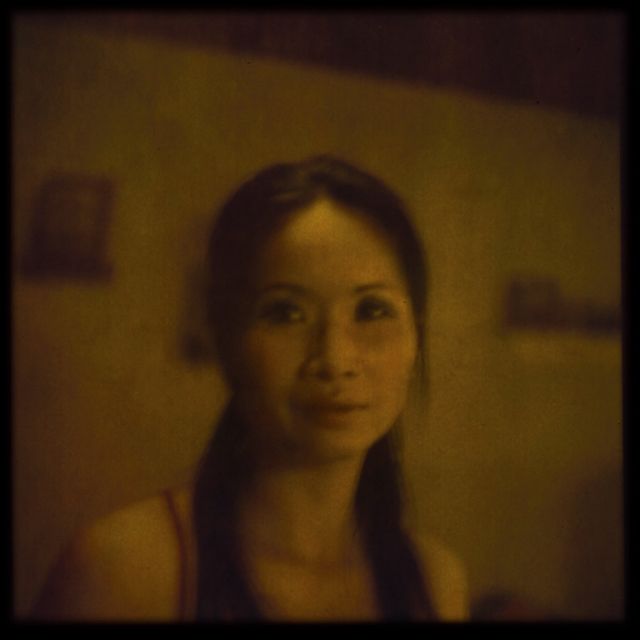
Challenging image jotdeh but I like that kind of light. To bring criticism to the table the out-blurred foreground makes no sense. And the mid-cut composition where more than half is blurred is kind of an obstacle. So I got a bit creative with a crop and multiple layers sort of enhancing the remaining features. As I look at it now I think the foreground is still too much but too late to fix now. Here's my interpretation.
Challenging image jotdeh but I like that kind of light. To bring criticism to the table the out-blurred foreground makes no sense. And the mid-cut composition where more than half is blurred is kind of an obstacle. So I got a bit creative with a crop and multiple layers sort of enhancing the remaining features. As I look at it now I think the foreground is still too much but too late to fix now. Here's my interpretation.
p.8 #5 · The how-would-you-process-my-image thread
I wonder if anyone would have better luck, than I have had, with this image? the las two are my attempts of many. These are the only files I have, they are from my Epson V500, and these are "Polaroids" shot from my Rollei 6008 Pro., with the Polaroid back, and Fujifilm FP-100 either the color version, or the black and white, I cant recall, but it appears it is the Fujifilm FP-100C Professional Instant Color Film ISO 100 (10 Exposure, Glossy)
Challenging image jotdeh but I like that kind of light. To bring criticism to the table the out-blurred foreground makes no sense. And the mid-cut composition where more than half is blurred is kind of an obstacle. So I got a bit creative with a crop and multiple layers sort of enhancing the remaining features. As I look at it now I think the foreground is still too much but too late to fix now. Here's my interpretation.
Wow nice one! Do you mind going into a little detail what you did besides the cropping? The greens are much better!
I get your criticism about the blurred foreground - you should 've seen me trying: "blur the foreground? or blur the background?", but somehow it didn't occur to me to "not blur anything"...
May 01, 2013 at 01:06 AM
a.RodriguezPix Offline • • • • [X]
p.8 #8 · The how-would-you-process-my-image thread
RustyBug wrote:
Colors are off from where I'm at in PS after posting ... not sure why, but this gives a gist of it ... sort of.
I like the outcome a bit, well, in the form of the framing and such, but the colors are bit unusual of course. I assume black and white would be a tad easier on the eye's! thanks for giving it a go, i really appreciate the time, effort, and teaching! I have an adverseness to learning processing, and with my inability to not separate colors correctly, i get even more flustered by it! My usual method normally consist of either just winging it, or now with the learning of lightroom 4 presets I just adjust from there to personalize it a bit!
p.8 #9 · The how-would-you-process-my-image thread
Yeah, I've no idea what's going on with the colors. 117,101,21 in PS is showing up as 109,114,28 ... giving it that weird green cast. How they are changing when I post them up is something I haven't figured out yet. I've never had this issue before, and I haven't changed any of my PS settings, etc.
I'm on Firefox and I checked it on an Ipad also ... both looking green. This is not good.
Recalibrated monitor ... still picking up about 10+ points more green after posting.
p.8 #10 · The how-would-you-process-my-image thread
jotdeh wrote:
Wow nice one! Do you mind going into a little detail what you did besides the cropping? The greens are much better!
I get your criticism about the blurred foreground - you should 've seen me trying: "blur the foreground? or blur the background?", but somehow it didn't occur to me to "not blur anything"...
Thanks all.
Got ya on the scene situation. Happens to me all the time, there's always a better comp, distance or exposure setting when you come home.
About the processing no logic work flow really. I am experimenting a lot with local contrast and beyond that there's a graduated filter for the sky and a "double vignette". I try to do it subtle but what it means is slightly more light in the center and less in the fringe. That affects colors too which is probably the main reason the green is greener. Theres no saturation added, just light changes. If I remember correctly a basic Levels brought them on too which is always the initial step. I dont handle Curves too well so I often stop with that. Finally some minor dodge&burn which can also affect colors, dodging midtones normally equivals a sponge set on saturation.
p.8 #11 · The how-would-you-process-my-image thread
wfrank wrote:
Thanks all.
Got ya on the scene situation. Happens to me all the time, there's always a better comp, distance or exposure setting when you come home.
About the processing no logic work flow really. I am experimenting a lot with local contrast and beyond that there's a graduated filter for the sky and a "double vignette". I try to do it subtle but what it means is slightly more light in the center and less in the fringe. That affects colors too which is probably the main reason the green is greener. Theres no saturation added, just light changes. If I remember correctly a basic Levels brought them on too which is always the initial step. I dont handle Curves too well so I often stop with that. Finally some minor dodge&burn which can also affect colors, dodging midtones normally equivals a sponge set on saturation. ...Show more →
I will try myself to reproduce this and learn more, thank you again!
May 01, 2013 at 04:07 PM
a.RodriguezPix Offline • • • • [X]
p.8 #12 · The how-would-you-process-my-image thread
RustyBug wrote:
Yeah, I've no idea what's going on with the colors. 117,101,21 in PS is showing up as 109,114,28 ... giving it that weird green cast. How they are changing when I post them up is something I haven't figured out yet. I've never had this issue before, and I haven't changed any of my PS settings, etc.
I'm on Firefox and I checked it on an Ipad also ... both looking green. This is not good.
Recalibrated monitor ... still picking up about 10+ points more green after posting.
Hmm, maybe its because this was a scanned film photo? I used my Epson V500, but i really have no idea how to use it anyhow! I do know that the image i get scanned is really close to the image on hand, even though it appears like a scanner error, it is a user of film, and over exposed error!
I had a similar thing going, but i was embarrassed to show it, for lack of having an actual know how! I am not very handy at the processing, heck, i ain't to great at photography in general, but i try! ugh my damn pre set watermarks onit! i need take it down asap!
p.8 #18 · The how-would-you-process-my-image thread
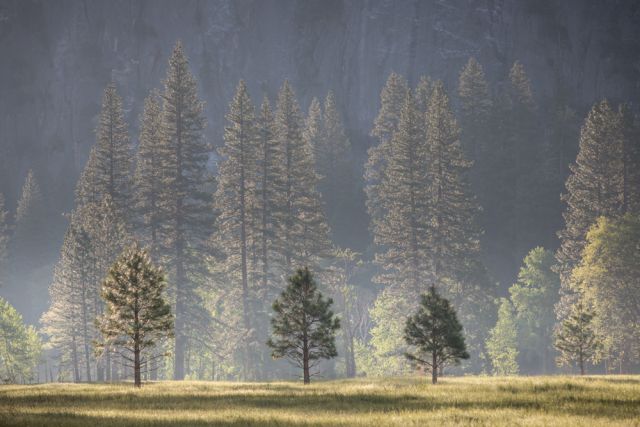
I'd like to add one to the mix and see and hear how you would approach this shot. Taken in Yosemite National Park this image has soft morning side light that attracted me in the first place. But I'm not sure the resulting image looks as dramatic as I saw it. Maybe you think it's fine as is and that's OK too. Here's the link to the raw file here
p.8 #20 · The how-would-you-process-my-image thread
rji2goleez wrote:
I'd like to add one to the mix and see and hear how you would approach this shot. Taken in Yosemite National Park this image has soft morning side light that attracted me in the first place. But I'm not sure the resulting image looks as dramatic as I saw it. Maybe you think it's fine as is and that's OK too. Here's the link to the raw file here
Thanks for getting the opportunity to play with this one! I would go for a graphically cleaner composition cropping the sides out, at the same time with a more height oriented aspect ratio to get more drama. Darkening the top further adds to this. In total a slightly different way to emphasize the "three sisters" which you already have done with the "light cone". Lastly, a bit more clarity adds some depth IMO. This is what triggered me, my personal iunterpretation, and I hope to see different approaches as well