Matt, I can't imagine editing on an ipad. I take the files directly to one of three NAS, then right click in LrC and "Synchronize" the folder. All my imports are finished when I set up the individual catalogs. Of course,, I have to synchronize the win10 and mac separately, but I also cull/delete files through LrC. (Bridger is much faster for culling only)
AdaptedLenses wrote:
I mostly ingest and edit on iPad these days, so should clarify that it may be specific to iPad.
That said, iPad doesn’t seem to know how to handle the RAW + JPEG file. On import it doesn’t show the RAW tag like it will for RAW only files. Fortunately Lightroom sees the RAW and ingests it as a RAW. However, I then copy the original to Files and move it to offline backup. At this point Apple prioritizes the JPEG over the RAW so I’m only getting the JPEG in my backups, no idea where the RAW went. I’ve verified via file extensions and file sizes.
Not a huge deal as I have the RAW in Lightroom and I can count on my hands and feet the number of times I’ve actually gone looking for old images, especially random shots like these. But still annoying.
Sorry to hear about the ankle Regina, maybe send Jose a PM for a catch up? We would all like to see that.
Enjoying the Nikki shots Matt, looking forward to getting my hands on it/her. Maybe a special trip in order.
Here are a few more classic bikes, or rather details.
One thing that struck me was how complicated it must have been to ride these early machines. As you may recall I'm a motorcyclist myself but the additional levers etc look most confusing, I'm not even sure what half of them are for !
Ken, you can export “original format” from Lightroom cloud but I’m not sure if that will be RAW only. But it’s also slow and wouldn’t be ideal for a whole days shooting, or even 30-40 images. The Files workflow might be better for that but just depends if anything generates a fix. I found migration in iPad workflow settings but that didn’t prevent the issue either.
Jim, once you get a workflow it’s pretty easy and it’s nice with the “always on” iPad vs getting a laptop turned on. Plus I like that iPad pros have good displays. Wouldn’t mind a desktop someday but I’m always moving so being able to process no matter is nice.
Matt,
My eyes , though getting better, can't edit on such a small screen. Plus my old fingers are a horrible controller compared to a mouse and keyboard. If only Doug Englebart had been correct so many, many years ago - we would have dumped controllers for Star Trek like voice commands in the 1970s. It is Steve Jobs and Bill Gates fault that the world settled on a stepping stone for the control and interaction with computers.
Jim
AdaptedLenses wrote:
Ken, you can export “original format” from Lightroom cloud but I’m not sure if that will be RAW only. But it’s also slow and wouldn’t be ideal for a whole days shooting, or even 30-40 images. The Files workflow might be better for that but just depends if anything generates a fix. I found migration in iPad workflow settings but that didn’t prevent the issue either.
Jim, once you get a workflow it’s pretty easy and it’s nice with the “always on” iPad vs getting a laptop turned on. Plus I like that iPad pros have good displays. Wouldn’t mind a desktop someday but I’m always moving so being able to process no matter is nice. ...Show more →
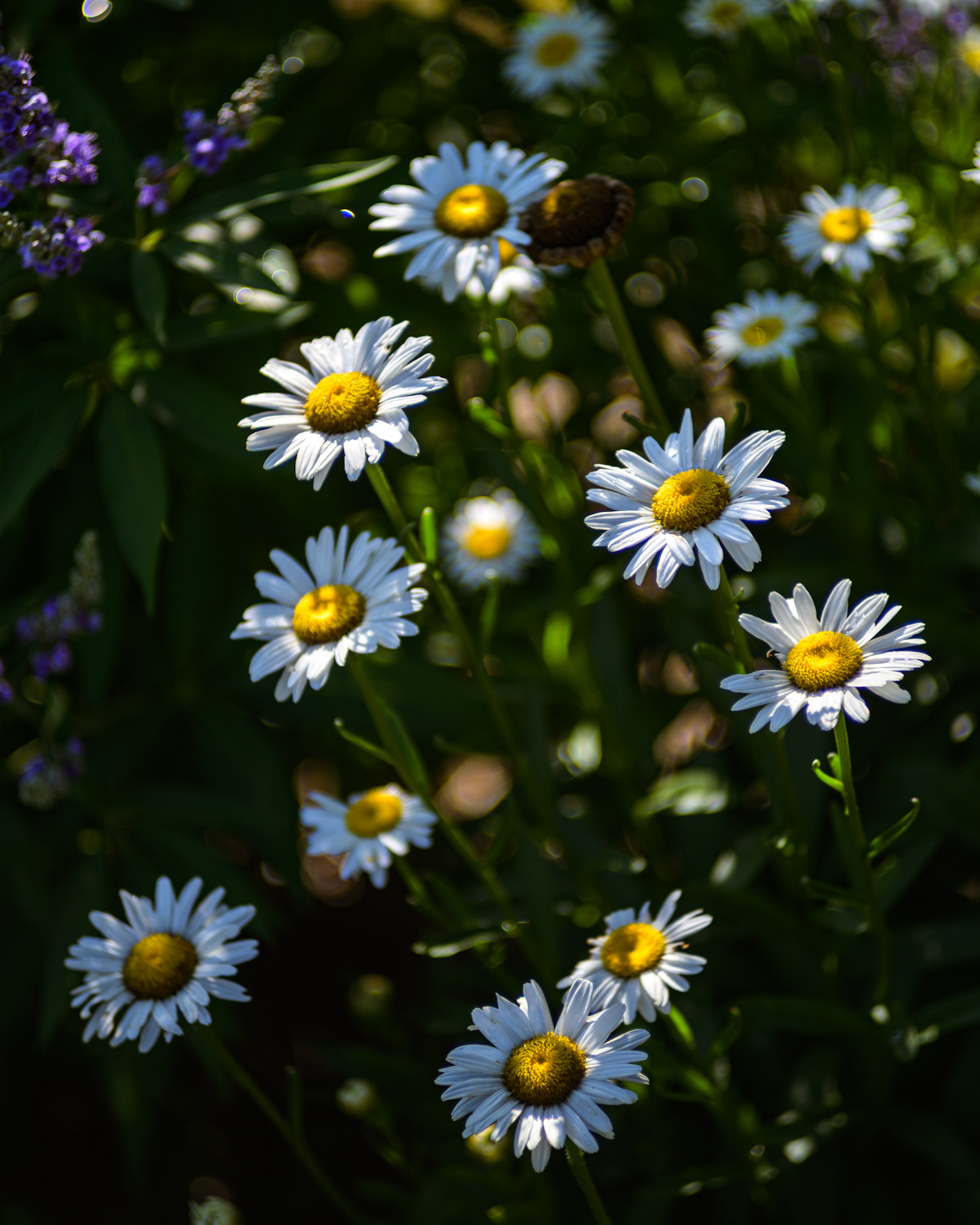
Matt - first, that is just a beautiful shot! Love the rendering!
I have also moved over to an iPad as my primary tool this year. The size, weight, screen and processing power gives me what I need most of the time. Plus it is great as a seamless second monitor when I use it along side my main computer at home. Using the Magic Keyboard and pencil works well for me. In relative terms it does not add much weight to an already full backpack and tripod and is nice having an 11" viewfinder for tethered shooting in the field. Especially for viewing shots with lens movements.
AdaptedLenses wrote:
Ken, you can export “original format” from Lightroom cloud but I’m not sure if that will be RAW only. But it’s also slow and wouldn’t be ideal for a whole days shooting, or even 30-40 images. The Files workflow might be better for that but just depends if anything generates a fix. I found migration in iPad workflow settings but that didn’t prevent the issue either.
Jim, once you get a workflow it’s pretty easy and it’s nice with the “always on” iPad vs getting a laptop turned on. Plus I like that iPad pros have good displays. Wouldn’t mind a desktop someday but I’m always moving so being able to process no matter is nice. ...Show more →
GeorgeBo wrote:
Matt - first, that is just a beautiful shot! Love the rendering!
I have also moved over to an iPad as my primary tool this year. The size, weight, screen and processing power gives me what I need most of the time. Plus it is great as a seamless second monitor when I use it along side my main computer at home. Using the Magic Keyboard and pencil works well for me. In relative terms it does not add much weight to an already full backpack and tripod and is nice having an 11" viewfinder for tethered shooting in the field. Especially for viewing shots with lens movements.
My main computer at home is a MacBook Pro with 27" external monitor. But when I travel it is the iPad Pro (M2). Reason I use that is weight/size, the ability to wireless tether in the field and as mentioned use it as my really big viewfinder
It handles 100MP raw images with no problem.
leighton w wrote:
Do you (and Matt as well) prefer the iPad over a MBP to edit images. If so, why? Thanks.
GeorgeBo wrote:
My main computer at home is a MacBook Pro with 27" external monitor. But when I travel it is the iPad Pro (M2). Reason I use that is weight/size, the ability to wireless tether in the field and as mentioned use it as my really big viewfinder
It handles 100MP raw images with no problem.
Oh that makes perfect sense. I bet it's fun to use it tethered.
GeorgeBo wrote:
My main computer at home is a MacBook Pro with 27" external monitor. But when I travel it is the iPad Pro (M2). Reason I use that is weight/size, the ability to wireless tether in the field and as mentioned use it as my really big viewfinder
It handles 100MP raw images with no problem.
George, when you use the iPad as a big viewfinder, do you use an iPad holder similar to what musicians use when they clip an iPad to their microphone stand? I can see how clipping it to your tripod would be very convenient. I have an iPad Mini that I may try that with.
The M2 is a marvel. I assume it is an Apple design, but I doubt anyone other than TMSC can fabricate it's 20 billion transistors at 3nm (maybe nvidia). Did you get the pencil pro, nano crystal screen, or keyboard? Lastly, I don't see any vents on the ipad pro - if you export 30--40 raw files at a time - does it get warm?
GeorgeBo wrote:
My main computer at home is a MacBook Pro with 27" external monitor. But when I travel it is the iPad Pro (M2). Reason I use that is weight/size, the ability to wireless tether in the field and as mentioned use it as my really big viewfinder
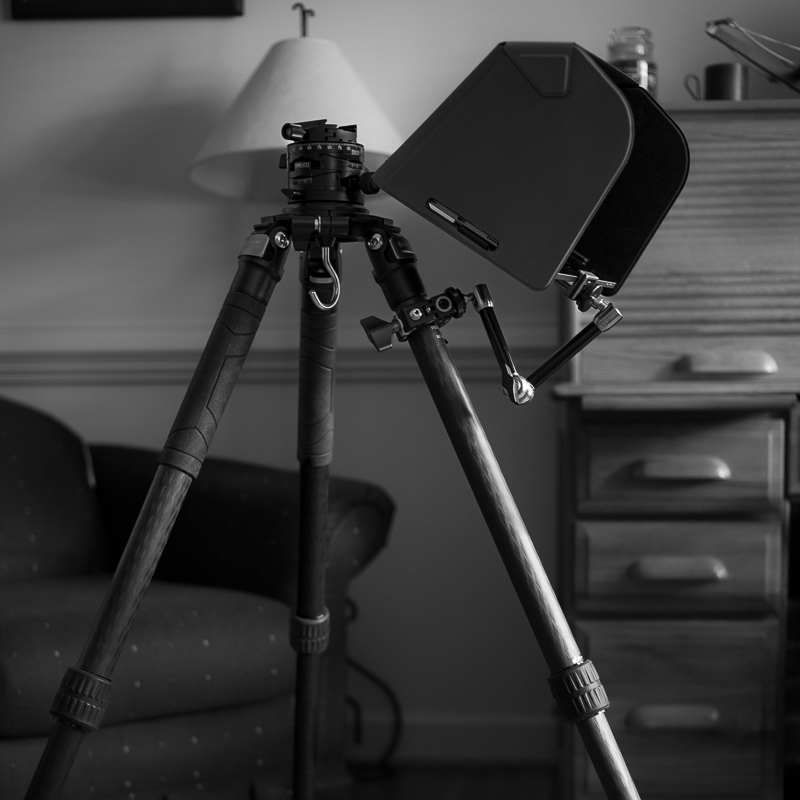
I do. I have a clamp and adjustable arm and clamp it to a tripod leg. Also have a sun shade for it.
But honestly most of the time I just take the iPad and hold it since I use a wireless tether.
spoupard wrote:
George, when you use the iPad as a big viewfinder, do you use an iPad holder similar to what musicians use when they clip an iPad to their microphone stand? I can see how clipping it to your tripod would be very convenient. I have an iPad Mini that I may try that with.
The new iPad Pro uses the M4 chip. It’s the one that uses the Pencil Pro and has the Nano Texture screen option. The M1/M2 iPad Pros use the previous version of the Pencil and don’t have the nano screen option (or OLED for that matter).
James Markus wrote:
The M2 is a marvel. I assume it is an Apple design, but I doubt anyone other than TMSC can fabricate it's 20 billion transistors at 3nm (maybe nvidia). Did you get the pencil pro, nano crystal screen, or keyboard? Lastly, I don't see any vents on the ipad pro - if you export 30--40 raw files at a time - does it get warm?