p.1 #1 · Tulips: Red and Solarized in Mono to create an Abstract Image
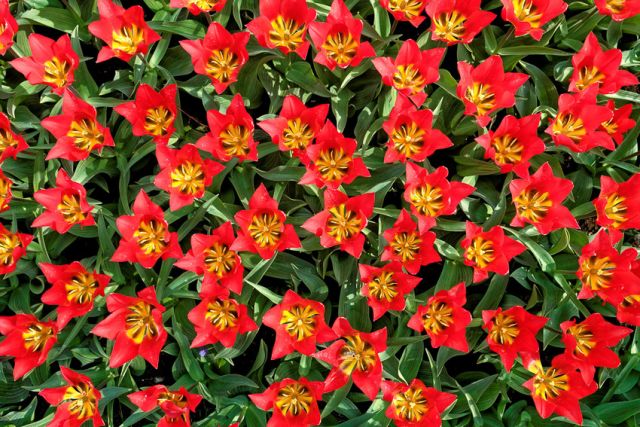
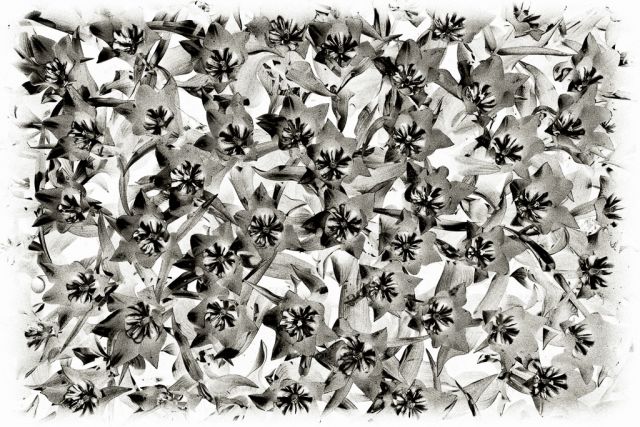
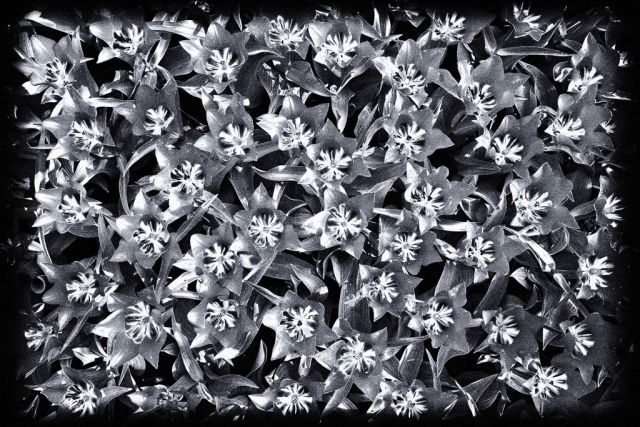
I decided to transform this image of beautiful red tulips at the fabled Keukenhof Gardens in Holland into something rather abstract in monochrome by applying solarization in post using Nik’s Color Efex Pro and desaturating.
When I took this picture in Spring, the tulips were in the peak of their season.
Taken with an old Canon EOS Digital Rebel using a 16-35L lens at 21mm, 1/160 at f/7.1, ISO 100.
Any C&C regarding my solarization efforts will be appreciated.
p.1 #3 · Tulips: Red and Solarized in Mono to create an Abstract Image
Thanks, Jeff. I appreciate your comment and I’m pleased you liked the color version.
Solarization is a wet darkroom procedure I used to occasionally use back in my film days.
It essentially is a partial (or total) reversal of tones in an image—as a result, light areas appear dark and dark areas appear light.
I did it by briefly exposing the print to white light in the developer chemicals as it was being processed. It was for me a pretty experimental process where I would flash the light briefly as the image was coming up. Sometimes the results were interesting—and sometimes not.
For me, at least, a lot of paper and time would be consumed in order to “get it right.” Today, in the so-called digital darkroom, one has a lot more control over the process and can calibrate results much better.
p.1 #4 · Tulips: Red and Solarized in Mono to create an Abstract Image
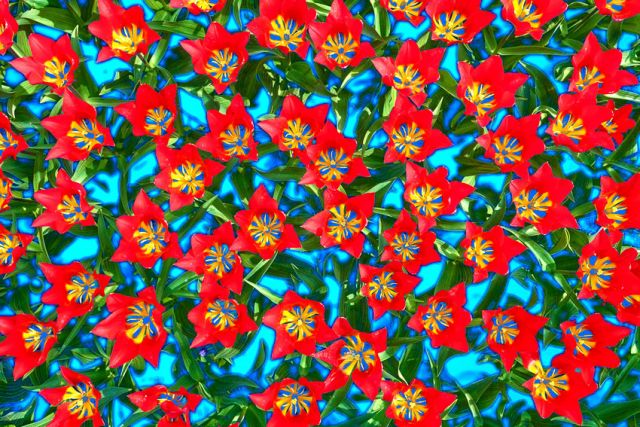
Back in the day I enjoyed doing color pseudo-solarization by exposing color transparency film to colored light during processing. Have to work up a Photoshop workflow for approximating it, but a quick and dirty try yields a Hawaiian shirt sort of version:
p.1 #11 · Tulips: Red and Solarized in Mono to create an Abstract Image
Hey Phil. I used a technique called Circle to Line perspective (think of this as having a circle, go from center of circle to outer paremeter, and then unfolding the circle until it's a straight rectangle). Unfortunately, this technique does leave seams after the first pass (did 3 total passes; should have done 4). I strategically blended the seams away (easier as it get's smaller). C to L doesn't require a seamless texture by the way, but I had to first make your image seamless in order to have a big enough fill. I then ran C to L, which automatically makes the image horizontally seamless (that's key). I then created a duplicate of this result, mapped another texture (double the width; kept height the same), and then shrunk the image so that the width is the same as the first result. I copied this back to the original result and did some selective blending to remove the seams. I then took the second texture (left the blended result alone) and horizontally doubled he width again and then shrank that result 50% and blended it back.
C to L is a mathmap preset; mathmap is available in multiplle ways now, but GIMP was the original editor where it was available. I could not find the link to the script though. It's buried somewhere in the threads at link below. If you are interested, I can PM you the code (not mine so uncomfortable to share publically). You, of course, have to have mathmap. My apologies in advance if I confused you. lol
p.1 #12 · Tulips: Red and Solarized in Mono to create an Abstract Image
Hi Lyle,
Thanks for describing your process using C to L. I don't feel confused by your workflow description but I suspect my ability to apply it is limited. I do have GIMP and have made some use of it, inspired by your applications of GIMP and SineDots in some of your earlier applications on this Forum. Your work is certainly impressive.
I found GIMP/SineDots very difficult to work with, due to my own limited programming/execution skills.
Thanks--I got the code you sent me via PM. I'll look into mathmap and C to L and see if I can get something going. I appreciate your efforts and encouragement here.
p.1 #13 · Tulips: Red and Solarized in Mono to create an Abstract Image
SineDot's is actually a Photoshop filter that can be run in GIMP using PSPI. Still, GIMP's an extremely powerful program and use it will even address the high bit depth requirements that many editors feel necessary for editing purposes (but to be honest, rarely have I seen it make a difference to me; has helped with poster issues in blank skies but there's ways to get around even that). The biggest filter you can have in your GIMP arsenal is G'MIC. Highly recommend you getting this filter if you haven't already Phil.
p.1 #14 · Tulips: Red and Solarized in Mono to create an Abstract Image
You're right, of course, Lyle.
I did run SinedotsII under DragonFly as a 32bit PS filter.
That was several months ago and in my comment above I was just remembering all the time I was struggling without success to get some GIMP output that did what I wanted--then finally turned to PS/DragonFly/Sinedotsii with some OK results.
p.1 #17 · Tulips: Red and Solarized in Mono to create an Abstract Image
2 years ago, I couldn't do this either Phil. Knowing is doing; only way I learn anyway. Other perspective techniques don't come close to C2L, but C2L don't work for all textures unfortunately.