p.1 #1 · great gray owl holdovers + procesing challenge
in an effort to clean out old, unprocessed photos (and not shovel out my car) i found a few more great gray owl shots from two weeks ago that were worthy of my attention. here they are, enjoy....
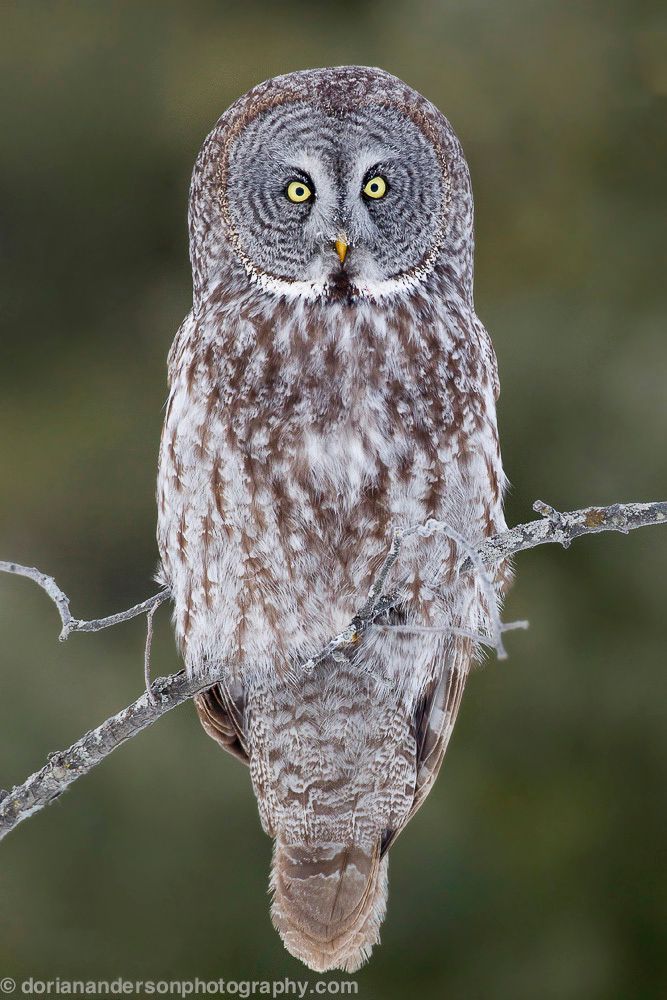
i included the last shot since i can't get that branch next to his head out of there. my cursory processing skills can't get rid of it without leaving an obvious/ugly scar. have at it if you chose, but please share the results if you come up with anything good.
p.1 #2 · great gray owl holdovers + procesing challenge
These look all great, Dorian and I really like the second one.
That branch next to his head it does look intrusive and distracting
This may look better.
Socrate
I see you used Lightroom, but if you have CS 5 or 6 it is very easy.
Make a rough selection around the branch.
Go to Edit Menu---> Fill----> in the Fill panel choose "Content-aware" and click OK
and you are done
Socrate
p.1 #3 · great gray owl holdovers + procesing challenge
Great shots, especially the last.
Ive only been using photoshop since christmas so Im no pro, but here is what I came up with. The problem, at least for me, was matching the noise in the background and gave up on it in the end. All I did was use the patch tool outlining the branch closely with content aware on. Once it was filled in I used the spot healing brush (with content aware on again) to remove any hard edges. Lastly to blend it better, I duplicated the layer, applied a small amount of gaussian blur to the top layer to get rid of noise, then masked it out of the owl/branch area.
Edit: Looks like I did it the hard way :P Thanks for that tip Shasoc
p.1 #5 · great gray owl holdovers + procesing challenge
Very nice shot Dorian, the branches as you see do not present much of a problem. Leave it to Morris to go all the way. I think if you just remove the top ones and the one sticking out of his side you'll get a great composition with a super BG. Work on the full file will come out very well.
My favourite from the set is the wings wide one.
p.1 #9 · great gray owl holdovers + procesing challenge
wow - some great responses here! thanks! i tried the content aware trick since i have ps5 but for some reason, none of my efforts resulted in results as good as these. maybe i have some strange setting turned on, so i will mess around with it a bit more!
morris, your effort is surely worth a beer if we ever bump into each other - too funny!
great work everyone, we'll see who else chimes in......
p.1 #19 · great gray owl holdovers + procesing challenge
Wow! Incredible shots. they're all framers IMO but 1 and 2 are extremely exceptional. What a pose in 2!! Great work.
Like someone said earlier, you can use content aware fill then blend those areas with the healing or cloning brush - best technique is to turn down the flow and opacity at this stage so that there are no hard edges. Then do a gaussian blur (or regular NR - whatever filters you prefer) on the whole bg.



 I think if you just remove the top ones and the one sticking out of his side you'll get a great composition with a super BG. Work on the full file will come out very well.
