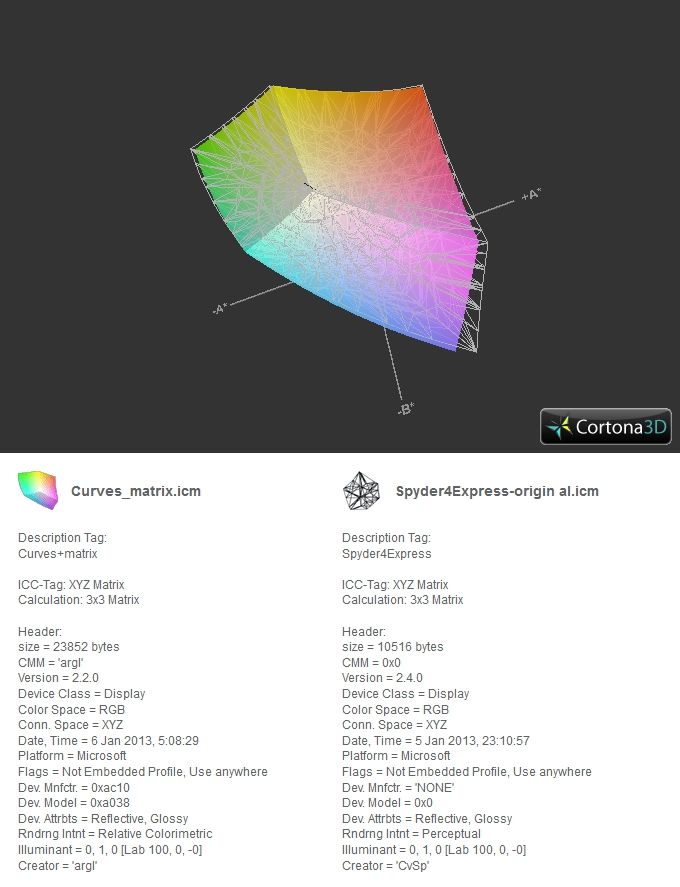
I decided to upload profiles made with my new Spyder 4 Express. One made with the included Datacolor software, the other made with Argyll. Despite everything I've read about Argyll being better, I was a bit shocked to see the results graphed.
It appears that the profile made with the Datacolor software covers a bit more in the reds, pinks, greens and yellows, while the argyll profile covers only a tiny bit more in the blues and violets. Everything else, from every angle of the 3d model, is virtually identical.
Mind you, I'm new to this whole CM thing. But am I interpreting this the way I'm presenting it? I can in fact verify the Datacolor presenting slightly more greens and yellows. If I switch my profile to that one, there is a very slight, but barely noticeable, yellowish green color cast applied. The Argyll profile presents grays more naturally. But what am I going to lose in the reds and pinks if I stick with this profile?
p.1 #4 · colorspace - argyll vs spyder 4 comparison
I was actually quite unaware. I'm very new to color management.
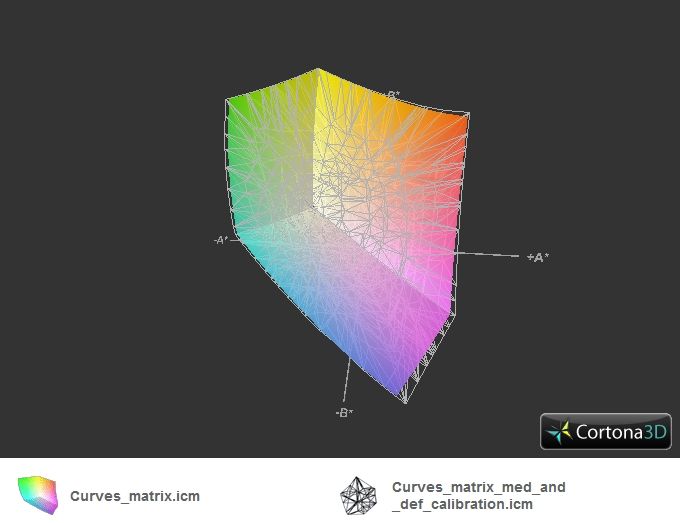
I recalibrated and reprofiled my display after verifying the results. Results were unpleasing and out of spec with profiles made by both Datacolor and argyll+dispcalGUI. After seeking advice from the developer, results are much better and fall within spec.
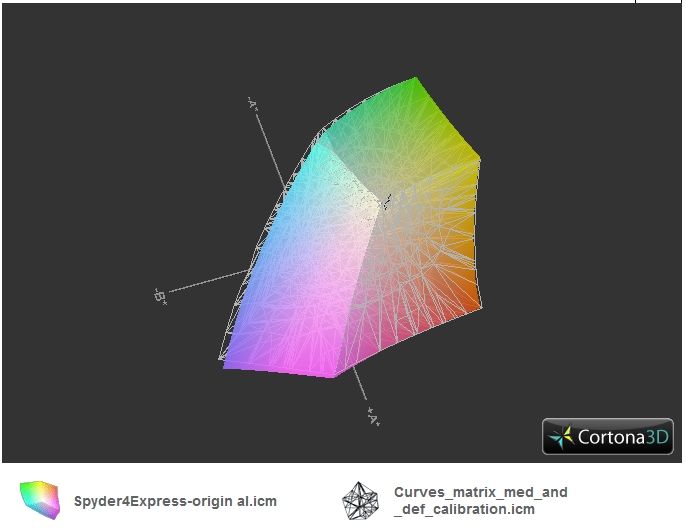
Yellows are pretty much identical. The Datacolor profile for the Spyder extends into the reds and pinks slightly more still, but the dispcalGUI profile extends into the greens and blues slightly more. Not sure how to interpret the purple region, as both extend farther than the other in different directions.
While the results are better, and now fall within specs, my grays are still just a tad out of place (even though they fall below recommended specification). So I'll run another calibration tonight using only a gray curve vs 3 seperate curves (R,G and B). That should bring the grays down to what I would consider better (although already considered acceptable).
As to why the Datacolor profile covered more, it has to do with my goofing up the settings when I profiled using argyll + dispcalGUI. Unless you mean "Why would the colors clip sooner?"
p.1 #6 · colorspace - argyll vs spyder 4 comparison
I'm sorry slr. I hadn't noticed you replied. Settings for which profile? I have comparisons using three diff profiles here. And in fact, due to trying to get an even better profile than the "curves_matrix_med_and_def", I got yet a slightly even better result than that one. Probably not really noticeable though.
Used a Spyder 4 Express. If you want, I can see about digging up my posts at the dispcal site and see if I can remember what settings I used.
p.1 #7 · colorspace - argyll vs spyder 4 comparison
Hi Aaron,
No problem. I'm curious what the "best" profile settings should be, I played around with it awhile back and didn't keep good notes. Did you turn on extended averaging? For my ColorMunki I found that made a difference.
p.1 #8 · colorspace - argyll vs spyder 4 comparison
Hey slr
A "best" setting would probably be subjective due to variances in monitors and calibration equipment. Not just from manufacturer to manufacturer, but between each batch from the same manufacturer as well. I get your question though.
Also, I had read that some people were having better luck allowing the colormunki to "acclimate" or "warm up" on the monitor for a few minutes (say 15-30) before running a calibration. In my profiling, I found that my Spyder Ex 4 was similar and achieved better results by allowing it to sit against the screen for a few minutes as well.
When speaking of "extended averaging", are you talking about using the extended test chart for calibration? That's the only "extended" anything I see in my settings within dispcalGUI.
I actually spoke with the developer a couple of times due to some trouble I was having. I would highly recommend heading over to the dispcal forum and asking him. He would be way more knowledgeable about this than I. He was very helpful and replied within hours of posting.