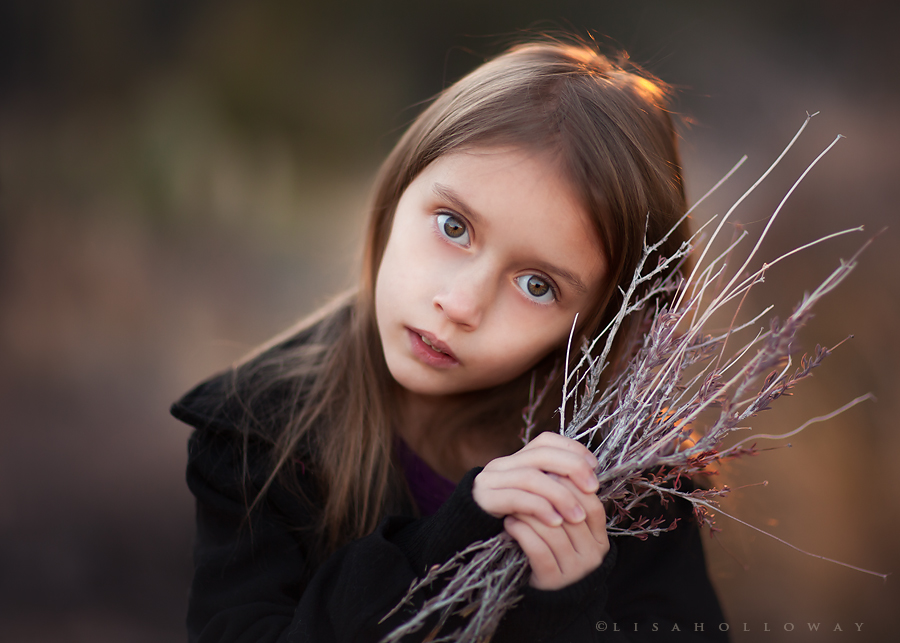
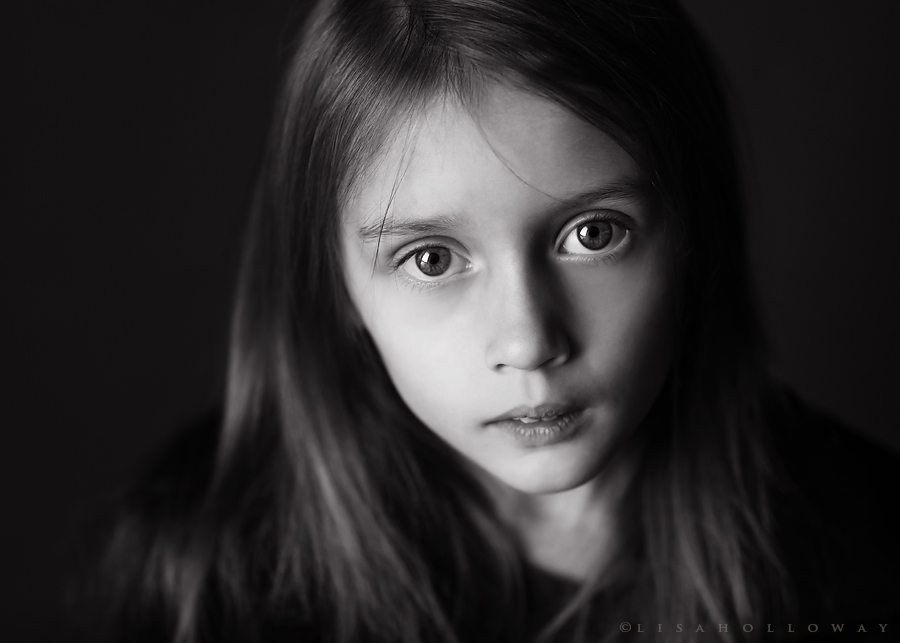
So I'm on a roll shooting my own kiddos this week. Up until recently, photographing some of these littler ones was a huge challenge, but Millie must have reached that turning point where she is interested in having some photos taken of herself. I was hugely inspired by my new, favorite photographer www.magdalenaberny.com and wanted to go for a serious, soulful look here.
Anyways, I'm experiencing what is either browser color management issues or something is wrong in my Photoshop settings...not sure. When I look at these images in Photoshop (particularly noticeable in the black & whites), I can still see plenty of detail in the darks. As soon as I post them online and view them with any web browser (including Firefox and my Windows photo viewer) the blacks go all dark and clipped on me and they become a good deal more contrasty than what I intended or what I'm seeing in Photoshop. Not sure what's going on. If you could be so kind and let me know what you're seeing in the shadows of the black and white images I'd really appreciate it...I need to get this figured out.
These were shot with the 85L and natural light. This first one was shot at F-1.2...I'm not nearly that brave with my clients. haha
1
In b&w...
2 (I shot this one in the front doorway entrance of my home. Just opened the door, let the light in, and turned her to the appropriate angle...again, going for a moody look)
I'm not seeing the loss of details in the blacks, Lisa, particularly in the first shot. The second shot clearly has less ambient light beyond the light from the door, so it's darker. But it works really well in that moody way you were going after. It may just be me but I wonder if she should close her lips so we don't have the hint of her teeth showing. Seems like your older daughter always had her mouth closed. Love the use of the brush in the first shot.
Thanks Ron! Millie has a really prominent over-bite so when she does close her mouth all of the way, she gets a 'crinkle chin' look going...not sure how to explain it. That was the initial plan but she ended up looking like she was sucking on a lemon, so I just had her do this. haha I see braces in her future....
I admire the way you set these up and they have the usual (read top notch) lighting and composition. The f 1.2 is well done. So many people stop down too much and end up with issues. You didn't.
The only thing with these shots is that I find them posed a bit too much. Look at this as a tiny nit from one of your fans.
As viewed in Google Chrome, I don't see any detail lost in the color version, my fav. The B&W does appear to have some detail loss in the shadows as viewed in Chrome. The last shot also appears to have shadow detail clipped.
Saw these on your FB page yesterday, they both made me smile and "like" magdalenaberny's page, one in which I can see why you've been inspired. I enjoy that look and I think you did well in your first attempt to use it with Millie. Love her name!
Sometimes I wonder if people would pay you to take pictures of your own kids so they could be printed and displayed in another family's home. HAHAHA LOVE your work, Lisa!
Nice work with the 85L. You've got a great little model there with very expressive eyes. All 3 shots were effective, however I like the color shot the best.
You really know what time of day to shoot, don't you? I usually prefer black and white, but the colours on the first photo are so warm and inviting, I have to say I like the first photo best.
Darn, you have a cute kid there. Her eyes kind of make you forget what you were doing. Um, what was I saying?


 Up until recently, photographing some of these littler ones was a huge challenge, but Millie must have reached that turning point where she is interested in having some photos taken of herself. I was hugely inspired by my new, favorite photographer www.magdalenaberny.com and wanted to go for a serious, soulful look here.