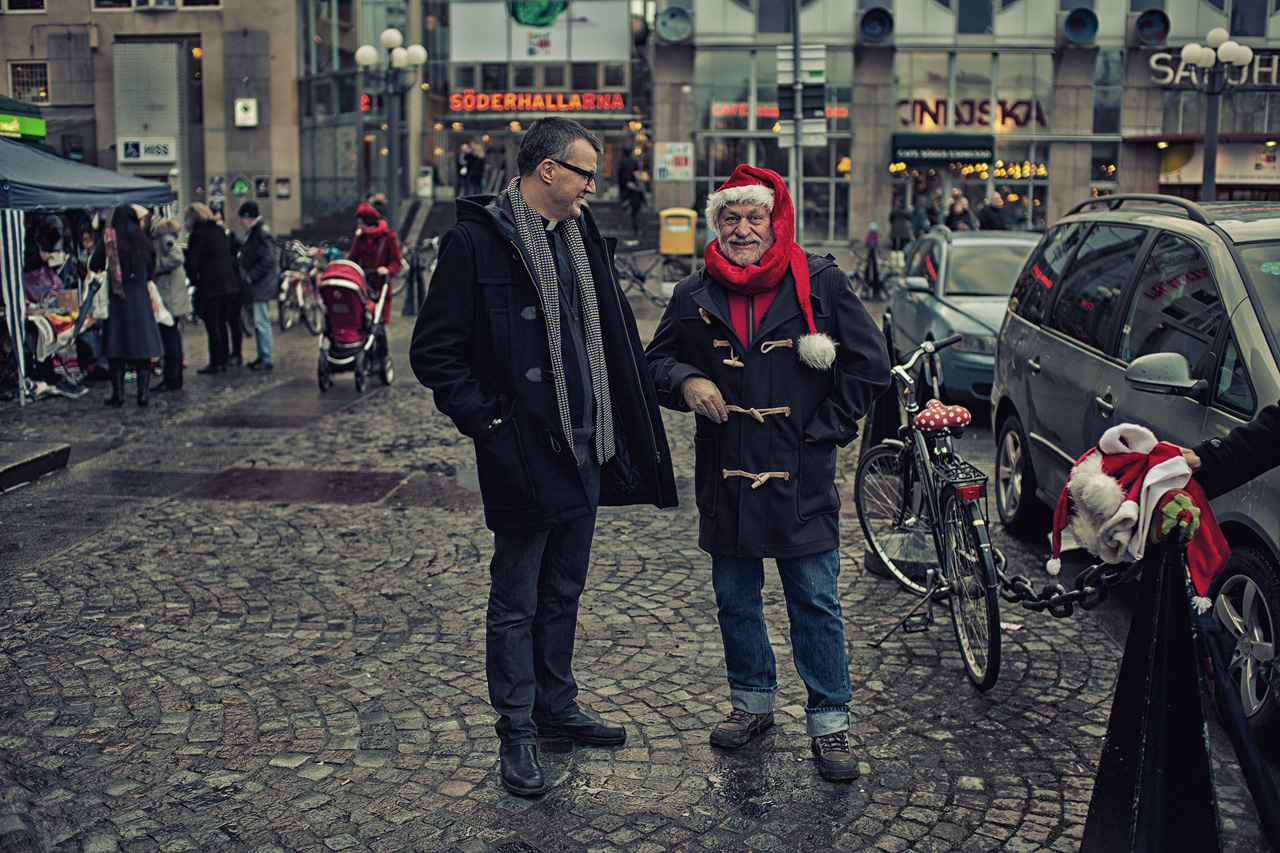
we seem to have a number of polls running lately so i couldn't resist adding another.
i'm quite fond of the look of certain films for some types of photography and periodically try to emulate them in lightroom. i can usually get close enough to make me happy enough but have never really tried making a preset that would work for most of my pictures. until today that is ... when i was processing some random photos and came to the conclusion that i made one look very much like kodachrome and the other look very much like portra. since then i've been tweaking what i did in each photo and trying them on various other photos and for the most part i'm pretty happy with the results.
anyway, i was wondering if other people have tried to do this and if they have any tips or tricks they'd like to share or have found some awesome downloadable presets.
Jabberwockt wrote:
I have a soft spot for the film look, I use color efex AKA the photoshop equivalent of instagram. I dont see it as an option, hence San Dimas rocks.
i would count that under the presets i found on the net or in my raw converter option.
thanks for the response.
i guess i should say i'd love to see examples too.
I dunno how to vote. Do you mean film presets in software used during PP or in-camera presets like in the GH1/2?
I change (make?) presets when recording video. But I shoot RAW for stills and don't typically use film emulation plug-ins. Mostly because to me the film looks are always degrades of the original digital image. If I want degraded inferior images I'll just use a film camera.
Bifurcator wrote:
I dunno how to vote. Do you mean film presets in software used during PP or in-camera presets like in the GH1/2?
I change (make?) presets when recording video. But I shoot RAW for stills and don't typically use film emulation plug-ins. Mostly because to me the film looks are always degrades of the original digital image. If I want degraded inferior images I'll just use a film camera.
i mean software film presets or other presets for specific 'looks', not jpeg camera settings. i also only shoot raw. i agree that film presets tend to limit image quality in that they limit dynamic range in their attempts to mimic the unique tone curves of film, but i am usually out to get an image that i like rather than to optimize image quality. something that annoys me about digital images is that i almost never see blocked up shadows anymore (looking at other peoples images). sometimes there should be total blackness for artistic reason or to accurately represent the way a scene looked. i don't tend to like plugins that add film grain though – those never look right and grain is not what i miss from film (usually). i do enjoy shooting film regularly as well, but film is much more expensive than digital and less versatile.
I use Alien Skin Exposure 3 quite a lot. Not because I'm after a specific film look per se, more because I want a different, more raw/distinct look to many of my shots. Great plugin, you can adjust everything to your own liking.
I've been playing around with VSCO, specifically for the Portra presets. The results are highly variant: on some images, it converts the colors pretty accurately, while others it's way off base. It actually has a couple of presets for each film type that you can try for different images. Other aspects of film besides the color aren't reproduced so faithfully: I mostly shoot medium format film, and that combination I feel still has a look that doesn't come across in the preset.
OK, thanks for clarifying. I still dunno which to select tho. I use tools like you're describing maybe 10 or 15 times a year and when I do I usually start off with a listed preset and then modify the values till I like it. Like you, the first thing I do is to turn off the grain effector if there is one. So I use presets but then modify them - and don't use these kinds of tools very often at all. <shrug>
Its film like but not overly so. I love Jordans work and have asked for tips but the guy is pretty secretive. I use lightroom and assume that most of that magic is created using photoshop tools, I'm not so sure Lightroom can recreate this look on its own, and moving my processing (which is already slow) through another software package is not ideal. Any links to some good tutorials or presets would be great.
I voted 'presets are for hipsters using instamatic', not because it's my opinion but because I have no interest at all in making my photos look like a specific film or even a generic film-like look with grain.
I use a single VSCO preset in LR4 that I tweaked in quite a few ways and saved as my own preset.
Like with using analogue simulations when digitally recording music, which is quite common, the trick is to be subtle. I don't prefer over the top, Instagram type processing, but there are some qualities of film that can be useful in digital when used sparingly, IMO.
Bifurcator wrote:
OK, thanks for clarifying. I still dunno which to select tho. I use tools like you're describing maybe 10 or 15 times a year and when I do I usually start off with a listed preset and then modify the values till I like it. Like you, the first thing I do is to turn off the grain effector if there is one. So I use presets but then modify them - and don't use these kinds of tools very often at all. <shrug>
i would put you in the "i sometimes use presets category". i use presets just as a starting point as well, just as i would optimize an actual film image. i don't try to emulate film very often but even when i don't i have a standard tone curve and color correction preset that i usually apply at the beginning of all my processing. when i'm trying to emulate film the film preset just replaces that at the beginning of the process.
Its film like but not overly so. I love Jordans work and have asked for tips but the guy is pretty secretive. I use lightroom and assume that most of that magic is created using photoshop tools, I'm not so sure Lightroom can recreate this look on its own, and moving my processing (which is already slow) through another software package is not ideal. Any links to some good tutorials or presets would be great....Show more →
that is very good looking. i feel like that can probably be done all in lightroom, though perhaps more controllably in PS. i don't really have much experience with photoshop and i dislike it's interface so i avoid it whenever possible.
for me the most important and difficult part of film emulation is getting the tone curve right and after that comes the less important (to me) color tweaking.
douglasf13 wrote:
I use a single VSCO preset in LR4 that I tweaked in quite a few ways and saved as my own preset.
Like with using analogue simulations when digitally recording music, which is quite common, the trick is to be subtle. I don't prefer over the top, Instagram type processing, but there are some qualities of film that can be useful in digital when used sparingly, IMO.
i've never actually heard of VSCO, i'll have to look into it.
ken.vs.ryu wrote:
raw photo processor's output with film curve is what I use.
i always used to start with the rpp raw conversion for a film curve and then finish in lightroom, but that was annoyingly time consuming and i've been pretty happy with what i'm able to do with just lightroom lately.
Voted "presets are for hipsters using instamatic".
I like the look of film in many ways. Color is one of them, grain for BW is another one. But on a whole I think it means degradation of many of the qualities digital has brought to the table. Detailing suffers badly on film and is (from my point of view) one of the things that makes digital made-to-look-like-film often look weird. If you dont degrade that part to. Which of course is very easy.. :-)
I'd love to see more examples of peoples impression of film-look by-digital, so I post one myself. I dont use presets, I play with contrast and cross-processing to make WB look off as I think it often does in film. Still something appeals to me. Here detailing is almost kept, but colors twisted and histogram compressed to lower half. Whites are almost gone.
wfrank wrote:
Voted "presets are for hipsters using instamatic".
I like the look of film in many ways. Color is one of them, grain for BW is another one. But on a whole I think it means degradation of many of the qualities digital has brought to the table. Detailing suffers badly on film and is (from my point of view) one of the things that makes digital made-to-look-like-film often look weird. If you dont degrade that part to. Which of course is very easy.. :-)
I'd love to see more examples of peoples impression of film-look by-digital, so I post one myself. I dont use presets, I play with contrast and cross-processing to make WB look off as I think it often does in film. Still something appeals to me. Here detailing is almost kept, but colors twisted and histogram compressed to lower half. Whites are almost gone.