I'm not sure if this should go here or Photo Critique so sorry if this is in the wrong forum
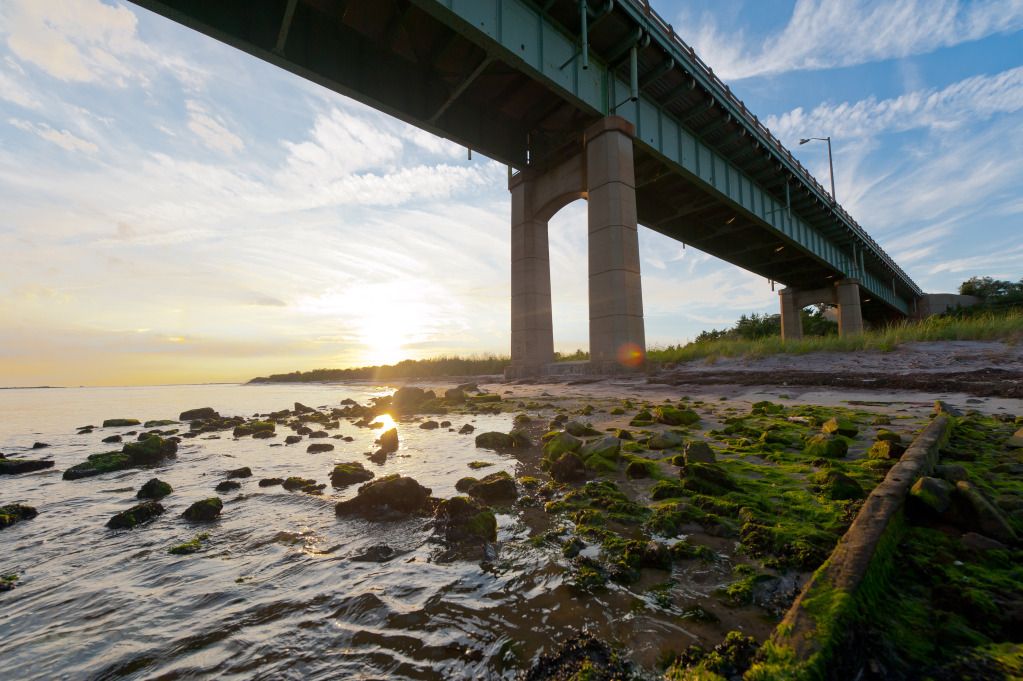
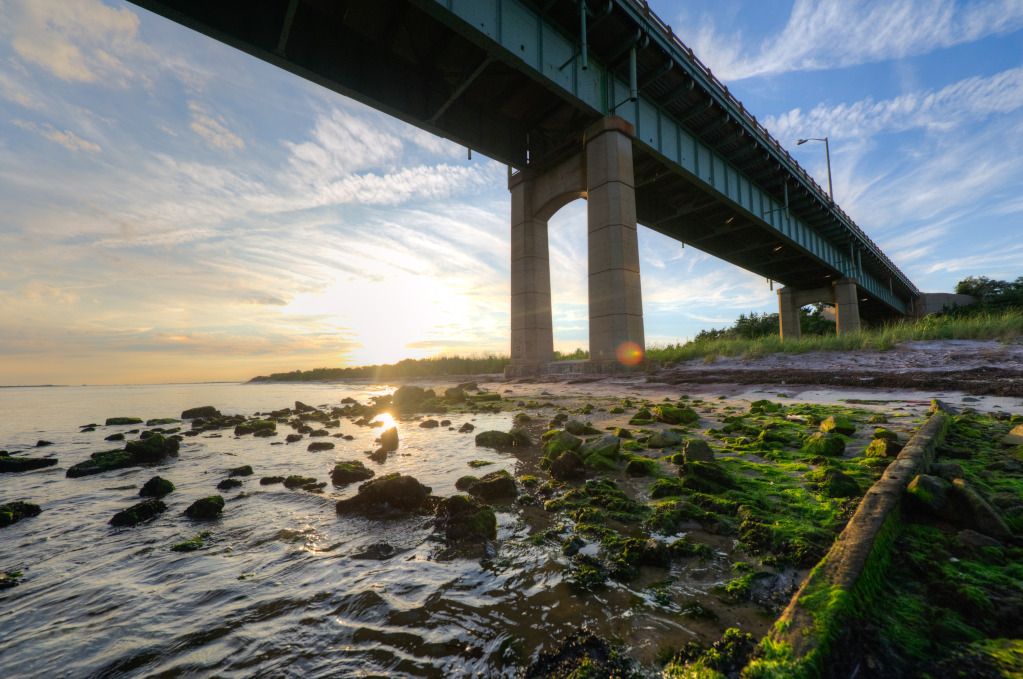
Anyway, I have a RAW file I've been editing for a while with a bright sun in the background. My first thought was to tone map it in Photomatix but I went back later and just messed around in Lightroom for quite a while. I was able to get a result that is similar to the HDR version but I guess more natural looking? Anyway, here they are (first one is RAW touched up in LR; second one is HDR):
1.
2.
The two differences I can see are (1) the sky is a bit washed out in the first, especially around the sun and between the supports of the bridge, but it's not too drastic (2) the moss on the rocks and the grass in the background on the right seem a bit dull in the first one, which is really driving me crazy. Any tips?
Honestly I think you have done such a good lob on your hand editting that I don't find it very much different in impact that the Photomatix output. And to me that is a good thing. I use Photomatix myself for HDR work, and have played around with using a single image but have not generally felt like the results were worthwhile. I usually get either something that adds nothing when compared to what I could do myself (as you have demonstrated here) or something that I have tried to make different but which then ends up looking just artificial.
Like the other poster I would very subtly push the vibrance a little tweak and then I think your top edit is the winner for me. I might play with seeing about healing out the lens flare - but I might decide to leave it in too as it gives the shot a 'real' feeling from a photographer's standpoint.
Nice work and thanks for sharing your editing experiment!
a little trick, either for use in ps or elements is to make a high light selection, and narrow it down a few clicks. ctrl J will copy that selection and make a new layer, in tyhe layers blending mode change it to multiply.