This topic is in the 2011 archive. You can read it and like its posts here. It is read only.
Archive 2011Sony (APS-C) Images Thread
p.711 #1Sony (APS-C) Images Thread
sid369 wrote:
Great pic, if you don't mind, would you share how you create your B&W, I am new to this, but can't ever get B&W like yours.
No worries,
I don't do anything really 'special'. I shoot jpeg in B&W with the contrast at +1 and the sharpening at +1. When I import into lightroom, I usually up the Shadow slider +15-25. Then up the contrast +15 and finish with a sharpening of +30 and a small vignette to taste. Sometimes I have to adjust the exposure slider up a bit.
Also, something that has taken me awhile to figure out, but I like my viewfinder and LCD screens to be adjusted to +2 for Brightness. It seems to help me get my exposures proper. Let me know if this helps at all!
photoomaha wrote
My son Austin in front of the computer yesterday. Sony 35mm 1.8 lens.No worries,
I don't do anything really 'special'. I shoot jpeg in B&W with the contrast at +1 and the sharpening at +1. When I import into lightroom, I usually up the Shadow slider +15-25. Then up the contrast +15 and finish with a sharpening of +30 and a small vignette to taste. Sometimes I have to adjust the exposure slider up a bit.
Also, something that has taken me awhile to figure out, but I like my viewfinder and LCD screens to be adjusted to +2 for Brightness. It seems to help me get my exposures proper. Let me know if this helps at all!
Apr 10, 2015 at 06:16 PM
p.711 #2Sony (APS-C) Images Thread
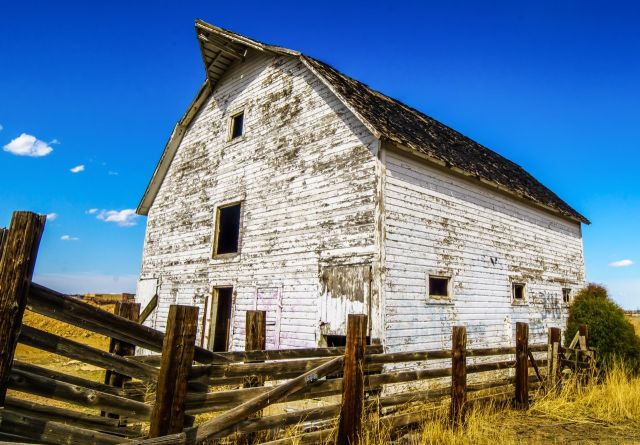
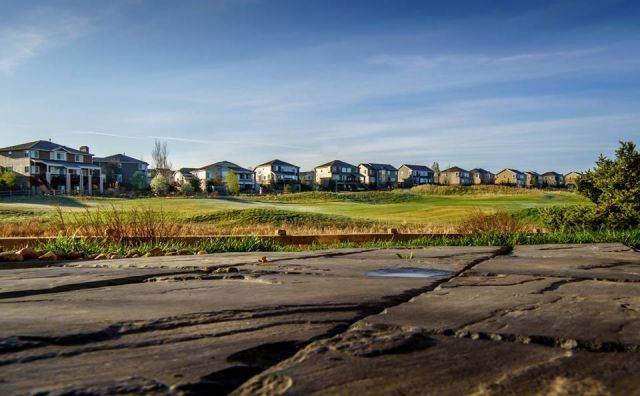
Playing with my Nikon mount Rokinon 14/2.8 today.
Mike
Mike
Apr 10, 2015 at 09:59 PM
p.711 #3Sony (APS-C) Images Thread
photoomaha wrote:
Great pic, if you don't mind, would you share how you create your B&W, I am new to this, but can't ever get B&W like yours.No worries,
I don't do anything really 'special'. I shoot jpeg in B&W with the contrast at +1 and the sharpening at +1. When I import into lightroom, I usually up the Shadow slider +15-25. Then up the contrast +15 and finish with a sharpening of +30 and a small vignette to taste. Sometimes I have to adjust the exposure slider up a bit.
Also, something that has taken me awhile to figure out, but I like my viewfinder and LCD screens to be adjusted to +2 for Brightness. It seems to help me get my exposures proper. Let me...Show more →
Can you explain how to do this part - Shoot jpeg in B&W? I found picture effect in the setting but could not find B&W.
sid369 wrote
photoomaha wrote
My son Austin in front of the computer yesterday. Sony 35mm 1.8 lens.I don't do anything really 'special'. I shoot jpeg in B&W with the contrast at +1 and the sharpening at +1. When I import into lightroom, I usually up the Shadow slider +15-25. Then up the contrast +15 and finish with a sharpening of +30 and a small vignette to taste. Sometimes I have to adjust the exposure slider up a bit.
Also, something that has taken me awhile to figure out, but I like my viewfinder and LCD screens to be adjusted to +2 for Brightness. It seems to help me get my exposures proper. Let me...Show more →
Can you explain how to do this part - Shoot jpeg in B&W? I found picture effect in the setting but could not find B&W.
Apr 11, 2015 at 05:55 AM
p.711 #4Sony (APS-C) Images Thread
I'll join you guys soon, ordered an a6000 to complement my A7S - tired of waiting for a fast AF FF e-mount. Damn cheap too..
Apr 11, 2015 at 06:03 AM
p.711 #5Sony (APS-C) Images Thread
The A7s and the A6000 are a perfect pair. Great full frame with low light capabilities and a 24mp crop frame.
Mike
Mike
Apr 11, 2015 at 07:11 AM
p.711 #6Sony (APS-C) Images Thread
Just keep the camera in jpeg and select B&W. On the LCD you can scroll to the right and then adjust the contrast and sharpness.
sid369 wrote:
Great pic, if you don't mind, would you share how you create your B&W, I am new to this, but can't ever get B&W like yours.No worries,
I don't do anything really 'special'. I shoot jpeg in B&W with the contrast at +1 and the sharpening at +1. When I import into lightroom, I usually up the Shadow slider +15-25. Then up the contrast +15 and finish with a sharpening of +30 and a small vignette to taste. Sometimes I have to adjust the exposure slider up a bit.
Also, something that has taken me awhile to figure out, but I like my viewfinder and LCD screens to be adjusted to +2 for Brightness. It seems to help me get my exposures proper. Let me know if this helps at all!Can you explain how to do this part - Shoot jpeg in B&W? I found picture effect in the setting but could not find B&W.
sid369 wrote:
photoomaha wrote
sid369 wrote
photoomaha wrote
My son Austin in front of the computer yesterday. Sony 35mm 1.8 lens.I don't do anything really 'special'. I shoot jpeg in B&W with the contrast at +1 and the sharpening at +1. When I import into lightroom, I usually up the Shadow slider +15-25. Then up the contrast +15 and finish with a sharpening of +30 and a small vignette to taste. Sometimes I have to adjust the exposure slider up a bit.
Also, something that has taken me awhile to figure out, but I like my viewfinder and LCD screens to be adjusted to +2 for Brightness. It seems to help me get my exposures proper. Let me know if this helps at all!
Apr 11, 2015 at 10:23 AM
p.711 #7Sony (APS-C) Images Thread
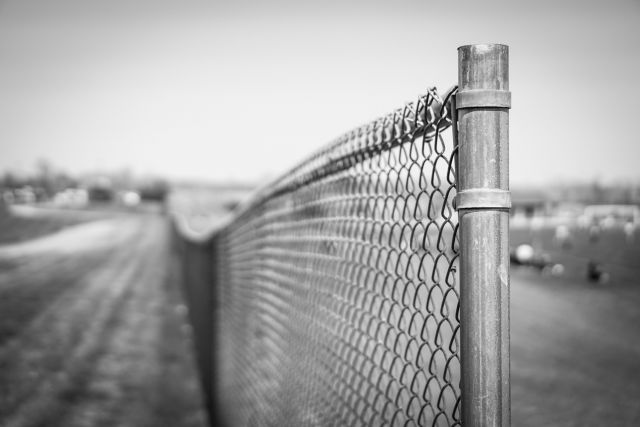
A fence line from today. Sony 35mm 1.8 lens.
 |
||
 |
||
|
Apr 11, 2015 at 04:55 PM
p.711 #8Sony (APS-C) Images Thread
If you don't mind me replying B&W is not found in picture effect but in creative style.
Apr 11, 2015 at 08:00 PM
p.711 #9Sony (APS-C) Images Thread
Thank you, Basso
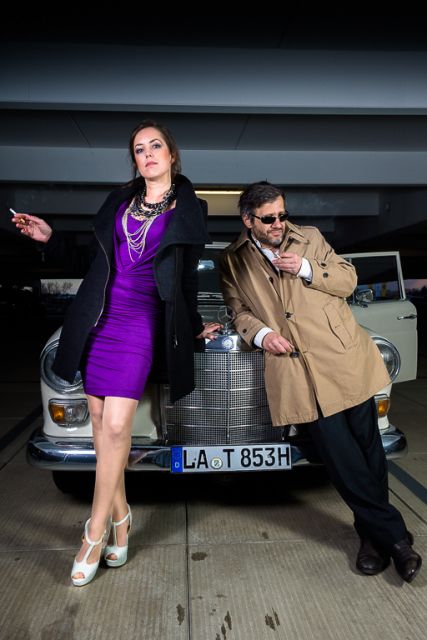
Last night, she came along,,,
Nex 7 + Sigma 19/2.8
Last night, she came along,,,
 |
||
 © Nex Barker 2015 |
||
|
Nex 7 + Sigma 19/2.8
Apr 12, 2015 at 02:54 AM
p.711 #10Sony (APS-C) Images Thread
Some Fair Color.
Harry Palmer

Fishy ride (fisheye converter).
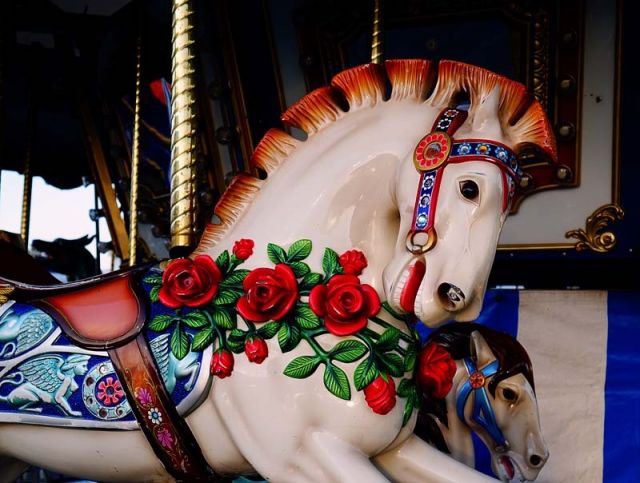
Pop Color Horse.
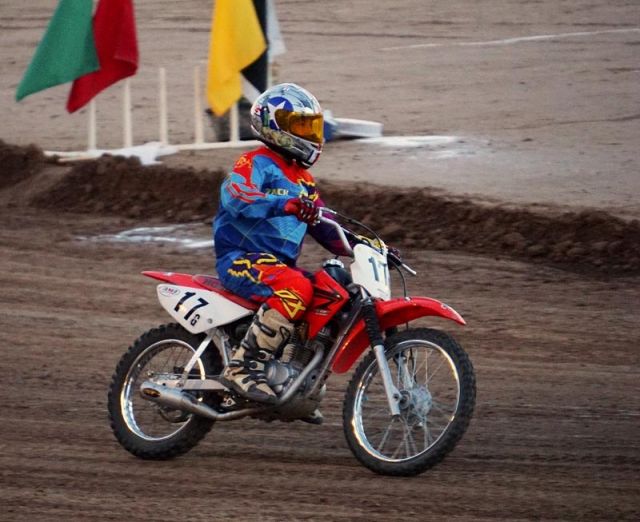
Track action .
Harry Palmer
Fishy ride (fisheye converter).
Pop Color Horse.
Track action .
Apr 12, 2015 at 12:36 PM
p.711 #11Sony (APS-C) Images Thread
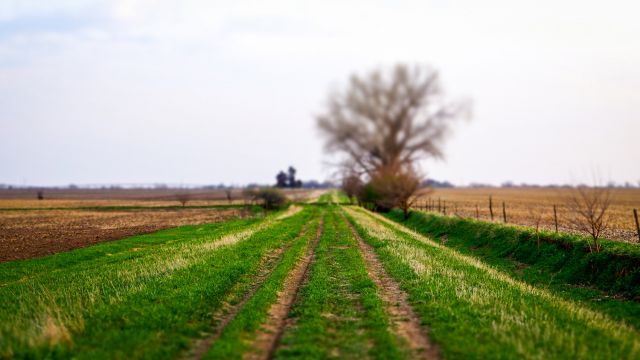
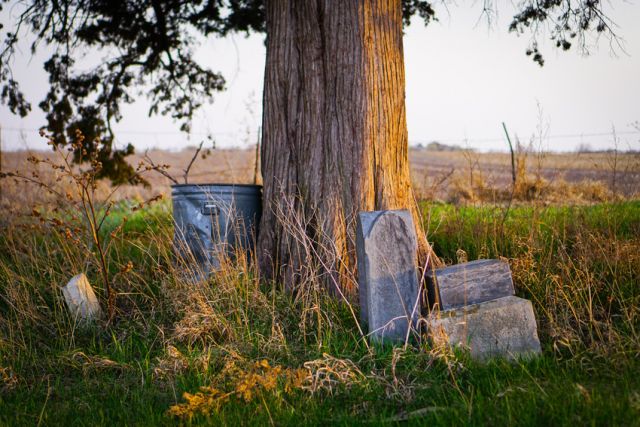
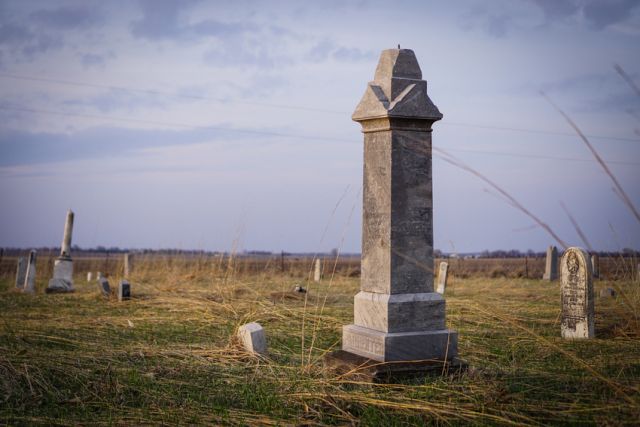
A little trip out in the country side last night. I found an old cemetery. Cool stuff to explore a bit. I believe these were all captured with the 35mm 1.8.
Tombstones and Trashcans
|
||
 |
||
|
|
||
 |
||
|
Tombstones and Trashcans
|
||
 |
||
|
Apr 12, 2015 at 03:32 PM
p.711 #12Sony (APS-C) Images Thread
photoomaha wrote:
A little trip out in the country side last night. I found an old cemetery. Cool stuff to explore a bit. I believe these were all captured with the 35mm 1.8.
I really like that first shot. Nice job.
A little trip out in the country side last night. I found an old cemetery. Cool stuff to explore a bit. I believe these were all captured with the 35mm 1.8.
I really like that first shot. Nice job.
Apr 12, 2015 at 03:43 PM
p.711 #13Sony (APS-C) Images Thread
Nexed wrote:
Here are some pics I took yesterday withthe 55-210. All of them are zoomed in fully.
when you say zoomed in fully, do you mean at the 210mm focal length? or did you crop them at a certain percentage??
Here are some pics I took yesterday withthe 55-210. All of them are zoomed in fully.
when you say zoomed in fully, do you mean at the 210mm focal length? or did you crop them at a certain percentage??
Apr 12, 2015 at 09:30 PM
p.711 #14Sony (APS-C) Images Thread
Ghostinz wrote:
when you say zoomed in fully, do you mean at the 210mm focal length? or did you crop them at a certain percentage??
They were at 210mm. I also cropped the images. Sorry I wasn't clearer.
when you say zoomed in fully, do you mean at the 210mm focal length? or did you crop them at a certain percentage??
They were at 210mm. I also cropped the images. Sorry I wasn't clearer.
Apr 12, 2015 at 11:21 PM
p.711 #15Sony (APS-C) Images Thread
Bronx NYC - Lydig Avenue
A6000 and 10-18 F4 lens at 160 ISO; F8 and 1/60 sec exposure
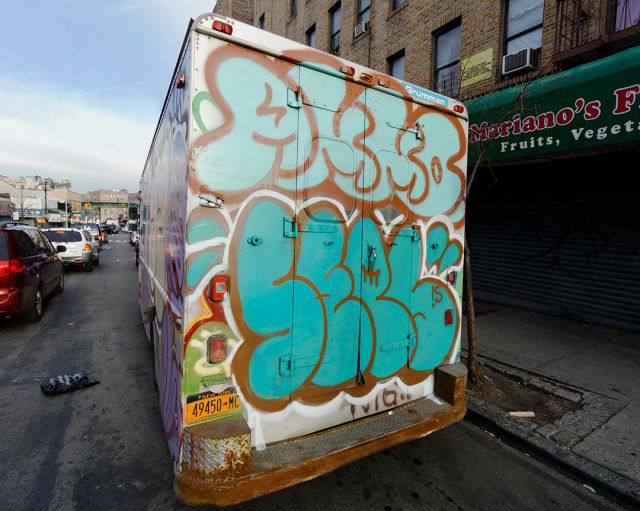
Fruit Truck Graffiti - 13 April 2015
A6000 and 10-18 F4 lens at 160 ISO; F8 and 1/60 sec exposure
Fruit Truck Graffiti - 13 April 2015
Apr 13, 2015 at 01:04 PM
p.711 #16Sony (APS-C) Images Thread
Nice images everyone. Photoomaha, cemeteries are fascinating place to take images.
I was invited to a Fire Dept. pancake/French toast breakfast this weekend. Food was great.
ladder ready

Ladder-1205 by michealj, on Flickr
Boots ready... Filled and off to a grass fire 15 min. after this image was taken

Boots-1208 by michealj, on Flickr
Images are jpg's sooc.
I was invited to a Fire Dept. pancake/French toast breakfast this weekend. Food was great.
ladder ready
Ladder-1205 by michealj, on Flickr
Boots ready... Filled and off to a grass fire 15 min. after this image was taken
Boots-1208 by michealj, on Flickr
Images are jpg's sooc.
Apr 13, 2015 at 08:02 PM
p.711 #17Sony (APS-C) Images Thread
michealj wrote:
Nice images everyone. Photoomaha, cemeteries are fascinating place to take images.
I was invited to a Fire Dept. pancake/French toast breakfast this weekend. Food was great.
ladder ready
https://farm9.staticflickr.com/8697/16953514530_7fe5162297_c.jpg
Ladder-1205 by michealj, on Flickr
Boots ready... Filled and off to a grass fire 15 min. after this image was taken
https://farm8.staticflickr.com/7727/17115103746_4d9a3fd649_c.jpg
Boots-1208 by michealj, on Flickr
Images are jpg's sooc.
Hey Michael! Thanks for the post. I'm actually a full time FF here in Omaha. Good to see your work with that subject matter. And thanks for supporting the pancake feed. I'm sure they were delicious!
Apr 13, 2015 at 08:08 PM
p.711 #18Sony (APS-C) Images Thread
My niece is a volunteer firefighter, so attending was fun. a couple more..

WayzataFD-1207 by michealj, on Flickr

Hoses-1209 by michealj, on Flickr
WayzataFD-1207 by michealj, on Flickr
Hoses-1209 by michealj, on Flickr
Apr 14, 2015 at 08:09 PM
p.711 #19Sony (APS-C) Images Thread
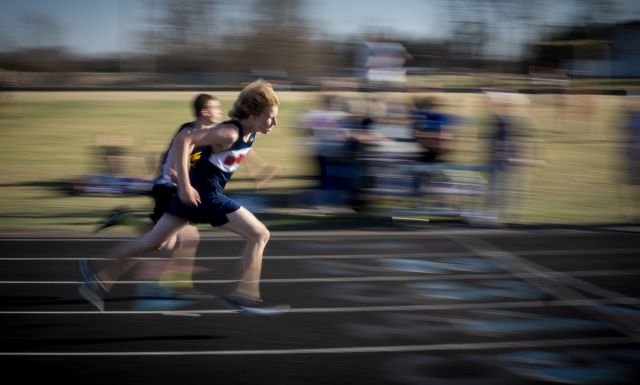
From a HS track meet today. Was trying 1/20th-1/40th.
I thought this one captured the sprint to the finish.
I thought this one captured the sprint to the finish.
Apr 14, 2015 at 08:41 PM
p.711 #20Sony (APS-C) Images Thread
SteveF wrote:
From a HS track meet today. Was trying 1/20th-1/40th.
I thought this one captured the sprint to the finish.
What an amazing picture!
From a HS track meet today. Was trying 1/20th-1/40th.
I thought this one captured the sprint to the finish.
What an amazing picture!
Apr 14, 2015 at 09:39 PM