Jose, you've graced this thread with a great many beautiful photos of birds. I know this is both vocation and avocation for you. I just want to acknowledge what a gift you give all of us with the images you capture with our favorite lenses. And I have to chuckle every time you encourage our friends to unload THEIR lenses to YOUR kit... Well done!
So I've been doing a bit of rambling the last couple of days, as much to get exercise that I sorely need as to reinvigorate my photography... but rambling WITH camera and lens is much more enjoyable than simply sharing my time with walking sticks...
This afternoon I found myself walking near the Meadows Club, a private golf course, designed in 1927 by the quite famous course designer, Alister MacKenzie. Although I'm walking in what is publicly owned watershed for the Marin Municipal Water District, I'm watching folks who pay dearly for the privilege to play golf at this gorgeous setting. I grabbed this shot with the 105 f/1.8 AI-s mounted. It was the only lens I had with me on this stroll.
I even found a golf ball in the woods I was exploring, about fifty years from the edge of the very wide fairway. No golfer was going to try that hard to retrieve a lost ball.
Yesterday I took a walk through and beyond the Marin Stables with the 135 f/2.8 K AI mounted on the Df. I'd bought that lens one evening after a bit too much Scotch whisky. I thought I was buying a Q.C. version of that lens but got the K instead... my error, not the sellers. It has the same optical design at the Q.C. and a similar form factor. The second version of the K was a smaller lens similar to the AI that replaced it. Here are a couple of photos from my hike.
This is near the beginning of the trail which serves both horses and hikers. There is a creek at the right edge that has begun flowing as winter rains begin, though it was a lovely cool, sunny day for a hike. Here's a shot of the running water cascading over rocks. In a few months this will be a torrent.
This was the end point of my walk before turning around and heading back to the stables. This is a grove of second growth redwood trees clustered close to the stream. The crossing in the foreground is not a problem this time of year, but I've been at this junction the middle of winter and the stream is so full there is no way to cross at this point.
Some great looking shots this weekend. Thanks everyone for the likes on my previous posts.
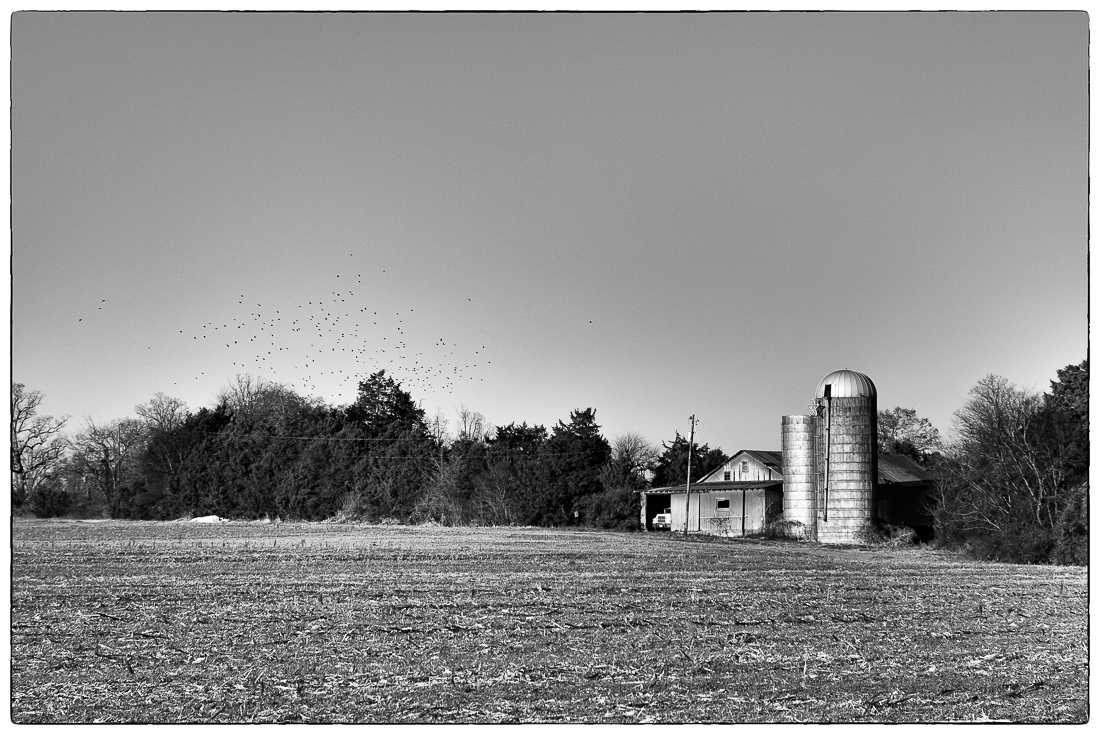
I will follow the black and white theme of Curtis with one from a walk this afternoon. This with my other Nippon Kogaku Tokyo S mount rangefinder lens, the 8.5cm f/2.
I love seeing the shots of Marin. It's been 35 years since I lived in San Rafael.
I also am a big fan of the 24mm f2.8 AiS. The 20mm isn't as crisp in the corners, and the 24 gives nearly as wide a FoV (84 vs 94 degrees).
I have started experimenting with focus stacking in landscapes. I discovered that 1) with even slight focus breathing, you lose quite a bit of the image at the edges, so you have to frame the image with a good bit of extra room all around, and 2) that you need more images focused closely than those focused farther away (of course!). The following two images are each actually three images combined. Note the outrageous corner sharpness! I lost quite a few shots where some of the near field subjects still were not in focus in any of the shots (need to take more shots of the near field). And I regret that none of the shots are great compositions because I lost the periphery to processing the stacks. More evidence that good photography has mostly to do with technique above all else.
Auger Falls is really challenging for me to get there and back safely with my gear. It takes me a few days just for my body to recover. And there are always lots of practical difficulties (such as not being able to drop anything (guess why). But now I can't wait to go back to apply what I've just learned!
Thanks George, I'm super excited about it myself! If you have Lightroom and Photoshop, it's amazingly easy to process the images, and once it's done, you're right back in Lightroom and can process the combined image just as you usually do, so there are no limits to what you can do at all. I'm not good with Photoshop, and don't work with masks or anything unless I have to. I have to follow written instructions because I don't know how to do anything. So I'm stoked that it's so easy to do.
1) In LR, Select photos to be combined
2) In PS, Right-click and select Edit In | Open as Layers
3) On the right, select all the layers, then select Edit | Auto-Align Layers | Auto | OK
4) Click Edit | Auto-blend Layers | Stack Images | Seamless Tones and Colors
5) Once complete, hit Ctrl S and PS saves to LR (the new image opens in LR automatically!)
In the old days, I shot landscapes with Kodachrome 25 on an FE and only owned 2 lenses, the 50mm f1.8 that came with the camera, and a 28mm Tamron. I never had any instruction, and I focused entirely on composition because I couldn't crop slides, so each shot had to be set up with a tripod, etc. Today, these amazing digital cameras (especially the D750 with its unmatched ability to retain low noise in the shadows), and with what we can do in software, a whole new Universe of creativity exists. Suddenly I feel like more of an artist, and it's very inspirational. It motivates me to keep pushing forward with my physical therapy so I can get out once per week or so and create images.
More processing technology: this shot is actually a pano of vertical shots with the 135mm f2.8 AiS. With a bit of extra processing, you can create images with these old lenses that have better resolution than you can achieve with any modern lens at any price. Auger Falls by Dan Ling, on Flickr
Gonga wrote:
Thanks George, I'm super excited about it myself! If you have Lightroom and Photoshop, it's amazingly easy to process the images, and once it's done, you're right back in Lightroom and can process the combined image just as you usually do, so there are no limits to what you can do at all. I'm not good with Photoshop, and don't work with masks or anything unless I have to. I have to follow written instructions because I don't know how to do anything. So I'm stoked that it's so easy to do.
1) In LR, Select photos to be combined
2) In PS, Right-click and select Edit In | Open as Layers
3) On the right, select all the layers, then select Edit | Auto-Align Layers | Auto | OK
4) Click Edit | Auto-blend Layers | Stack Images | Seamless Tones and Colors
5) Once complete, hit Ctrl S and PS saves to LR (the new image opens in LR automatically!)
In the old days, I shot landscapes with Kodachrome 25 on an FE and only owned 2 lenses, the 50mm f1.8 that came with the camera, and a 28mm Tamron. I never had any instruction, and I focused entirely on composition because I couldn't crop slides, so each shot had to be set up with a tripod, etc. Today, these amazing digital cameras (especially the D750 with its unmatched ability to retain low noise in the shadows), and with what we can do in software, a whole new Universe of creativity exists. Suddenly I feel like more of an artist, and it's very inspirational. It motivates me to keep pushing forward with my physical therapy so I can get out once per week or so and create images.
I tell ya, I cannot wait to upgrade to a 5K IPS monitor (though I surely will have to - wait, that is). For some reason, I have always been captivated by Nature's details, to the point of obsession (not just regarding photography, it's hard to explain). Fortunately, though I'm legally blind, I have a great eye doctor (wife). But for now, I am excited about printing some of the new images. I want to make a 4-foot print from one of the super-wide panos once I scrounge up the cash. It's going above a double-wide French door between LR and DR. Maybe this one?
It's funny, because I recognize how we landscape photographers go so overboard with "corner sharpness." But what's really absurd is to spend thousands of dollars primarily for that, when you can achieve an even better result with a 40-year-old $86 dollar lens and not too much effort. I also have more fun because my lenses are more compact, and all have superb focus feel and zone focusing.
leighton w wrote:
Hey guys, hope all are doing well. It's been a while since I posted on here. I did a shoot for my youngest daughter and her husband's family yesterday. Here's one with the X-T2 and 50-135mm.
CGrindahl wrote:
Yesterday I took a walk through and beyond the Marin Stables with the 135 f/2.8 K AI mounted on the Df. I'd bought that lens one evening after a bit too much Scotch whisky. I thought I was buying a Q.C. version of that lens but got the K instead... my error, not the sellers. It has the same optical design at the Q.C. and a similar form factor. The second version of the K was a smaller lens similar to the AI that replaced it. Here are a couple of photos from my hike.
This is near the beginning of the trail which serves both horses and hikers. There is a creek at the right edge that has begun flowing as winter rains begin, though it was a lovely cool, sunny day for a hike. Here's a shot of the running water cascading over rocks. In a few months this will be a torrent.
This was the end point of my walk before turning around and heading back to the stables. This is a grove of second growth redwood trees clustered close to the stream. The crossing in the foreground is not a problem this time of year, but I've been at this junction the middle of winter and the stream is so full there is no way to cross at this point.
Gonga wrote:
Thanks George, I'm super excited about it myself! If you have Lightroom and Photoshop, it's amazingly easy to process the images, and once it's done, you're right back in Lightroom and can process the combined image just as you usually do, so there are no limits to what you can do at all. I'm not good with Photoshop, and don't work with masks or anything unless I have to. I have to follow written instructions because I don't know how to do anything. So I'm stoked that it's so easy to do.
1) In LR, Select photos to be combined
2) In PS, Right-click and select Edit In | Open as Layers
3) On the right, select all the layers, then select Edit | Auto-Align Layers | Auto | OK
4) Click Edit | Auto-blend Layers | Stack Images | Seamless Tones and Colors
5) Once complete, hit Ctrl S and PS saves to LR (the new image opens in LR automatically!)
In the old days, I shot landscapes with Kodachrome 25 on an FE and only owned 2 lenses, the 50mm f1.8 that came with the camera, and a 28mm Tamron. I never had any instruction, and I focused entirely on composition because I couldn't crop slides, so each shot had to be set up with a tripod, etc. Today, these amazing digital cameras (especially the D750 with its unmatched ability to retain low noise in the shadows), and with what we can do in software, a whole new Universe of creativity exists. Suddenly I feel like more of an artist, and it's very inspirational. It motivates me to keep pushing forward with my physical therapy so I can get out once per week or so and create images.


 Well done!