Manual Focus Nikon Glass
p.2295 #1Manual Focus Nikon Glass
spoupard wrote:
The Adobe AI looks really good to me.
Magic!
AdaptedLenses wrote
Another follow up. I should have known better, but Adobe’s Noise Reduction AI is limited to computers/desktops, it’s not available on iPads even though it apparently flies on M1 MacBooks. I can kind of understand as it is ridiculously slow, but the results appear to be worth while. We took my daughters to the beach so I have some we’ll want to print large, just usually don’t share the kids. Anyway, curious to hear any thoughts. First is typical noise reduction, second is Adobe’s advanced / AI reduction.Magic!
Aug 27, 2024 at 06:53 PM

p.2295 #2Manual Focus Nikon Glass
It seemed really, really good but on my ~2019 i7, 16GB Win 10 laptop it was 4-7 minutes per image.Fine if you have a few to print but sure wouldn’t want to batch a whole series. I think it’s heavy on graphics memory though, I saw someone comment 10 seconds on a M1 MacBook with 32GB and discrete graphics.
Back to the subject at hand, 55mm f/1.2, Df. And learned the lens only reliably opens to f/2.8 or f/4, it’s a beater but need to see what’s up with that.
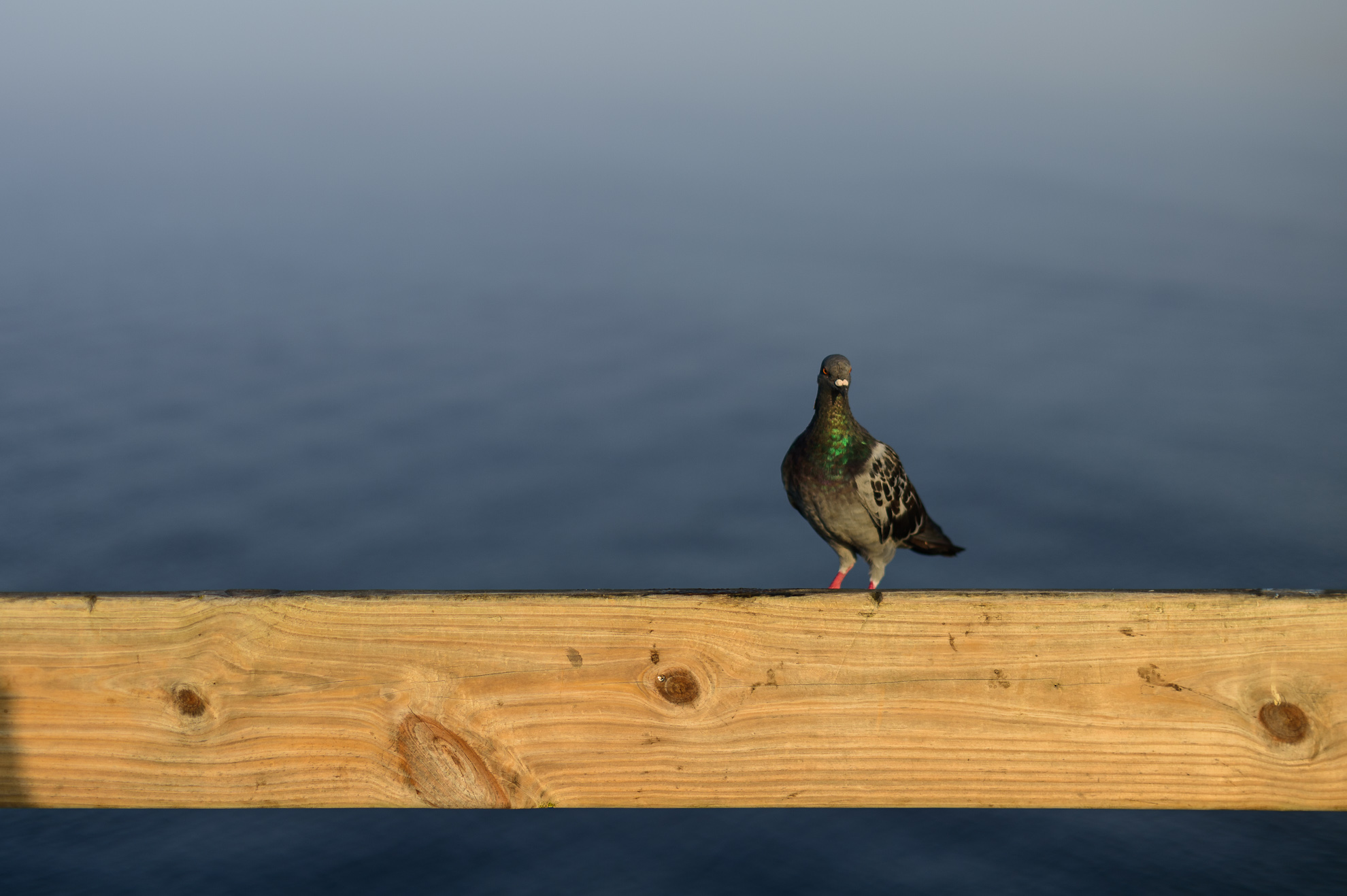
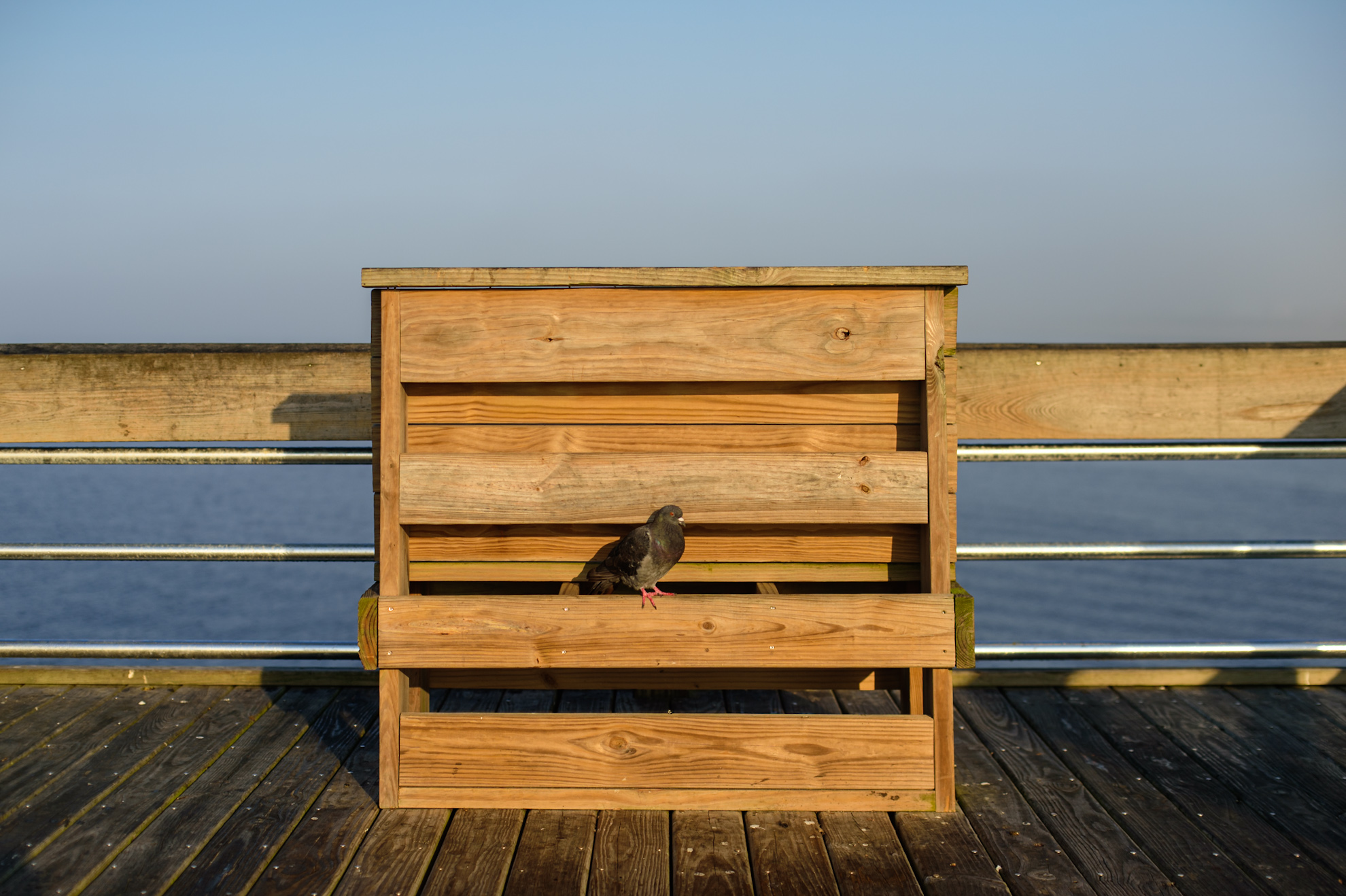
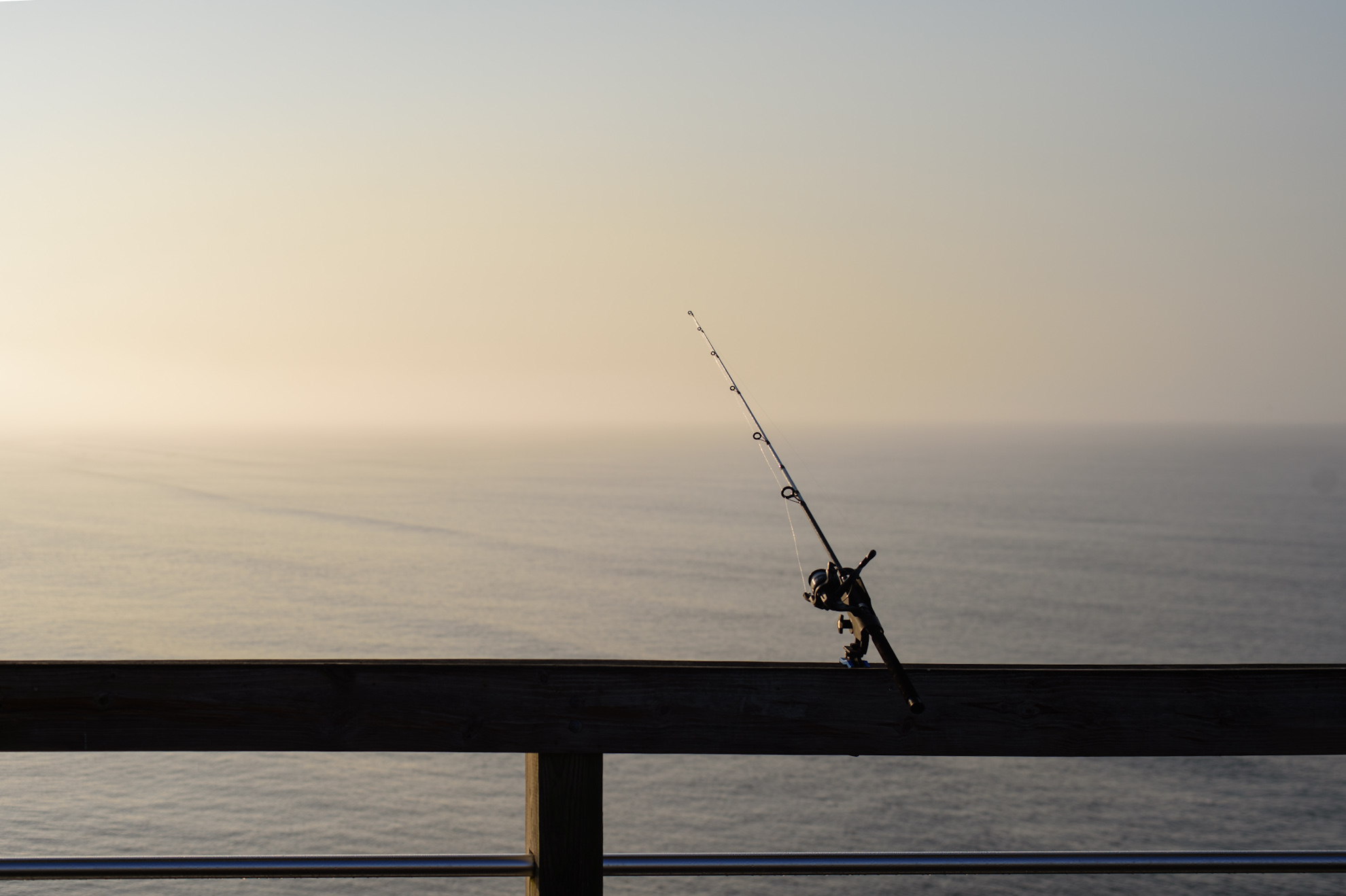
Back to the subject at hand, 55mm f/1.2, Df. And learned the lens only reliably opens to f/2.8 or f/4, it’s a beater but need to see what’s up with that.
Aug 27, 2024 at 08:21 PM
p.2295 #3Manual Focus Nikon Glass
Ripolini wrote:
Z6 & AI 50/1.4 (in Siena):
https://download.nikonimagespace.com/09df71b559812c90258207431e6cbb1c/Siena_20240824_156BN_1600px.jpg
https://download.nikonimagespace.com/81eec895b624e822b9956d80a205abd1/Siena_20240824_117BN_1600px.jpg
https://download.nikonimagespace.com/ebf72a10a327b8ab47f6bf2dd4199c4e/Siena_20240823_019BN_1600px.jpg
Riccardo, nice photographs. The Cathedral in the background resembles the stunning Siena Cathedral.

X-E1 + 16/3.5 K
Serge
Z6 & AI 50/1.4 (in Siena):
https://download.nikonimagespace.com/09df71b559812c90258207431e6cbb1c/Siena_20240824_156BN_1600px.jpg
https://download.nikonimagespace.com/81eec895b624e822b9956d80a205abd1/Siena_20240824_117BN_1600px.jpg
https://download.nikonimagespace.com/ebf72a10a327b8ab47f6bf2dd4199c4e/Siena_20240823_019BN_1600px.jpg
Riccardo, nice photographs. The Cathedral in the background resembles the stunning Siena Cathedral.
X-E1 + 16/3.5 K
Serge
Aug 27, 2024 at 08:23 PM
p.2295 #4Manual Focus Nikon Glass
AdaptedLenses wrote:
The answer for all is obvious.
You need to go buy a new lens, then you’ll have to get out and shoot with it.
I will heed the advice, ordered my second 7.5mm from the bay, looks new on these seller photos, will be here Friday. Will keep one only. This was $500, not a 6mm but not $12,000 either.
 7.5mm ebay nikkor 1 by Rafael Batlle, on Flickr
 7.5mm ebay nikkor 3 by Rafael Batlle, on Flickr
The answer for all is obvious.
You need to go buy a new lens, then you’ll have to get out and shoot with it.
I will heed the advice, ordered my second 7.5mm from the bay, looks new on these seller photos, will be here Friday. Will keep one only. This was $500, not a 6mm but not $12,000 either.
7.5mm ebay nikkor 1 by Rafael Batlle, on Flickr7.5mm ebay nikkor 3 by Rafael Batlle, on FlickrAug 27, 2024 at 10:02 PM
p.2295 #5Manual Focus Nikon Glass
rafaelcasd wrote:
You need to go buy a new lens, then you’ll have to get out and shoot with it.I will heed the advice, ordered my second 7.5mm from the bay, looks new on these seller photos, will be here Friday. Will keep one only. This was $500, not a 6mm but not $12,000 either.
https://live.staticflickr.com/65535/53952797311_cf7716c921_o.jpg7.5mm ebay nikkor 1 by Rafael Batlle, on Flickr
https://live.staticflickr.com/65535/53953052658_7ed8e5e0b4_o.jpg7.5mm ebay nikkor 3 by Rafael Batlle, on Flickr
That's a lot of glass for five hundred bucks. I owned a lot of Nikkors but the widest was an 18 Ai-S. Have fun with it!
AdaptedLenses wrote
The answer for all is obvious.You need to go buy a new lens, then you’ll have to get out and shoot with it.
https://live.staticflickr.com/65535/53952797311_cf7716c921_o.jpg7.5mm ebay nikkor 1 by Rafael Batlle, on Flickr
https://live.staticflickr.com/65535/53953052658_7ed8e5e0b4_o.jpg7.5mm ebay nikkor 3 by Rafael Batlle, on Flickr
That's a lot of glass for five hundred bucks. I owned a lot of Nikkors but the widest was an 18 Ai-S. Have fun with it!
Aug 27, 2024 at 10:09 PM
p.2295 #6Manual Focus Nikon Glass
DeltaSigma wrote:
 I am now 3 months into retirement.
I thought I'd have lots of time for photography but I'd say I now dedicate less time to it compared to when I had a full time job. Go figure....... but I think I was using photography for stress relief and now the corporate BS isn't there anymore. Plus I have never been busier carving out a new way of life.
A vacation to Italy is imminent so my trusty 50/2 has already secured a place in my camera bag.
Colin
Congrats on your retirement and "freedom", Colin. It's amazing how busy one can get once one retires!! Eventually, things will balance out - I'm pulling for you!!
Cheers - Doug
leighton w wrote
What's happened to some of our regulars? You know who you are.I thought I'd have lots of time for photography but I'd say I now dedicate less time to it compared to when I had a full time job. Go figure....... but I think I was using photography for stress relief and now the corporate BS isn't there anymore. Plus I have never been busier carving out a new way of life.
A vacation to Italy is imminent so my trusty 50/2 has already secured a place in my camera bag.
Colin
Congrats on your retirement and "freedom", Colin. It's amazing how busy one can get once one retires!! Eventually, things will balance out - I'm pulling for you!!
Cheers - Doug
Aug 27, 2024 at 10:20 PM
p.2295 #7Manual Focus Nikon Glass
AdaptedLenses wrote:
Another follow up. I should have known better, but Adobe’s Noise Reduction AI is limited to computers/desktops, it’s not available on iPads even though it apparently flies on M1 MacBooks. I can kind of understand as it is ridiculously slow, but the results appear to be worth while. We took my daughters to the beach so I have some we’ll want to print large, just usually don’t share the kids. Anyway, curious to hear any thoughts. First is typical noise reduction, second is Adobe’s advanced / AI reduction.
If the laptop is using the GPU built into the CPU - that would be slow. A dedicated GPU would help. When my computers were choking on Topaz NR, I just used the stand alone application - instead of the plugin. Drag the files on top of the window - made adjustments on one that would work for all - tic the "all files" box - hit start and go watch a movie etc.
I wouldn't worry about NR for prints (which you mention later) for a variety of reasons which I could bore you to tears. When you print a digital image you are not printing a continuous tone image, but a Seurat-like pointillism image. Additionally, you are not printing in any common gamut of color (srgb, adobe 98, pro photo), but in a printing language of perceived colors. Print drivers have replaced many postscript RIPs, but a lot of magic goes into taking a handful of colors to approximate the billions of colors in a continuous tone analog print. That "magic" (conversion of the file to something the printer can understand) many times smooths out noise, banding, and other issues in the digital file. If the noise is strong it will show in the print, but normal noise or film grain are usually made less obvious in a digital print. An easy test is to grab some 3x5 inch 100% crops out of your large print & have those printed separately as a proof.
Aug 27, 2024 at 10:21 PM
p.2295 #8Manual Focus Nikon Glass
I use an old i5-7600K based desktop with 32GB of ram.
With the original 4GB GTX 1050 TI graphics card LRc denoise took just over 4 minutes for a Z6 NEF file
Swapping out the old gfx card for a 12GB RTX 3060 the denoise dropped to less than 15 seconds.
AdaptedLenses wrote:
It seemed really, really good but on my ~2019 i7, 16GB Win 10 laptop it was 4-7 minutes per image.Fine if you have a few to print but sure wouldn’t want to batch a whole series. I think it’s heavy on graphics memory though, I saw someone comment 10 seconds on a M1 MacBook with 32GB and discrete graphics.
Back to the subject at hand, 55mm f/1.2, Df. And learned the lens only reliably opens to f/2.8 or f/4, it’s a beater but need to see what’s up with that.
Aug 28, 2024 at 12:23 AM
p.2295 #9Manual Focus Nikon Glass
serge07 wrote:
Riccardo, nice photographs. The Cathedral in the background resembles the stunning Siena Cathedral.
Thanks Serge. Yes you're right, it's the wonderful Duomo di Siena. The uncovered inlaid marble mosaic floor can only be seen for a limited period. This year the floor is uncovered from June 26th to July 31st, and from August 18th to October 16th.
Here are two more pictures, both taken with Z6 & AI 50/1.4: the 1st one shows the magnificent pulpit (made of Carrara marble and sculpted between the end of 1265 and November 1268 by Nicola Pisano) and the mosaic floor; the 2nd one shows a detail of the inlaid marble mosaic floor.
 |
||
 |
||
|
|
||
 |
||
|
Aug 28, 2024 at 02:00 AM
p.2295 #10Manual Focus Nikon Glass
Thanks for chiming in, Raymond, Grant, and all. For sure, buying and using the way to find out.
Aug 28, 2024 at 02:28 AM
|
p.2295 #11Manual Focus Nikon Glass
DeltaSigma wrote:
I am now 3 months into retirement.
I thought I'd have lots of time for photography but I'd say I now dedicate less time to it compared to when I had a full time job. Go figure....... but I think I was using photography for stress relief and now the corporate BS isn't there anymore. Plus I have never been busier carving out a new way of life.
A vacation to Italy is imminent so my trusty 50/2 has already secured a place in my camera bag.
Colin
That's what happened to me as well. I HAD to take photos every week for the market and once that stopped, I no longer had incentive to shoot much. It takes a little while to get used to the new life of retirement, but you'll find a new groove. Enjoy your vacation in Italy.
leighton w wrote
What's happened to some of our regulars? You know who you are.I thought I'd have lots of time for photography but I'd say I now dedicate less time to it compared to when I had a full time job. Go figure....... but I think I was using photography for stress relief and now the corporate BS isn't there anymore. Plus I have never been busier carving out a new way of life.
A vacation to Italy is imminent so my trusty 50/2 has already secured a place in my camera bag.
Colin
That's what happened to me as well. I HAD to take photos every week for the market and once that stopped, I no longer had incentive to shoot much. It takes a little while to get used to the new life of retirement, but you'll find a new groove. Enjoy your vacation in Italy.
Aug 28, 2024 at 03:44 AM
p.2295 #12Manual Focus Nikon Glass
pbraymond wrote:
Too many words from me, need a picture. 75-150E.
https://www.pbraymond.com/img/s/v-10/p441732025-5.jpg
I really like the look here with the light and contrast.
Too many words from me, need a picture. 75-150E.
https://www.pbraymond.com/img/s/v-10/p441732025-5.jpg
I really like the look here with the light and contrast.
Aug 28, 2024 at 03:45 AM
p.2295 #13Manual Focus Nikon Glass
SiMuMe wrote:
Pretty mundane but will keep the conversation rolling. 28mm f2.0 AI two shot stitch.
https://www.pbraymond.com/img/s/v-10/p946620600-5.jpgOh nice planters. Not mundane to a gardener.
This 28mm and Ralf's have me interested in the 28mm fov again. Besides the f/2 and the CRC on the 28 f/2.8, what are other pros of one over the other? I already have the AF-D but I don't like it. I discovered, much to my surprise that my local shop still has stock of the 2.8 at a price I might regret to pass up.
A bit late to the party, and I only have the 2,0 variant, but I think it comes down to how often you want to use it wide open at MFD. The 2,0 is not "unsharp", and you always can stop it down...
In any case, from what I've read I think both are very good lenses and you can't go wrong with either one. If you can buy a good copy of a 2,8, then take it...
pbraymond wrote
https://www.pbraymond.com/img/s/v-10/p946620600-5.jpg
This 28mm and Ralf's have me interested in the 28mm fov again. Besides the f/2 and the CRC on the 28 f/2.8, what are other pros of one over the other? I already have the AF-D but I don't like it. I discovered, much to my surprise that my local shop still has stock of the 2.8 at a price I might regret to pass up.
A bit late to the party, and I only have the 2,0 variant, but I think it comes down to how often you want to use it wide open at MFD. The 2,0 is not "unsharp", and you always can stop it down...
In any case, from what I've read I think both are very good lenses and you can't go wrong with either one. If you can buy a good copy of a 2,8, then take it...
Aug 28, 2024 at 04:43 AM
p.2295 #14Manual Focus Nikon Glass
lirain wrote:
A bit late to the party, and I only have the 2,0 variant, but I think it comes down to how often you want to use it wide open at MFD. The 2,0 is not "unsharp", and you always can stop it down...
In any case, from what I've read I think both are very good lenses and you can't go wrong with either one. If you can buy a good copy of a 2,8, then take it...
Should also have mentioned the not inconsequential size/weight increase of the 28/2 over the f/2.8: It sticks out another 15mm (about 30% longer) and adds 200g (about 80% more weight). Interesting that for the other wide-angle normal/fast pair, the 24/2 & 24/2.8, the size/weight penalty of the 24/2 is only 10%, but then the 28/2 design is originally from 1970, while the 24/2 is from 1977.
Aug 28, 2024 at 06:26 AM
p.2295 #15Manual Focus Nikon Glass
Ripolini wrote:
Thanks Serge. Yes you're right, it's the wonderful Duomo di Siena. The uncovered inlaid marble mosaic floor can only be seen for a limited period. This year the floor is uncovered from June 26th to July 31st, and from August 18th to October 16th.
Here are two more pictures, both taken with Z6 & AI 50/1.4: the 1st one shows the magnificent pulpit (made of Carrara marble and sculpted between the end of 1265 and November 1268 by Nicola Pisano) and the mosaic floor; the 2nd one shows a detail of the inlaid marble mosaic floor.
https://download.nikonimagespace.com/5b4504f6e16a0f944e1cf99ce2026373/Siena_20230630_018_1600px.jpg
https://download.nikonimagespace.com/7ab617421ffd60425fa2bc22b0d569d2/Siena_20230630_020_1600px.jpg
Riccardo, I have never seen that particular floor panel, awesome. .The side pew was also removed which provides far better breathing space for photography. I thought about moving it during my last visit.
The workmanship and detail of the pulpit are superb as is that of the stairway behind. The entire Cathedral is a work of art, truly amazing.
Serge
serge07 wrote
Riccardo, nice photographs. The Cathedral in the background resembles the stunning Siena Cathedral.Here are two more pictures, both taken with Z6 & AI 50/1.4: the 1st one shows the magnificent pulpit (made of Carrara marble and sculpted between the end of 1265 and November 1268 by Nicola Pisano) and the mosaic floor; the 2nd one shows a detail of the inlaid marble mosaic floor.
https://download.nikonimagespace.com/5b4504f6e16a0f944e1cf99ce2026373/Siena_20230630_018_1600px.jpg
https://download.nikonimagespace.com/7ab617421ffd60425fa2bc22b0d569d2/Siena_20230630_020_1600px.jpg
Riccardo, I have never seen that particular floor panel, awesome. .The side pew was also removed which provides far better breathing space for photography. I thought about moving it during my last visit.
The workmanship and detail of the pulpit are superb as is that of the stairway behind. The entire Cathedral is a work of art, truly amazing.
Serge
Aug 28, 2024 at 06:28 AM
p.2295 #16Manual Focus Nikon Glass
SiMuMe wrote:
Pretty mundane but will keep the conversation rolling. 28mm f2.0 AI two shot stitch.
https://www.pbraymond.com/img/s/v-10/p946620600-5.jpgOh nice planters. Not mundane to a gardener.
This 28mm and Ralf's have me interested in the 28mm fov again. Besides the f/2 and the CRC on the 28 f/2.8, what are other pros of one over the other? I already have the AF-D but I don't like it. I discovered, much to my surprise that my local shop still has stock of the 2.8 at a price I might regret to pass up.
Siphiwe, for the 28/2.8 AIs is best to have SIC which begins with serial number 825xxx, 1981. If possible, serial numbers beginning with 900001 are much newer with production dates beginning in 2006.
The 28/2 is better if photographing into light sources and in my experience, CA is better controlled. It also produces better defined sunstars. It is a substantially larger and heavier lens if that matters. The downside is sample variation. I traveled through three Rafael quality samples (AIs, AI & NC) before the lens lived to its reputation, I have the older NC which is super sharp. I am not alone in the sample variation issue as that was discussed at the Nikon Gear forum, apparently the CRC is sensitive to knocks on this lens. Make sure you can return.
Have fun hunting,
Serge
Edited on Aug 28, 2024 at 11:07 AM · View previous versions
pbraymond wrote
https://www.pbraymond.com/img/s/v-10/p946620600-5.jpg
This 28mm and Ralf's have me interested in the 28mm fov again. Besides the f/2 and the CRC on the 28 f/2.8, what are other pros of one over the other? I already have the AF-D but I don't like it. I discovered, much to my surprise that my local shop still has stock of the 2.8 at a price I might regret to pass up.
Siphiwe, for the 28/2.8 AIs is best to have SIC which begins with serial number 825xxx, 1981. If possible, serial numbers beginning with 900001 are much newer with production dates beginning in 2006.
The 28/2 is better if photographing into light sources and in my experience, CA is better controlled. It also produces better defined sunstars. It is a substantially larger and heavier lens if that matters. The downside is sample variation. I traveled through three Rafael quality samples (AIs, AI & NC) before the lens lived to its reputation, I have the older NC which is super sharp. I am not alone in the sample variation issue as that was discussed at the Nikon Gear forum, apparently the CRC is sensitive to knocks on this lens. Make sure you can return.
Have fun hunting,
Serge
Edited on Aug 28, 2024 at 11:07 AM · View previous versions
Aug 28, 2024 at 07:03 AM
p.2295 #17Manual Focus Nikon Glass
serge07 wrote:
... I have the older NC which is super sharp.
Serge, do you prefer the NC 28/2 over the AI/AIS versions?
Thanks.
Cheers,
Riccardo
... I have the older NC which is super sharp.
Serge, do you prefer the NC 28/2 over the AI/AIS versions?
Thanks.
Cheers,
Riccardo
Aug 28, 2024 at 07:19 AM
p.2295 #18Manual Focus Nikon Glass
Ripolini wrote:
Serge, do you prefer the NC 28/2 over the AI/AIS versions?
Thanks.
Cheers,
Riccardo
Riccardo, I would suggest the AI or AIs versions. The older NC coatings is prone producing a yellowish cast at times. The AI and AIs versions do not have this issue.
Serge
serge07 wrote
... I have the older NC which is super sharp.Thanks.
Cheers,
Riccardo
Riccardo, I would suggest the AI or AIs versions. The older NC coatings is prone producing a yellowish cast at times. The AI and AIs versions do not have this issue.
Serge
Aug 28, 2024 at 07:30 AM
p.2295 #19Manual Focus Nikon Glass
Ripolini wrote:
serge07 wrote
Riccardo, nice photographs. The Cathedral in the background resembles the stunning Siena Cathedral.Here are two more pictures, both taken with Z6 & AI 50/1.4: the 1st one shows the magnificent pulpit (made of Carrara marble and sculpted between the end of 1265 and November 1268 by Nicola Pisano) and the mosaic floor; the 2nd one shows a detail of the inlaid marble mosaic floor.
https://download.nikonimagespace.com/5b4504f6e16a0f944e1cf99ce2026373/Siena_20230630_018_1600px.jpg
https://download.nikonimagespace.com/7ab617421ffd60425fa2bc22b0d569d2/Siena_20230630_020_1600px.jpg
Riccardo, I am astonished at the hatching and even some cross hatching in that marble floor panel. If that is from 1265 it would be almost 300 years ahead of it's time. Beautiful work, and thank you for sharing it.
Jim
Aug 28, 2024 at 07:46 AM
p.2295 #20Manual Focus Nikon Glass
Hi Jim,
the pulpit by Nicola Pisano dates back to 1265-1268.
The manufacturing of the inlaid marble mosaic floor went on from the 14th to the 16th centuries, and about forty (!) artists made their contribution.
The attached picture (Z6 w/AI 50/1.4) shows a detail of the Sibilla cumea, designed by Giovanni di Stefano and made by Vito di Marco and Luigi di Ruggiero around 1482 AD.
More info here.
|
||
 |
||
|
Aug 28, 2024 at 08:21 AM