Manual Focus Nikon Glass
p.1981 #1Manual Focus Nikon Glass
spoupard wrote:
Color or B&W? I can't decide, but I'm leaning toward the B&W. That's what I saw in my mind's eye before taking the photo, but I also like the color and can't decide which I like better.
Zfc, 25-50/4, Lens Turbo II
https://live.staticflickr.com/65535/53158074257_17f9f72cd4_b.jpg
23-Piedmont NWR-ZFC_0997-web by Scott Poupard
https://live.staticflickr.com/65535/53158861969_cd98993f65_b.jpg
23-Piedmont NWR-ZFC_0997v1.nef-web by Scott Poupard
Scott, prefer the color version specially in the area of the ground details.
Serge
Sep 02, 2023 at 07:32 AM
p.1981 #2Manual Focus Nikon Glass
DeltaSigma wrote:
US Open, Bernada Pera at the opener and has a match today.
https://live.staticflickr.com/65535/53157153769_1fcc026ca5_h.jpg
I tried to keep the ball in the frame as much as possible.
https://live.staticflickr.com/65535/53157548139_e9cfeeaa6c_h.jpg
X-E1 + 105/2.5 AIs sic @ f/4
SergeNice action shots Serge. You must have been near the front.
Tennis is fine for MF lenses because most of the time the players are going to be in and around the baseline - so you can pre-focus and wait for suitable action. Getting the ball in the shot is a challenge because they hit it so hard.
Colin
Thanks, Colin.
I was sitting near the center close to ground level for this match. One sits where possible as these courts get crowded but always tried to find a spot as close to the action as possible.
I usually had the lens around 2/3 of the way to infinity and made quick focus adjustments as needed. These athletes are fast and movements are unpredictable outside of the serve.
Serge
serge07 wrote
Hi, everyone:US Open, Bernada Pera at the opener and has a match today.
https://live.staticflickr.com/65535/53157153769_1fcc026ca5_h.jpg
I tried to keep the ball in the frame as much as possible.
https://live.staticflickr.com/65535/53157548139_e9cfeeaa6c_h.jpg
X-E1 + 105/2.5 AIs sic @ f/4
Serge
Tennis is fine for MF lenses because most of the time the players are going to be in and around the baseline - so you can pre-focus and wait for suitable action. Getting the ball in the shot is a challenge because they hit it so hard.
Colin
Thanks, Colin.
I was sitting near the center close to ground level for this match. One sits where possible as these courts get crowded but always tried to find a spot as close to the action as possible.
I usually had the lens around 2/3 of the way to infinity and made quick focus adjustments as needed. These athletes are fast and movements are unpredictable outside of the serve.
Serge
Sep 02, 2023 at 07:43 AM

p.1981 #3Manual Focus Nikon Glass
GeorgeBo wrote:
I don't know about you folks, but I get and shoot these old lenses for their character and unique rendering. I say this before posting two shots using a 1950s lens wide open in a landscape environment. Why have f/1.8 if you don't shoot it at f/1.8
Below are two from yesterday. First one from a vantage point overlooking the Cradle of Forestry area of the Pisgah National Forest. The second, from a walking trail within the Cradle of Forestry.
Both with the Nikon S mount 3.5cm f/1.8 lens shot @ f/1.8 on the Z8
George
Beautiful area. The second just invites the viewer to follow the trail. Nice results with the "new" lens.
I can't make up my mind with the trail image. On one hand, shooting the lens wide open helps to isolate the bridge better, but on the other hand, if you closed it down then the whole view would be sharp. I'll have to look at it a few more times before I can come to a final decision, if that means anything at all.
Sep 02, 2023 at 07:54 AM
p.1981 #4Manual Focus Nikon Glass
Rafael, congratulation on the little brass beauty. The craftsmanship on this era of lenses is amazing. Great to hear that the healing process is coming along nicely.
Regina, congrats on the excellent 28/.2. Have fun with the new toy.
Siphiwe, I would say great capture if one could see it.
Fast and powerful athlete unfortunately had to retire early in the match as a result of severe muscle cramps.

For a moment I thought he was going to jump into the stands, zero crop.

Fuji S5 + 50/2 Ai @ f/4
Serge
Regina, congrats on the excellent 28/.2. Have fun with the new toy.
Siphiwe, I would say great capture if one could see it.
Fast and powerful athlete unfortunately had to retire early in the match as a result of severe muscle cramps.
For a moment I thought he was going to jump into the stands, zero crop.
Fuji S5 + 50/2 Ai @ f/4
Serge
Sep 02, 2023 at 08:05 AM
p.1981 #5Manual Focus Nikon Glass
Scott - I like the color version but have never been keen on sepia tone. Perhaps a SUBTLE bluish tone like we used to get with Nelson's Gold Toner would work nicely.
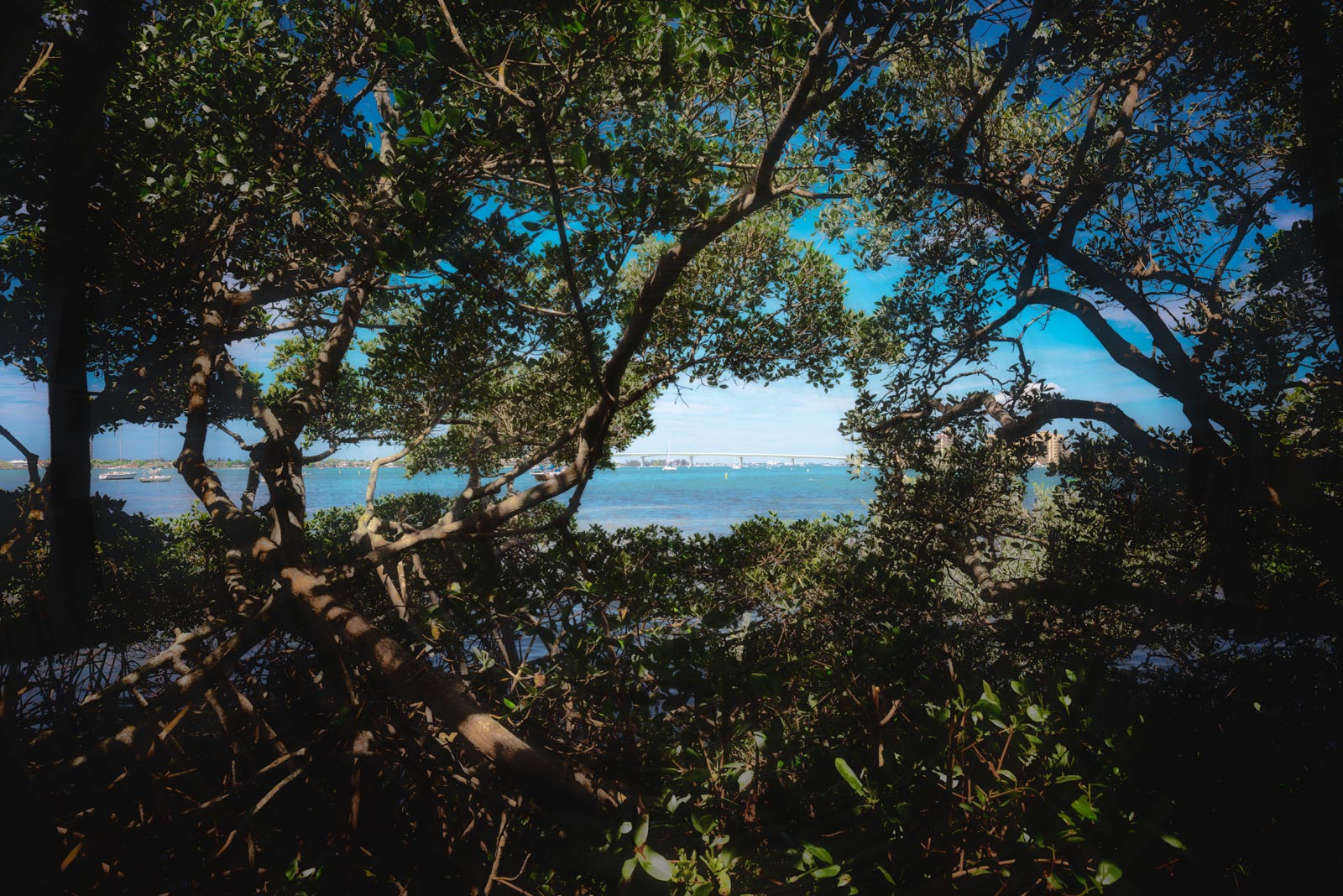
My lens collection lacks historical depth so I decided to try for that bygone era look with a pedestrian modern lens.
Stepping Back in Time
My lens collection lacks historical depth so I decided to try for that bygone era look with a pedestrian modern lens.
 |
||
 -Jay- © HCE HCE 2023 |
||
|
Stepping Back in Time
Sep 02, 2023 at 08:52 AM
p.1981 #6Manual Focus Nikon Glass
spoupard wrote:
Color or B&W? I can't decide, but I'm leaning toward the B&W. That's what I saw in my mind's eye before taking the photo, but I also like the color and can't decide which I like better.
Zfc, 25-50/4, Lens Turbo II
https://live.staticflickr.com/65535/53158074257_17f9f72cd4_b.jpg
23-Piedmont NWR-ZFC_0997-web by Scott Poupard
https://live.staticflickr.com/65535/53158861969_cd98993f65_b.jpg
23-Piedmont NWR-ZFC_0997v1.nef-web by Scott Poupard
I prefer the color one. Regina.
Sep 02, 2023 at 09:04 AM
p.1981 #7Manual Focus Nikon Glass
This is an inspiringly busy place these days, just like it was a few years ago! I have a lot to respond to from just a couple of days without posting (my last post was in 1976, and it's 1981 already!). Thanks Leighton and Jim for your kind comments on that post, and others who clicked the Like button. I am greatly enjoying the process of discovering how much can be done in infrared for interesting results.
First of all, for Curtis: I hope all is going as well as possible with your dental surgery process. I just had my own periodontal surgery on Wednesday (in which the periodontist cut out and lifted a gum-flap, amputated one root of a troubled tooth, then sewed the gum back together), which was not as extensive as your process, but I feel for you and wish you the very best.
I am another user of Adobe's photography subscription plan. For $156 CDN a year, it is likely no more expensive than yearly or biyearly updates of non-subscription software (and probably less pricey than it would be for both LR and PS), and there is no waiting for the tweaks and upgrades to the programs to roll out. For now I am sticking with this combo because the best other options I can find for my purposes either do not work with Fuji files or they do not work with Nik plugins, which I use on every photo I process (Capture One is an exception, but it costs $560 CDN for the non-subscription version).
James Markus wrote:
Playing with lens flare yesterday - Nikkor 20mm f2.8 ais with it's HK-14 lens hood on the
Canon 5DmkII 665nm converted body
Jim, you made very fine use of the lens flares in these stunning IR images!
serge07 wrote:
Hi, everyone:
US Open, Bernada Pera at the opener and has a match today.
X-E1 + 105/2.5 AIs sic @ f/4
Serge
I'm always impressed when people can use these lenses to capture sports action, Serge. Nice work!
Congrats to everybody who has been growing their gear collections: George for your new RF lens, Rafael for your #2 prototype, Laura for both your 500P and your D850 (nice handholding job, by the way; you even managed to make a broken license plate frame look good---those letter-carrier muscles are serving you well!), and Regina for your 28 f/2, which sings in your first photo from it! I, too, have been adding to my collection. Although I sold one lens (with one more still on the block), I have---like a proper addict---added three: a 28 f/2.8, a 55 f/2.8 micro, and a 25-50 f/4. I'm planning to take the first two out with me to the Forbidden Plateau later today, along with my X-T4 and my recently IR converted D7200 (and a couple of other lenses). You will, of course, be seeing the results at a later date.
kwoodard wrote:
Curious to hear your opinion… I am considering buying another Nikon body. I have multiple Fujis (that I like the recipes you can do with them) but I am thinking about changing things up to see if it sparks me shooting more.
I’m look looking at a Df or a Z5 and adapter. What do you think? Always wanted a Df, but am used to mirrorless. Thoughts?
I would recommend getting the Df, Kevin. If it becomes boring, you will probably be able to sell it for nearly as much as you bought it for, as it has evidently become somewhat of a collector's item with a fairly high but stable price on the used market. The Z5 will come and go, be replaced by the next iteration and rapidly lose its resale value, in case it gets boring.
spoupard wrote:
Color or B&W? I can't decide, but I'm leaning toward the B&W. That's what I saw in my mind's eye before taking the photo, but I also like the color and can't decide which I like better.
Zfc, 25-50/4, Lens Turbo II
I like them both too, Scott, but I especially appreciate it when a monochrome photo speaks just as clearly as colour, which the tones in your B&W do. So I lean slightly towards the B&W image.
Colin, congratulations on your 15 seconds of fame! It was your IR results that inspired me to get into this intriguing mode of photography, and now your photo is out there inspiring others. Good on ya!
Here is another wee trio of IR car photos from Coombs, once again featuring the 24 f/2.8 NC.
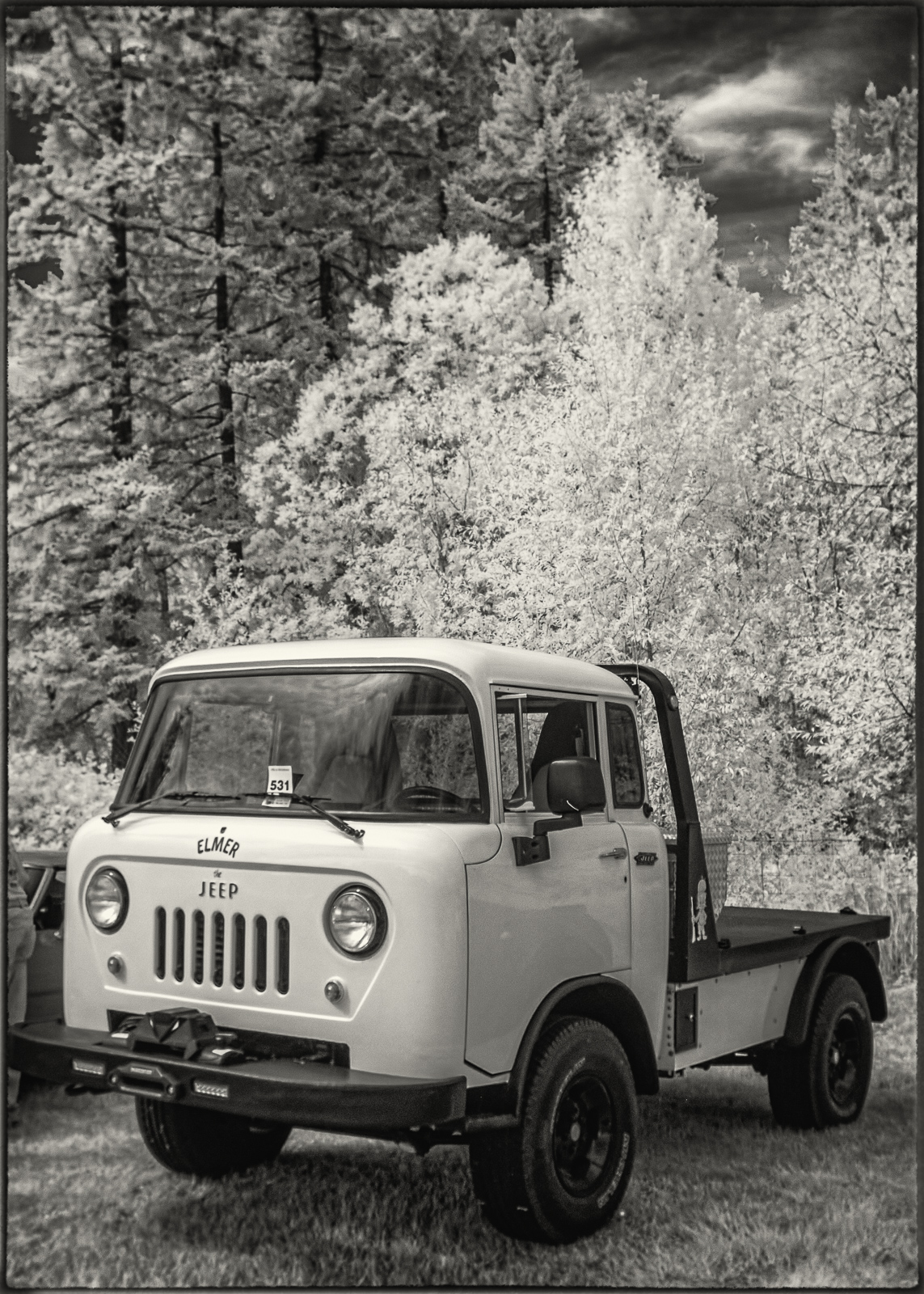
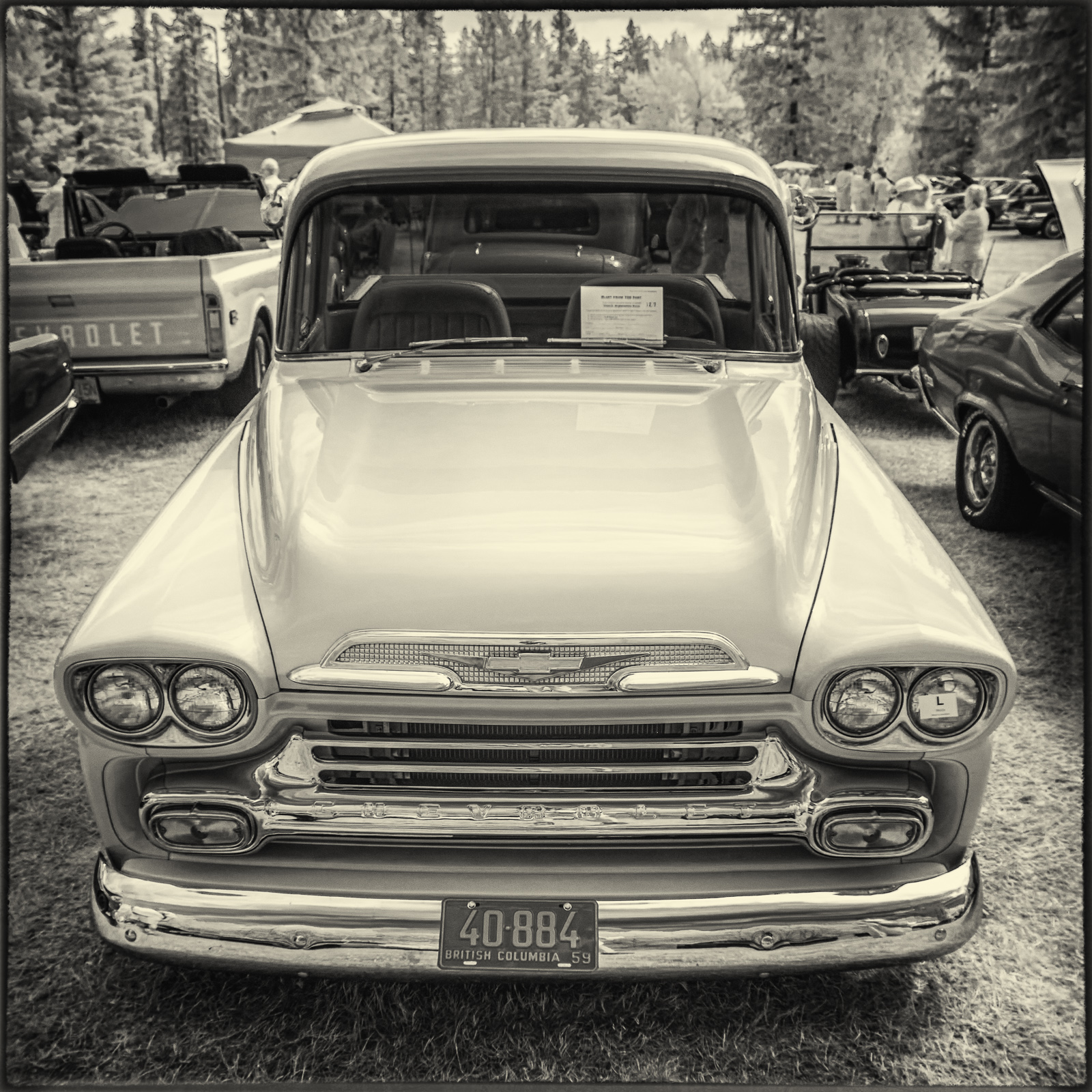
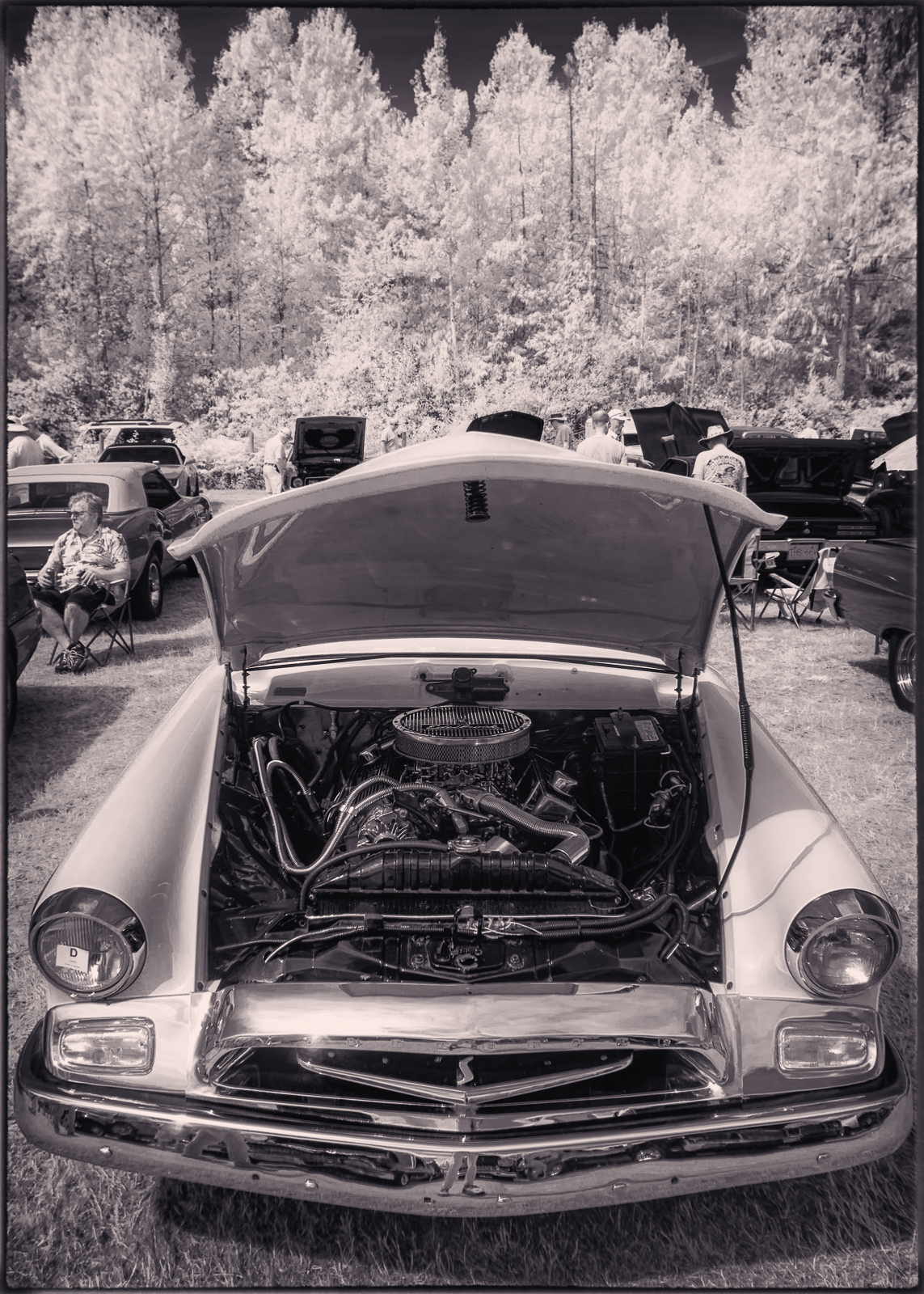
First of all, for Curtis: I hope all is going as well as possible with your dental surgery process. I just had my own periodontal surgery on Wednesday (in which the periodontist cut out and lifted a gum-flap, amputated one root of a troubled tooth, then sewed the gum back together), which was not as extensive as your process, but I feel for you and wish you the very best.
I am another user of Adobe's photography subscription plan. For $156 CDN a year, it is likely no more expensive than yearly or biyearly updates of non-subscription software (and probably less pricey than it would be for both LR and PS), and there is no waiting for the tweaks and upgrades to the programs to roll out. For now I am sticking with this combo because the best other options I can find for my purposes either do not work with Fuji files or they do not work with Nik plugins, which I use on every photo I process (Capture One is an exception, but it costs $560 CDN for the non-subscription version).
James Markus wrote:
Playing with lens flare yesterday - Nikkor 20mm f2.8 ais with it's HK-14 lens hood on the
Canon 5DmkII 665nm converted body
Jim, you made very fine use of the lens flares in these stunning IR images!
serge07 wrote:
Hi, everyone:
US Open, Bernada Pera at the opener and has a match today.
X-E1 + 105/2.5 AIs sic @ f/4
Serge
I'm always impressed when people can use these lenses to capture sports action, Serge. Nice work!
Congrats to everybody who has been growing their gear collections: George for your new RF lens, Rafael for your #2 prototype, Laura for both your 500P and your D850 (nice handholding job, by the way; you even managed to make a broken license plate frame look good---those letter-carrier muscles are serving you well!), and Regina for your 28 f/2, which sings in your first photo from it! I, too, have been adding to my collection. Although I sold one lens (with one more still on the block), I have---like a proper addict---added three: a 28 f/2.8, a 55 f/2.8 micro, and a 25-50 f/4. I'm planning to take the first two out with me to the Forbidden Plateau later today, along with my X-T4 and my recently IR converted D7200 (and a couple of other lenses). You will, of course, be seeing the results at a later date.
kwoodard wrote:
Curious to hear your opinion… I am considering buying another Nikon body. I have multiple Fujis (that I like the recipes you can do with them) but I am thinking about changing things up to see if it sparks me shooting more.
I’m look looking at a Df or a Z5 and adapter. What do you think? Always wanted a Df, but am used to mirrorless. Thoughts?
I would recommend getting the Df, Kevin. If it becomes boring, you will probably be able to sell it for nearly as much as you bought it for, as it has evidently become somewhat of a collector's item with a fairly high but stable price on the used market. The Z5 will come and go, be replaced by the next iteration and rapidly lose its resale value, in case it gets boring.
spoupard wrote:
Color or B&W? I can't decide, but I'm leaning toward the B&W. That's what I saw in my mind's eye before taking the photo, but I also like the color and can't decide which I like better.
Zfc, 25-50/4, Lens Turbo II
I like them both too, Scott, but I especially appreciate it when a monochrome photo speaks just as clearly as colour, which the tones in your B&W do. So I lean slightly towards the B&W image.
Colin, congratulations on your 15 seconds of fame! It was your IR results that inspired me to get into this intriguing mode of photography, and now your photo is out there inspiring others. Good on ya!
Here is another wee trio of IR car photos from Coombs, once again featuring the 24 f/2.8 NC.
Sep 02, 2023 at 09:25 AM
p.1981 #8Manual Focus Nikon Glass
First, both photos are excellent. Second, I sold a like new 24mm f2.0 ais for that very reason - it didn't reach acceptable sharpness until f4. Very unlike the 3rd try with the 24mm f2.8 which is very sharp.
GeorgeBo wrote:
Why have f/1.8 if you don't shoot it at f/1.8
Edited on Sep 02, 2023 at 11:48 AM · View previous versions
GeorgeBo wrote:
Why have f/1.8 if you don't shoot it at f/1.8
Edited on Sep 02, 2023 at 11:48 AM · View previous versions
Sep 02, 2023 at 11:41 AM
p.1981 #9Manual Focus Nikon Glass
HCE HCE wrote:
Scott - I like the color version but have never been keen on sepia tone. Perhaps a SUBTLE bluish tone like we used to get with Nelson's Gold Toner would work nicely.
My lens collection lacks historical depth so I decided to try for that bygone era look with a pedestrian modern lens.
Which lens is this Jay? Nice rendition.
Sep 02, 2023 at 11:43 AM
p.1981 #10Manual Focus Nikon Glass
I managed to stuff up the mac mini running only Lightroom. Apparently memory management is still a problem for mac osx. I got an out of application memory error about 50% into a 80,000 photo import. I've done much larger imports on my "vintage" windows machines, and not have them crash. I looked for a fix to the error, and the options are 1-force quit the app, or 2-reboot. That is not a solution. The error did mention that "applications" - only Lightroom was running - were at 12.2gb. I am now syncing individual folders to fix any corruption, and then will optimize the catalog - before continuing with importation of the rest of my images.
Sep 02, 2023 at 11:59 AM
|
p.1981 #11Manual Focus Nikon Glass
James Markus wrote:
I managed to stuff up the mac mini running only Lightroom. Apparently memory management is still a problem for mac osx. I got an out of application memory error about 50% into a 80,000 photo import. I've done much larger imports on my "vintage" windows machines, and not have them crash. I looked for a fix to the error, and the options are 1-force quit the app, or 2-reboot. That is not a solution. The error did mention that "applications" - only Lightroom was running - were at 12.2gb. I am now syncing individual folders to fix any corruption,...Show more →
What are the specs of your Mini? I’m an Apple admin at the college I work for and I may be able to help. One thing that I’ve had to do in my photo lab is turn off GPU acceleration. With it on, the macOS seemed to offload application processing to the SSD swap space and the system slowed to a crawl. Once disabled, nice and fast. This is assuming your Mini is an M1/2…
Sep 02, 2023 at 01:05 PM
p.1981 #12Manual Focus Nikon Glass
rafaelcasd wrote:
Which lens is this Jay? Nice rendition.
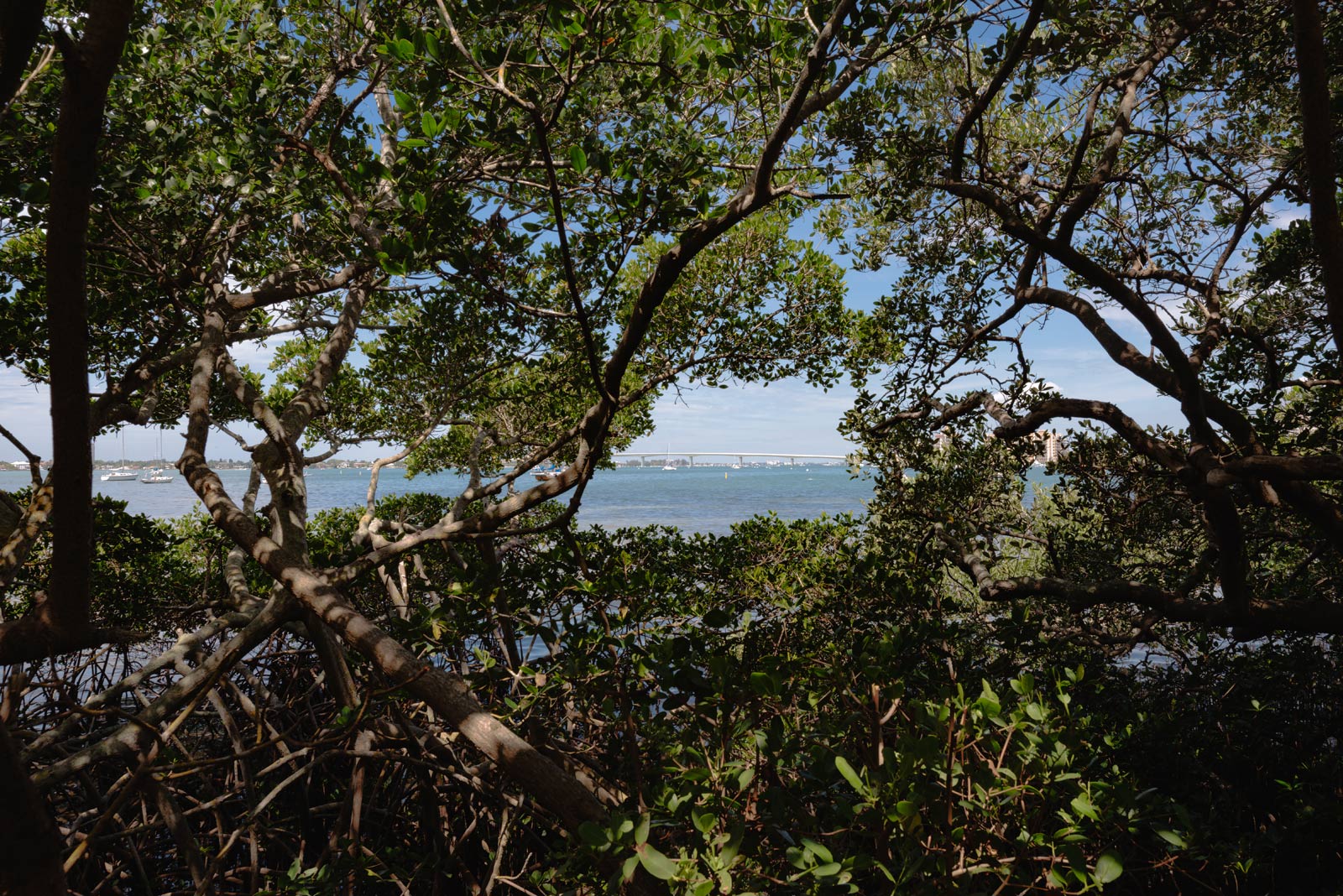
Well, thank you Raphael, this was taken with my usual 24mm f/3.5 PC-E. The scene is Sarasota Florida.
The unsullied version is attached, the vintage look was applied with plenty of negative radial clarity and negative exposure, a saturation boost and then 20% radial and zoom blurs applied with just enough opacity to stop short of overdoing it.
Contemporary Lens Version
HCE HCE wrote
My lens collection lacks historical depth so I decided to try for that bygone era look with a pedestrian modern lens.Well, thank you Raphael, this was taken with my usual 24mm f/3.5 PC-E. The scene is Sarasota Florida.
The unsullied version is attached, the vintage look was applied with plenty of negative radial clarity and negative exposure, a saturation boost and then 20% radial and zoom blurs applied with just enough opacity to stop short of overdoing it.
|
||
 -Jay- © HCE HCE 2023 |
||
|
Contemporary Lens Version
Sep 02, 2023 at 01:42 PM
p.1981 #13Manual Focus Nikon Glass
kwoodard wrote:
What are the specs of your Mini? I’m an Apple admin at the college I work for and I may be able to help. One thing that I’ve had to do in my photo lab is turn off GPU acceleration. With it on, the macOS seemed to offload application processing to the SSD swap space and the system slowed to a crawl. Once disabled, nice and fast. This is assuming your Mini is an M1/2…
I had an issue with my old Windows machine with Lightroom's GPU acceleration some years ago. I found the answer in a Youtube video, but I can't remember who made it.
James Markus wrote
I managed to stuff up the mac mini running only Lightroom. Apparently memory management is still a problem for mac osx. I got an out of application memory error about 50% into a 80,000 photo import. I've done much larger imports on my "vintage" windows machines, and not have them crash. I looked for a fix to the error, and the options are 1-force quit the app, or 2-reboot. That is not a solution. The error did mention that "applications" - only Lightroom was running - were at 12.2gb. I am now syncing individual folders to fix any corruption, and then will optimize the catalog - before continuing with importation of the rest of my images.I had an issue with my old Windows machine with Lightroom's GPU acceleration some years ago. I found the answer in a Youtube video, but I can't remember who made it.
Sep 02, 2023 at 01:57 PM
p.1981 #14Manual Focus Nikon Glass
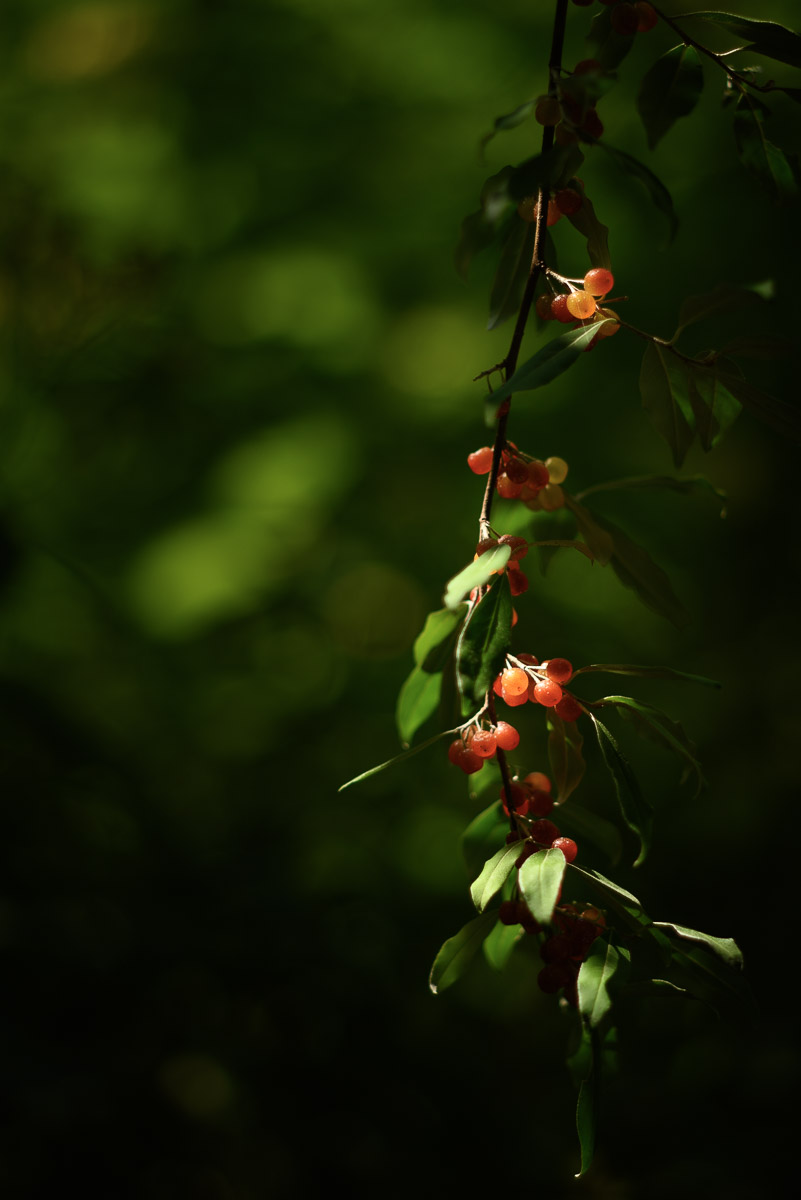
Was really excited to see this on a walk the other day. Then when I looked it up, of course, it was considered "invasive". Autmn Olive with the 85mm f2.0 AI.
Sep 02, 2023 at 02:20 PM
p.1981 #15Manual Focus Nikon Glass
Kevin,
This is the base M2 mac mini - 8gb ram 256 gb storage 8cpu, and 10 gpu. Lightroom has gpu set to "auto". There is off and custom (custom has the option to use the gpu. but it is not tic'd) and it mentions that it is only being used in a "limited" way. Once I finished synching this last 27k folder, and optimizing the catalog - I will disable gpu and see what happens. Thanks
Jim
kwoodard wrote:
What are the specs of your Mini? I’m an Apple admin at the college I work for and I may be able to help. One thing that I’ve had to do in my photo lab is turn off GPU acceleration. With it on, the macOS seemed to offload application processing to the SSD swap space and the system slowed to a crawl. Once disabled, nice and fast. This is assuming your Mini is an M1/2…
This is the base M2 mac mini - 8gb ram 256 gb storage 8cpu, and 10 gpu. Lightroom has gpu set to "auto". There is off and custom (custom has the option to use the gpu. but it is not tic'd) and it mentions that it is only being used in a "limited" way. Once I finished synching this last 27k folder, and optimizing the catalog - I will disable gpu and see what happens. Thanks
Jim
kwoodard wrote:
James Markus wrote
I managed to stuff up the mac mini running only Lightroom. Apparently memory management is still a problem for mac osx. I got an out of application memory error about 50% into a 80,000 photo import. I've done much larger imports on my "vintage" windows machines, and not have them crash. I looked for a fix to the error, and the options are 1-force quit the app, or 2-reboot. That is not a solution. The error did mention that "applications" - only Lightroom was running - were at 12.2gb. I am now syncing individual folders to fix any corruption, and then will optimize the catalog - before continuing with importation of the rest of my images.Sep 02, 2023 at 02:52 PM
p.1981 #16Manual Focus Nikon Glass
Last week I gave the old 24/2.8 NC another spin on the D610 IR.
Jets, heading into Heathrow or Gatwick airports, split the rippled clouds like a hot knife thru butter but by the time I ran into the house to get a camera the effect had dispersed somewhat.
 DSC_1154-Pano by Colin McIntosh, on Flickr
Jets, heading into Heathrow or Gatwick airports, split the rippled clouds like a hot knife thru butter but by the time I ran into the house to get a camera the effect had dispersed somewhat.
DSC_1154-Pano by Colin McIntosh, on FlickrSep 02, 2023 at 03:39 PM
p.1981 #17Manual Focus Nikon Glass
Just reporting my test for LR Denoise speed test results. Rebooted machine between each setting change.
Case 1:
LR: Use GPU
NVIDIA Power Management: Maximum Performance
Case 2:
LR: Don't Use GPU
NVIDIA Power Management: Maximum Performance
Case 3:
LR: Use GPU
NVIDIA Power Management: Adaptive
Case 4:
LR: Don't Use GPU
NVIDIA Power Management: Adaptive
Result: all about the same within a few seconds on three different Z5 NEFS. All files took over 4 minutes each.
Only thing I noticed is that the GPU insisted on using shared RAM, even though for the Z5 files, the total GPU RAM used was under the card's 3GB capacity. Nothing else running. Oh well. I'll keep testing, thought I have a "watch" on evilbay for a couple of 8GB GPU.
Sep 02, 2023 at 04:14 PM
p.1981 #18Manual Focus Nikon Glass
pbraymond wrote:
Was really excited to see this on a walk the other day. Then when I looked it up, of course, it was considered "invasive". Autmn Olive with the 85mm f2.0 AI.
Seems like just enough light. Nice one, Raymond.
Was really excited to see this on a walk the other day. Then when I looked it up, of course, it was considered "invasive". Autmn Olive with the 85mm f2.0 AI.
Seems like just enough light. Nice one, Raymond.
Sep 02, 2023 at 04:23 PM
p.1981 #19Manual Focus Nikon Glass

Sep 02, 2023 at 04:25 PM
p.1981 #20Manual Focus Nikon Glass
spoupard wrote:
Color or B&W? I can't decide, but I'm leaning toward the B&W. That's what I saw in my mind's eye before taking the photo, but I also like the color and can't decide which I like better.
Zfc, 25-50/4, Lens Turbo II
https://live.staticflickr.com/65535/53158074257_17f9f72cd4_b.jpg
23-Piedmont NWR-ZFC_0997-web by Scott Poupard
https://live.staticflickr.com/65535/53158861969_cd98993f65_b.jpg
23-Piedmont NWR-ZFC_0997v1.nef-web by Scott Poupard
I like them both. Which is better? Depends on whether one is in an Ansel Adams or Elliot Porter mood. I'm inclining toward the B&W.
Edited on Sep 02, 2023 at 05:45 PM · View previous versions
Sep 02, 2023 at 05:27 PM